

ECS (Elastic Container Service)
ECS is one of AWS’s earlier managed container orchestration options (predating EKS). While there are many ways to run containers on AWS, ECS and EKS are the two primary managed orchestration services covered here. Best practices to improve availability and resilience:- Run ECS across multiple Availability Zones (AZs). If you use the EC2 launch type, place EC2 instances in multiple subnets/AZs and manage them with an Auto Scaling Group (ASG) that spans those subnets to avoid single-AZ failures.
- Define containers together in an ECS task definition when they must run as a unit (for example, sidecars plus the main container). Use ECS Services to maintain a desired count, orchestrate rolling updates, and perform health checks so unhealthy tasks are replaced automatically.
- Use Application Auto Scaling (target-tracking policies or step-scaling) to scale task counts based on CPU, memory, or custom CloudWatch metrics. Multiple replicas across AZs improve availability during load spikes or failures.
- Use capacity providers for finer control of compute types and allocation behavior — for example, mixing Fargate and EC2, or multiple EC2 instance types (including Graviton). Capacity providers tie into ASGs and influence cost, resilience, and scaling characteristics.
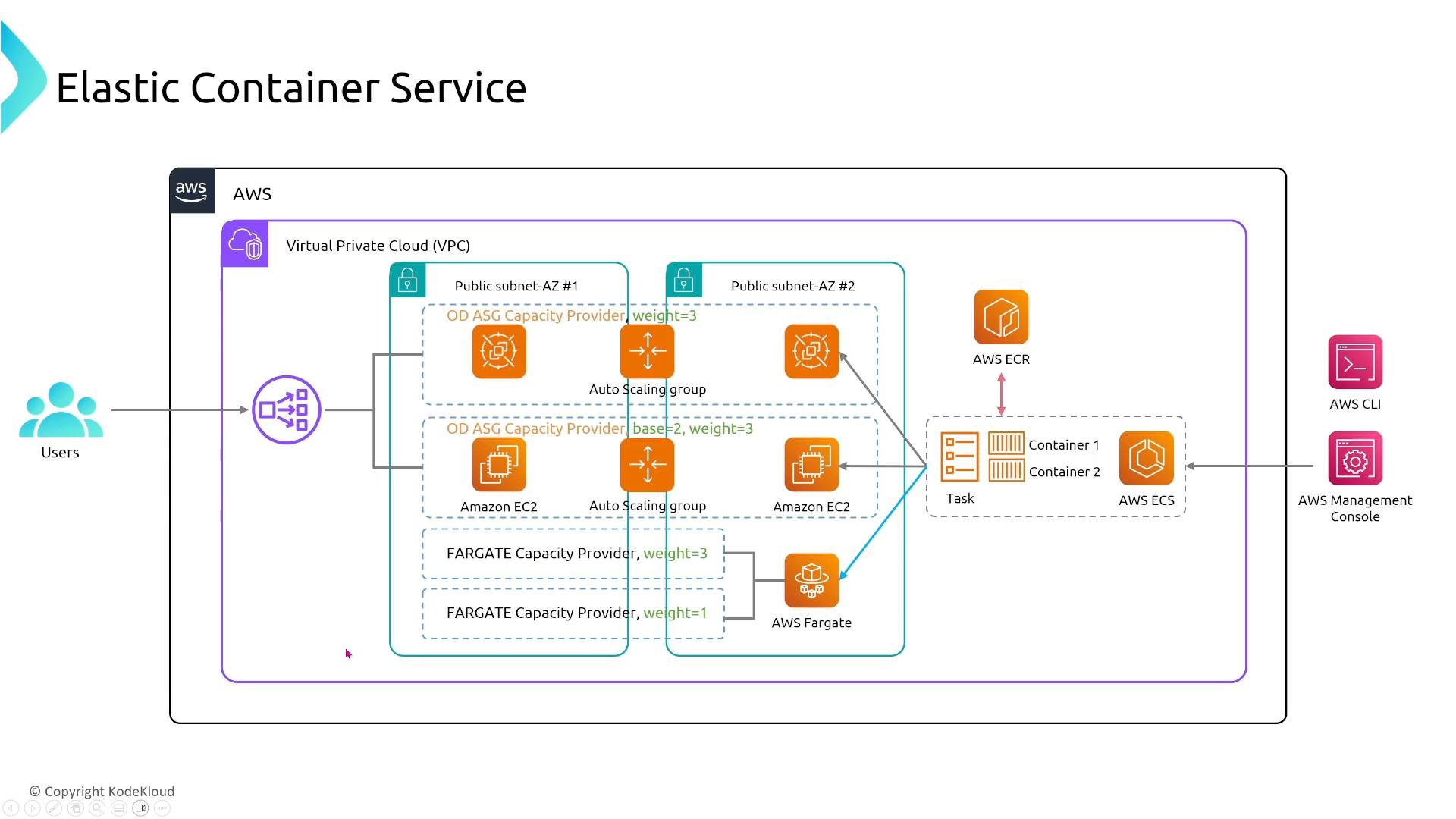
- Ensure the ECS Service desired count and the task definition support multiple task instances across AZs.
- Configure task- and load‑balancer health checks so failed tasks are replaced automatically.
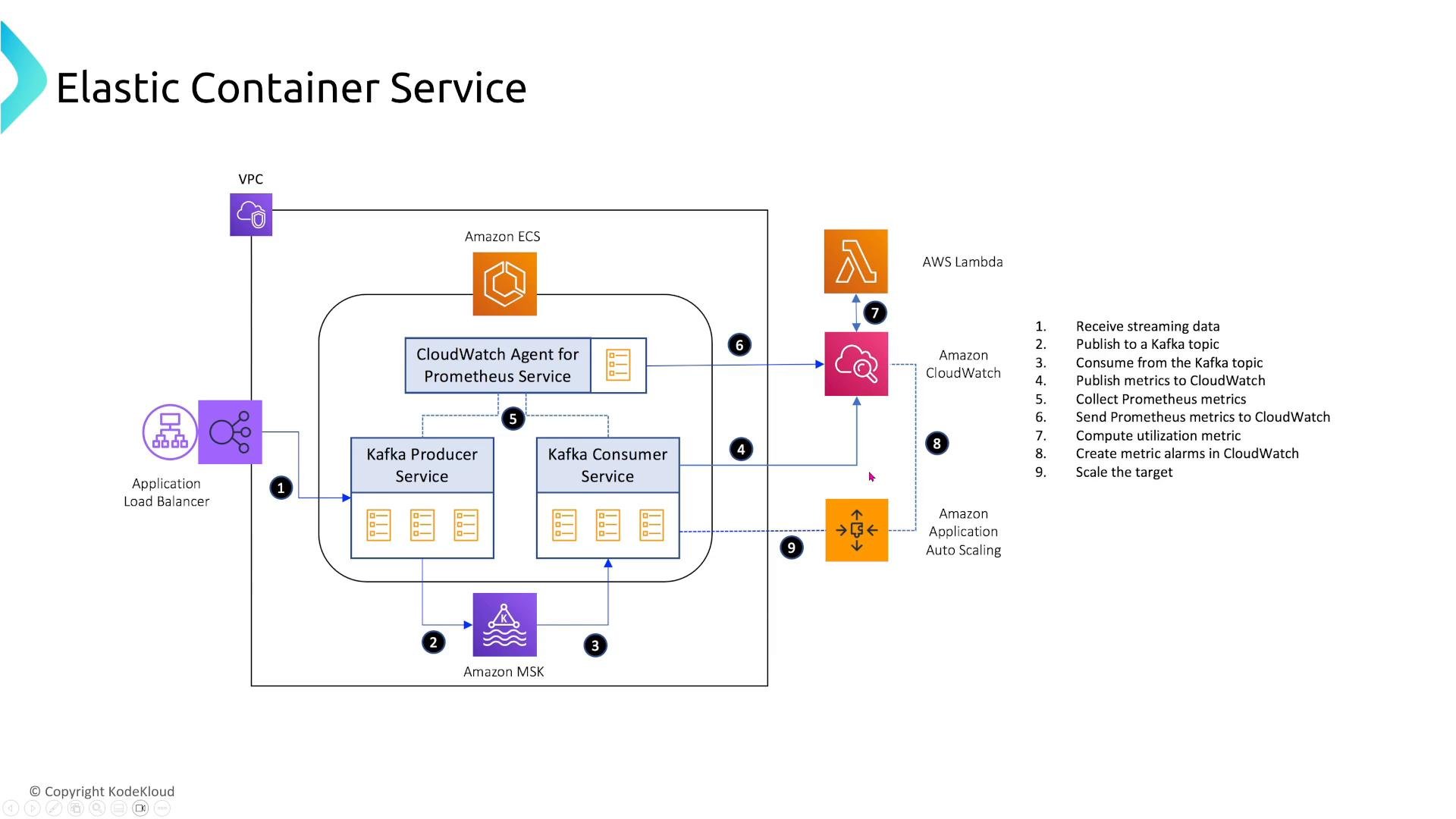
- Producers publish events to an MSK topic.
- Consumers pull events, publish metrics to CloudWatch (and Prometheus).
- CloudWatch alarms or Lambda triggers invoke Application Auto Scaling to adjust ECS task counts.
- Use different capacity providers to run mixed workloads (Linux vs Windows, x86_64 vs arm64/Graviton). Build container images for each CPU architecture you plan to run.
- Consider VPC Lattice for cross-account and cross-VPC service routing, enabling service discovery and consistent routing without complex peering.
- Fargate is a serverless compute option for ECS (and EKS) — you do not manage EC2 hosts. It reduces operational overhead: deploy tasks and Fargate runs them.
- Limitations: Fargate historically lacked GPU support and custom kernel/driver control. For GPUs or specialized hosts, use the EC2 launch type with GPU-capable instances.
- Still apply health checks, autoscaling, and multi-AZ deployment patterns with Fargate to maximize availability.
- Common practice: deploy to a development account then to a production account. Deploying identical Fargate services in both accounts and across multiple AZs increases availability and isolation.
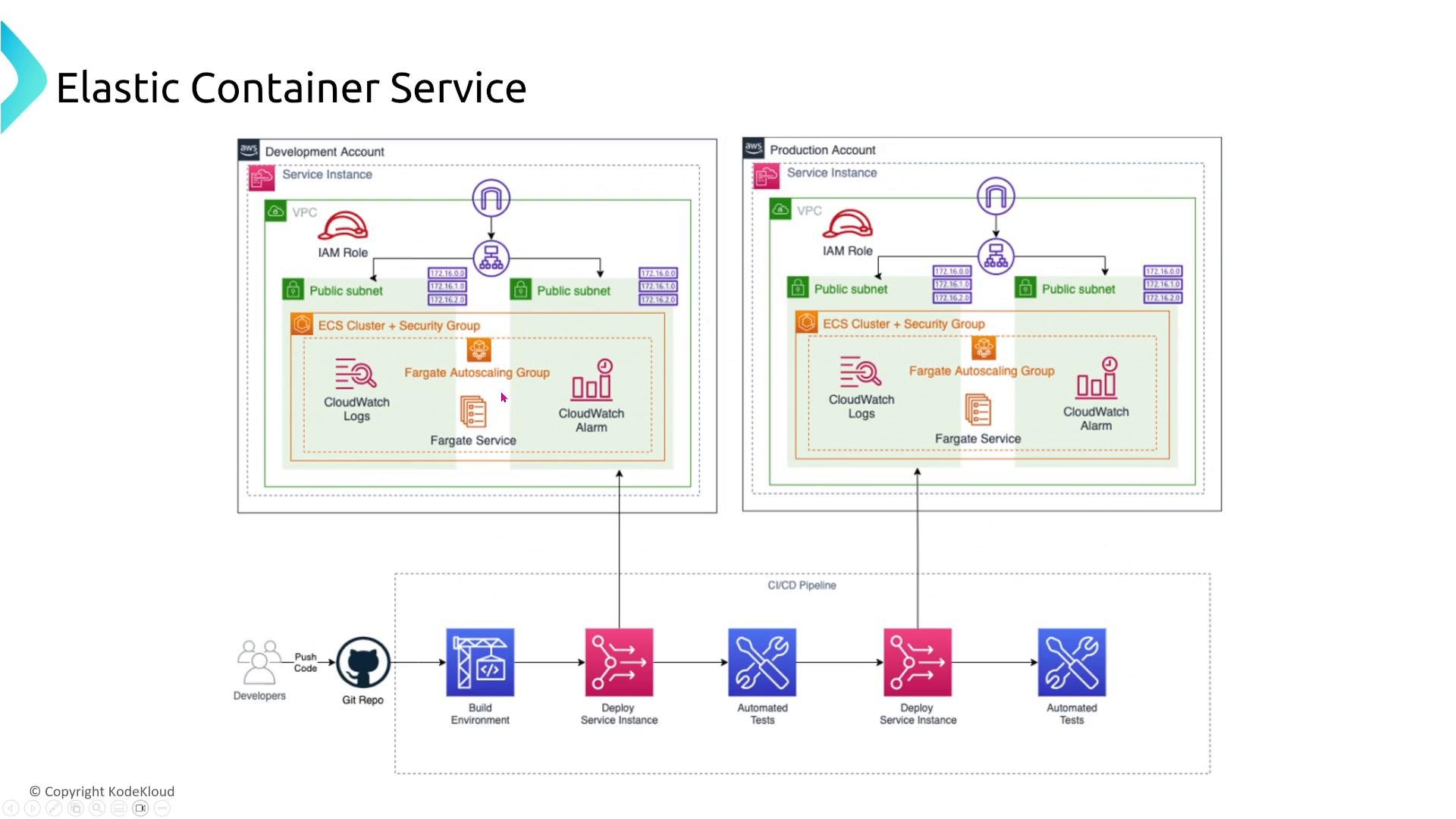
- Use ECS Services to manage desired task counts and health checks.
- Configure Application Auto Scaling for dynamic scaling.
- Use capacity providers and ASGs for EC2-backed clusters to control instance diversity and resilience.
EKS (Elastic Kubernetes Service)
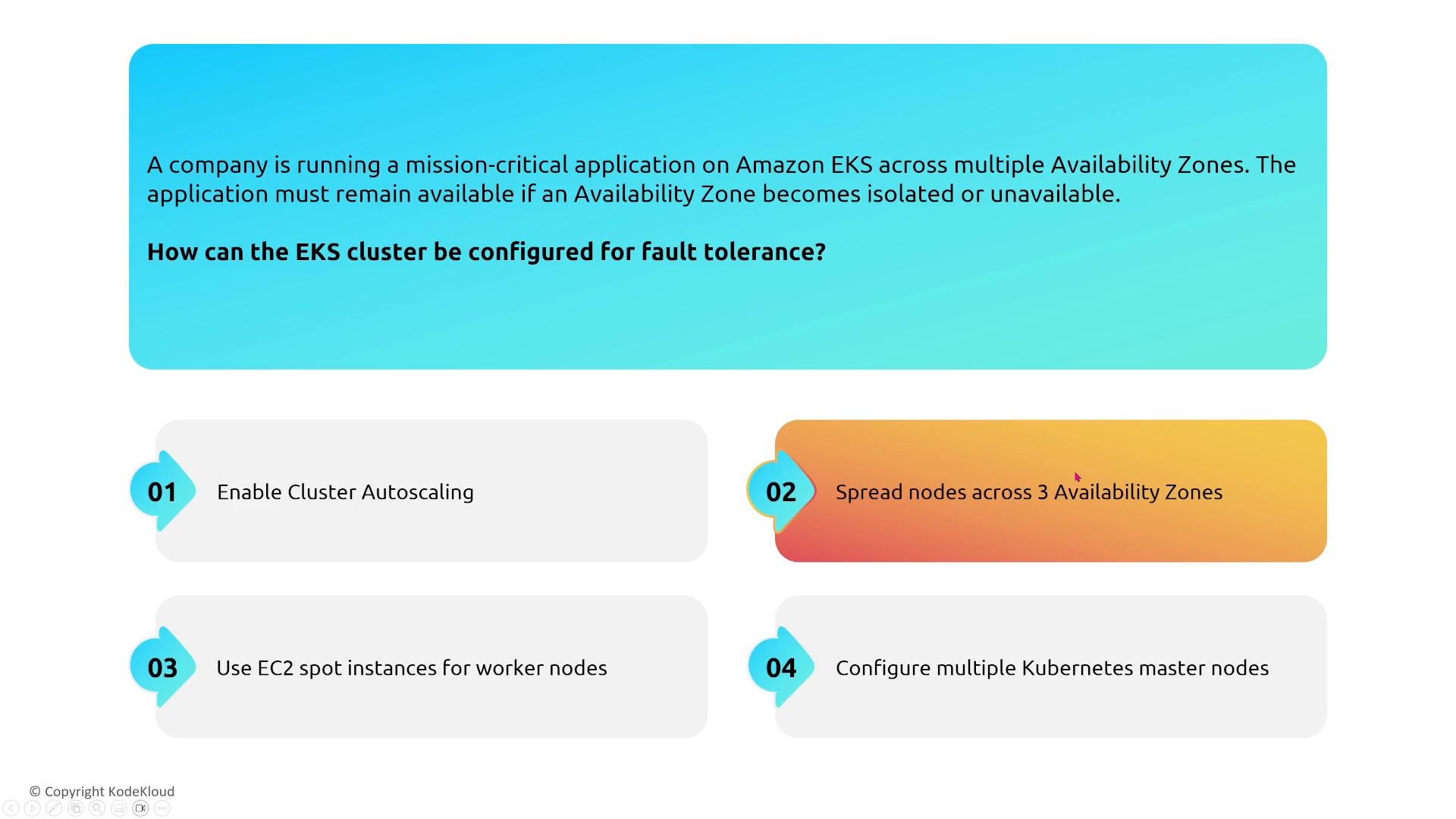
Many resilience principles from ECS apply to EKS, but Kubernetes handles orchestration responsibilities natively. Core recommendations:- Spread worker nodes (or Fargate profiles) across multiple AZs—three AZs is standard for stronger fault tolerance.
- Use cluster autoscaling (Cluster Autoscaler or Karpenter) so node capacity matches pod scheduling demand. Ensure node pools span AZs.
- For pod-level autoscaling, use the Horizontal Pod Autoscaler (HPA) with CPU, memory, or custom metrics.
- Karpenter offers more flexible node provisioning and can be used instead of (or alongside) Cluster Autoscaler.
- Use AWS Global Accelerator or Route 53 routing policies for cross-region traffic distribution. Multi-region deployments require data replication strategies and added complexity for stateful systems.
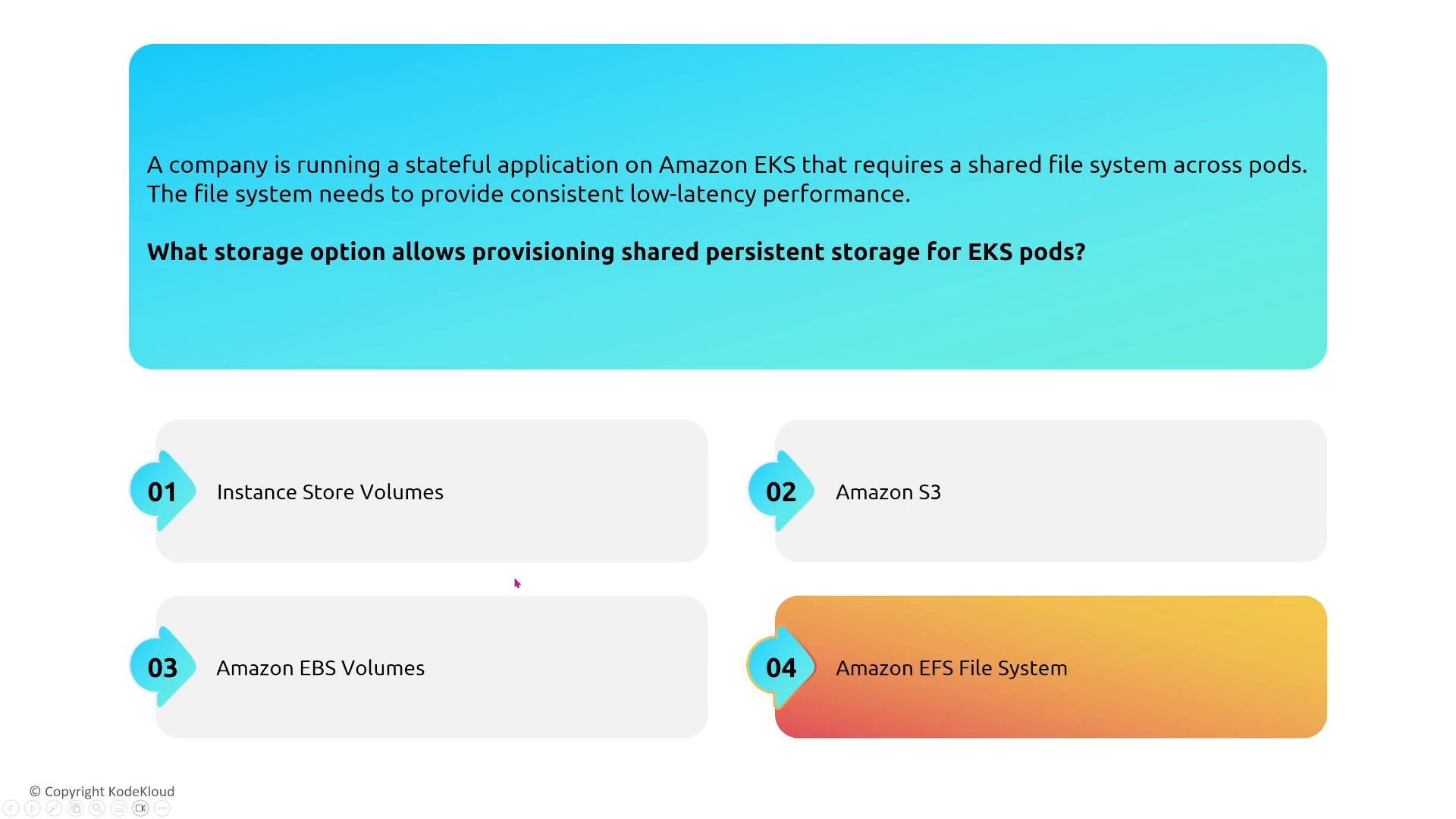
- EBS volumes are AZ-scoped: a pod using an EBS-backed PersistentVolume must run on a node in the same AZ as the EBS volume.
- Amazon EFS supports multi-AZ shared POSIX file systems accessible from pods across AZs—use the EFS CSI driver to provision PersistentVolumes.
- For stateful services needing block-level replication or high durability, prefer managed databases (RDS, Aurora) or database replication solutions rather than relying on single EBS-backed pods.
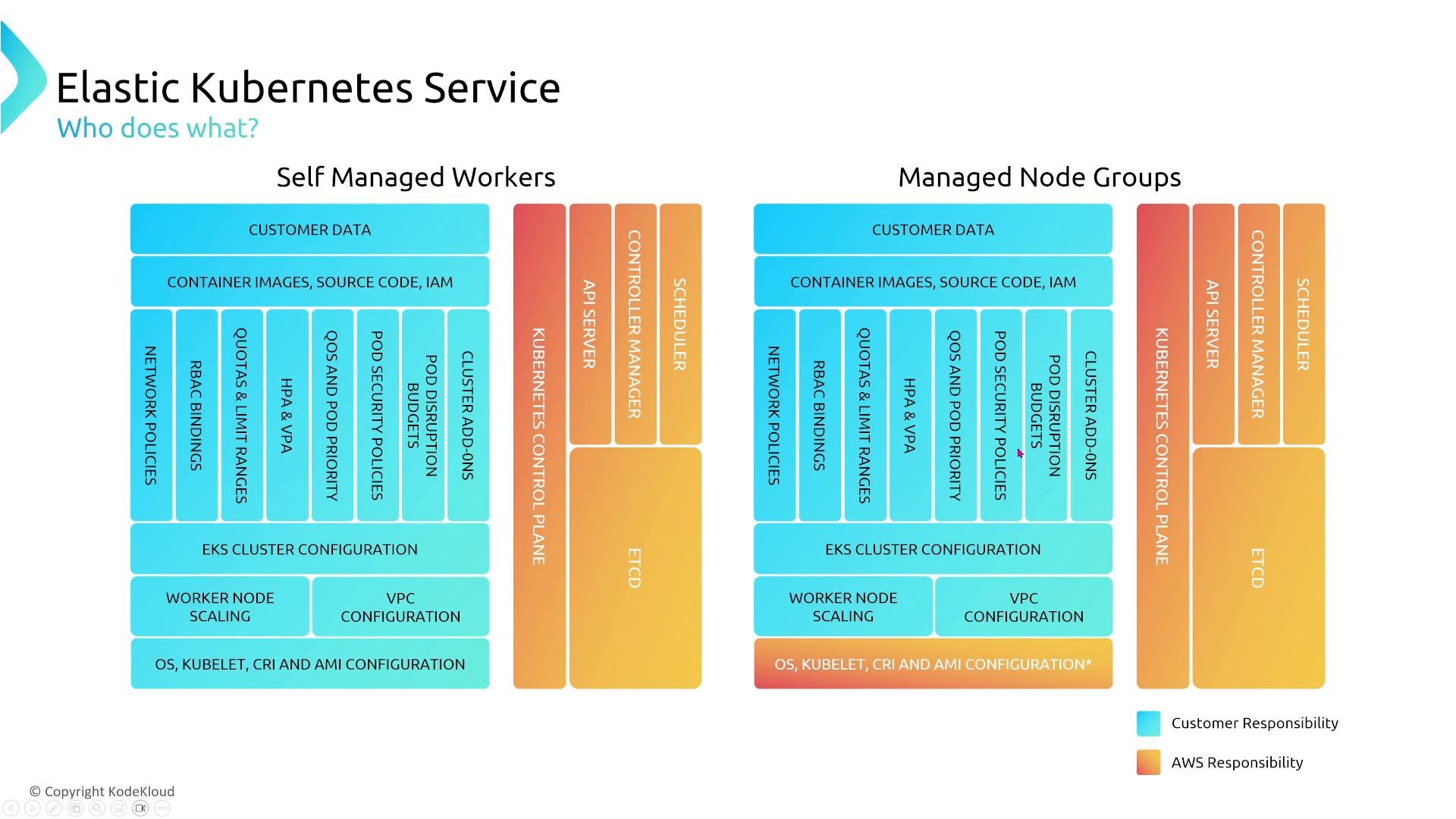
- AWS manages a highly available EKS control plane. You do not manage control plane nodes.
- Your responsibilities include worker node lifecycle (if self-managed), node security, container images, RBAC, and application design. Managed node groups reduce operational burden by providing automated node replacement and ASG integration.
- Which storage option allows shared persistent storage for EKS pods across AZs? Amazon EFS (EBS and instance store are AZ-scoped; S3 is object storage).
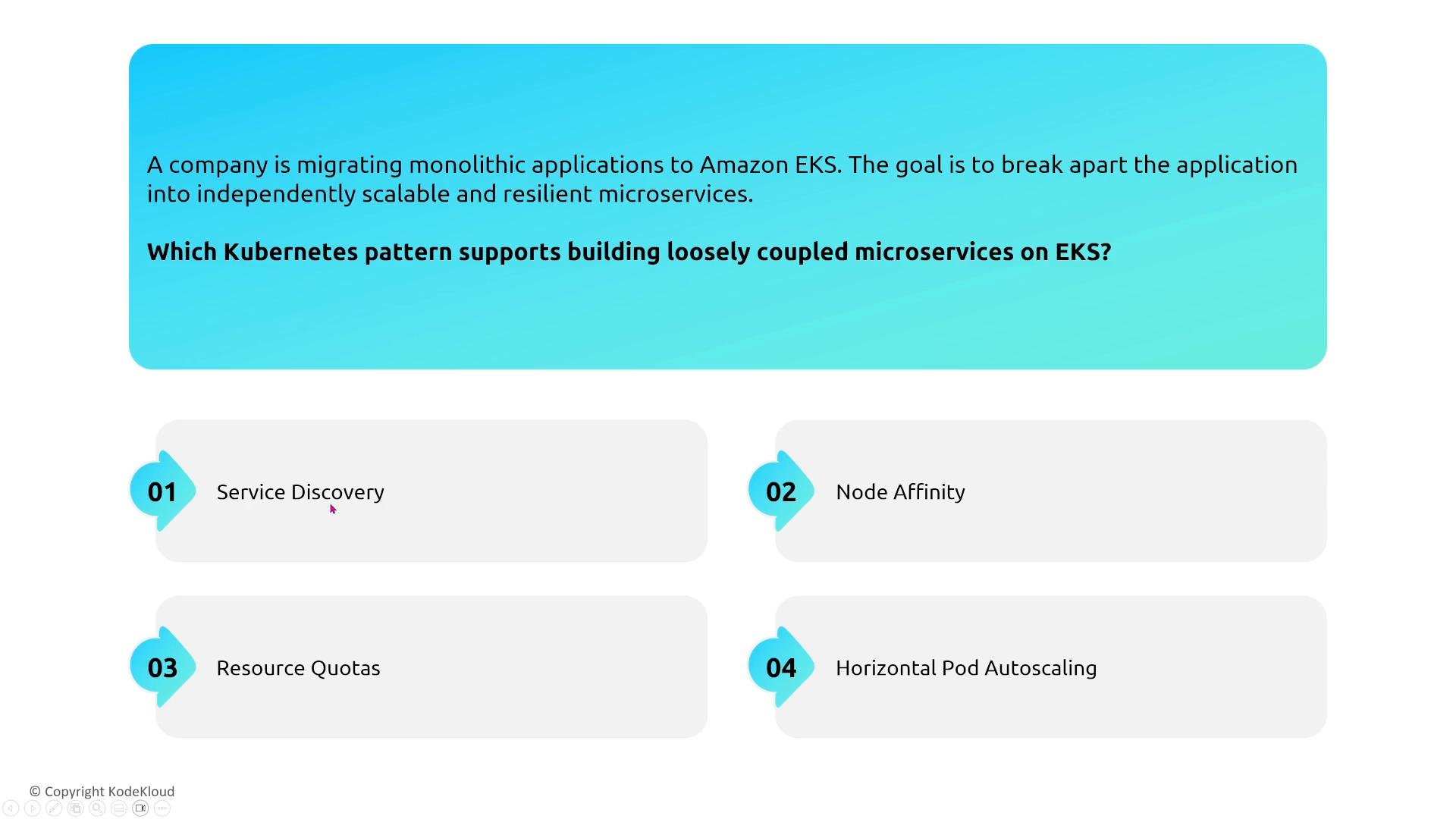
- Which Kubernetes pattern supports loosely coupled microservices? Service discovery (DNS-based discovery or a service mesh) enables clients to find services without tight coupling to the underlying nodes.
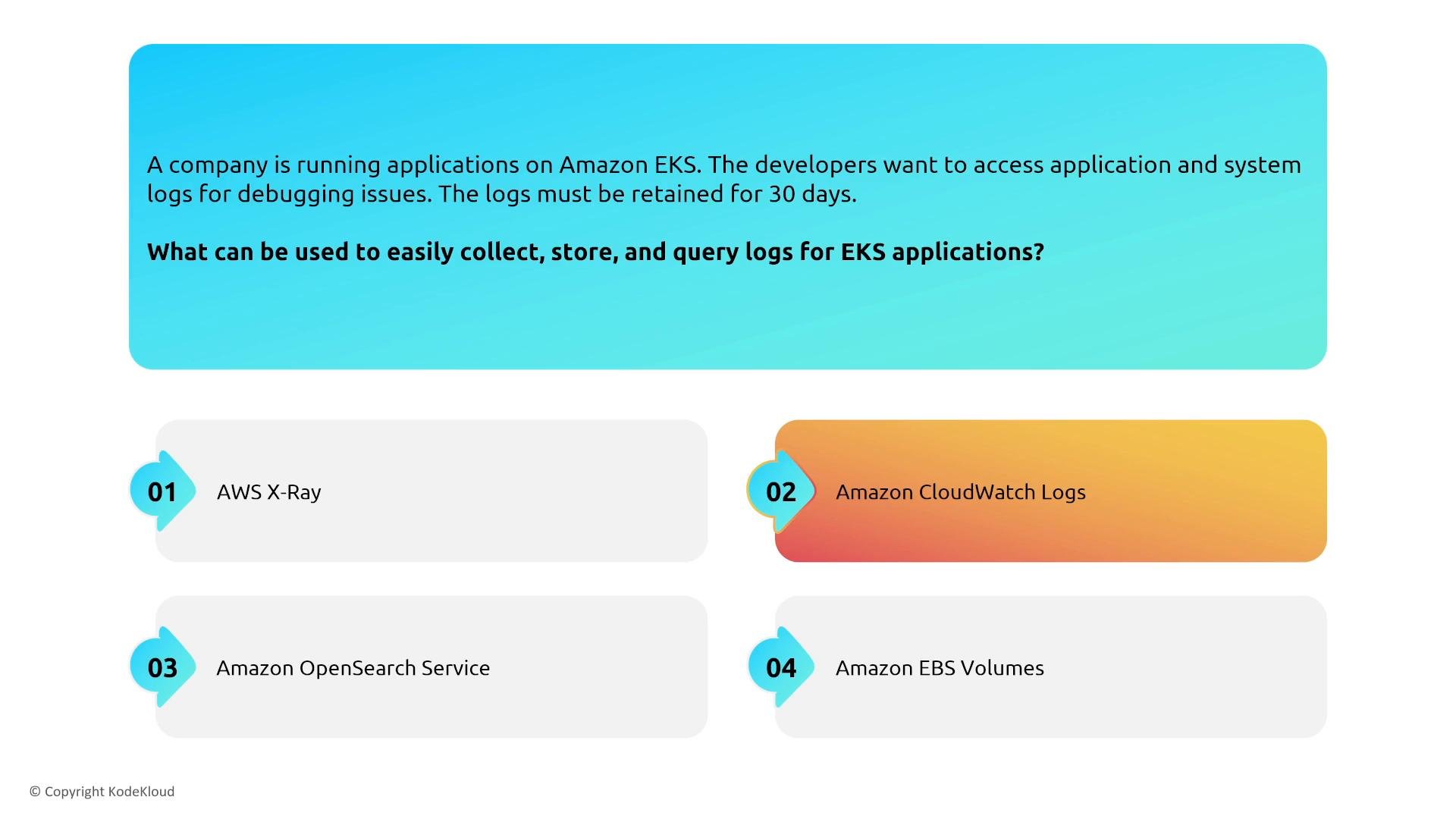
- Centralize application and cluster logs. CloudWatch Logs is a common exam-relevant option for collecting, storing (for example, 30-day retention), and querying logs. You can also forward logs to Amazon OpenSearch Service or other analytics platforms.
ECR (Elastic Container Registry)
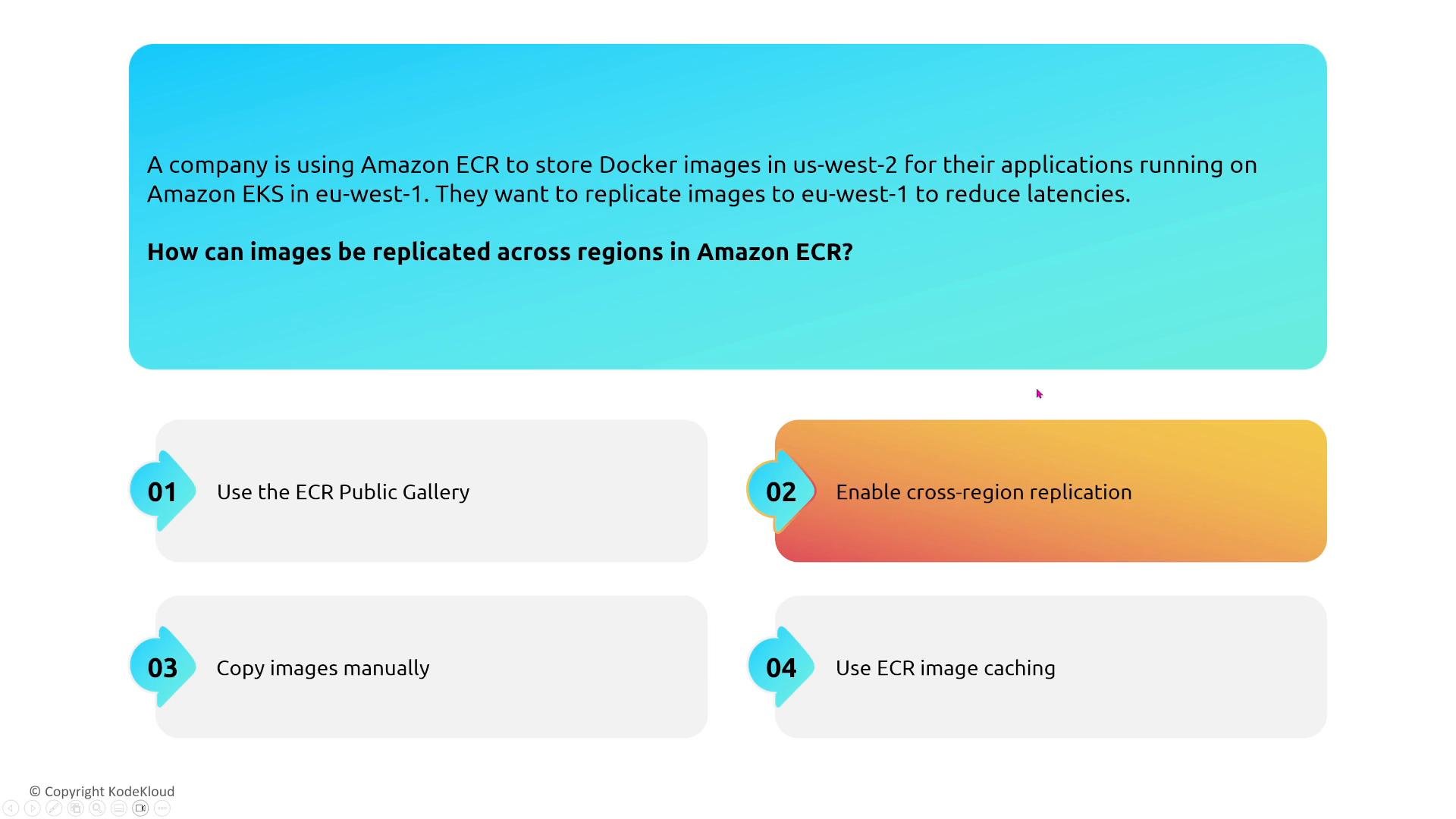
ECR is a managed container registry for Docker/OCI images. For reliability and global distribution:- ECR is regional by default. Enable ECR cross-region image replication to copy images to other regions automatically so images remain available and reduce pull latency.
- Alternatively, maintain mirrors or multiple registries, but managed replication is operationally simpler.
- Integrate ECR into CI/CD pipelines to automate builds, scans (ECR image scanning or Amazon Inspector), and promotions through environments.
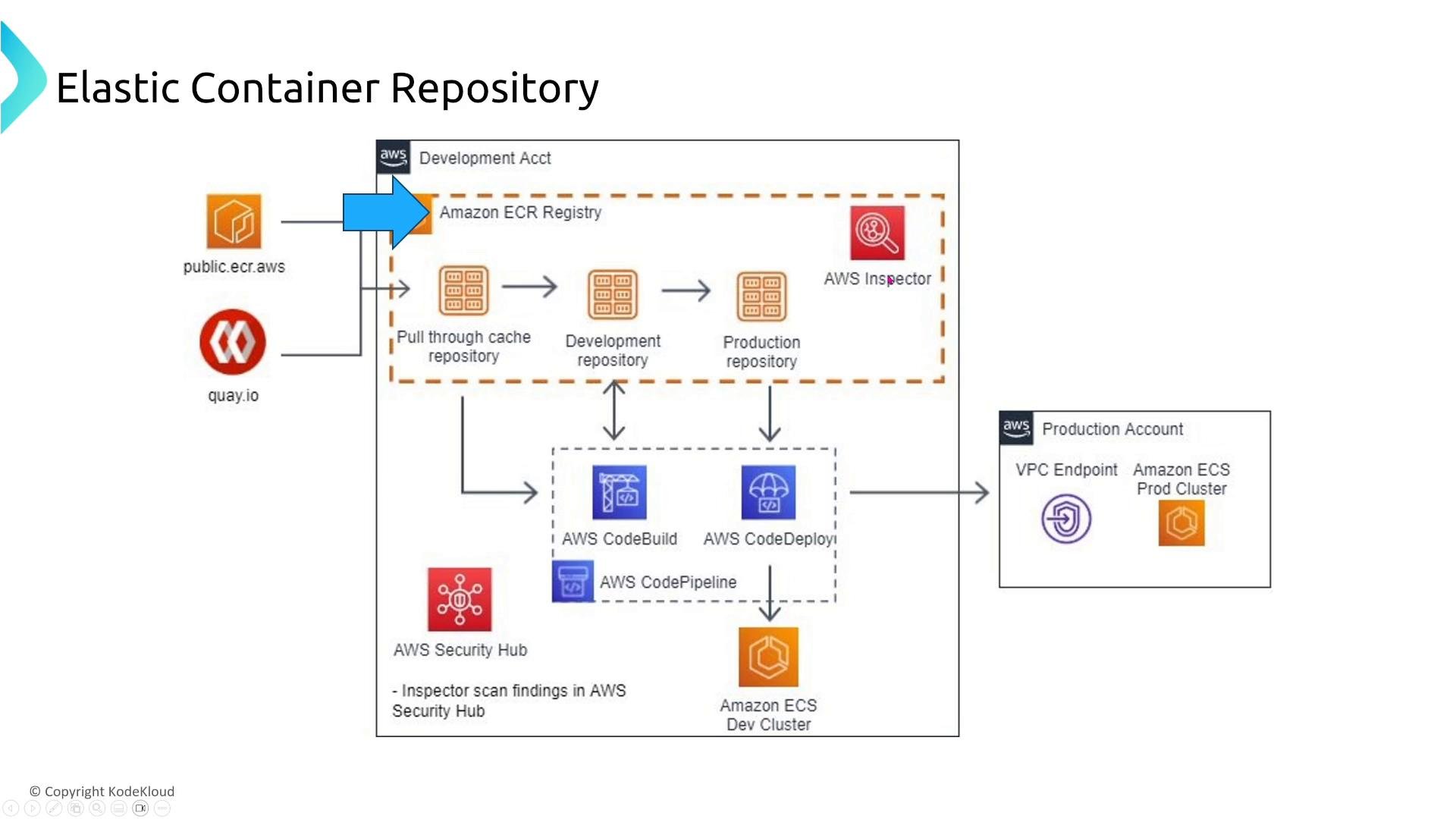
- Ensure authentication and IAM permissions for CI/CD systems are scoped correctly so image pushes and replication succeed.
- Use image scanning to catch vulnerabilities before promotion to production registries.
ECR replication and image scanning are low-effort ways to improve reliability and security—integrate them in CI/CD so images are available and safe in the regions where your workloads run.
App Runner
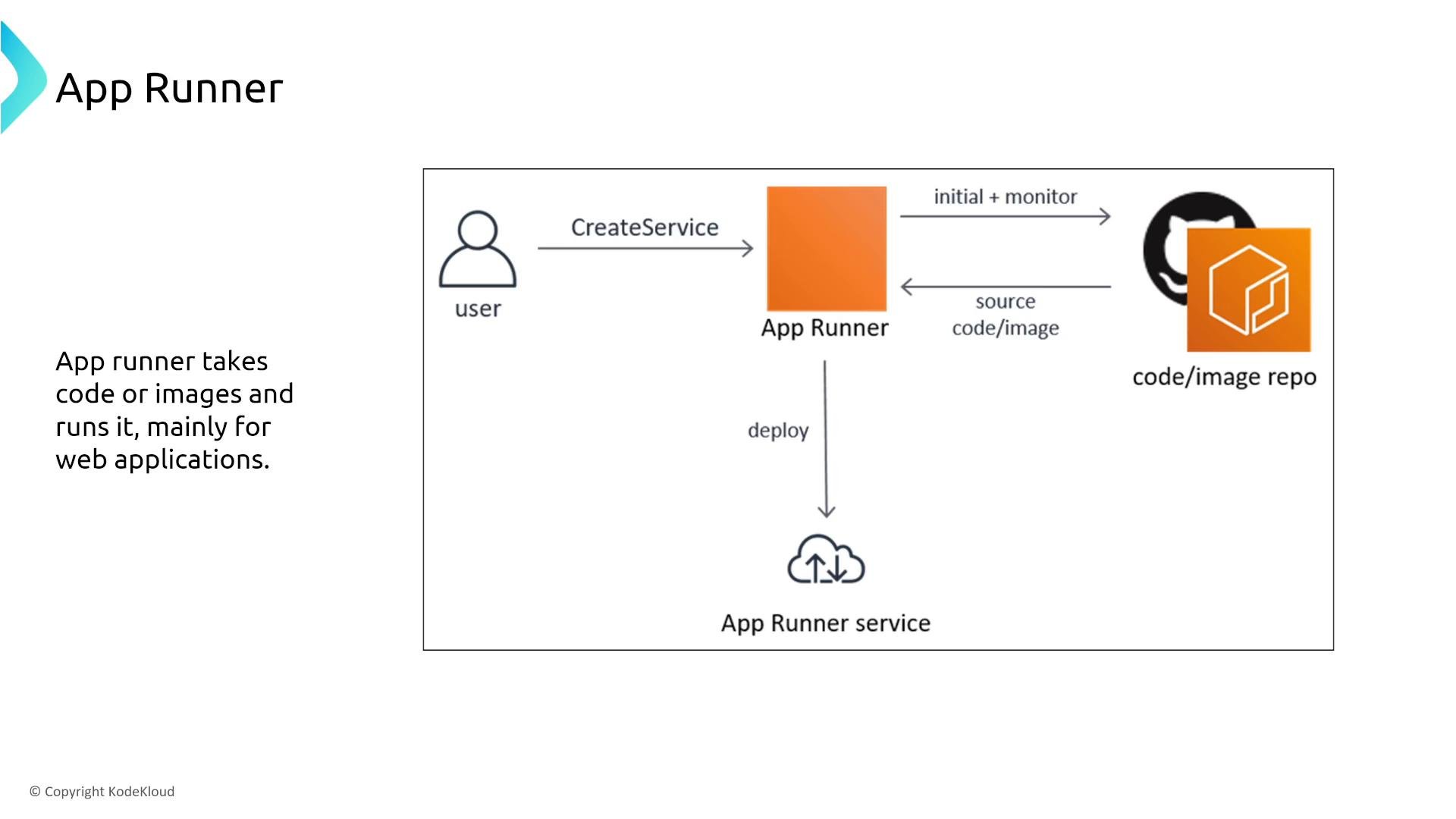
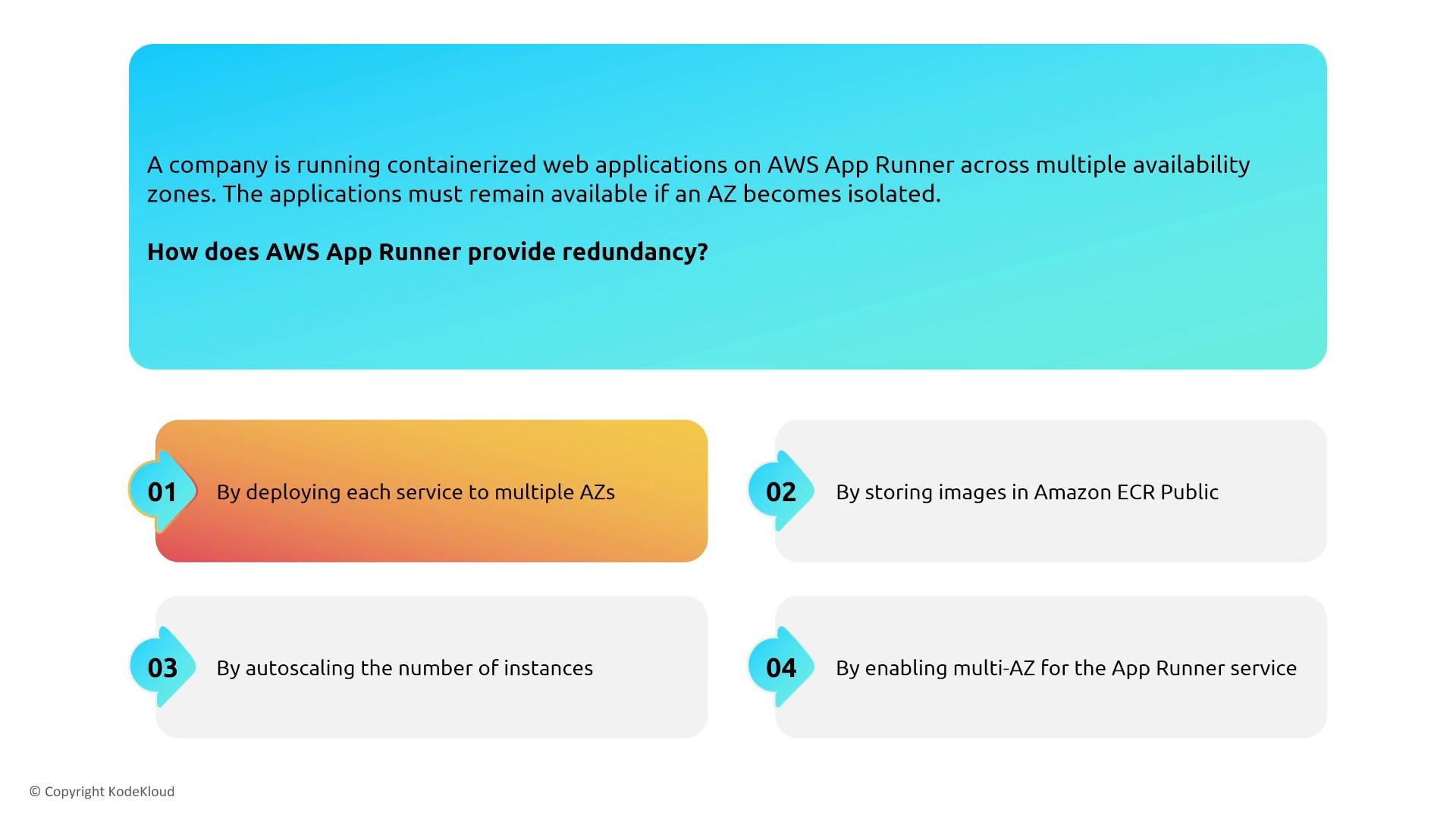
App Runner is a fully managed service that builds and runs containerized web applications from source or container images. It abstracts infrastructure so teams can focus on code.- App Runner manages instances and multi-AZ redundancy under the hood. Configure health checks and scaling behavior via the service.
- Use App Runner for simple web apps where you want to avoid managing clusters. For workloads needing GPUs, custom kernel modules, or advanced networking, prefer ECS/Fargate or EKS.
- App Runner provides a managed request-routing and load-balancing layer. For very specific load-balancer or networking requirements, choose other container platforms.
AWS Batch
AWS Batch orchestrates batch jobs using EC2, ECS, and Fargate compute resources. It supports Spot and On-Demand capacity and automatically provisions scaling for parallel workloads.- Improve reliability for batch jobs by configuring job retries, exponential backoff, and appropriate failure thresholds.
- Use separate compute environments and job queues to separate priority workloads and handle capacity constraints.
- Ensure data sources (S3, DynamoDB, EFS, etc.) are resilient and accessible from the Batch compute environment.
- Trigger Batch jobs from S3 events, Lambda, or CI/CD systems to automate processing pipelines.
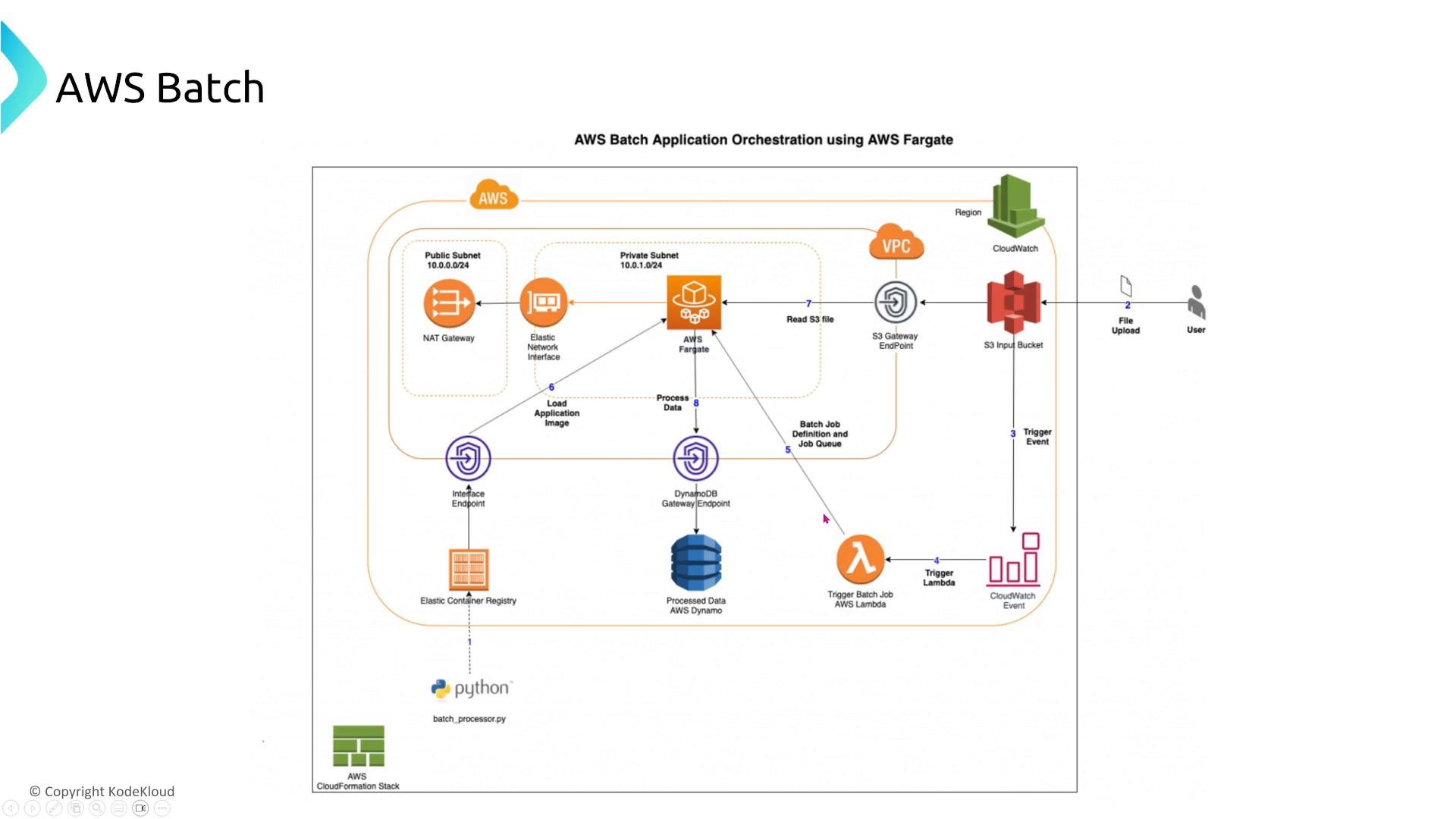
- A user uploads input to S3.
- A Lambda function or event trigger submits an AWS Batch job that runs a container from ECR in a compute environment (Fargate or EC2).
- The job processes data and writes results to DynamoDB or S3.
- Configure retries and compute scaling so jobs complete reliably.
Summary: quick checklist
- Run compute across multiple AZs; use Auto Scaling, health checks, and multi-AZ placement to avoid single points of failure.
- ECS: use task definitions and ECS Services for grouped containers; use capacity providers for compute control.
- EKS: use Kubernetes patterns (StatefulSet, HPA, Cluster Autoscaler/Karpenter); use Amazon EFS for shared multi-AZ file storage.
- ECR: scan and replicate images; enable cross-region replication for multi-region availability.
- App Runner: use when you want managed, no-ops web service deployment; choose ECS/EKS/Fargate for more control.
- Batch: configure retries and leverage Batch’s compute provisioning; ensure storage/data sources are resilient.
Design for failure: ensure stateful components have appropriate replication and use managed services (EFS,
RDS, MSK) where possible to avoid single-AZ or single-node bottlenecks.Links and references
- ECS (Elastic Container Service)
- EKS (Elastic Kubernetes Service)
- ECR (Elastic Container Registry)
- App Runner overview
- AWS Batch documentation
- CloudWatch documentation
- MSK (Managed Streaming for Kafka)
- Amazon EFS overview
- AWS Global Accelerator
- Route 53 routing policies
- Amazon S3