

The dominant controls for migration and transfer services are IAM (access control), encryption (in transit and at rest), and centralized logging (CloudTrail / CloudWatch / S3). Treat managed services as configurable “black boxes”: AWS secures the internals, and you secure the integration points and configurations.
Migration Hub
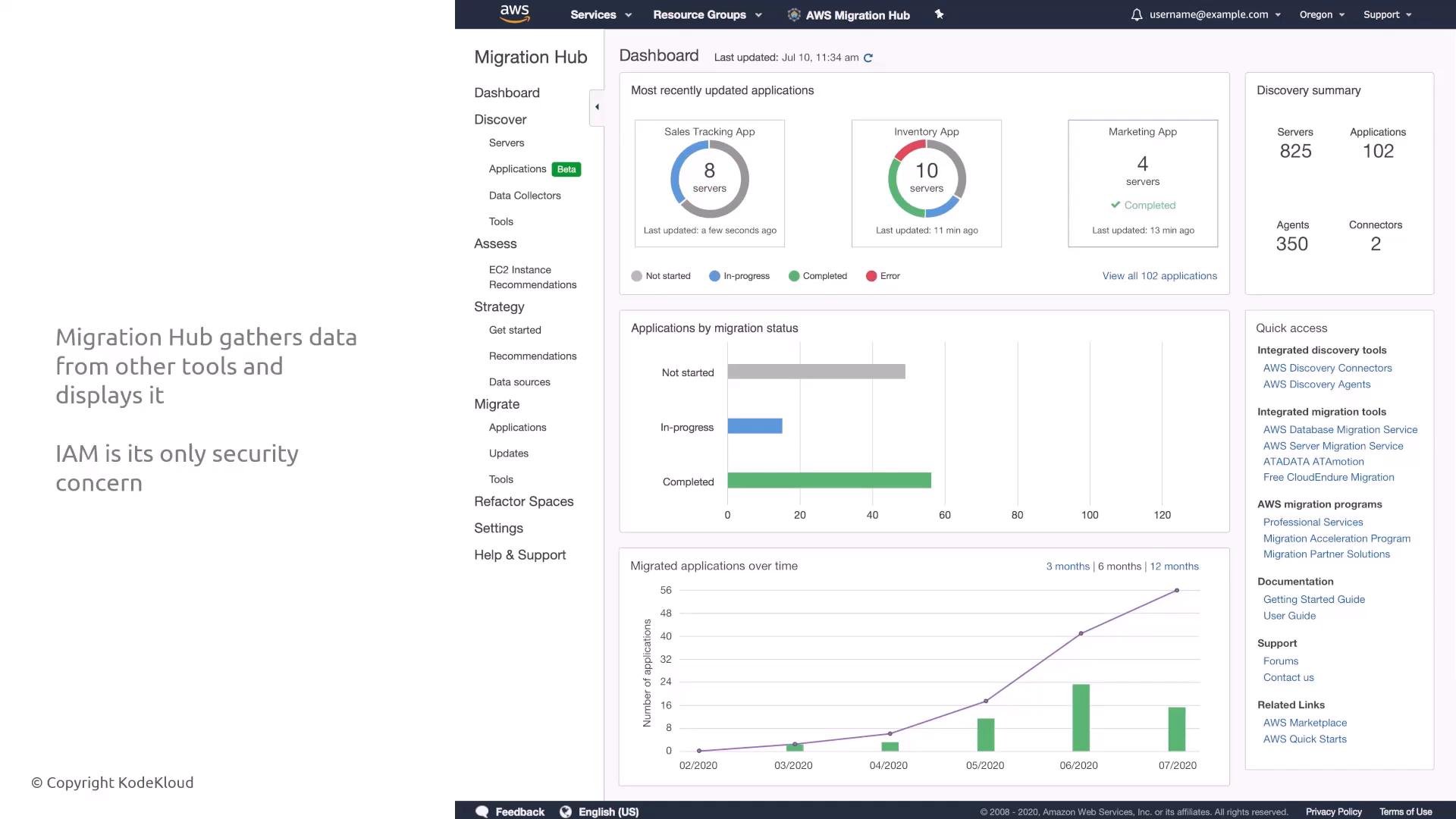
What it is:- Migration Hub aggregates migration status and metadata from other AWS migration services (Application Migration, Systems Manager, DMS, Mainframe Modernization, etc.).
- It is a visualization and orchestration dashboard — it does not perform migrations itself.
- Who can view or modify migration status (IAM permissions).
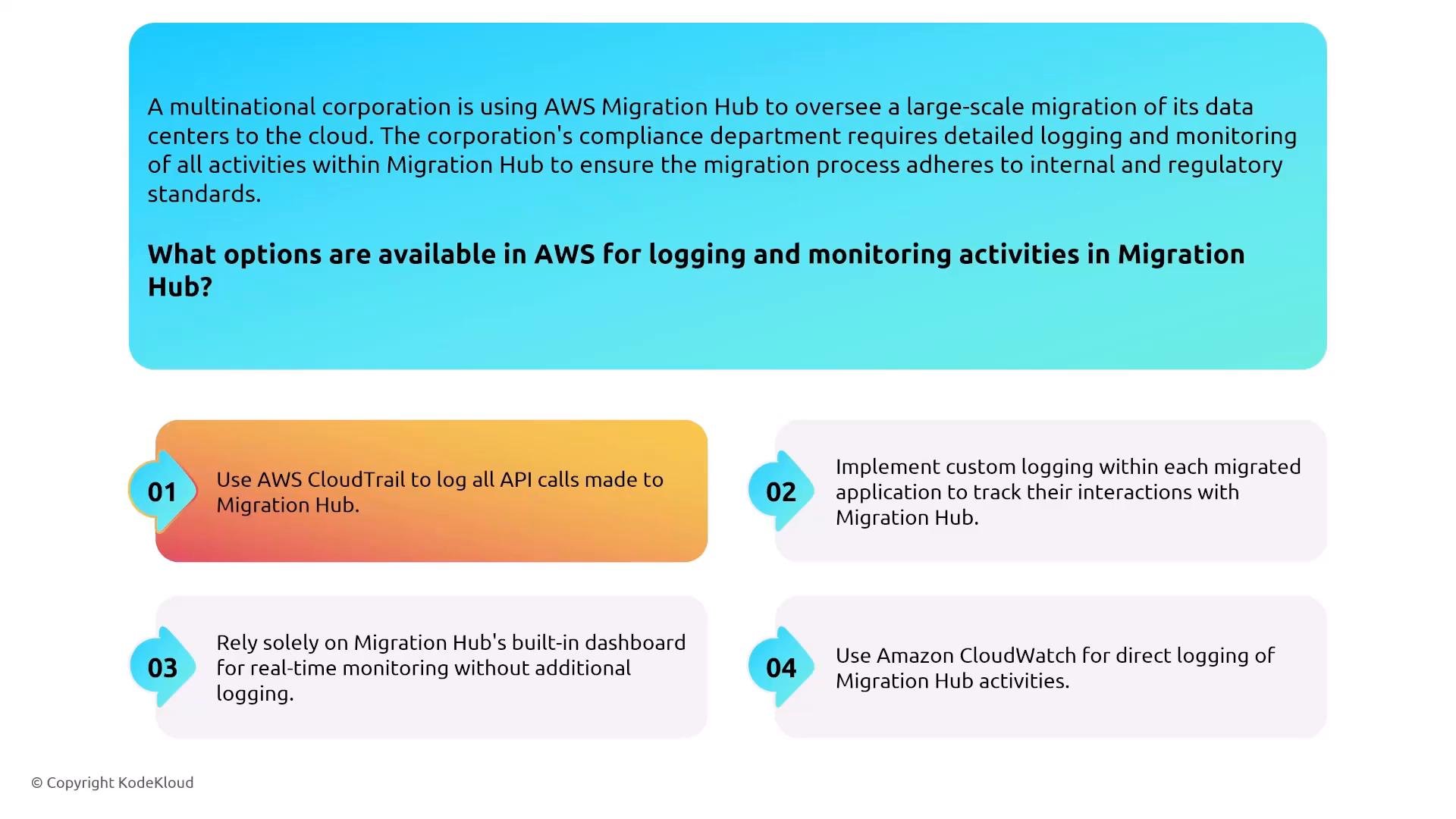
- Audit administrative activities (CloudTrail).
- Apply least-privilege IAM policies to limit actions to only the roles or personas that need visibility or control.
- Enable AWS CloudTrail to capture Migration Hub API calls and administrative events.
- Integrate CloudWatch or downstream logging for any additional operational telemetry your organization requires.
Application Discovery Service (ADS)
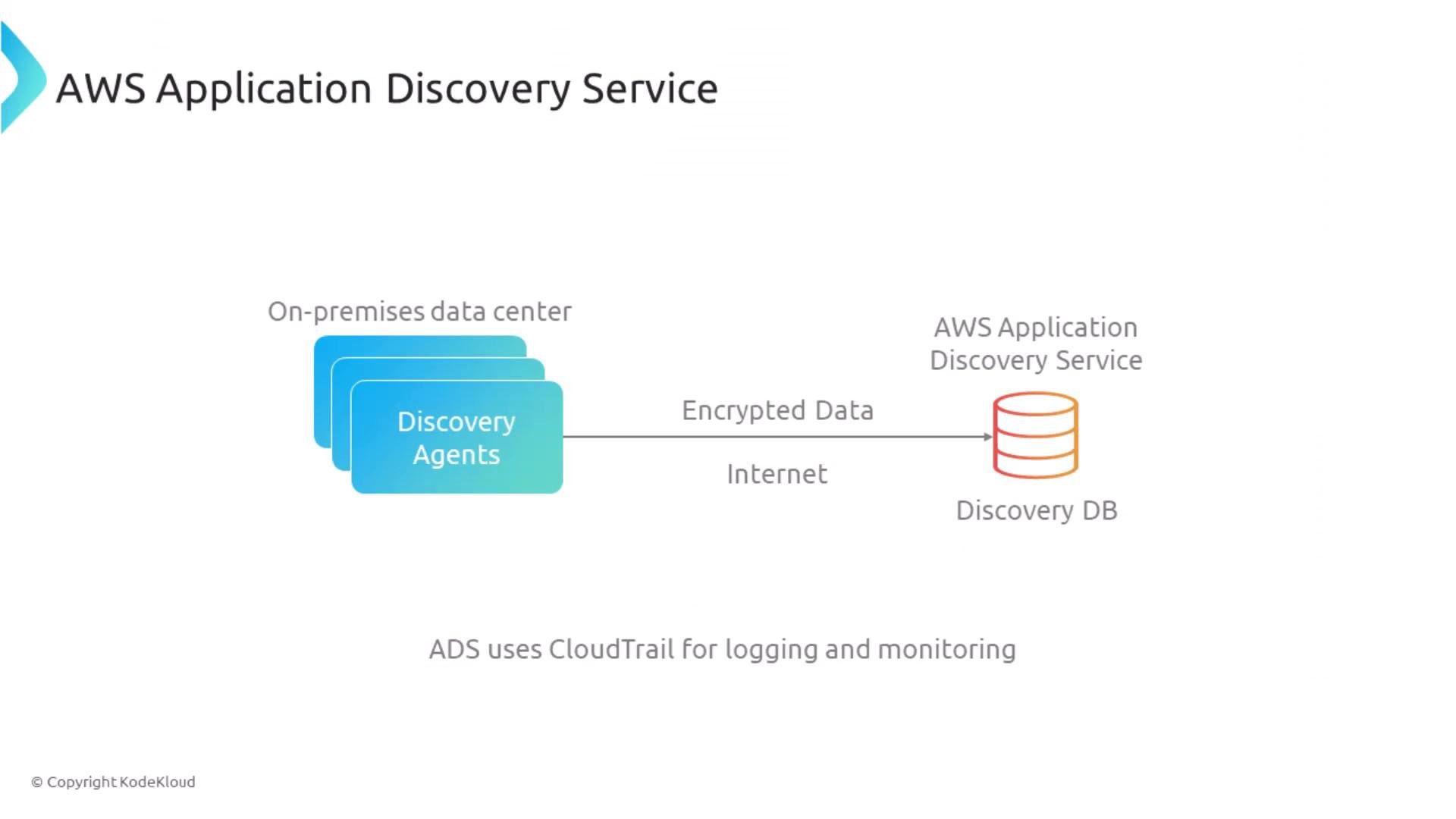
What it is:- ADS discovers on‑prem servers and applications (agent-based, agentless, or VMware vCenter integration) and uploads inventory/relationship metadata to AWS.
- Because ADS sees inventories and topology, it is sensitive — protect it accordingly.
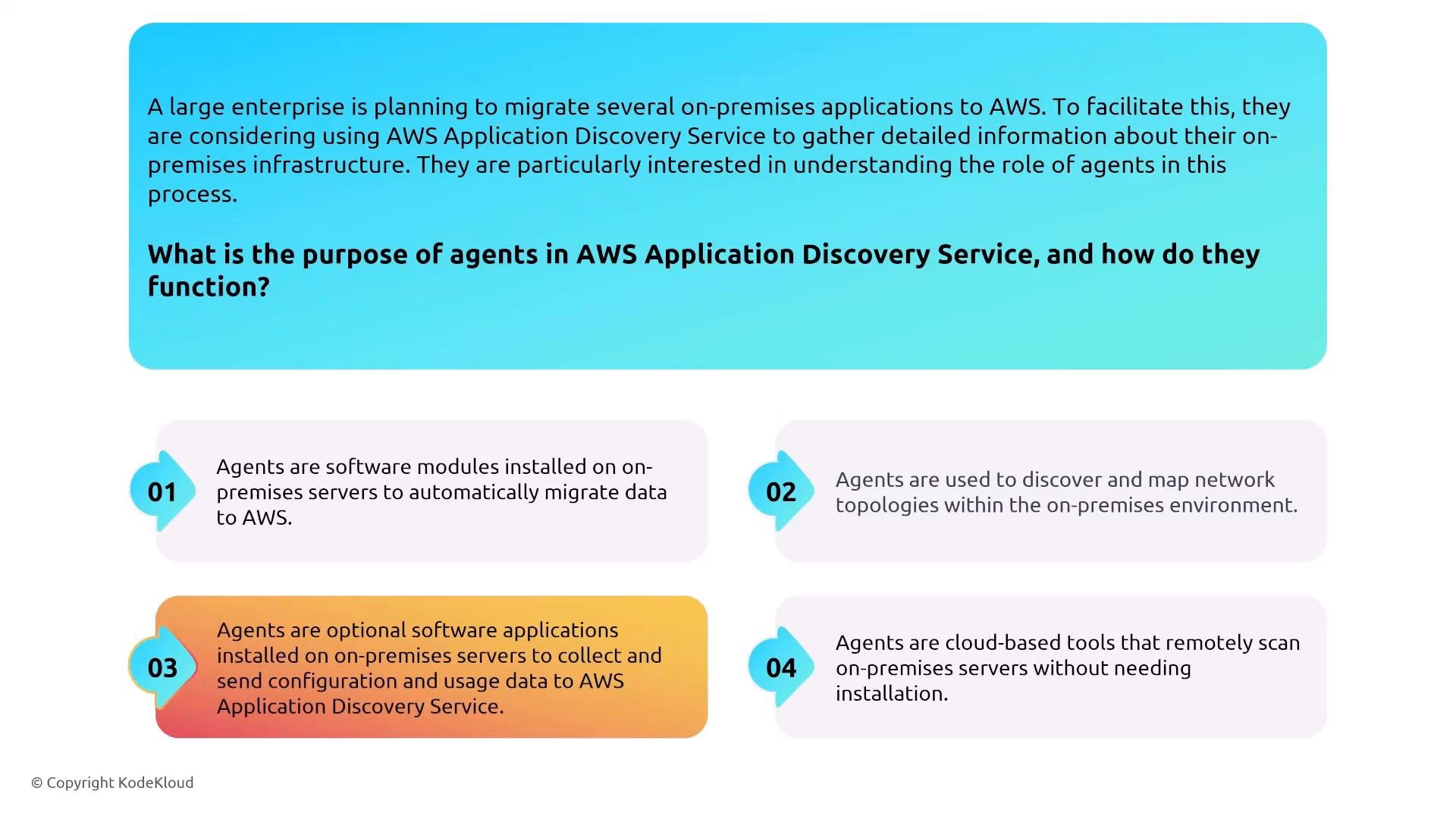
- Agents (optional) run on-premises and collect configuration, usage, and network topology data, then transmit that data to ADS.
- Ensure secure network connectivity and encryption for agent uploads.
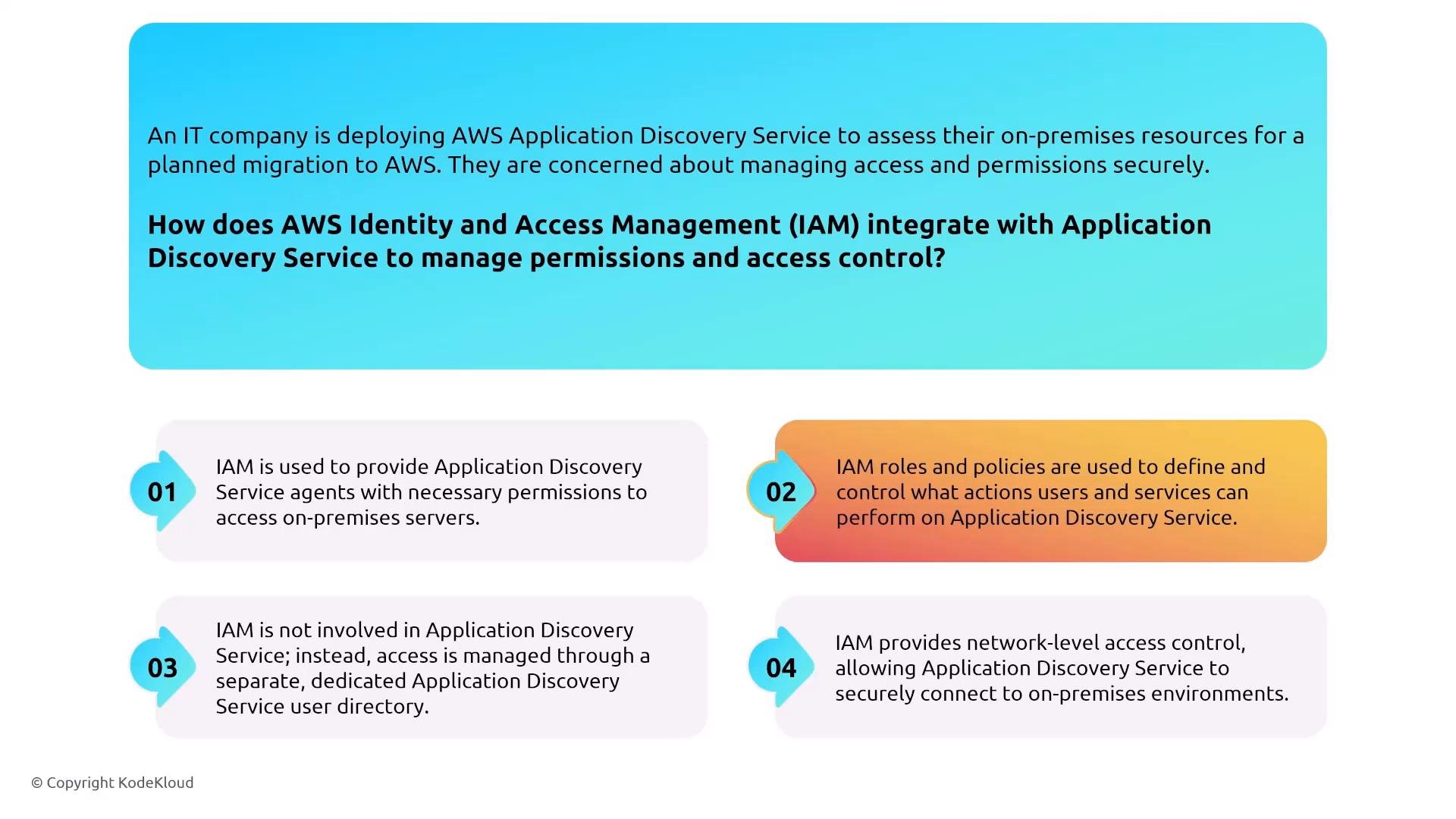
- ADS uses IAM roles and policies for authorizing agents and users — ADS does not maintain a separate user directory.
- Use tightly scoped IAM roles for agents and human operators.
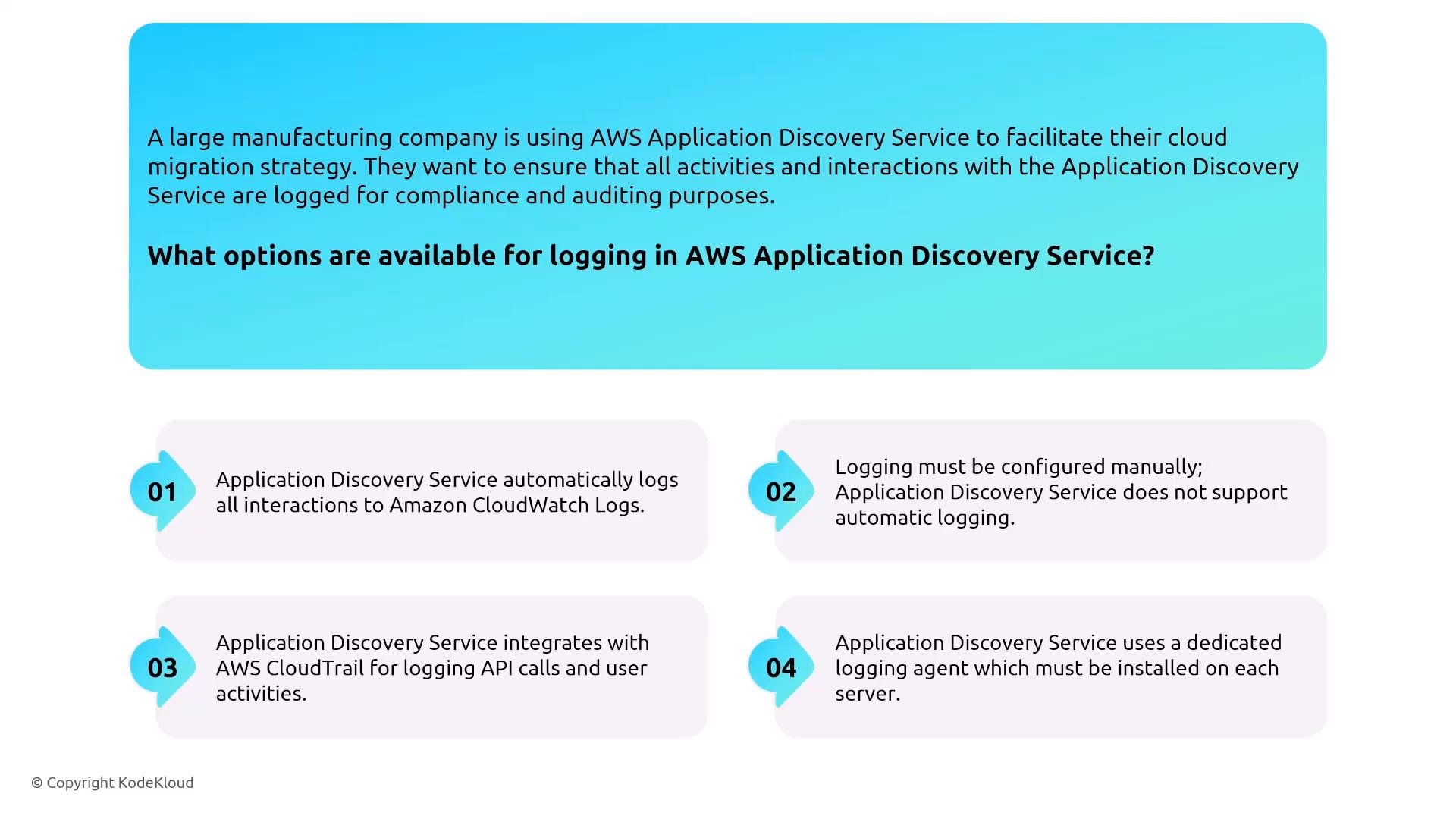
- Enable CloudTrail to log API calls related to ADS.
- Configure CloudWatch and any service-specific logs explicitly — logging is not always automatic.
- Restrict ADS access using IAM and monitor for anomalous inventory access.
- Ensure agent upload channels are encrypted and routed through approved network controls.
Application Migration Service (MGN)
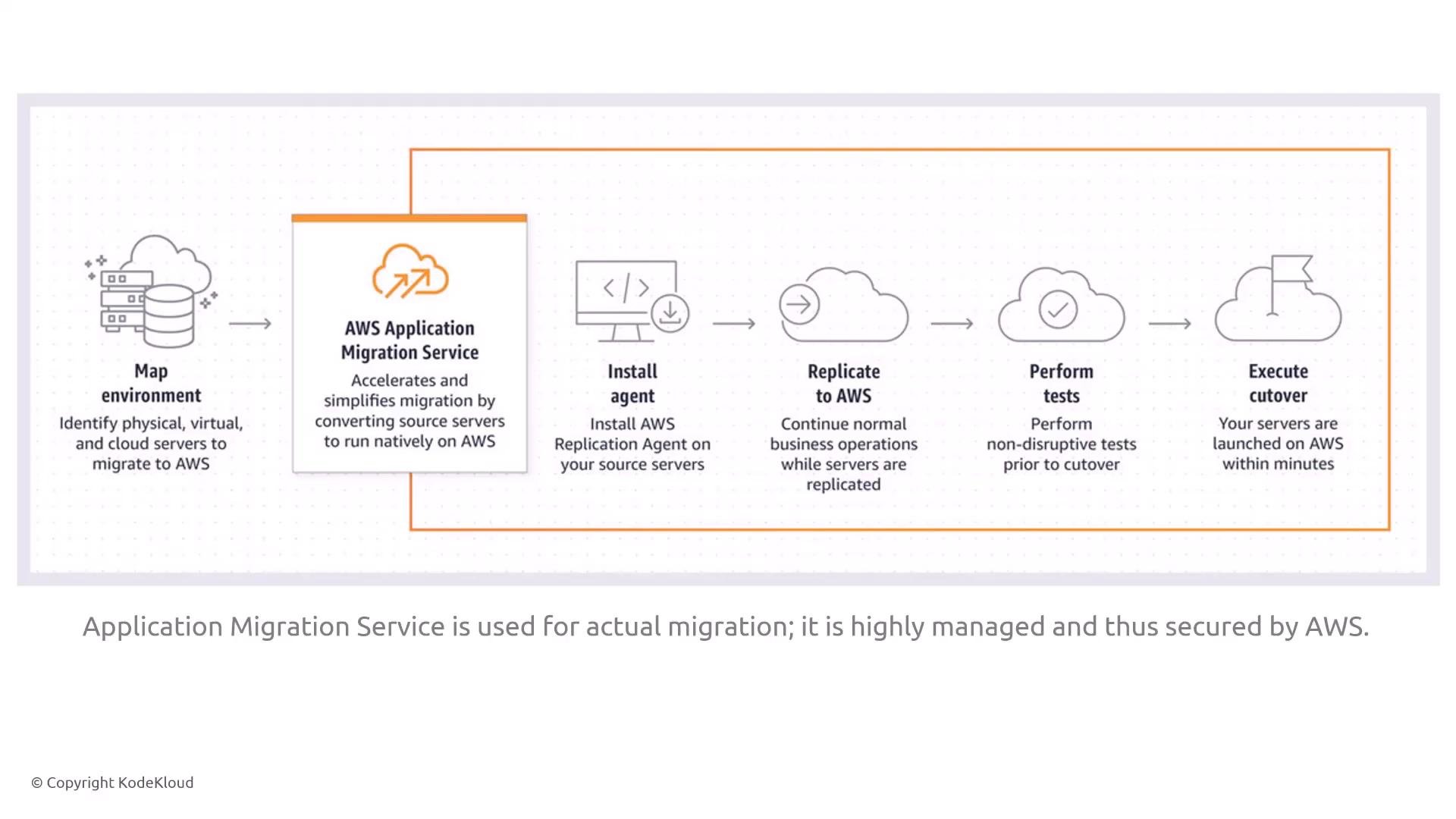
What it is:- AWS Application Migration Service enables lift-and-shift migrations by installing lightweight agents, continuously replicating source servers to AWS, testing and performing cutover.
- MGN replaces older Server Migration Service workflows.
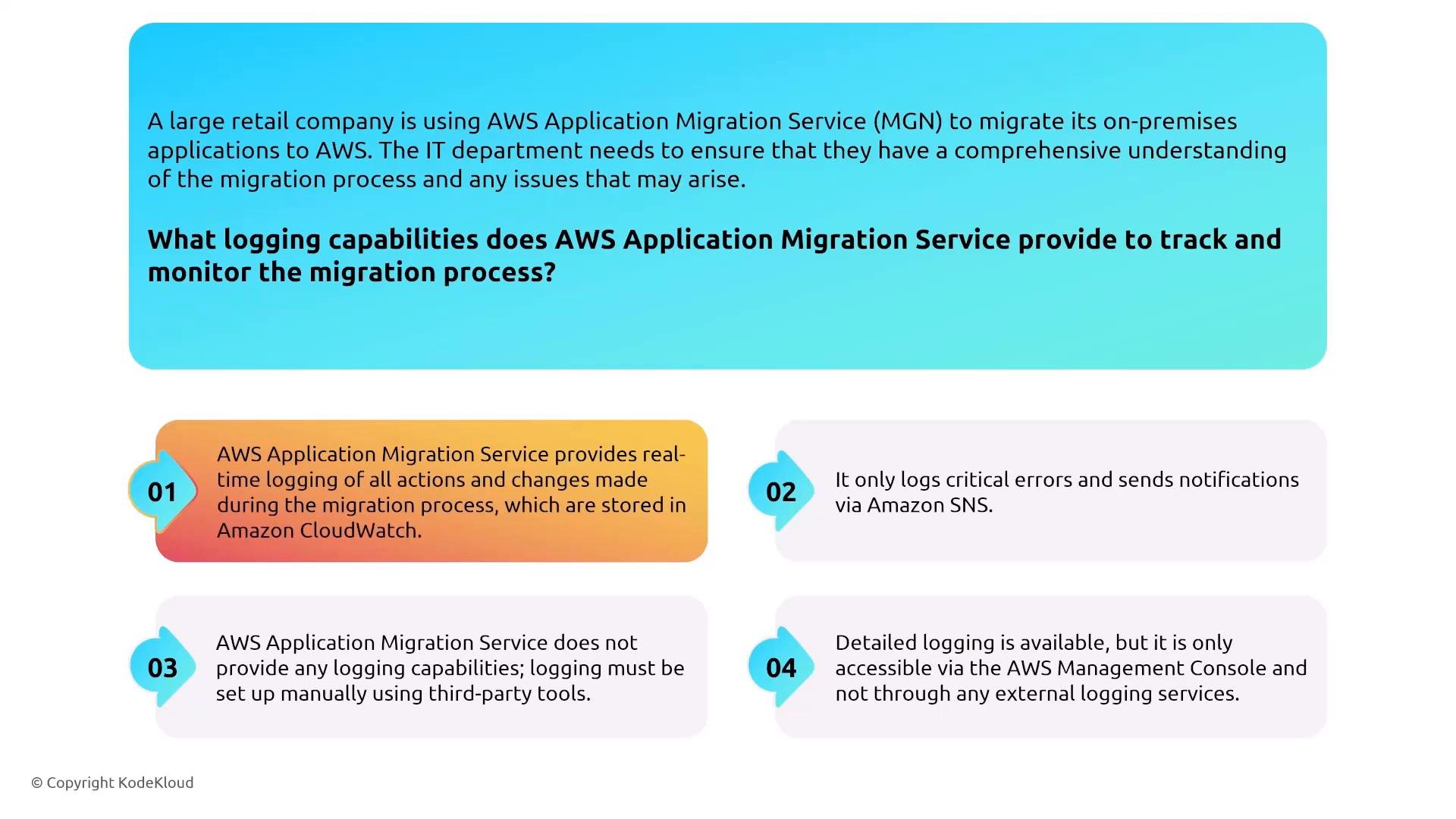
- IAM for permissions (agents, replication, console/API actions).
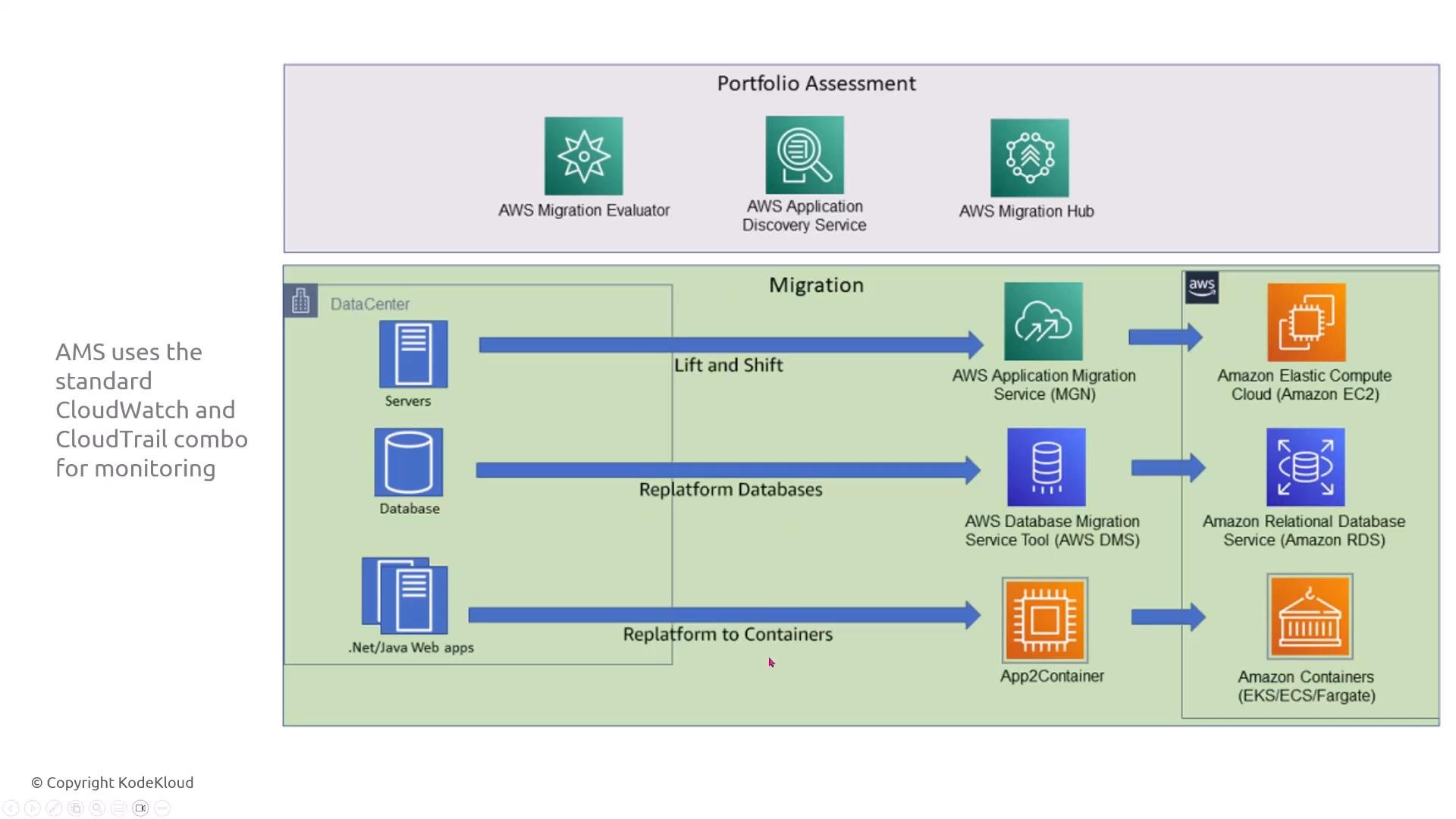
- CloudWatch for runtime telemetry and CloudTrail for API-level auditing.
- Ensure recovery targets (EBS volumes, EC2 instances) are encrypted if your security policy requires it.
- Use least-privilege IAM roles for replication and cutover operations.
- Send MGN logs to CloudWatch and ensure those logs are stored in encrypted log storage.
- Enable encryption for recovery EBS volumes (KMS-managed keys) where applicable.
Database Migration Service (DMS)
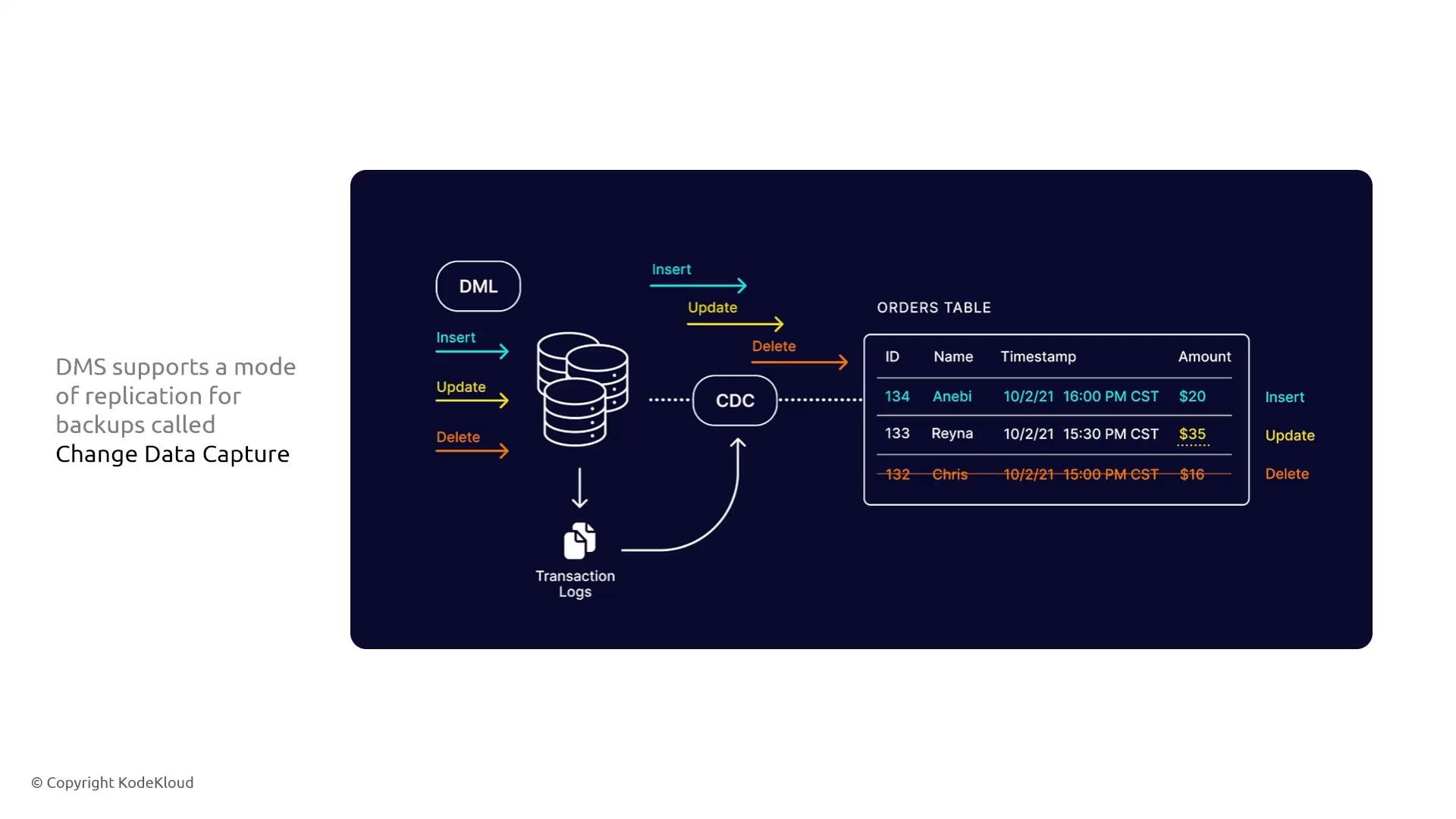
What it is:- DMS migrates relational and non-relational databases. It supports full loads and continuous replication using Change Data Capture (CDC).
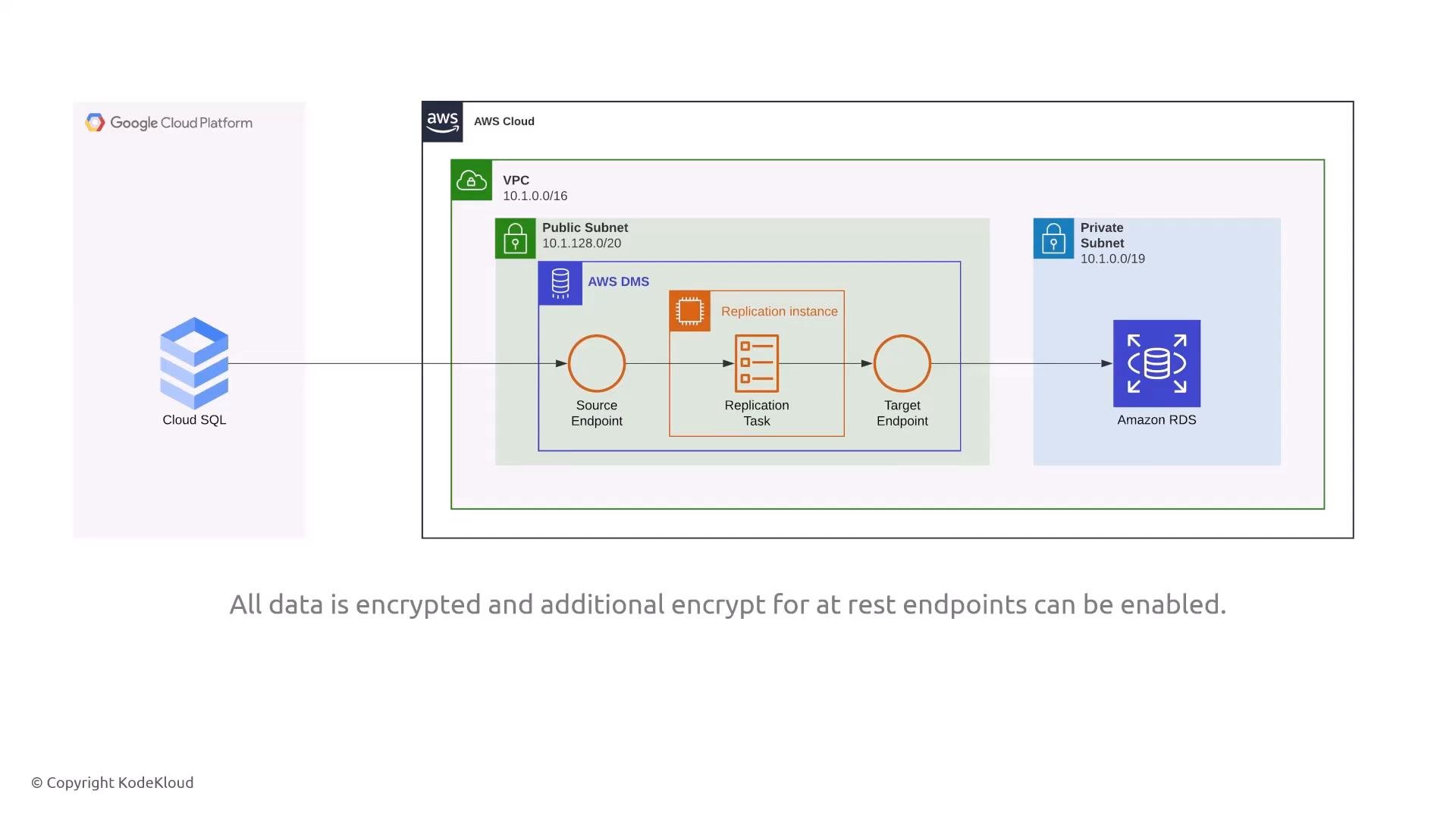
- Databases typically contain sensitive data — protect endpoints and the transport layer.
- DMS supports SSL/TLS for in-transit encryption and AWS KMS for encryption at rest.
- Modes: Full load, CDC (continuous replication).
- Logging: Task logs and table-level logs are available for troubleshooting and auditing.
- Storage: DMS can publish logs to CloudWatch and export replication or change logs to S3 for long-term archival.
- Configure target databases (RDS, Aurora, S3, etc.) with encryption-at-rest via KMS.
- Enable SSL/TLS for endpoint connections; verify certificate and cipher requirements.
- Export DMS task and change logs to encrypted S3 buckets for retention and compliance.
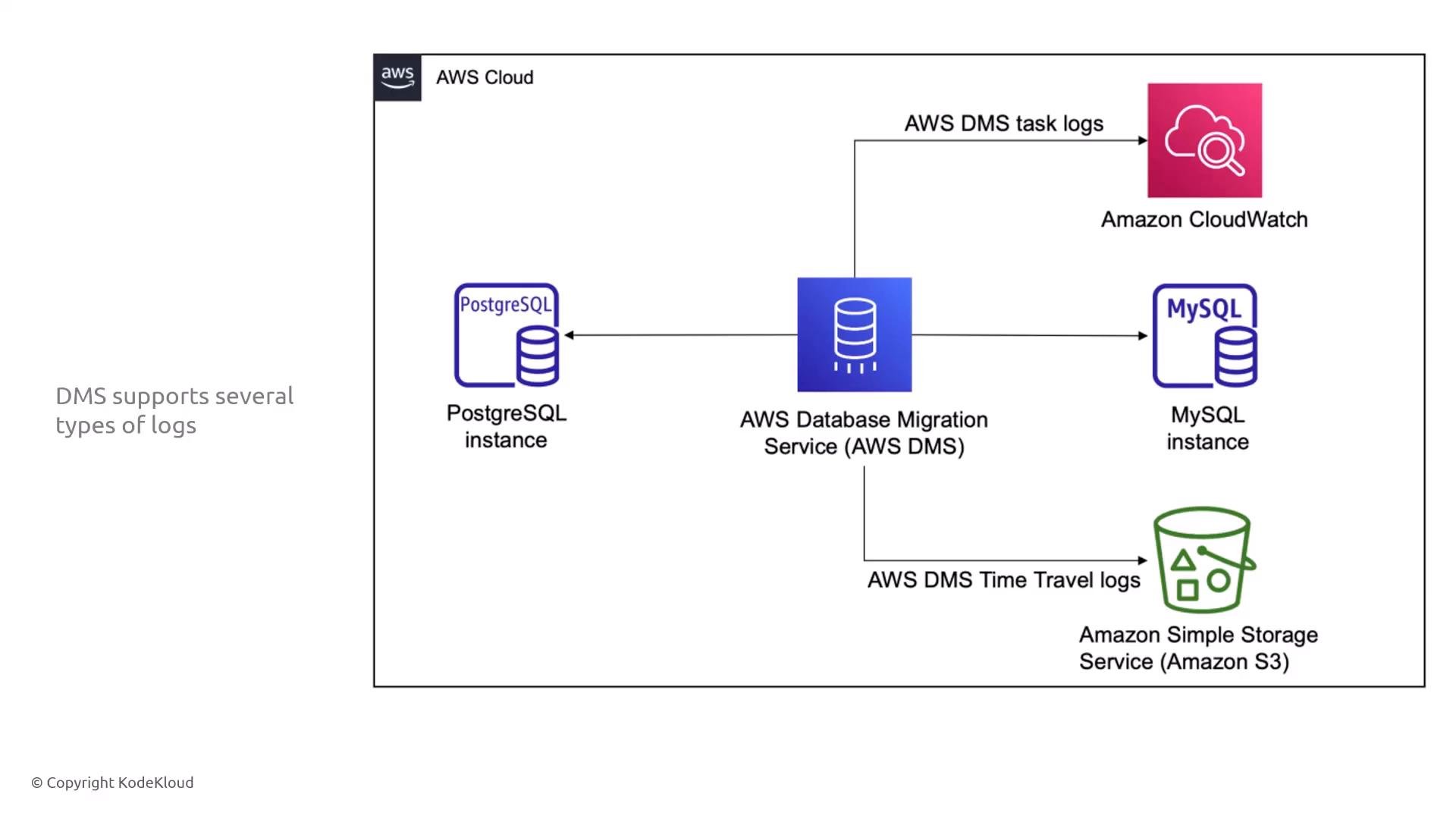
- Task logs are available in the DMS console under each migration task, or via DMS APIs.
- Use logs to identify errors, warnings, and actions (for example, CREATE TABLE statements applied on the target).
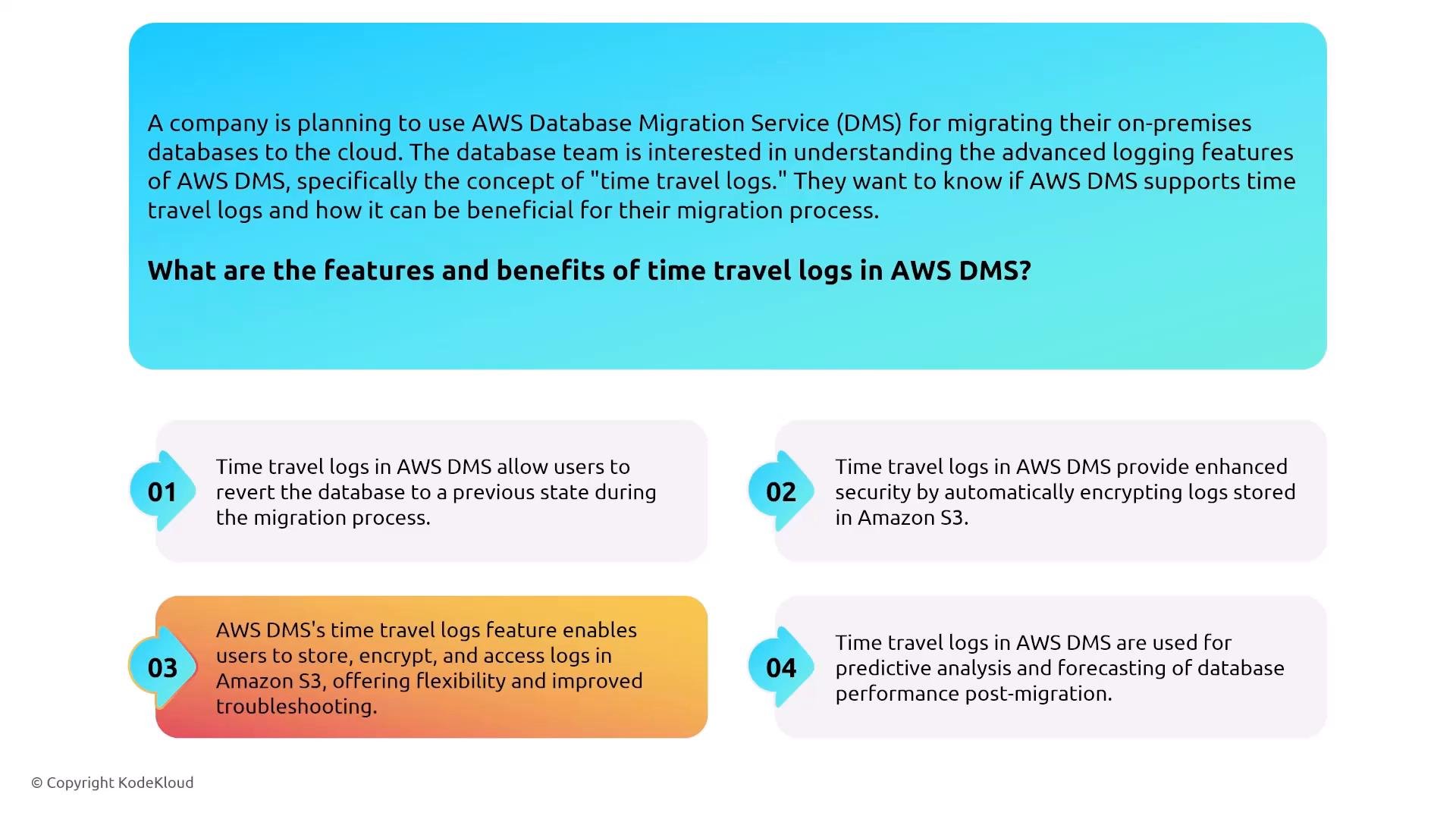
- Create encrypted, long-term audit trails for troubleshooting and compliance.
- Reconstruct schema and data operations for a given time window.
- Analyze replication behavior historically.
Elastic Disaster Recovery (DRS)
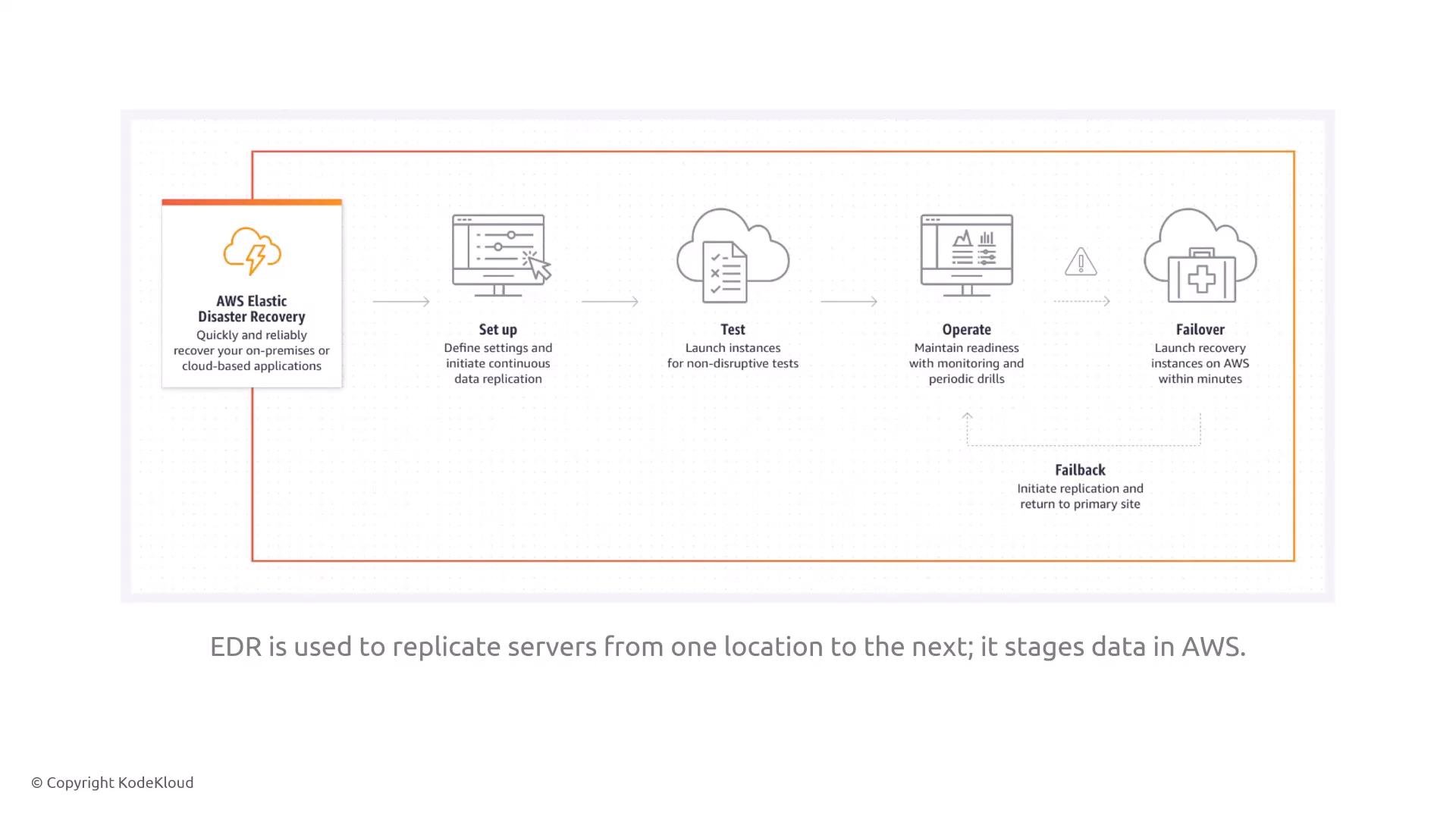
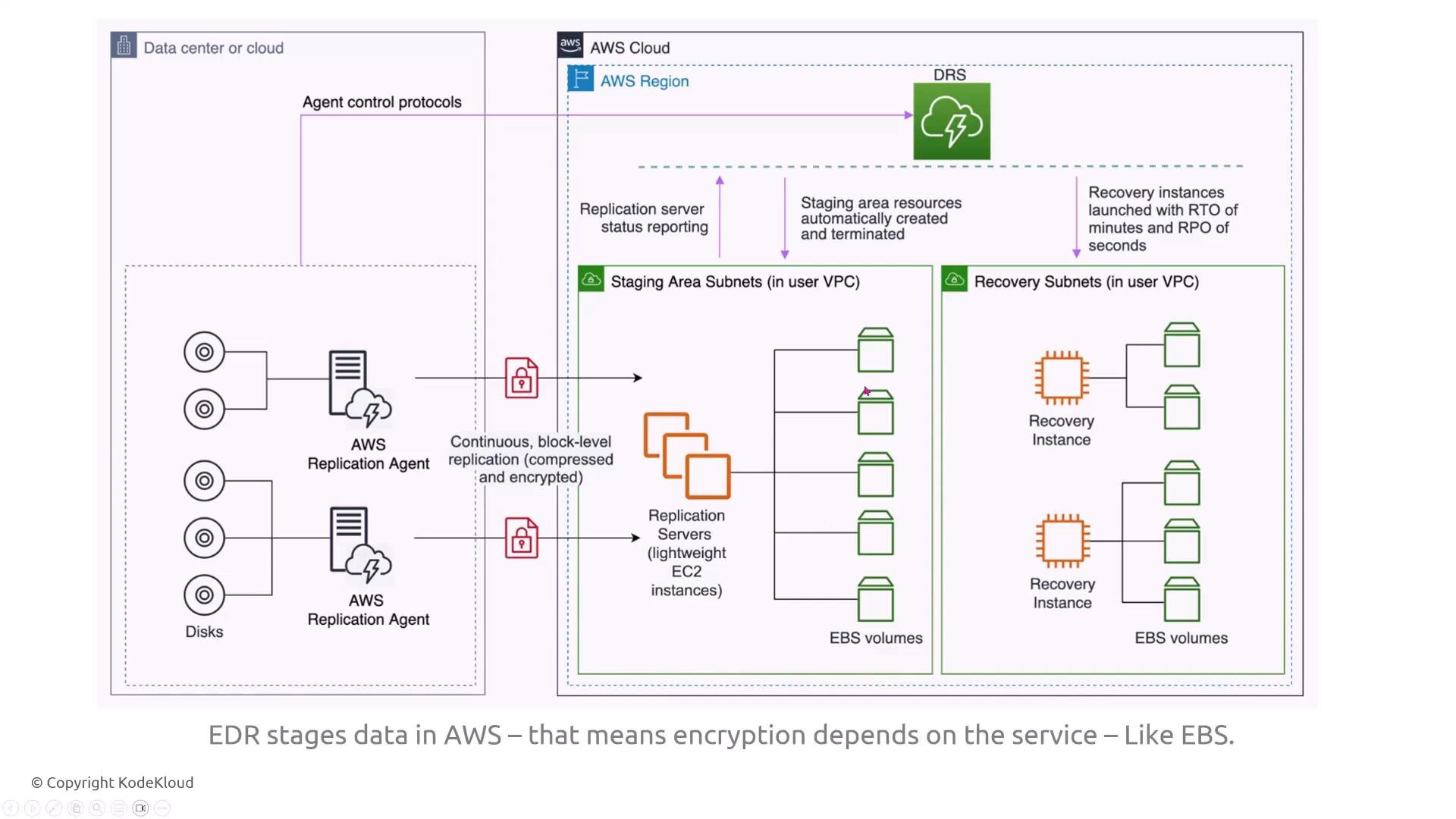
What it is:- Elastic Disaster Recovery performs continuous, block-level replication of servers into AWS to support rapid failover and recovery on AWS.
- Replication agents compress and encrypt block-level data in transit.
- Replication servers stage EBS volumes in your AWS account, and recovery instances are launched from those staged EBS volumes.
- Network controls (security groups, subnet isolation) should limit access to replication and recovery resources.
- In-transit encryption for replication is typically enabled by default.
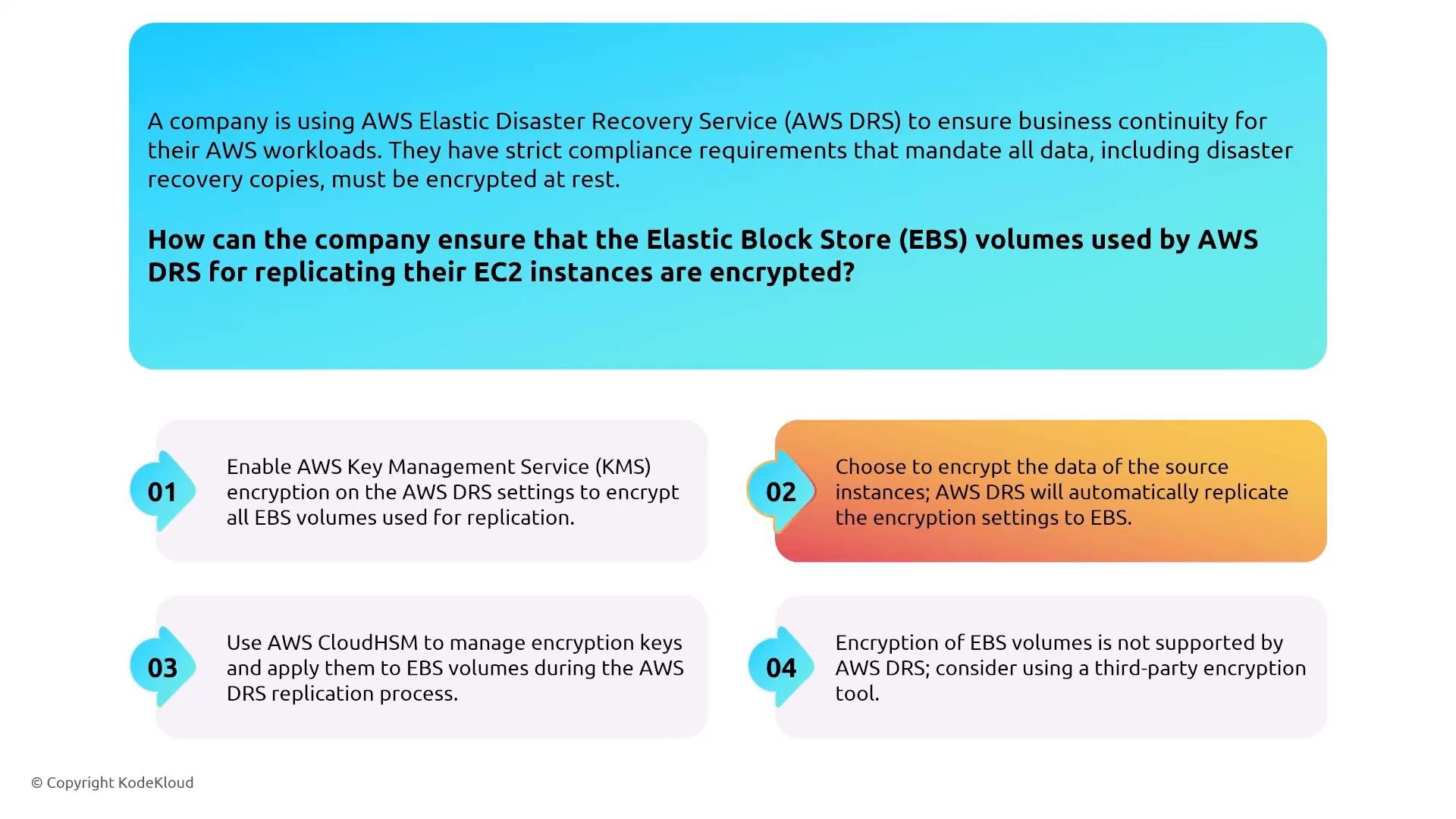
- At-rest encryption for staged EBS volumes depends on EBS/KMS settings for the recovery target — configure KMS keys or enable EBS encryption on the recovery side.
- Ensure the KMS key policy grants the required recovery roles minimal necessary permissions.
- Use security groups and VPC controls to isolate replication traffic.
- Enable and verify EBS encryption for recovery volumes, and manage KMS keys per organizational policy.
- Test failover processes and validate that encryption, IAM, and network controls function as expected during recovery drills.
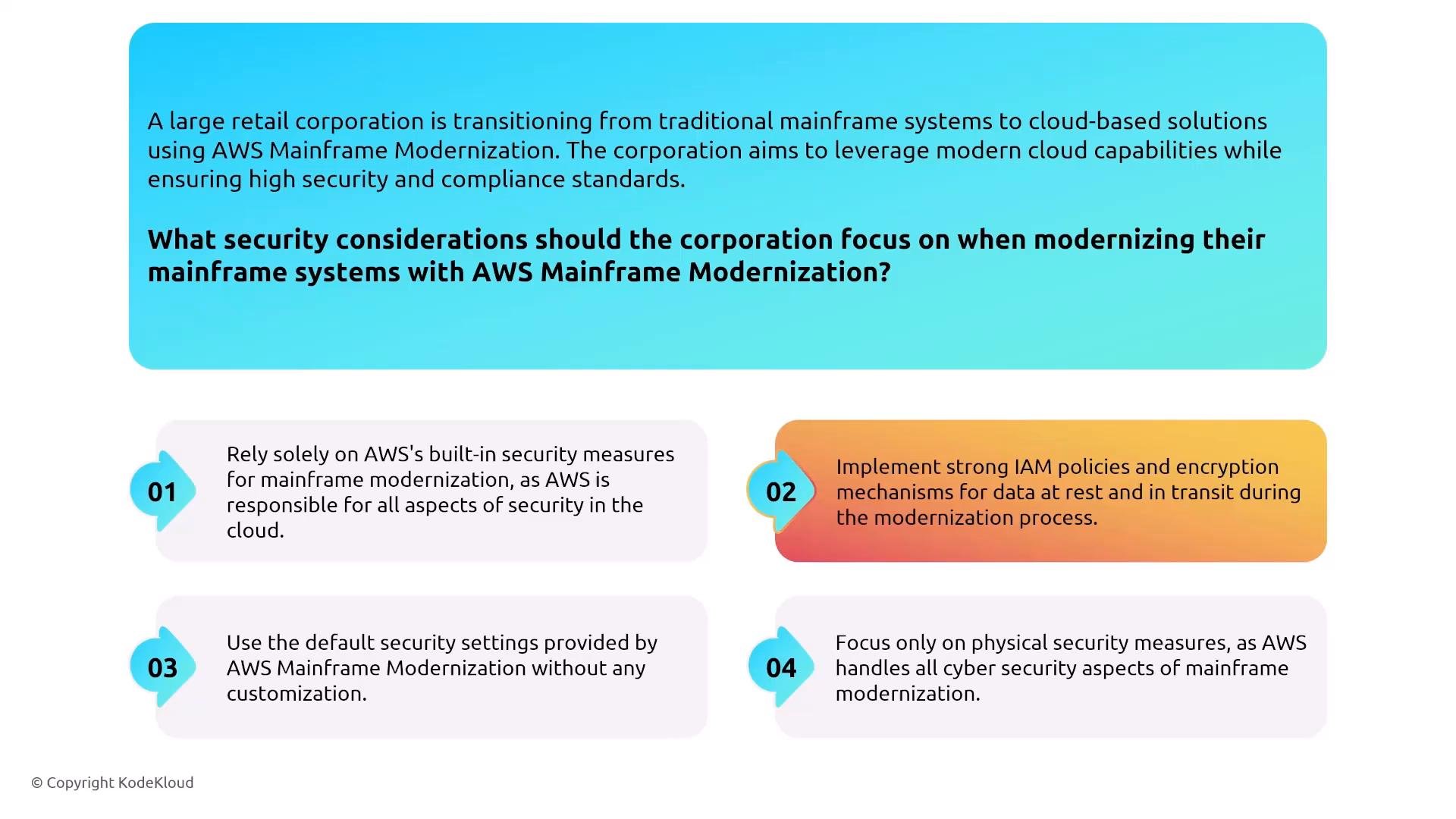
Mainframe Modernization
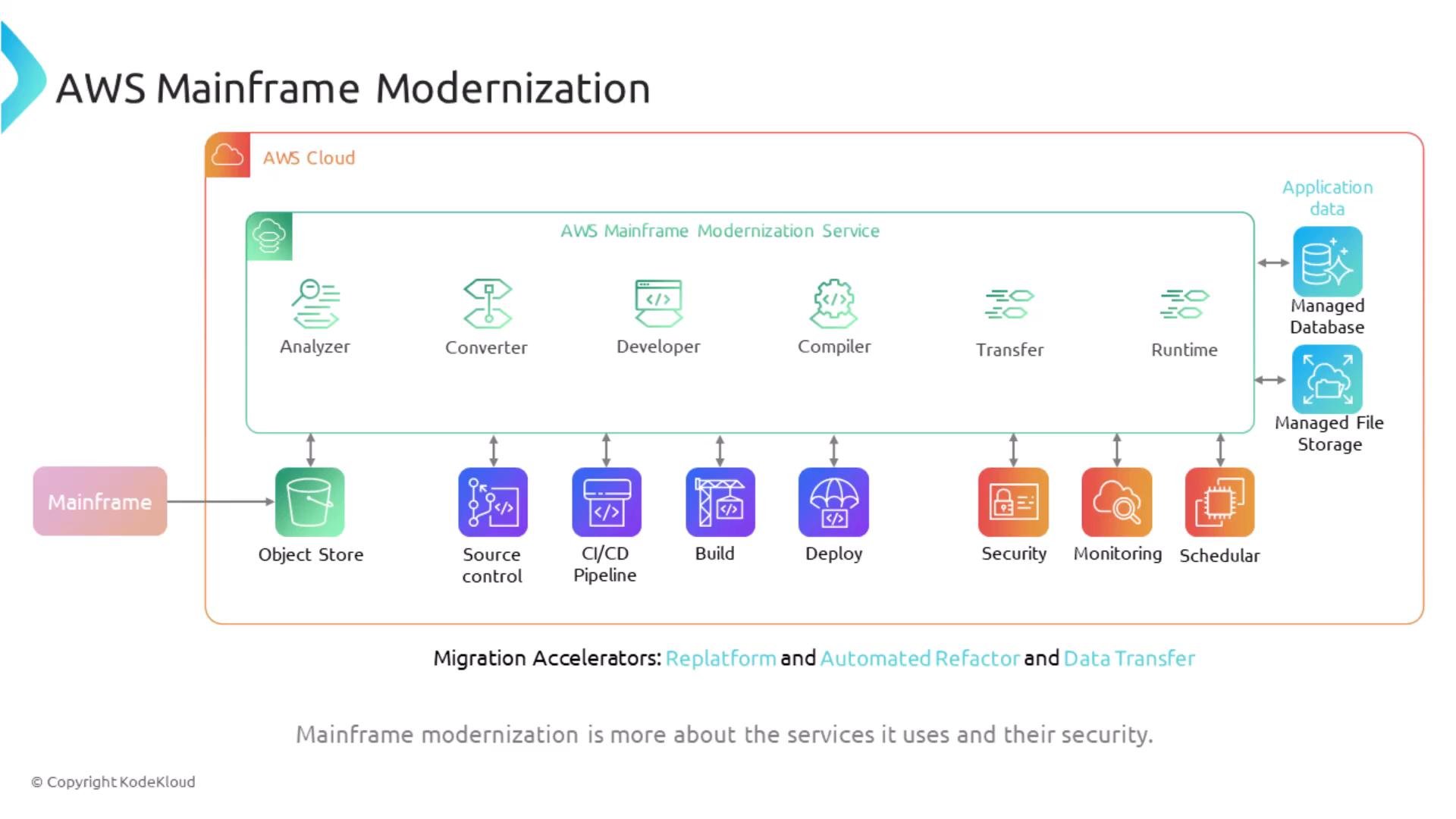
What it is:- AWS Mainframe Modernization provides tools to analyze, refactor, convert, and run mainframe workloads on AWS. It integrates analyzers, converters, compilers, transfer utilities, and runtime environments.
- Enforce least-privilege IAM policies for all modernization tools and environments.
- Use TLS for data in transit and ensure cipher suites meet compliance requirements (e.g., PFS if required).
- Encrypt data at rest on target managed databases and file stores (KMS).
- Review security controls of integrated services (object storage, CI/CD, monitoring) to ensure end-to-end compliance.
- Establish secure CI/CD pipelines with minimal privileges for build/deploy steps.
- Use monitoring and logging (CloudWatch, CloudTrail) for the modernization lifecycle and include log archival to encrypted S3.
Data Transfer Services
DataSync
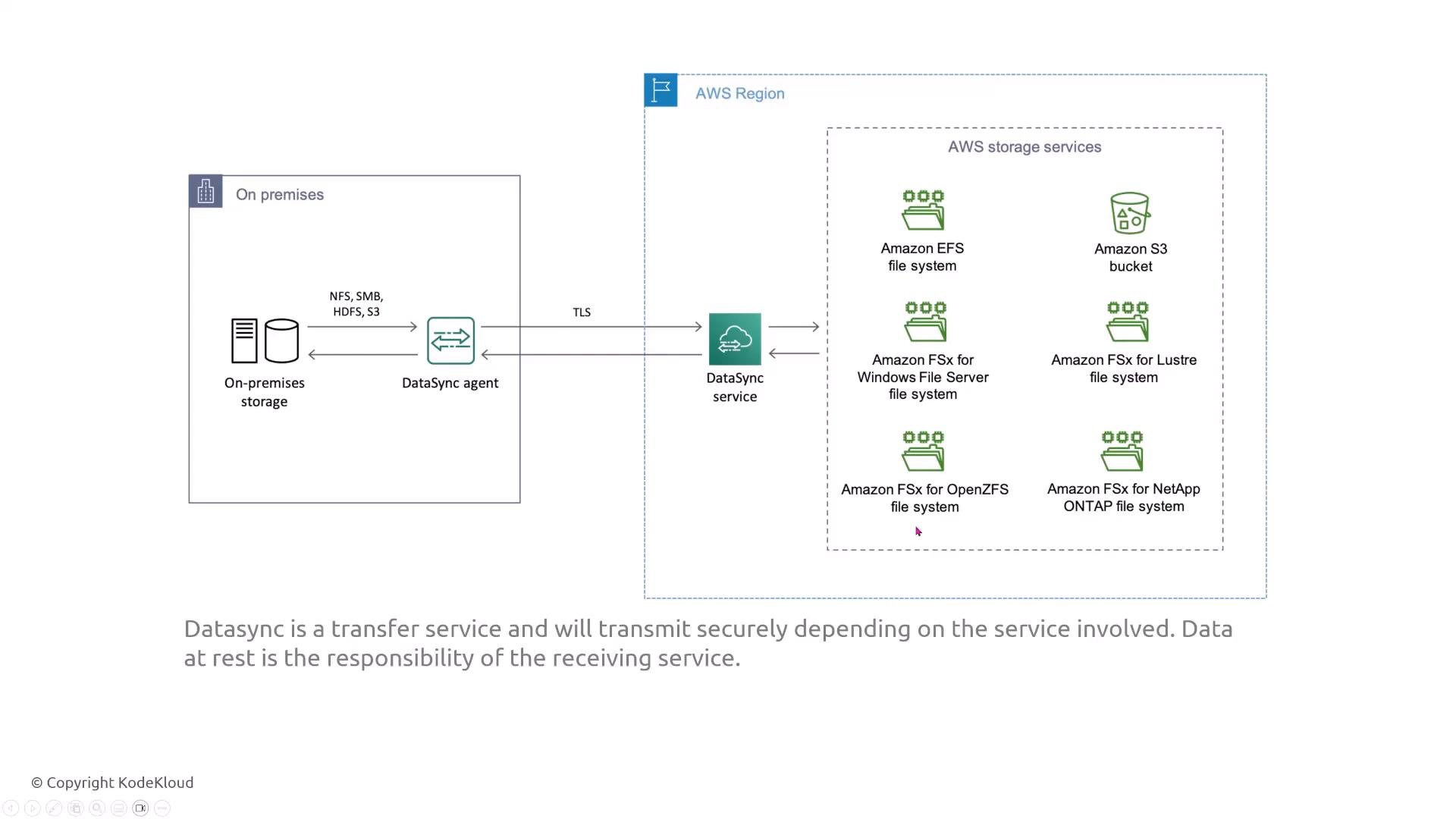
What it is:- AWS DataSync copies files from on-premises storage to AWS (EFS, FSx, S3) using a lightweight on-prem agent and TLS.
- Data in transit is encrypted by default (TLS between agent and AWS).
- Destination configuration determines data-at-rest encryption (e.g., S3 SSE, EFS encryption).
- Verify the target (S3, EFS, FSx) is configured for encryption at rest (SSE‑S3, SSE‑KMS, or EFS/FSx native encryption).
- Consider additional network-level protection (VPN, Direct Connect) and evaluate MACsec where supported.
- If moving data to S3, enable server-side encryption or require client-side encryption for highly sensitive data.
- DataSync supports direct transfers to EFS or FSx without needing Storage Gateway as an intermediary.
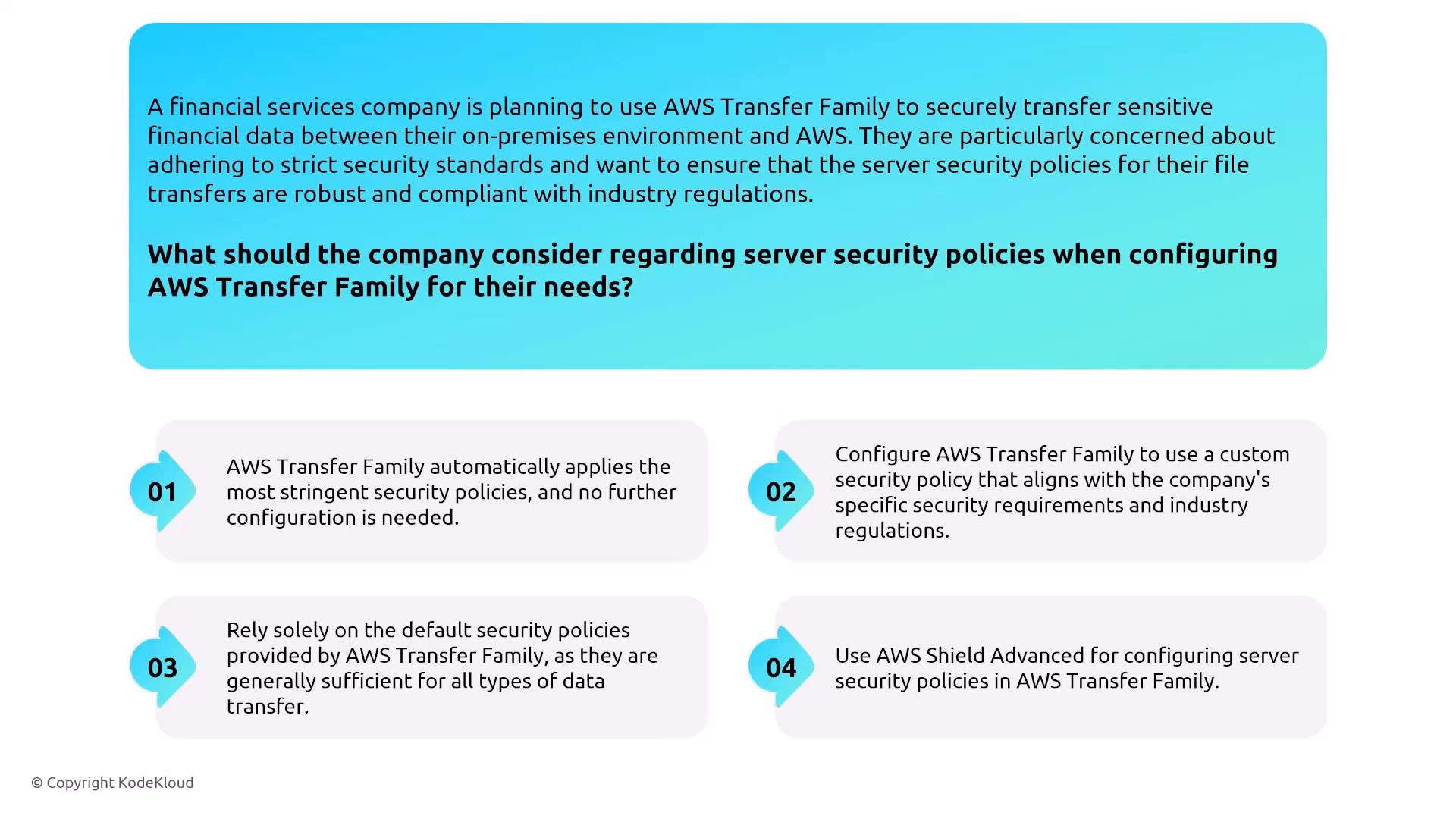
Transfer Family (SFTP / FTPS / AS2)
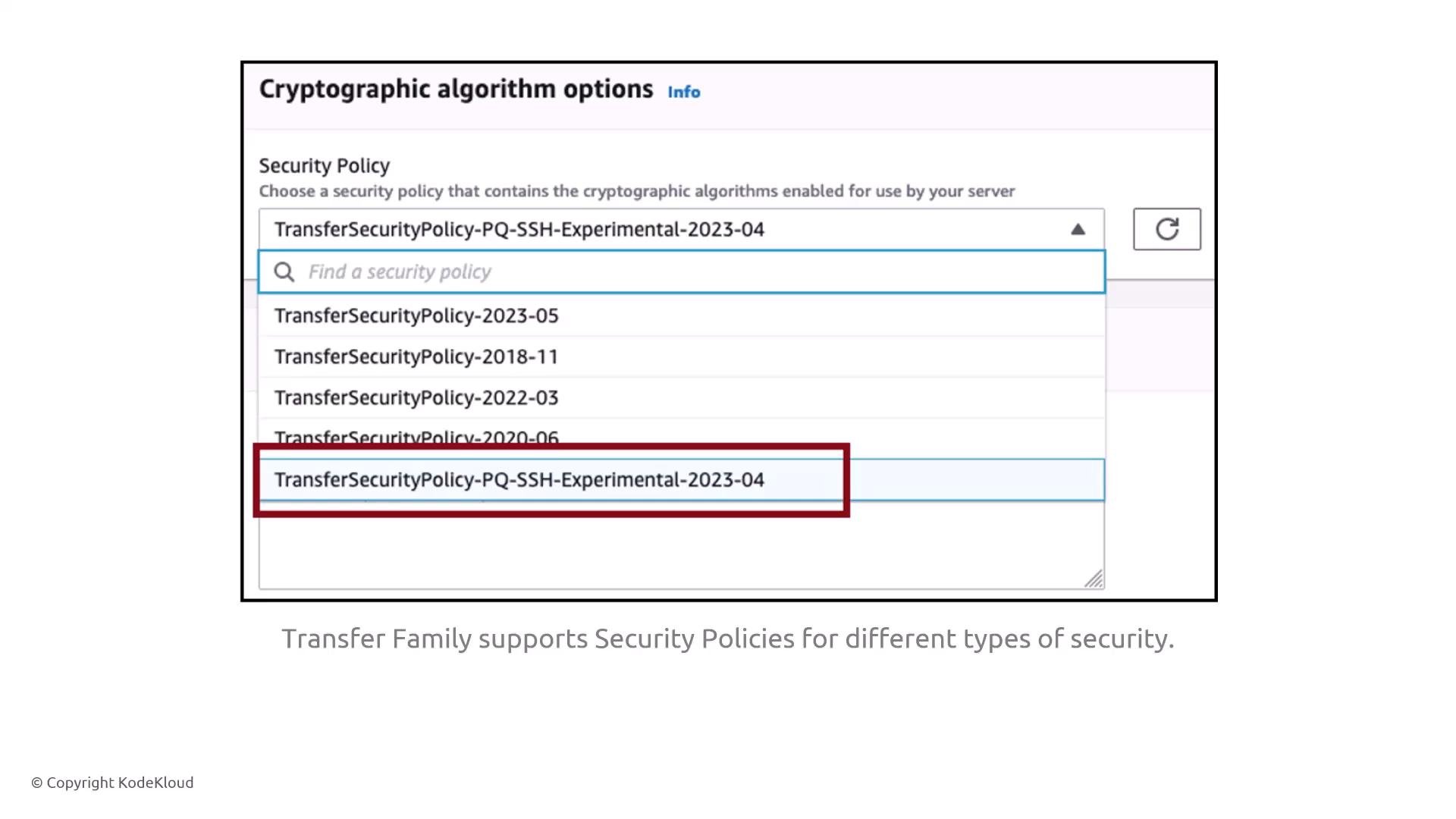
What it is:- AWS Transfer Family provides managed endpoints for SFTP (SSH), FTPS (FTP over TLS), and AS2. It stores files in Amazon S3 and integrates with IAM and CloudWatch.
- Never use plain FTP — it transmits credentials and data in cleartext.
- Choose cryptographic policies that balance regulatory requirements and interoperability; overly strict policies may break partner integrations.
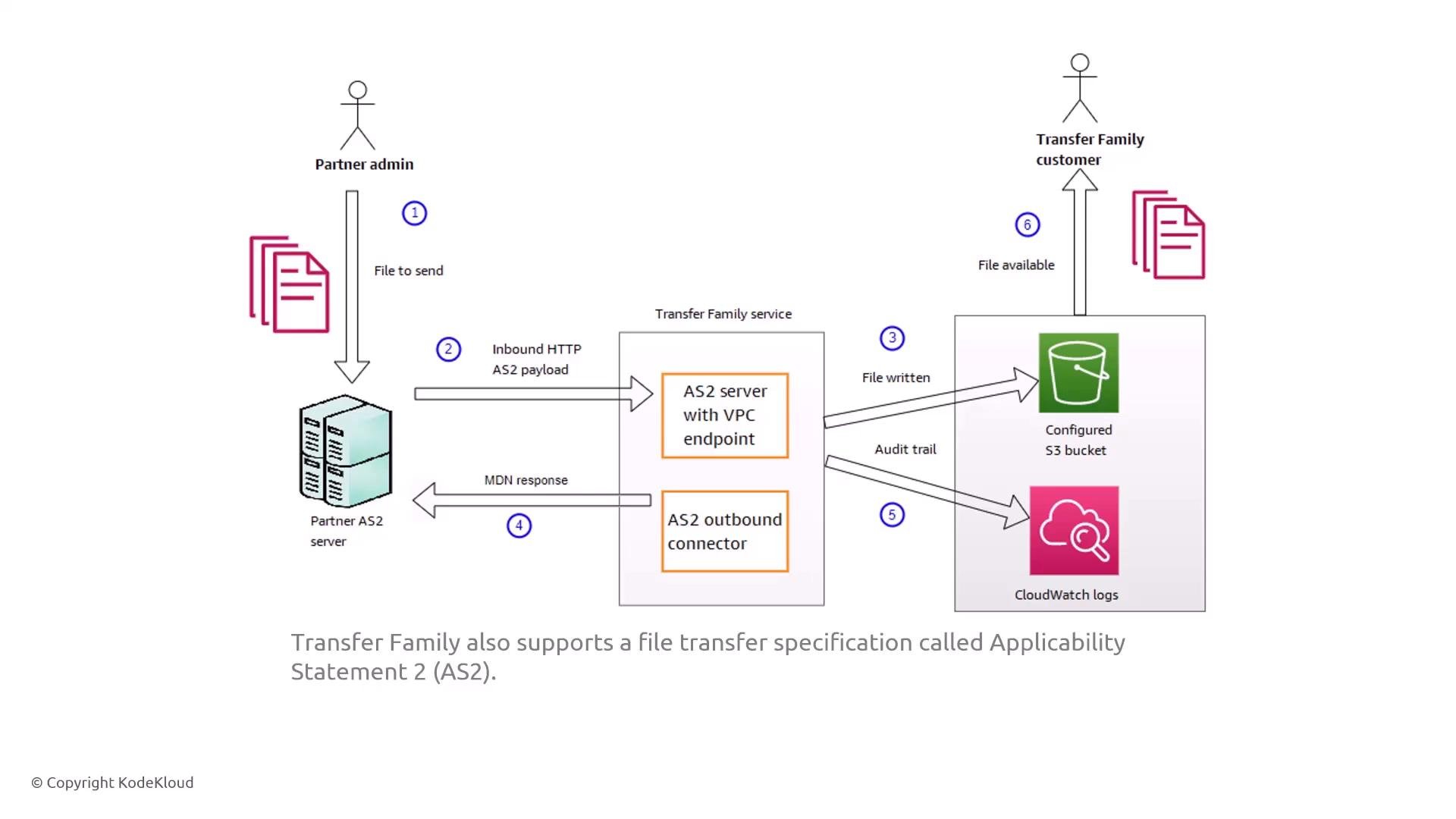
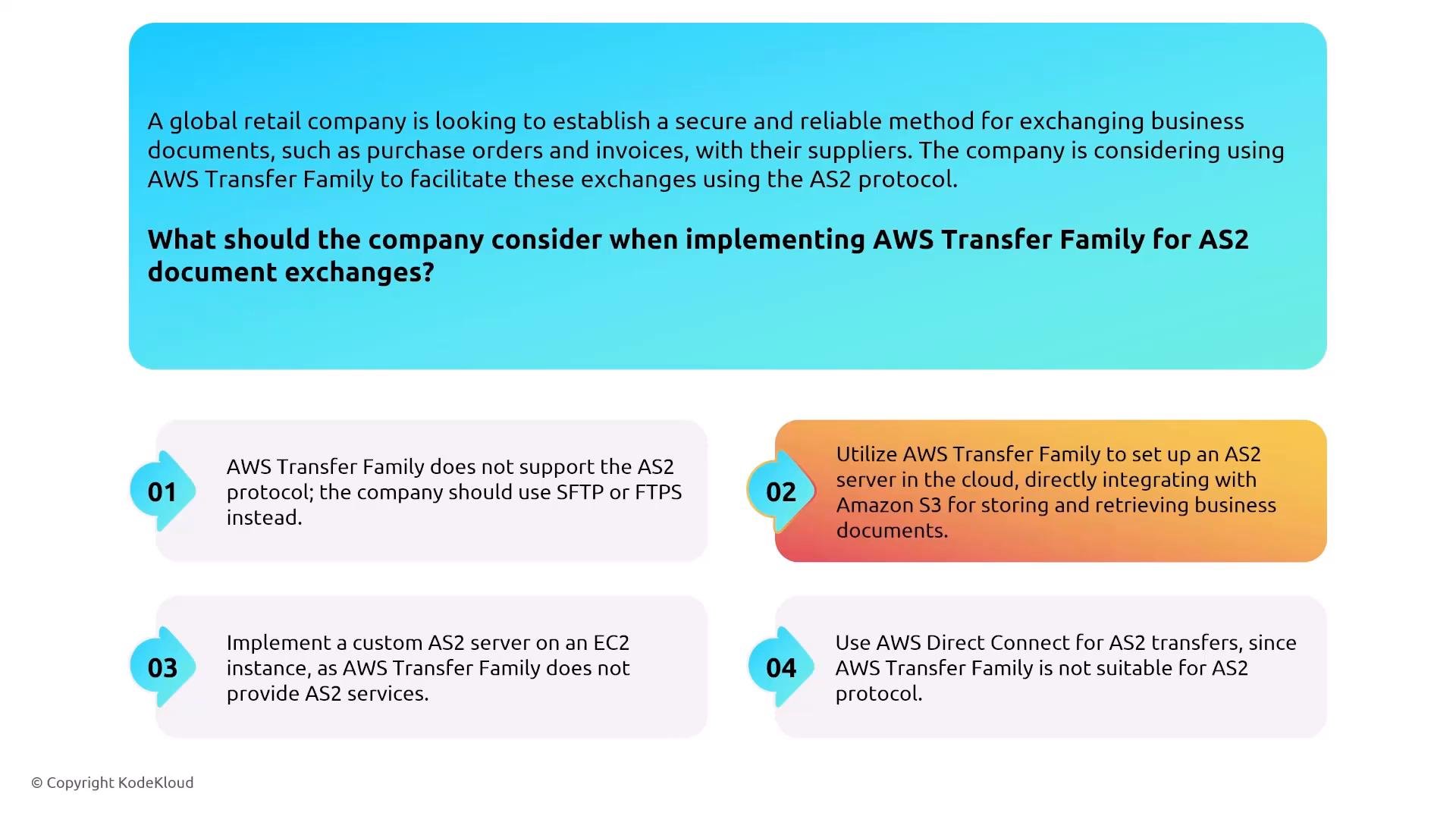
- For AS2: consider using a VPC endpoint, write files to S3, and enable CloudWatch logs and S3 server-side encryption to capture transfer activity and protect stored files.
Do not use unencrypted protocols (plain FTP). Validate cryptographic policies with your partners — incompatible ciphers or key sizes will prevent successful transfers.
- Partner posts an AS2 payload over HTTP(S) to a Transfer Family AS2 endpoint (optionally via VPC endpoint).
- Transfer Family writes the file to S3, publishes transfer events to CloudWatch, and returns an MDN (Message Disposition Notification).
Snow Family (Storage)
What it is:- Snow Family appliances (Snowball Edge, Snowcone, Snowmobile) are hardened, tamper-resistant devices for offline data transfer and edge compute.
- Snowball Edge exposes an S3-compatible endpoint locally and is suitable for hostile or disconnected environments.
- Device-level policies and integration with AWS account IAM control access.
- Data at rest is encrypted on the device; communication with the cloud uses encrypted channels.
- Devices include tamper-evident seals and maintain auditing for custody.
- Manage devices with OpsHub for key exchange and device unlocking.
- Verify model capabilities (usable capacity, NVMe options) for your transfer size and workload.
- For large moves (tens of TB and up), Snow appliances can be more secure and practical than network transfers.

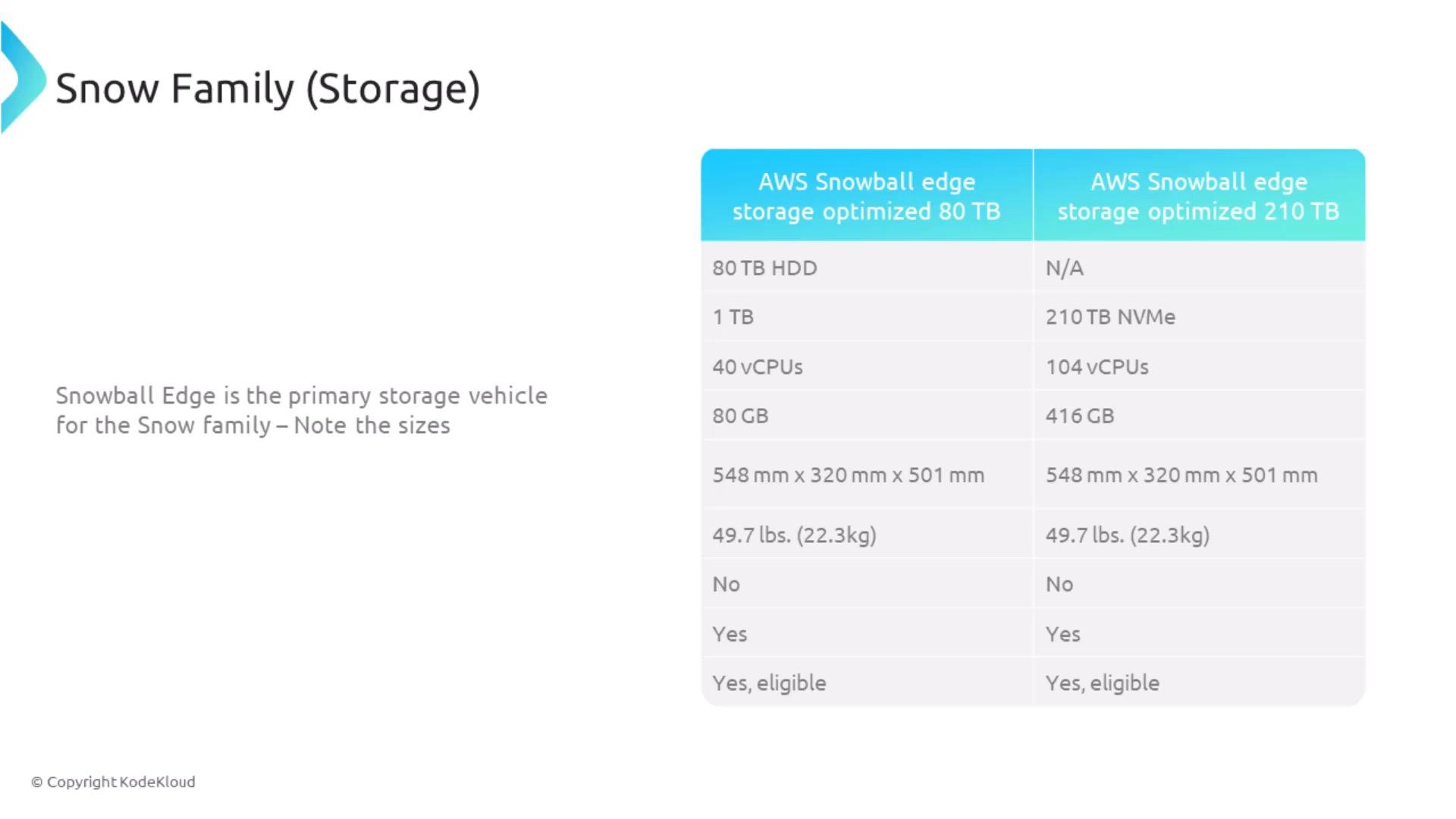
- Check current AWS product specs before planning capacity.
- Follow OpsHub and AWS guidance for secure device handling and chain-of-custody.
Summary: Controls & Quick Reference
Most migration and transfer services are managed by AWS; your responsibilities commonly include:- IAM: enforce least privilege for service roles and human operators.
- Encryption: verify TLS in transit and enable encryption at rest (KMS) on targets (S3, EBS, RDS, EFS, FSx).
- Logging & audit: enable CloudTrail for API auditing, CloudWatch for real-time logs, and export service logs / task logs (e.g., DMS) to encrypted S3 for long-term retention.
Final recommendations
- Treat managed migration/transfer services as configurable endpoints. Verify destination encryption, apply tight network controls (security groups, VPC endpoints, VPN/Direct Connect), and use CloudTrail/CloudWatch/S3 for unified auditing and retention.
- Test end-to-end migration workflows (including encryption and IAM) in a staging environment and capture logs for troubleshooting before performing production cutovers.
- Maintain a documented runbook for recovery and failover procedures that includes key rotation, KMS policies, and steps to validate encryption and access after failover.