

What is Active Directory?
Active Directory (AD) is Microsoft’s directory service used to centrally manage identities, authentication, authorization, and access to applications and network resources. AD lets administrators create and manage users, groups, policies (for example, Group Policy), and trust relationships so users can access cloud apps, SaaS, and on-premises applications securely.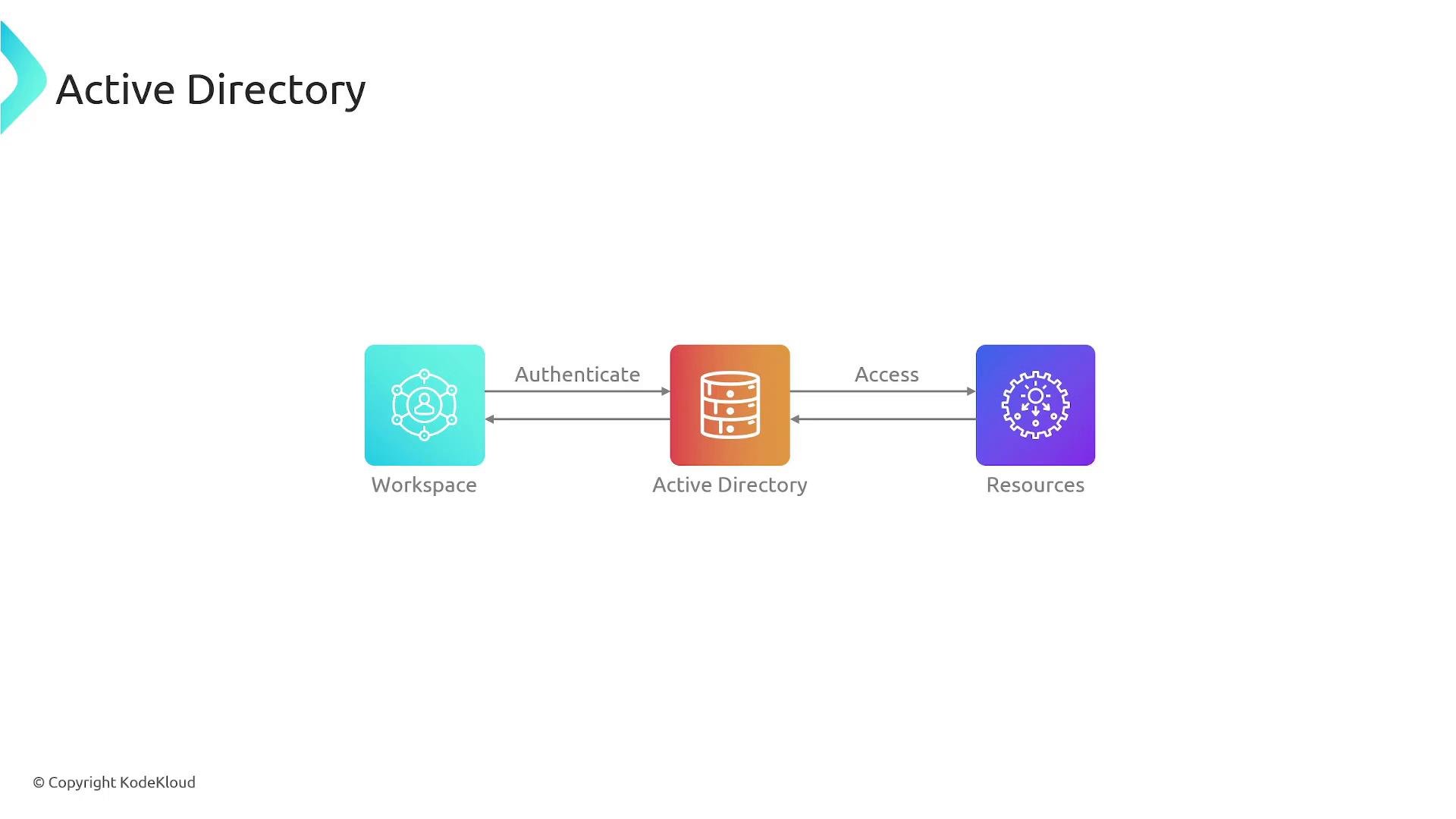
AWS Directory Service — overview
AWS Directory Service is a managed directory offering that reduces the operational burden of running directory infrastructure in the cloud. Similar to how Amazon RDS provides managed database instances, AWS manages the underlying servers, patching, backups, and high availability for your directory. AWS Directory Service can run across multiple Availability Zones to increase resilience. For official docs and additional reading, see:- AWS Directory Service: https://docs.aws.amazon.com/directoryservice/latest/admin-guide/what_is.html
- Amazon RDS overview: https://docs.aws.amazon.com/AmazonRDS/latest/UserGuide/Welcome.html
Directory Service deployment modes
AWS Directory Service supports several deployment modes so you can choose the right trade-offs for compatibility, management, and integration with on-premises AD. The primary modes are:- Simple AD
- Managed Microsoft AD
- AD Connector
Simple AD
Simple AD is a standalone directory hosted entirely within AWS. It uses Samba to provide basic directory services and to support systems that require Samba-compatible directory functionality. Simple AD is intended for AWS-only deployments and does not provide the full feature set of Microsoft Active Directory. It cannot form trust relationships with on-premises AD domains and is designed to operate in isolation.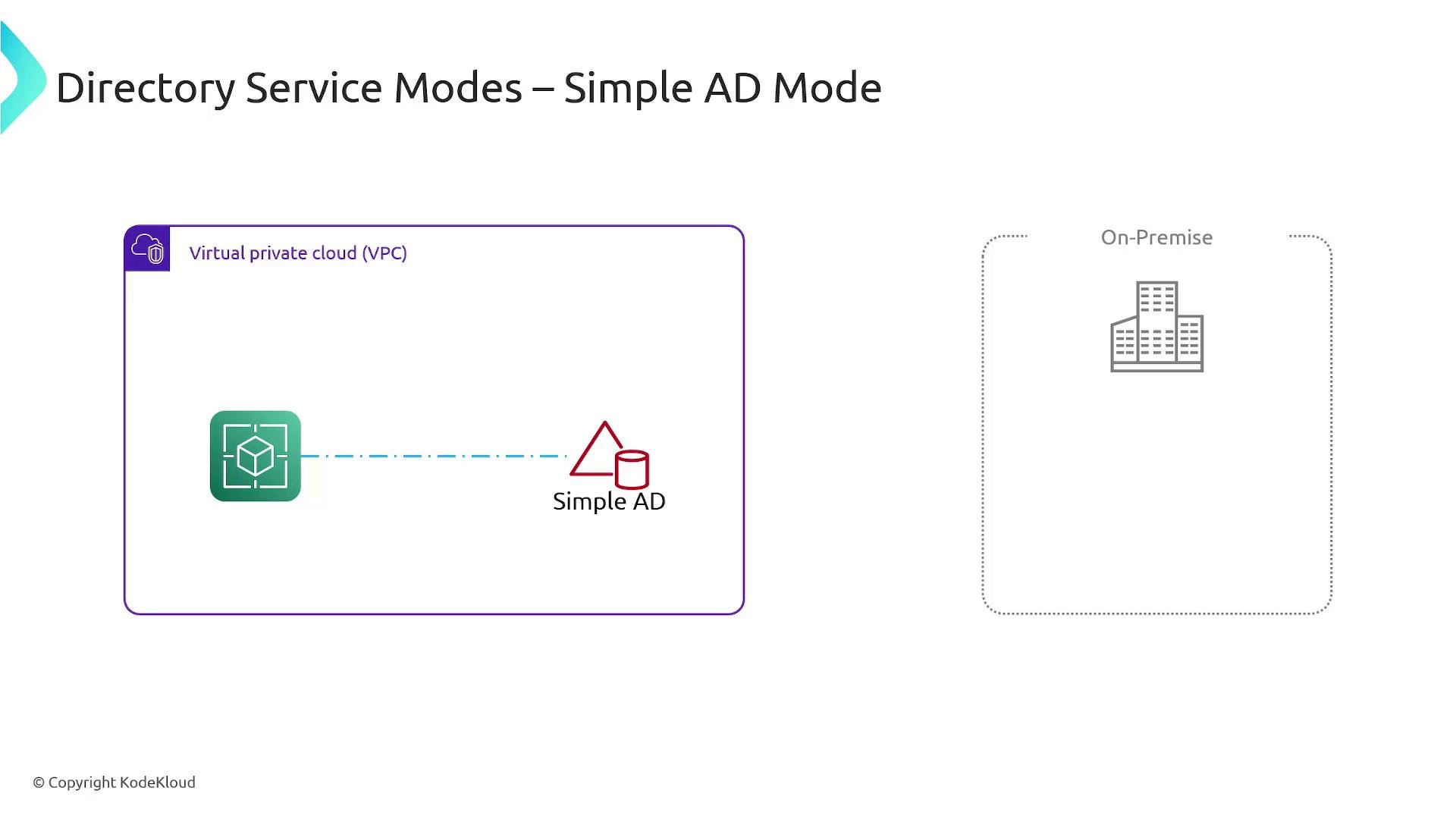
Managed Microsoft AD
Managed Microsoft AD is a full Microsoft Active Directory hosted and managed by AWS. It supports native AD features like Group Policy, schema extensions, and can be joined or trusted by on-premises domains. This option is ideal when you need full AD compatibility for enterprise applications or when you want to extend an existing on-premises AD to AWS while maintaining familiar AD behavior.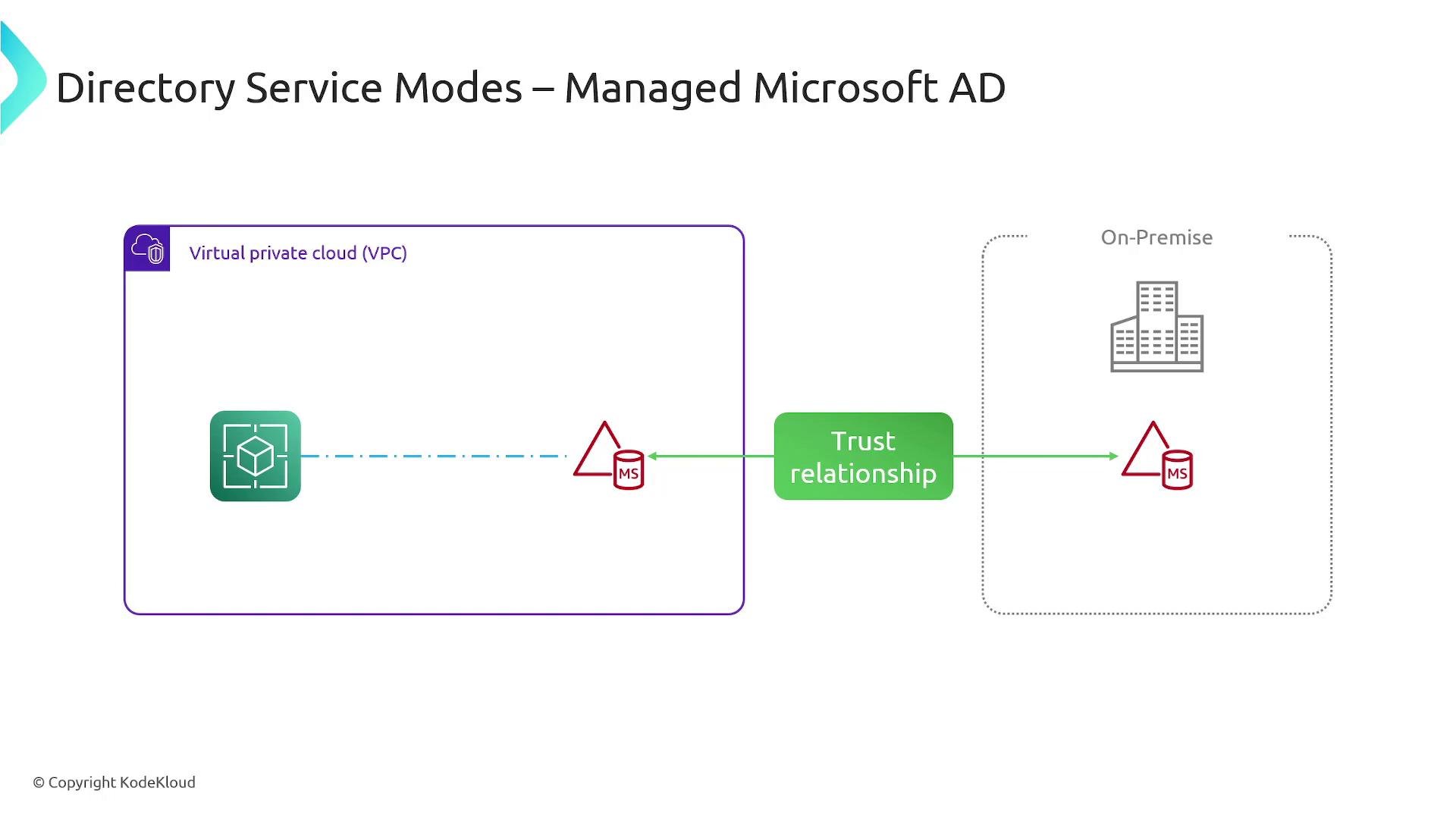
AD Connector
AD Connector acts as a proxy between AWS services and your existing on-premises Active Directory. It does not store directory objects or passwords in the cloud; instead, it forwards authentication and directory queries from AWS services—such as Amazon WorkSpaces—back to your on-premises AD. AD Connector is a lightweight way to allow AWS resources to authenticate against your single, authoritative on-premises directory without synchronizing data to the cloud.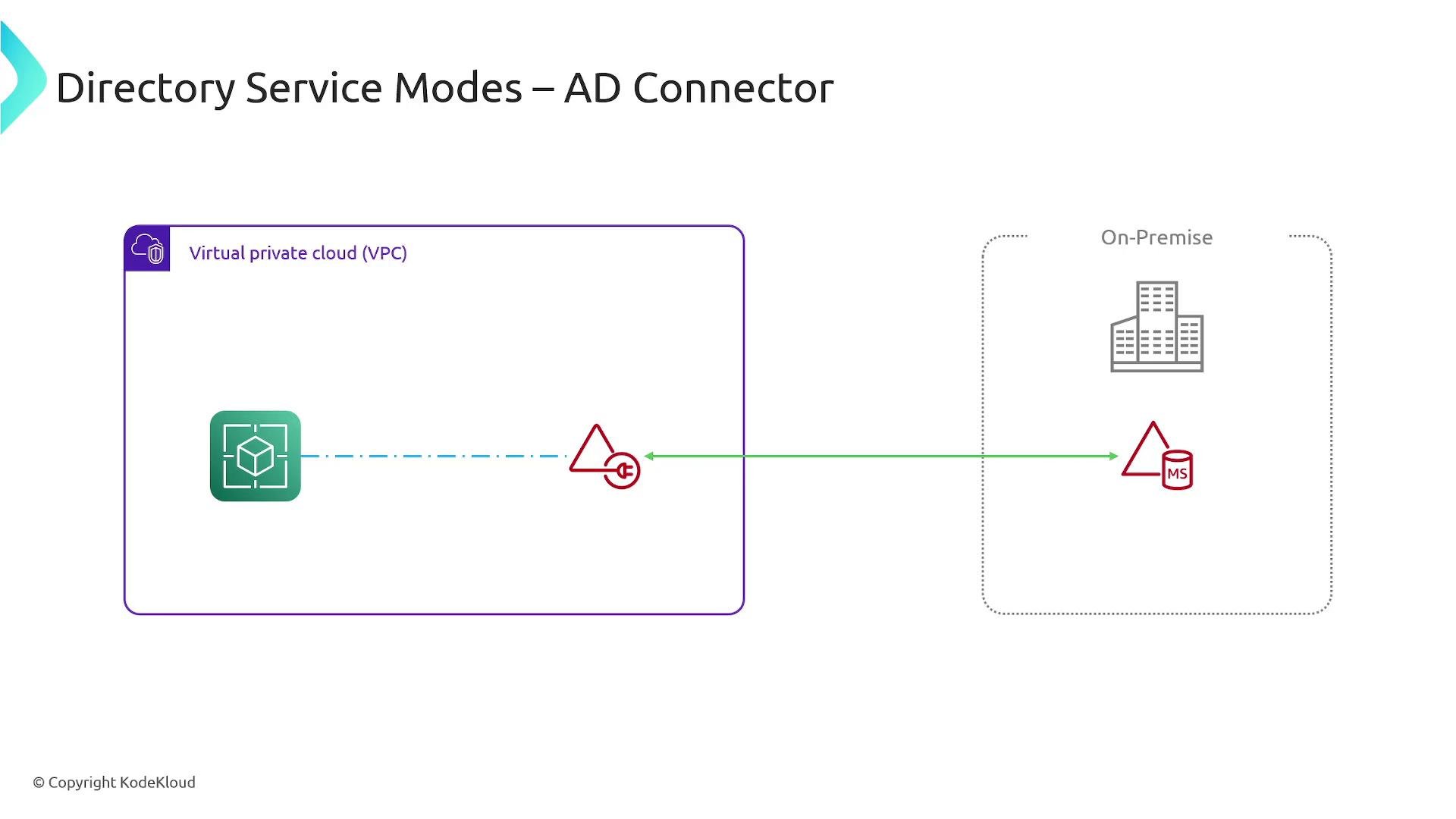
Choosing the right mode
Use the guidance below to select the most appropriate Directory Service mode:- Simple AD: choose for small, AWS-only deployments that need basic directory features and Samba support.
- Managed Microsoft AD: choose when applications need full Microsoft AD features (Group Policy, schema changes) or when you require trust relationships with on-premises domains.
- AD Connector: choose when you want to authenticate AWS resources against an existing on‑premises AD without replicating directory data into AWS.
When planning your deployment, consider required AD features, integration with on‑premises environments, latency and network connectivity, and operational overhead. Managed Microsoft AD gives full AD compatibility; AD Connector preserves a single on‑premises directory; Simple AD is for lightweight, isolated AWS-only scenarios.
Additional considerations
- Network connectivity: AD Connector and Managed Microsoft AD trusts require reliable network connectivity (VPN, AWS Direct Connect, or adequate VPC peering) for low-latency authentication and directory lookups.
- Security and compliance: review encryption, logging (CloudTrail), and IAM policies for directory consumer services.
- Cost: Managed Microsoft AD typically costs more than Simple AD or AD Connector because it runs full AD domain controllers in AWS across Availability Zones.
- Samba: https://www.samba.org/
- Amazon WorkSpaces: https://aws.amazon.com/workspaces/
- AWS Directory Service docs: https://docs.aws.amazon.com/directoryservice/latest/admin-guide/what_is.html