

- Use a NAT Gateway when servers or services in private subnets must access the internet (for OS updates, pulling container images, contacting external APIs) but must not be reachable from the internet.
- If you can expose the instance directly and secure it with security groups and network ACLs, a public subnet with an Internet Gateway is an alternative; however, this increases attack surface.
- An instance in a private subnet sends outbound traffic to its route table’s default route (
0.0.0.0/0) that points to the NAT Gateway. - The NAT Gateway (deployed in a public subnet) forwards the translated traffic to the VPC’s Internet Gateway.
- External services respond to the NAT Gateway’s Elastic IP (EIP); the NAT Gateway translates the response and returns it to the originating instance in the private subnet.
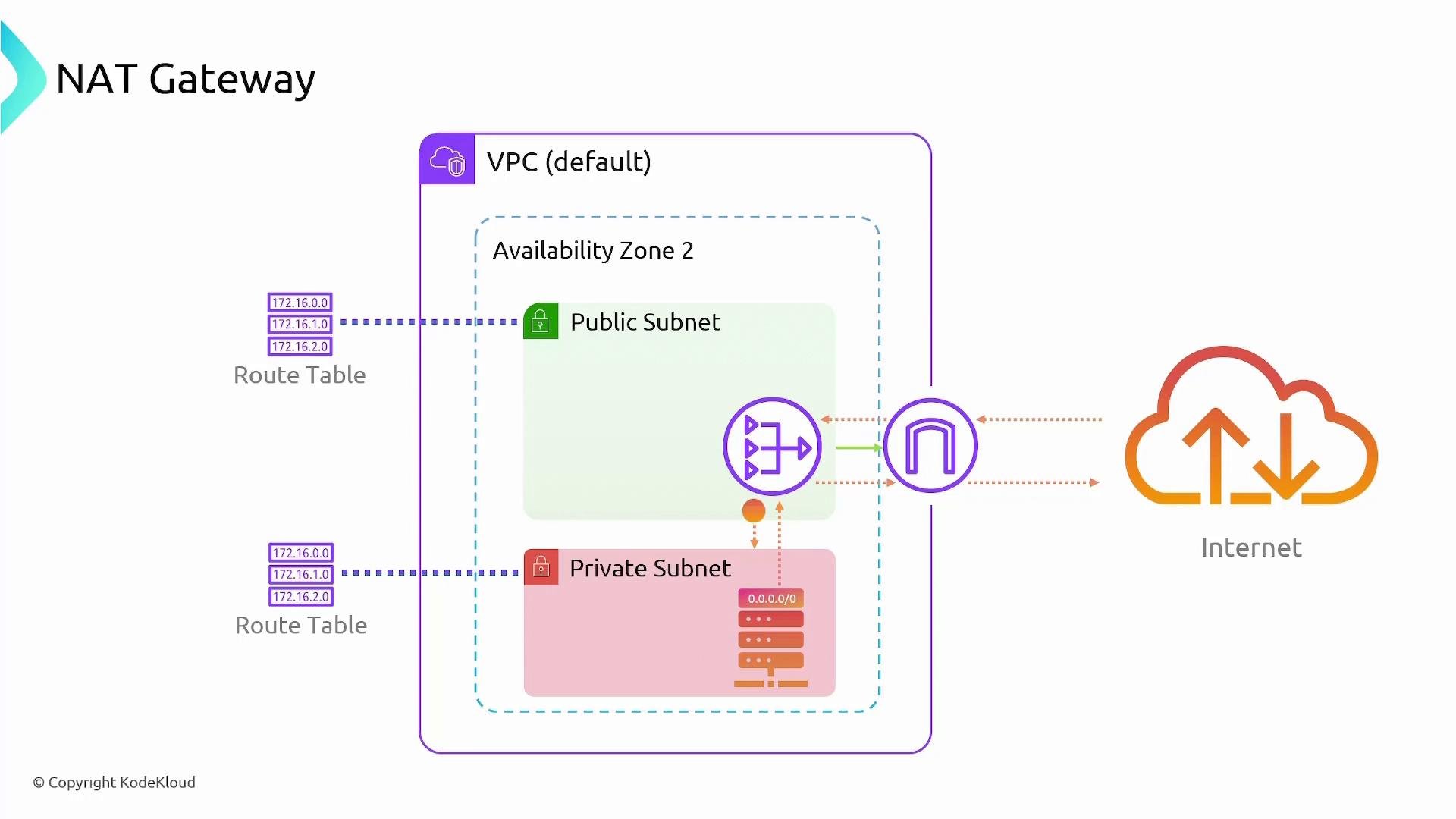
Example route table configuration
- NAT Gateways are created in a specific Availability Zone (AZ) and are not automatically cross-AZ redundant.
- For AZ-level resilience, deploy one NAT Gateway in each AZ that contains private subnets.
- Configure each private subnet’s route table to point to the NAT Gateway in the same AZ to avoid cross-AZ traffic and maintain availability.
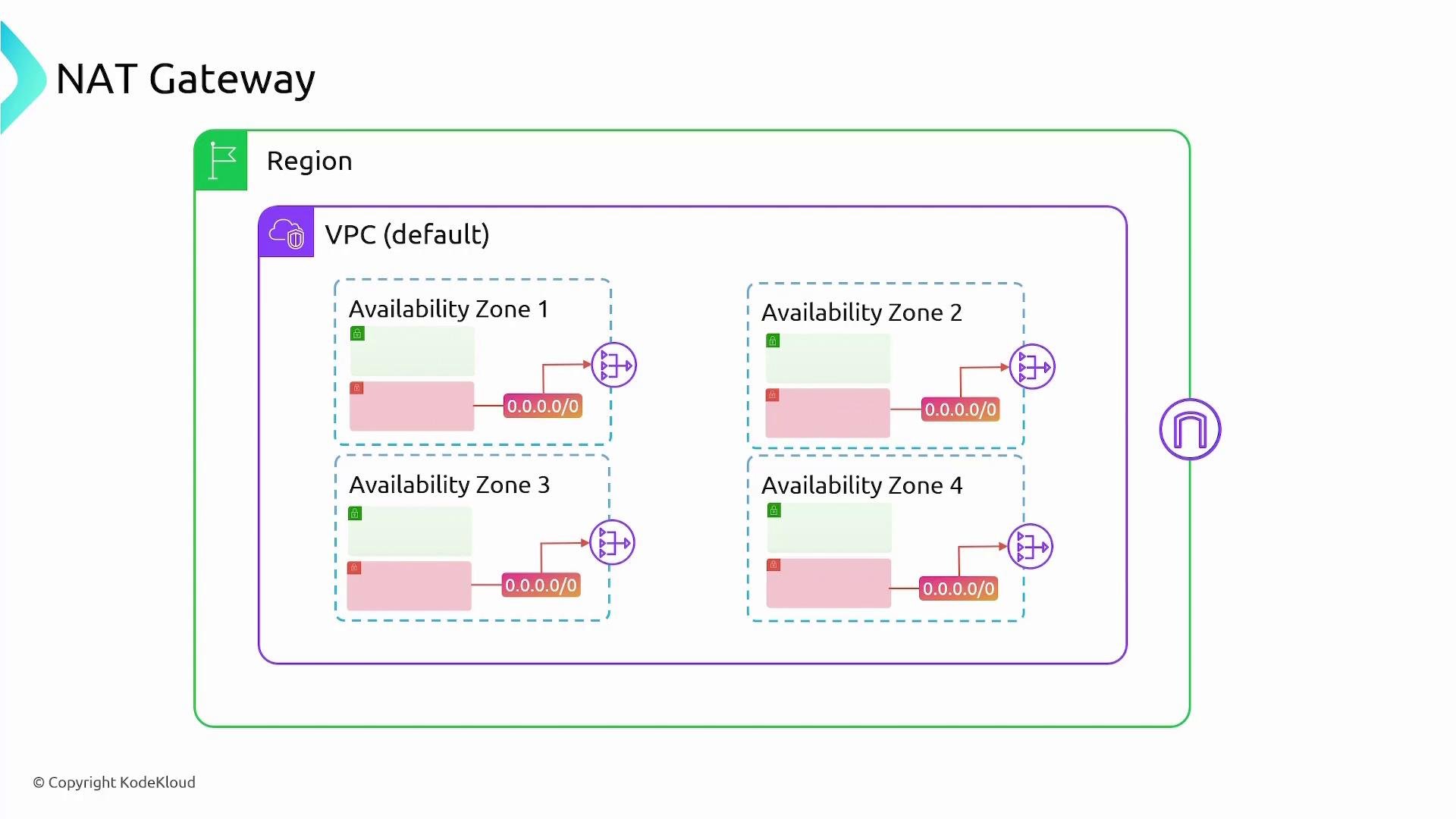
- Deploy one NAT Gateway per AZ to ensure high availability for private-subnet outbound traffic.
- Use separate public subnets for NAT Gateways (one per AZ) so private subnets can route locally to their AZ’s NAT.
- Monitor NAT Gateway metrics (throughput, packet drops) and set alerts via CloudWatch.
- For cost-sensitive, low-throughput scenarios, consider a NAT instance (self-managed EC2) as an alternative, but note the operational overhead and scaling differences.
- For very high-throughput or specialized needs, review AWS performance limits and recommendations in the official docs.
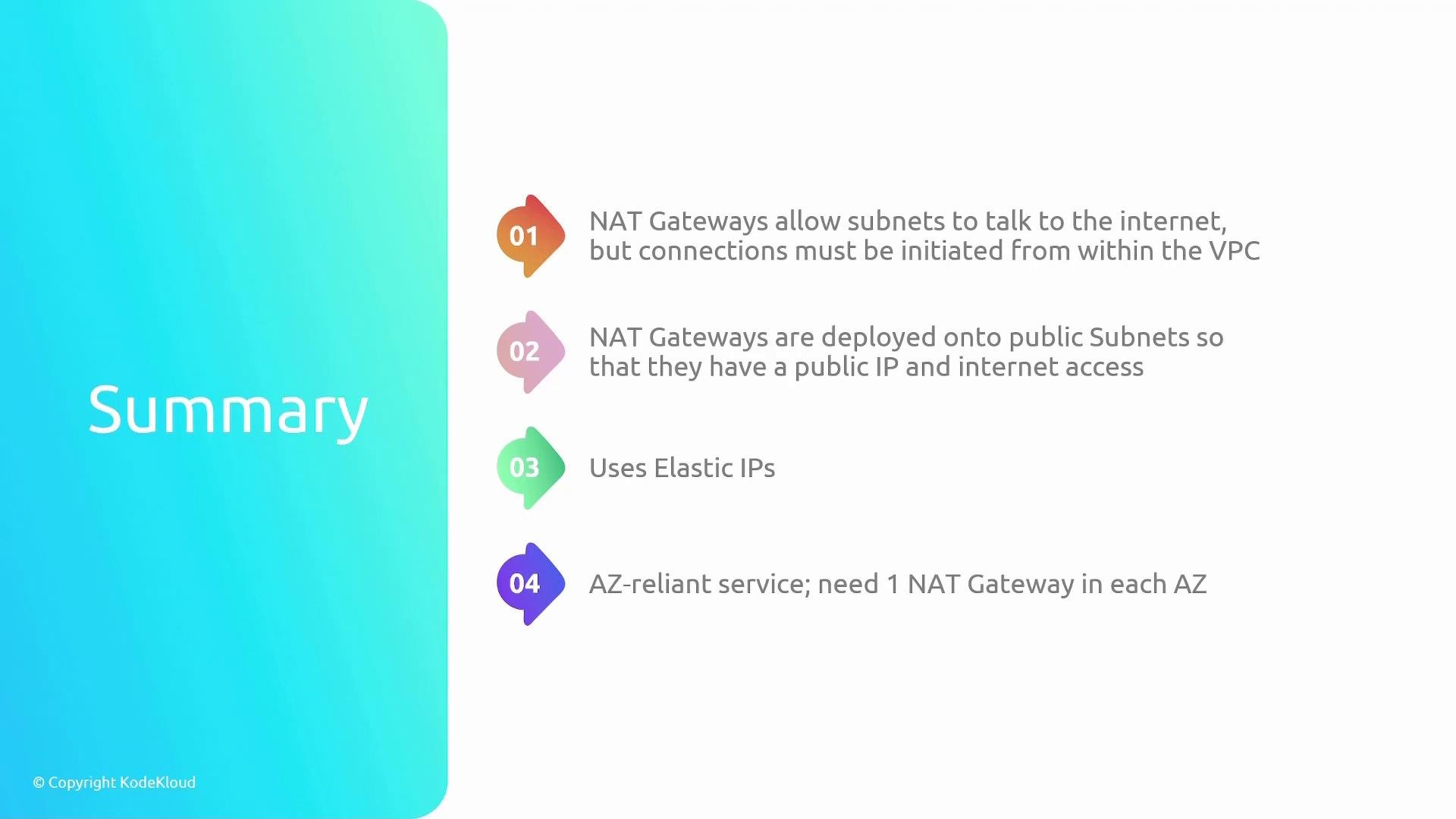
- NAT Gateways enable outbound-only internet access for resources in private subnets, preventing inbound connections initiated from the internet.
- They are deployed into public subnets, require an Internet Gateway on the VPC, and use an Elastic IP for external communication.
- NAT Gateways are an AWS-managed service (AWS handles scaling and infrastructure).
- To achieve fault tolerance across AZs, deploy and reference one NAT Gateway per Availability Zone.
NAT Gateways scale automatically for most workloads. For the latest performance limits, pricing details, and configuration best practices, review the official AWS NAT Gateway documentation: https://docs.aws.amazon.com/vpc/latest/userguide/vpc-nat-gateway.html
- AWS NAT Gateway documentation: https://docs.aws.amazon.com/vpc/latest/userguide/vpc-nat-gateway.html
- AWS VPC pricing: https://aws.amazon.com/vpc/pricing/
- Kubernetes on AWS networking best practices (for clusters in private subnets)