

- When many teams or applications share a single S3 bucket, a single monolithic bucket policy becomes hard to manage.
- Access Points provide named entry points into the same bucket, each with its own ARN and policy scope, so you can move fine-grained permissions closer to the consumer (team, application, or role).
- An access point is a named network endpoint and policy container for a single S3 bucket.
- Each access point has its own ARN (for example:
arn:aws:s3:us-west-2:123456789012:accesspoint/my-access-point) and acts like a separate S3 endpoint you can reference in IAM policies or application configuration. - Consumers interact with objects using the access point ARN rather than the bucket ARN, allowing per-consumer policy scoping and network controls.
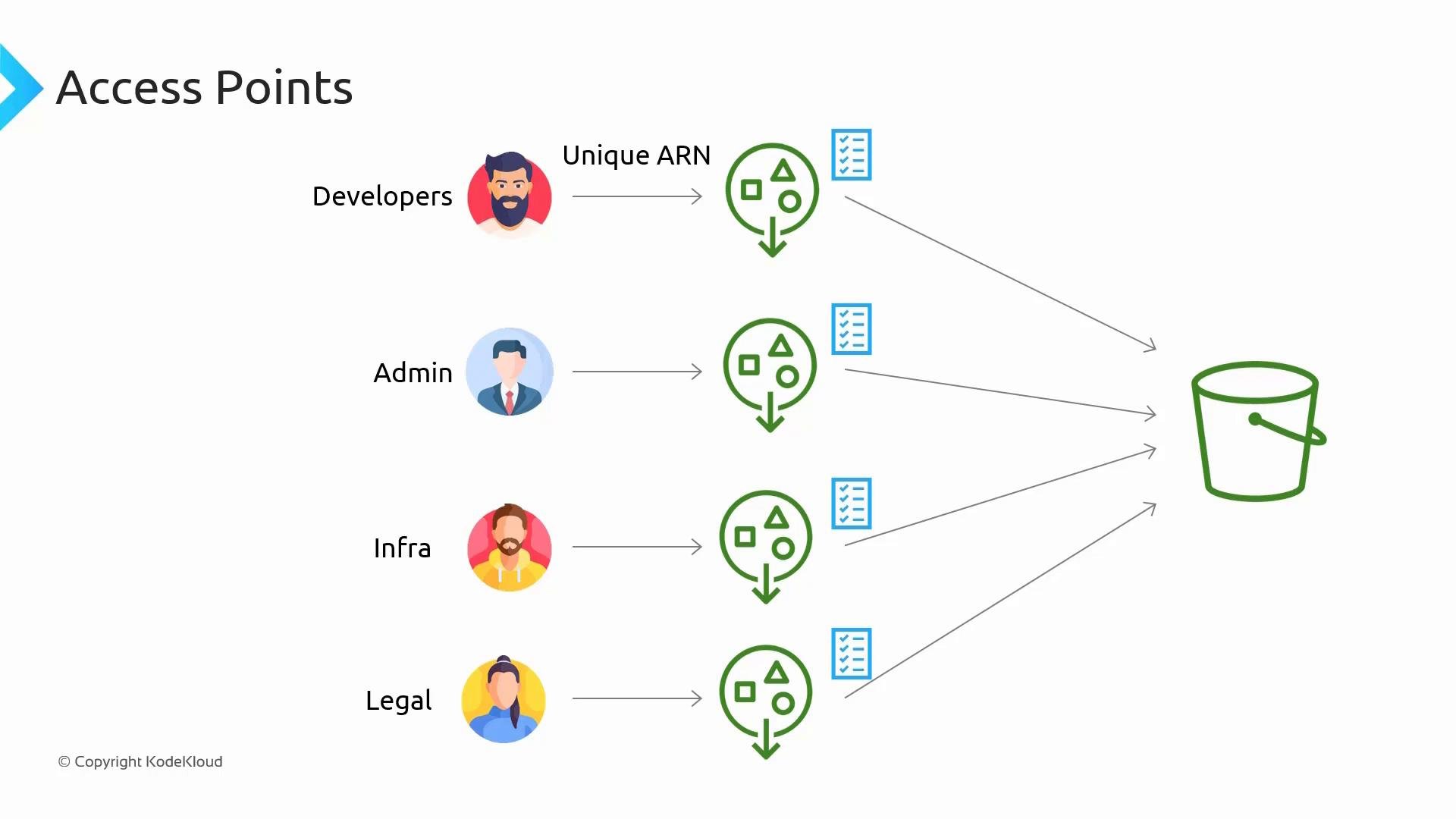
- Logical separation: Each team or application can have an access point that encapsulates its permissions.
- Simpler policies: Keep the bucket policy minimal and place fine-grained grants on access points.
- Unique ARNs: Access point ARNs can be referenced directly in IAM policies and network configurations (e.g., VPC endpoint policies).
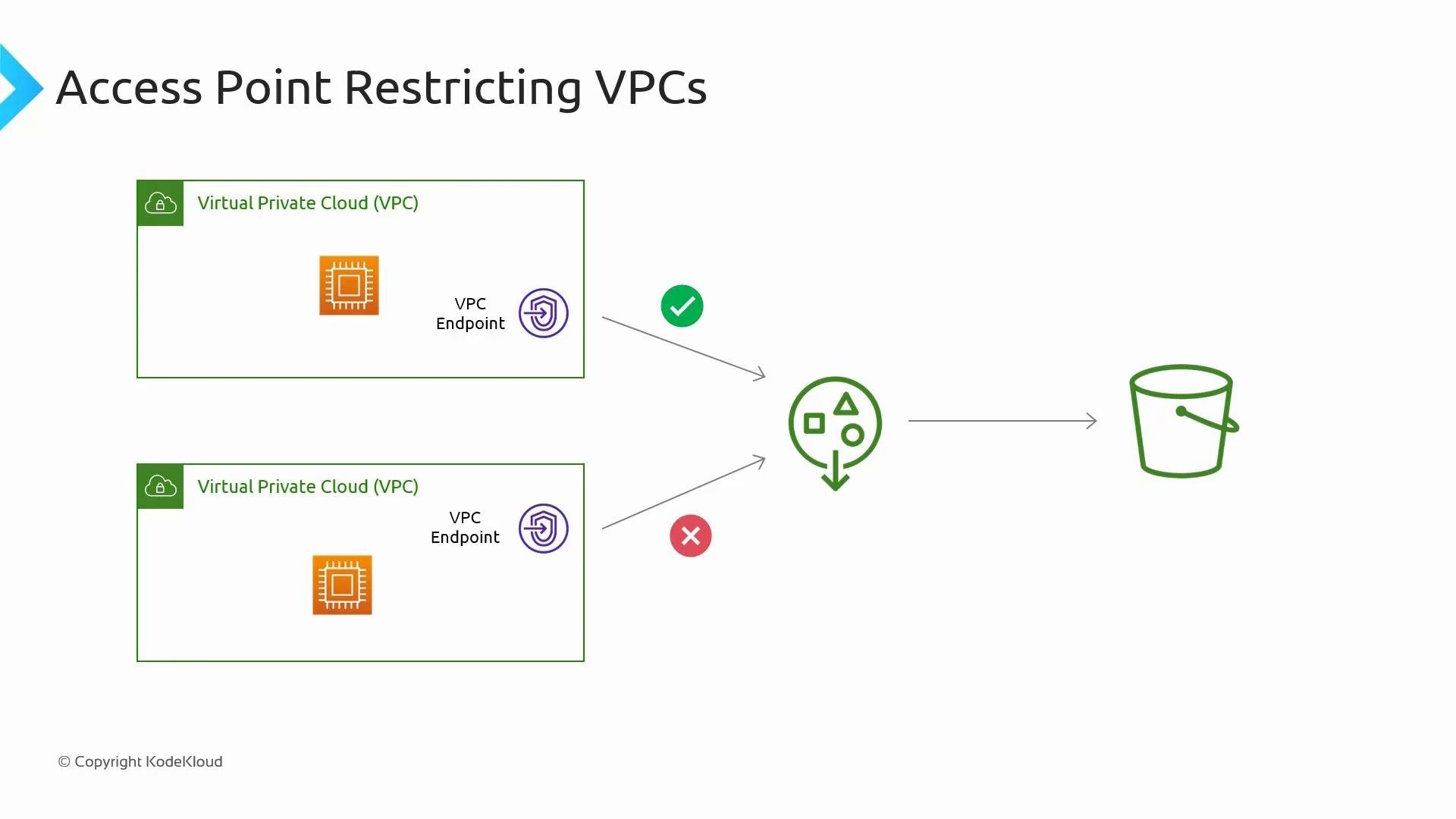
- Network controls: Restrict access through an access point to specific VPCs or VPC endpoints.
Restricting access to specific VPCs
- Access points can be configured to accept requests only from particular VPCs (via AWS condition keys like
aws:sourceVpcor by restricting VPC endpoint connections). - Combine access points with S3 VPC endpoints so only resources inside the designated VPC can reach the bucket through that access point.
- S3 evaluates access by combining all relevant policies: IAM identity policies, access point policy, bucket policy, and any applicable service control policies (SCPs) or organization policies.
- A deny in any applicable policy results in an overall denial, so the bucket policy must not inadvertently block a request you intend to allow through an access point.
Access points have their own resource policies, but S3 evaluates access using the union of relevant policies (identity, access point, bucket, SCP). For predictable behavior, keep the bucket policy permissive for expected access paths and place fine-grained rules on the access points.
- Keep the bucket policy minimal — allow (or at least do not deny) requests that come through authorized access points.
- Put consumer-specific allow/deny rules on each access point policy.
- Use access point ARNs in IAM policies, application code, and VPC endpoint policies to limit scope.
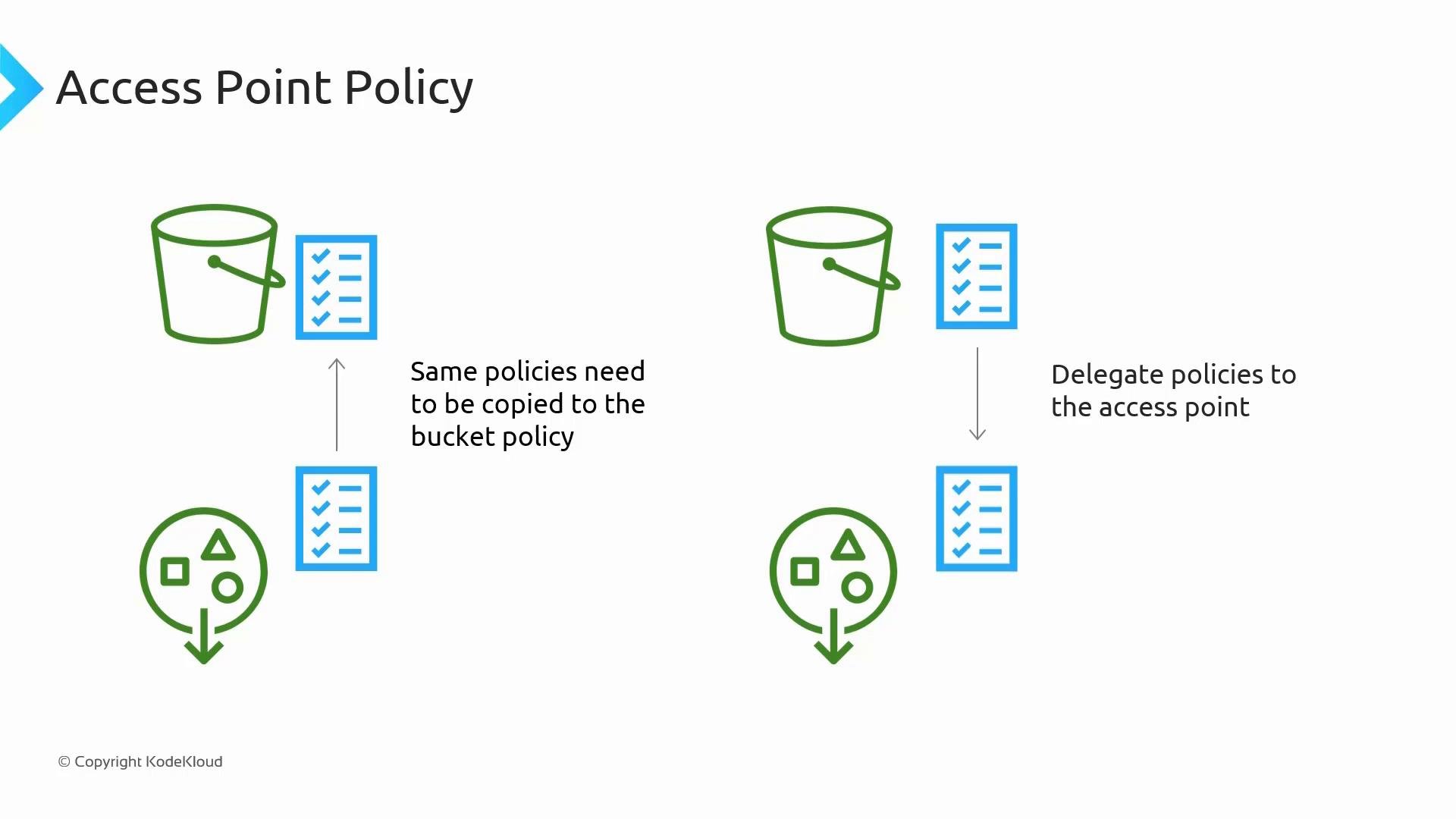
- Bucket policy (minimal) — allows access when the request uses a matching access point ARN:
- Access point policy (fine-grained) — allow only specific principals and actions:
A deny anywhere in the evaluation chain overrides allows. An access point policy cannot override an explicit deny in the bucket policy or an applicable SCP. Design bucket policies so they don’t block intended access through access points.
Best practices
- Use access points to give each team or application a dedicated ARN and set of permissions.
- Minimize duplication: delegate access via the bucket policy to access points, then manage details on access-point policies.
- Use VPC endpoint policies and access point restrictions to keep traffic internal to your VPC where required.
- Test policy combinations in a non-production account to confirm effective permissions before rolling out.
- S3 Access Points let you create multiple named entry points into a single bucket, each with its own ARN and policy scope.
- They simplify permission management and can enforce network restrictions (for example, limiting requests to specific VPCs via VPC endpoints).
- Always consider the full policy evaluation chain (IAM, access point, bucket, organization policies) when designing access control.