

- Seamless hybrid integration between data center and AWS.
- Support for block, file, and tape workflows.
- Cost‑effective backup and archival using S3 and Glacier classes.
- Can be deployed as a virtual appliance or a physical appliance on‑premises.
Common use cases
- Extend on‑premises storage capacity by offloading data to Amazon S3.
- Migrate data gradually to AWS by replicating on‑premises datasets.
- Provide low‑cost, durable backups and archives using S3, S3 Glacier, and S3 Glacier Deep Archive.
- Enable disaster recovery by restoring snapshots to EC2/EBS when needed.
- Replace physical tape infrastructure with a Virtual Tape Library (VTL) stored in S3/Glacier.
Deployment model
Storage Gateway runs as an on‑premises appliance (VM or hardware). It presents storage to local servers and asynchronously copies or stores data in AWS. Choose the gateway type that matches your application protocol (block vs file vs tape).Gateway types (at a glance)
For detailed guidance on when to choose each type, see the sections below.
Volume Gateway
Volume Gateway presents iSCSI block volumes to on‑premises servers. It comes in two modes — Stored and Cached — each designed for different needs.Volume — Stored mode
In Stored mode, the gateway keeps the full copy of each volume locally on the gateway appliance and asynchronously backs up changes to AWS as EBS snapshots (stored via AWS snapshot storage). Key points:- Primary copy resides on local disks attached to the gateway.
- AWS stores backups as EBS snapshots (persisted in S3 via AWS snapshot storage).
- Useful for local performance with cloud backups for disaster recovery and restore to EC2.
- Does not increase on‑prem storage capacity — you are limited by the gateway’s local drives.
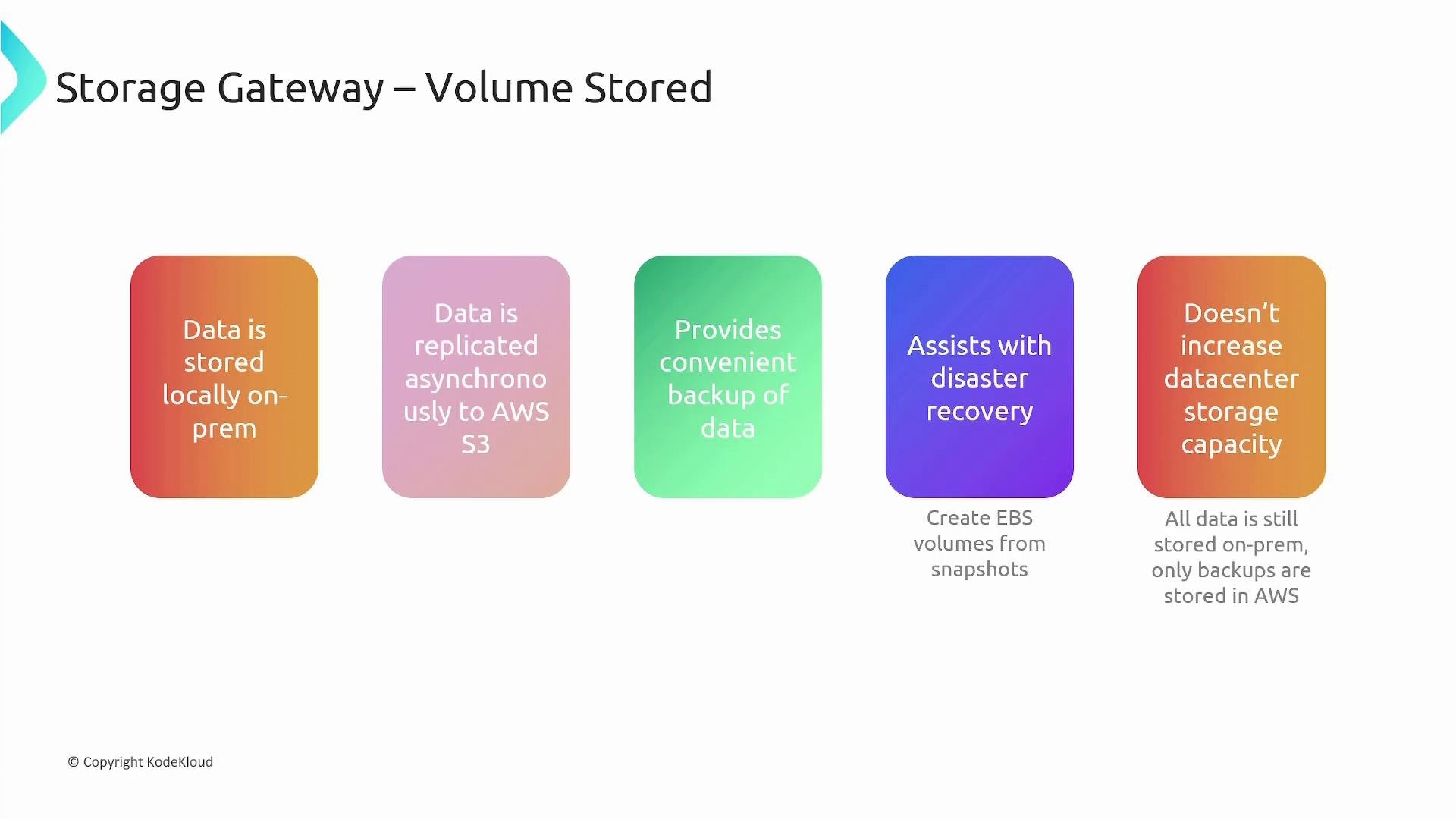
Exam tip: In Volume Stored mode, the primary copy of data resides on the on‑premises gateway; AWS holds asynchronous backups (EBS snapshots backed by S3).
Volume — Cached mode
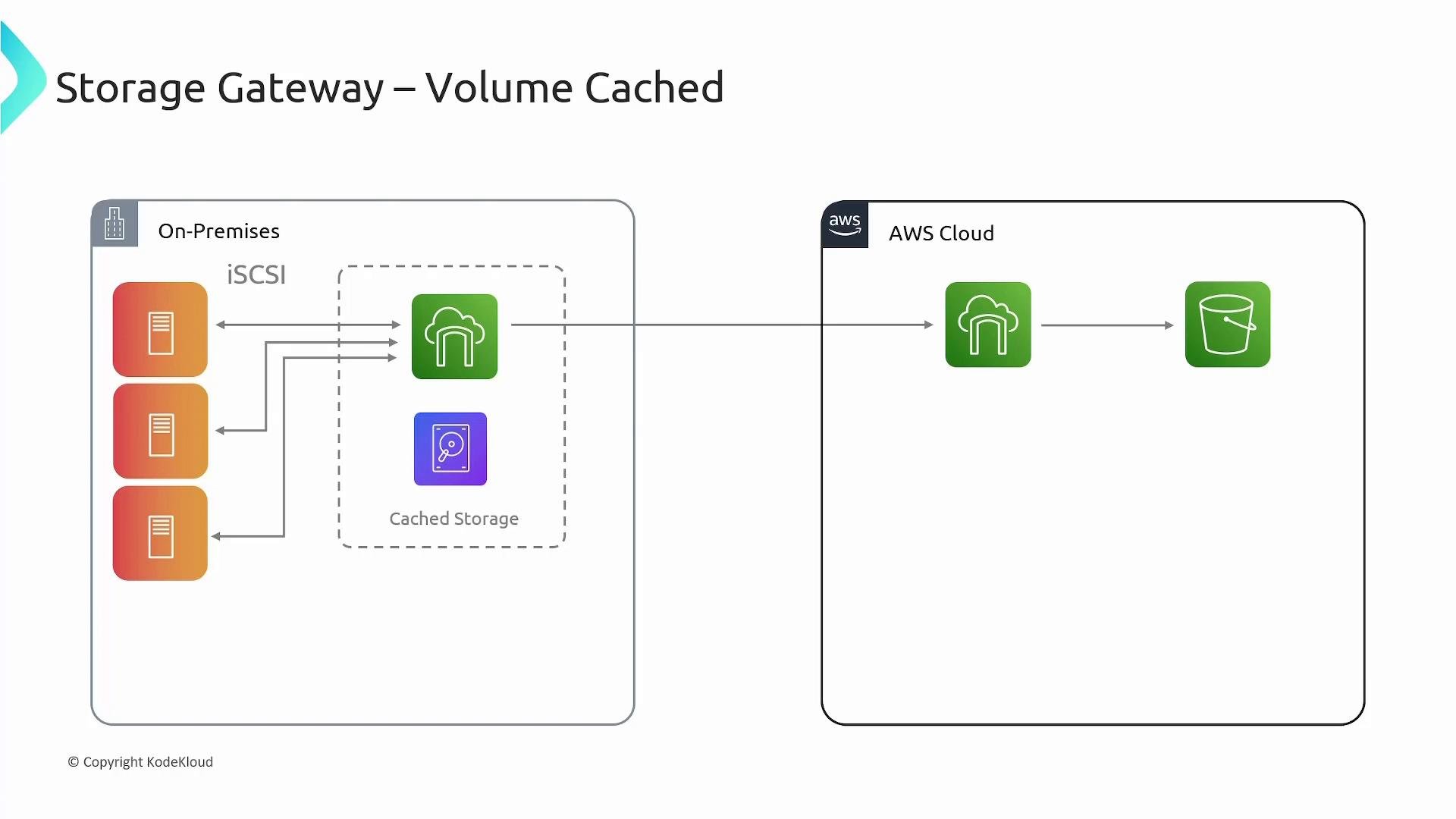
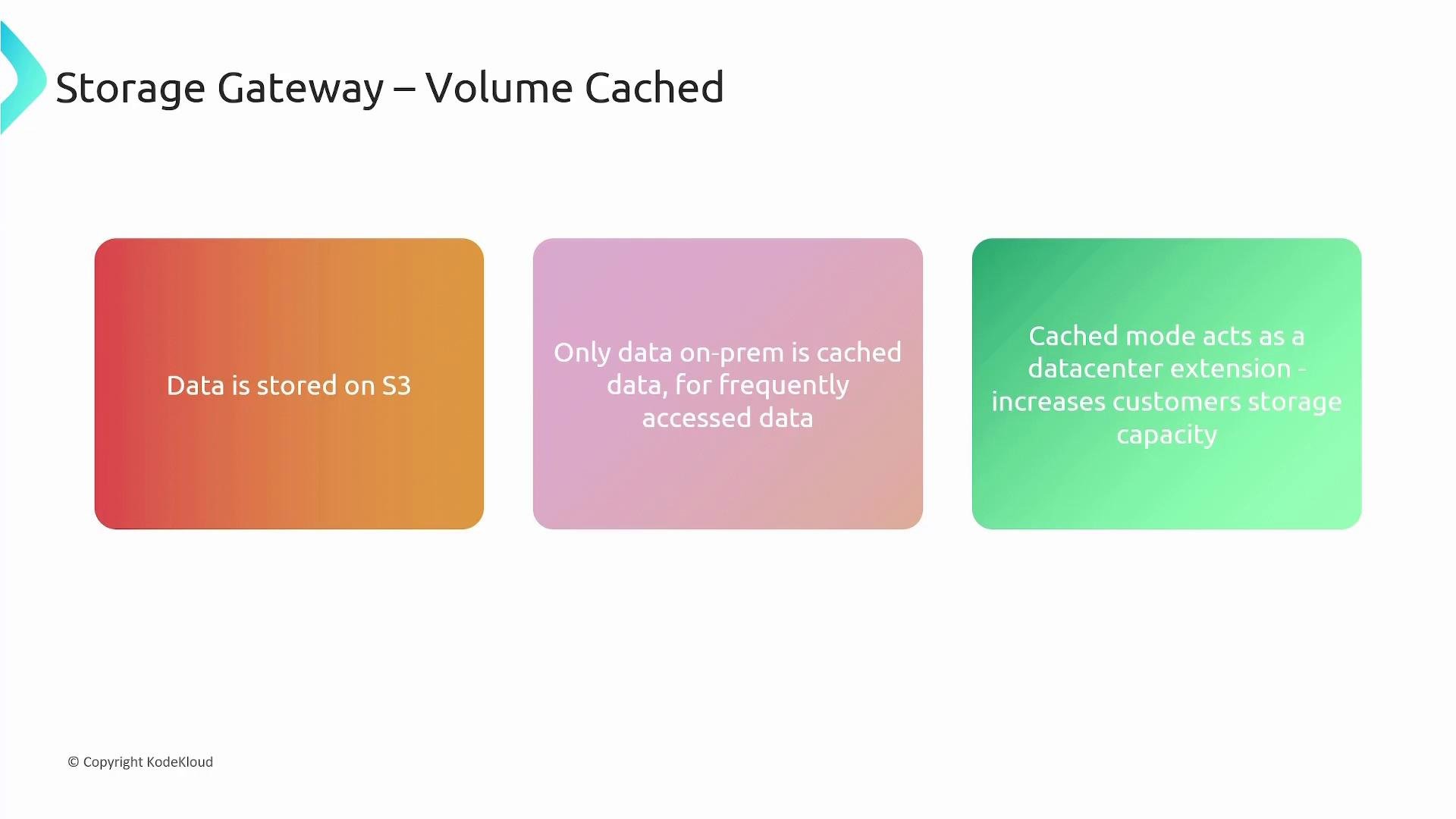
In Cached mode, the authoritative copy of your data is stored in AWS (snapshots/objects), and the on‑premises gateway keeps a local cache of frequently accessed data (hot blocks) to provide low latency. Key points:- Primary data is in AWS; local cache improves performance for active blocks.
- Acts as a datacenter extension — effectively expands available storage capacity without adding local drives.
- Servers continue to use iSCSI volumes as usual while most capacity is provided by the cloud.
File Gateway
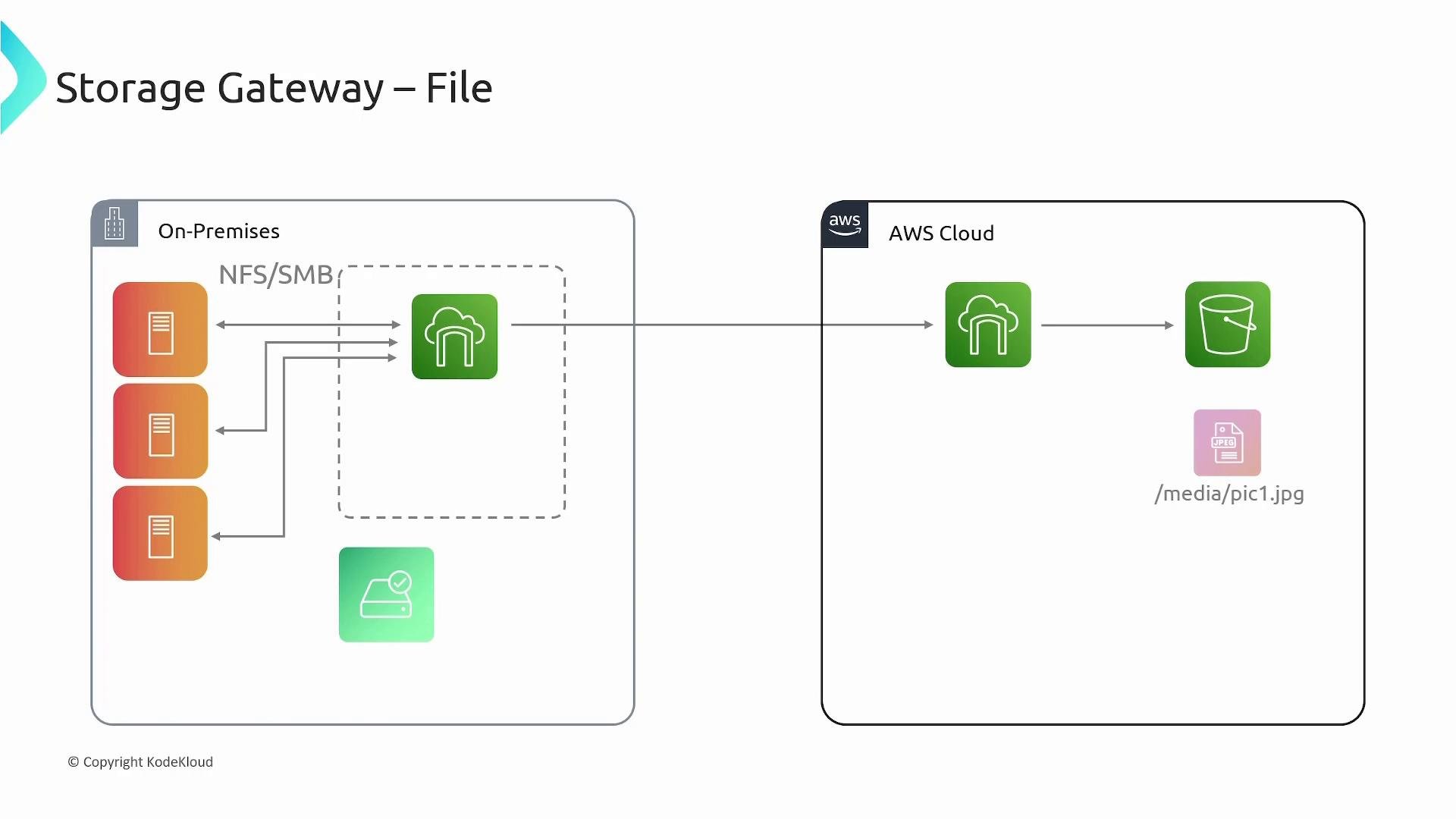
File Gateway exposes a file interface (NFS or SMB) to applications while storing file contents as Amazon S3 objects. The gateway maps file paths and filenames to S3 object keys so applications can continue using standard file protocols while benefiting from S3 scalability and durability. Behavior and benefits:- Applications access file shares via NFS or SMB as usual.
- Files are persisted to Amazon S3 as objects; the gateway maps
/<path>/<file>to an S3 object key. - A local cache stores frequently accessed files for improved read performance.
- Ideal for lift‑and‑shift file workloads, content repositories, and backup targets that need file semantics.
Tape Gateway
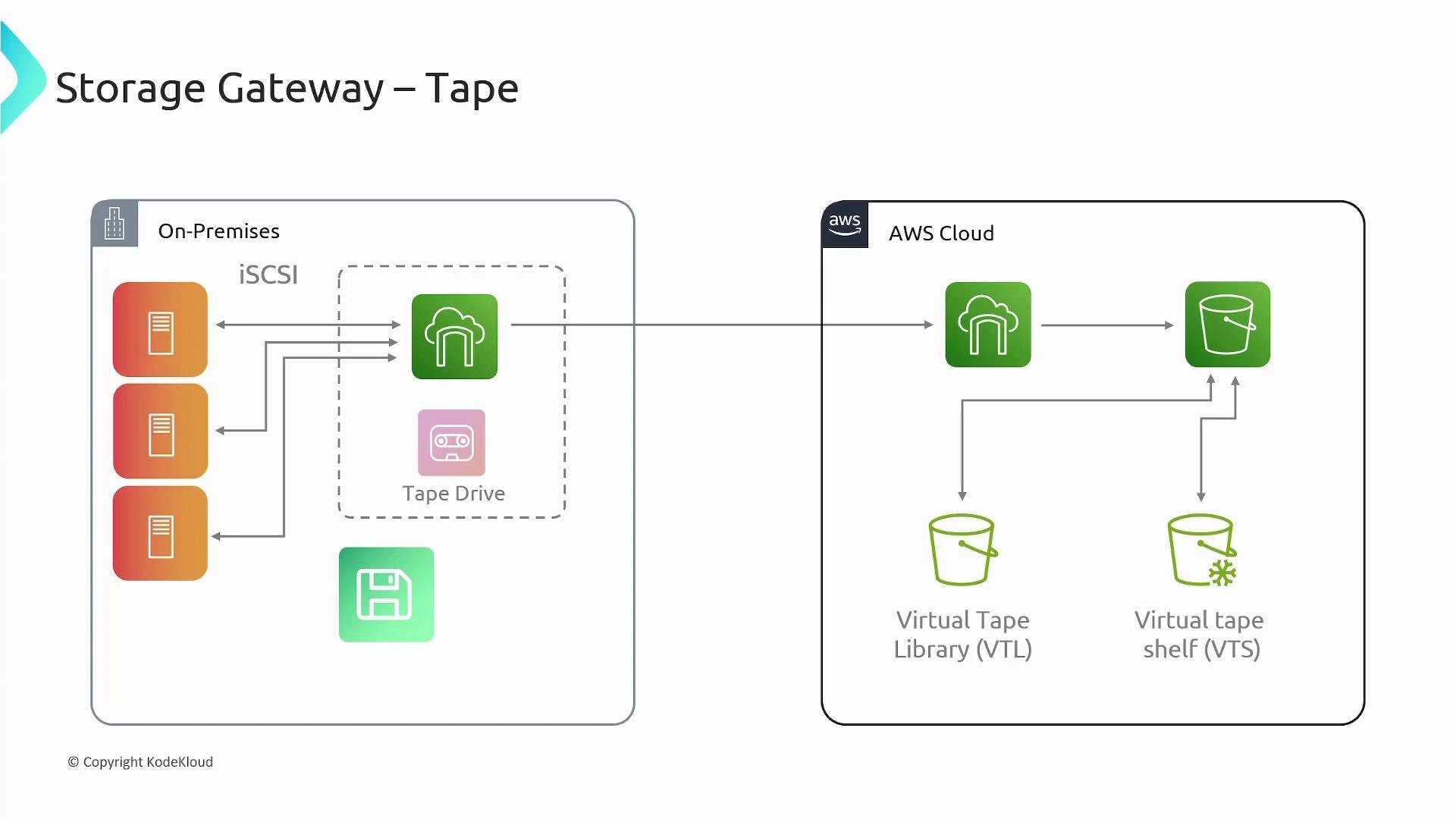
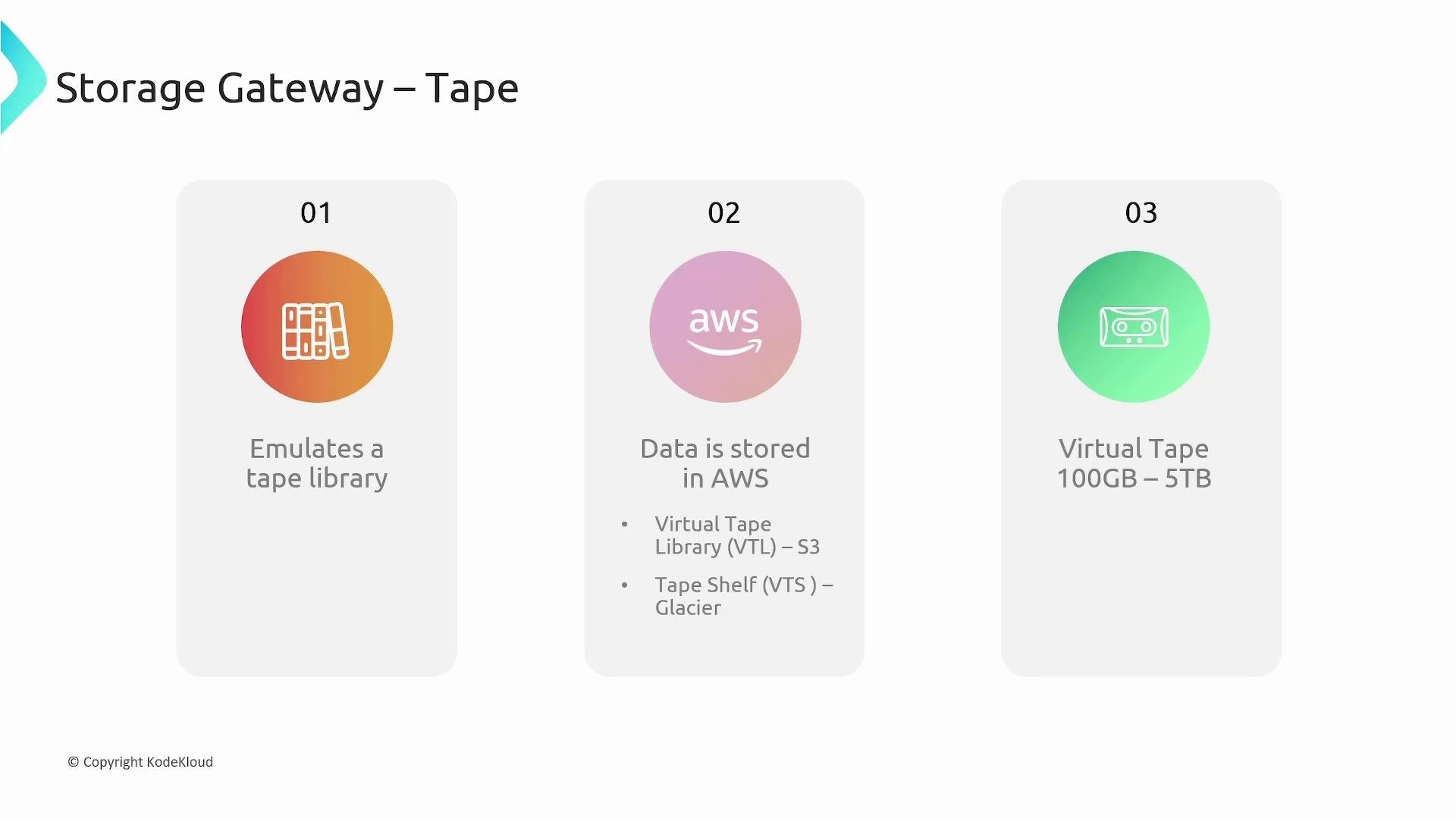
Tape Gateway emulates a tape library (VTL) and virtual tape drives so legacy backup applications can continue to use existing tape workflows. Backups written to virtual tapes are stored in Amazon S3 and can be archived to S3 Glacier classes for long‑term retention. How it works:- Presents virtual tape drives and a VTL over iSCSI to backup servers.
- Virtual tapes are stored in S3 (VTL). Less‑frequent tapes can be moved to a Virtual Tape Shelf (VTS) backed by S3 Glacier or S3 Glacier Deep Archive.
- Virtual tape sizes commonly range from 100 GB to 5 TB.
- Enables retirement of physical tape hardware while keeping familiar backup software.
Comparing File and Tape Gateways
- File Gateway: Presents file shares over NFS/SMB; stores files as S3 objects and caches frequently accessed files locally. Best for applications that require file semantics and S3 durability.
- Tape Gateway: Emulates tape libraries over iSCSI for backup applications; stores virtual tapes in S3 (VTL) and archives to S3 Glacier storage classes (VTS). Best for replacing physical tape infrastructure while keeping backup software unchanged.
Quick decision guide
- Use Volume Stored when you need a local primary copy of block volumes with cloud backups (EBS snapshots).
- Use Volume Cached when you want to extend on‑prem capacity while placing the primary data in AWS and caching hot blocks locally.
- Use File Gateway to expose S3 as NFS/SMB file shares for applications that expect file semantics.
- Use Tape Gateway to migrate tape backup workflows to AWS without changing backup software.
Choose the gateway type based on the protocol your applications expect (iSCSI for block/tape, NFS/SMB for file) and whether you require the primary data on‑prem or in the cloud.
Links and references
- AWS Storage Gateway product page: https://aws.amazon.com/storagegateway/
- AWS Storage Gateway documentation: https://docs.aws.amazon.com/storagegateway/
- AWS S3 storage classes overview: https://aws.amazon.com/s3/storage-classes/