

Why use a load balancer?
Consider a website hosted on a single EC2 instance. Initially this may be fine, but as traffic grows a single server becomes a bottleneck. Two common scaling approaches:- Vertical scaling — increase the instance size (CPU, RAM).
- Horizontal scaling — add more instances and distribute traffic across them.
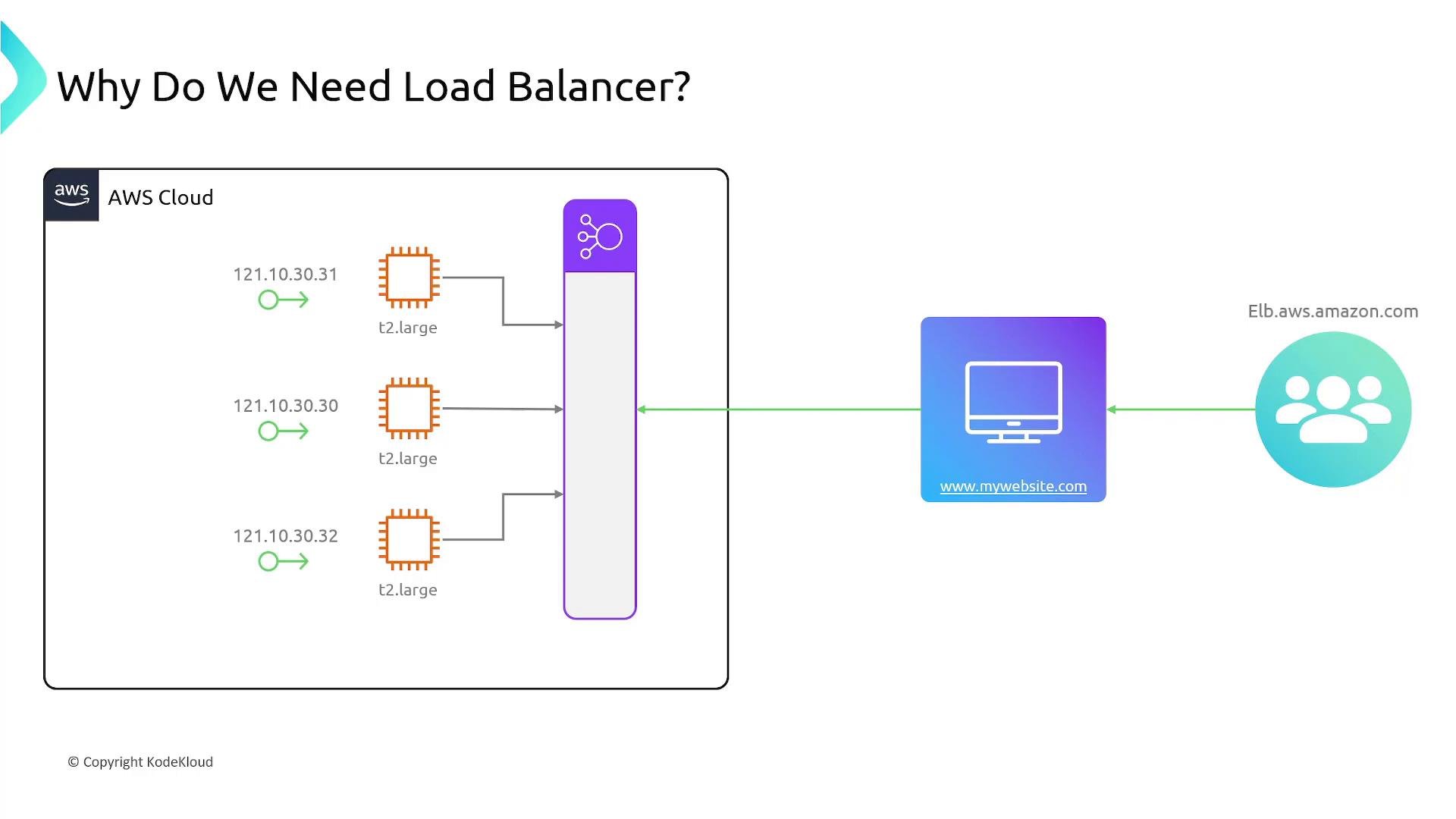
Core ELB concepts: Listeners and Target Groups
Two primary configuration elements used by AWS load balancers:- Listener — a process on the load balancer that checks for connection requests on a specific protocol and port. ALB and NLB listeners can include rules that define how matching traffic is routed and what actions to take.
- Target group — a logical grouping of endpoints (EC2 instances, IP addresses, Lambda functions, or other load balancers) that receive traffic forwarded by the load balancer. Each target group has health check settings and a protocol/port configuration.
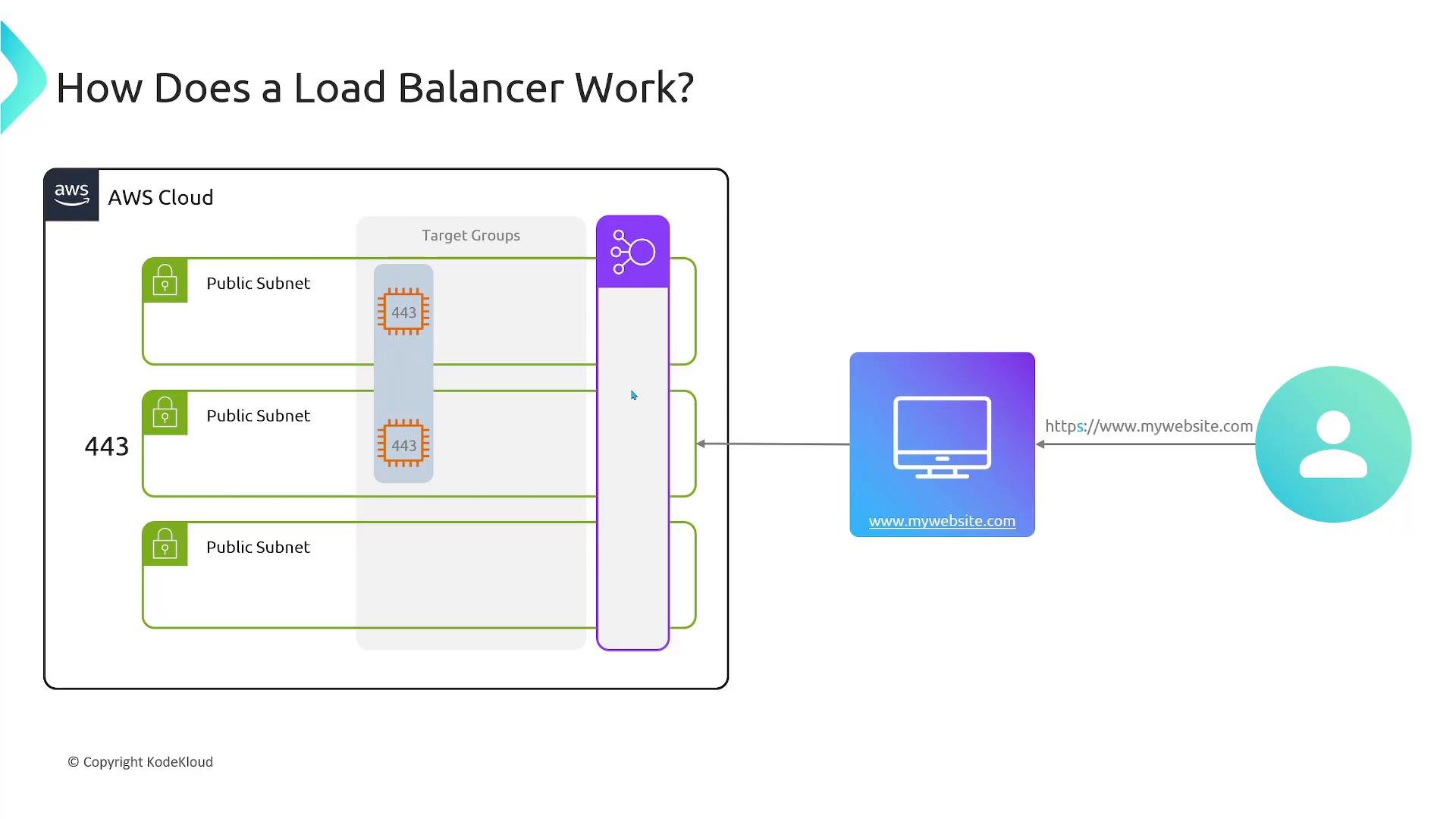
Target group resources and supported protocols
Target groups support multiple target types and protocols:
Supported protocols: TCP, UDP, TLS, HTTP, HTTPS. Target groups can forward to any port and support HTTP/1.1, HTTP/2, and gRPC. Health checks run periodically (HTTP/HTTPS or TCP) to determine target availability.
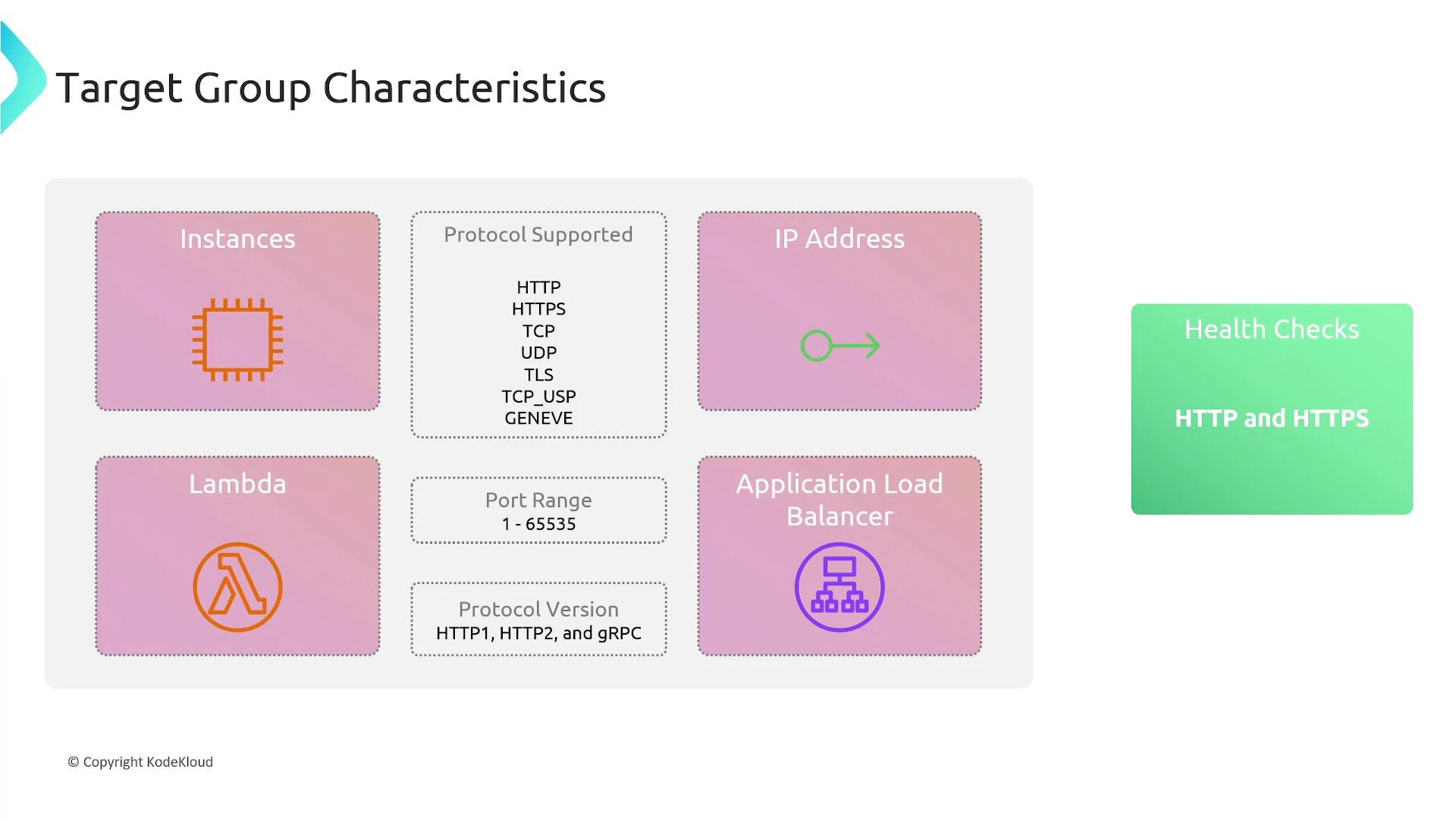
Health checks
Load balancer nodes continuously perform health checks on registered targets using configured intervals and thresholds. When a target fails health checks it is removed from routing until it passes health checks again. Health checks apply to instance and IP targets; Lambda targets are invoked and monitored differently by the ALB integration.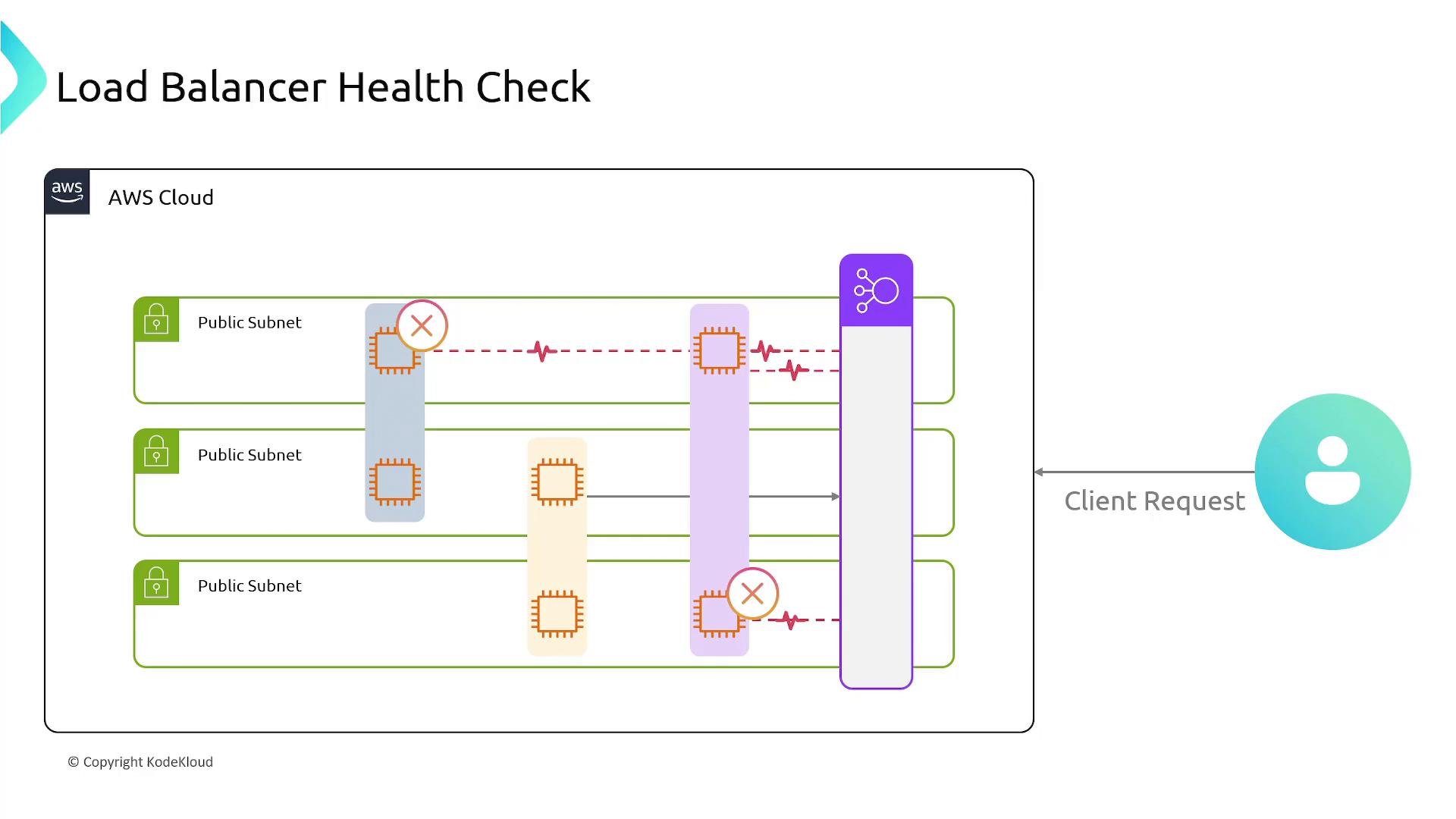
Public vs Private load balancers
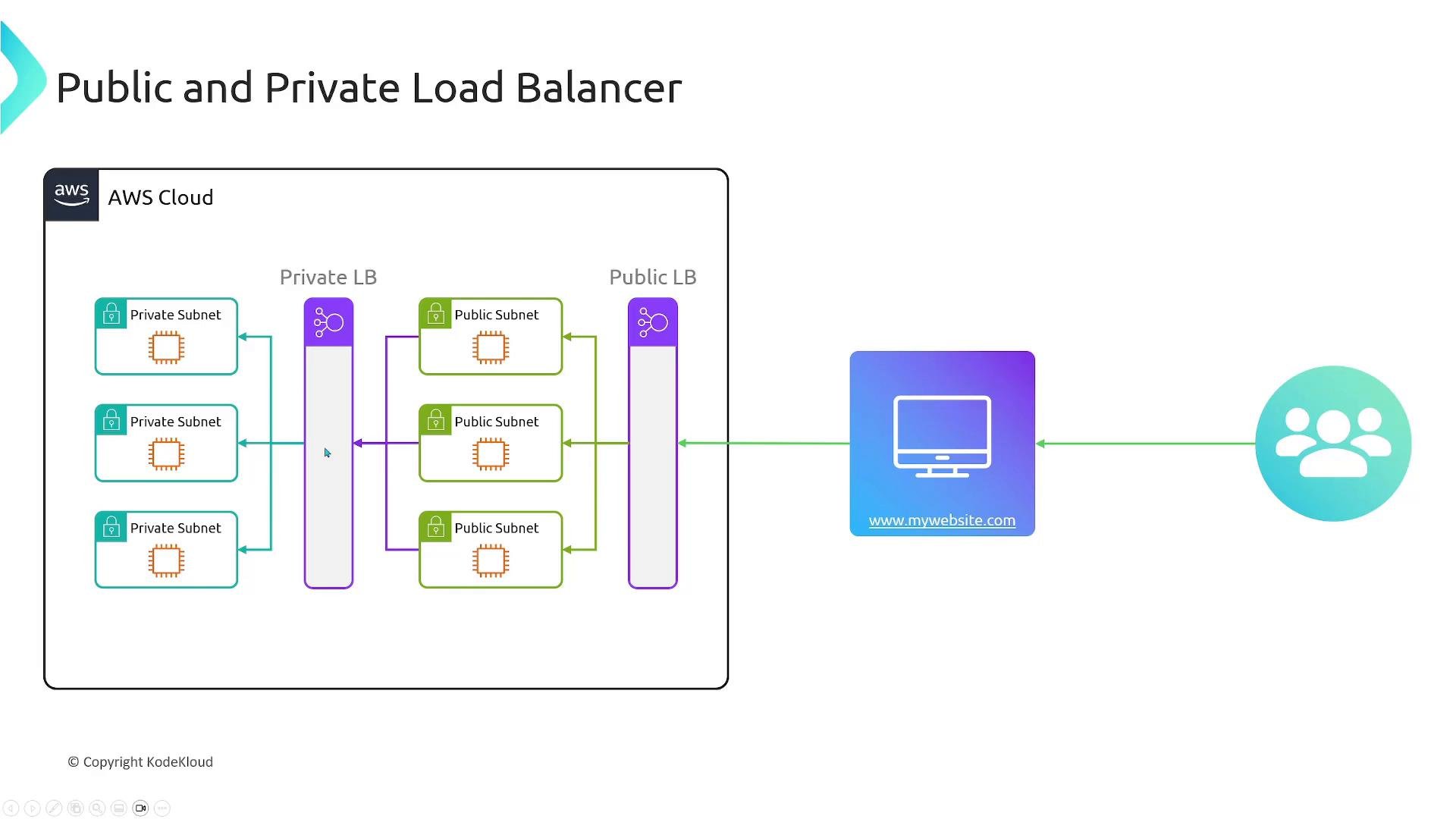
- Public (internet-facing) load balancer — accessible from the internet; suitable for public web apps and APIs.
- Private (internal) load balancer — accessible only from within the VPC; suitable for internal services, microservices, and internal APIs.
Cross-zone load balancing
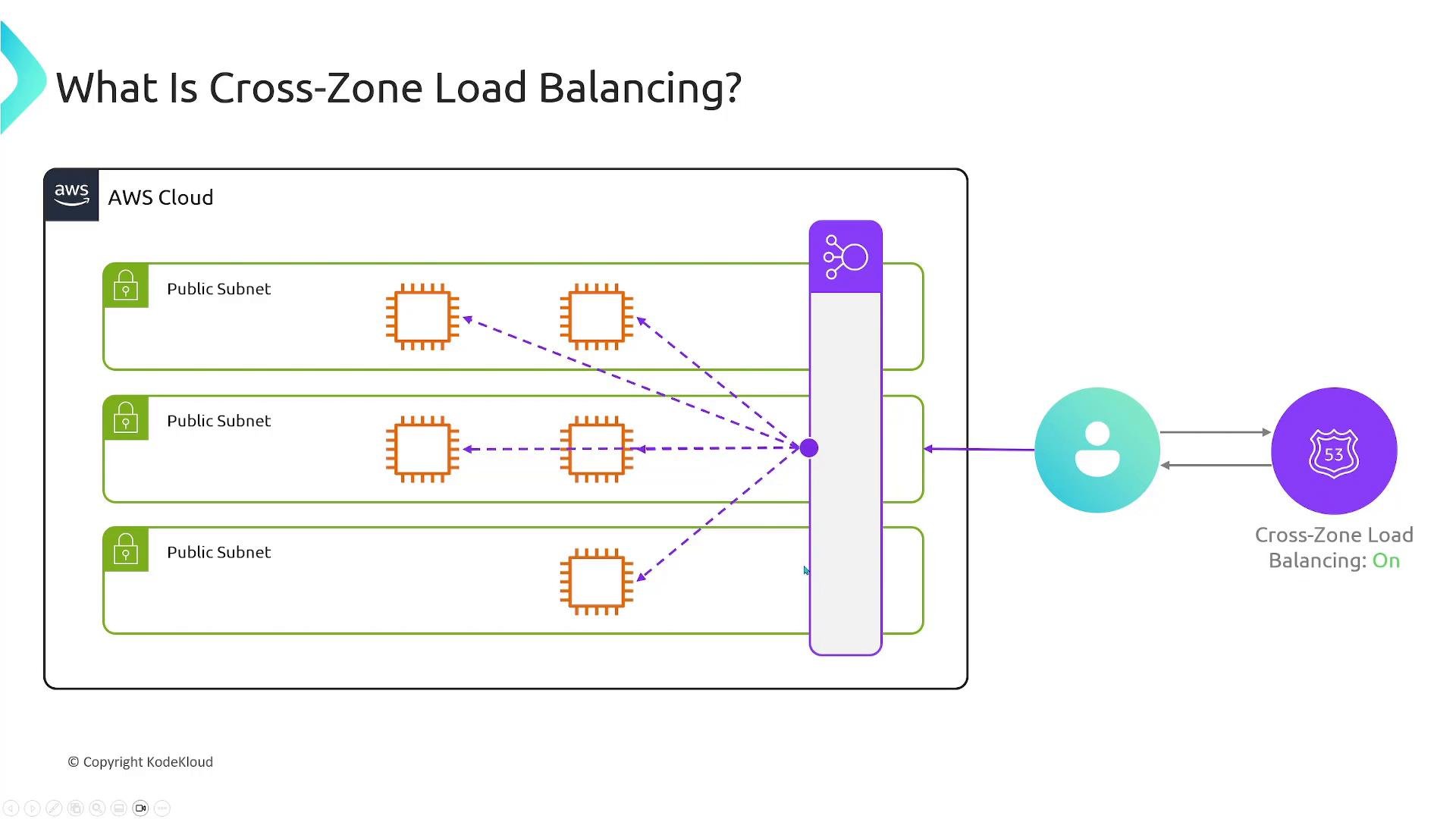
When you create a load balancer you choose subnets in specific Availability Zones (AZs); AWS deploys load balancer nodes into those subnets. Cross-zone load balancing affects how nodes forward traffic across AZs:- ALB — automatically distributes traffic evenly across all registered targets in enabled AZs (no explicit toggle required).
- NLB — cross-zone load balancing is optional. When enabled, nodes can forward traffic to targets in any AZ; when disabled, a node only forwards to targets in its own AZ (which can cause uneven utilization).
AWS load balancer types
AWS provides several load balancer types for different use cases. The two primary ones are: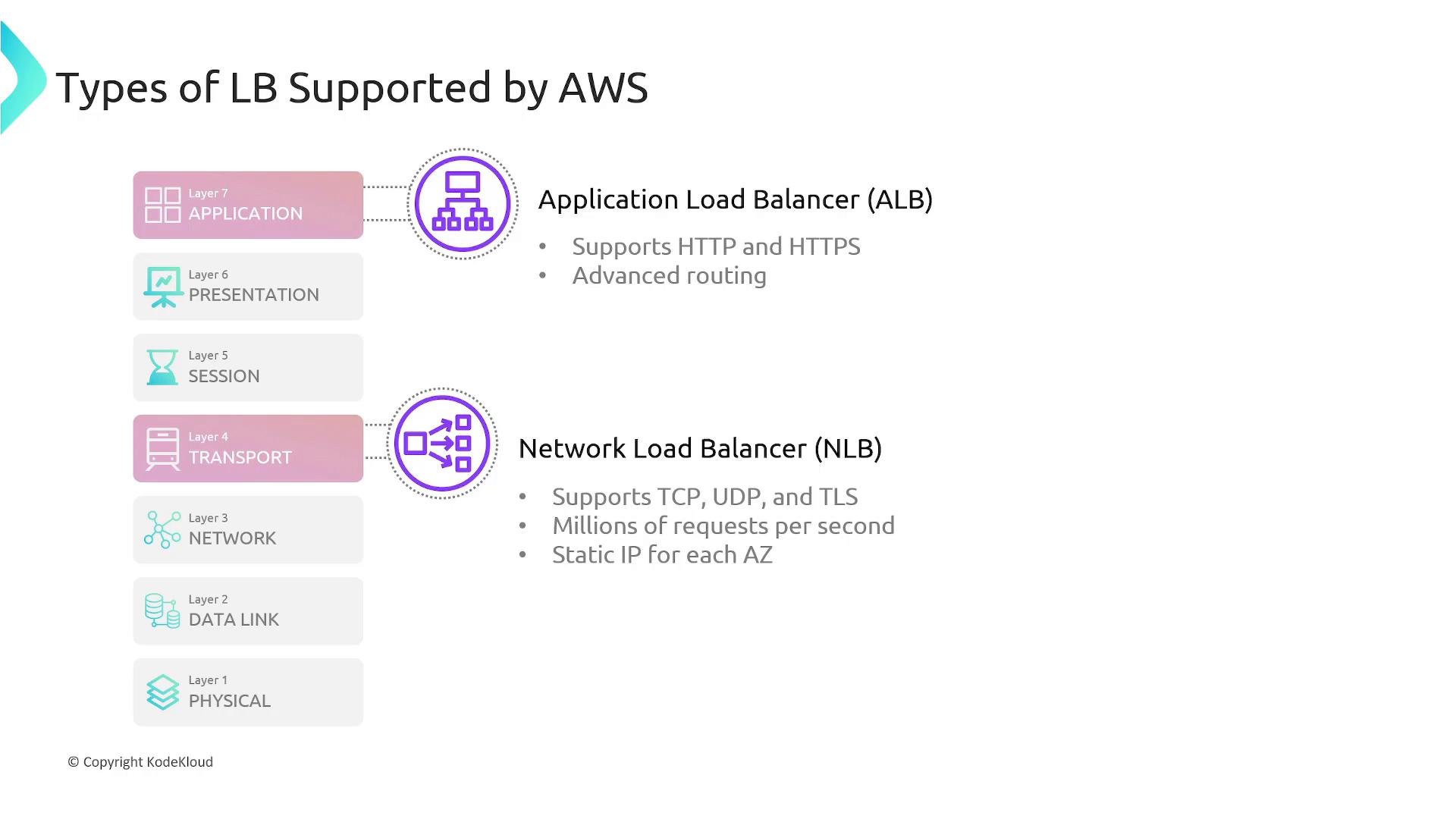
How Network Load Balancer (NLB) works
- AWS creates a network interface in each AZ where the NLB is enabled; each interface provides a static IP for that AZ.
- For internet-facing NLBs you can associate Elastic IPs per subnet.
- NLBs operate at Layer 4: listeners match on ports (e.g., 80, 443, 8080) and forward based on port and protocol rather than HTTP content.
- NLBs can forward to IP-based targets outside the VPC (e.g., on-premises data center).
Application Load Balancer (ALB) features and routing rules
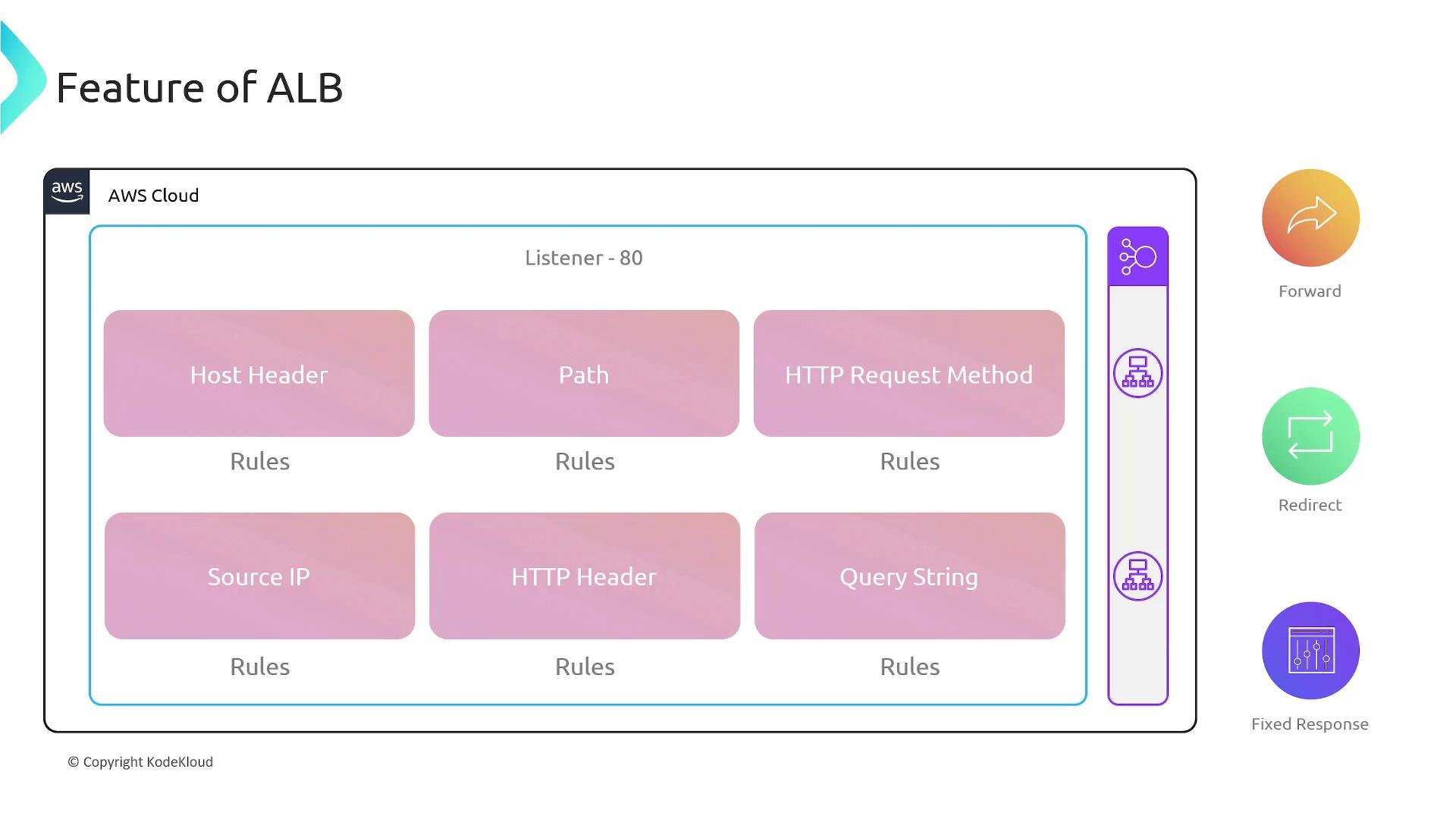
ALBs are HTTP-aware and allow powerful request-level routing. ALB rules can match on one or more of the following conditions:- Host header (domain)
- URL path
- HTTP request method (GET, POST, PATCH, DELETE, etc.)
- Source IP (CIDR ranges)
- Specific HTTP headers
- Query string parameters
Host header routing
Route traffic for different hostnames to different target groups. Example:blog.mywebsite.com -> Blog target group; all other traffic -> Default target group.
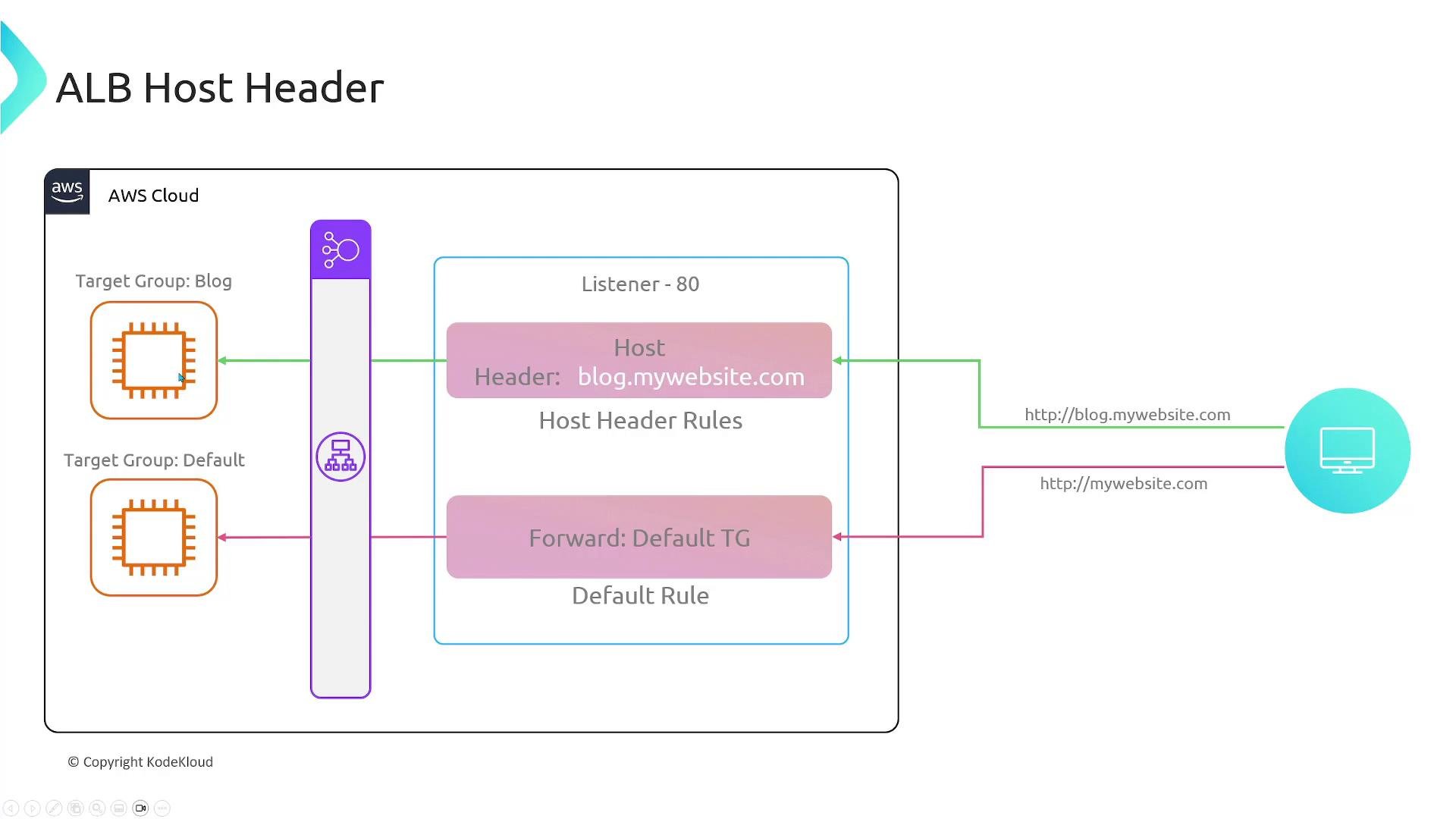
Path-based routing
Match on URL paths to forward traffic to different backends.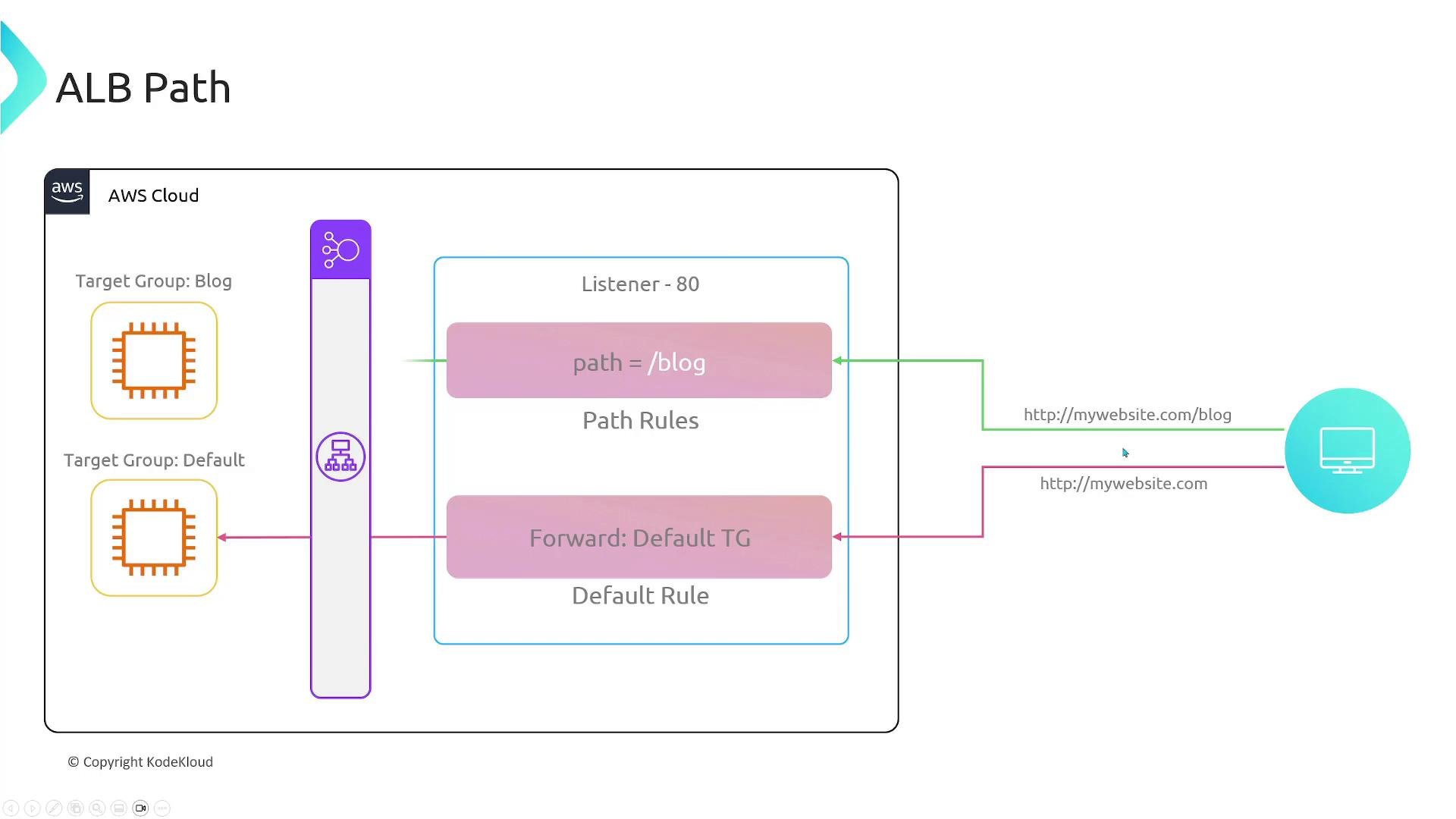
Method-based routing
Route based on HTTP methods. For example, POST might go to a write-optimized target group while GET goes to a read-optimized group. Example curl commands to test method- and header-based routing:Source IP, header, and query-string routing
Match client IP ranges (CIDR) to route corporate traffic differently from public traffic: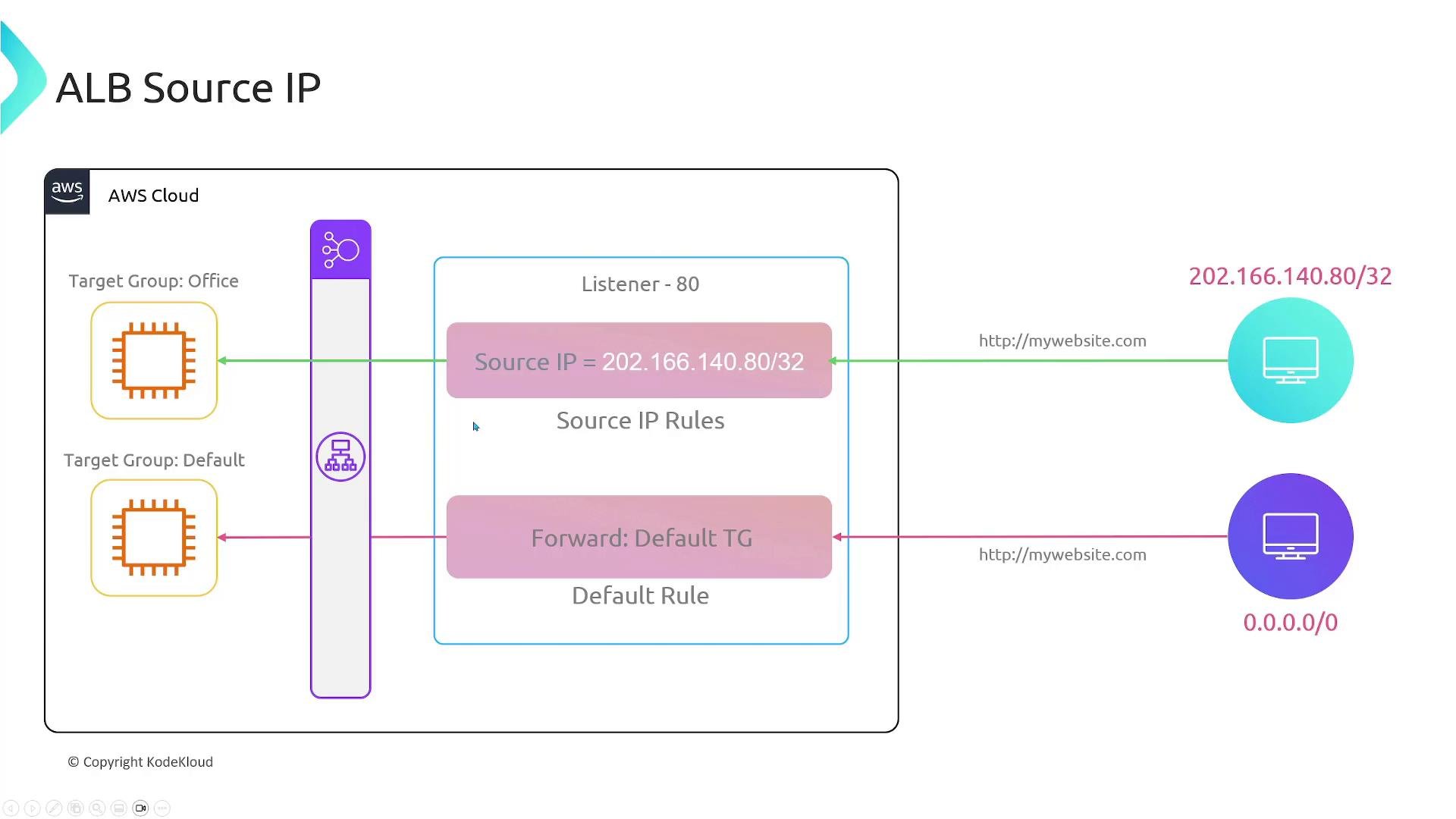
Mixing conditions
Combine host, path, header, method, source IP, and query string conditions to build precise routing logic. Rules are processed by priority; the first matching rule applies. If no rule matches, the default target group handles the request. Example: route byX-Client header to different instance types:
Integrations and ecosystem
Elastic Load Balancing integrates with many AWS services:- EC2 & Auto Scaling — instances register/deregister automatically as group scales.
- Amazon ECS — ALB/NLB route to container tasks.
- AWS Lambda — ALB can invoke Lambda functions as targets.
- AWS WAF — attach a Web Application Firewall to protect apps from common exploits.
- Amazon Route 53 — use DNS to point custom domains to the load balancer endpoint.
- AWS CloudWatch & CloudTrail — monitoring and logging for metrics and audit trails.
Plan listener rules and target groups to map traffic patterns (host, path, headers, methods) to the correct backends. Use health checks to ensure only healthy targets receive traffic and leverage ALB rules to keep routing logic efficient and maintainable.