

- Simplified template syntax (an extension of AWS CloudFormation) for serverless resources.
- A focused CLI (
sam) for scaffolding, building, local testing, packaging, and deploying serverless apps. - Reduced boilerplate via high-level resource types like
AWS::Serverless::Function.
AWS::Serverless::Function— Lambda function with optional events (API, S3, SNS, etc.).AWS::Serverless::Api— Serverless REST API powered by API Gateway.AWS::Serverless::SimpleTable— A simplified DynamoDB table definition.- Outputs typically expose useful values such as API endpoints or Lambda ARNs.
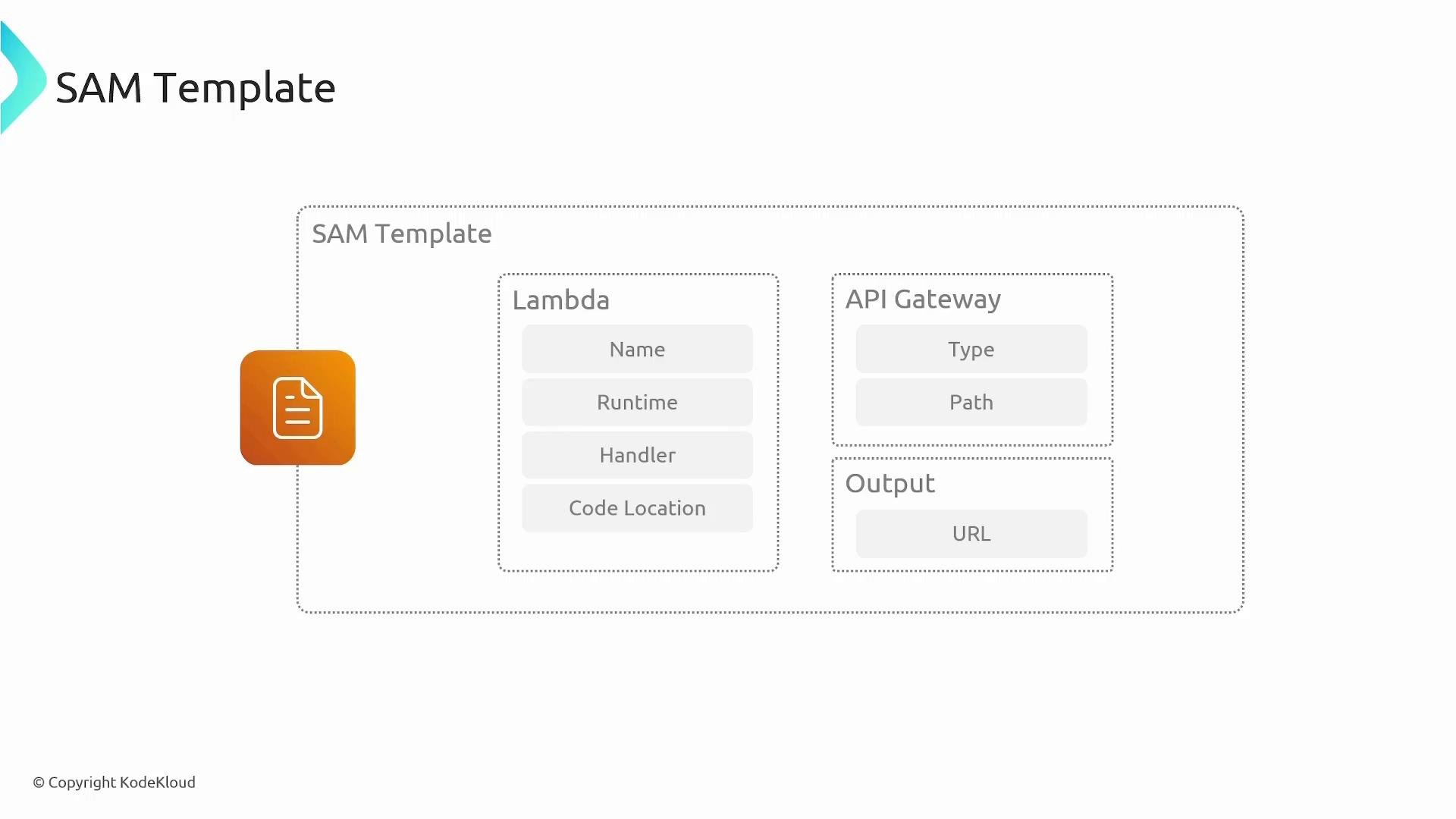
- SAM is a CloudFormation transform: SAM templates are syntactic sugar that compile into standard CloudFormation templates.
- Use SAM when you want serverless-focused resources with less YAML/JSON boilerplate; CloudFormation remains the underlying engine for deployment and lifecycle management.
Example CLI workflow
- Author a SAM template declaring your functions, APIs, permissions, and outputs.
- Build and package application code and dependencies.
sam packageorsam deployuploads artifacts (Lambda code, layers) to an S3 bucket and updates the template to reference those S3 objects. - The transformed template is processed by CloudFormation (SAM is a transform) to create or update stacks and provision the declared resources.
- After deployment, outputs (for example, API Gateway endpoints) are available and can be surfaced via the template Outputs section.
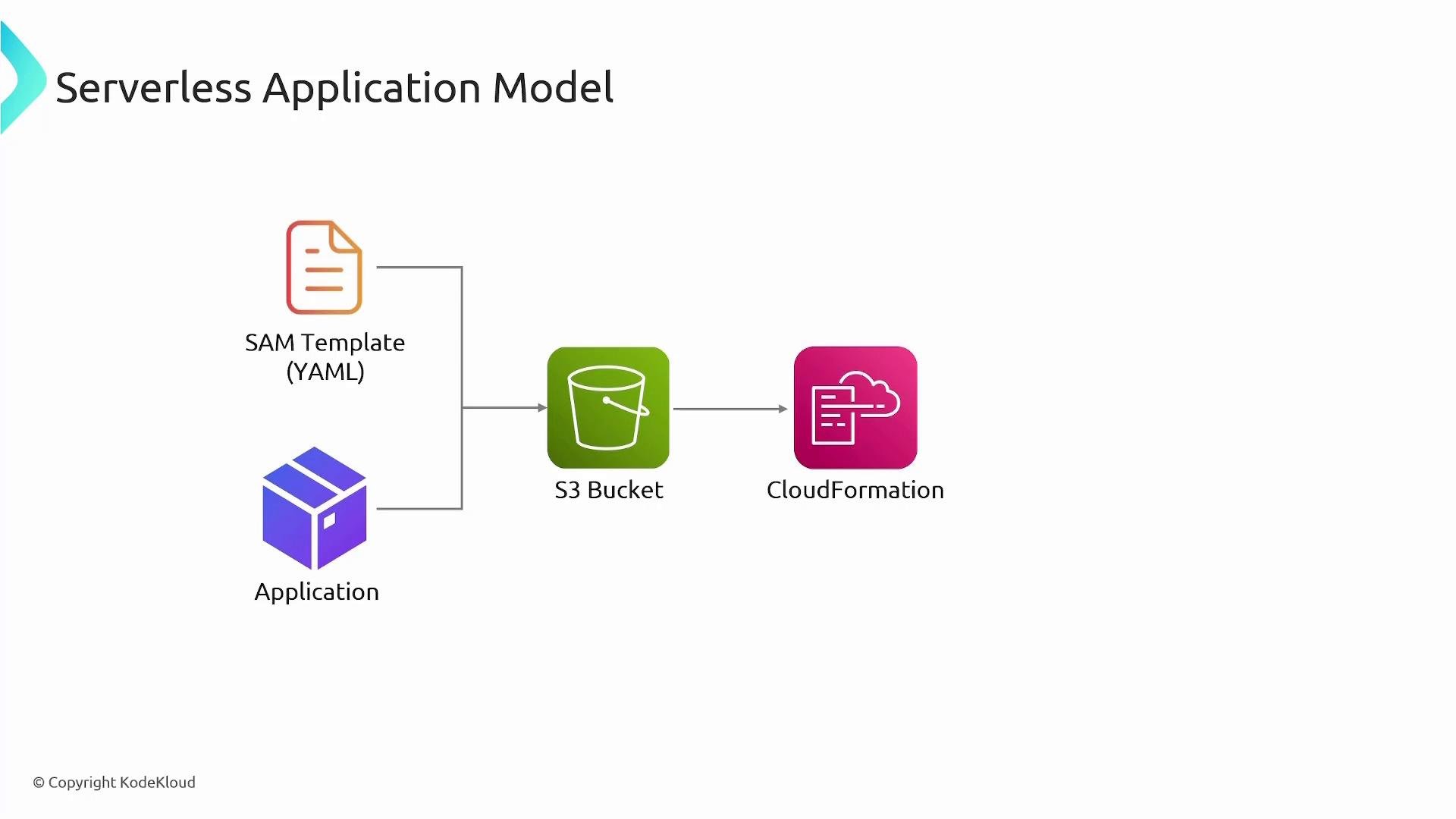
SAM speeds serverless development by providing higher-level resource types and an integrated CLI while delegating actual deployment and lifecycle to CloudFormation. Use
sam local with Docker for fast iteration and sam deploy (or sam package + sam deploy) to publish artifacts to S3 and provision resources via CloudFormation.- Start with
sam initto scaffold idiomatic project layouts and supported runtime templates. - Use
sam localand Docker to iterate quickly and catch runtime issues before deploying. - Keep Lambda deployment packages small; use Lambda Layers for shared dependencies.
- Use
Outputsin the template to expose useful endpoints and ARNs after deployment. - Use
sam validateas part of CI to catch template issues early.
- AWS SAM is a developer-focused extension of CloudFormation that simplifies authoring serverless applications using high-level resource types.
- The SAM CLI streamlines the application lifecycle: initialization (
sam init), build (sam build), local testing (sam local), packaging (sam package), and deployment (sam deploy). - Under the hood, SAM compiles to CloudFormation and uses S3 for artifact storage; CloudFormation executes the actual provisioning. For more details, consult AWS SAM and CloudFormation documentation.