

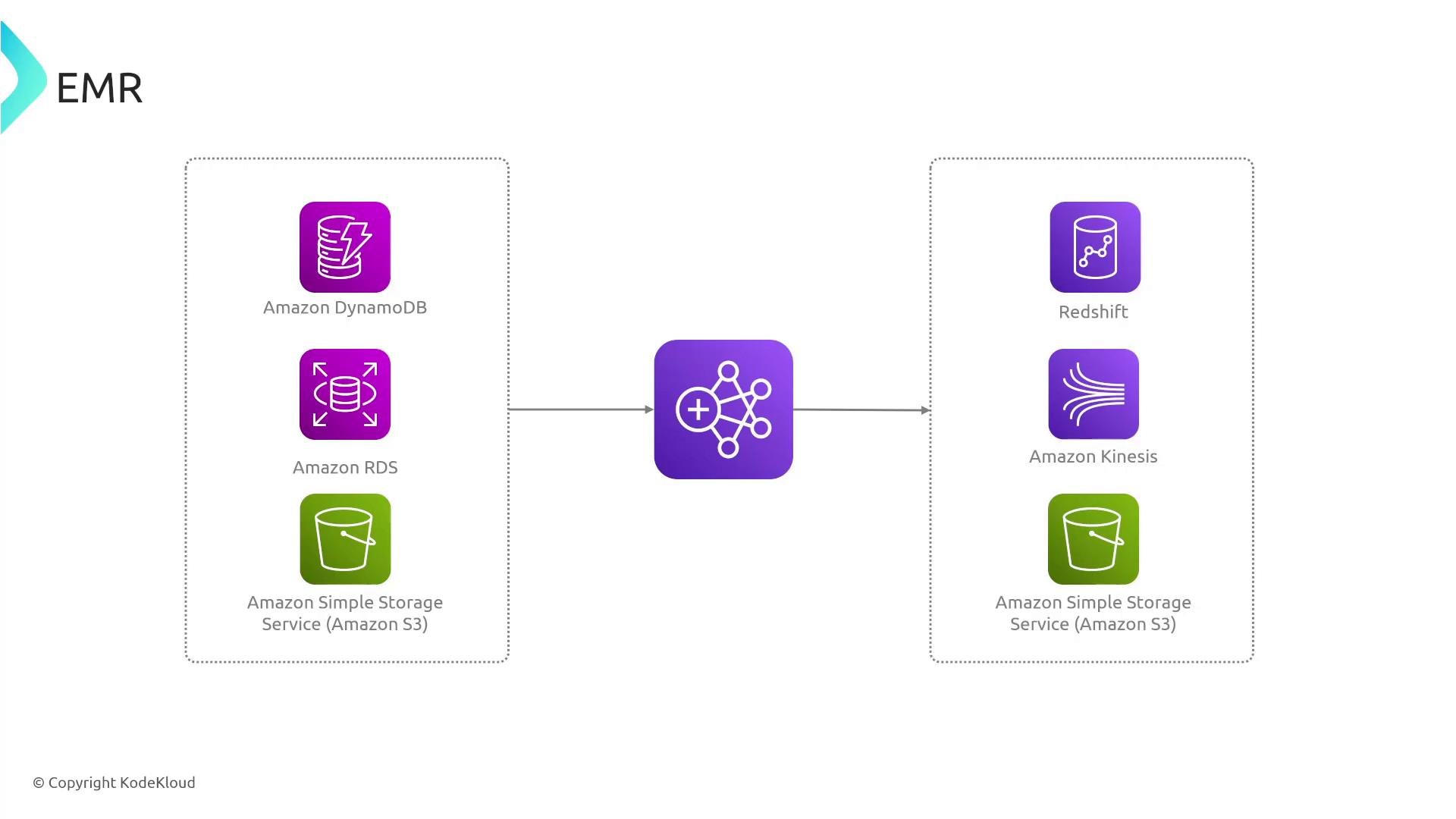
- Data sources such as DynamoDB, RDS, or S3 are read into an EMR cluster.
- Apache Spark, Hive, Presto, or another framework transforms and processes the data across the cluster.
- Processed outputs are written back to S3 or streamed into downstream analytics (Redshift, Kinesis) for BI, reporting, or further processing.
Cluster and node roles
EMR can run as a single-node cluster (master-only) for development or testing. If you need distributed HDFS storage, include at least one core node. Otherwise prefer S3 (EMRFS) for durable storage.
Typical EMR lifecycle (recommended workflow)
- Launch an EMR cluster — specify release label, applications (Spark/Hive/etc.), instance types, instance counts, and node roles (master/core/task).
- Load or reference data from supported stores: Amazon S3, DynamoDB, RDS, or other input sources. EMR commonly uses EMRFS to access S3 objects directly.
- Submit jobs (Spark jobs, Hive queries, Presto, Hadoop MapReduce, Pig scripts) as ordered steps to the cluster.
- Monitor jobs and scale the cluster using the AWS Console, AWS CLI, EMR API, or CloudWatch metrics and alarms.
- Persist results to durable stores (S3, Redshift, or stream to Kinesis) or trigger downstream pipelines.
- Terminate ephemeral clusters when processing finishes to avoid ongoing EC2 charges.
Job steps and their states
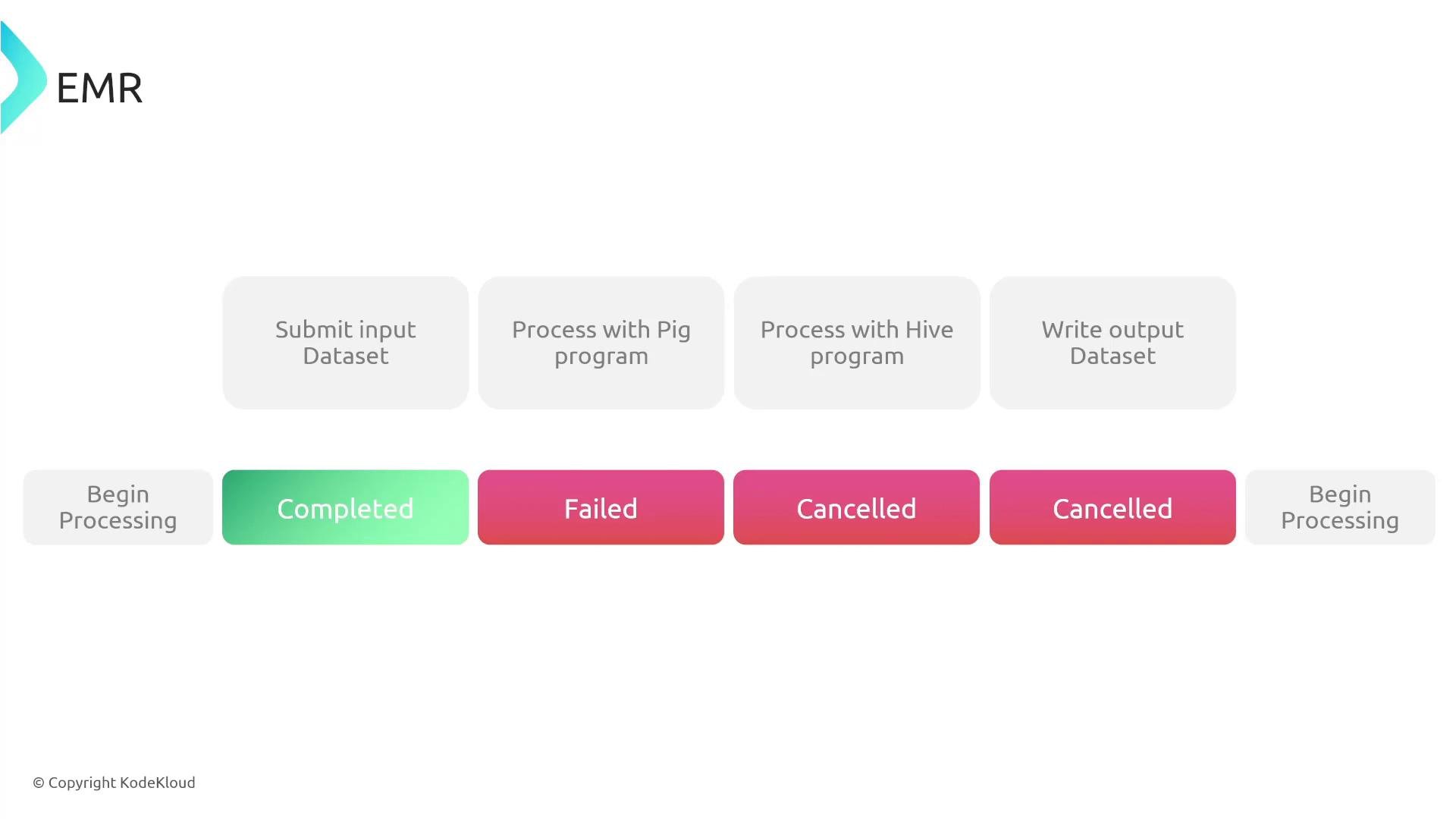
EMR executes submitted work as ordered steps. Each step transitions through states such as:PENDINGRUNNINGCOMPLETEDFAILEDCANCELLED
ActionOnFailure when adding steps).
Key features and operational considerations
- Supported frameworks: Spark, Hadoop, Hive, HBase, Presto, Pig, and many open-source components. Choose frameworks at cluster creation.
- Elasticity and scaling: Scale from a single node to thousands. Use autoscaling policies, instance fleets, or instance groups to handle variable workloads.
- Spot instances: Supported for task/core nodes to reduce costs for interruptible workloads. Avoid placing irreplaceable HDFS data on Spot-backed core nodes unless you have replication and recovery plans.
- Storage models:
- EMRFS (S3): Recommended for durable, long-term storage.
- HDFS (on core nodes): Fast, local storage but ephemeral with cluster termination.
- Integration: EMR integrates with S3, DynamoDB, RDS, Redshift, Kinesis, CloudWatch, CloudTrail, and CloudFormation for monitoring, logging, and automation.
- Security and compliance: EMR works with IAM roles/policies, AWS KMS (customer-managed CMKs), TLS in transit, encryption at rest for EBS and S3, and VPC isolation. Proper configuration enables compliance with standards such as HIPAA and GDPR.
When choosing between HDFS and S3 (EMRFS), prefer S3 for durability and long-term storage. If you use HDFS, plan for core-node persistence and replication since HDFS is ephemeral to the cluster lifecycle.
Operational tips and best practices
- Cost and fault tolerance: Place only task nodes on Spot instances; keep core nodes on On-Demand, Reserved, or Savings Plan-backed capacity unless you can tolerate HDFS interruptions and have robust replication.
- Release labels: Use EMR release labels to select EMR-managed versions of Spark, Hadoop, and other frameworks. Releases control component versions and patches.
- Automation: Automate cluster lifecycle and job submission via the AWS CLI, SDKs, CloudFormation, or AWS Step Functions for repeatable production pipelines.
- Monitoring & alerting: Collect key metrics (YARN memory & CPU, HDFS utilization, step failures) with CloudWatch and configure alerts. Use CloudTrail for API auditing.
- Data flow: Persist intermediate and final datasets to S3 when possible. Use Redshift, Athena, or downstream streaming with Kinesis for analytics & BI.
- Shutdown policy: For ephemeral clusters, ensure automated termination after job completion to avoid unnecessary EC2 charges.
Quick reference and links
- EMR documentation: https://docs.aws.amazon.com/emr
- AWS CLI
- Amazon S3
- Amazon Redshift
- Amazon Kinesis
- AWS CloudWatch
- IAM best practices