

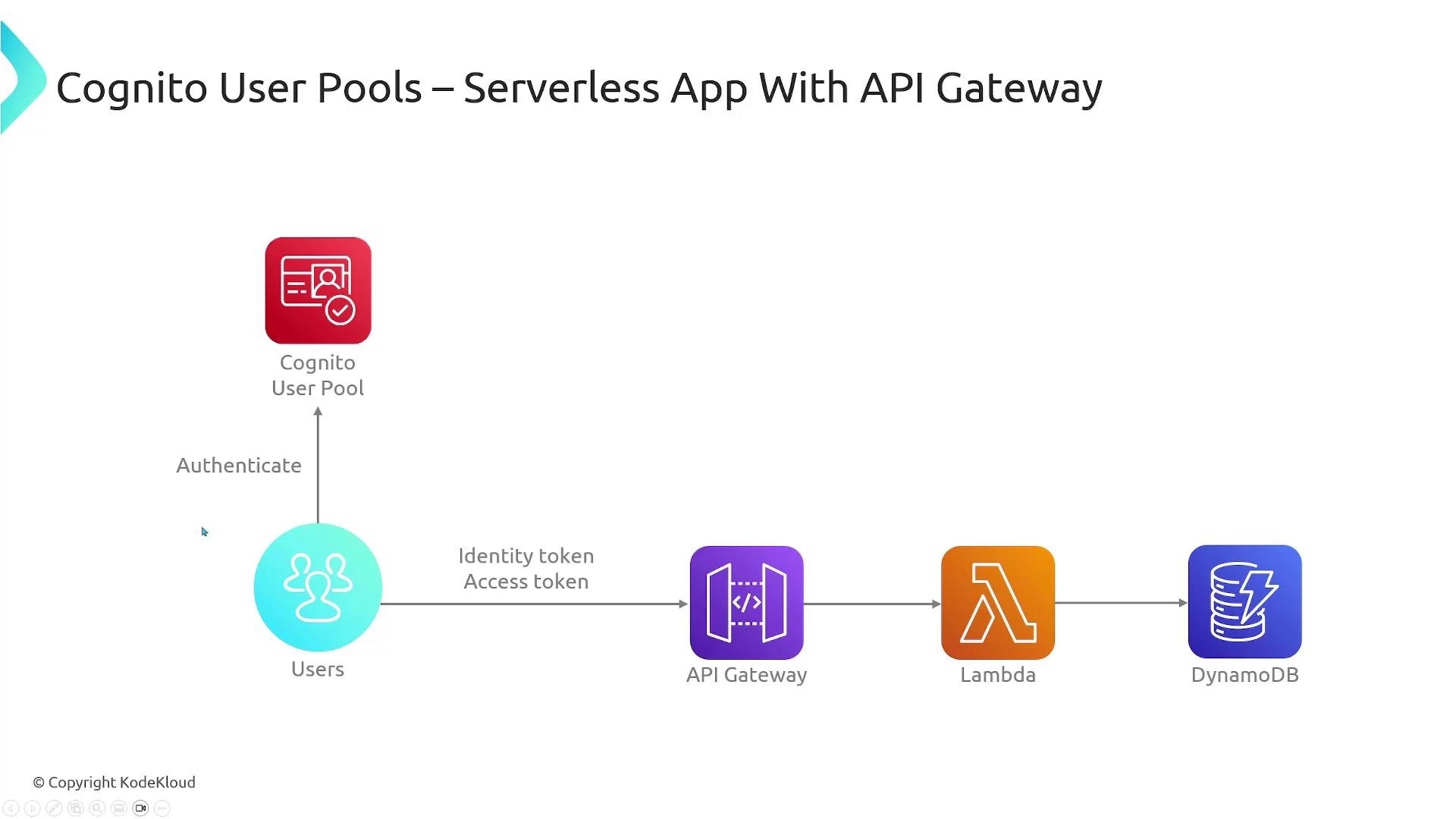
- Secure password storage and compliance with common security standards.
- Social and enterprise identity federation (Google, Apple, Facebook, SAML/OIDC).
- Hosted sign-in UI and SDKs for rapid integration.
- Pay-as-you-go pricing with no minimums.
- Designed to scale to millions of users and hundreds of TPS.
- User pools — user directory and authentication
- Identity pools (federated identities) — exchange IdP tokens for temporary AWS credentials so users can access AWS services directly
User pools
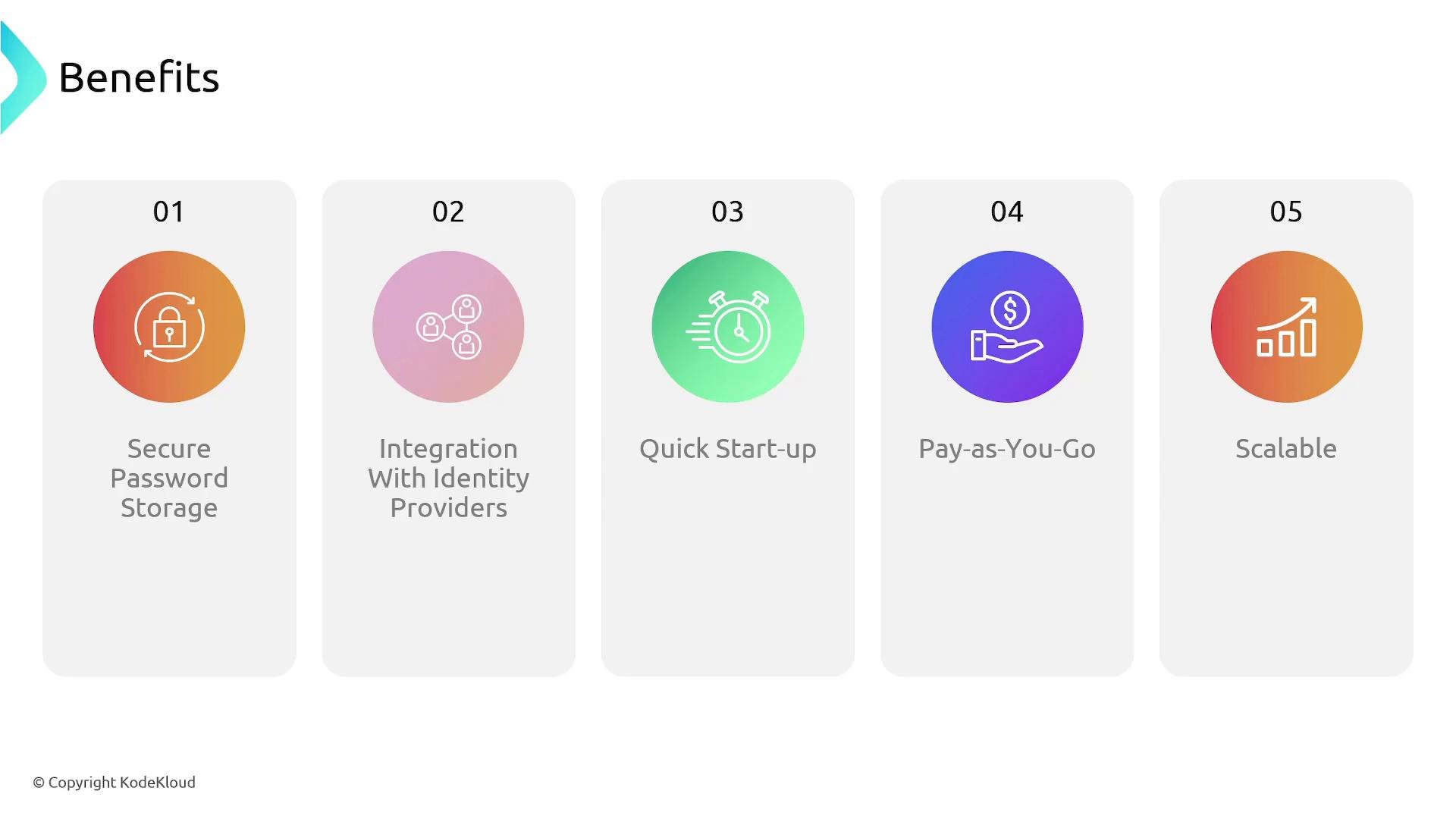
A Cognito user pool is a fully managed user directory. It handles user registration, sign-in, account recovery, password policies, email/SMS verification, MFA, and session management. When a user authenticates, the user pool issues standard OAuth 2.0 / OpenID Connect tokens (JWTs): an ID token, an access token, and a refresh token. Your application validates these JWTs and enforces authorization based on their claims (scopes, groups, custom claims). Typical user pool flow:- The user signs up or signs in using the Cognito Hosted UI or your app with Cognito SDKs.
- The Cognito user pool authenticates the user (or delegates to a federated social/enterprise IdP) and returns JWT tokens.
- The client (web/mobile) sends the token with API requests (e.g., to API Gateway).
- The backend verifies the token (validate signature and claims) and authorizes the request.
Always validate JWT signatures and inspect claims like
exp, iss, aud, and custom claims before granting access.
Identity pools (Cognito Federated Identities)
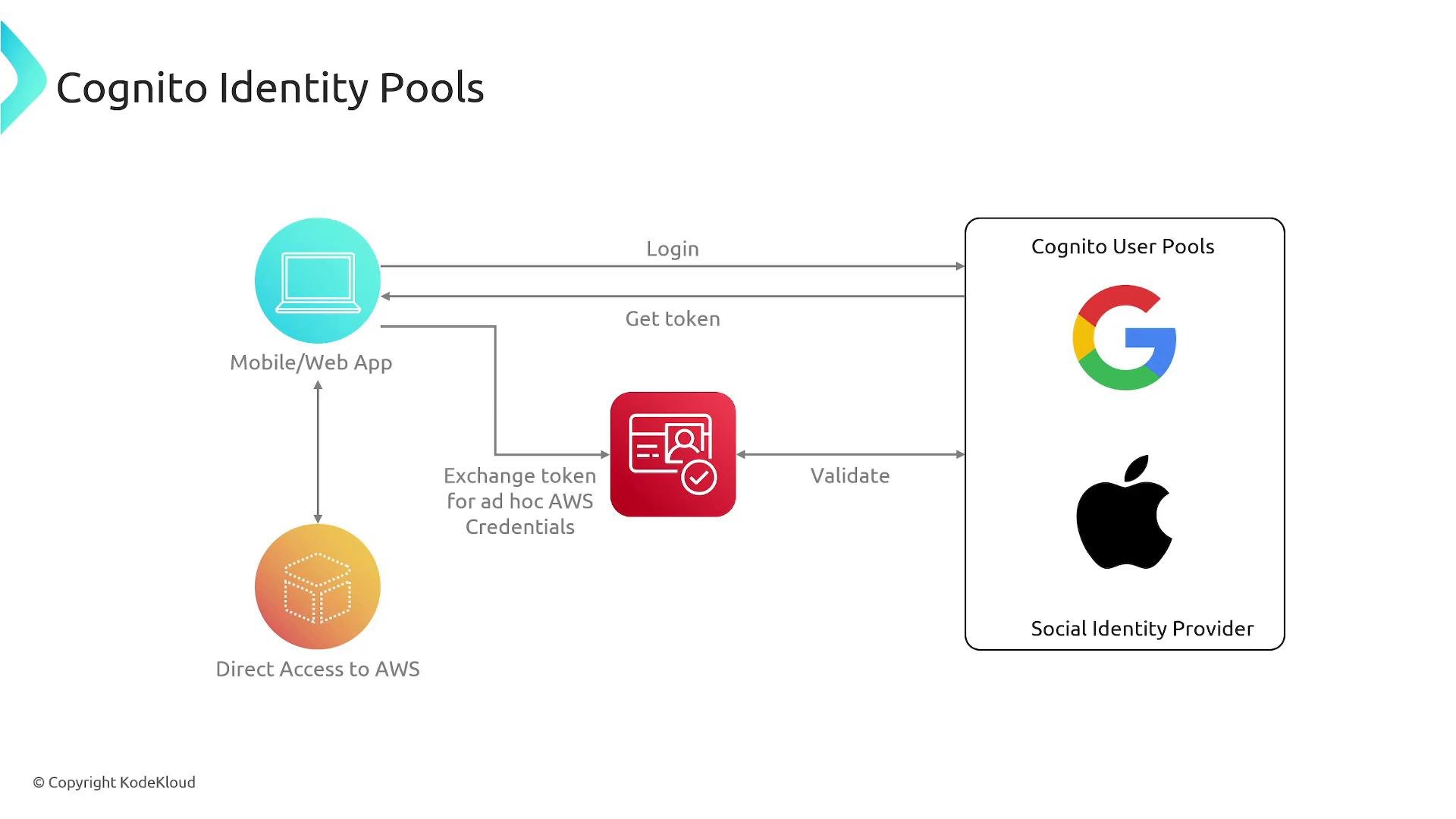
Identity pools allow applications to obtain temporary AWS credentials for authenticated (and optionally unauthenticated) users so they can call AWS services directly (for example, upload to S3 or access AppSync). Identity pools do not manage usernames or passwords; instead, they accept tokens from identity providers (Cognito user pools, social providers, SAML/OIDC) and use STS (AssumeRoleWithWebIdentity) to exchange those tokens for short-lived AWS credentials. Typical identity pool flow:- The user authenticates with a user pool or external IdP and receives a JWT.
- The client presents that JWT to the Cognito identity pool.
- The identity pool validates the token and calls STS to assume an IAM role, returning temporary credentials (Access Key ID, Secret Access Key, Session Token).
- The client uses those temporary credentials to access AWS resources directly.
Key distinctions (summary)
Exam tip: Use Cognito User Pools for application authentication (they issue JWTs). Use Identity Pools when clients need to access AWS resources directly (S3 uploads, DynamoDB, AppSync). The identity pool exchanges IdP tokens via STS using AssumeRoleWithWebIdentity to issue temporary credentials.
Additional features and implementation notes
- Federated sign-in: User pools can federate with social IdPs (Google, Facebook, Apple) and enterprise IdPs via SAML/OIDC.
- Hosted UI: Cognito provides a customizable hosted sign-in and sign-up UI for quick integration.
- MFA and security: User pools support SMS or TOTP MFA and configurable password policies.
- Role mapping: Identity pools can map token claims to IAM roles to control permissions.
- Token management: Validate JWTs on the server and use refresh tokens to keep user sessions active without re-prompting for credentials.
Links and references
- AWS Cognito User Pools documentation
- AWS Cognito Identity Pools (Federated Identities) documentation
- AWS STS AssumeRoleWithWebIdentity
- AWS Solutions Architect Associate Certification