

- AppFlow (SaaS <> AWS data flows)
- Messaging & events: SNS, SQS, Amazon MQ, EventBridge
- Email: SES
- Workflows & orchestration: Step Functions, SWF, MWAA
- Security patterns, monitoring, and summary
AppFlow — receive and send data from third parties
Amazon AppFlow is a managed data integration service that transfers and transforms data between SaaS applications and AWS services. It is not an ETL or long‑term storage service; instead it focuses on secure, bi-directional data movement and transformation.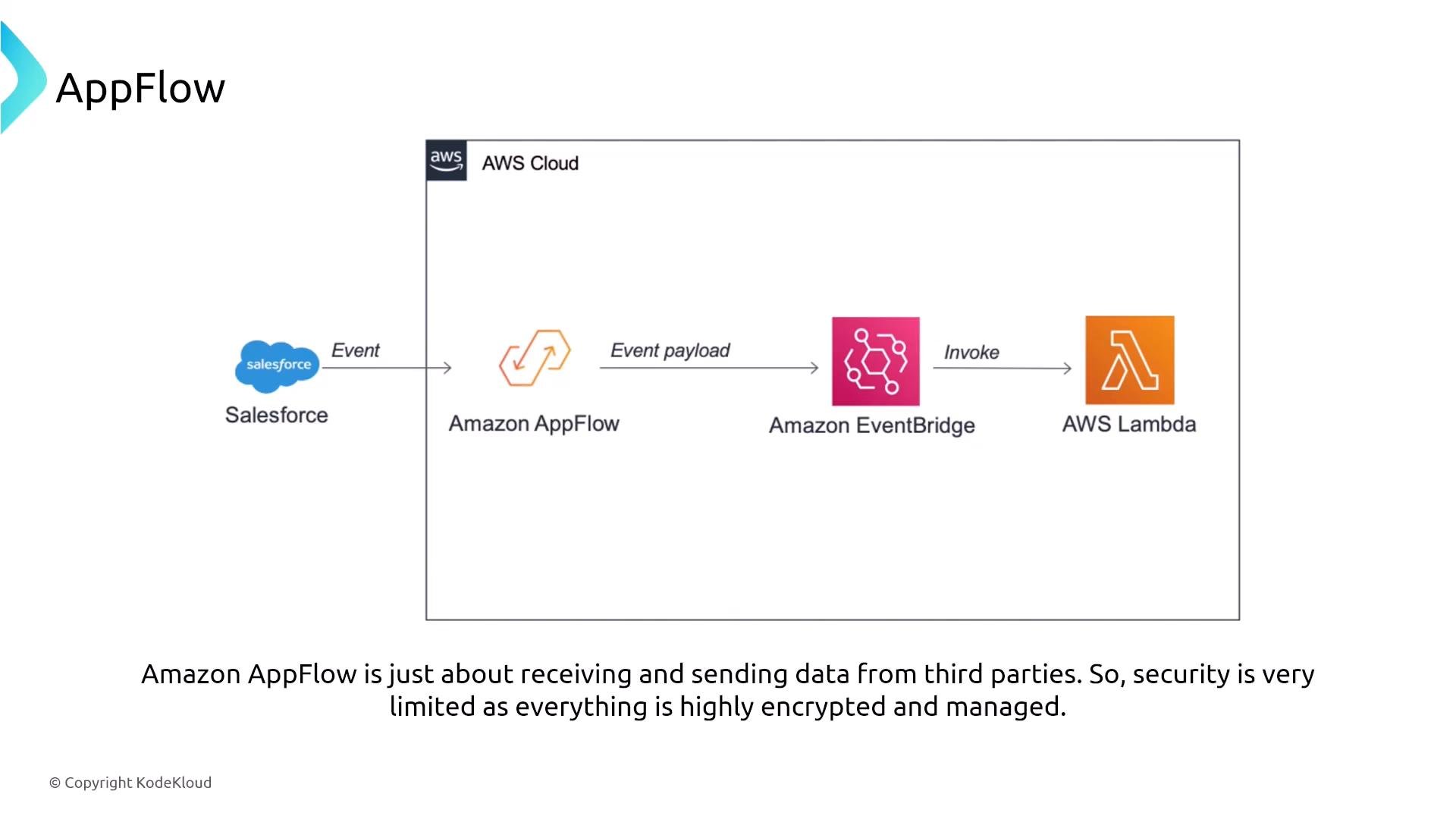
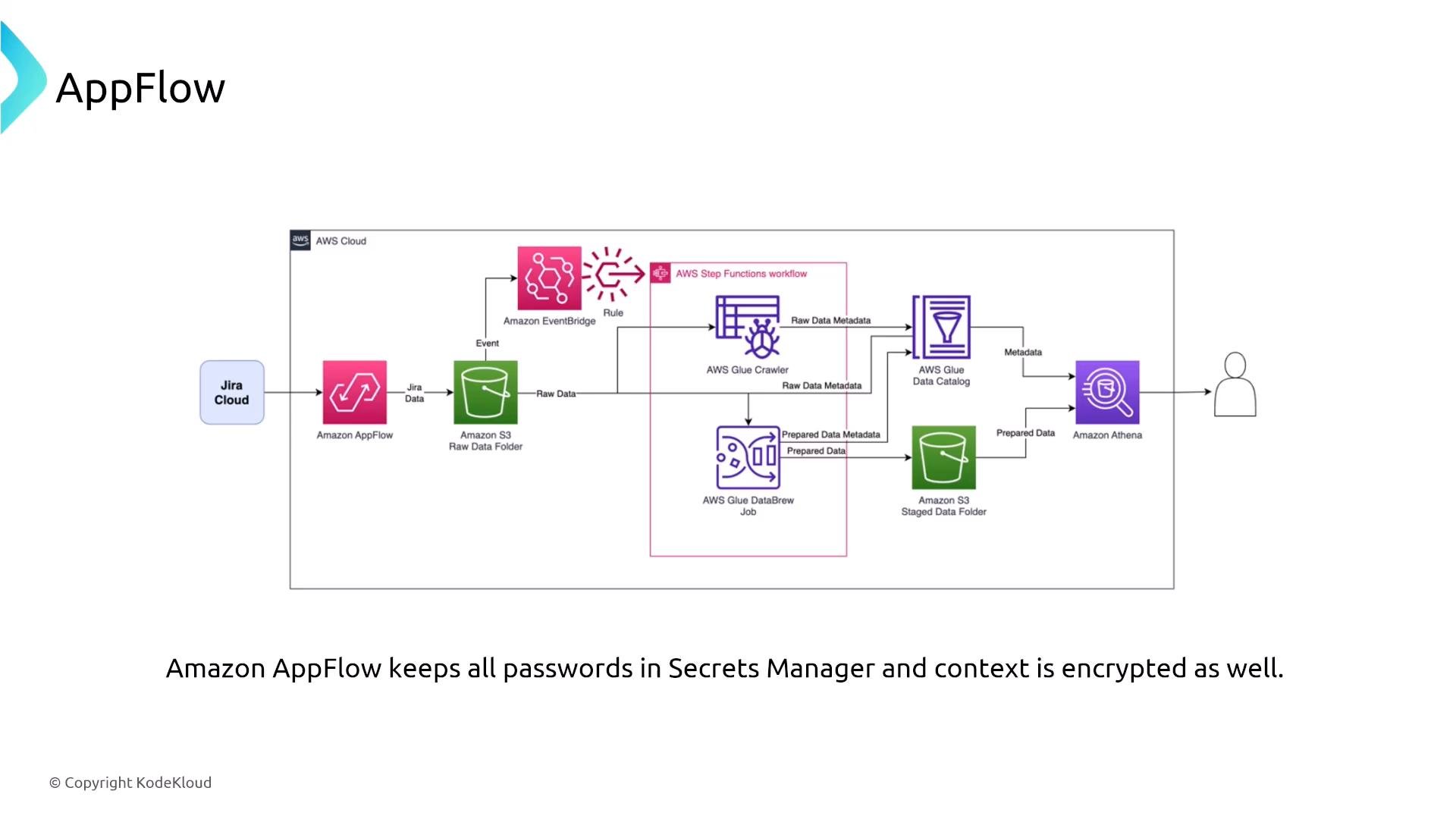
- Credential storage: AppFlow integrates with AWS Secrets Manager for connection credentials and secrets — you typically do not need a separate secret store.
- Encryption: server-side encryption for data at rest using AWS KMS and TLS for data in transit.
- Observability: flows emit API and execution activity to CloudTrail and CloudWatch for auditing and monitoring.
- Access control: use least-privilege IAM policies and resource-level permissions to control who can create, modify, or start flows.
AppFlow stores connection credentials in AWS Secrets Manager and supports encryption both in transit and at rest. Grant only the minimal IAM permissions required to create and manage flows.
- Enable CloudTrail for API-level auditing and CloudWatch for metrics and flow execution logs.
- Use IAM roles tied to least privilege to restrict who can define flows and which targets flows can access.
- When processing sensitive data, add a Lambda or data processing step to perform masking/redaction before writing to shared storage.
Messaging and events
Simple Notification Service (SNS)
SNS is a managed pub/sub notification service that fans out messages to multiple subscribers (HTTP(S), SQS, Lambda, email, SMS, etc.). It supports TLS in transit and KMS-based encryption at rest.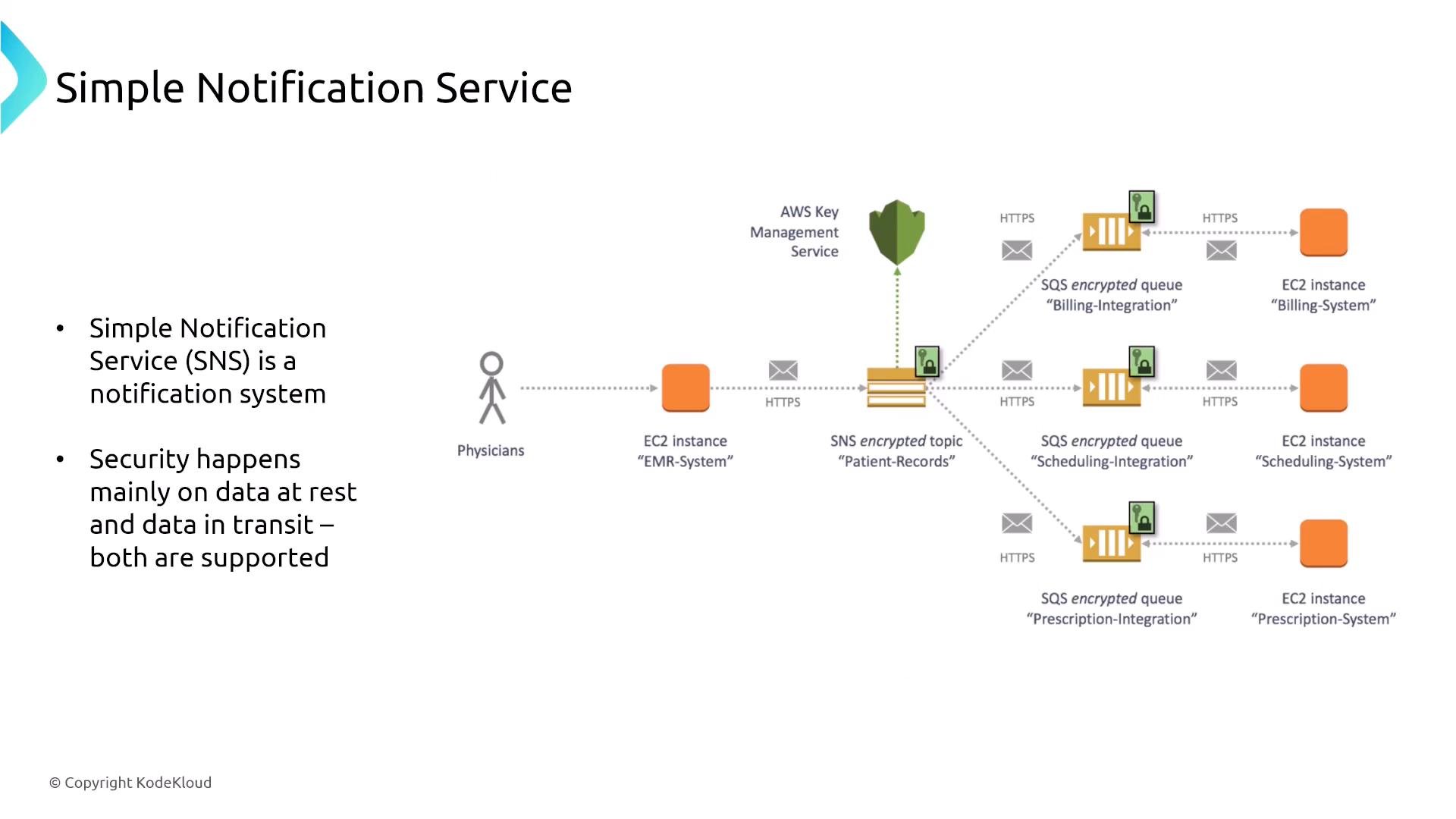
- SSE with AWS KMS for encryption at rest.
- TLS for transport-level protection.
- Access control via IAM and resource policies to control who can publish and subscribe.
- Message filtering and delivery policies for routing — SNS does not natively inspect or redact message content.
- Monitoring with CloudWatch metrics and CloudTrail. Use dead-letter queues (DLQs) when supported by subscription targets to capture undeliverable messages.
- For content inspection, masking, or blocking (e.g., PII), integrate SNS with processors like Lambda or EventBridge, or deploy specialized third-party inspection tools.
- Use message attributes and SNS filtering to route sensitive vs. non-sensitive payloads to different downstream processors.
Simple Queue Service (SQS)
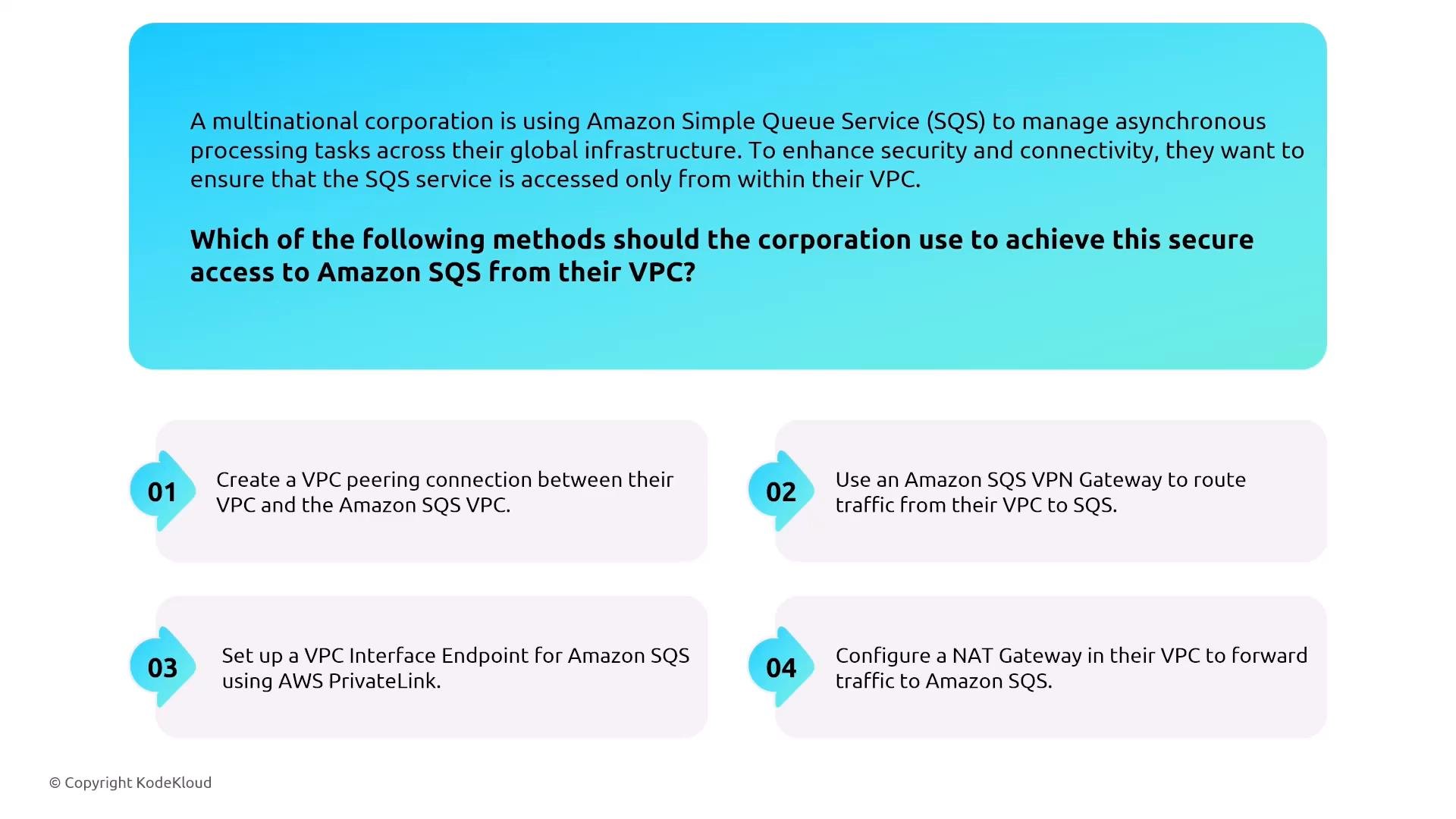
SQS is a fully managed queuing service available in Standard and FIFO queue types. It supports KMS server-side encryption and VPC interface endpoints (AWS PrivateLink) for private connectivity.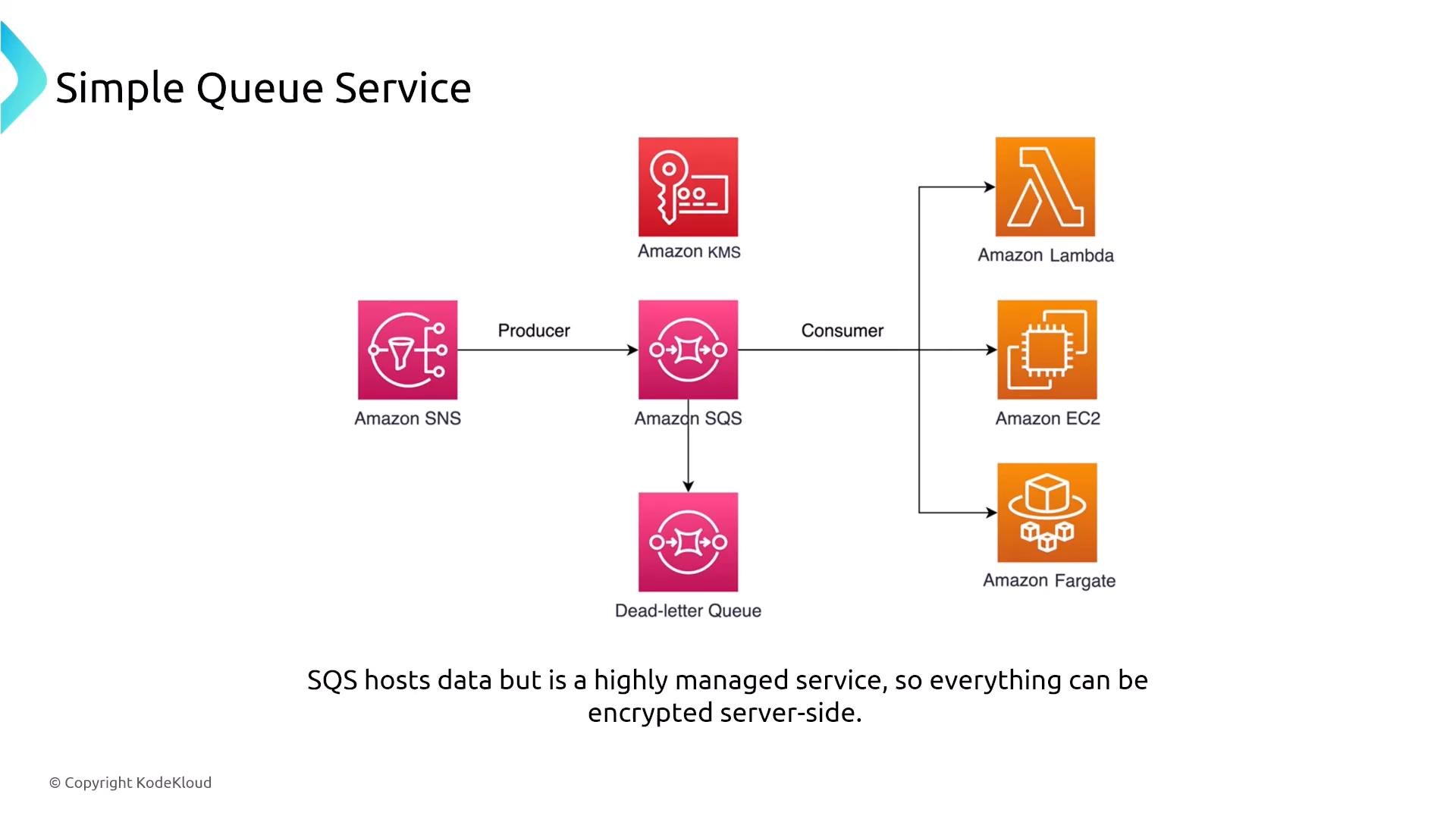
- SSE with KMS for messages at rest.
- Use VPC Interface Endpoints (AWS PrivateLink) to keep SQS traffic within AWS network boundaries and avoid public IP egress.
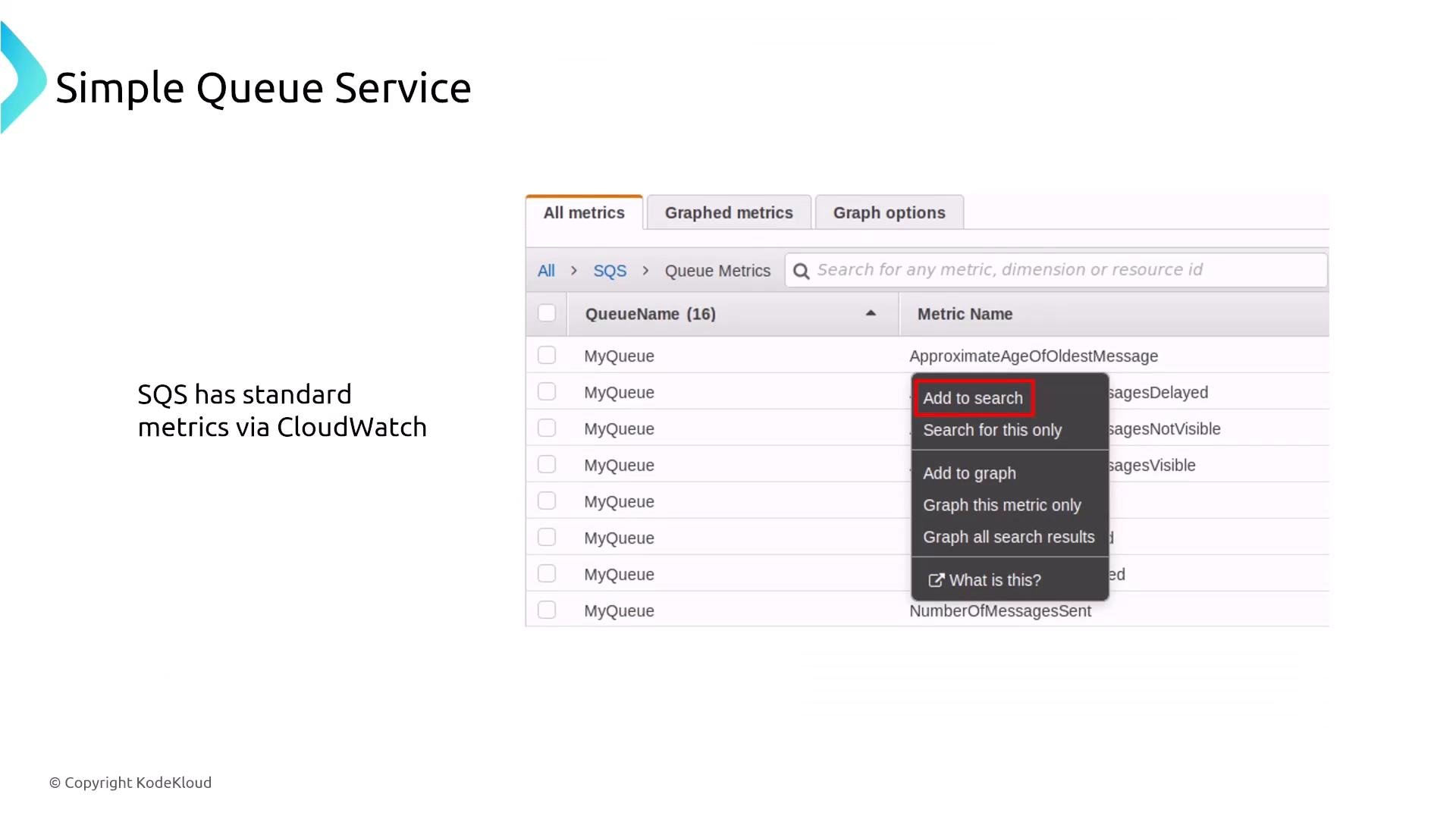
- Monitor with CloudWatch metrics (e.g., ApproximateAgeOfOldestMessage, NumberOfMessagesSent).
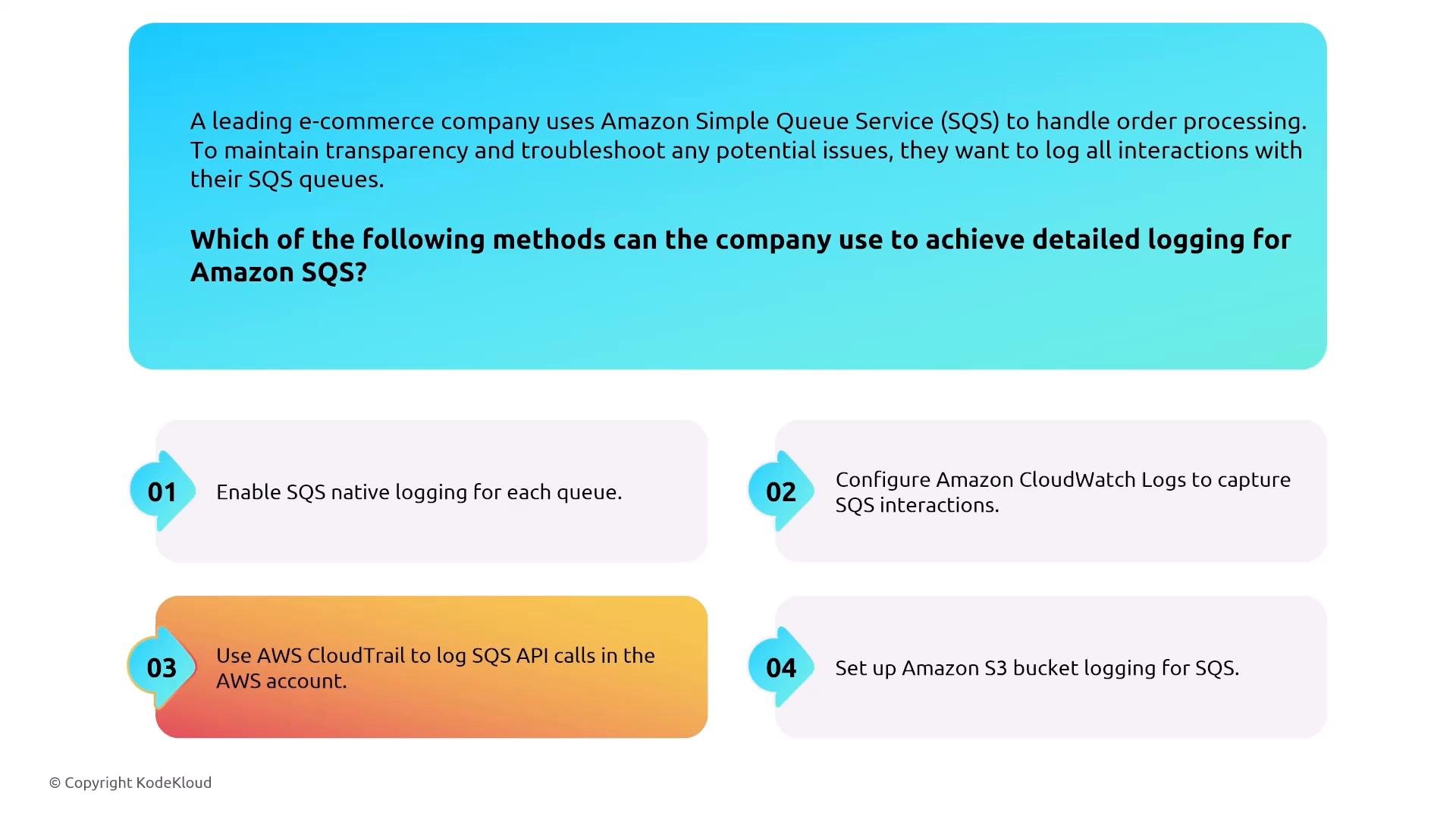
- Enable CloudTrail for API call logging — SQS does not log message payloads by default.
Amazon MQ
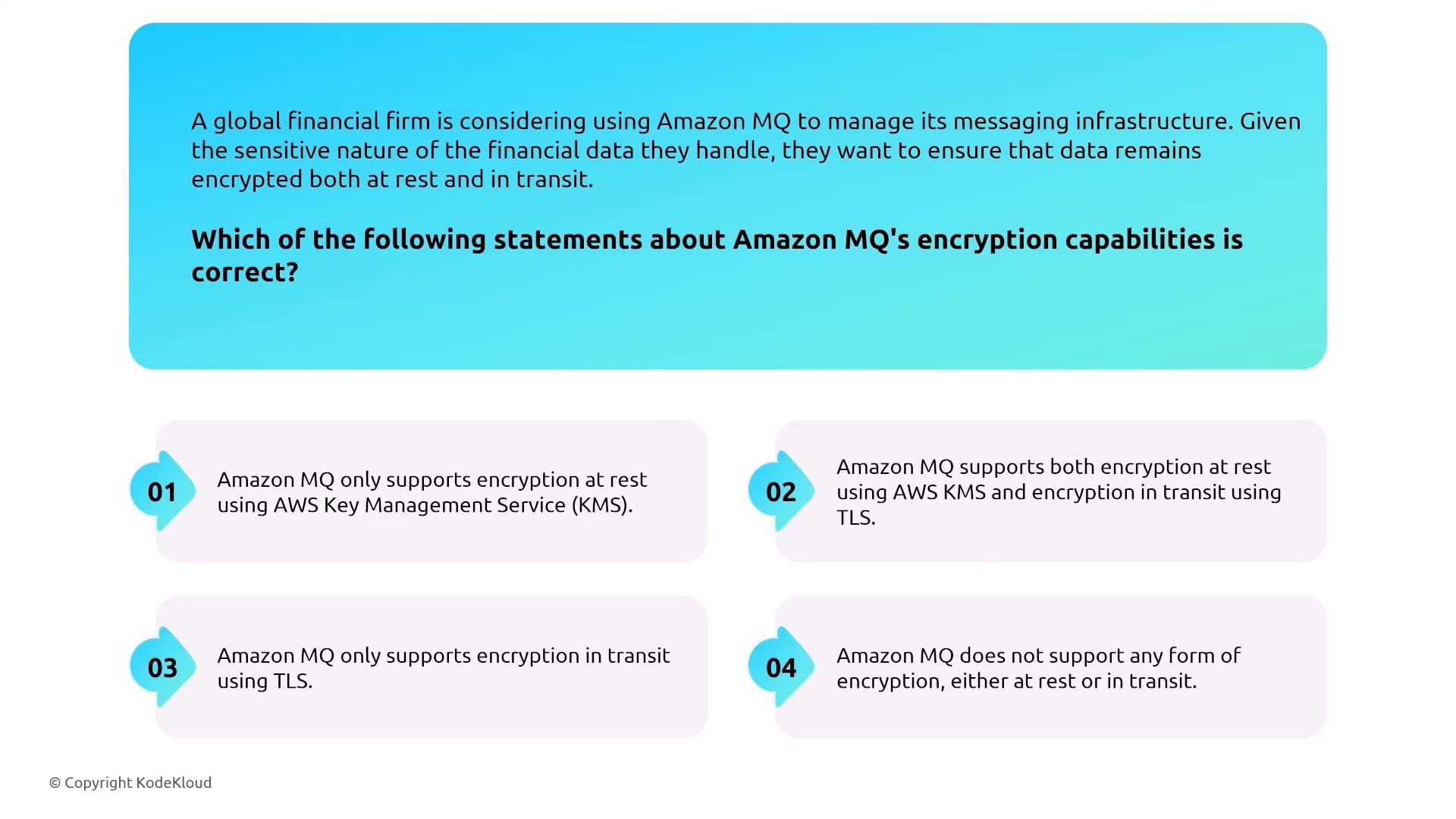
Amazon MQ provides managed Apache ActiveMQ and RabbitMQ brokers for applications that require standard messaging protocols and broker semantics (AMQP, MQTT, JMS). Use Amazon MQ when migrating legacy broker-based applications or when broker features are required.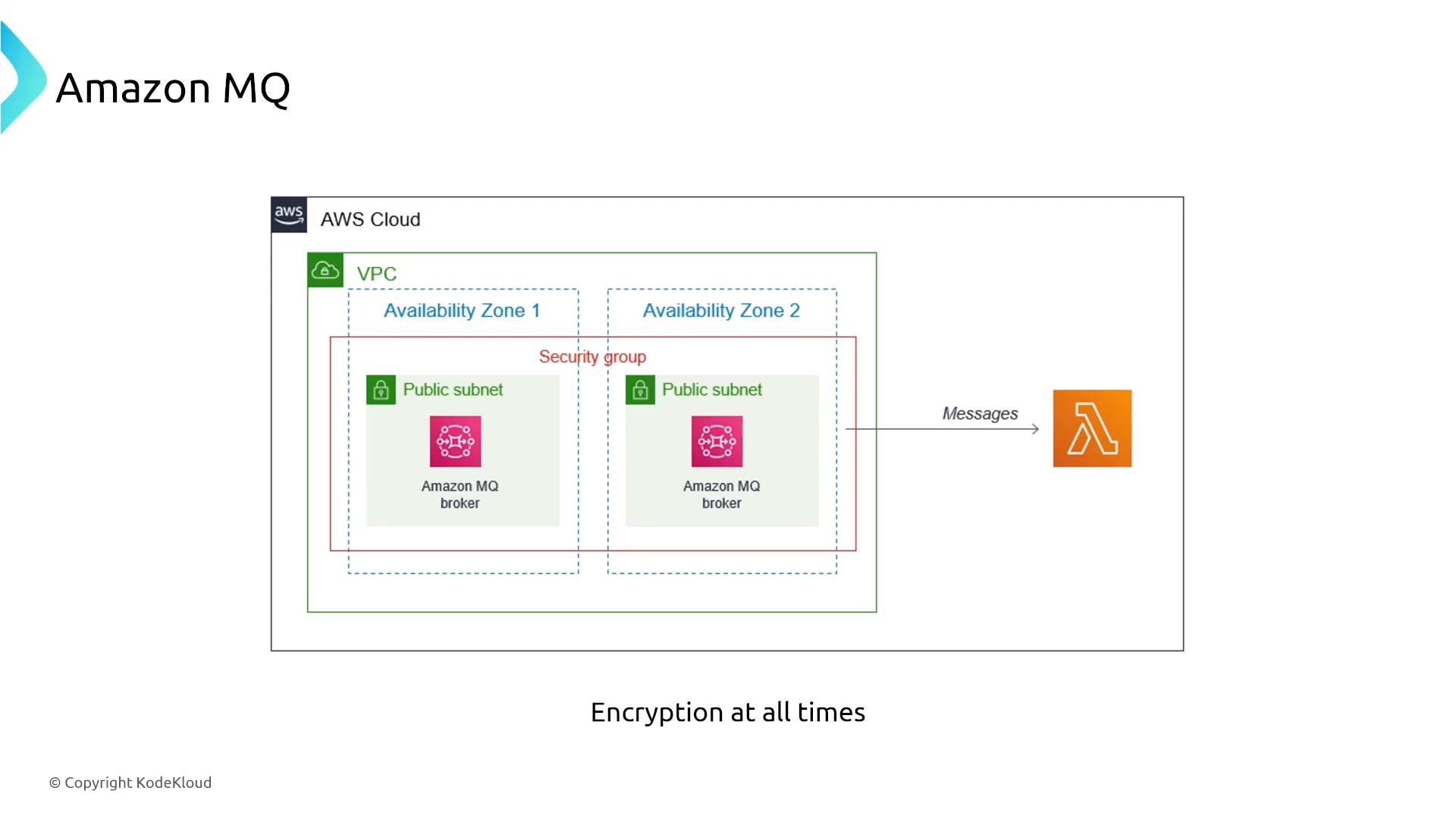
- Encryption in transit via TLS and encryption at rest using AWS KMS.
- Network isolation: place brokers in private subnets and control access with security groups.
- Multi-AZ deployment for high availability. Although managed, brokers are provisioned (not serverless), so plan capacity and patching windows accordingly.
- Use IAM policies, security groups, and broker-level authentication/authorization features for fine-grained access control.
Amazon EventBridge
EventBridge is a serverless event bus that ingests, filters, and routes events to targets using rules. It’s ideal for event-driven architectures connecting SaaS providers and AWS services.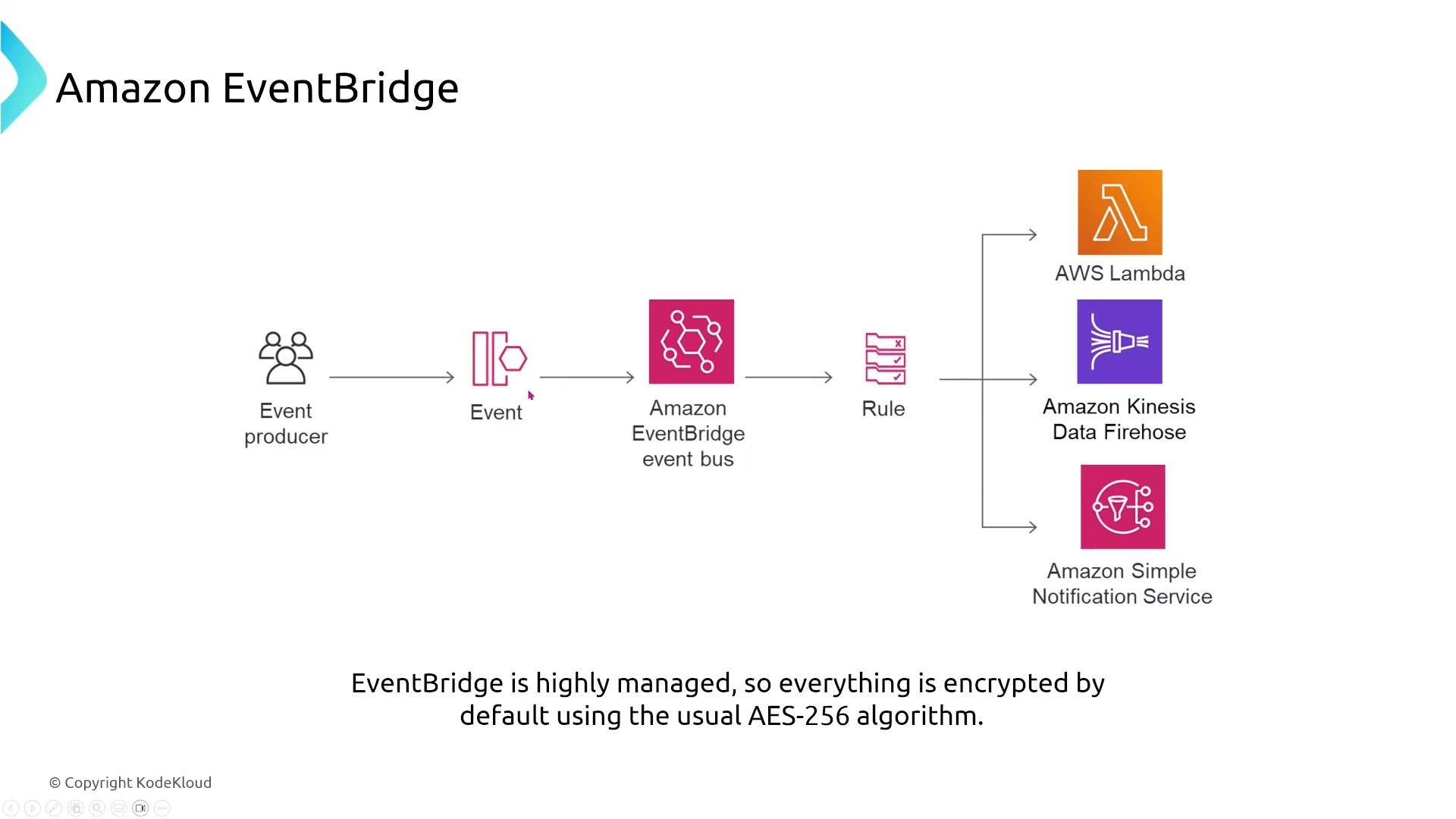
- EventBridge uses KMS-backed encryption (AES-256 under the hood) for events at rest.
- Use event bus resource policies and IAM to restrict who can put events onto buses or create rules.
- Monitor with CloudWatch and CloudTrail; use X-Ray for distributed tracing where supported.
- EventBridge is a managed event router — not a streaming platform or workflow orchestrator.
Simple Email Service (SES)
Amazon SES is a managed email platform for transactional and bulk mail. SES can ingest incoming mail (store in S3), publish events to SNS, or route to Lambda for custom processing.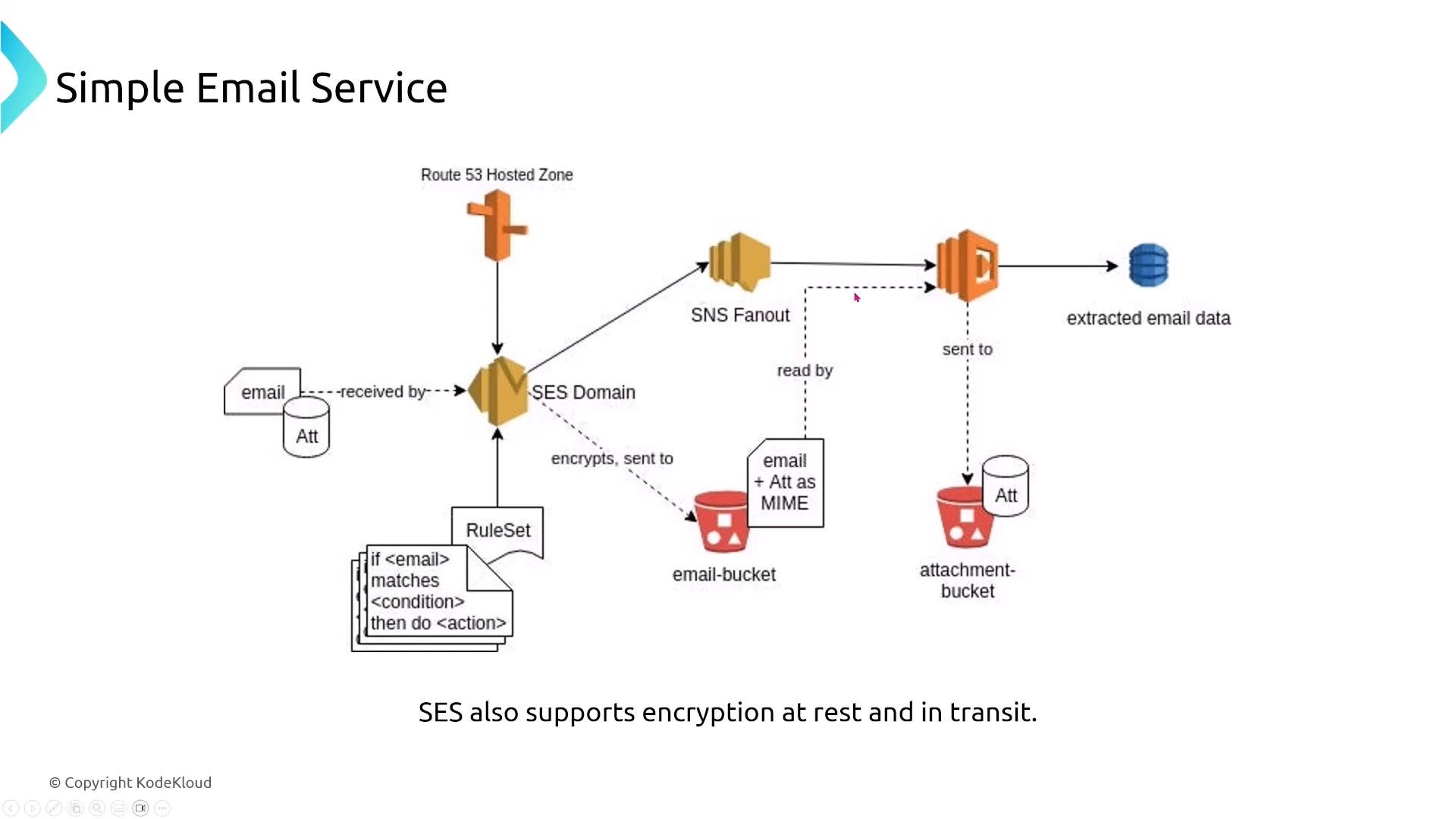
- TLS for email transport; KMS for encryption of stored messages in S3.
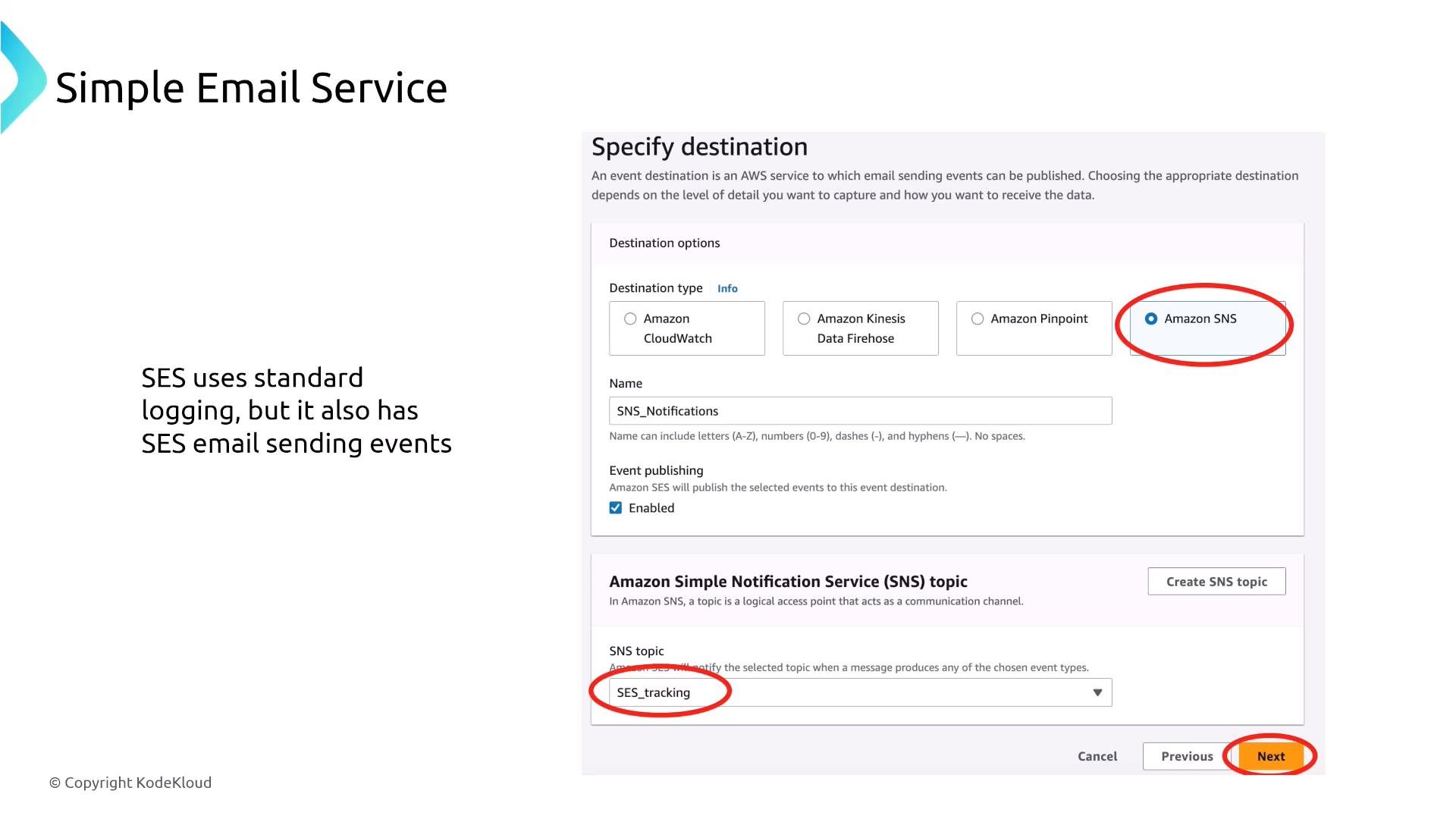
- SES Event Publishing captures detailed send/delivery events to CloudWatch, SNS, or Kinesis Data Firehose (deliveries, bounces, complaints, opens, clicks, etc.).
- Use SES Reputation Dashboard to monitor bounce and complaint rates and maintain sending health to avoid sending restrictions.
Workflows and orchestration
AWS Step Functions
Step Functions is a serverless state machine service to coordinate distributed tasks and microservices. Security revolves around IAM controls for who can start/manage state machines and the IAM roles state machines assume to call other services.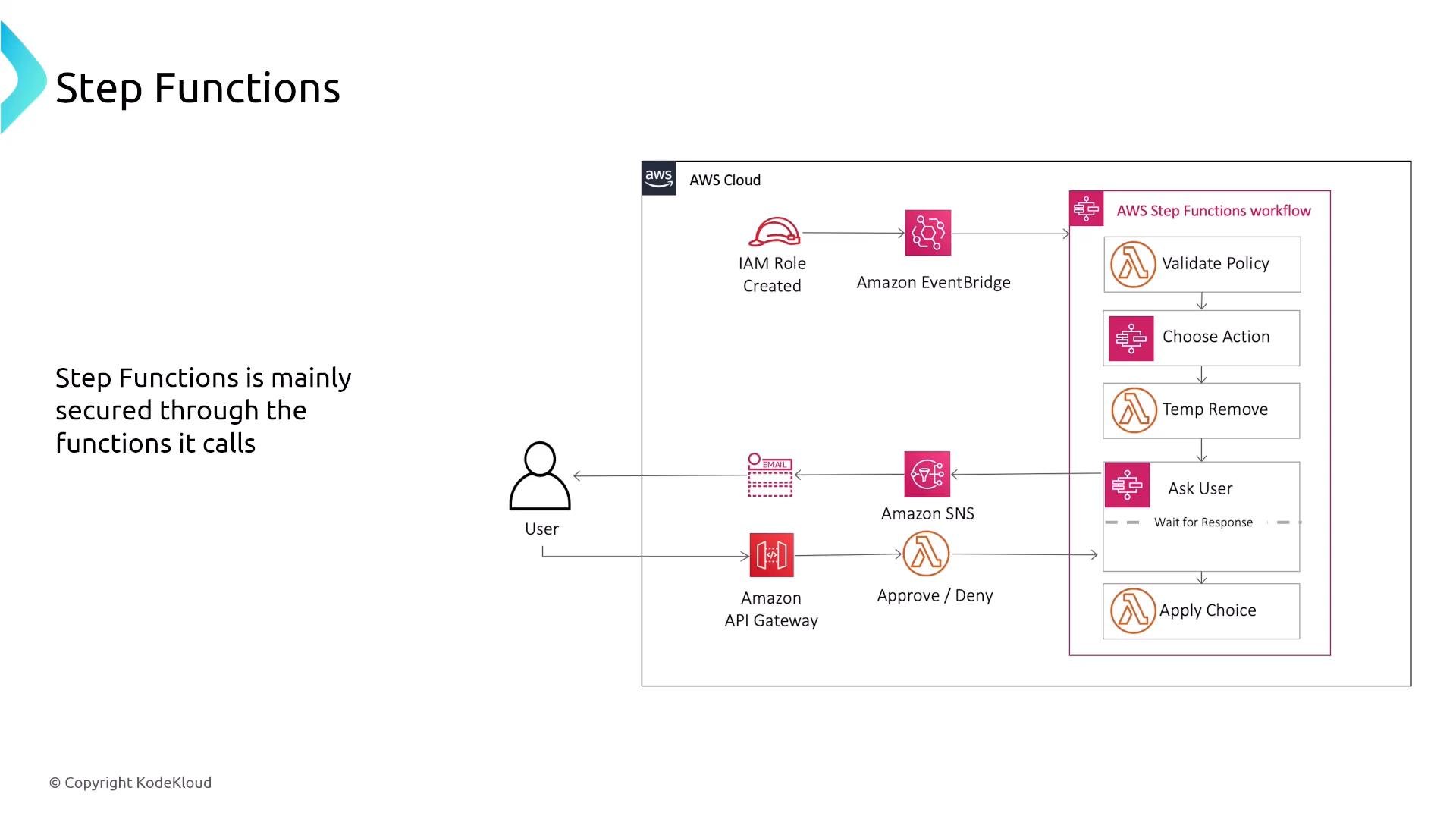
- Use IAM to restrict who can start or modify state machines and carefully scope the IAM role assumed by the state machine.
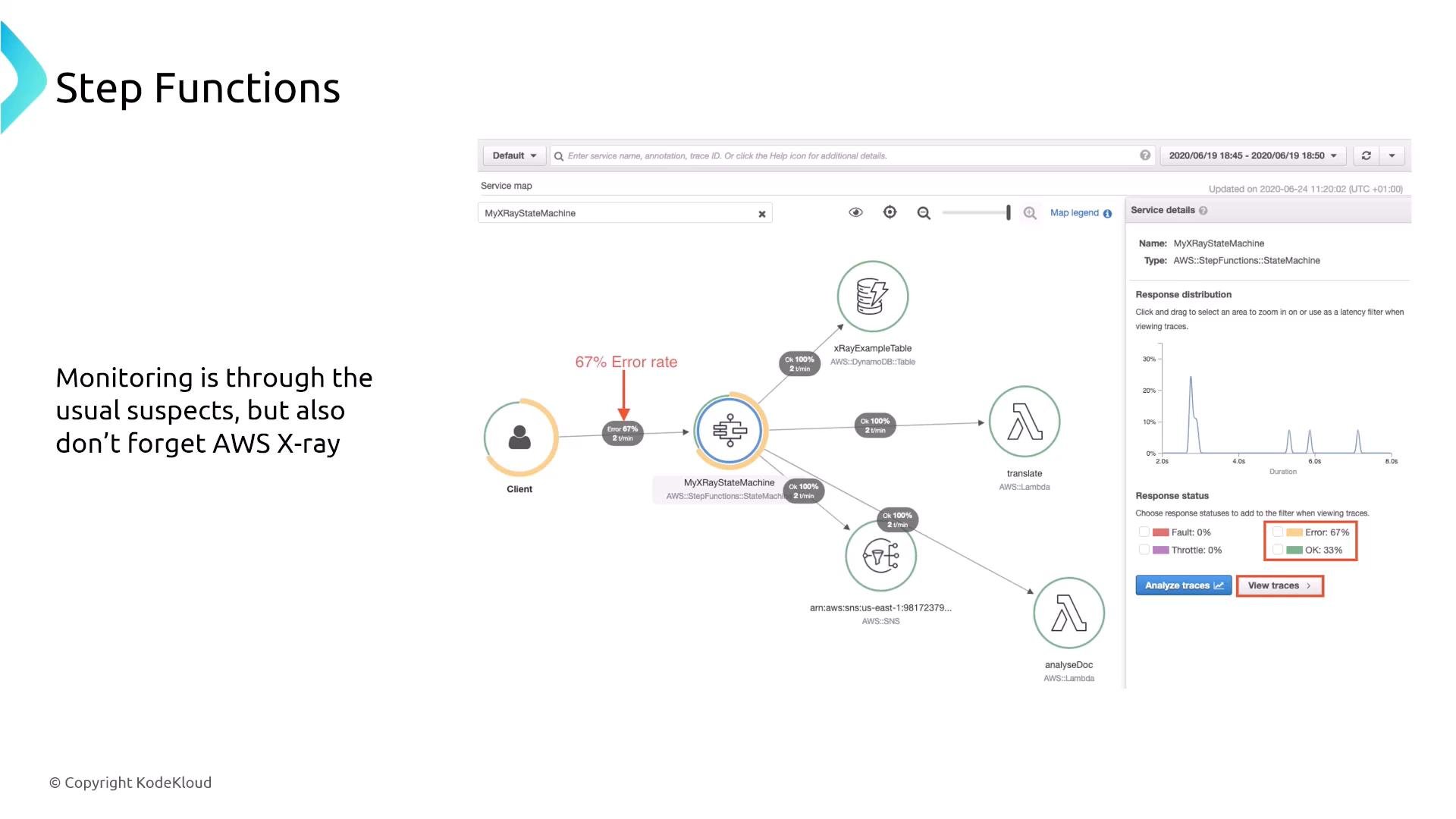
- Observability: enable CloudWatch logs/metrics for executions, use CloudTrail for API history, and integrate AWS X-Ray for traces across supported integrations.
- Use SNS or other human-approval mechanisms when workflows require manual steps or notifications.
Simple Workflow Service (SWF)
SWF is an older AWS workflow service for coordinating background jobs and workers. It requires you to manage worker resources and is monitored with CloudWatch and CloudTrail.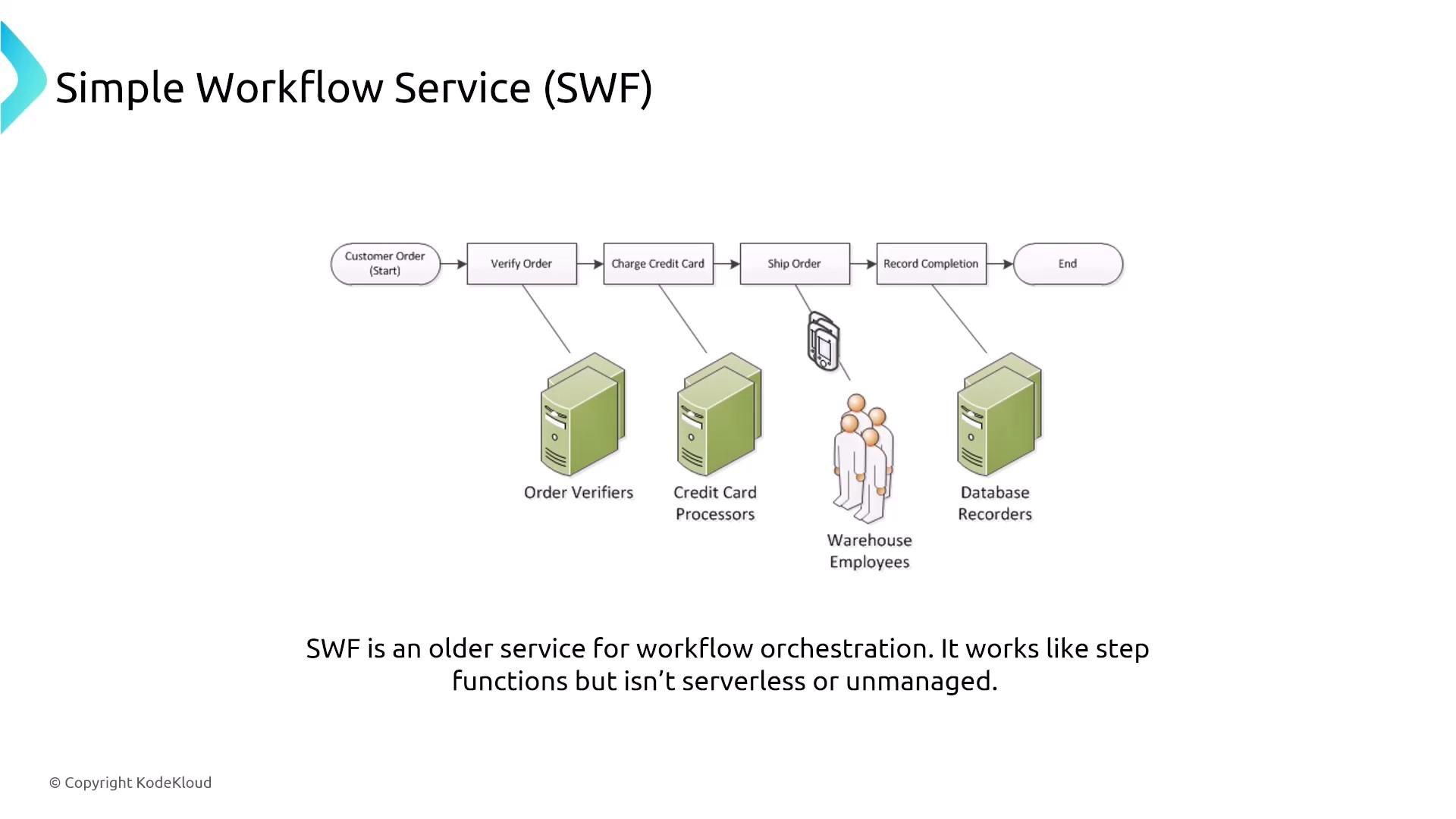
- Standard AWS encryption and access controls (KMS, IAM, resource policies).
- Use CloudTrail + CloudWatch for auditing and operational visibility.
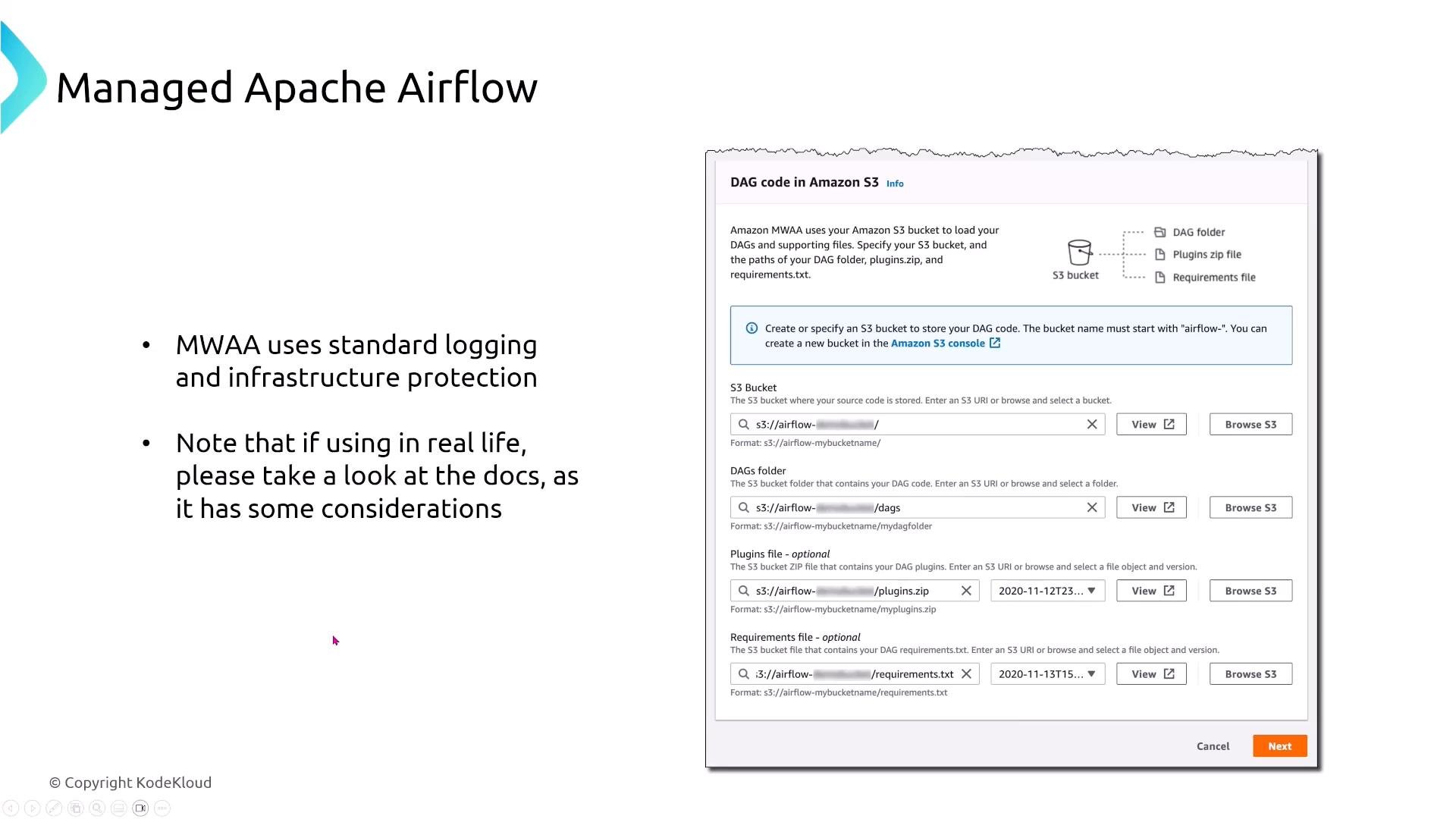
Managed Workflows for Apache Airflow (MWAA)
MWAA is a managed Apache Airflow service that reduces operational overhead while providing Airflow orchestration integrated with AWS services.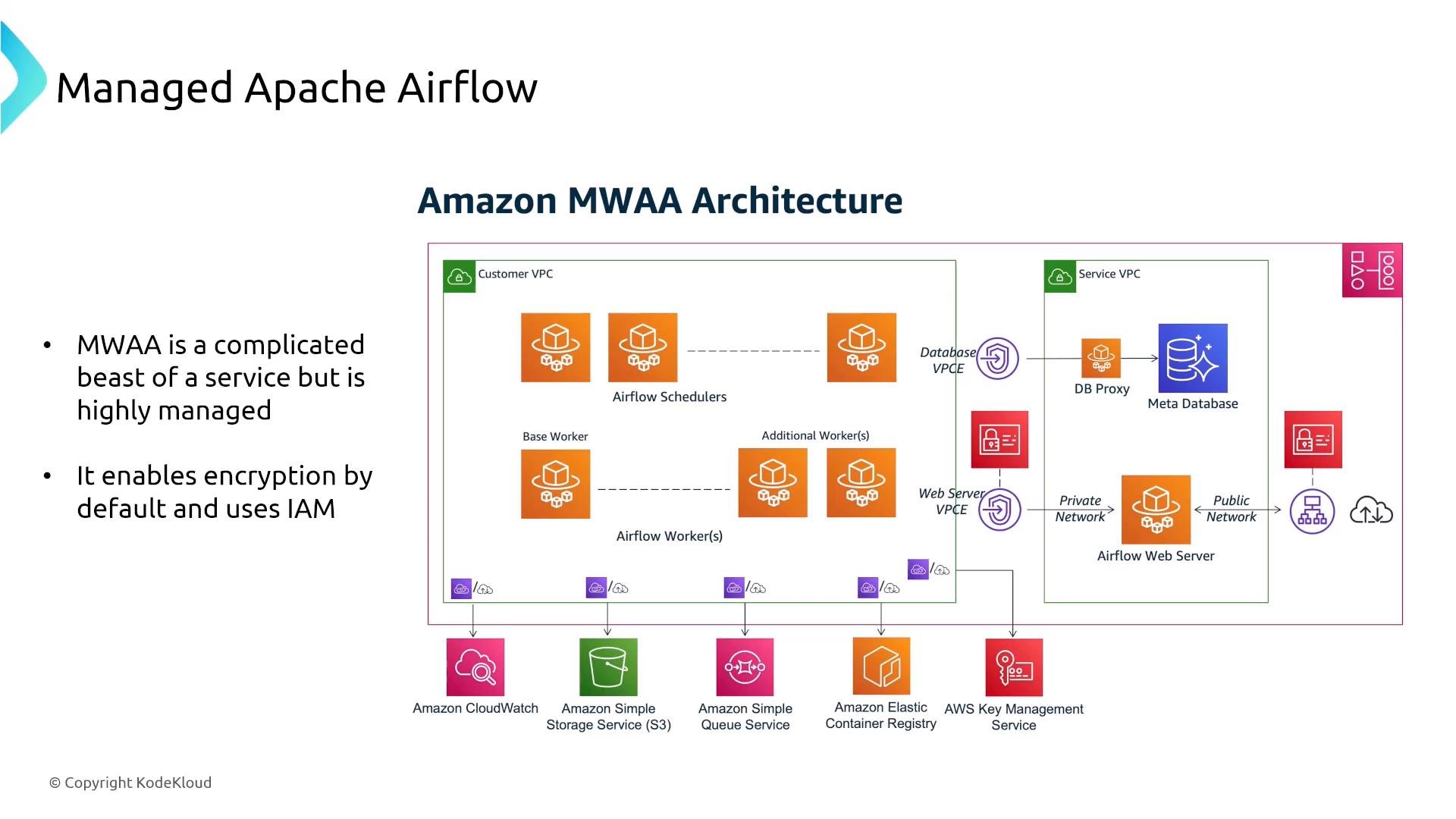
- Managed metadata store (Amazon Aurora) for Airflow state; secure it using IAM and standard DB access controls.
- Store DAGs, plugins, and requirements in S3 and use KMS to encrypt sensitive artifacts.
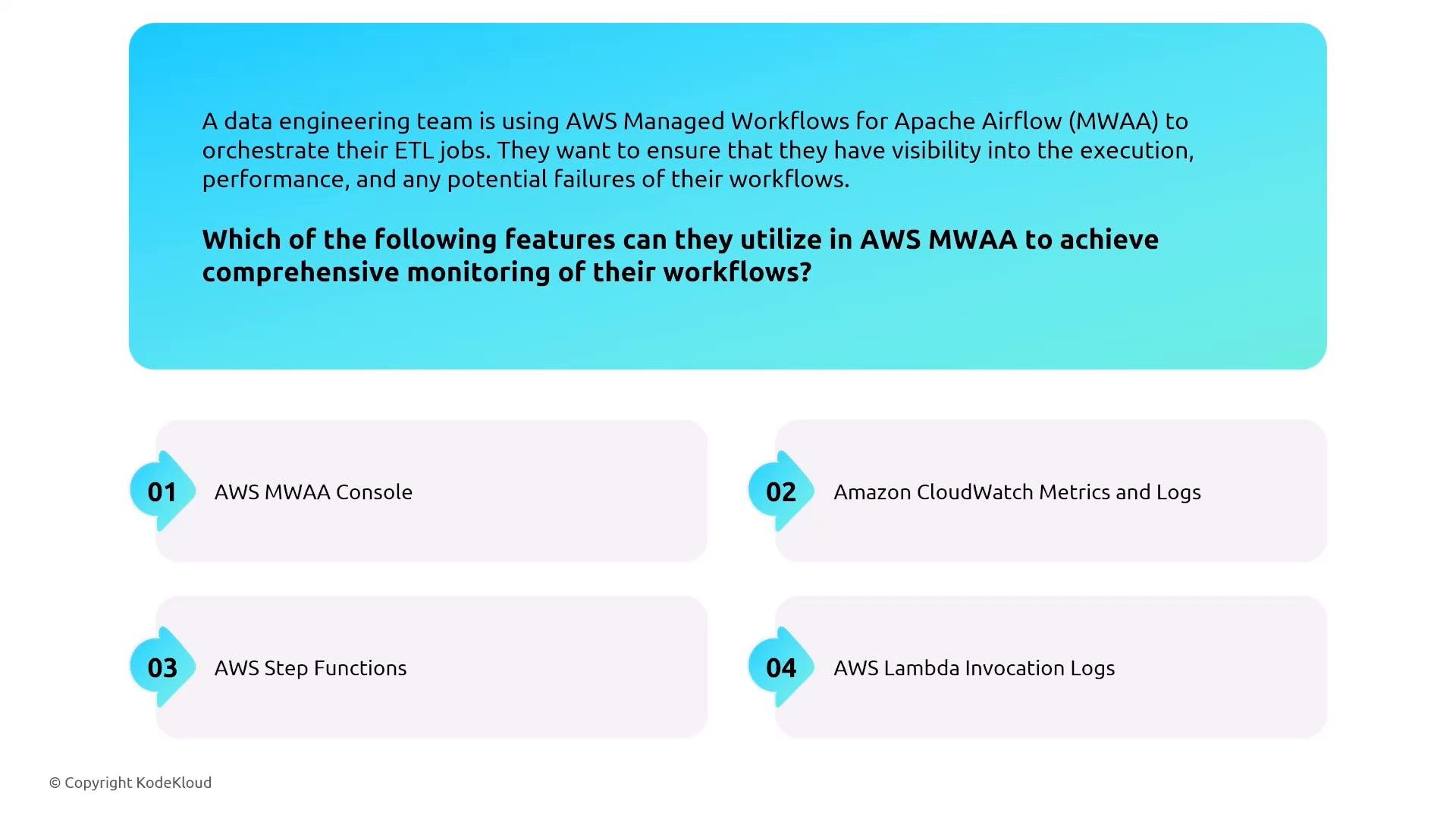
- Use CloudWatch metrics and logs for operators and task-level visibility and configure appropriate access control for the Airflow web UI.
- Apply network controls (VPC, security groups) and least-privilege IAM roles for tasks.
Summary — security patterns across integration services
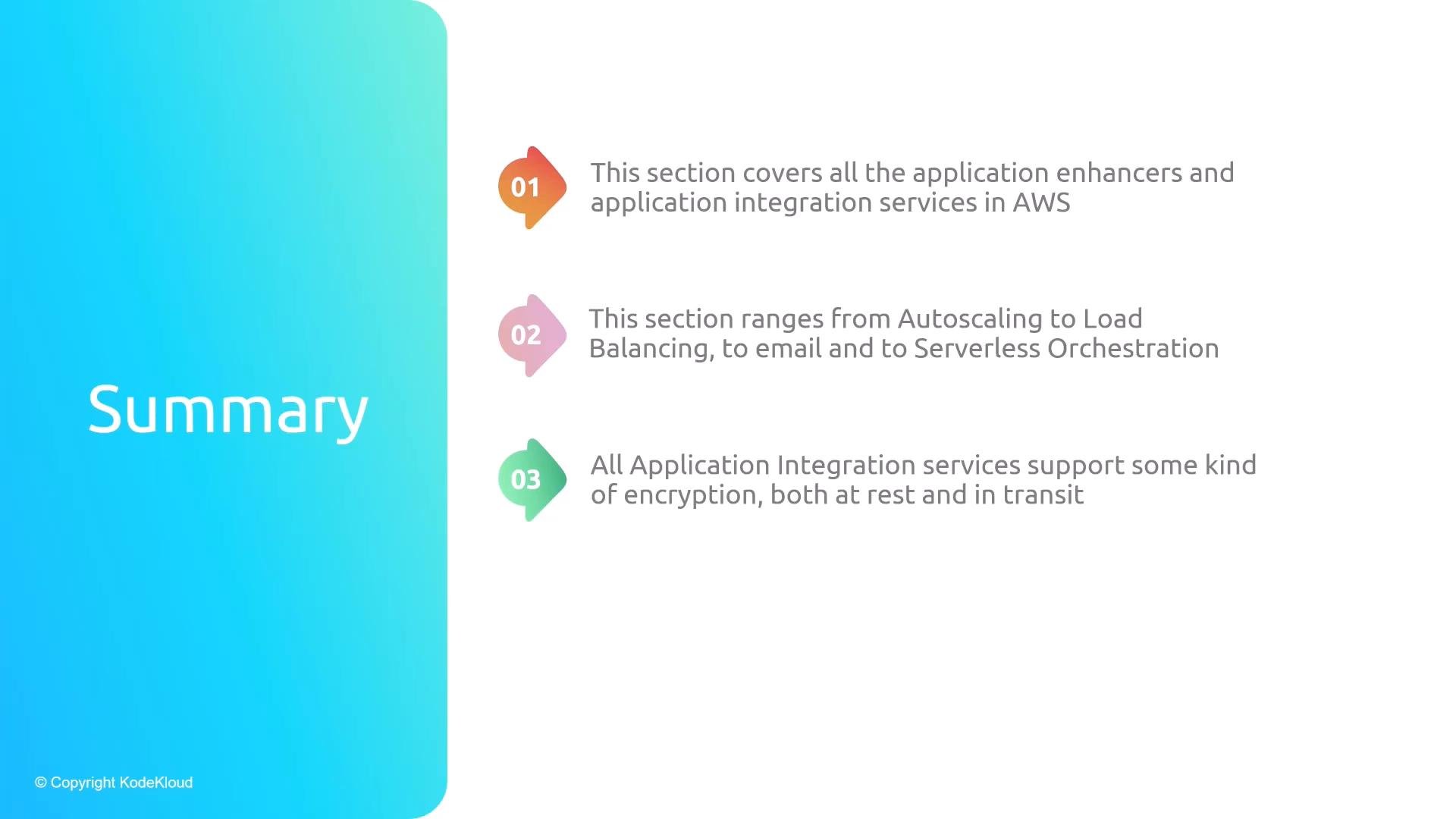
Application integration services provide connectivity, messaging, and orchestration between components. Common security themes and recommended controls:- Encryption: Most services provide encryption at rest using AWS KMS and TLS for data in transit.
- Access control: IAM and resource-level policies are the primary mechanisms to control access to resources and actions.
- Observability: Use CloudWatch for metrics and logs; enable CloudTrail for API-level auditing; use X-Ray for distributed tracing where supported.
- Content protection: To inspect, redact, or block sensitive message content, insert processing steps (Lambda, EventBridge rules, or dedicated data-protection tools) before storing or forwarding data.
- Networking: Leverage VPC endpoints (PrivateLink) and security groups to minimize public network exposure.
When designing integration pipelines, enforce least privilege for all service roles, enable CloudTrail for auditing, and use KMS to protect data at rest. Add processing steps (for example Lambda) to handle content inspection or redaction when necessary.
Links and references
- Amazon AppFlow: https://docs.aws.amazon.com/appflow/latest/userguide/what-is-amazon-appflow.html
- Amazon SNS: https://docs.aws.amazon.com/sns/latest/dg/welcome.html
- Amazon SQS: https://docs.aws.amazon.com/AWSSimpleQueueService/latest/SQSDeveloperGuide/welcome.html
- Amazon MQ: https://docs.aws.amazon.com/amazon-mq/latest/developer-guide/what-is-amazon-mq.html
- Amazon EventBridge: https://docs.aws.amazon.com/eventbridge/latest/userguide/what-is-amazon-eventbridge.html
- Amazon SES: https://docs.aws.amazon.com/ses/latest/DeveloperGuide/Welcome.html
- AWS Step Functions: https://docs.aws.amazon.com/step-functions/latest/dg/welcome.html
- Amazon MWAA: https://docs.aws.amazon.com/mwaa/latest/userguide/what-is-mwaa.html