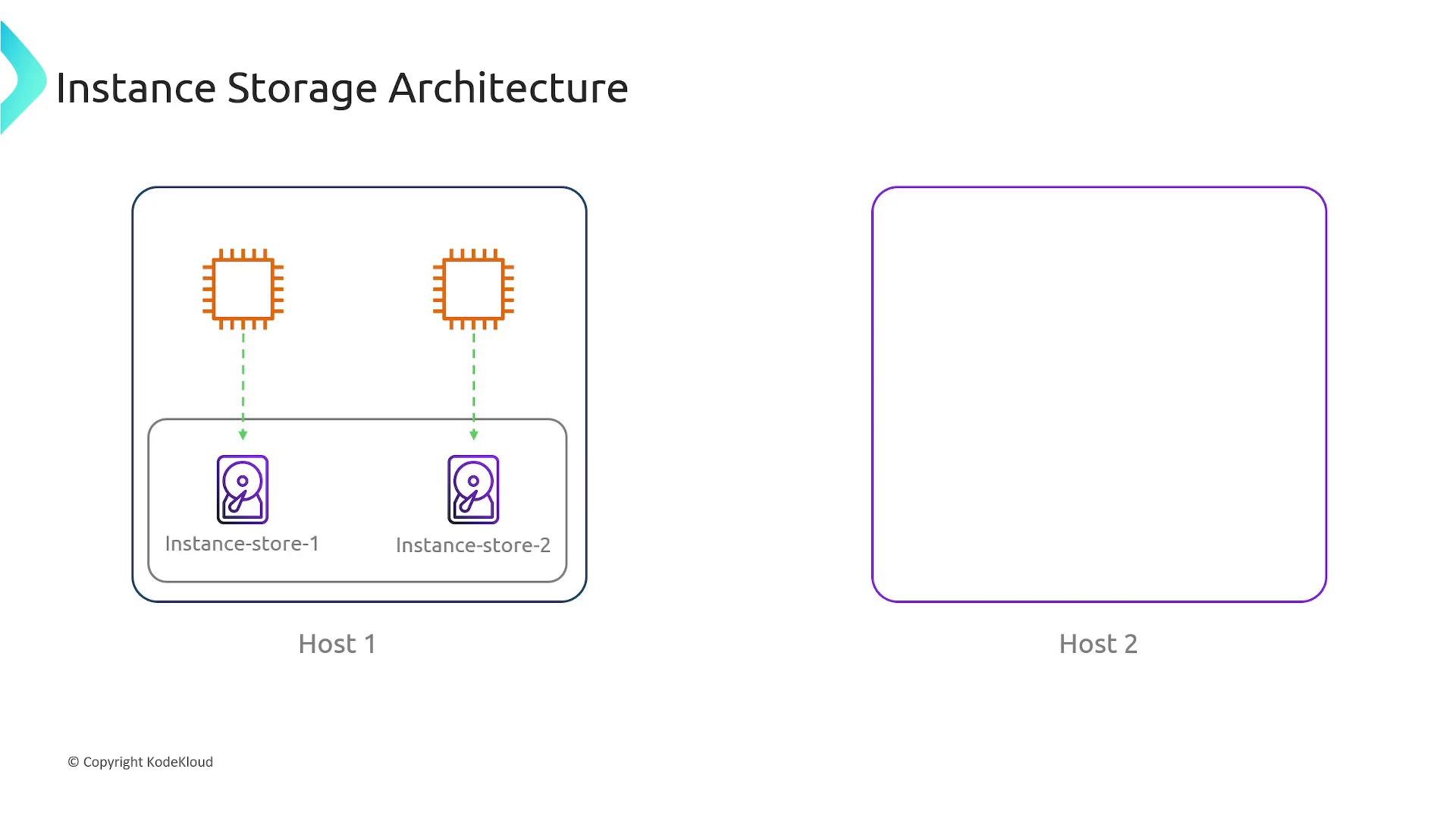
An instance store (commonly called “ephemeral storage” or “instance-store”) is temporary, host-attached block storage provided by some Amazon EC2 instance types. These are physical disks attached to the EC2 host hardware and offer very low-latency local I/O compared to network-attached block devices such as EBS volumes. Instance stores are designed for transient data that can be lost without impacting the application—examples include caches, buffers, temporary files, scratch space, and any data that can be recreated or replicated elsewhere. To visualize how instance stores are arranged, consider the following diagram:
A slide titled "Instance Storage Architecture" showing Host 1 with two compute icons each linked to local instance-store volumes labeled Instance-store-1 and Instance-store-2. Host 2 is shown as an empty host box.
In the diagram, two EC2 instances run on the same physical Host 1. Each instance has its own local instance-store volume physically attached to that host. While an instance runs on the same host, it can access its instance-store data (for example, a reboot often keeps the instance on the same host so its instance store remains accessible). But if the instance moves to another host — for example because of a stop/start that places the instance on different hardware, host hardware failure, or instance termination — the original instance-store data is lost. When the instance boots on a new host it may receive a fresh, empty instance-store volume. Key characteristics and considerations Common use cases
  • Temporary caches, in-memory swap or buffer files, session stores that are replicated elsewhere.
  • Processing scratch space for high-throughput local operations (e.g., video encoding, temporary file processing).
  • Distributed systems that manage redundancy externally (e.g., data replicated across nodes where local storage is only a performance optimization).
  • Storing ephemeral logs or checkpoint files that can be recomputed or shipped to durable storage.
When to avoid instance store
  • Any workload that requires durable, single-copy persistence (use EBS or S3 instead).
  • Data that must survive instance termination, stop/start migration, or host hardware failures.
Operational lifecycle notes
  • Reboot: Usually keeps the instance on the same host; instance-store data typically persists.
  • Stop/Start: The instance may be placed on a different host; instance-store data will be lost.
  • Termination: Instance-store data is deleted when the instance is terminated.
  • Host failure or maintenance migration: Data is lost because instance stores are tied to the physical host.
Instance store provides very fast local I/O and is ideal for ephemeral, high-performance workloads. However, do not rely on it for any data you need to persist. For durable storage, choose EBS volumes, S3, or other persistent services.
Summary
  • Instance store = temporary, host-attached block storage for EC2 instances.
  • Data typically survives a reboot but is lost on stop/start that moves the instance, termination, or host failure.
  • Use instance store only for ephemeral workloads or when data durability is managed externally.
Links and references

Watch Video