

The power of access (IAM)
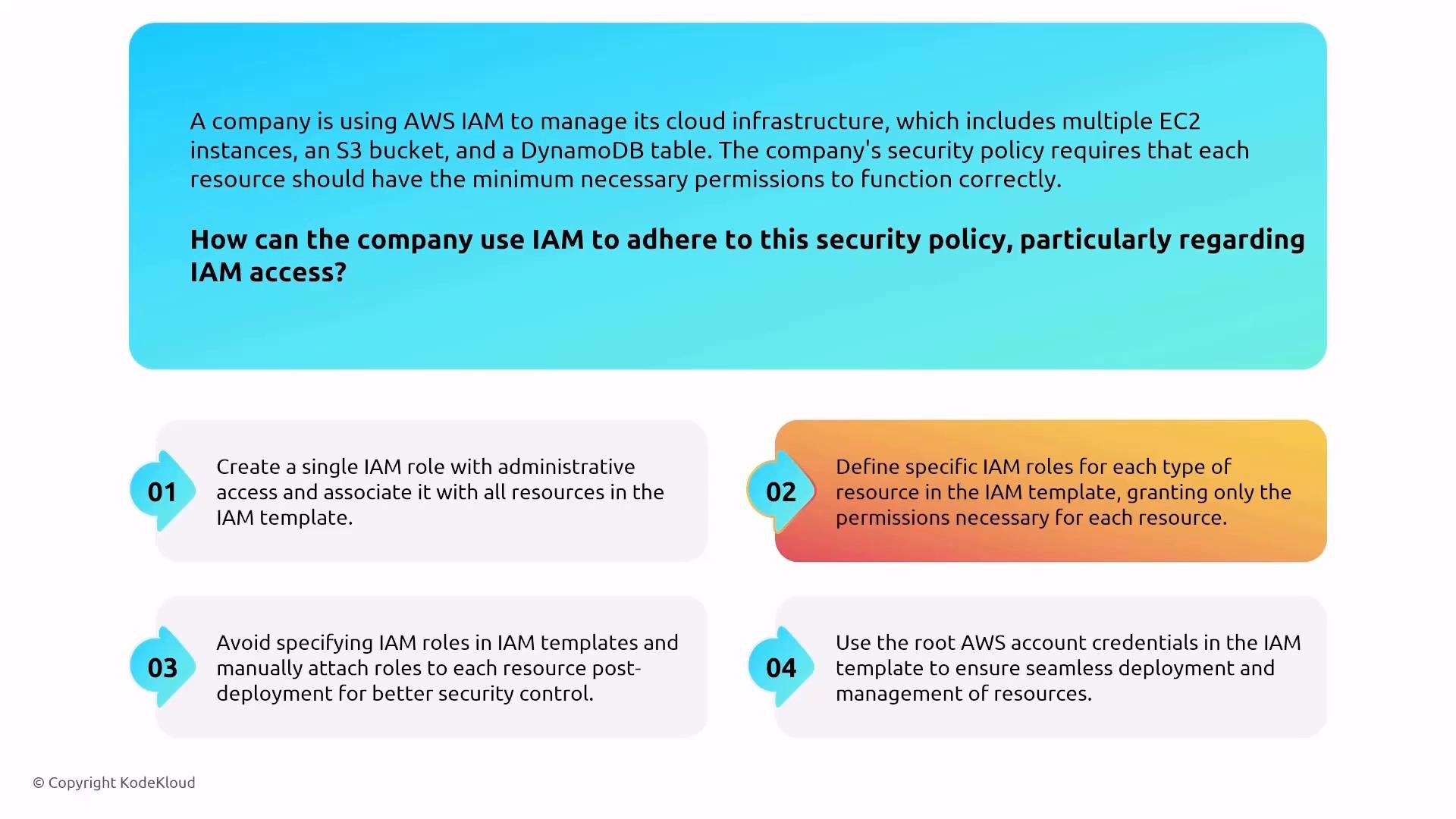
Access control is the foundation of cloud security. In AWS, Identity and Access Management (IAM) provides managed primitives for authentication and authorization: policies, roles, groups, CloudTrail auditing of API calls, Access Analyzer, and reporting. IAM is secure-by-default, but configuration and operational practices significantly increase protection. Key practices:- Enforce least privilege: grant only the permissions required for an identity or resource to perform its tasks.
- Require multi-factor authentication (MFA) for interactive access and sensitive operations.
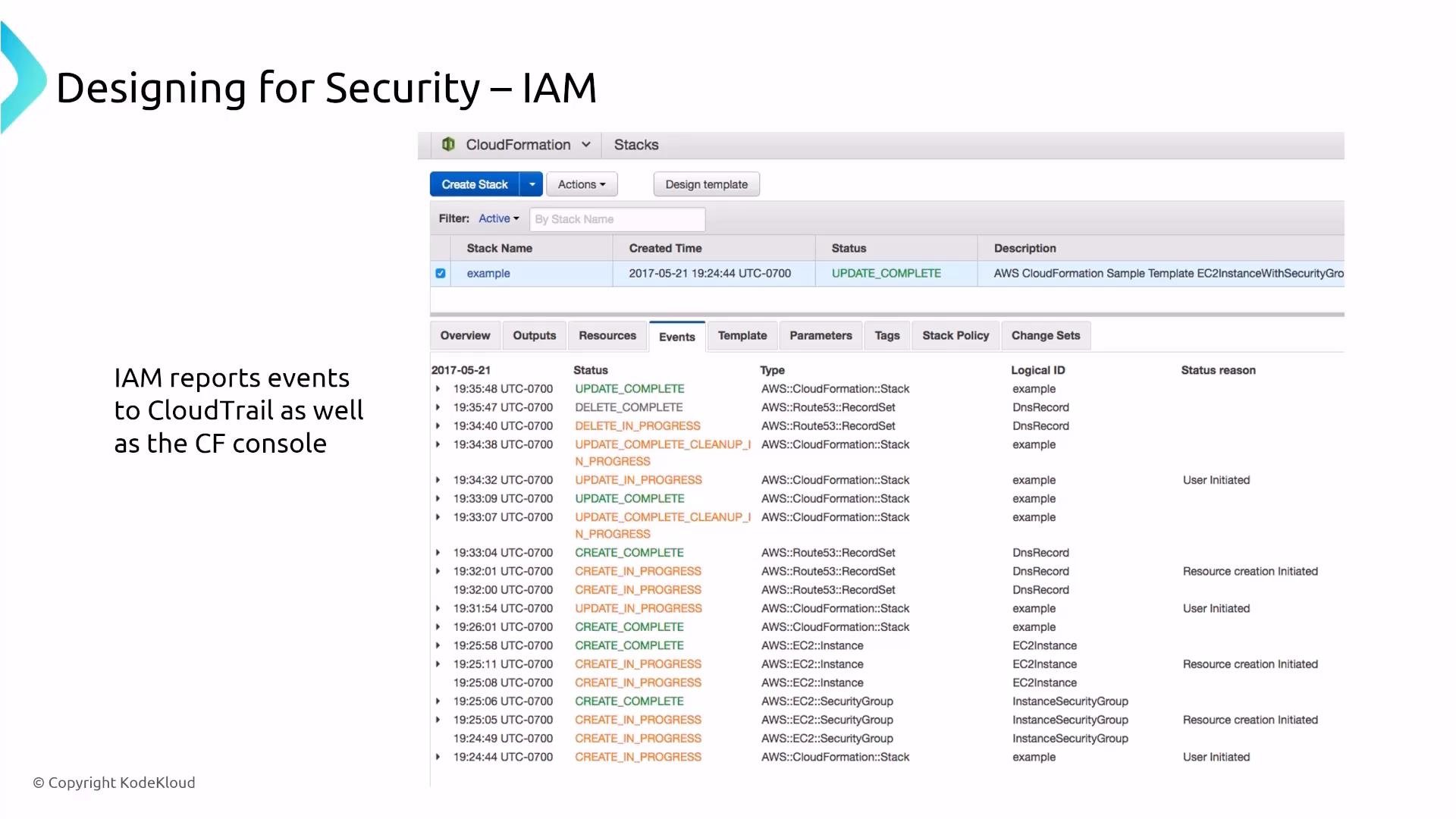
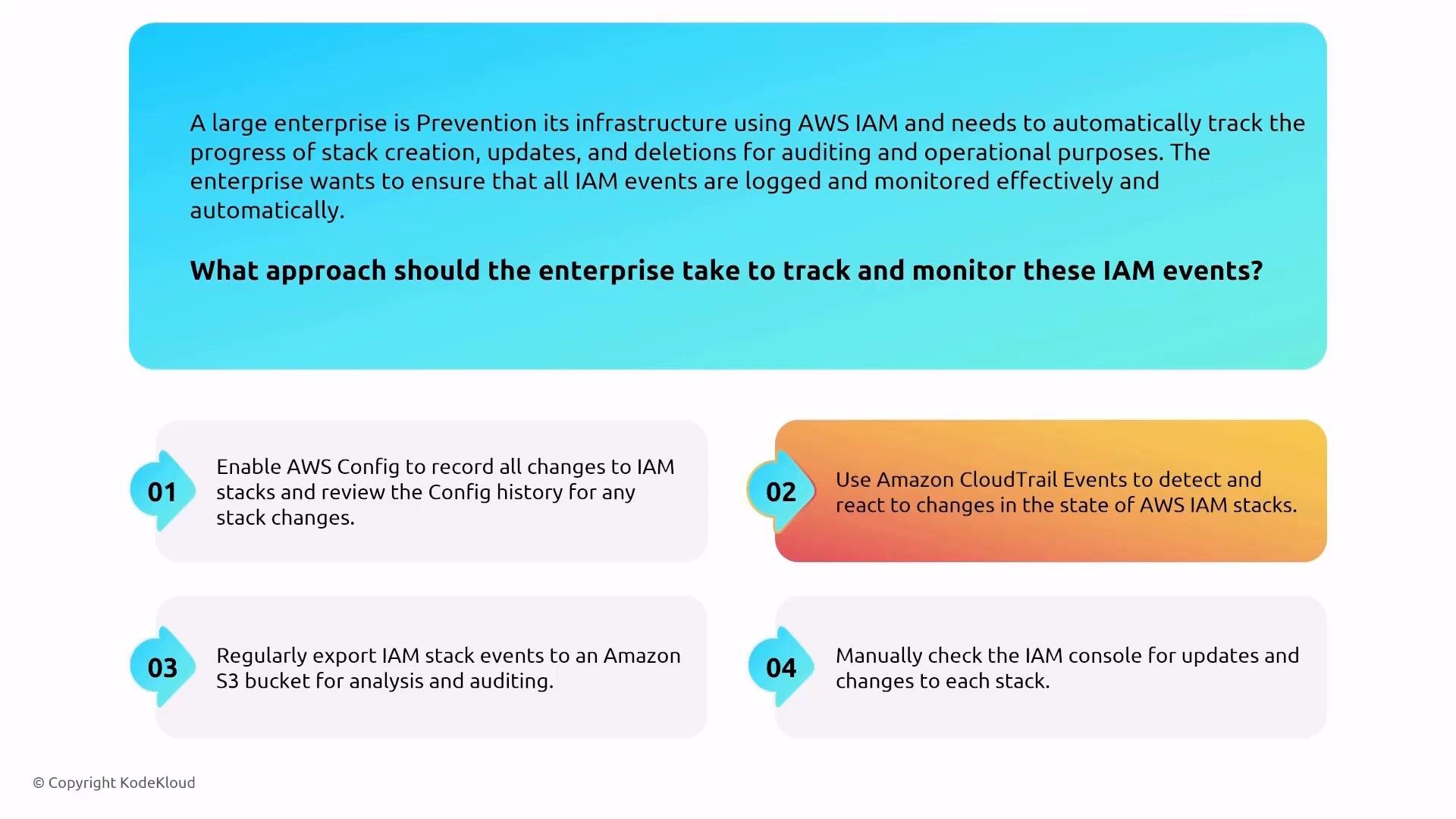
- Audit API activity with CloudTrail and review IAM Access Analyzer reports and IAM findings regularly.
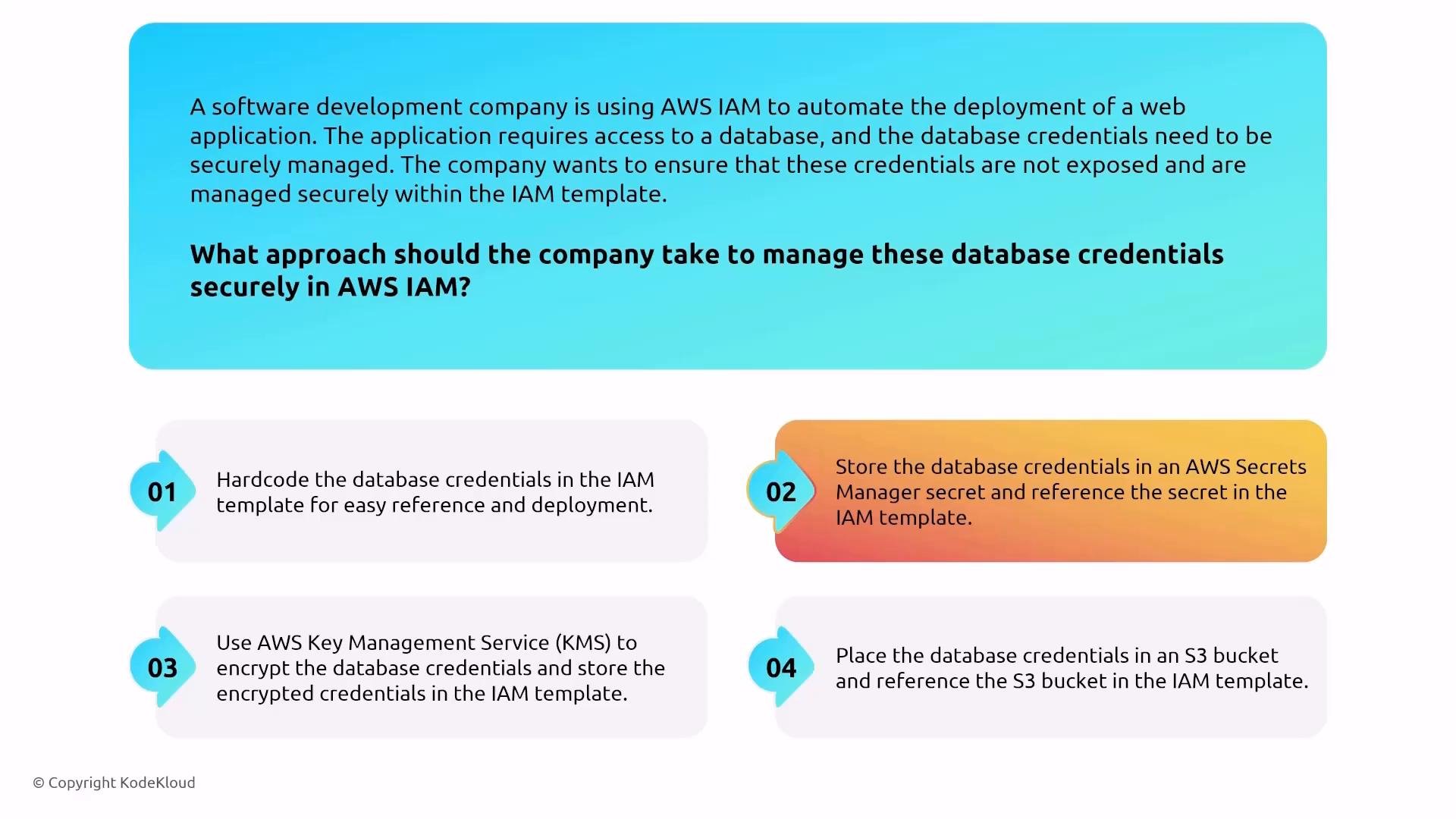
- Avoid embedding secrets in templates or repositories — use Secrets Manager or Systems Manager Parameter Store.
Use role-based access and permission boundaries to limit blast radius. Prefer short-lived credentials and role assumption patterns for services and automation.
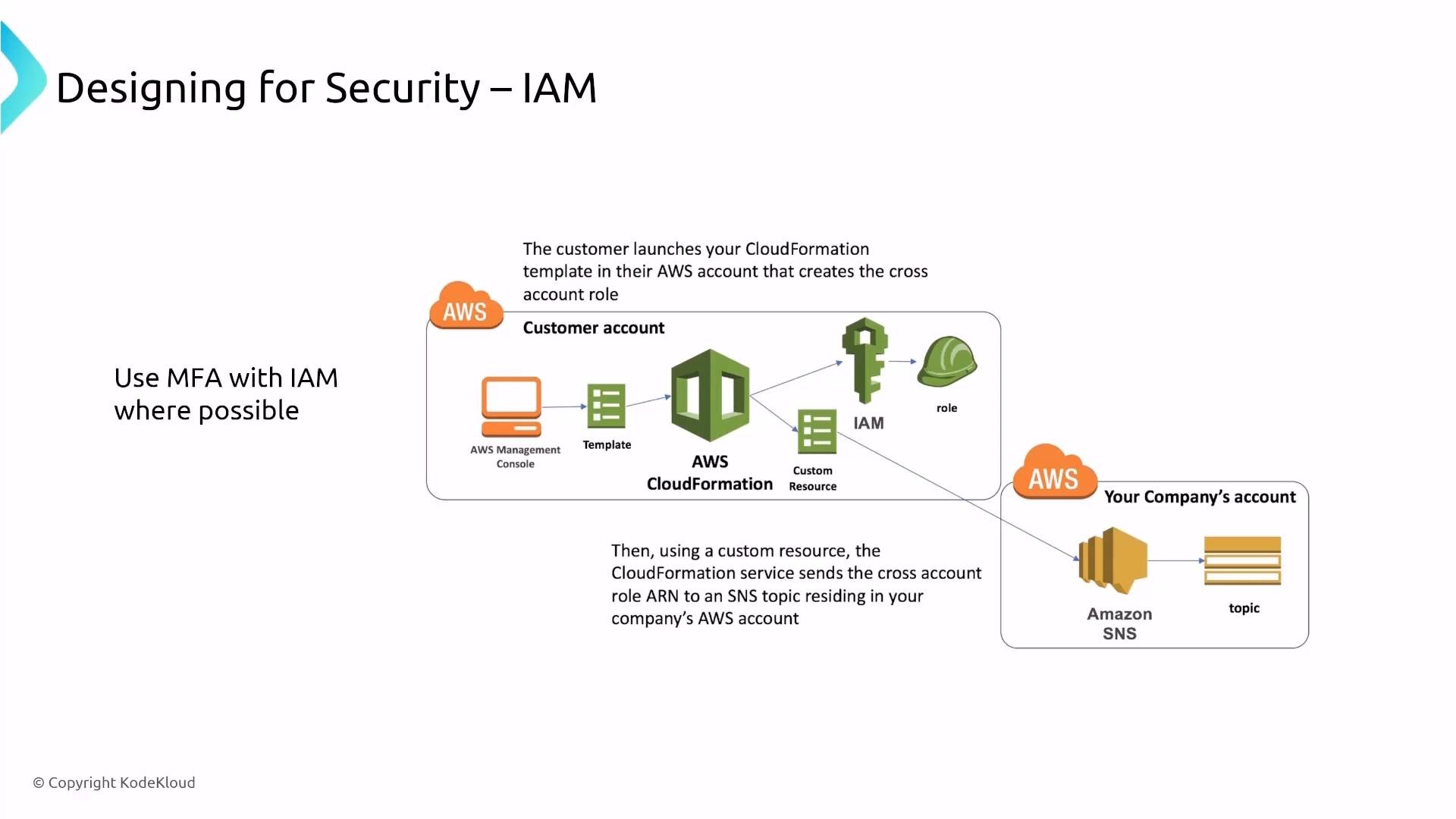
- Defining one role-per-application or per-resource (where practical) reduces over-permissioning.
- Use CloudTrail to investigate who assumed a role or made changes to policies and roles.
Never commit sensitive credentials to source control or embed them in CloudFormation templates. Use Secrets Manager or Systems Manager Parameter Store (
SecureString) to store and retrieve secrets securely.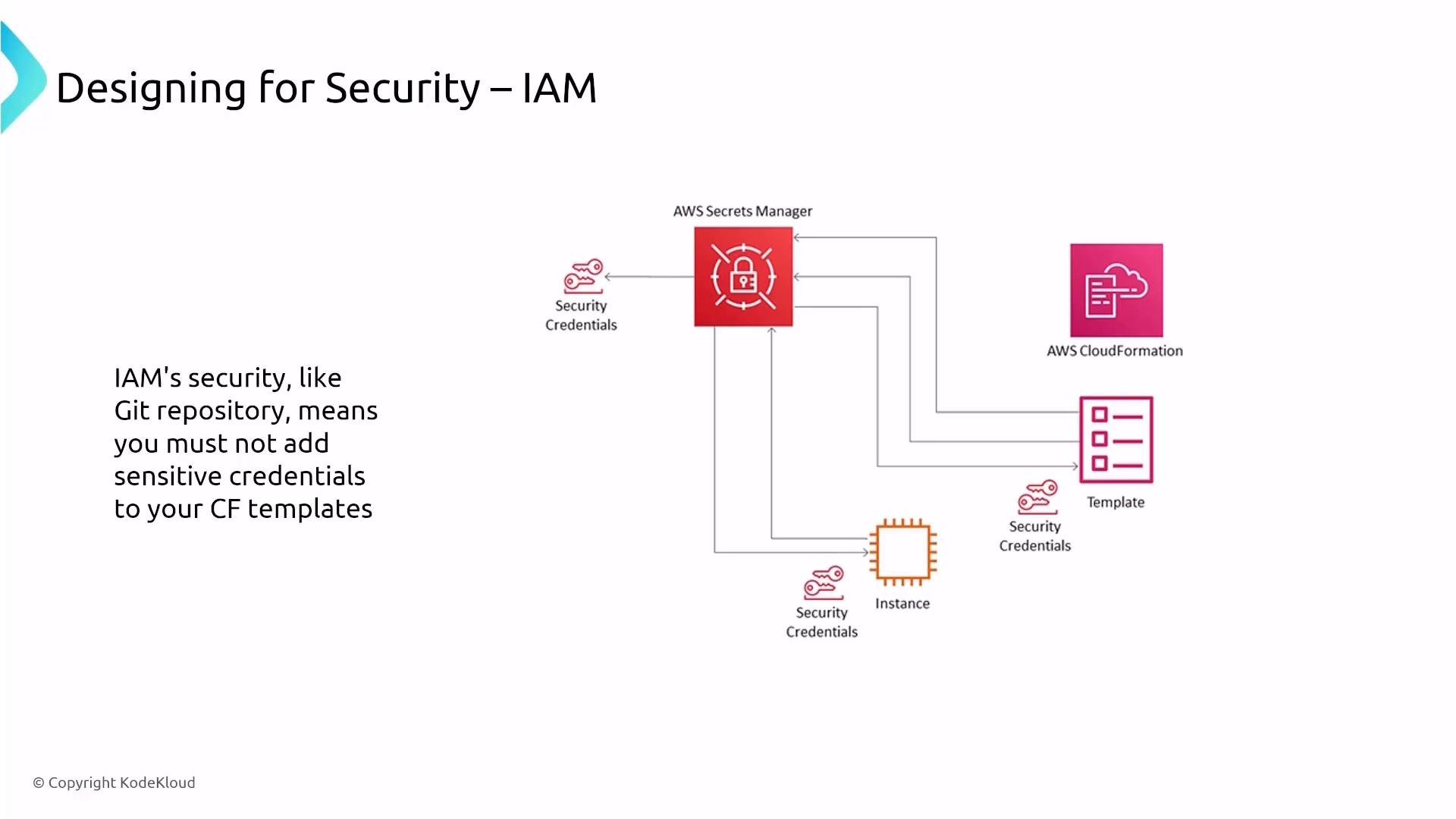
- AWS Secrets Manager — for automatic rotation, secure retrieval, and audit logging.
- Systems Manager Parameter Store (SecureString) — for simpler secret storage if rotation and other Secrets Manager features are not required.
- Use least privilege and permission boundaries.
- Use role assumption with short-lived credentials for automation (STS).
- Enable MFA for interactive users.
- Audit with CloudTrail and analyze with Access Analyzer.
IAM Identity Center (SSO)
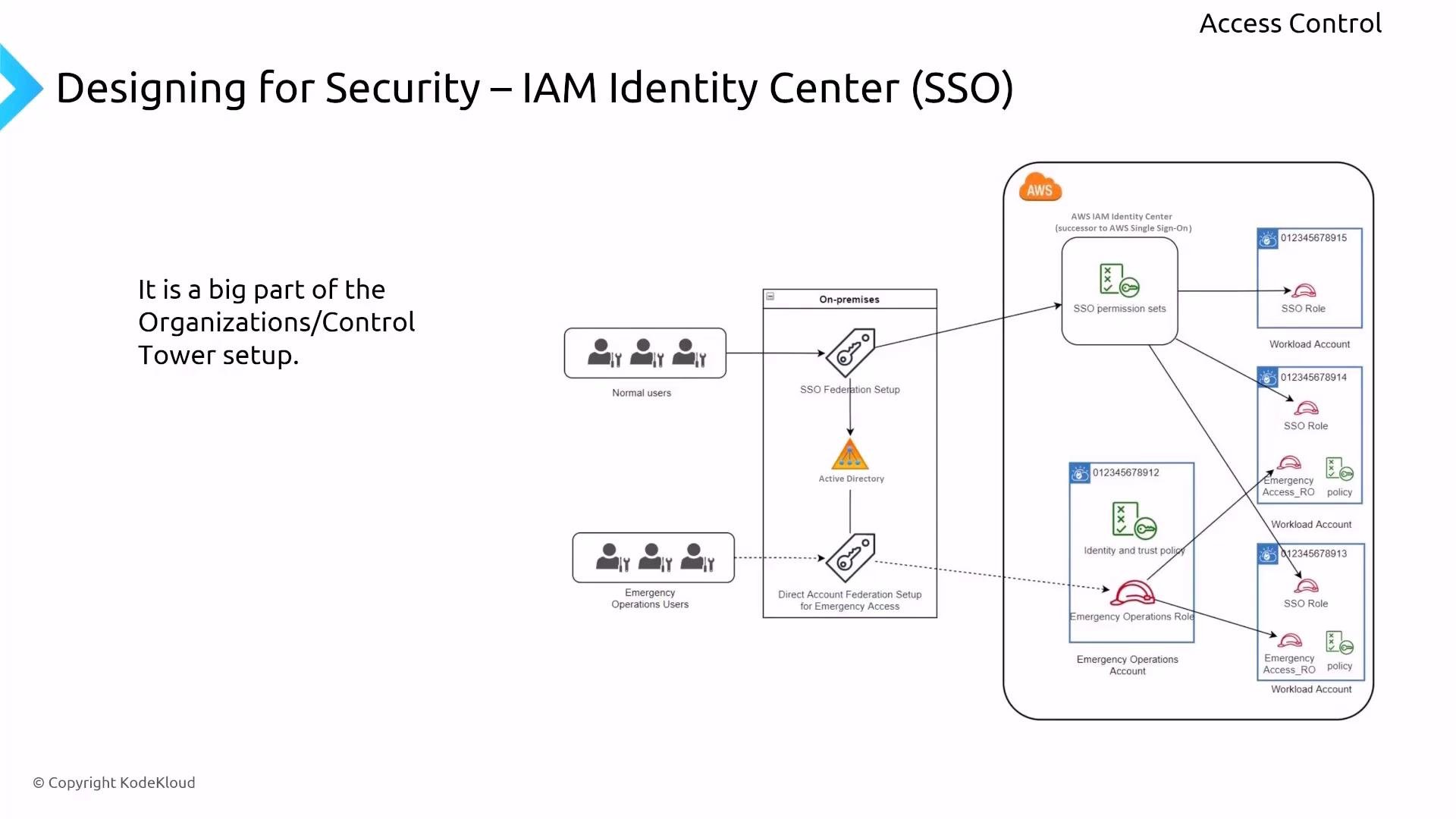
IAM Identity Center centralizes identity and access across multiple AWS accounts and applications. Harden it by:- Applying least-privilege permission sets.
- Requiring MFA for high-risk roles.
- Using permission boundaries and Verified Permissions to constrain cross-account actions.
- Integrating with AWS Organizations and Control Tower for centralized account provisioning and guardrails.
Amazon Cognito
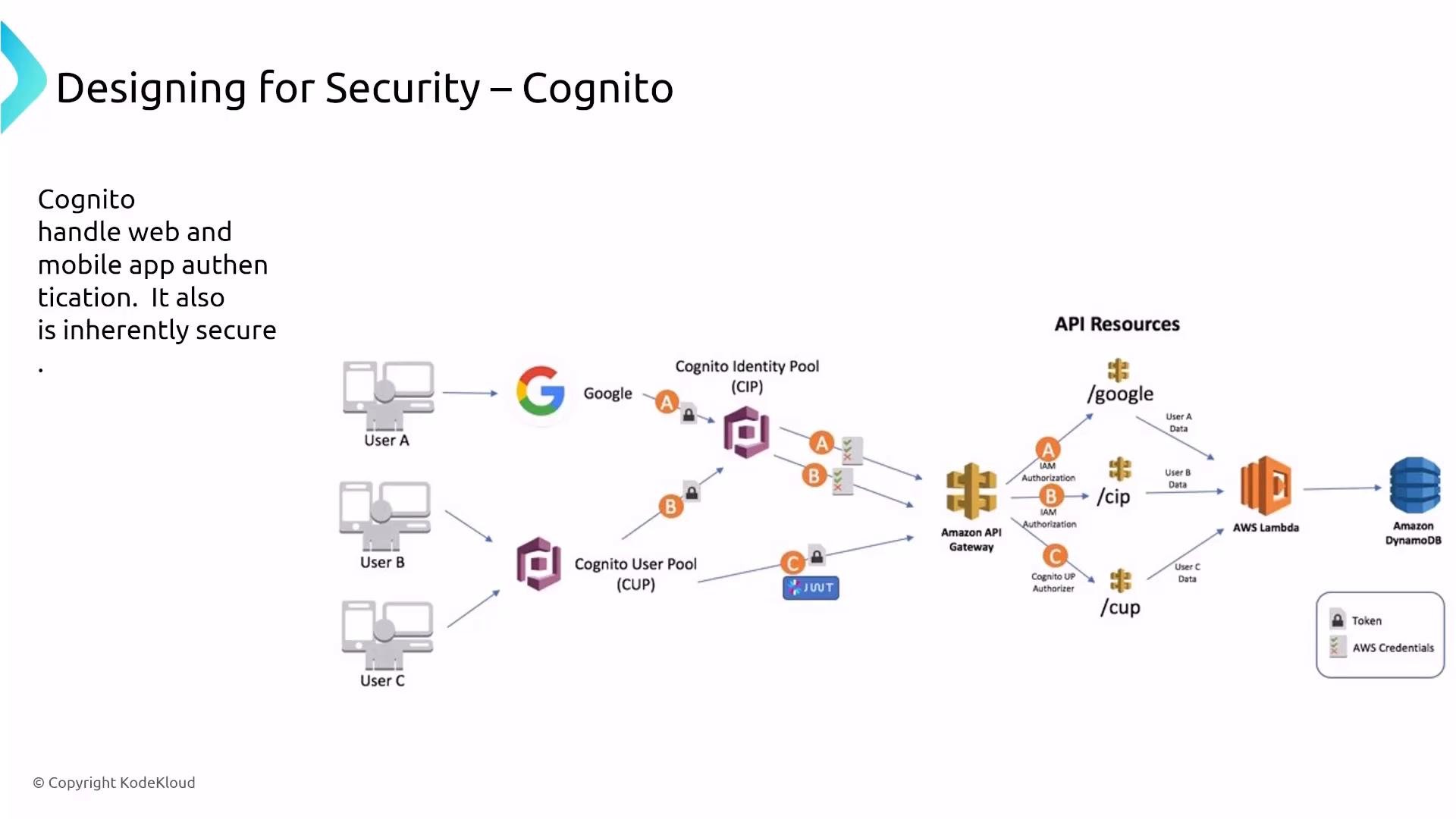
Amazon Cognito manages authentication for web and mobile applications. Think of Cognito user pools as the user store and identity pools as the mechanism to map authenticated users to AWS credentials and IAM roles. Cognito should be treated as part of your identity fabric and integrated with IAM using least-privilege roles. Recommendations:- Enforce least-privilege IAM roles assigned via Cognito identity pools.
- Ensure CloudTrail logging for Cognito to capture authentication events.
- Secure any synchronization with external directories or identity providers.
AWS Directory Service
AWS Directory Service hosts managed Microsoft Active Directory and other directory types. The service is secure by design; your focus should be on trust relationships and integration patterns (federation, AD Connect, AD FS) to prevent privilege escalation and unauthorized access.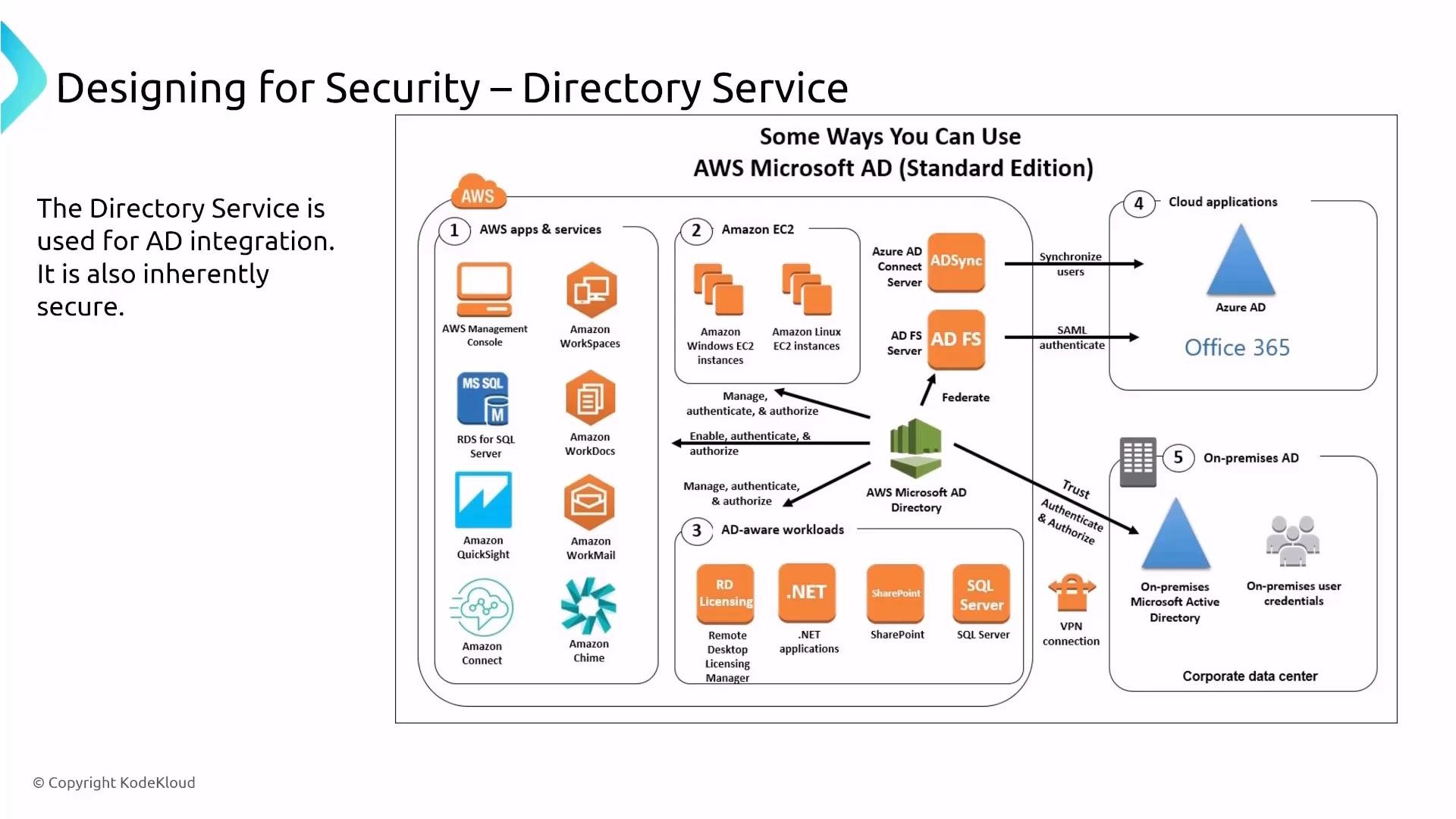
Verified Permissions
Amazon Verified Permissions (Cedar policy language) helps author, validate, and test fine-grained authorization rules. It integrates with identity services like Cognito and is valuable for programmatically asserting that authorization behavior matches policy templates.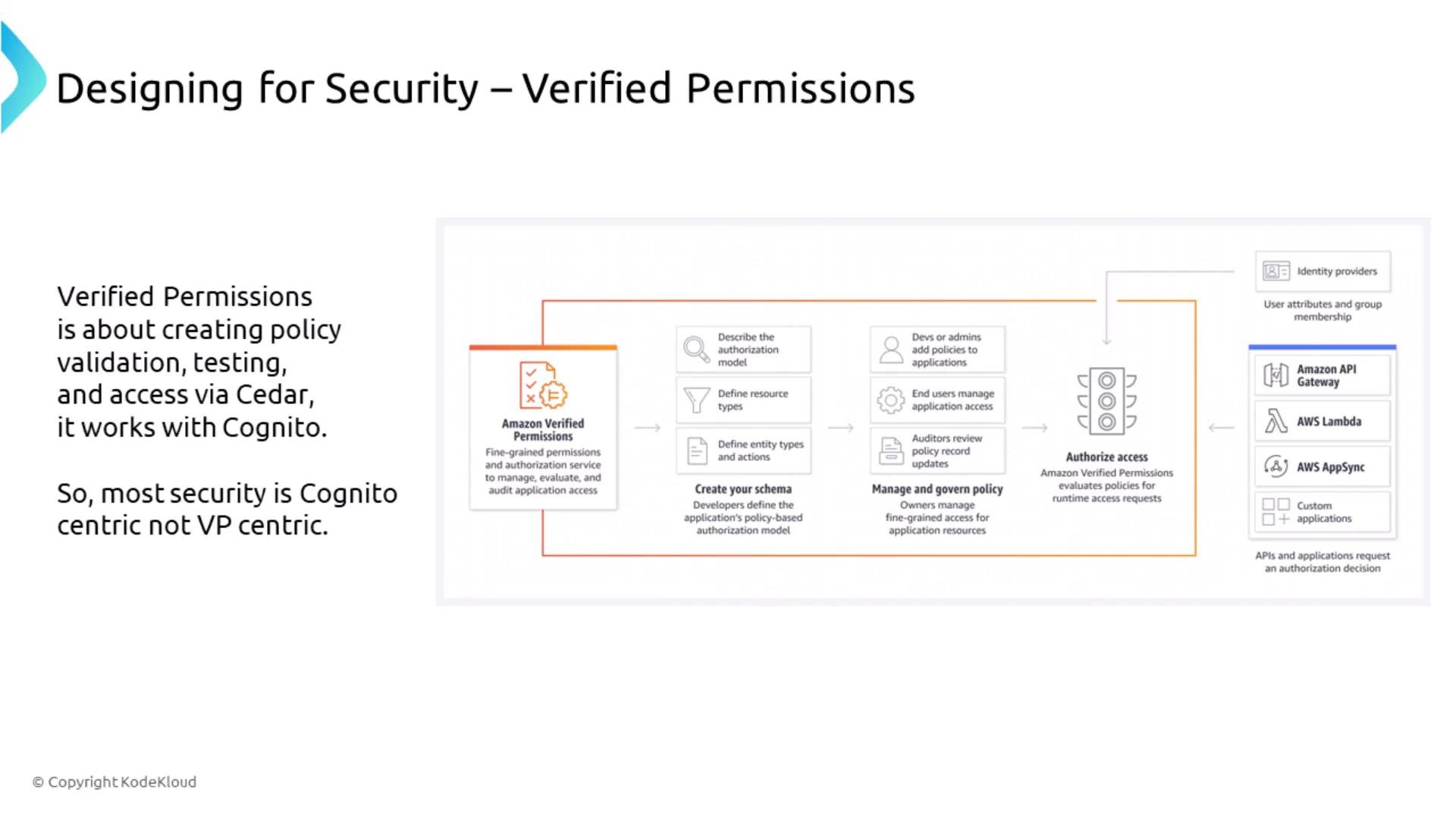
The power of auditing: CloudTrail, CloudWatch, and AWS Config
Auditing and observability are essential for detection, incident response, and compliance.- CloudWatch — application and infrastructure metrics, logs, and alarms.
- CloudTrail — API-level auditing; the primary source-of-record for AWS API calls and user activity.
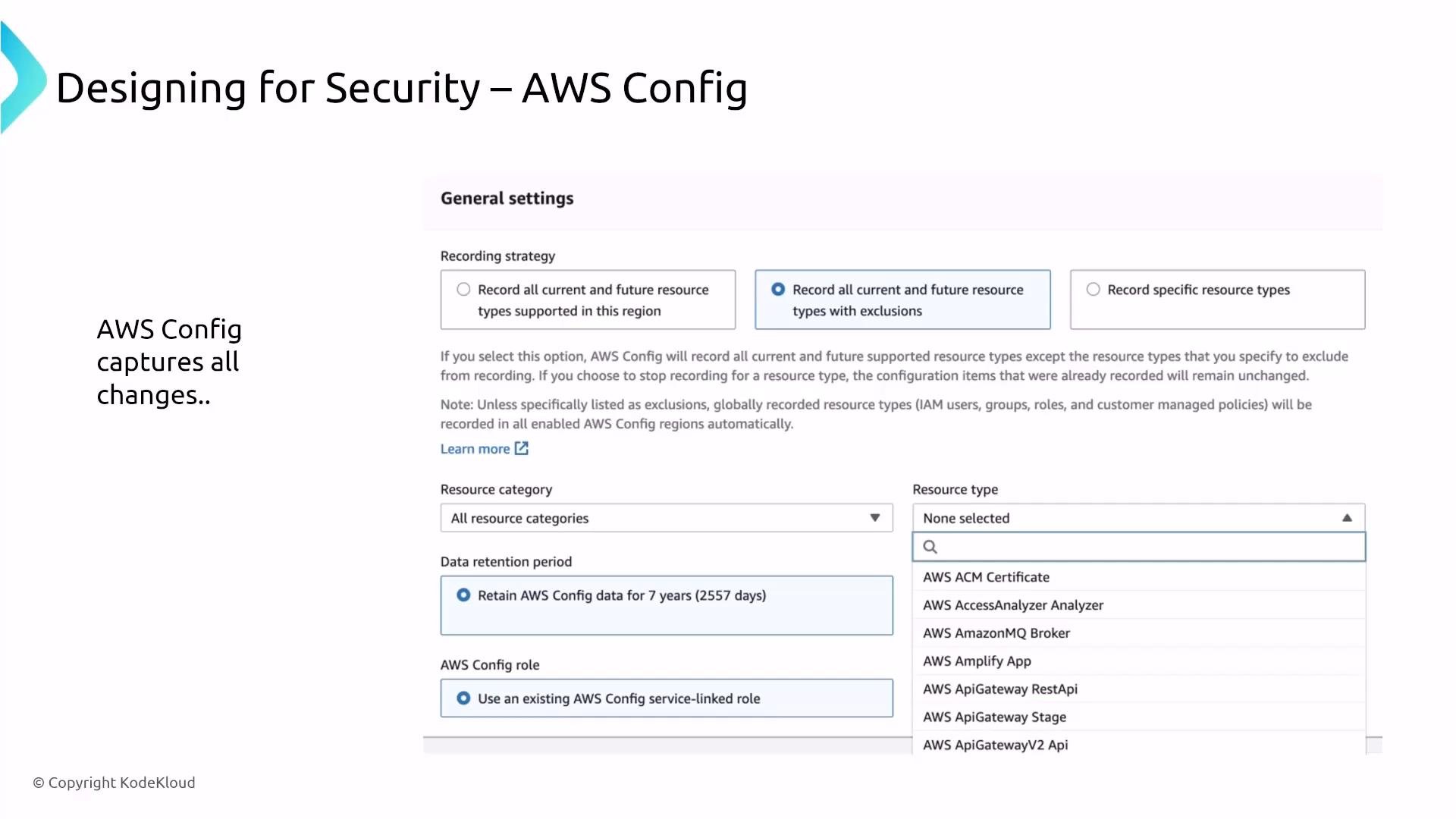
- AWS Config — records resource configurations and evaluates compliance against rules.
- Export and encrypt CloudTrail logs (S3) with KMS-managed keys.
- Use CloudTrail Lake for queryable event analytics.
- Implement AWS Config rules for drift detection and automate remediation with EventBridge/Lambda or Systems Manager Automation.
- Ensure alerts and runbooks connect findings into your incident response pipeline.
AWS Artifact
AWS Artifact provides on-demand access to AWS compliance reports and attestations (ISO, SOC, PCI, etc.). Artifact does not change your security posture — it supplies evidence for audits and assessments.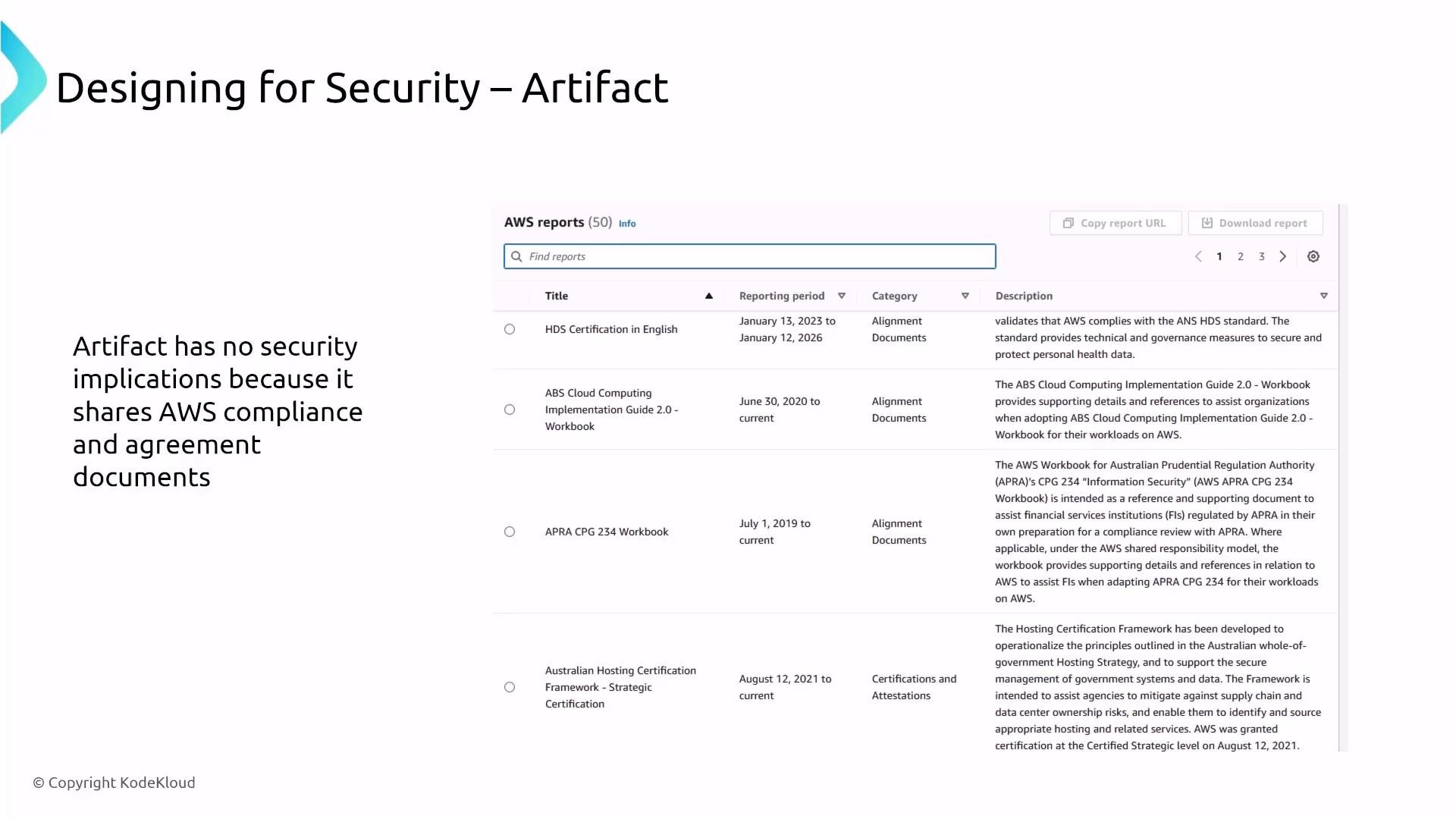
The power of detection
Detection services provide the telemetry and analysis to surface suspicious or malicious activity. Key managed services:- Amazon GuardDuty — threat detection across CloudTrail, VPC flow logs, DNS logs, and other telemetry.
- Amazon Inspector — vulnerability assessment for hosts, containers, and serverless functions.
- Amazon Macie — discovery and classification of sensitive data (PII) in S3.
- AWS Security Hub — centralized aggregation, normalization, and prioritization of findings and compliance checks.
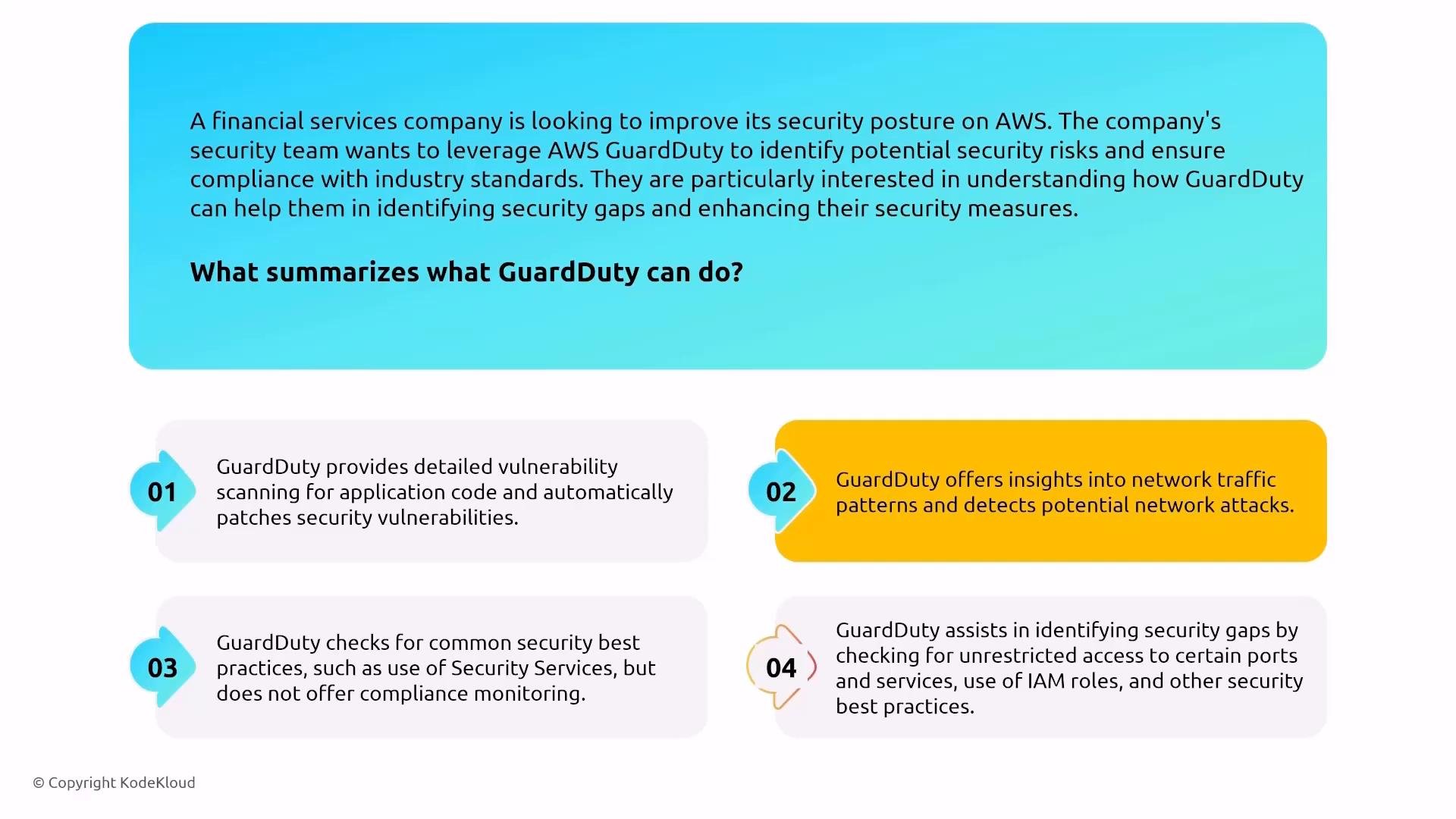
Amazon GuardDuty
GuardDuty analyzes telemetry, applies threat intelligence and ML, and produces actionable findings. Enable GuardDuty across accounts (Organization integration) and ensure findings flow to Security Hub or automated remediation processes.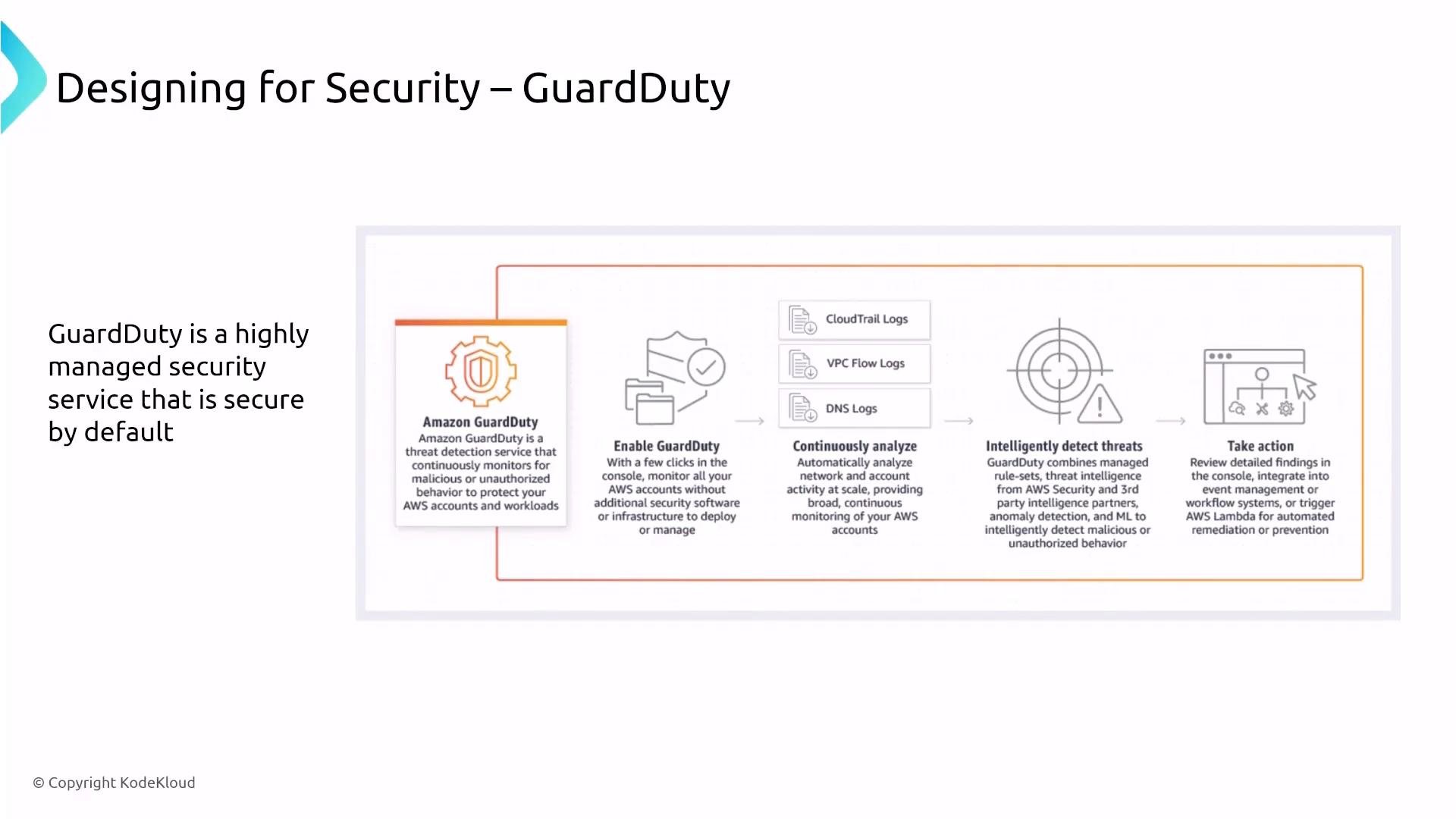
Amazon Inspector
Inspector scans images, instances, and supported runtimes for known CVEs and insecure configurations. Ensure the right resource coverage and integrate findings with ticketing or automated remediation playbooks.Amazon Macie
Macie discovers and classifies sensitive objects in S3 and can initiate workflows (EventBridge → Lambda) to quarantine or remediate exposures.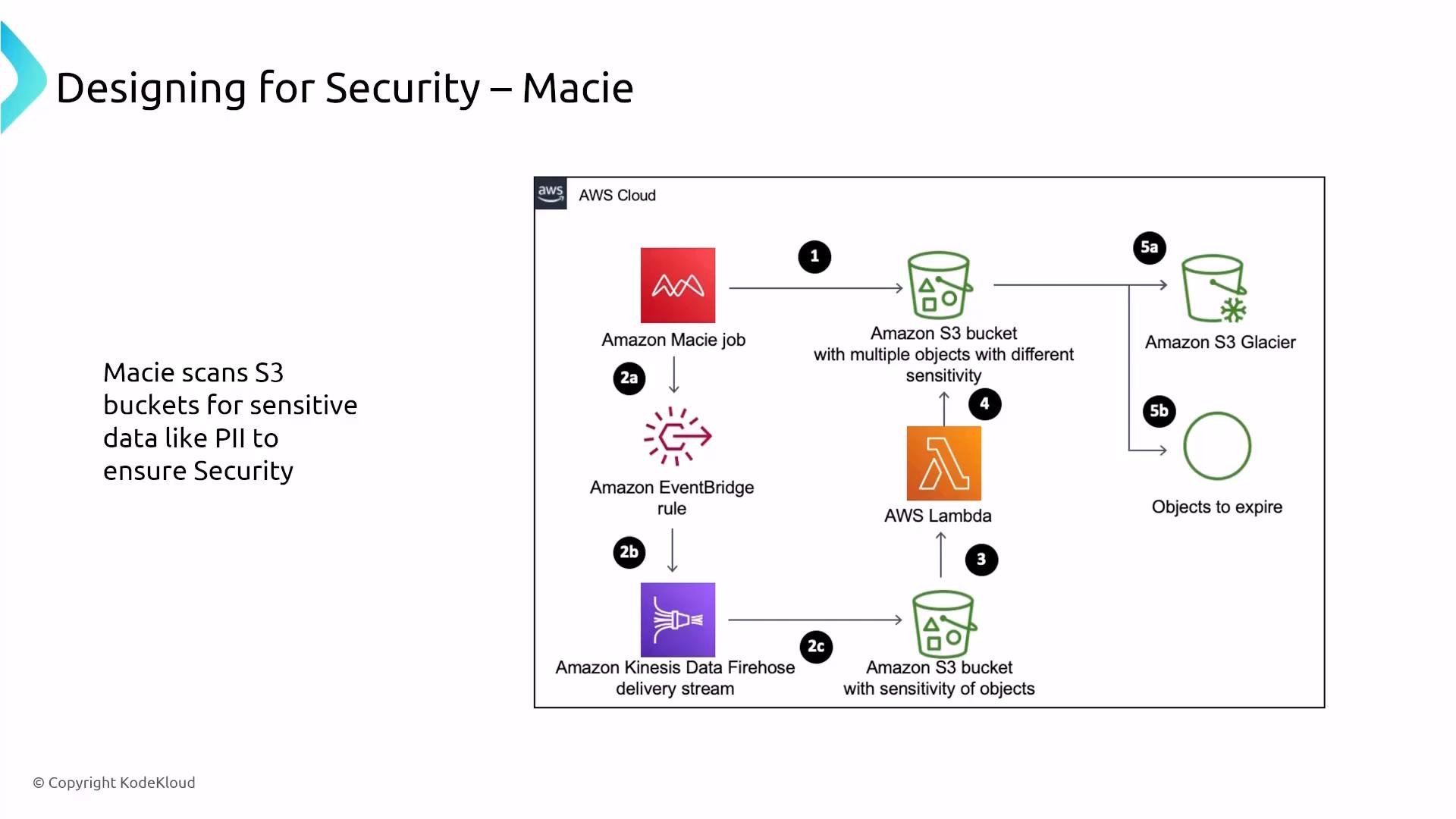
AWS Security Hub
Security Hub aggregates findings from GuardDuty, Inspector, Macie, and partners. Treat Security Hub as a central dashboard — control access via IAM and ensure findings feed into prioritization and remediation workflows. Summary table — Detection services:The power of encryption: KMS and CloudHSM
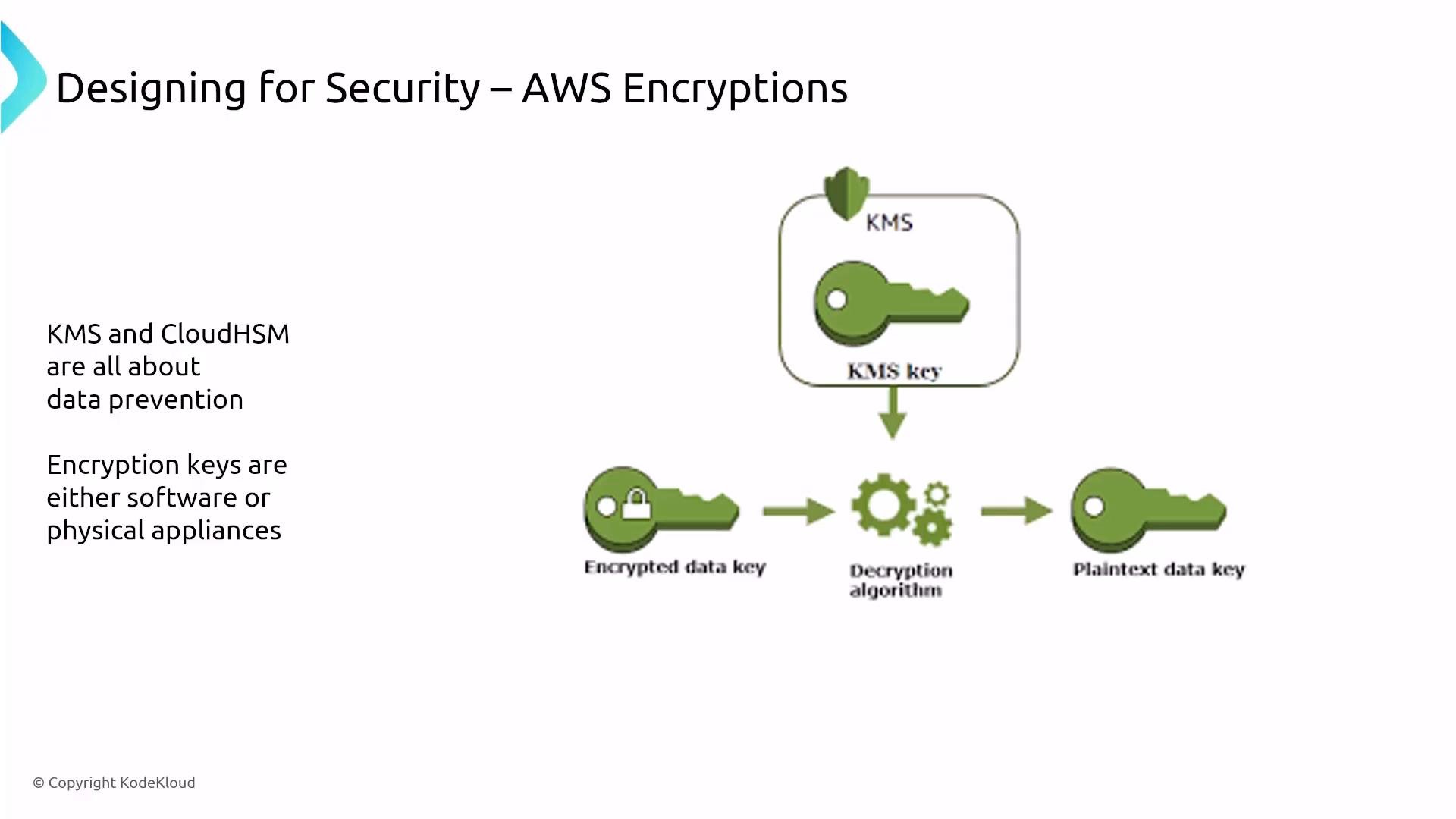
Key management and HSM choices:- AWS KMS — managed key service (AWS-managed or customer-managed CMKs), integrated with AWS services for envelope encryption and centralized key policies.
- AWS CloudHSM — single-tenant hardware security modules for customers needing dedicated hardware and direct HSM control.
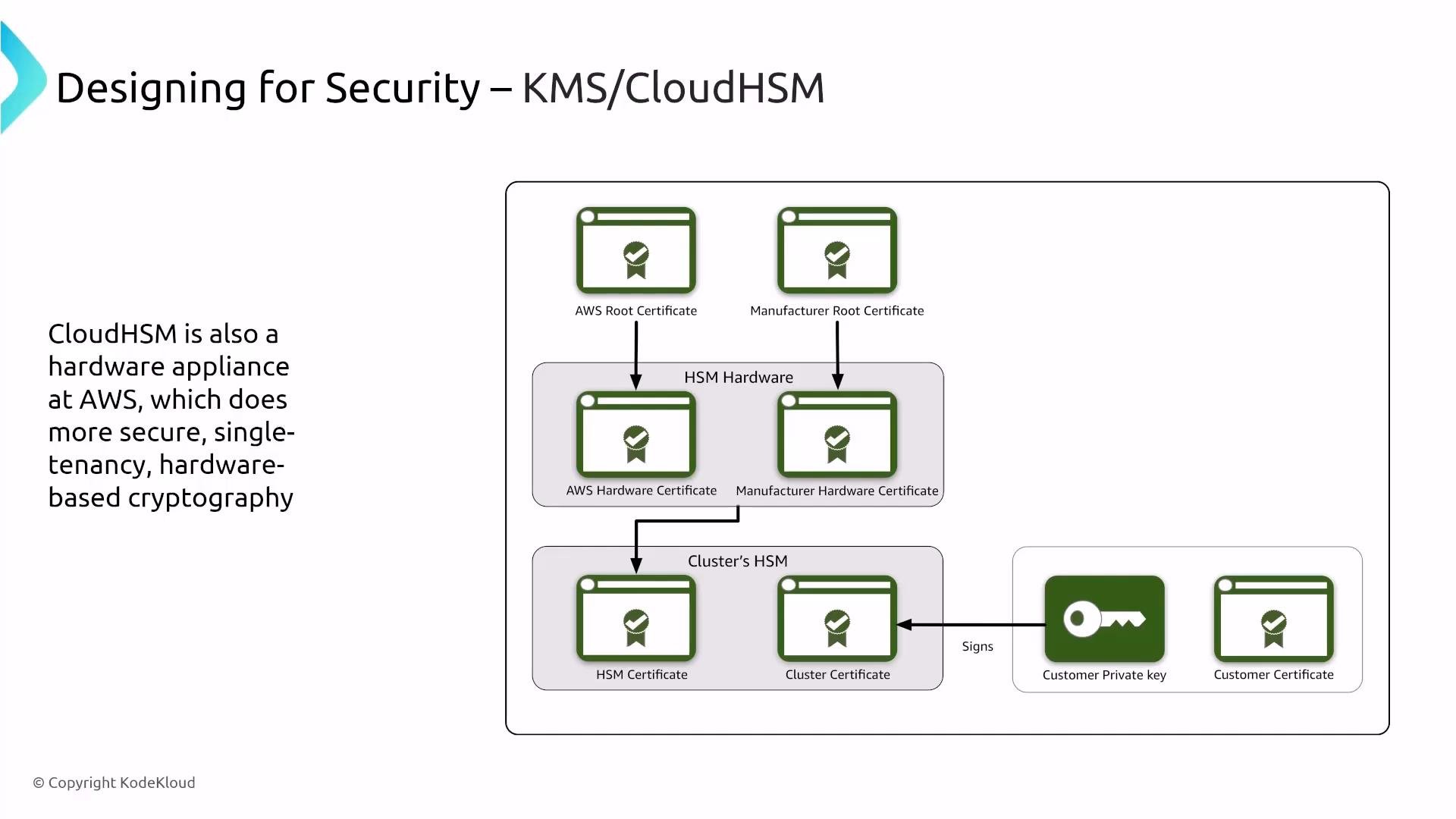
This completes Part 1 of turning up security on security services. The recurring theme: most AWS security services are secure-by-default and fully managed — your role as a solutions architect is to enable the right services, enforce least-privilege access, ensure logging and monitoring (CloudTrail / CloudWatch / AWS Config), and wire findings into remediation and governance workflows.
Links and references
- AWS Identity and Access Management (IAM) — https://docs.aws.amazon.com/iam/
- AWS IAM Identity Center — https://docs.aws.amazon.com/singlesignon/
- Amazon Cognito — https://docs.aws.amazon.com/cognito/
- AWS Directory Service — https://docs.aws.amazon.com/directoryservice/
- Amazon Verified Permissions — https://docs.aws.amazon.com/verified-permissions/
- AWS CloudTrail — https://docs.aws.amazon.com/cloudtrail/
- Amazon CloudWatch — https://docs.aws.amazon.com/cloudwatch/
- AWS Config — https://docs.aws.amazon.com/config/
- AWS Artifact — https://docs.aws.amazon.com/artifact/
- Amazon GuardDuty — https://docs.aws.amazon.com/guardduty/
- Amazon Inspector — https://docs.aws.amazon.com/inspector/
- Amazon Macie — https://docs.aws.amazon.com/macie/
- AWS Security Hub — https://docs.aws.amazon.com/securityhub/
- AWS Key Management Service (KMS) — https://docs.aws.amazon.com/kms/
- AWS CloudHSM — https://docs.aws.amazon.com/cloudhsm/