

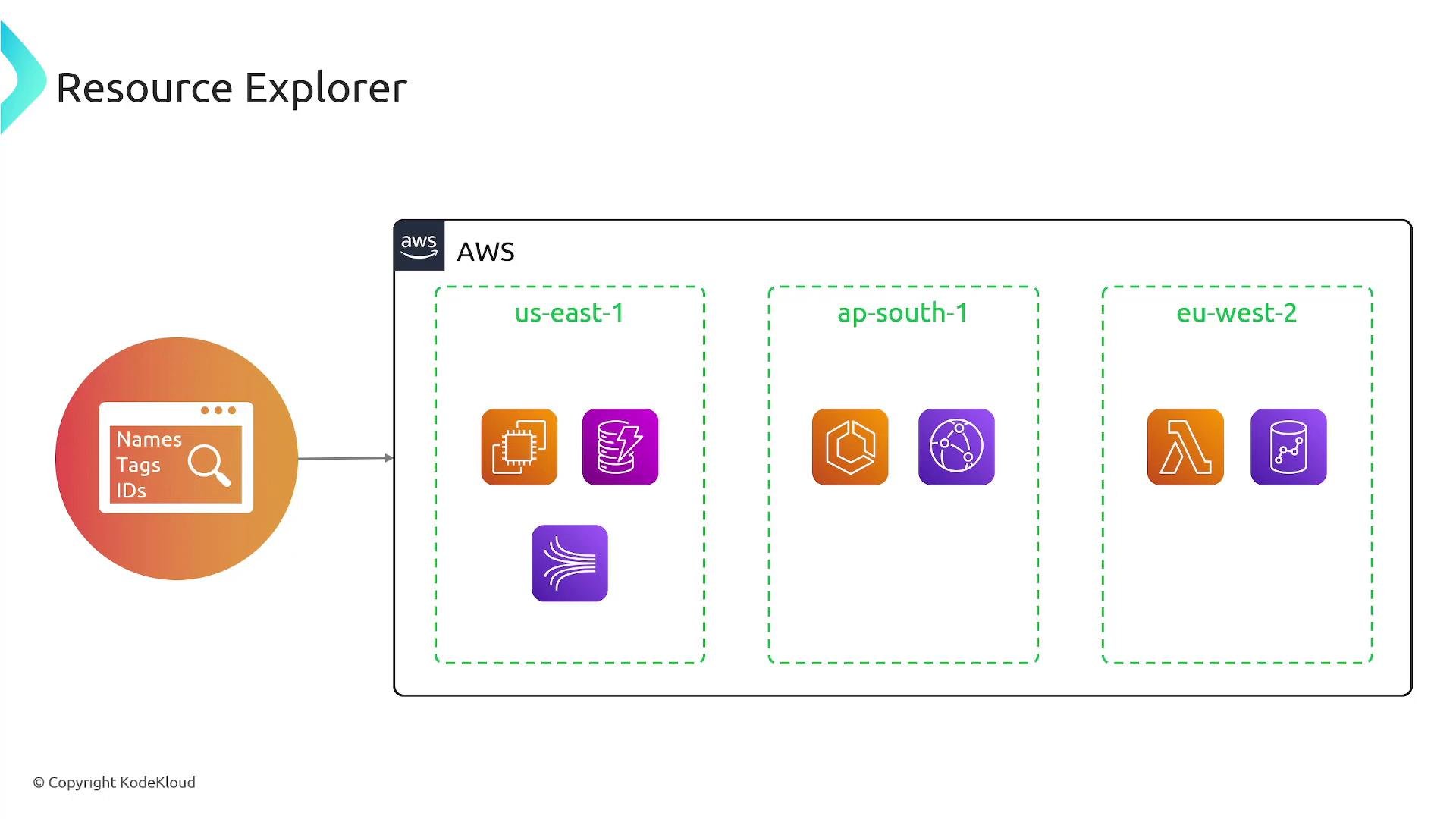
Roles and responsibilities
Two IAM role categories are commonly used with Resource Explorer:
Grant least-privilege IAM policies so administrators can manage configuration and users can run queries only for the data they need.
Indexes and replication
Resource Explorer organizes resource metadata into indexes.
When you enable Resource Explorer in a Region, it builds a local index that contains resource documents for that Region. If you designate an aggregator Region, other enabled Regions replicate their local indexes to the aggregator. Queries run against an aggregator return results from the replicated Regions once replication completes.
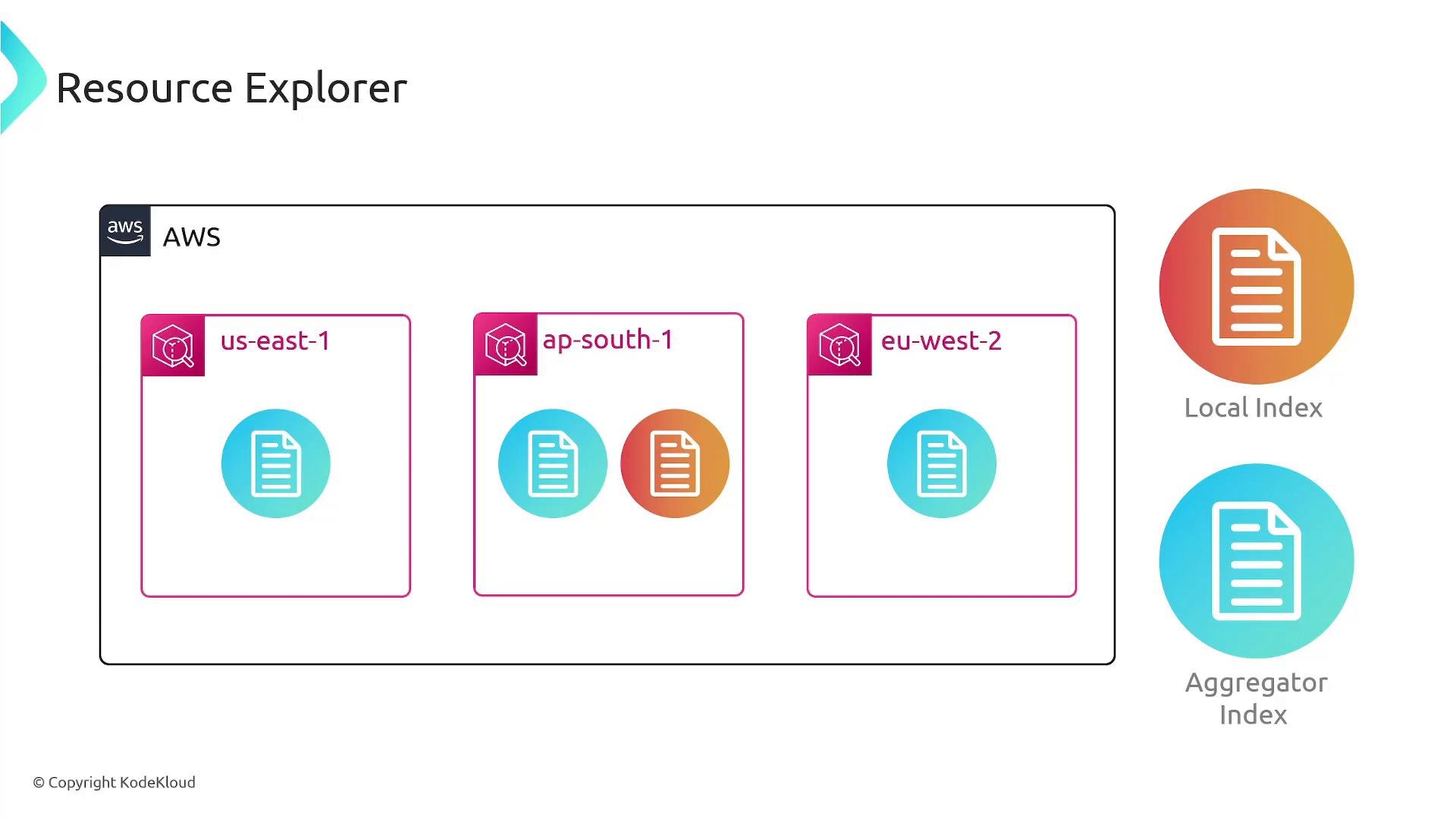
ap-south-1 as the aggregator Region. US East 1 and EU West 2 each keep their local indexes and replicate documents into ap-south-1. After replication, queries against the aggregator return resources from all three Regions.
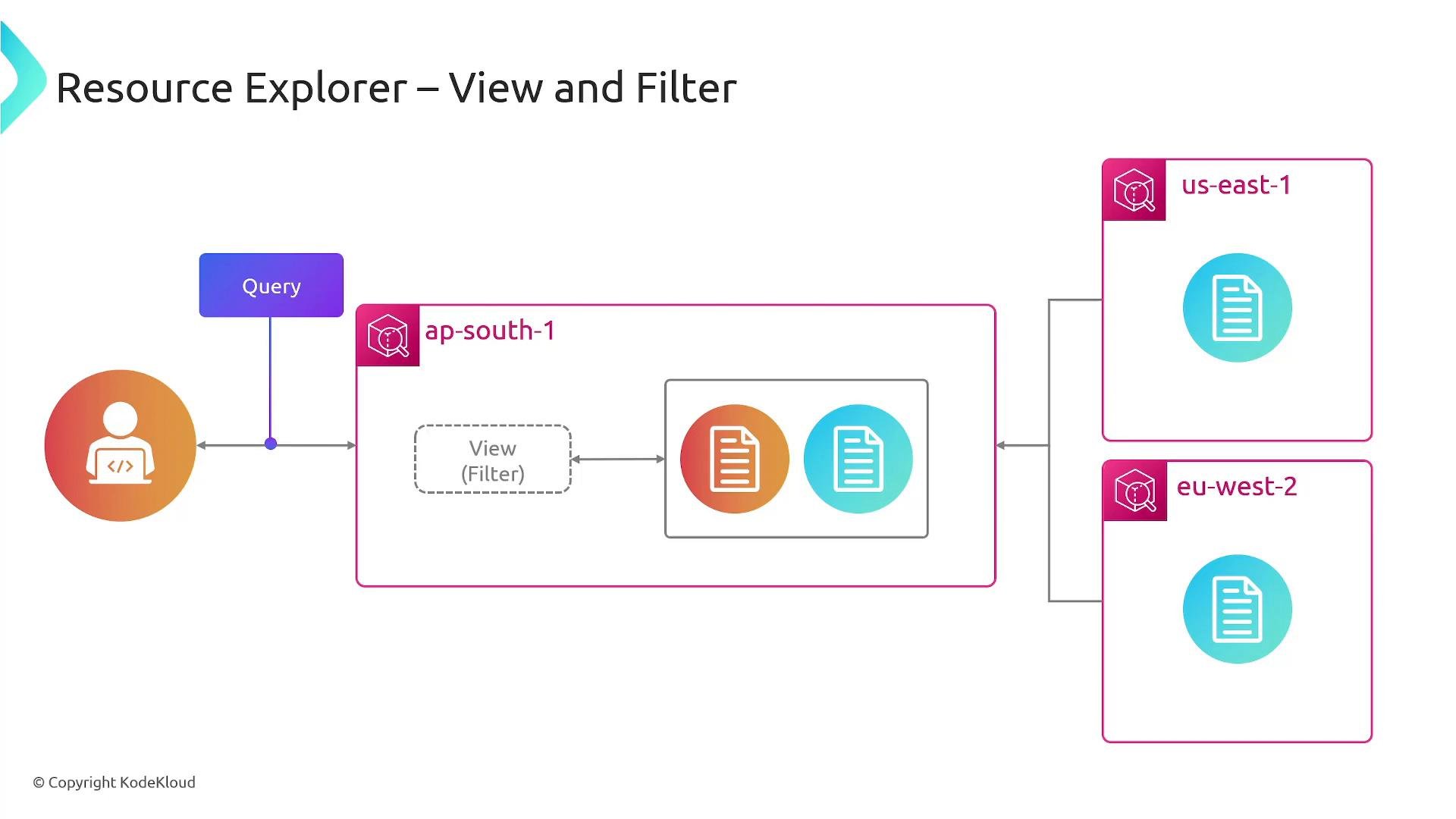
Views, queries, and filters
- Create views to scope search results by account, Region, resource type, tags, or other metadata. Views make it simple to tailor results for teams or auditors.
- Use tag-based queries and simple keywords to find resources quickly. Views + filters enable targeted reporting and operations workflows.
- Queries can be performed from:
- AWS Management Console: interactive searches and saved views
- AWS SDKs: integrate Resource Explorer into automation and tools
- AWS CLI: script searches and export results (ensure IAM permissions allow the actions)
How to get started (high-level)
- Enable Resource Explorer in the Regions you require.
- Optionally choose an aggregator Region to consolidate search results across Regions.
- Create views that reflect teams, projects, or compliance requirements.
- Grant IAM permissions for administrators (manage configuration) and users (search resources).
- Use the Console, SDKs, or CLI to run searches and incorporate results into reporting or automation.
Resource Explorer saves time and effort by providing a central search interface across Regions. It eliminates the need to build and maintain a custom search infrastructure for resource discovery and reporting.