

Firewall fundamentals
A firewall inspects network traffic and permits only traffic that matches a set of rules. Rules are categorized as:- Inbound (ingress): controls traffic entering a resource.
- Outbound (egress): controls traffic leaving a resource.
- Stateless: evaluates each packet independently; the firewall does not track connection state.
- Stateful: tracks connection state (for example, TCP sessions) and implicitly allows return traffic for an established connection.
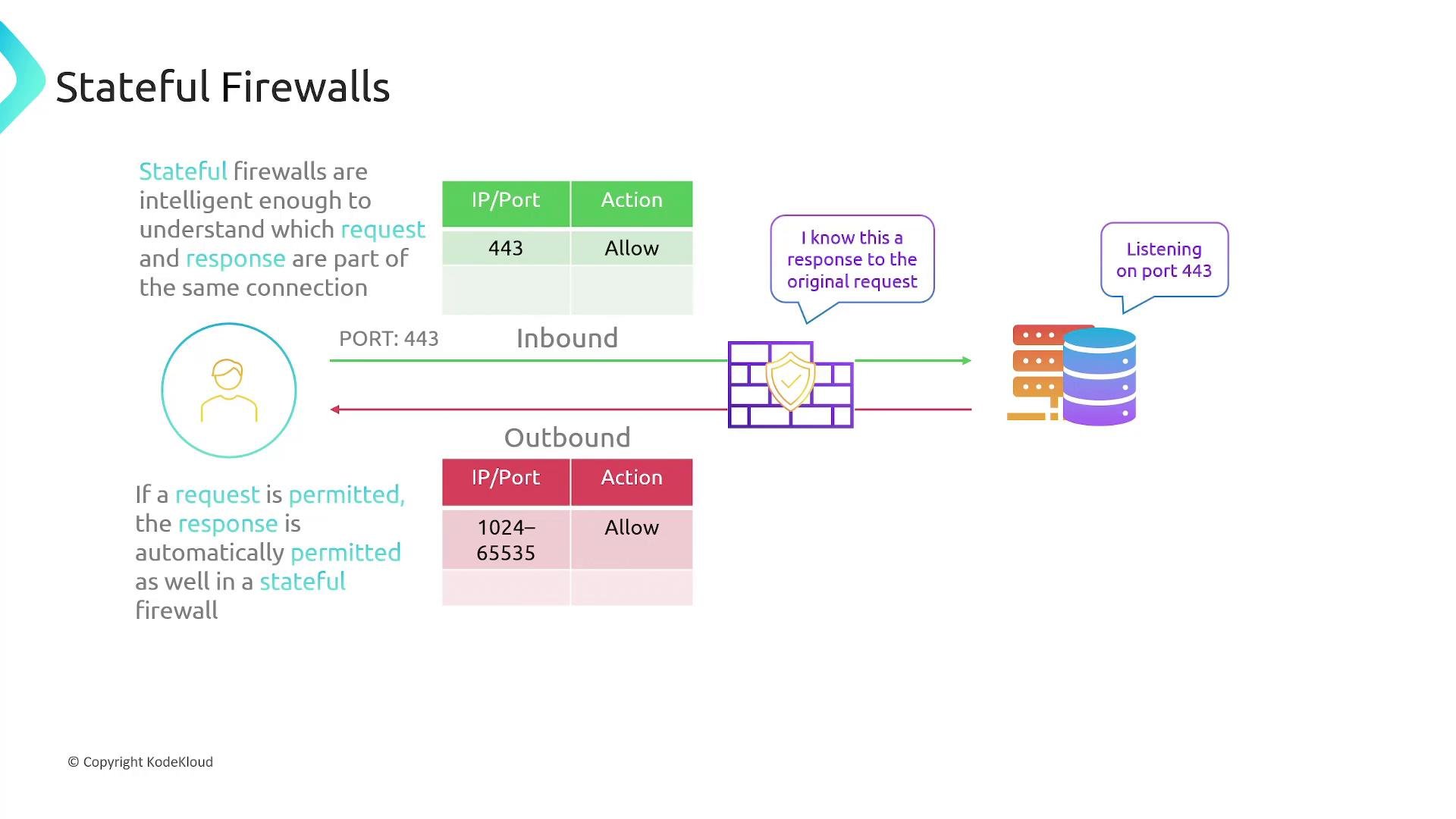
- Client sends a request to the server with destination port 443.
- Server replies from source port 443 to the client’s ephemeral source port (typically in the range 1024–65535).
- You must explicitly allow the inbound request (destination port 443) and also allow the outbound response (destination ephemeral port range).
- If the server initiates an outbound connection (for example, to an update server on port 80), you need rules allowing outbound port 80 and inbound ephemeral ports for the response.
- Key point: the firewall does not infer that a response should be allowed just because the request was allowed.
- Allowing inbound HTTPS (port 443) causes the firewall to track the TCP session and automatically permit the outbound response to the client’s ephemeral port.
- If the server initiates an outbound connection on port 80, only an outbound rule for port 80 is required; the corresponding inbound response is implicitly allowed.
How this maps to AWS
AWS exposes two complementary firewall mechanisms within a VPC:- Network Access Control Lists (NACLs): operate at the subnet level and are stateless.
- Security Groups: act at the resource level (ENIs, EC2, RDS, LBs) and are stateful.
Network Access Control Lists (NACLs)
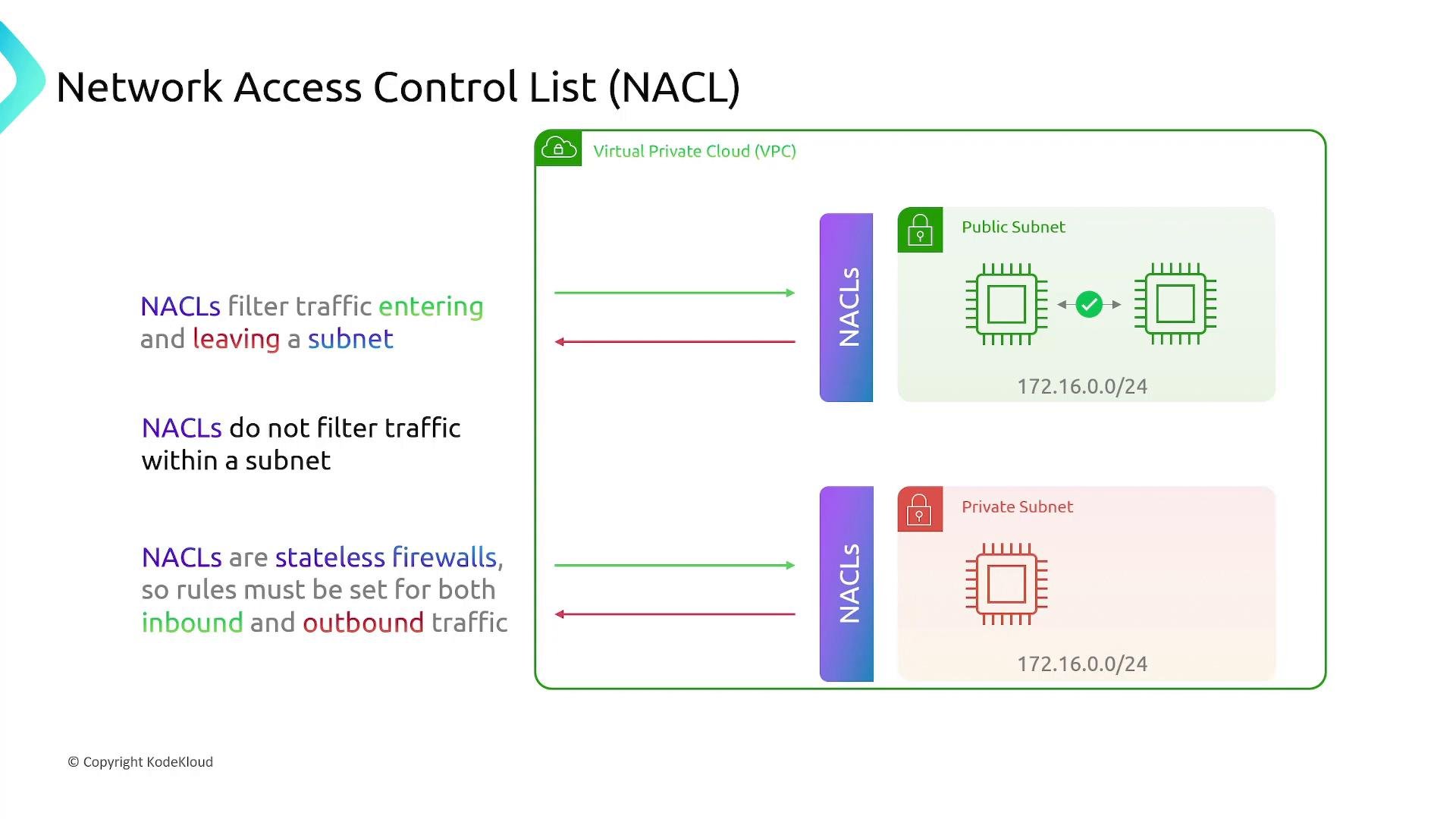
Key characteristics:- NACLs filter traffic entering and leaving a subnet in a VPC.
- Each subnet is associated with exactly one network ACL at a time, but a NACL can be associated with multiple subnets.
- NACLs are stateless — you must explicitly configure both inbound and outbound rules for each flow.
- NACLs do not evaluate traffic between instances within the same subnet.
Allow or Deny traffic.
Security Groups
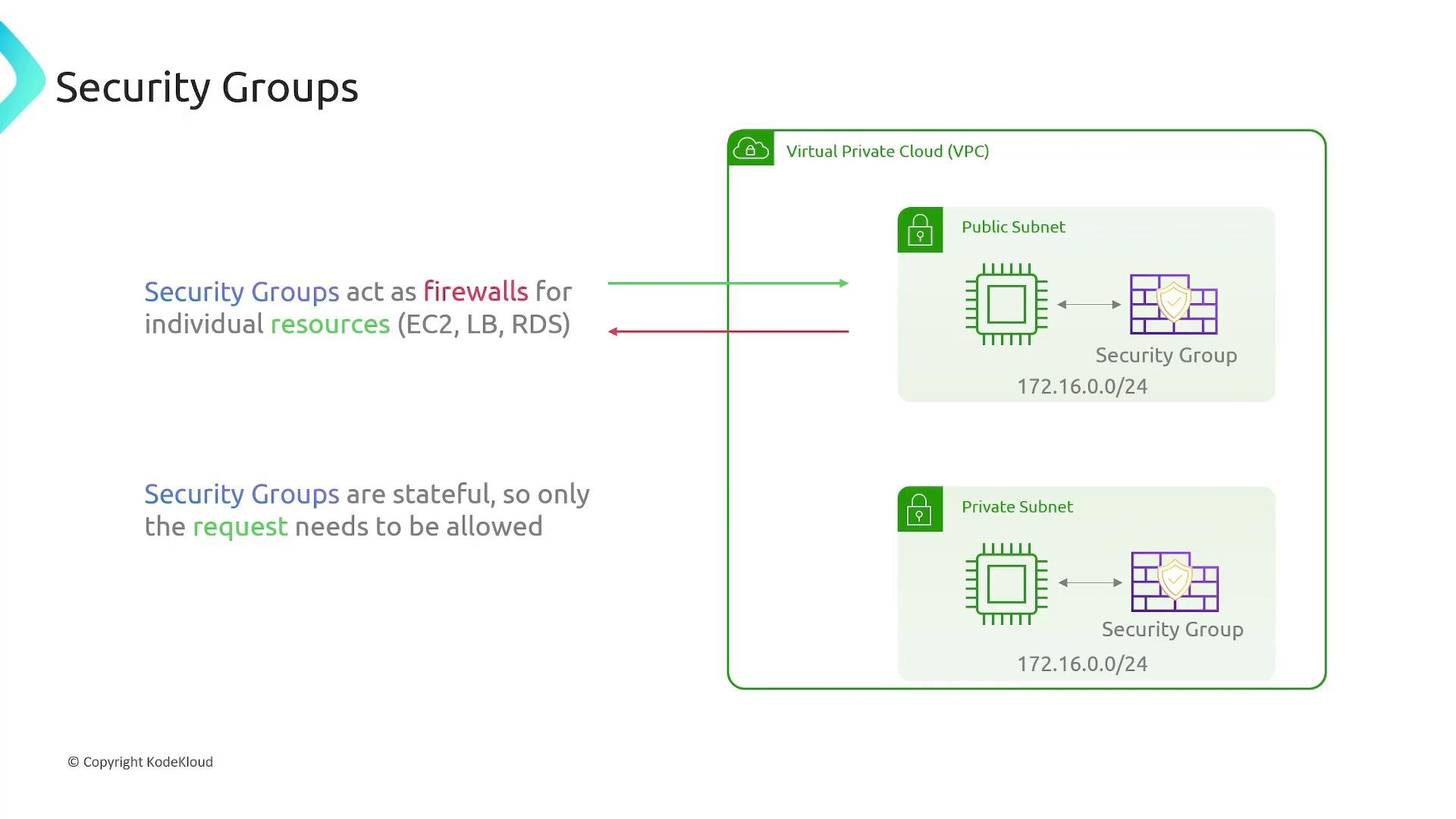
Key characteristics:- Security groups act as virtual firewalls for individual resources (EC2 instances, ENIs, load balancers, RDS instances, etc.).
- Security groups are stateful: return traffic for an allowed request is automatically permitted.
- Security group rules are allow-only — there is no explicit deny rule. All traffic not explicitly allowed is implicitly denied.
Configuring Security Group rules (AWS Console)
Security groups show separate Inbound and Outbound sections; the rule fields look identical for both directions. Common rule fields:- Name / description (optional) — human-friendly label.
- Rule ID (internal) — unique identifier.
- IP version — IPv4 or IPv6.
- Type / Protocol / Port range — e.g., HTTP → TCP port 80, HTTPS → TCP port 443, or a custom rule.
- Source (inbound) or Destination (outbound) — a CIDR range like
0.0.0.0/0or a single IP like1.1.1.1/32.
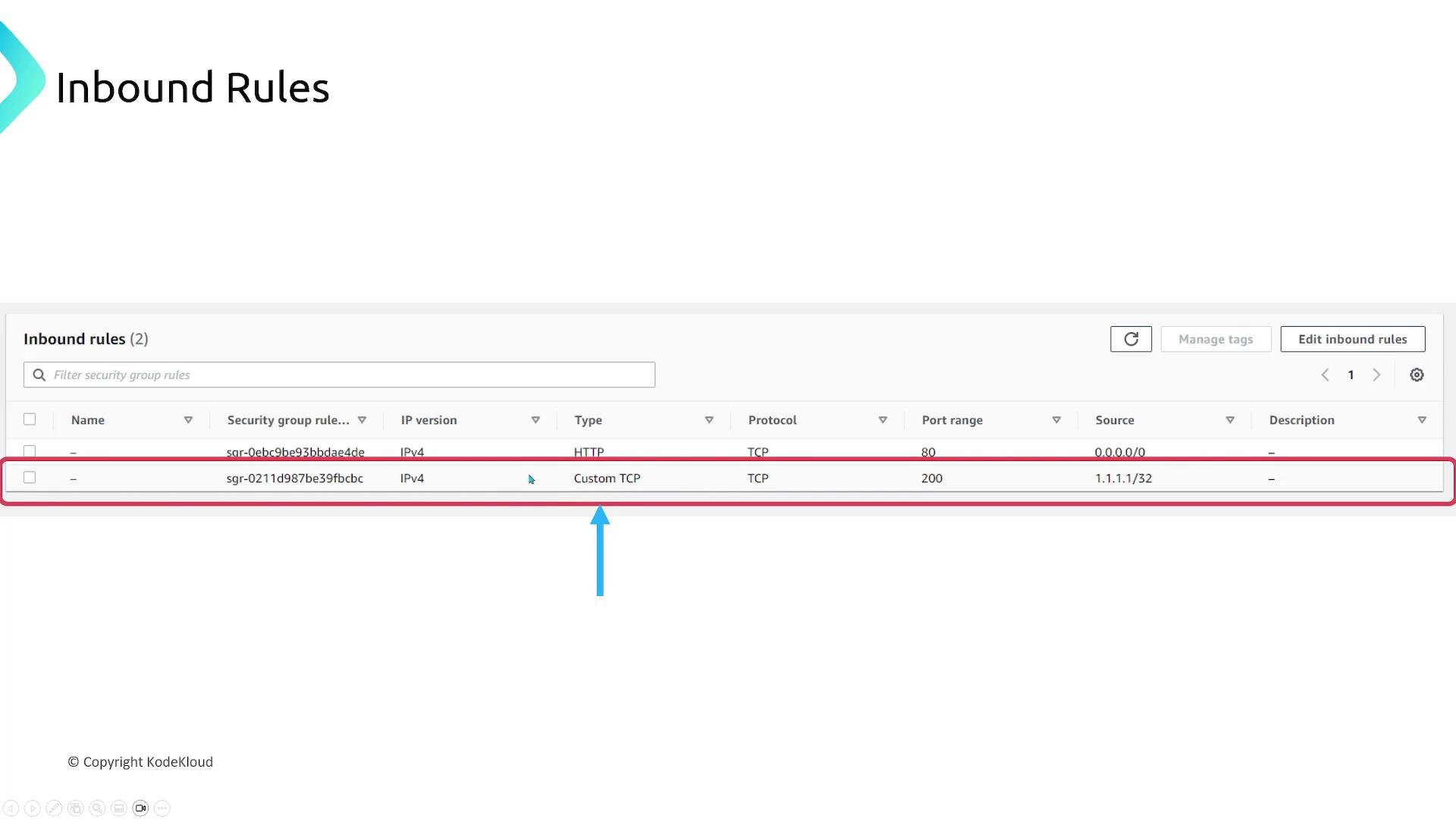
0.0.0.0/0). You can remove or tighten that rule depending on your security posture.
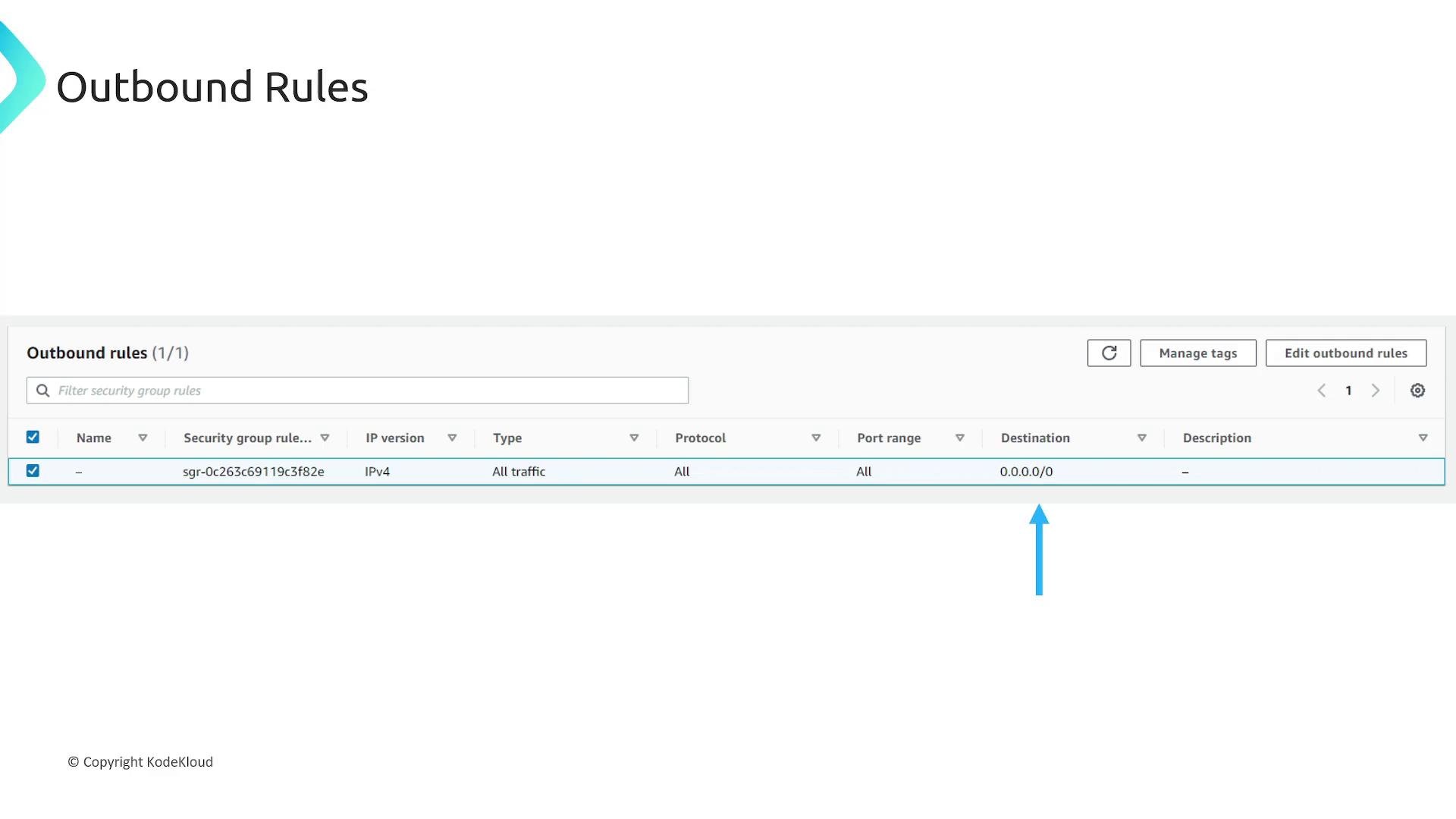
Security groups use allow-only rules; unspecified traffic is implicitly denied. Newly created security groups include a default outbound rule that allows all outbound traffic — remove or restrict it if you need tighter egress controls.
NACL rule differences
- Rules are numbered and processed in ascending order; the first matching rule applies.
- NACLs can explicitly
AlloworDenytraffic. - Being stateless, NACLs require explicit, matching entries for both directions of a connection.
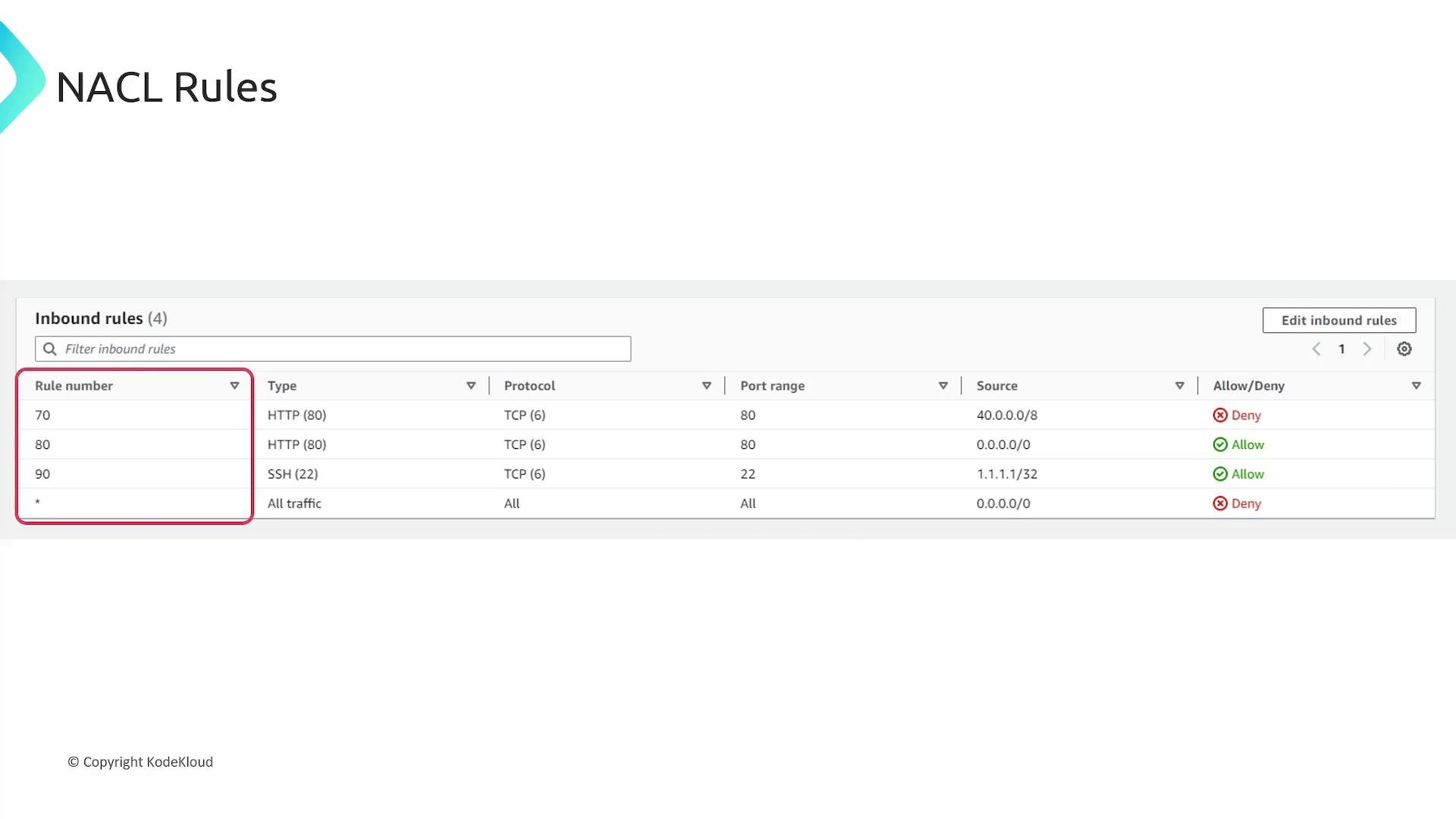
Multiple security groups and effective ruleset
- You can attach multiple security groups to a resource (for example, an EC2 instance).
- The effective ruleset is the union of all rules from attached security groups. If any attached group permits a flow, it is allowed (subject to NACLs and routing).
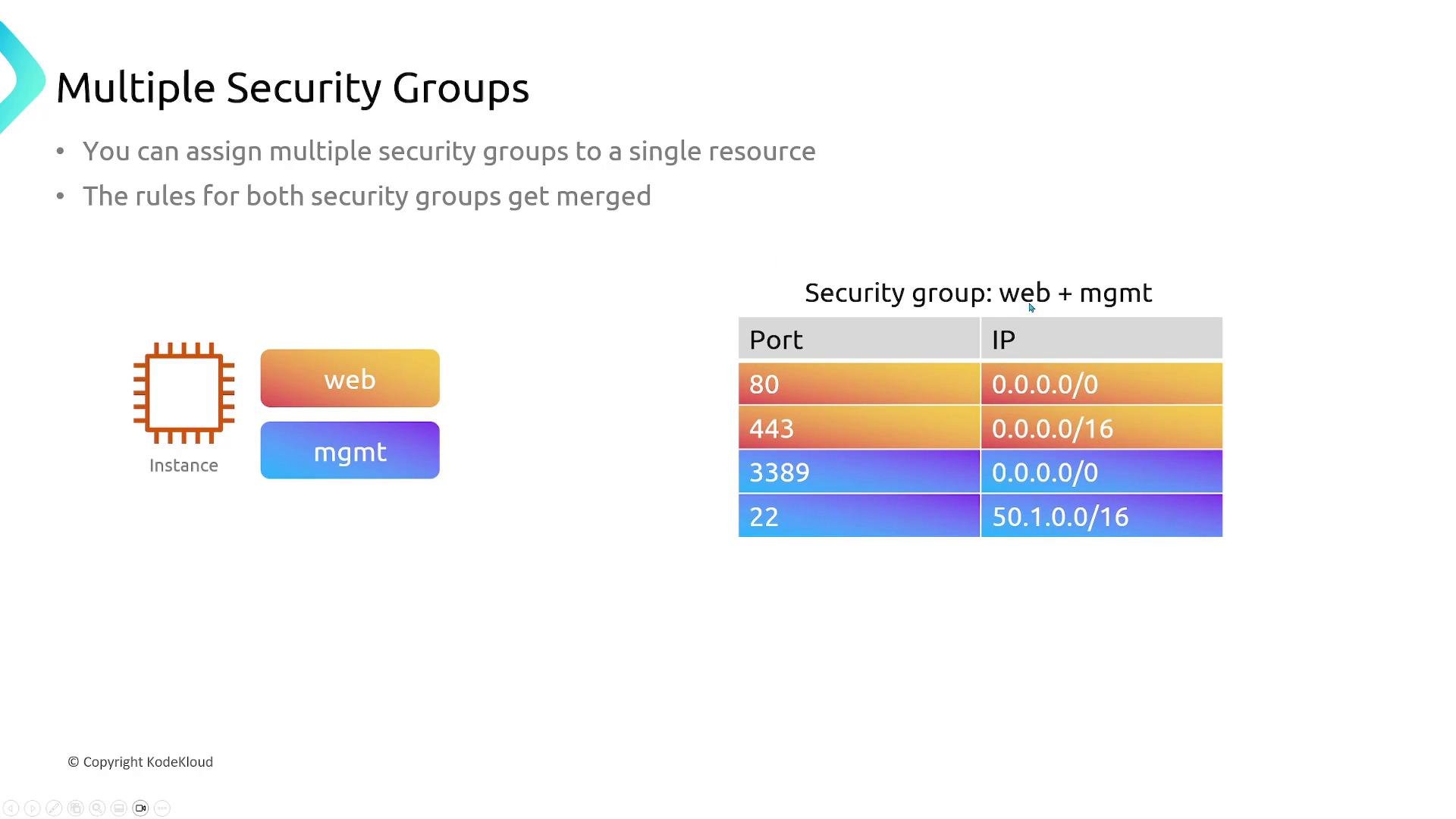
Default behaviors, associations, and exceptions
- By default, security groups allow all outbound traffic until you change the outbound rules.
- Every subnet in a VPC must be associated with a network ACL.
- A network ACL can be associated with multiple subnets, but each subnet can only be associated with one NACL at a time.
- Amazon DNS
- DHCP traffic
- EC2 instance metadata and ECS task metadata endpoints
- Windows license activation
- Amazon Time Sync Service
- Reserved VPC router IP addresses
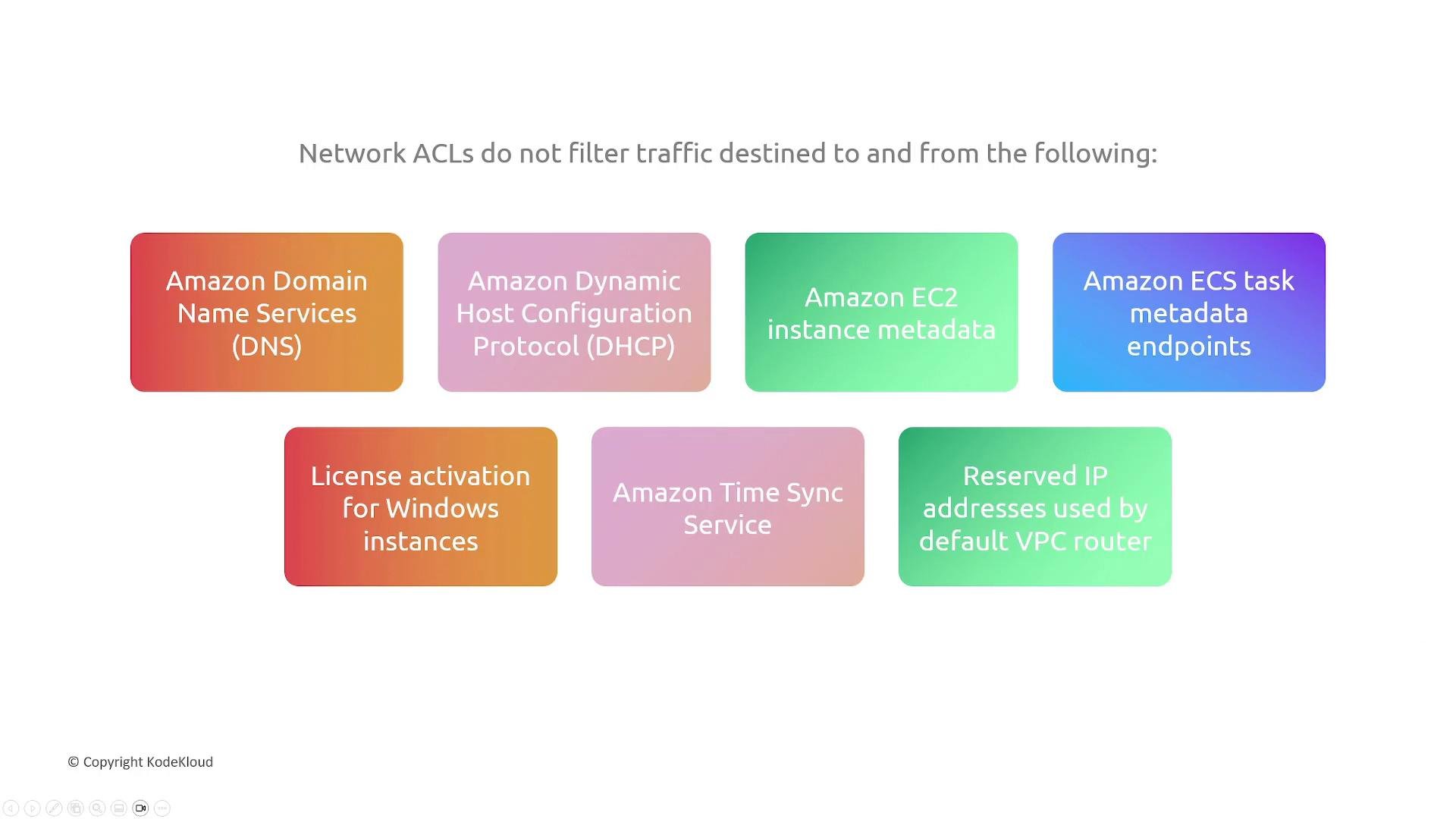
Because NACLs are stateless and can explicitly deny traffic, be careful when adding deny rules: rule order matters. If you add a deny that blocks legitimate return traffic, you must also add matching allow rules for the reverse flow.
Quick comparison tables
Summary
- Stateless firewalls (like NACLs) evaluate each packet independently and require explicit ingress and egress rules for a complete flow.
- Stateful firewalls (like Security Groups) track connections and automatically allow return traffic for established sessions.
- NACLs filter traffic at the subnet boundary, are stateless, and can explicitly allow or deny traffic (rule-number order matters).
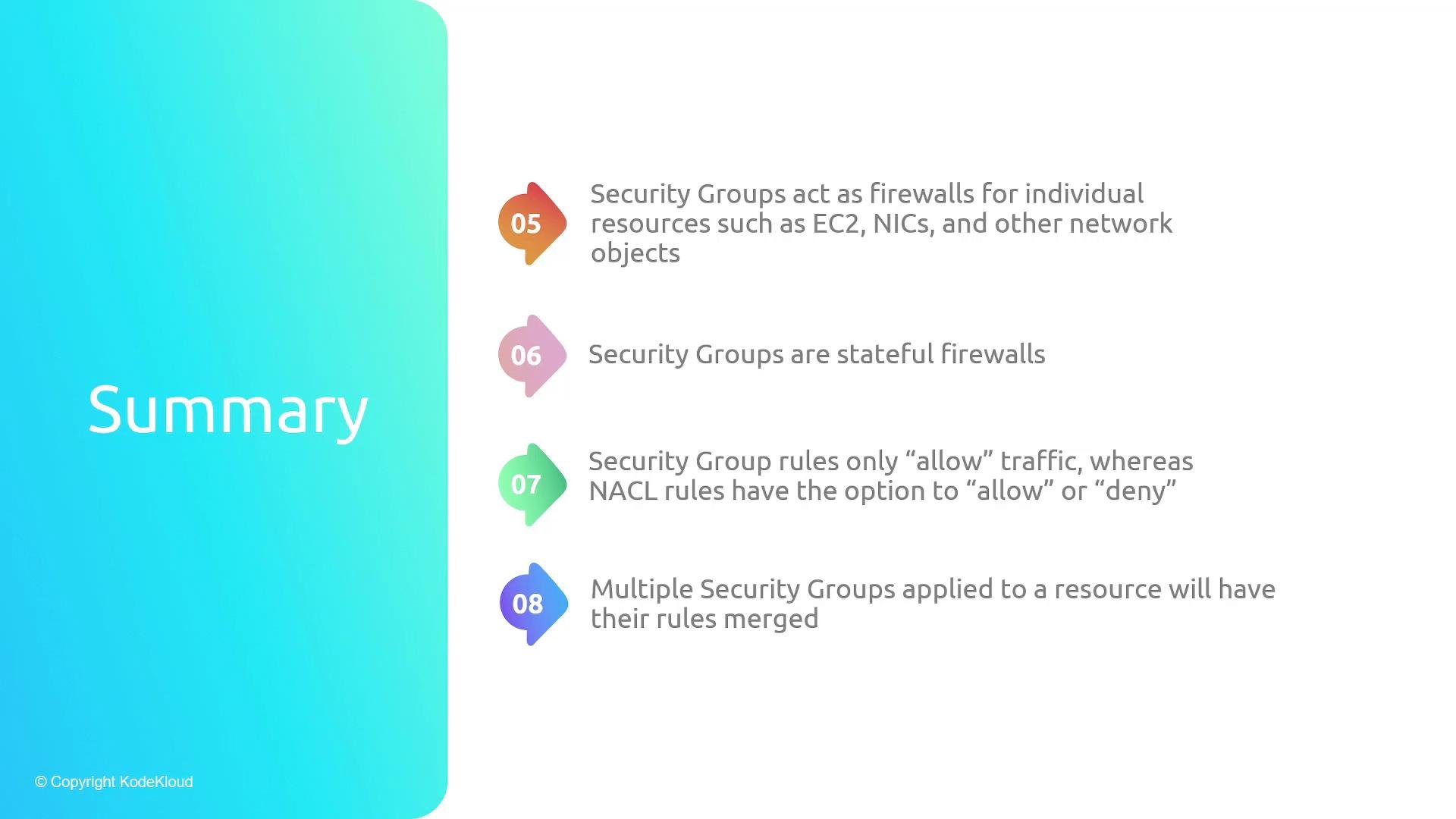
- Security Groups are stateful, attached to resources, and only contain allow rules; multiple security groups combine their rules into an effective allowlist.
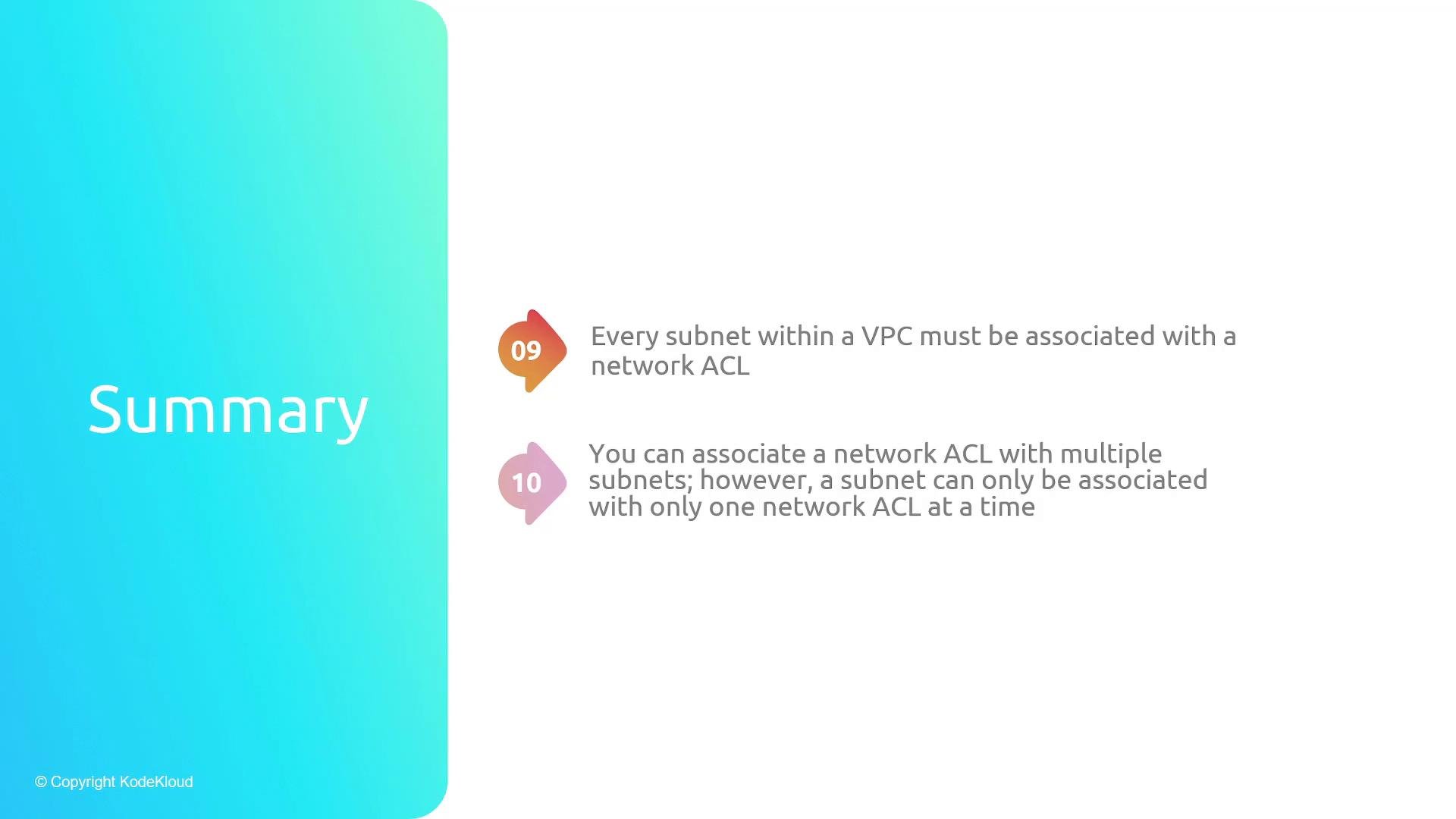
- Every subnet must be associated with a network ACL; a NACL can cover multiple subnets, but a subnet can only have one NACL association.
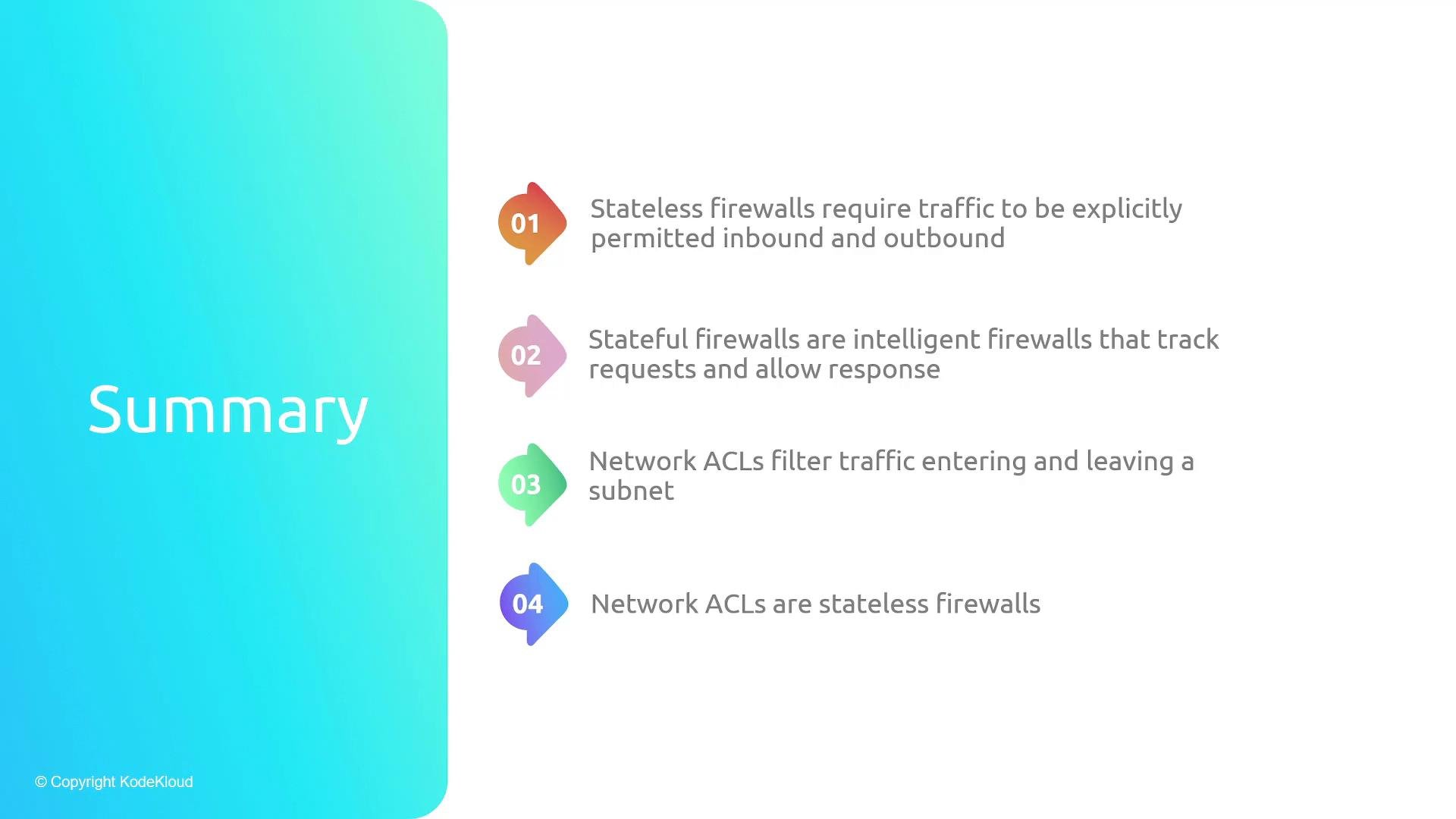
- Security groups act as stateful firewalls for resources, only allow traffic (no deny), and multiple security groups’ rules are merged to form the effective allowlist.
- Remember: every subnet in a VPC must be associated with a network ACL; an ACL can be used by multiple subnets, but a subnet may be associated with only one ACL at a time.
Links and references
- AWS Security Groups — https://docs.aws.amazon.com/vpc/latest/userguide/VPC_SecurityGroups.html
- AWS Network ACLs — https://docs.aws.amazon.com/vpc/latest/userguide/vpc-network-acls.html
- TCP/IP ephemeral port ranges — (varies by OS; commonly 1024–65535)