

- Just as health reports collect metrics (blood sugar, cholesterol, weight) to determine overall health, monitoring systems collect operational metrics (CPU, memory, request latency) to assess the health of your services.
- Metrics let you observe current health, analyze historical trends, and investigate incidents (for example, “what happened Saturday night?”).
- A way to collect metrics from targets (applications, servers, containers).
- Durable time-series storage to retain metrics for historical analysis.
- A query language and API to retrieve and slice metrics quickly.
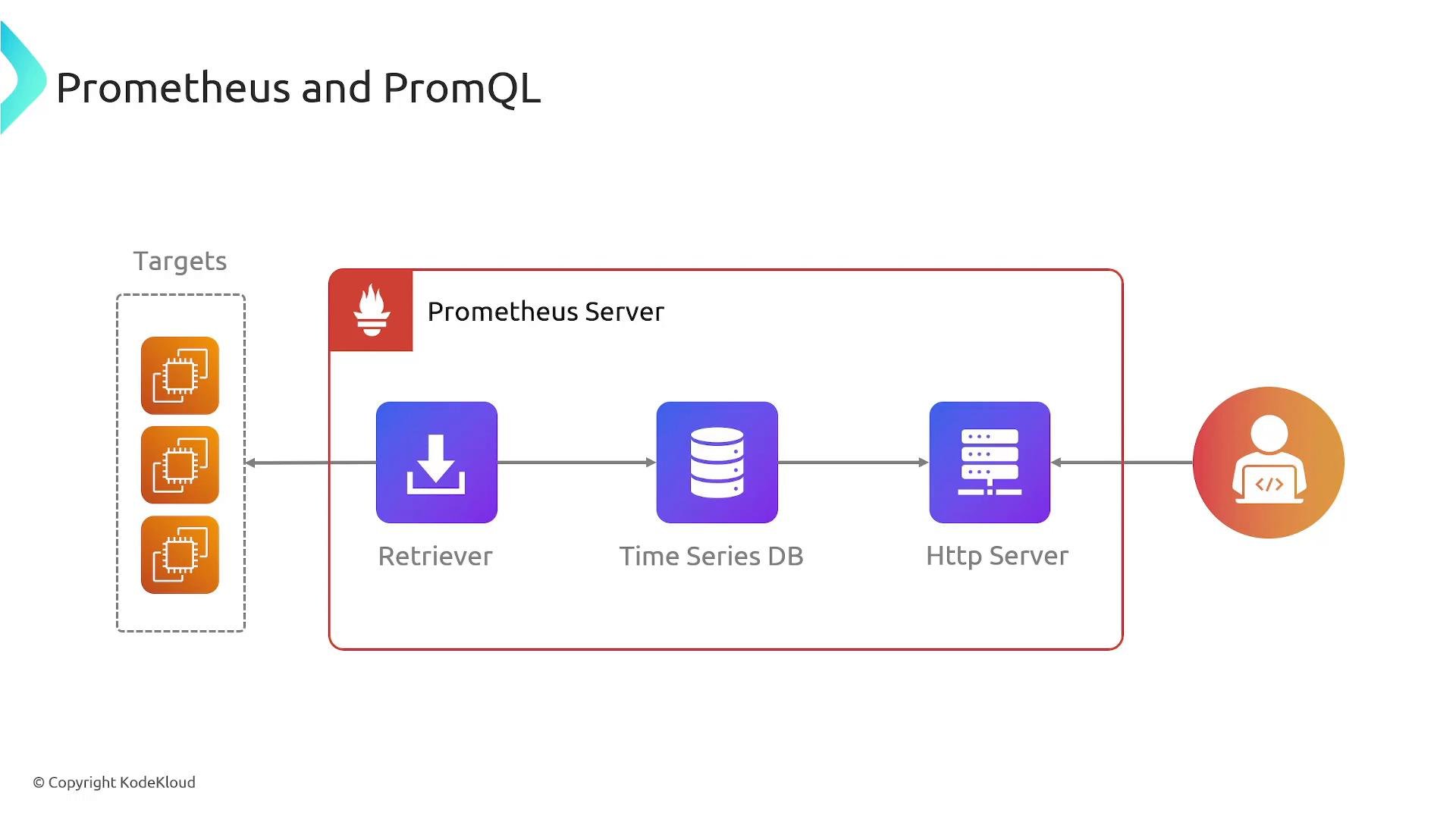
- Scrapes metrics from instrumented targets.
- Stores them in a time-series database.
- Exposes a powerful query language, PromQL, for aggregation and analysis.
- Targets: services or applications exposing metrics (HTTP endpoints, exporters).
- Scraper: pulls metrics from targets at configured intervals.
- Time-series DB: stores metric samples and associated labels.
- HTTP server: exposes metrics, PromQL endpoints, and status APIs.
- Amazon EKS, Amazon ECS
- Amazon EC2
- AWS Lambda
- On-premises servers
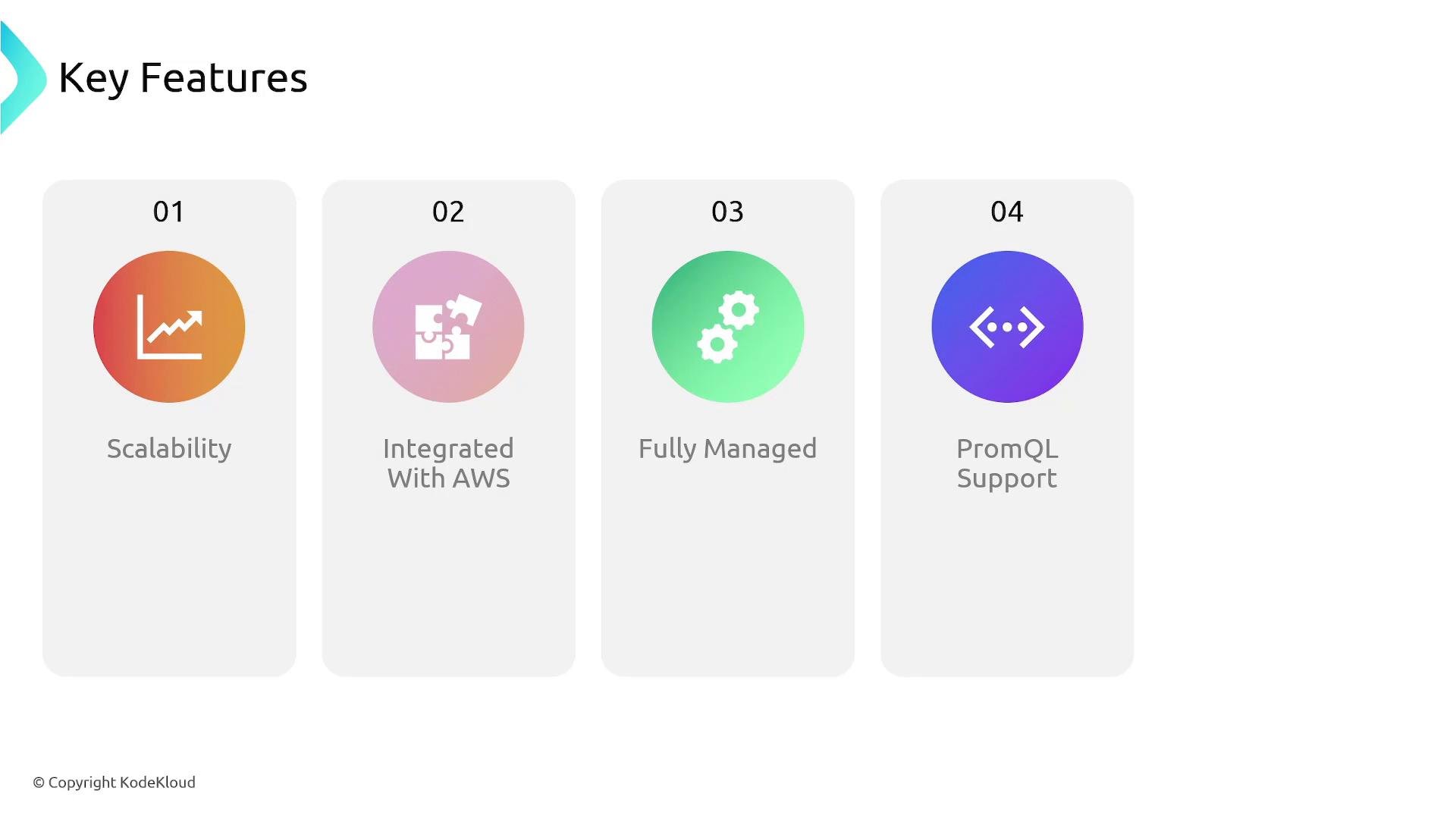
- Automatic scaling for ingestion and storage
- Deep integration with AWS services
- No manual infrastructure management (setup, upgrades, scaling)
- Full PromQL compatibility
- Cost efficiency: pay for what you use
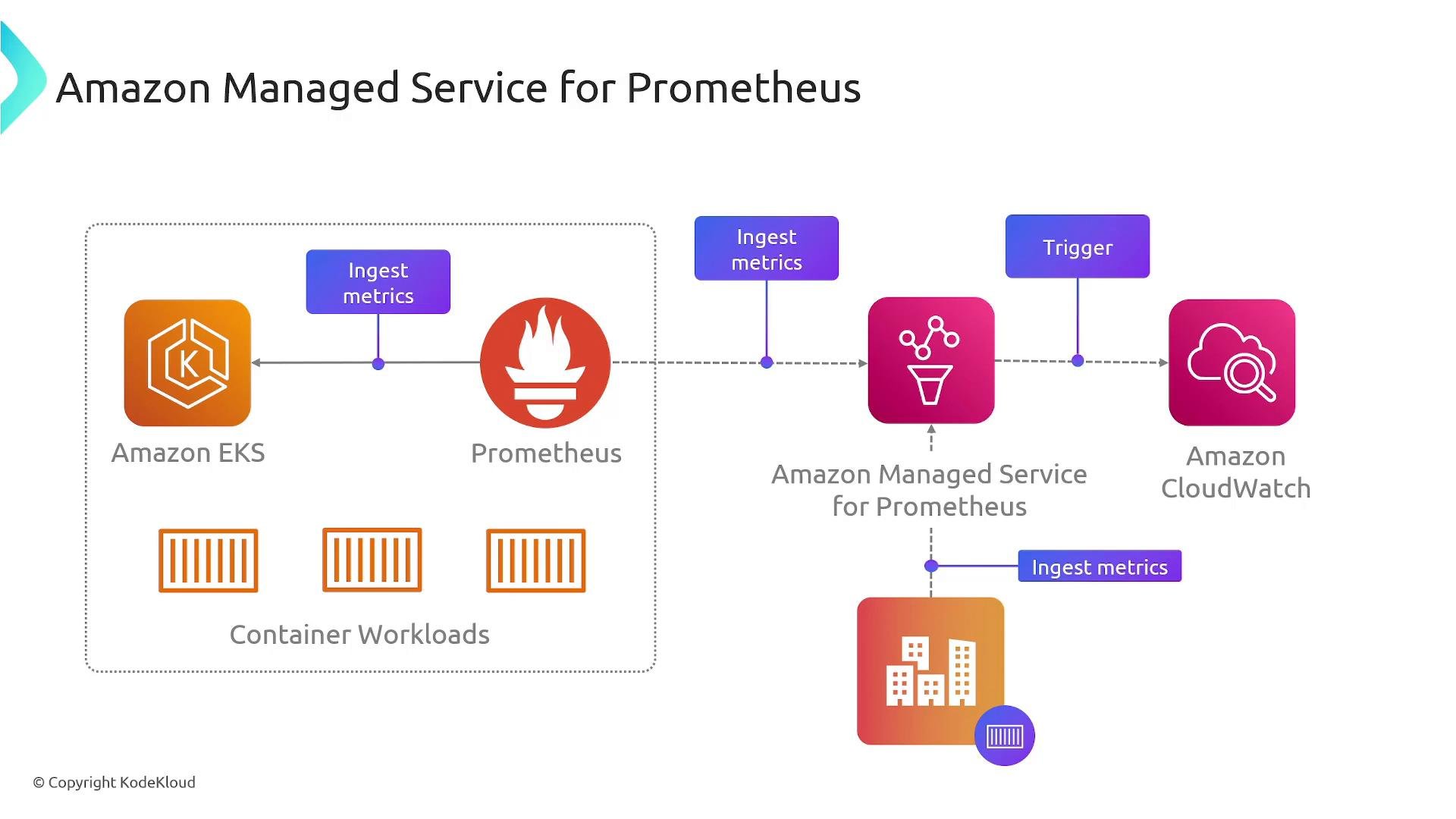
- Service discovery: Prometheus discovers targets across environments (EKS, on-prem, etc.) and scrapes metrics from them.
- Alerting rules: Prometheus evaluates rules and generates alerts when thresholds are breached.
- Integration: In AWS setups, alerts and metrics can be forwarded or connected to CloudWatch and other AWS services to fit existing operational workflows.
- Prometheus scrapes containers and services (EKS, on-prem).
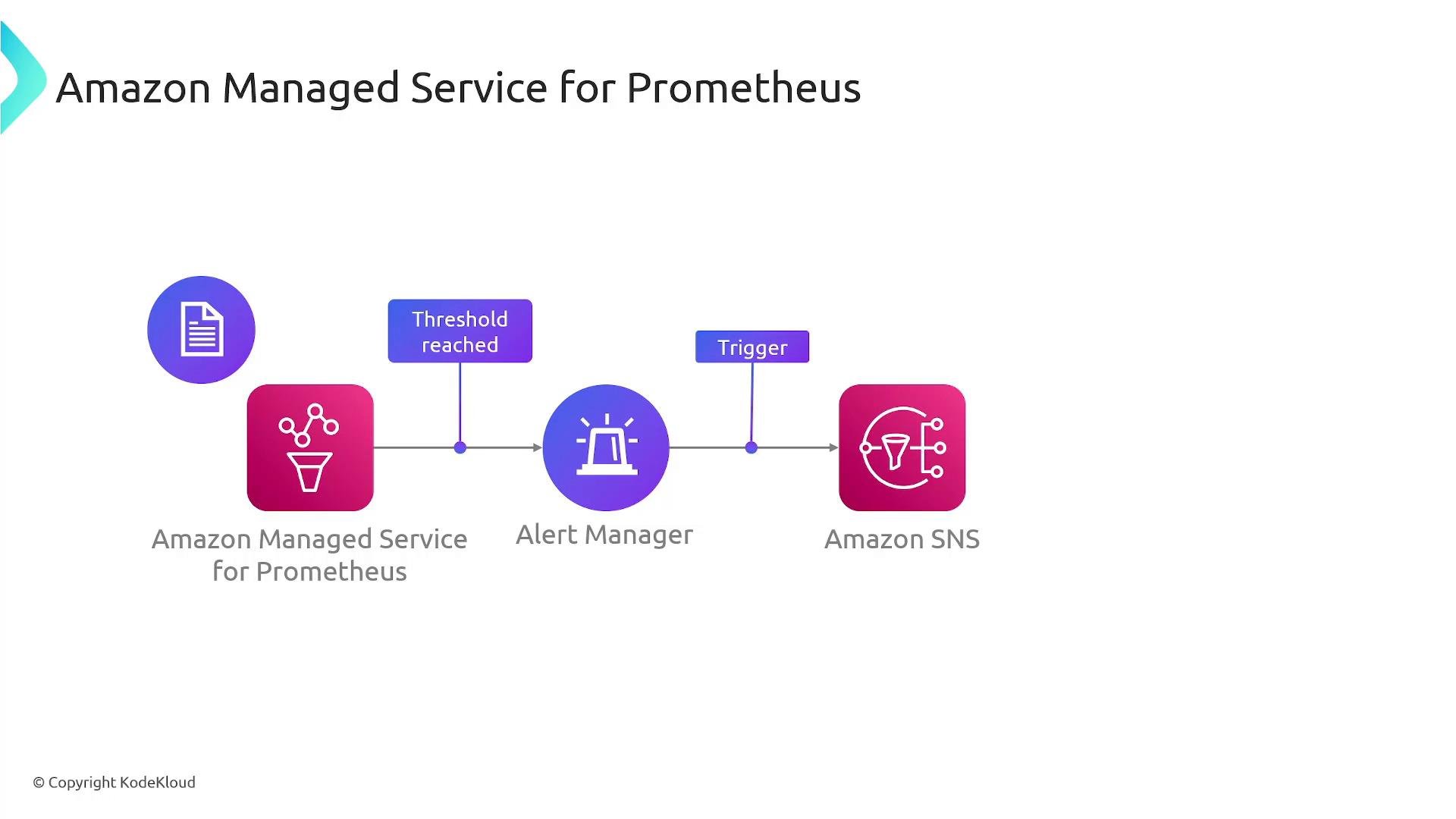
- Prometheus evaluates alerting rules and forwards alerts to Alertmanager.
- Alertmanager groups, silences, and routes alerts, and can forward notifications to AWS channels like SNS or CloudWatch.
- Prometheus sends the alert to Alertmanager.
- Alertmanager handles grouping, inhibition, and silencing and routes alerts to the proper receivers.
- In AWS integrations Alertmanager can post to an SNS topic (via webhook or integrations). SNS then delivers notifications to email, SMS, Lambda, or other subscribers.
- CloudWatch can be incorporated into this workflow so teams reuse existing alarm actions and on-call integrations.
When to choose AMP vs self-managed Prometheus
- Use AMP when you want to offload operational tasks (scaling, durability, upgrades) and prefer AWS-native integration.
- Use self-managed Prometheus when you need complete control over configuration, retention, or custom deployment topologies and are prepared to operate the infrastructure.
- Instrument services with sensible metrics and labels.
- Leverage service discovery for dynamic environments (EKS, ECS).
- Keep alerting rules actionable and avoid noise; route alerts through Alertmanager for grouping and silencing.
- Use AMP or a federated setup for large-scale environments to handle long-term storage and high ingestion rates.
- Prometheus collects and stores time-series metrics and exposes them via PromQL.
- Operating Prometheus at scale requires managing ingestion, storage, and availability; a managed service like AMP reduces that burden.
- AMP supports standard Prometheus workflows (scraping, PromQL, alerting) and integrates with AWS services; Alertmanager can route alerts into AWS notification systems (SNS, CloudWatch) to reach on-call teams quickly.
Note: For the AWS Solutions Architect Associate Certification exam you do not need deep implementation details of Prometheus; understanding its role (metrics collection, time-series storage, PromQL, and integration points such as Alertmanager/SNS/CloudWatch) is sufficient.