

- Subnet A exists in Availability Zone us-east-1a. Any resource launched into Subnet A runs in us-east-1a.
- Subnet B exists in Availability Zone us-east-1b. Any resource launched into Subnet B runs in us-east-1b.
- Public subnet: Has a route to an Internet Gateway (IGW) and, when instances have public IPs, they can be reached from the internet.
- Private subnet: Lacks a direct route to an IGW. Instances here usually access the internet via a NAT Gateway or NAT instance if required.
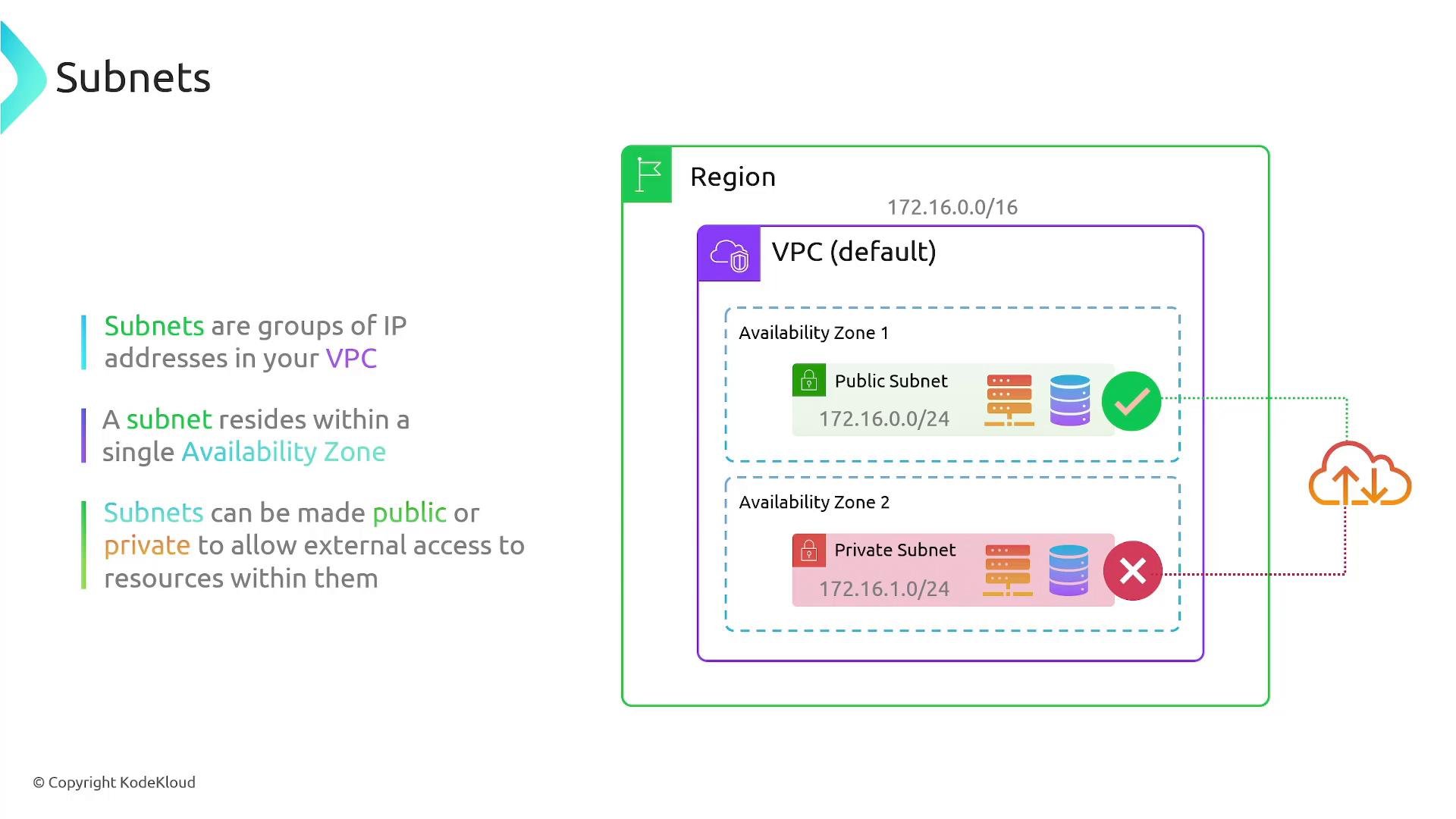
Subnet CIDR rules and reserved addresses
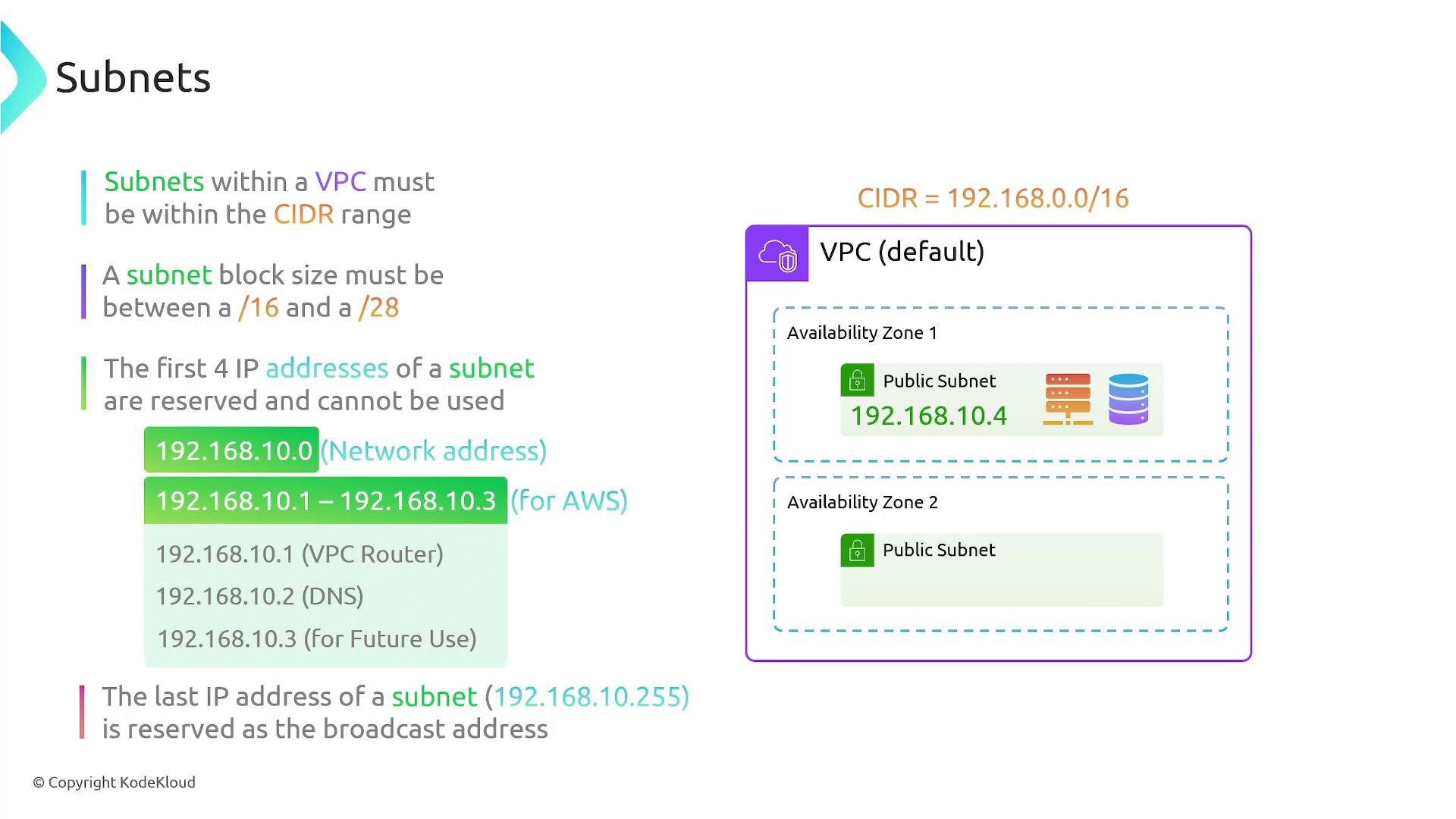
Key CIDR and addressing rules when designing subnets:- A subnet’s CIDR block must be a subset of the VPC’s CIDR block. For example, if your VPC CIDR is
192.168.0.0/16, valid subnet CIDR examples include:
-
AWS reserves five addresses in every subnet:
- The network address (first address, e.g.,
.0) — not usable. - The first three usable addresses (
.1through.3) — reserved by AWS for network appliances (VPC router, Amazon DNS, future use). - The broadcast-like address (last address, e.g.,
.255) — reserved. Example for a192.168.10.0/24subnet: 192.168.10.0(network)192.168.10.1through192.168.10.3(AWS reserved)192.168.10.255(reserved)
- The network address (first address, e.g.,
-
VPC CIDR block size restrictions:
- When creating a VPC you must choose a CIDR between
/16and/28. - Subnets must be subsets of that VPC CIDR. The smallest usable subnet size is
/28(16 IPs, with five reserved by AWS).
- When creating a VPC you must choose a CIDR between
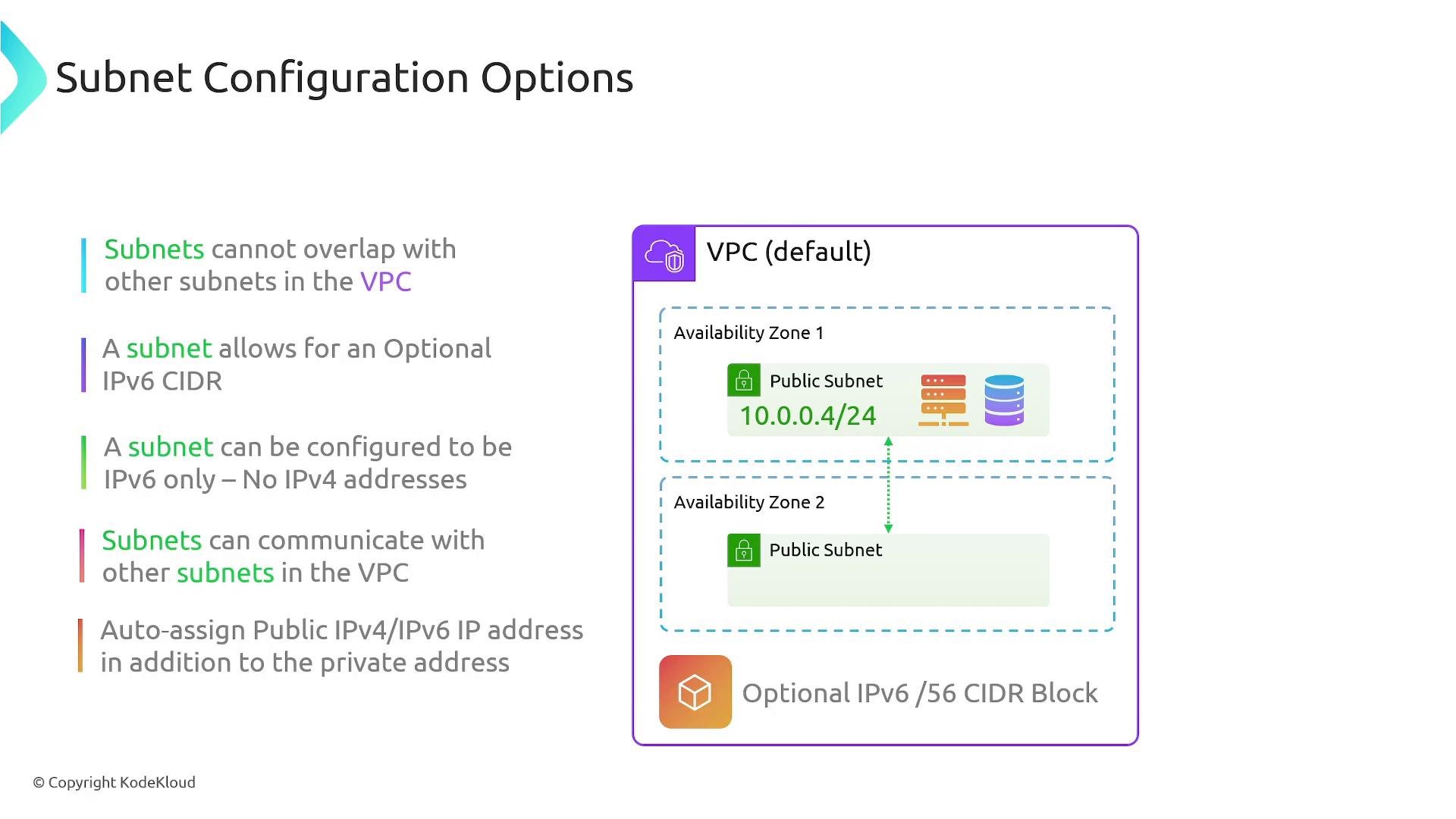
Additional subnet configuration rules and options
- Subnets within the same VPC must not overlap. For example:
10.16.0.0/24and10.16.0.128/25overlap and cannot coexist in the same VPC.
- Overlapping CIDR ranges are allowed across different VPCs (but be careful when peering or connecting VPCs — overlapping CIDRs can prevent routing between them).
- IPv6 support:
- You can assign an IPv6 CIDR block to a VPC and create IPv6 subnets.
- Subnets can be IPv4-only, IPv6-only, or dual-stack (both IPv4 and IPv6), depending on your configuration.
- Inter-subnet communication:
- By default, all subnets within a VPC can route to each other (VPC routing allows full connectivity). Use security groups and Network ACLs to restrict traffic as needed.
- Auto-assign public IP:
- When enabled on a subnet, instances launched into that subnet receive an auto-assigned public IPv4 address (in addition to a private IP).
- For internet-facing resources in a public subnet, enable auto-assign public IP and ensure the subnet’s route table points to an Internet Gateway.
- Create a subnet:
- Enable auto-assign public IPv4 on a subnet:
Remember: each subnet is AZ-specific and must be within the VPC CIDR. AWS reserves the first four and the last IP address in every subnet, so plan your IP addressing accordingly.
Quick reference tables
Summary
- Subnets are contiguous IP ranges inside a VPC used to place AWS resources.
- Each subnet resides in a single Availability Zone — selecting a subnet determines the AZ for any launched resource.
- Subnets can be public or private by configuring route tables and gateways (Internet Gateway, NAT Gateway).
- Subnets must be subsets of the VPC CIDR and cannot overlap with other subnets in the same VPC.
- AWS reserves the first four and the last IP address in every subnet; plan address allocations accordingly.
- Subnets support IPv4, IPv6, or dual-stack configurations and can optionally auto-assign public IPs for internet-facing instances.