

What is Amplify?
AWS Amplify is a set of tools and services that simplifies developing, deploying, and iterating on modern applications. It abstracts common backend services (authentication, APIs, storage, hosting, analytics, and conversational interfaces) and exposes a unified developer experience through:- The Amplify CLI and libraries for local development and provisioning.
- Amplify Studio for a visual, component-driven frontend and backend management.
- Hosted CI/CD and global hosting for web apps.
- Authentication (built on Amazon Cognito)
- APIs (GraphQL via AWS AppSync and REST via Amazon API Gateway + Lambda)
- Storage (Amazon S3 for files, Amazon DynamoDB for NoSQL)
- Hosting and continuous deployment
- Analytics (Amazon Pinpoint)
- Chatbots and interactions (Amazon Lex and AI/ML integrations)
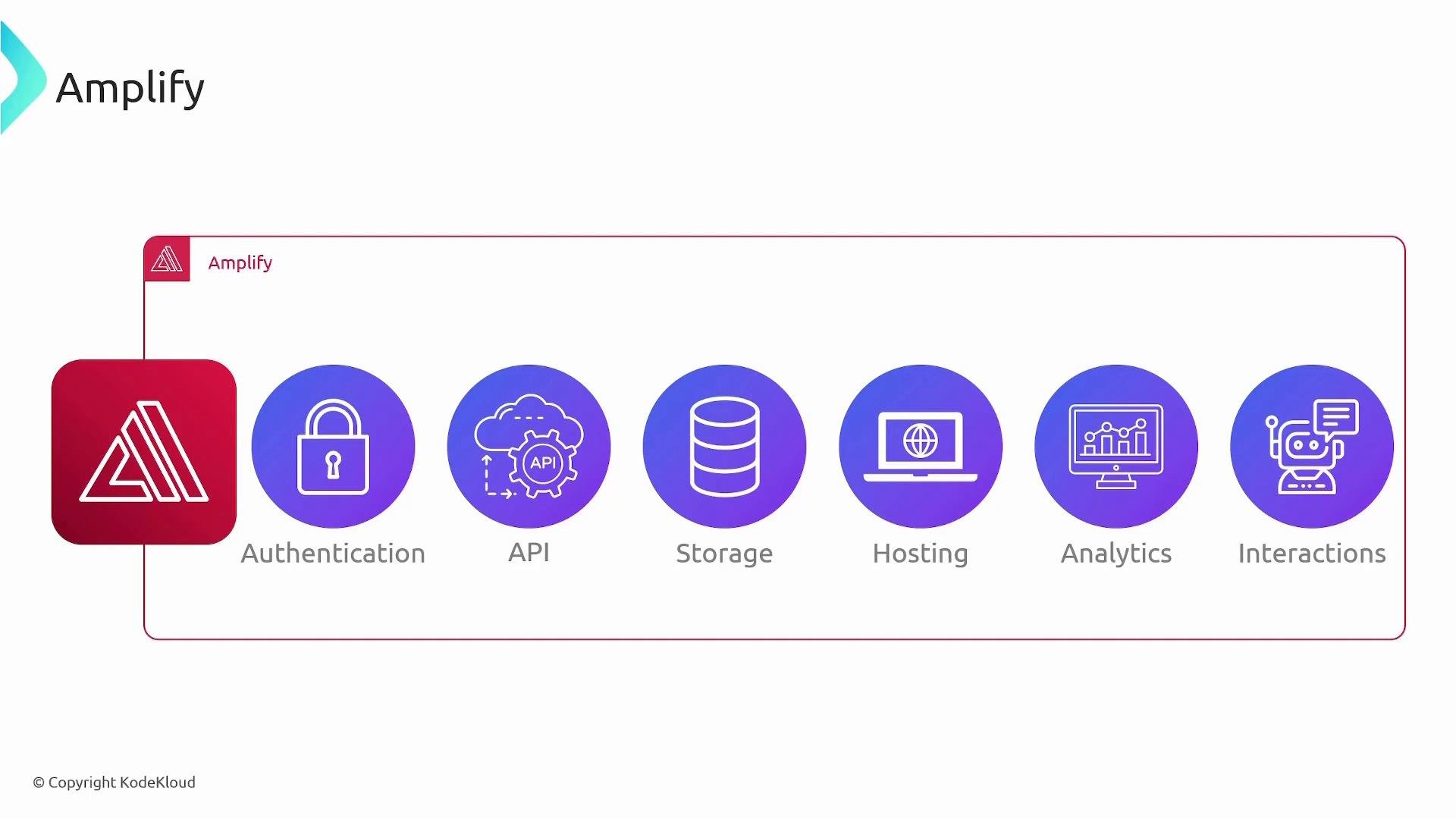
How Amplify integrates with your app
When users interact with your application (for example, a React web app or a React Native mobile app), the client communicates with the backend resources that Amplify provisions and manages. Common flows include:- Signing in via Cognito and receiving tokens for API access.
- Submitting GraphQL queries and mutations to AppSync.
- Uploading and downloading files to S3.
- Calling REST endpoints routed through API Gateway to Lambda functions.
Amplify Studio
Amplify Studio is a visual development environment that complements the Amplify CLI. It helps you:- Visually design UI with prebuilt, customizable components (auth flows, forms, lists).
- Manage and inspect backend resources through a GUI.
- Export component code for your React application.
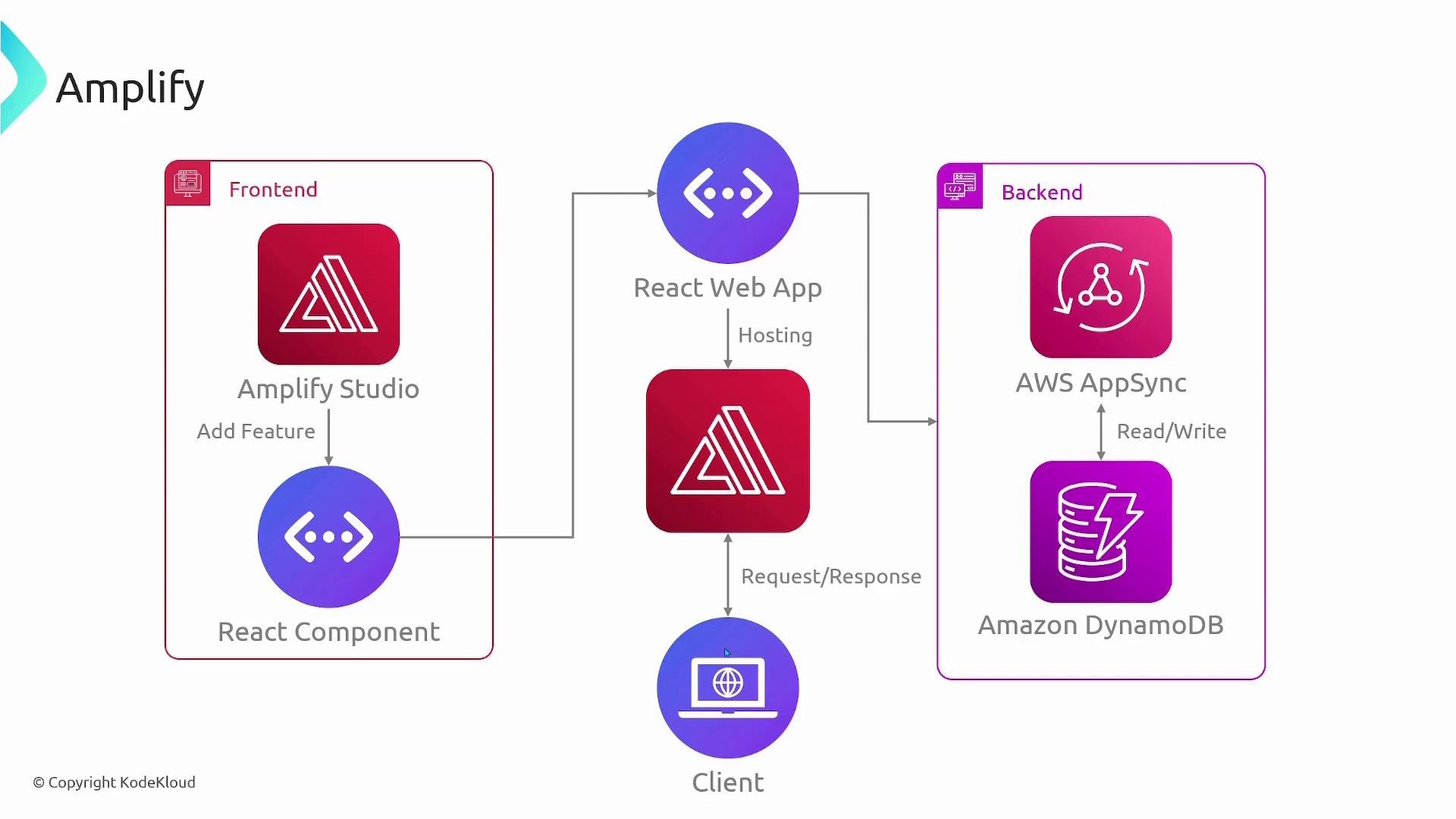
Typical developer workflow
- Initialize a project:
- Add features (examples):
- Push resources to AWS:
- Use generated client libraries in your frontend, or use Amplify Studio to visually connect components and customize UI.
Amplify feature-to-service mapping
Tip: Use Amplify’s generated configuration files and client SDKs to quickly connect UI components to backend services. If you use Amplify Studio, export component code to keep a consistent codebase between designers and developers.
Benefits and considerations
Benefits:- Faster development through tooling and prebuilt components.
- Managed provisioning that reduces manual setup and boilerplate.
- Built-in hosting with CI/CD and branch deployments.
- First-class support for modern web frameworks (React, Angular, Vue, Next.js) and mobile frameworks (React Native, Ionic).
- Amplify is opinionated — it chooses names, defaults, and creates many managed resources in your account.
- Always review the CloudFormation templates and generated resources before deploying to production.
- Understand security defaults (Cognito configuration, IAM roles, S3 buckets) to avoid unintended access.
Amplify will create resources in your AWS account when you add features. Review the generated CloudFormation templates and resource configurations before deploying to production to ensure they meet your security, compliance, and cost requirements.
Links and references
- AWS Amplify documentation: https://docs.amplify.aws/
- AWS AppSync: https://aws.amazon.com/appsync/
- Amazon Cognito: https://aws.amazon.com/cognito/
- Amazon S3: https://aws.amazon.com/s3/
- AWS Amplify Hosting: https://aws.amazon.com/amplify/hosting/