

Licensing and EC2 pricing options
At a high level, Amazon EC2 pricing commonly appears in four flavors. Understanding these options is essential for designing cost-efficient architectures.- On‑Demand — pay for compute by the hour (or second for most instance types) with no long-term commitment. Most flexible, usually the most expensive.
- Reserved Instances (RIs) — commit to using capacity for a 1- or 3-year term in exchange for significant discounts versus On‑Demand.
- Spot Instances — consume spare EC2 capacity at steep discounts (often 50–90%). These are interruptible: AWS can reclaim capacity with a short (usually two-minute) termination notice. Best for fault-tolerant batch, ETL, or analytics jobs.
- Dedicated Hosts / Dedicated Instances — single-tenant physical servers or instances dedicated to your account. Useful for specific compliance or licensing needs but generally the most expensive.
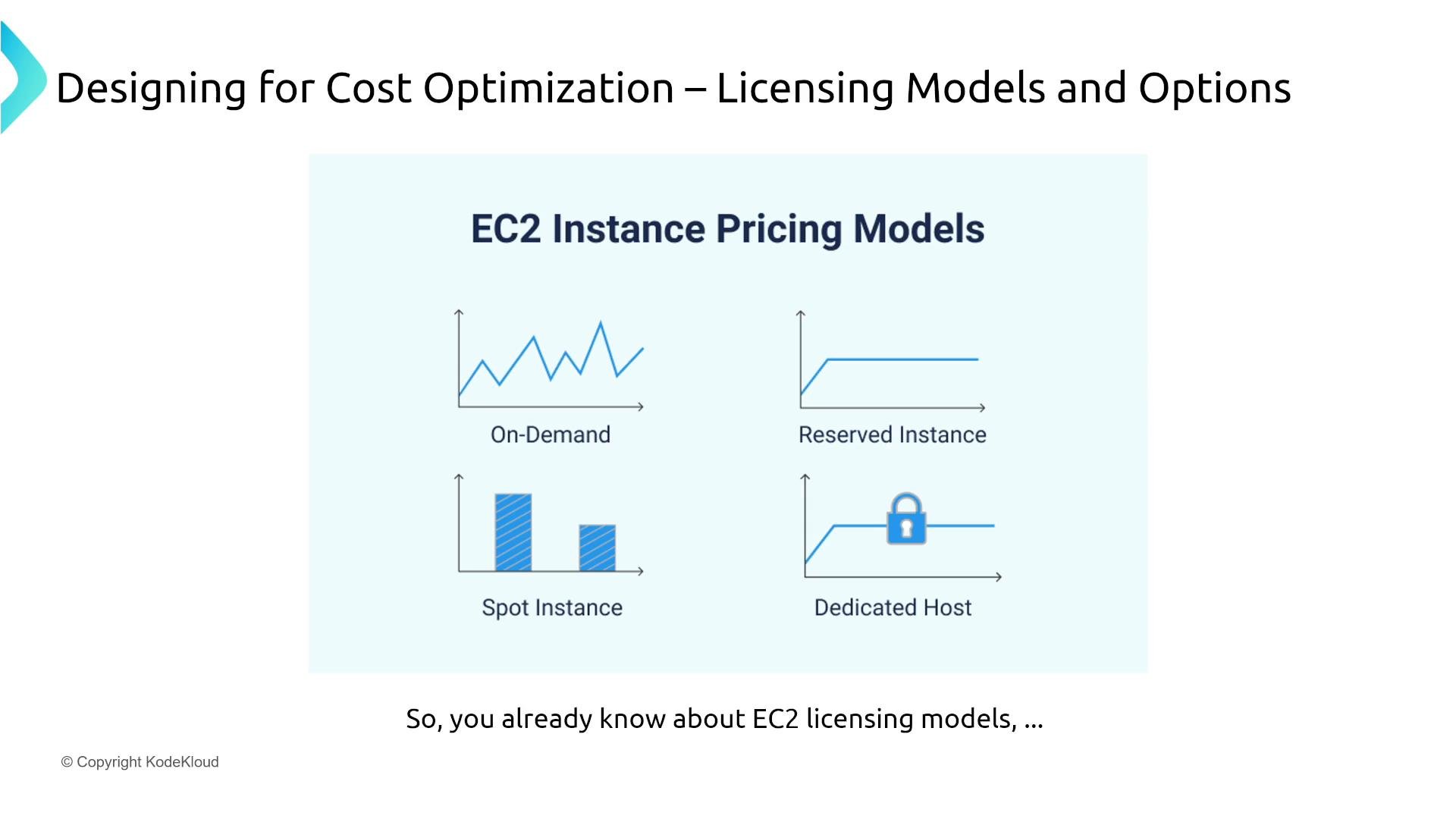
Spot Instances can be reclaimed with short notice. Use them for workloads that gracefully handle interruptions (checkpointing, retries, or distributed workloads).
Reserved Instances: types, trade-offs, and when to use them
Reserved Instances are available in multiple flavors—each balances discount depth against flexibility:- Standard Reserved Instances — deepest discounts for a specific instance configuration (family/size, region/AZ depending on scope, OS, tenancy) for 1 or 3 years. Best choice when capacity needs and instance types are stable.
- Convertible Reserved Instances — lower maximum discount than Standard RIs but allow exchanges to other RIs of equal or greater value. Useful if you expect to change instance families or sizes.
- Scheduled Reserved Instances — reserve capacity for recurring time windows (for example, weekdays 0900–1700). Useful for predictable, time-bound workloads.
Savings Plans: flexible commitment-driven discounts
Savings Plans are a commitment-based pricing model that provides discounts in exchange for a consistent hourly spend commitment for 1 or 3 years. There are two primary types:- Compute Savings Plans — commit to a $/hour amount; discounts apply across EC2, AWS Fargate (via ECS/EKS), and AWS Lambda. This is the most flexible Savings Plan and covers many compute consumption patterns.
- EC2 Instance Savings Plans — commit to a particular instance family within a region for larger discounts, while still allowing changes in size, OS, or AZ within that family.
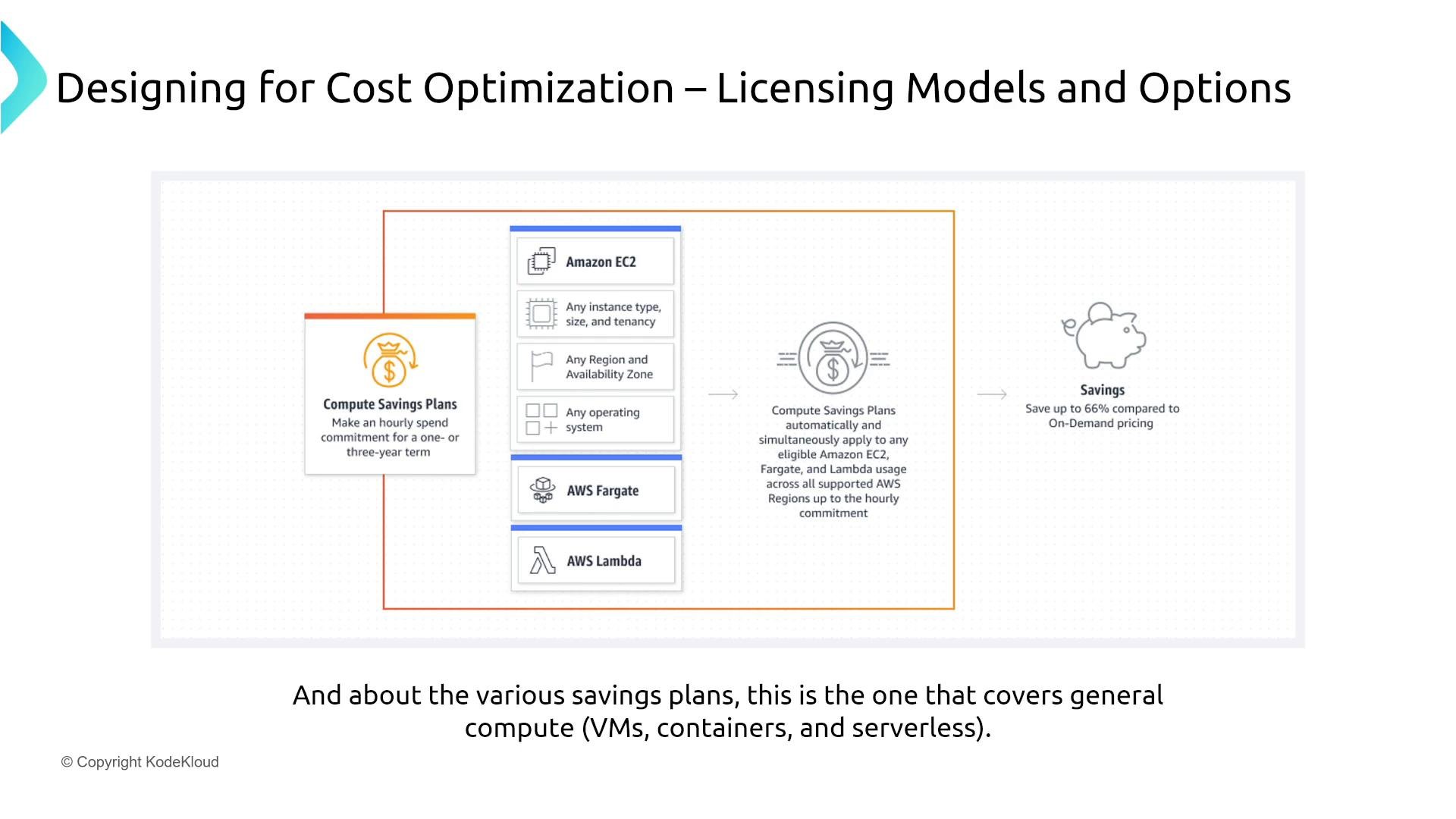
Savings Plans give flexibility across compute types. If you need maximum discount for a stable instance configuration, Standard RIs or Instance Savings Plans may be better; if you need broad coverage across EC2, Fargate, and Lambda, Compute Savings Plans are usually the right choice.
Reservations and savings beyond EC2
Many managed AWS services also offer reservation or commitment options that can deliver significant savings for predictable workloads. Evaluate these when usage is steady and long-term.- AWS RDS — Reserved DB Instances for MySQL, PostgreSQL, SQL Server, Oracle, etc. Commit to 1 or 3 years to reduce DB server costs.
- ElastiCache — reserved nodes for Redis and Memcached reduce caching tier costs for steady-state usage.
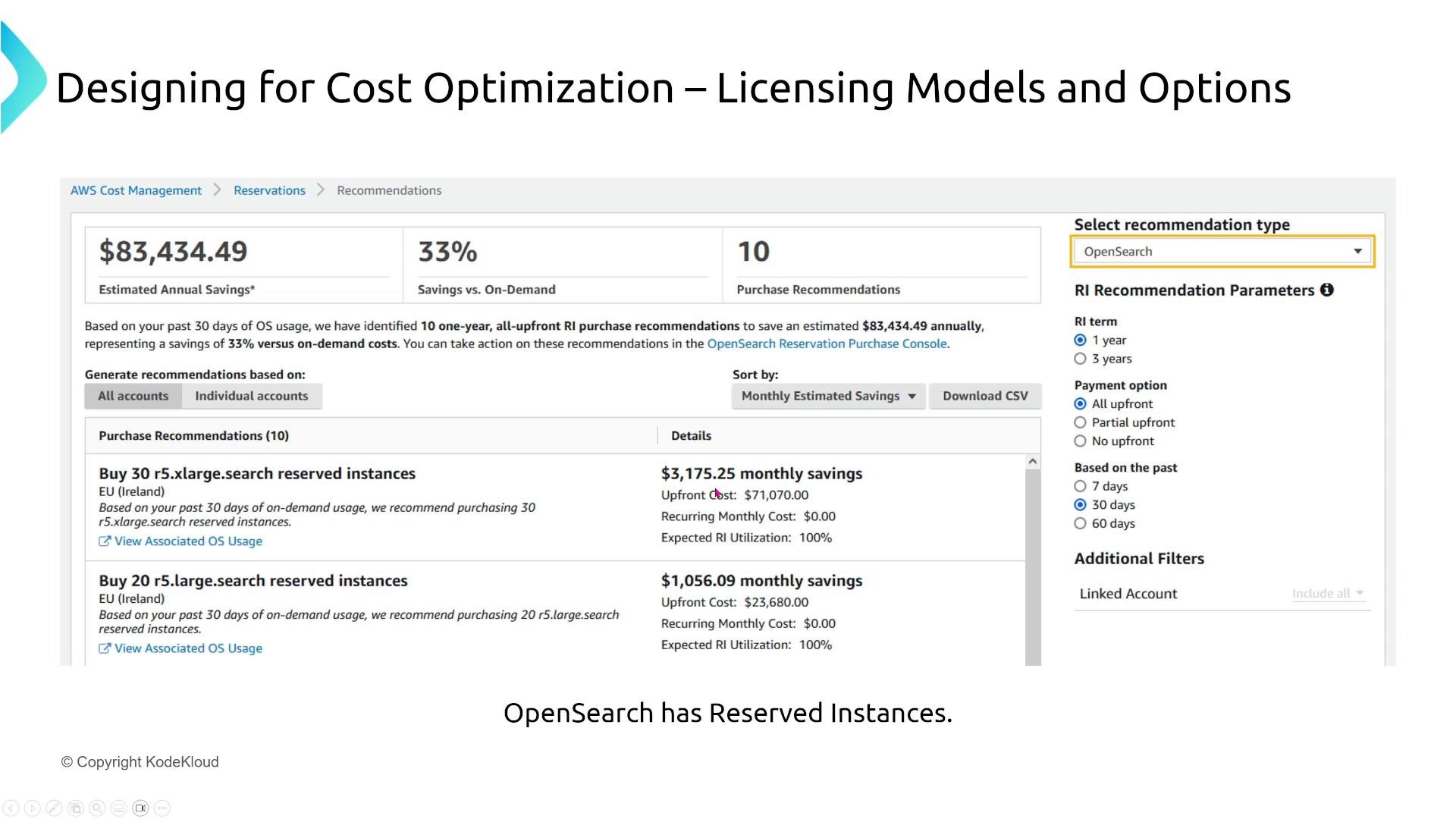
- OpenSearch (and other managed analytics services) — Cost Management may show reserved instance recommendations for clusters with predictable sizing.
Redshift and data warehouse reservations
Amazon Redshift and other analytics/data warehousing services often provide reserved node pricing. For large, persistent clusters, moving from On‑Demand to a 1- or 3-year reservation can produce substantial annual savings based on cluster configuration.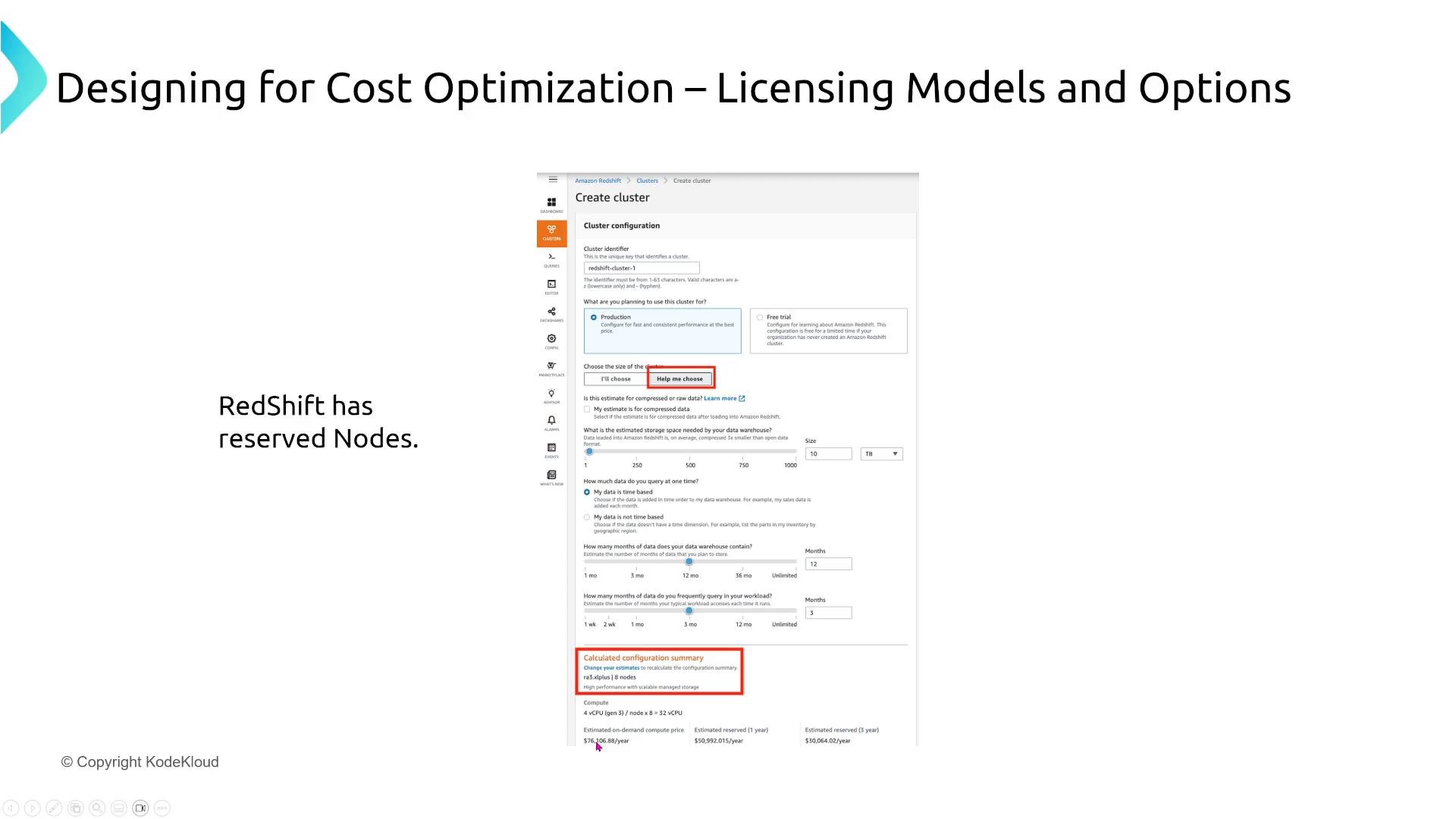
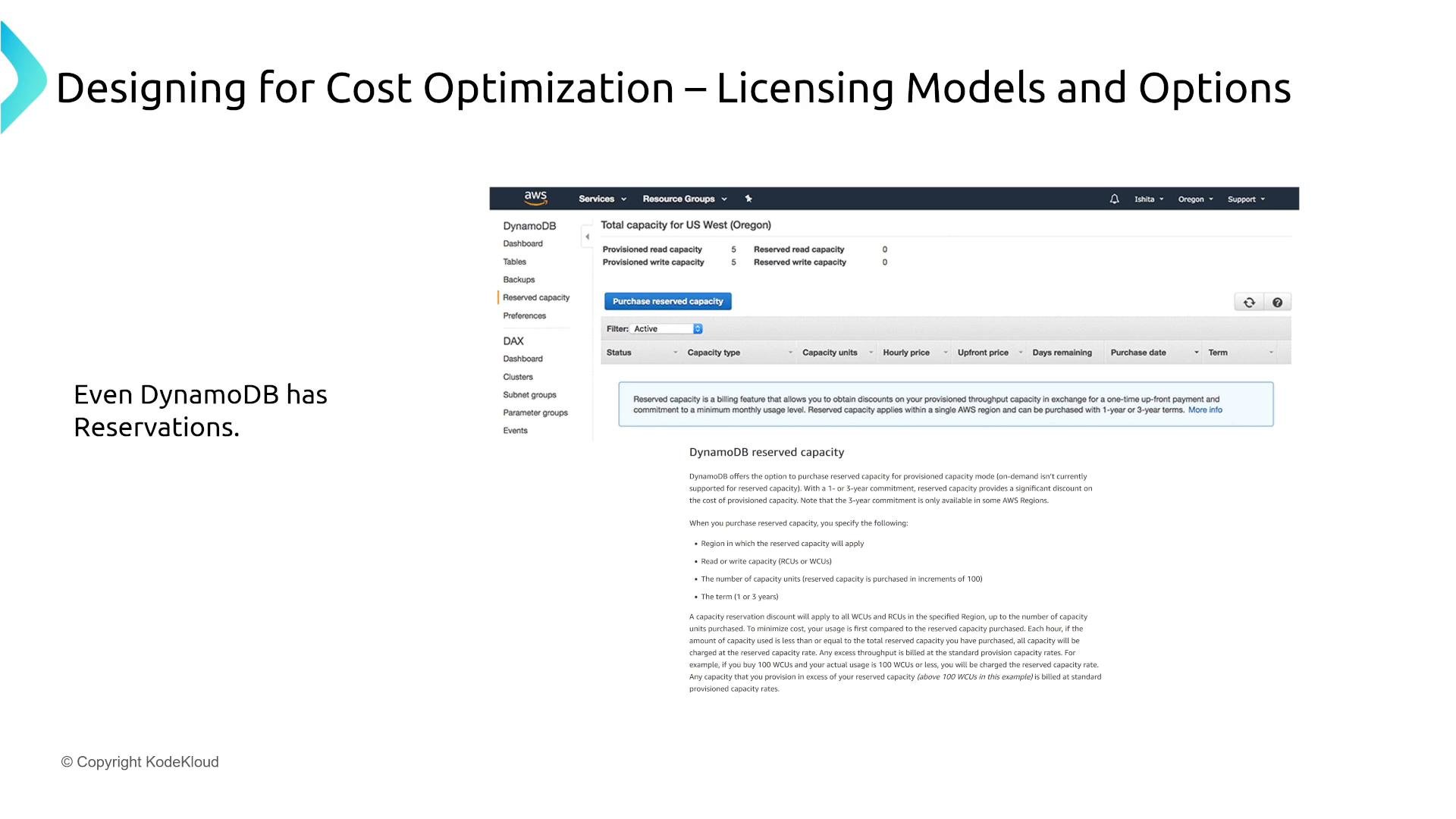
DynamoDB reserved capacity
Even serverless-seeming services like DynamoDB offer reservation models. If you use provisioned capacity and reliably consume baseline throughput, purchasing reserved capacity forRCUs and WCUs can lower costs compared to on‑demand.
Other commitment-based programs
- CloudFront — Savings Bundles (commitment-based discounts) that combine data transfer and request commitments for lower CDN costs and can include CloudFront Functions and Lambda@Edge usage.
- Amazon SageMaker — offers savings options for certain instance usage patterns (training and hosting) when usage is predictable.
Practical guidance and checklist
Follow these practical steps to apply the right commitment model and reduce AWS costs across services:- Evaluate baseline vs peak usage: use On‑Demand for unpredictable workloads, reserve or commit for steady-state resources.
- Choose the right reservation model:
- Use Standard RIs or Instance Savings Plans for maximum discount when configuration is stable.
- Use Convertible RIs or Compute Savings Plans for flexibility across instance types and compute platforms.
- Monitor continuously:
- Use Cost Explorer, AWS Trusted Advisor, and Reservations recommendations to find candidates for reservations.
- Use Spot Instances for fault-tolerant jobs, batch processing, and distributed workloads to reduce compute costs.
- Don’t forget non-EC2 reservations — evaluate RDS, ElastiCache, Redshift, OpenSearch, DynamoDB, and CloudFront for potential savings.
- Revisit commitments annually: workloads evolve, and reservation/savings strategies should be adjusted to match current usage patterns.
Quick reference table: reservation-capable services
Links and references
- AWS Savings Plans documentation
- Amazon EC2 pricing and reservation options
- AWS Cost Explorer and reservation recommendations
- AWS Trusted Advisor