

- Images must be stored securely (encrypted at rest).
- Only authorized consumers should be able to access images.
- Images must be retrievable quickly by the mobile app.
- Store the images in a public S3 bucket and use IAM roles to restrict access to only the application servers.
- Store the images in a private S3 bucket, enable server-side encryption, and use pre-signed URLs for temporary access.
- Store the images in an S3 bucket with public read access and use bucket policies to restrict access based on IP addresses.
- Store the images in a private S3 bucket without encryption and use IAM credentials embedded in the application for access.
- An authenticated backend (for example, API Gateway → Lambda, or a web server) verifies the user and generates a pre-signed URL using AWS SDKs and its AWS credentials.
- The backend returns the pre-signed URL to the client.
- The client uploads or downloads the object directly to/from S3 using the pre-signed URL. The URL contains a signature and an expiry; S3 validates these and performs the scoped operation.
- Application authenticates the user or verifies authorization.
- Application requests or generates a pre-signed URL for a specific object and action from an AWS component (Lambda/API).
- The pre-signed URL is returned to the user.
- The user performs the object upload / download directly against S3 using the pre-signed URL. The URL includes a signature and expiry that S3 validates to allow the scoped operation without the client holding AWS credentials.
Distinction: server-side vs client-side encryption
- Server-side encryption: send plaintext to S3; S3 (SSE-S3/SSE-KMS/SSE-C) encrypts data at rest.
- Client-side encryption: encrypt data within the client before upload; S3 stores encrypted objects and never sees plaintext.
S3 uses implicit deny by default: nothing is allowed unless explicitly permitted, and any explicit Deny overrides Allows.
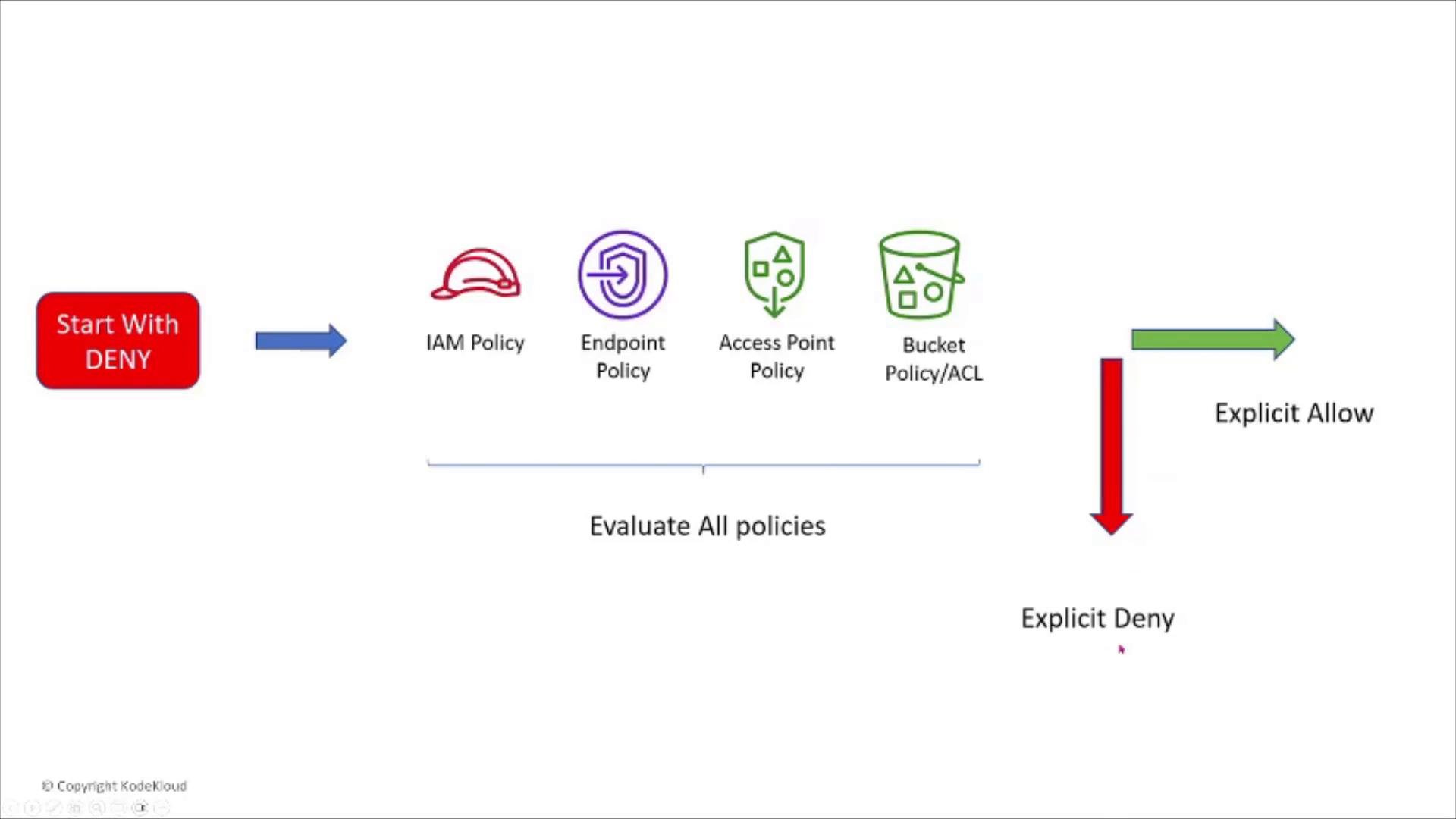
YOUR-BUCKET with your bucket name):
- ACLs are legacy and generally discouraged in favor of IAM policies and bucket policies.
- Block Public Access settings (account-level or bucket-level) are a safety net to prevent accidental public exposure and should be enabled unless you have an explicit public use case.
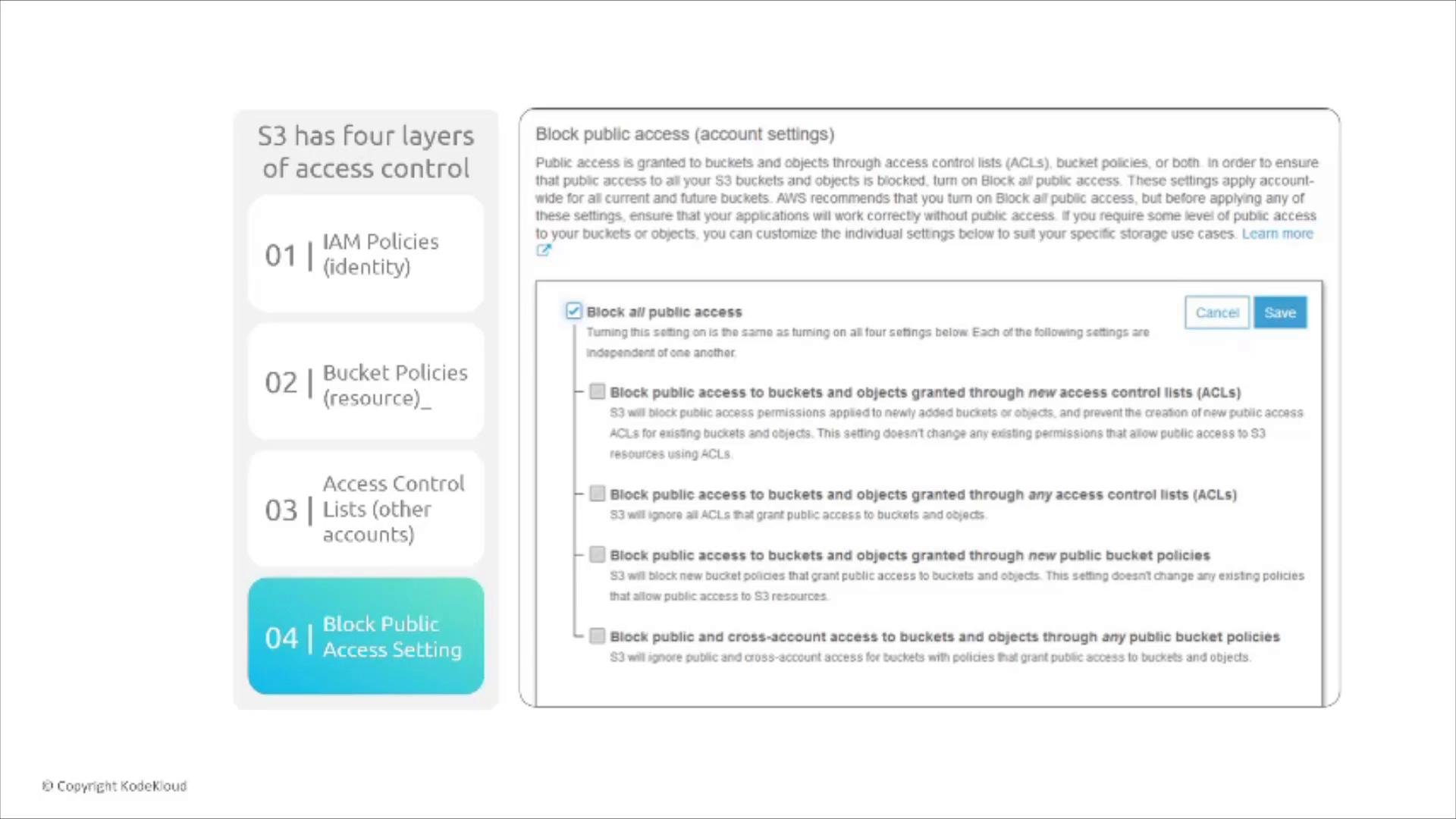
- S3 uses implicit deny; nothing is allowed unless explicitly allowed.
- An explicit Deny in any evaluated policy or setting overrides Allows.
- Block Public Access can prevent public exposure even if a policy allows it.
- When diagnosing access issues, review identity policies, resource policies, endpoint/access point policies, ACLs, and Block Public Access settings.
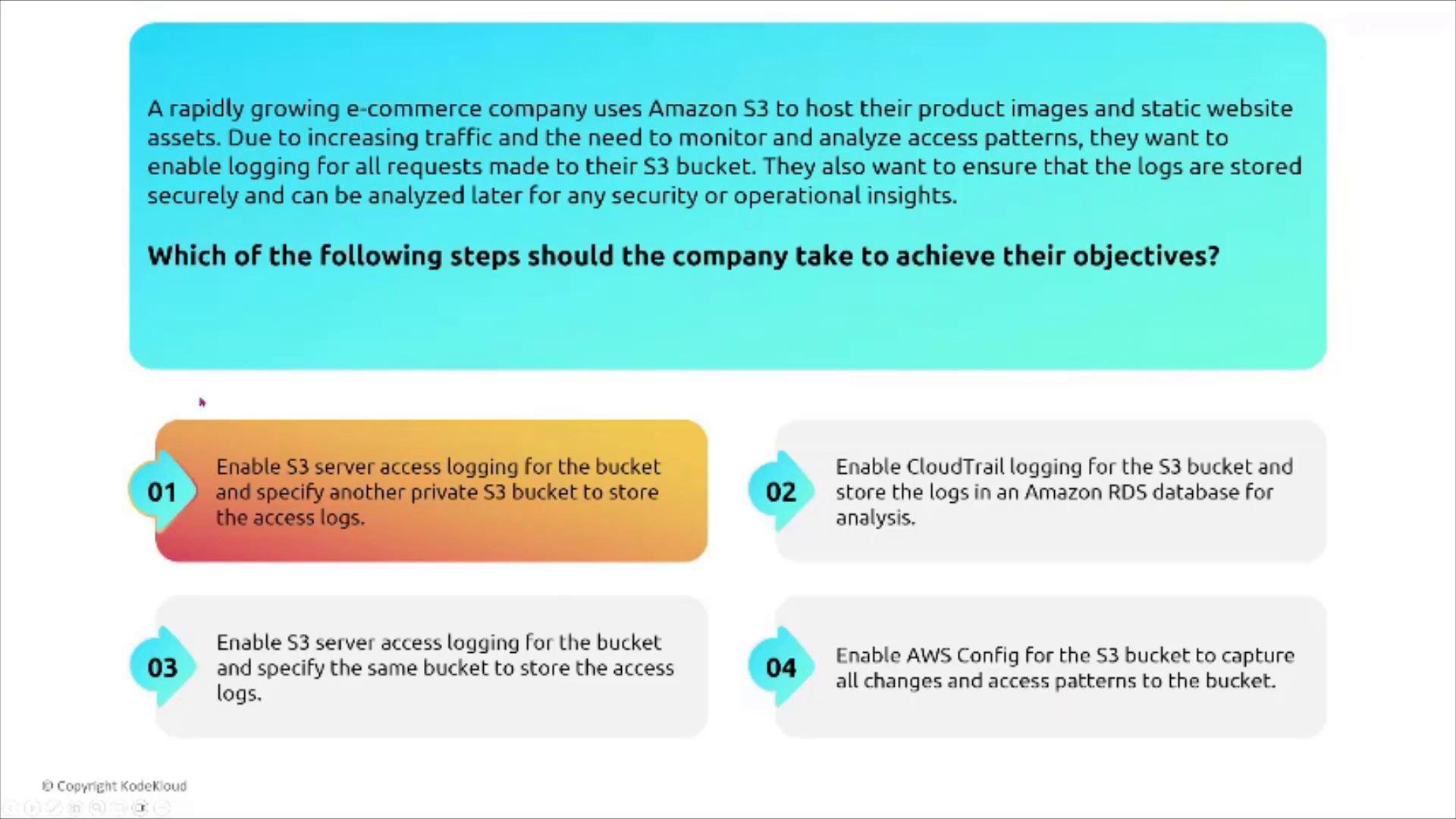
- Server access logging: request-level logs for a bucket, delivered to another bucket.
- CloudTrail data events: capture S3 object-level API operations for audit trails.
- AWS Config: monitors and records configuration changes.
- S3 Inventory + Amazon Athena: generate manifests and run queries for large-scale analysis.
- S3 Batch Operations: perform bulk actions based on inventory manifests.
- Deliver server access logs to a separate, private logging bucket (do not deliver logs to the bucket being logged).
- Secure the logging bucket with encryption and restrictive policies; consider Object Lock for tamper-evidence.
- Use CloudTrail data events for detailed, auditable object access records when required by compliance.
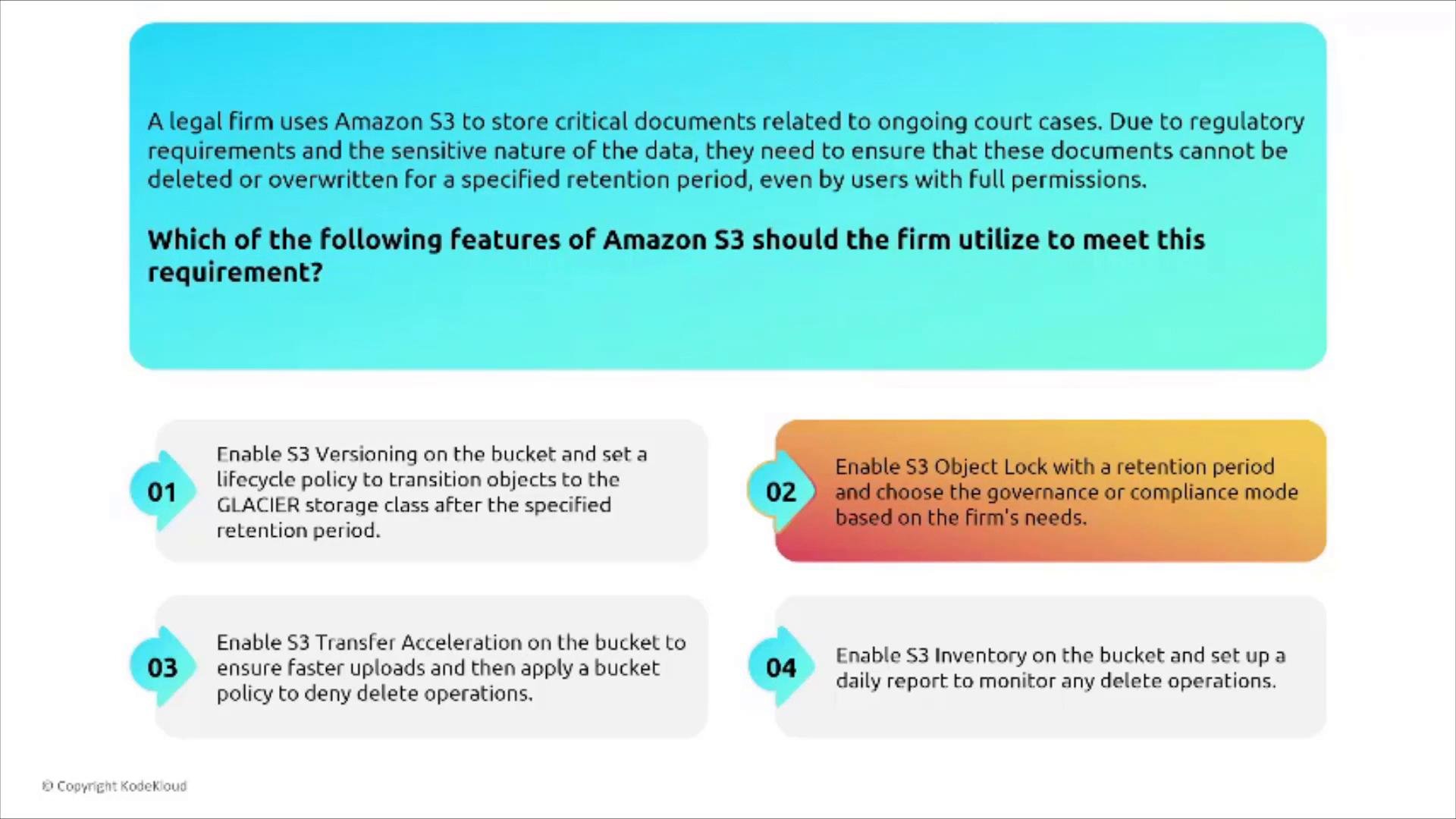
- Compliance mode: Objects are immutable for the retention period. Even the root user cannot overwrite or delete them until the retention expires. Use this when regulatory or legal requirements demand absolute immutability.
- Governance mode: Enforces retention but allows users with the
s3:BypassGovernanceRetentionpermission to change or remove retention settings. Use when controlled exceptions by privileged users are acceptable.
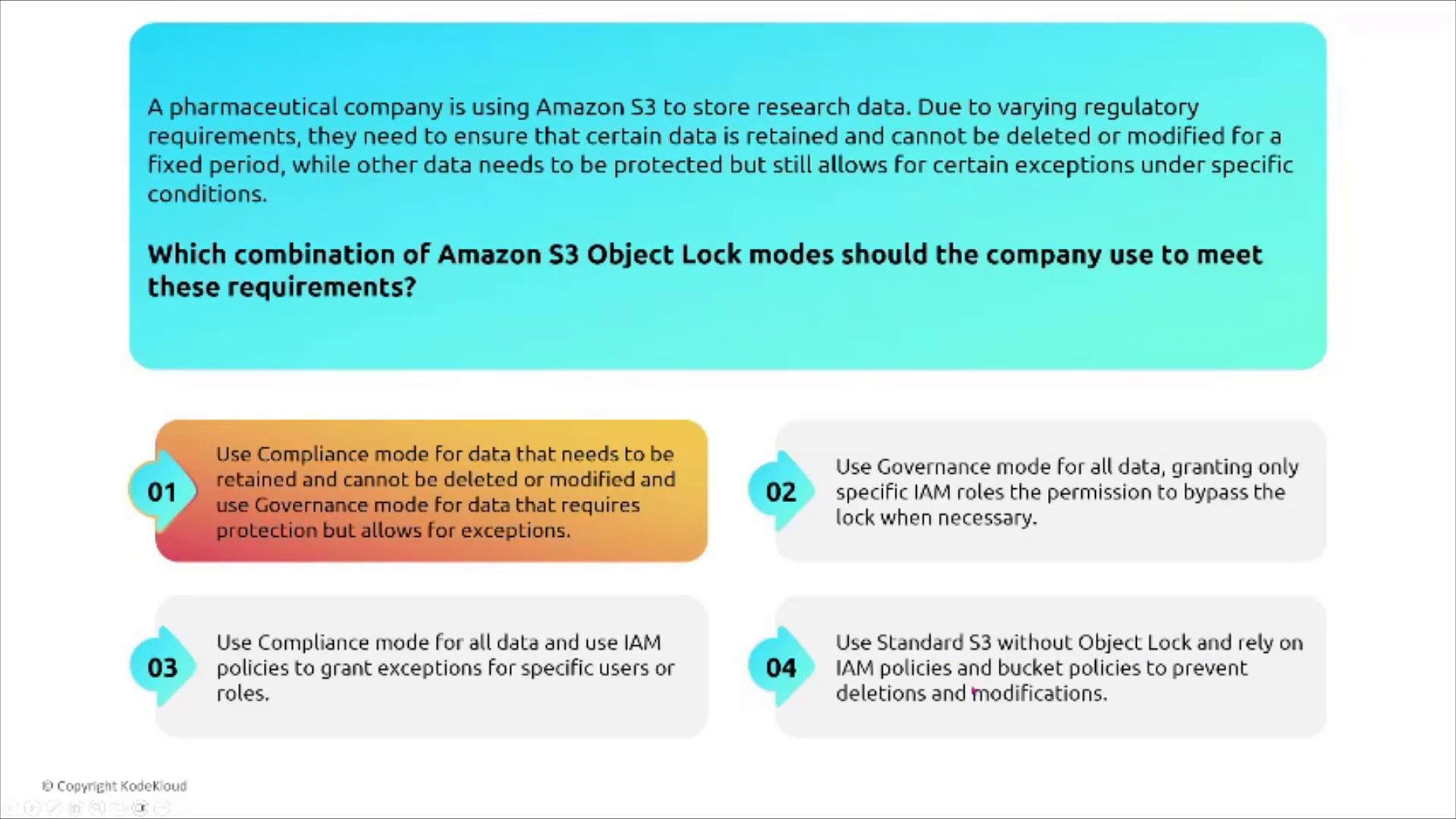
- Use Compliance mode for data that must be retained and cannot be deleted or modified.
- Use Governance mode for data that needs protection but allows controlled exceptions for privileged users.
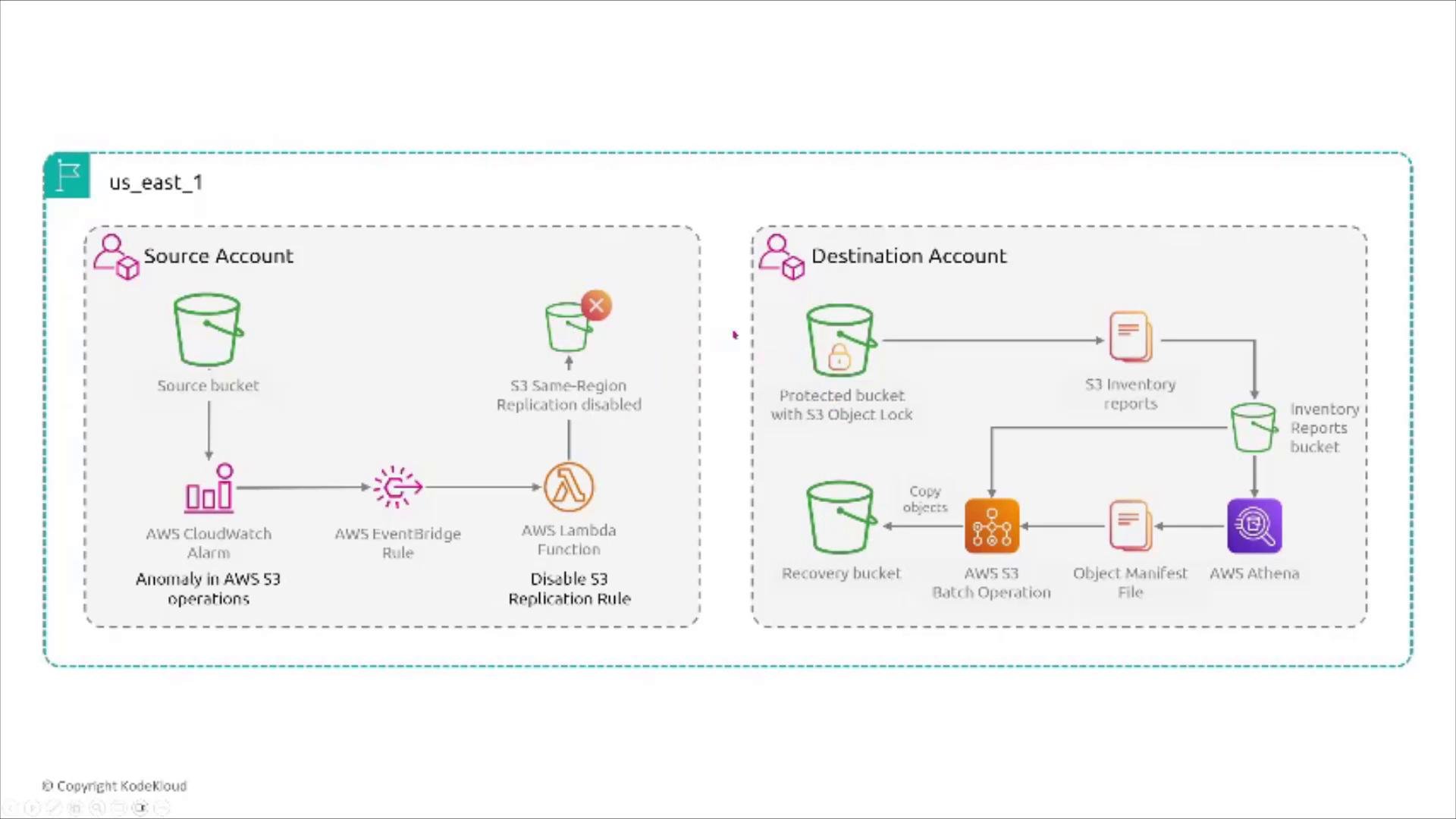
- Replicate (cross-account) objects to a destination bucket with Object Lock and versioning.
- Enable S3 Inventory in the destination bucket and run Athena queries to produce manifests.
- Use S3 Batch Operations to copy objects into recovery buckets for remediation or investigation.
- Integrate CloudWatch alarms and EventBridge rules to detect anomalies and optionally disable or modify replication workflows when suspicious activity is detected.
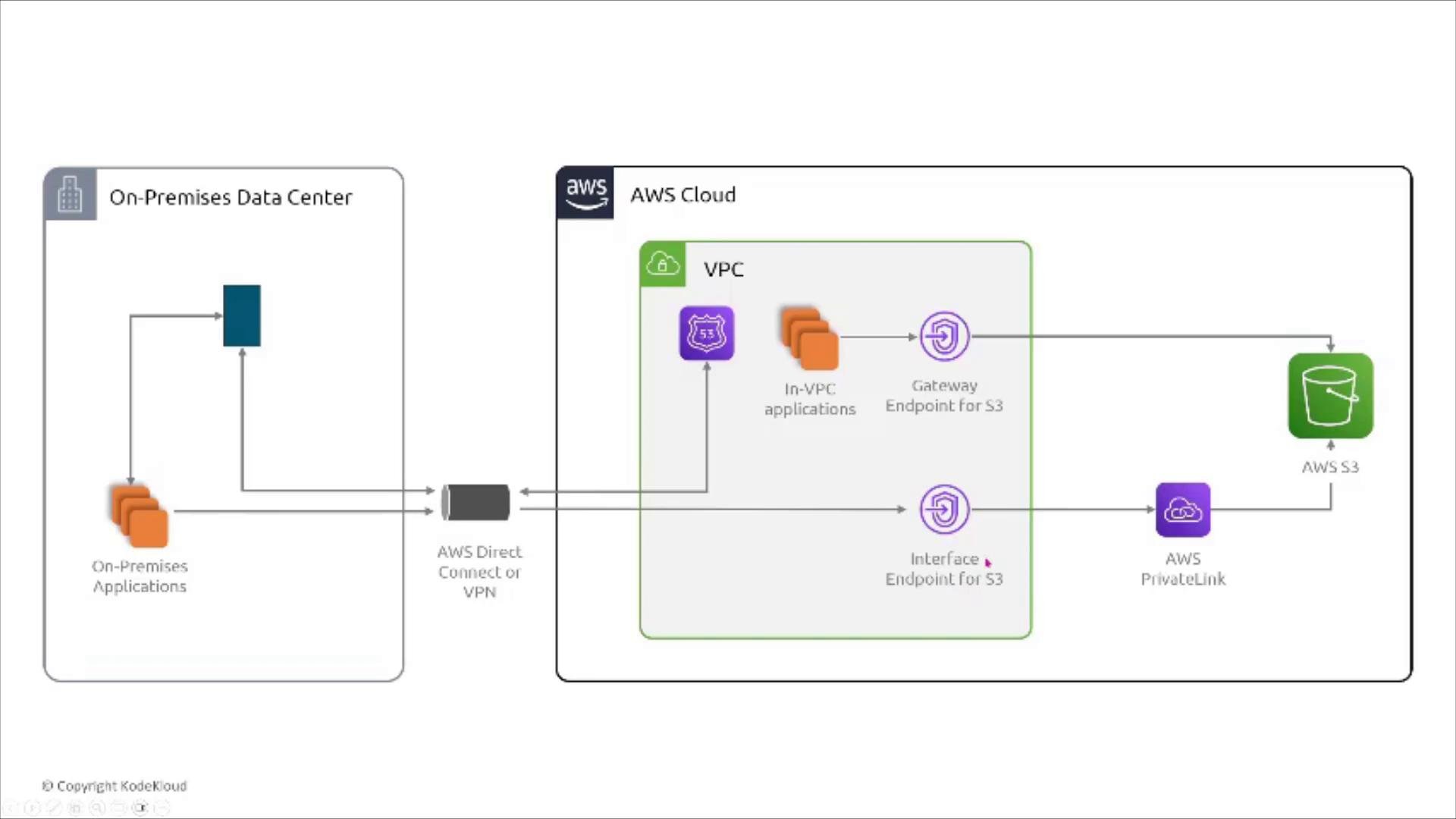
- Gateway endpoint: route-table based, supports S3 and DynamoDB, does not consume IP addresses in subnets. Suitable for most S3 private-access use cases.
- Interface endpoint (AWS PrivateLink): creates ENIs in subnets and consumes IP addresses; supports many services via PrivateLink and is needed when a question or requirement explicitly demands PrivateLink.
- Use a gateway endpoint when you require private S3 access without consuming subnet IPs.
- Use an interface endpoint (PrivateLink) when service integration requires PrivateLink features or when explicitly required.
- Keep buckets private by default. Provide client access with pre-signed URLs or short-lived credentials.
- Enable default encryption (SSE-S3 or SSE-KMS). Use AWS KMS customer-managed keys for stronger controls and auditing.
- Use Object Lock + versioning for immutable storage and retention requirements.
- Centralize logging: deliver server access logs or CloudTrail data events into a separate, secured logging bucket.
- Use VPC endpoints to keep traffic on the AWS backbone when required by compliance or security.
- Prefer IAM policies and bucket policies over ACLs. Enable Block Public Access to avoid accidental exposure.
- For recovery and forensics, consider cross-account replication into a protected destination account with Object Lock enabled.
When designing S3 security, think in layers: identity, resource policy, network controls (VPC endpoints), encryption, logging, and immutable storage. Apply defense-in-depth and choose mechanisms that match your compliance and operational needs.
- Amazon S3 documentation
- Amazon S3 encryption options
- AWS KMS documentation
- S3 Object Lock overview
- VPC endpoints for Amazon S3
- S3 server access logging
- Pre-signed URLs with AWS SDKs