

What is AWS Lambda?
AWS Lambda is a serverless compute service that runs your code in response to events without requiring you to provision or manage servers. You upload your application code, set triggers and configuration (for example, memory and timeout), and AWS handles the underlying infrastructure: capacity provisioning, operating system maintenance, scaling, monitoring, and logging. Because Lambda is serverless, you don’t manage EC2 instances. Instead you tune function-level settings such asmemory (which also affects available CPU) and timeout. Lambda automatically scales compute capacity to match incoming request volume, making it a strong fit for workloads that vary widely in demand (for example, e-commerce traffic spikes).
How Lambda integrates with other services (Triggers)
Lambda’s power comes from tight integrations across the AWS ecosystem. You register an event source (a trigger) and Lambda executes your function when that event occurs. Common triggers include Amazon S3, Amazon API Gateway, DynamoDB Streams, CloudWatch Events (EventBridge), and many others.- Example (S3): process uploads, transcode media, or generate thumbnails
- When a user uploads a file to an Amazon S3 bucket, the S3
PutObjectevent can trigger a Lambda function to process the file (transcode into 480p/720p/1080p/2K/4K, create thumbnails, extract metadata, etc.). This lets you build media-processing pipelines without managing servers.
- When a user uploads a file to an Amazon S3 bucket, the S3
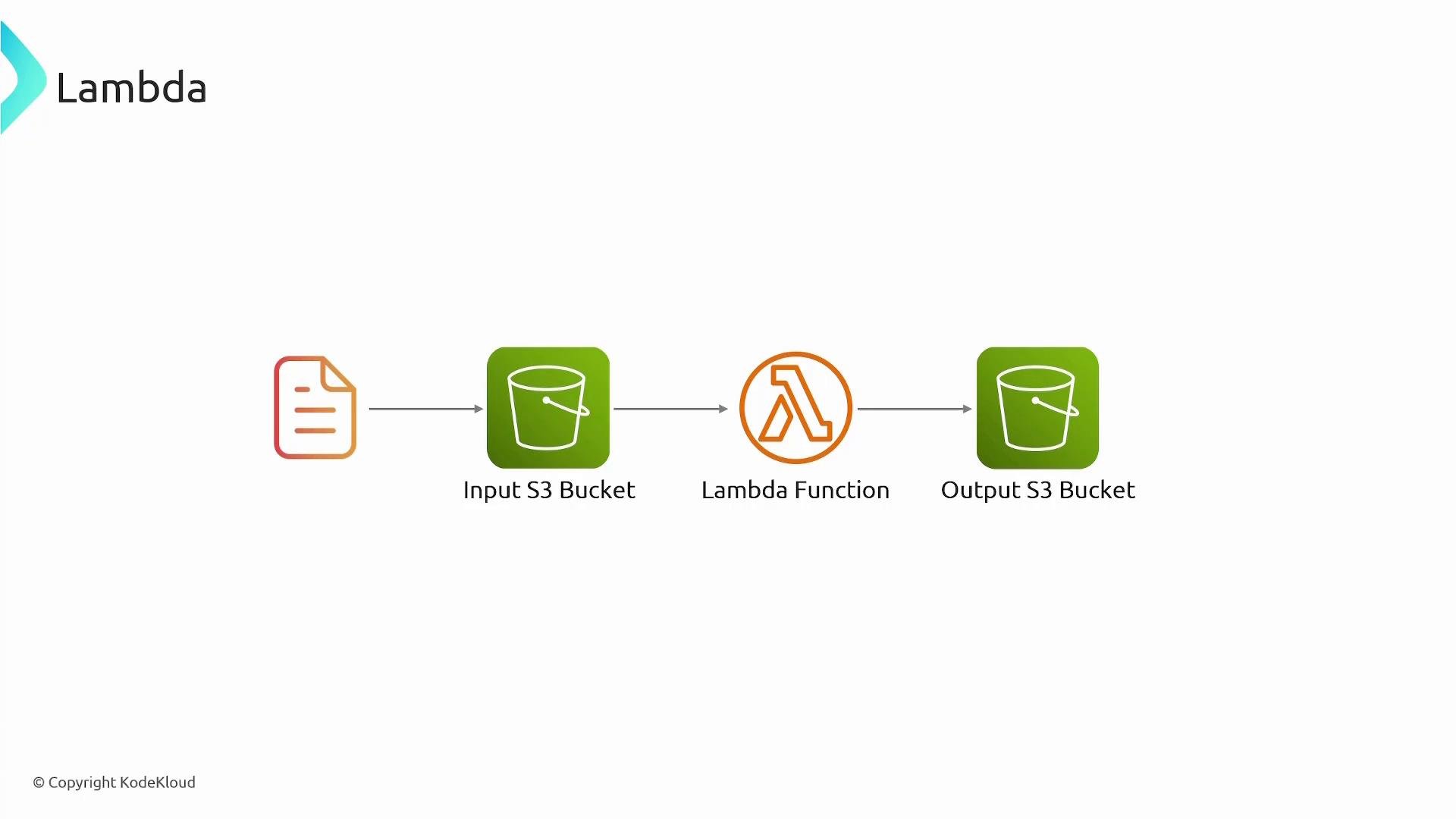
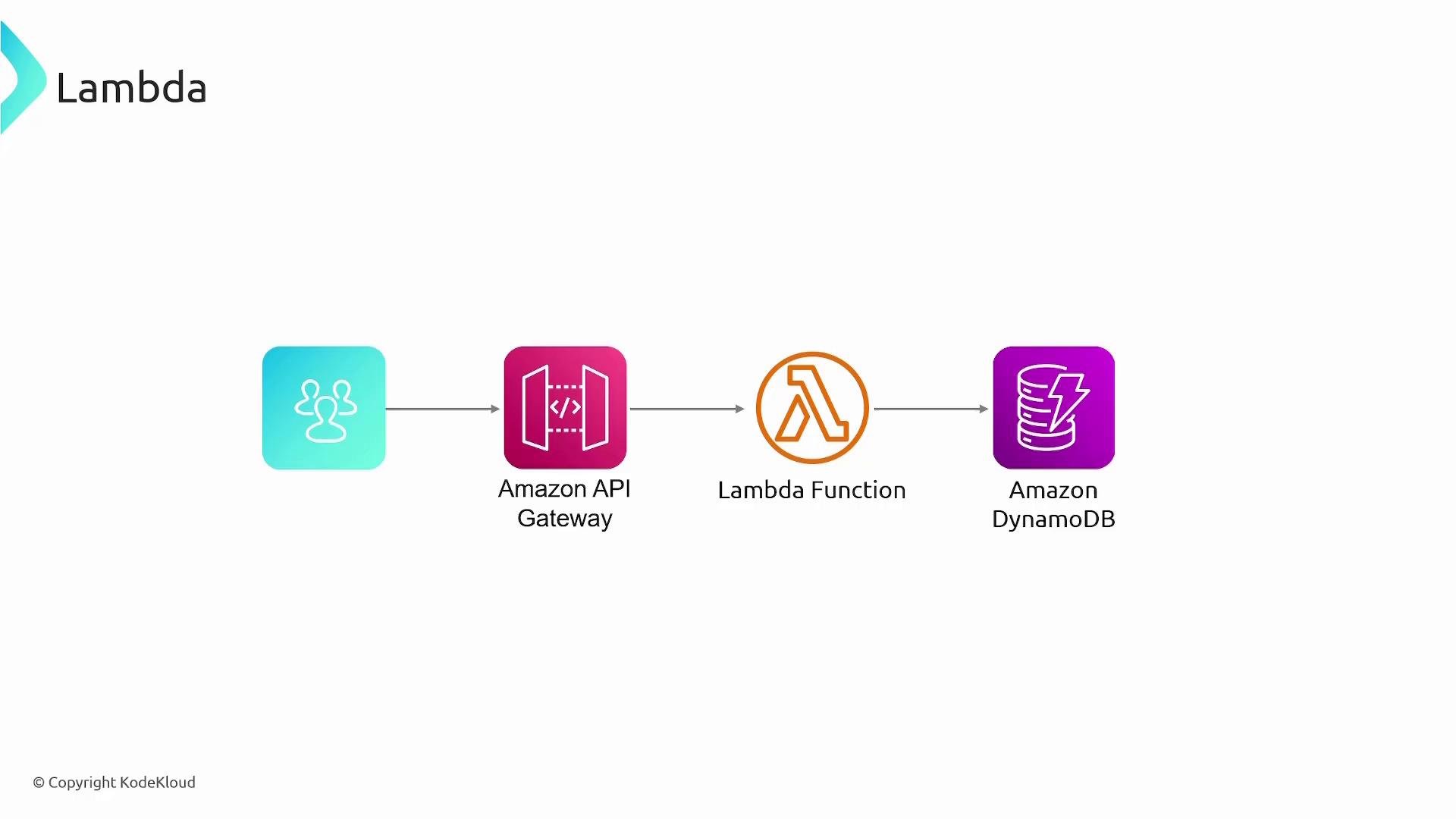
- Example (API): build serverless APIs with Amazon API Gateway
- Amazon API Gateway receives HTTP requests and routes them to Lambda functions based on path and HTTP method. That combination lets you build RESTful or HTTP APIs without servers; Lambda implements business logic and reads/writes data to databases such as Amazon DynamoDB.
Key benefits and features
Below is a concise reference of core Lambda capabilities, benefits, and typical use cases.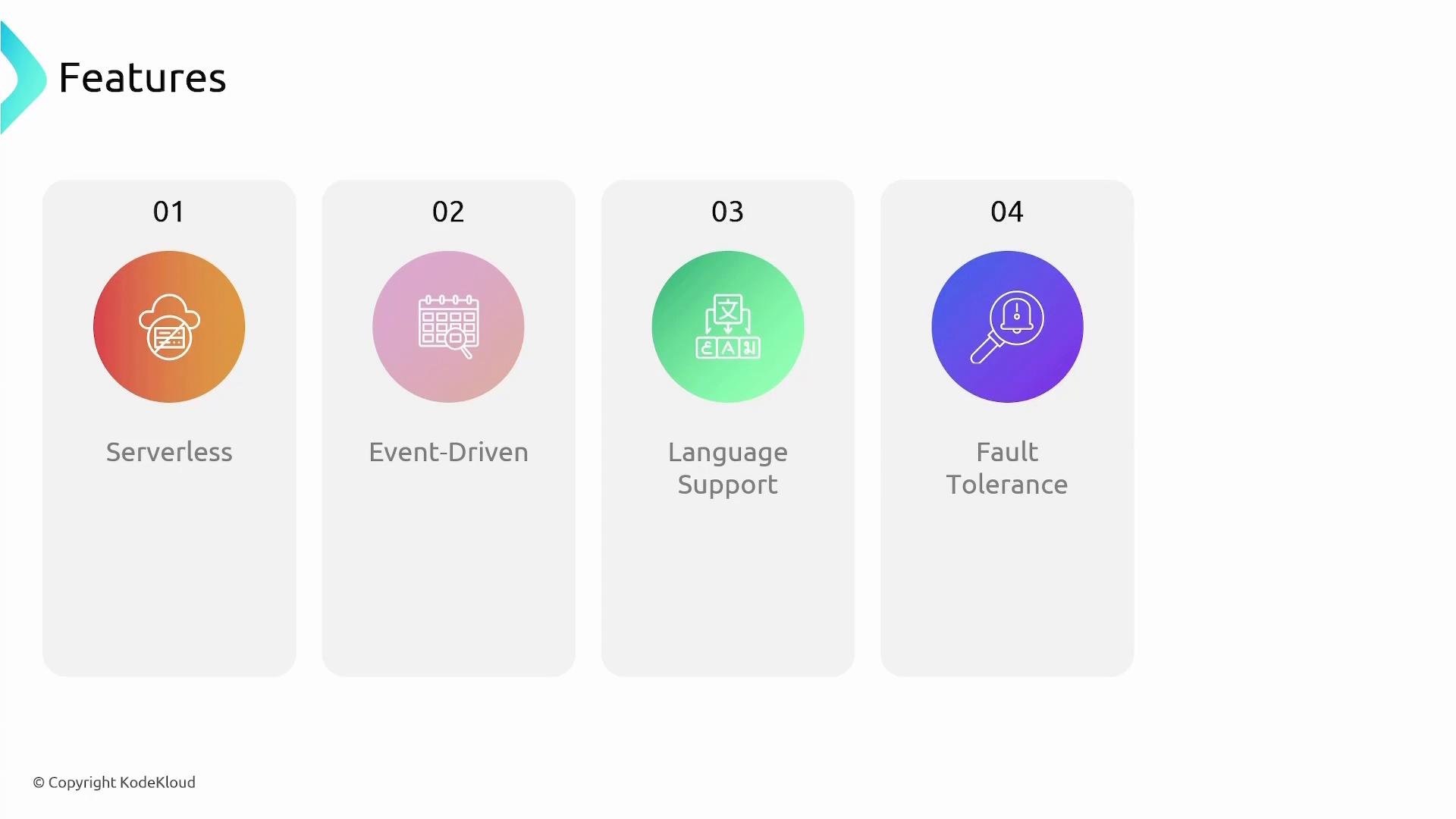
- Scaling and concurrency
- Lambda scales automatically as events arrive — new execution environments are created as needed. Each AWS account has default concurrency limits per region; you can request increases or use
reserved concurrencyfor predictable capacity.
- Lambda scales automatically as events arrive — new execution environments are created as needed. Each AWS account has default concurrency limits per region; you can request increases or use
- Billing overview
- You are billed for the number of requests and the compute duration (measured in GB-seconds). There is no charge when your function is not running.
Provisioned Concurrencyreduces cold starts but incurs additional cost.
- You are billed for the number of requests and the compute duration (measured in GB-seconds). There is no charge when your function is not running.
Lambda is ideal for short-lived, event-driven tasks. Be aware of cold starts when scaling from zero and account-level concurrency limits — consider
Provisioned Concurrency or reserved concurrency for latency-sensitive workloads.Recommended links and references
- AWS Lambda Developer Guide
- Amazon API Gateway Developer Guide
- Amazon S3 Overview
- Amazon DynamoDB Developer Guide