

Prerequisites
- Node.js (includes npm) — required for the CDK CLI.
- AWS CLI installed and configured with credentials and a default region.
Install the CDK CLI
Install the CDK CLI globally:Important CDK CLI commands
Initialize a new Python CDK project
Create a starter project:- Virtual environment placeholder (we’ll create it next)
source.bat(Windows helper)requirements.txt(Python dependencies)README(usage and test instructions)cdk.json(CDK config)app.py(CDK app entrypoint)- A module folder with a generated Stack class
Create and activate the Python virtual environment
macOS / Linux:source.bat replicates source .venv/bin/activate behaviour on Windows by calling .venv\Scripts\activate.bat.
Example source.bat (for reference):
Install Python dependencies
After activating the virtual environment, install dependencies:requirements.txt for CDK v2:
Project entrypoint: app.py
The generatedapp.py bootstraps the CDK app and instantiates the stack:
Generated sample stack (example)
The sample stack demonstrates how CDK resources are defined (the generated template often includes SQS/SNS examples). For this tutorial you can comment those out and add an S3 bucket instead:Create an IAM user for deployment
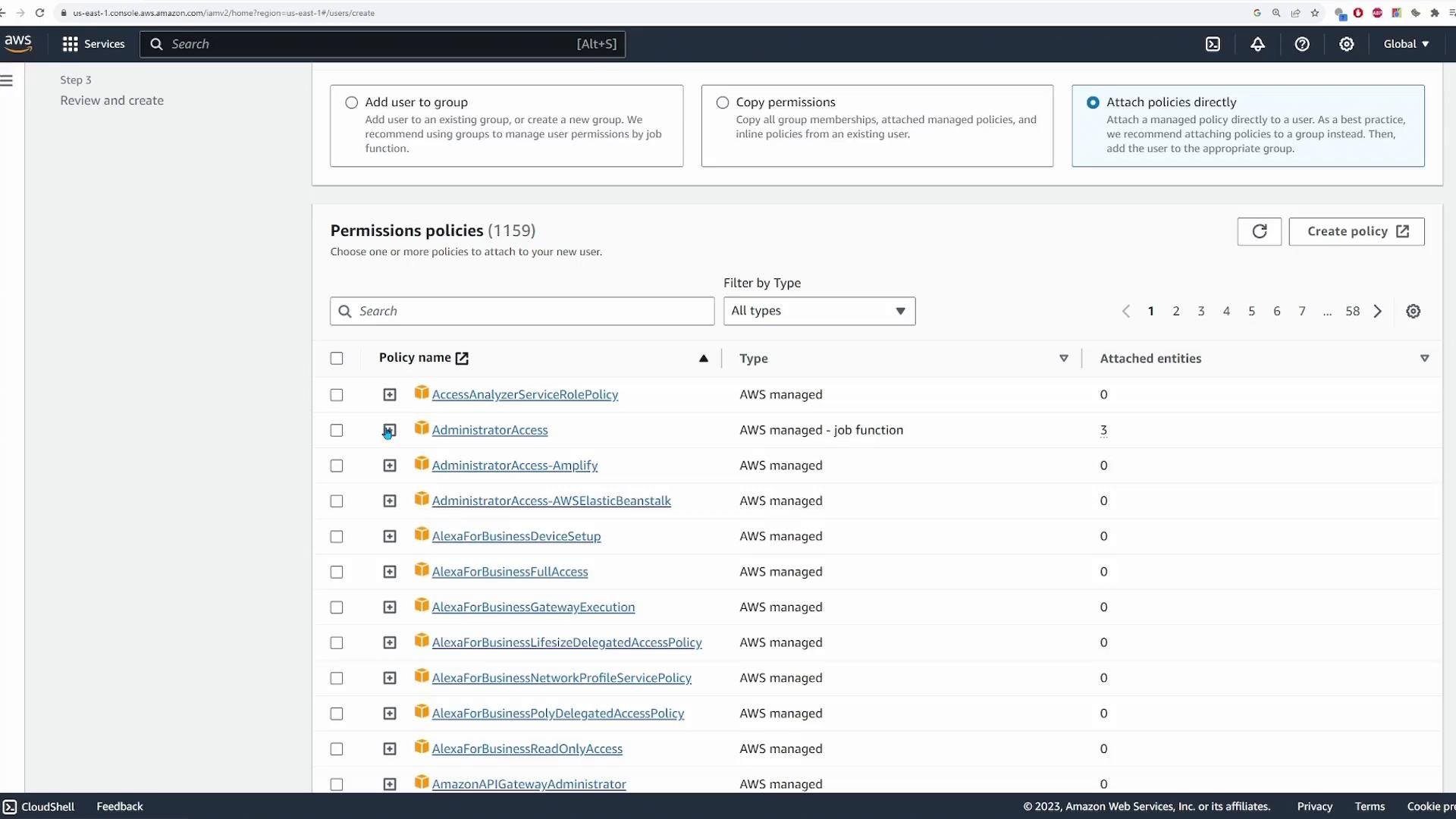
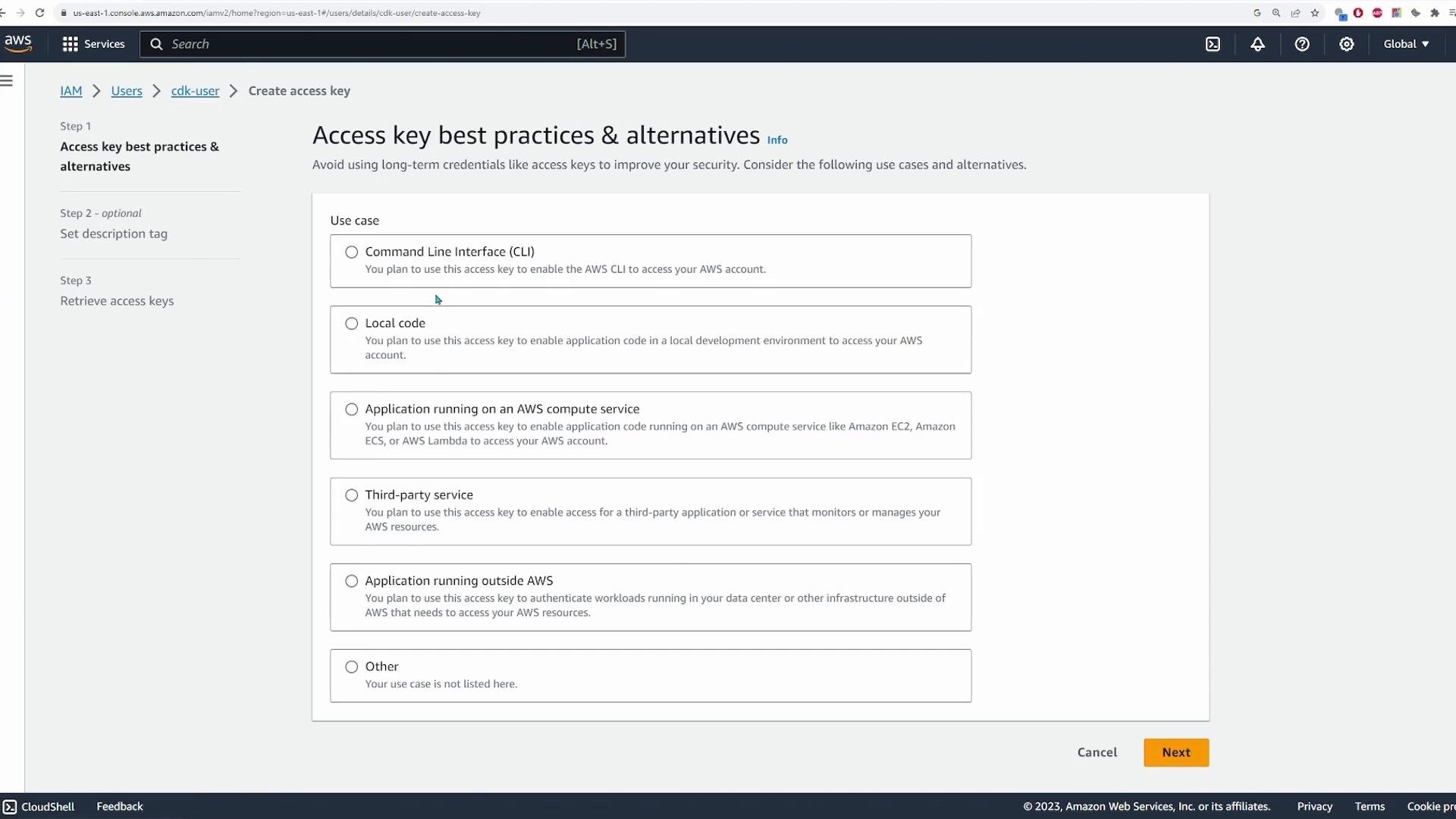
CDK uses the same AWS credentials mechanism as the AWS CLI. Create an IAM user with programmatic access and generate an access key/secret key. Prefer least privilege rather than Administrator access.Best practice: avoid using
AdministratorAccess for deployment agents. Create a policy that grants only the permissions required by your CDK app.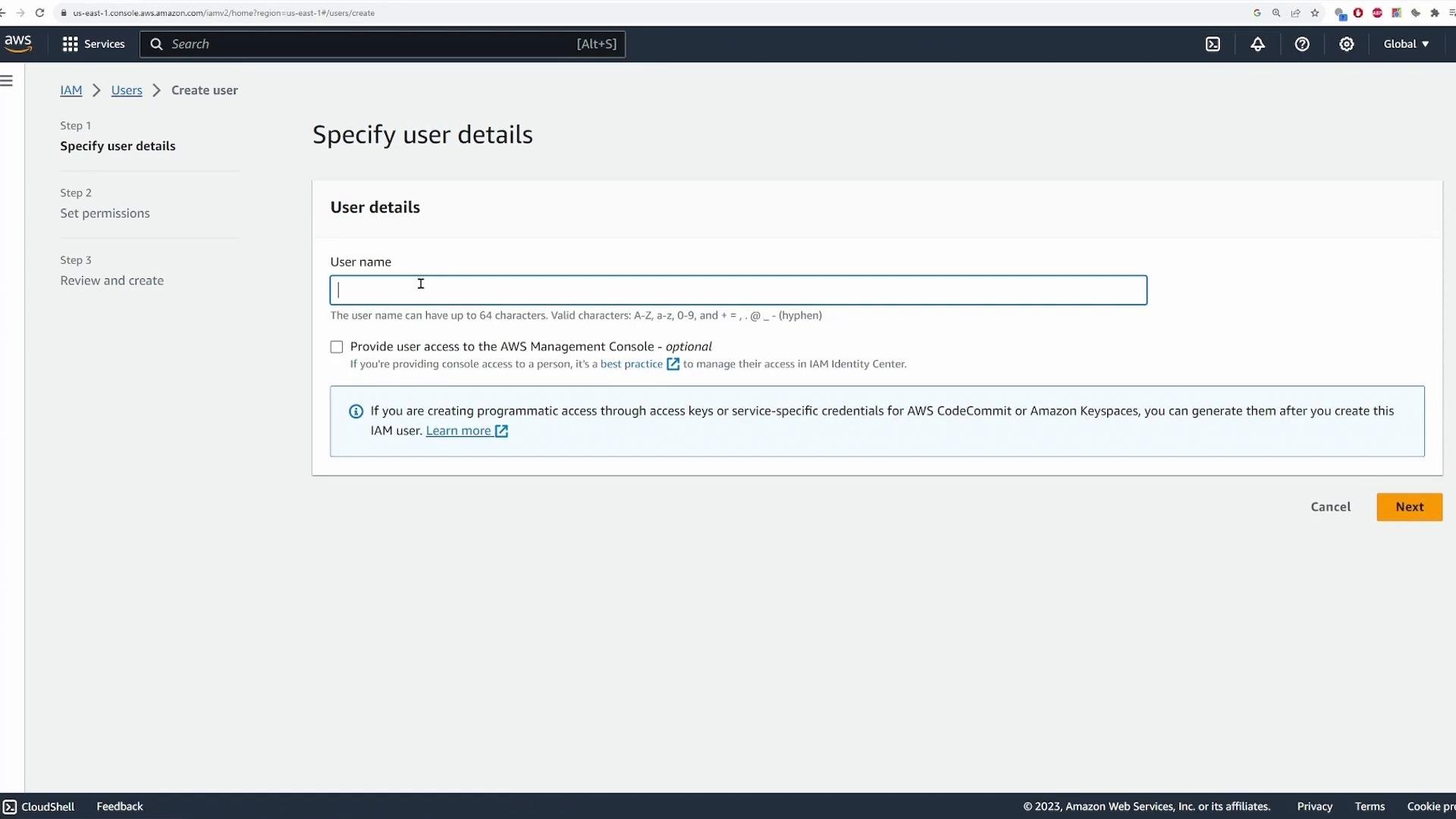
AdministratorAccess for quick demos):
Add an S3 bucket to the stack
Open your stack file (for examplecdk/cdk_stack.py) and:
- Add
aws_s3to the import block:
- Comment out sample SQS/SNS code (if present) and add a simple S3 bucket:
- The logical ID
"MyKodeKloudCdkBucket"is used by CDK when synthesizing resources. CDK generates a unique physical bucket name by default for global uniqueness. - To use a fixed bucket name, set the
bucket_nameproperty (ensure global uniqueness and S3 naming rules). - Configure encryption, versioning, lifecycle rules, or
removal_policyvia constructor arguments as needed.
Synthesize the CloudFormation template
Generate the CloudFormation template:cdk synth (trimmed):
Bootstrap the environment (if required)
If you haven’t bootstrapped this account/region for CDK v2,cdk deploy will ask you to run:
cdk bootstrap.
Preview and deploy
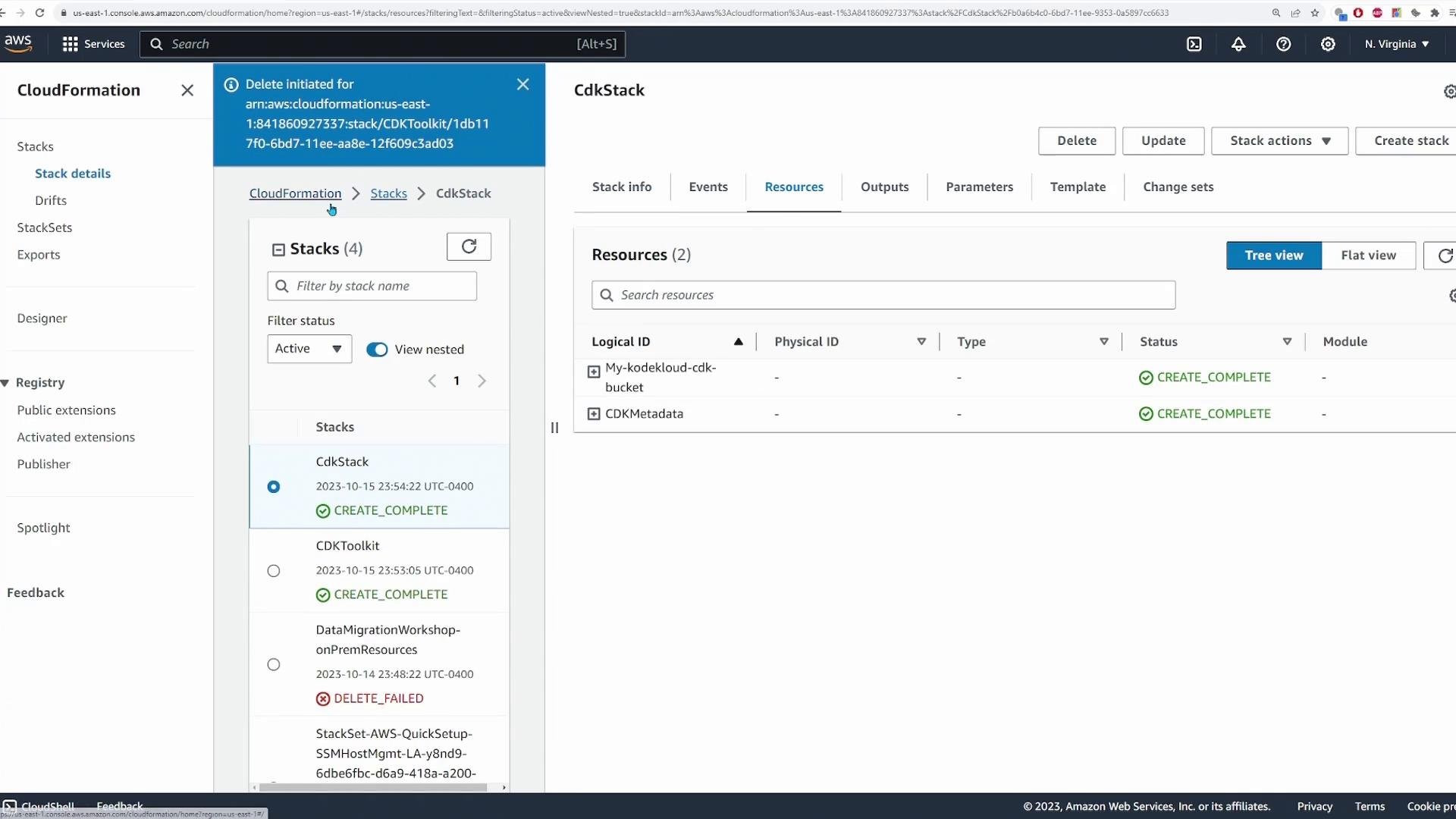
Preview changes:Verify in the console
After deployment, check the S3 console. The created bucket appears in the Buckets list (region shown):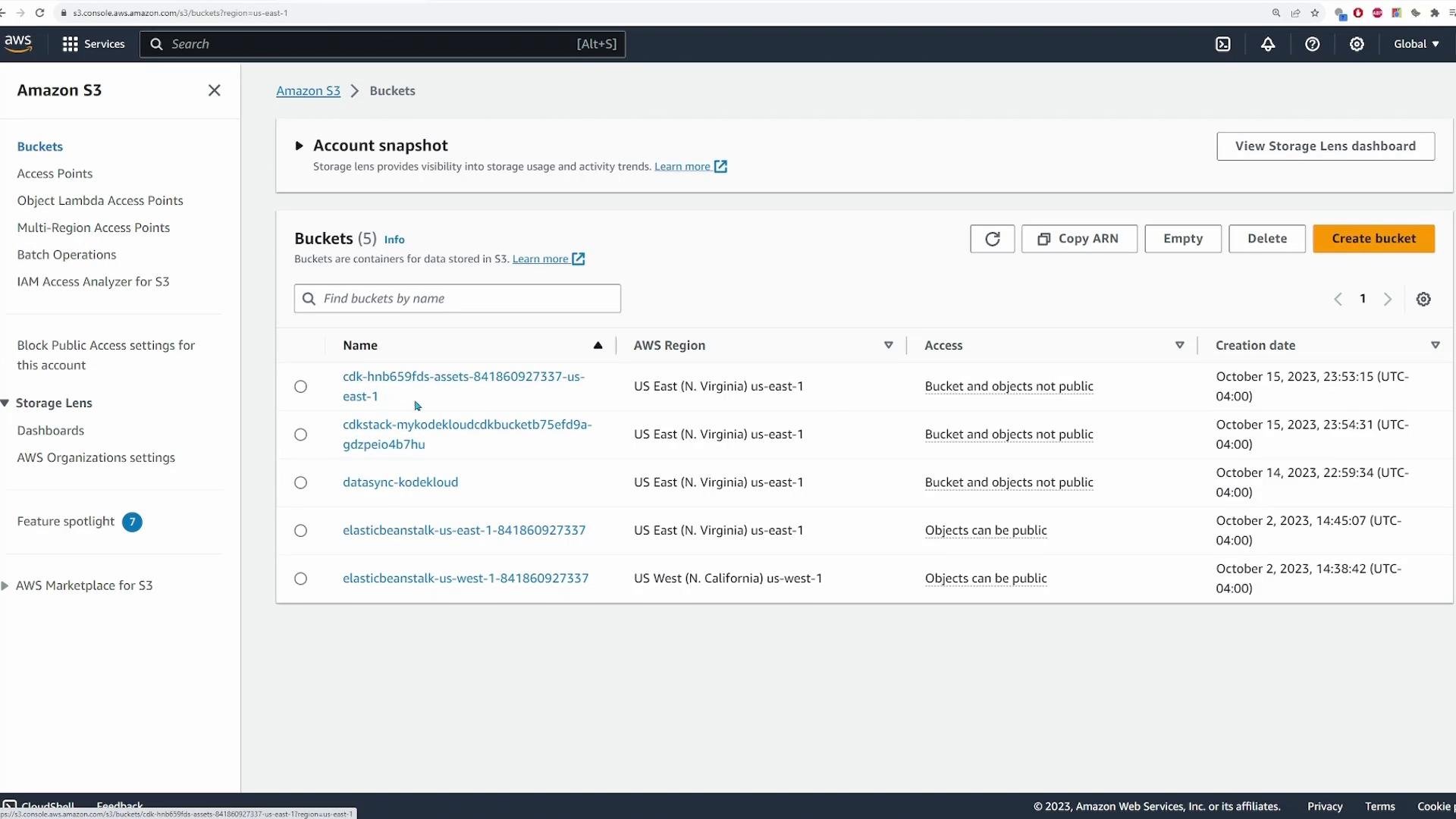
Post-deploy checks
Runcdk diff again to confirm no outstanding changes:
Destroying the stack
When finished, remove the stack:If the S3 bucket contains objects, CloudFormation cannot delete the bucket and
cdk destroy will fail. Either empty the bucket first (console, CLI, or SDK), or configure the bucket for development/testing with removal_policy=cdk.RemovalPolicy.DESTROY and auto_delete_objects=True to enable automated deletion. Do not enable auto_delete_objects in production without understanding the consequences.Conclusion
You learned how to:- Initialize a Python CDK project
- Create and activate a virtual environment
- Add an S3 bucket construct to the stack
- Synthesize the CloudFormation template
- Bootstrap the environment (if required)
- Deploy and verify the bucket
- Destroy resources when finished
Links and references
- AWS CDK Developer Guide: https://docs.aws.amazon.com/cdk/latest/guide/home.html
- AWS CDK API Reference: https://docs.aws.amazon.com/cdk/api/v2/
- AWS CloudFormation: https://learn.kodekloud.com/user/courses/aws-cloud-formation
- AWS IAM basics: https://learn.kodekloud.com/user/courses/aws-iam
- Amazon S3: https://learn.kodekloud.com/user/courses/amazon-simple-storage-service-amazon-s3