

Auto-Scaling Group Features
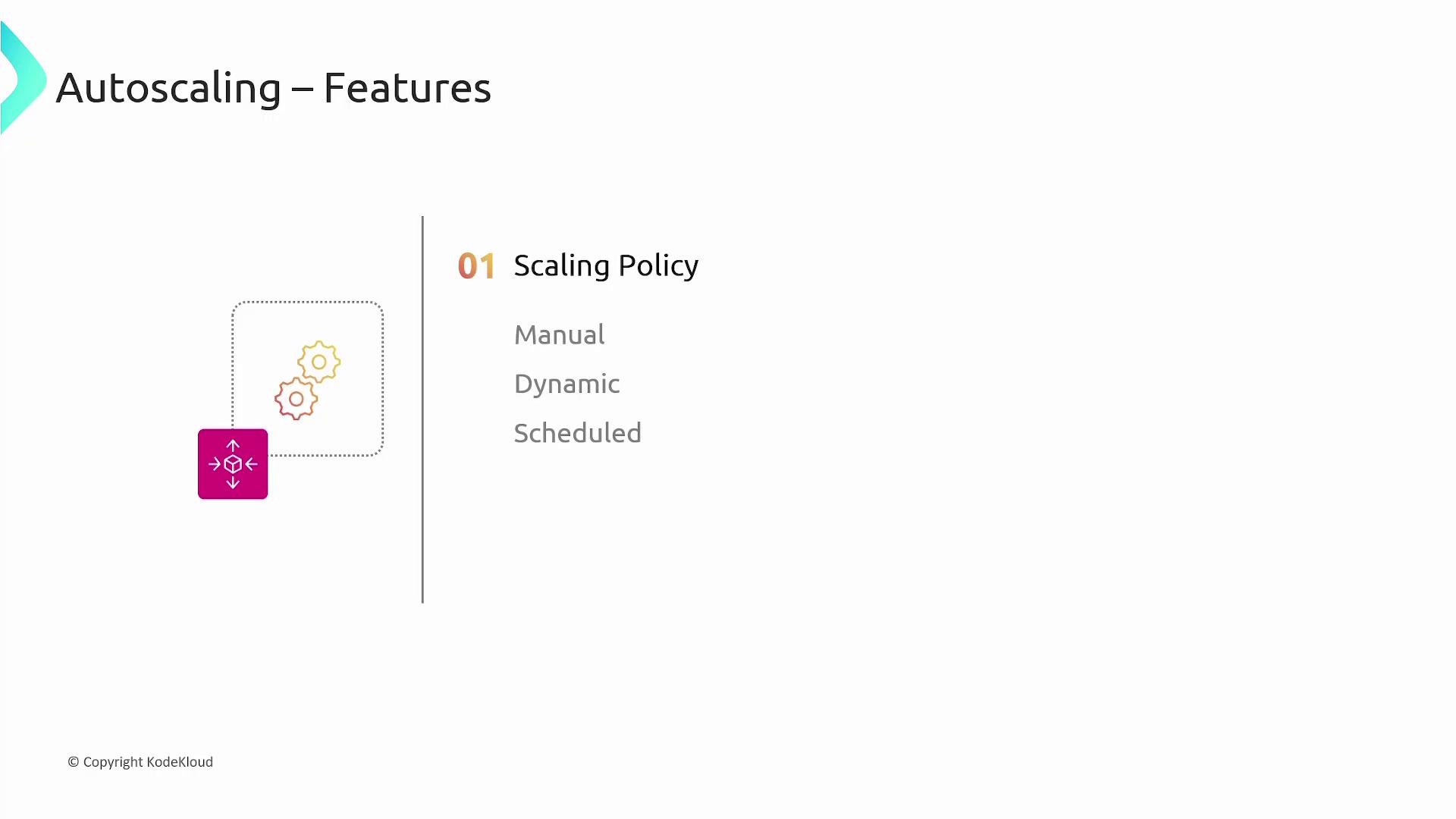
The core element of an auto-scaling group is its scaling policy. A scaling policy modifies the desired capacity by launching or terminating EC2 instances within a defined minimum and maximum range. AWS supports three categories of scaling policies:- Manual Scaling: Adjust instances by direct user input.
- Dynamic Scaling: Automatically adjusts instances based on real-time metrics.
- Scheduled Scaling: Predetermines scaling actions at specific times.
- Minimum: The absolute lowest number of instances in the group.
- Desired: The ideal number of instances you want running. This value is often set equal to or higher than the minimum.
- Maximum: The upper limit on the number of instances the group can scale out to.
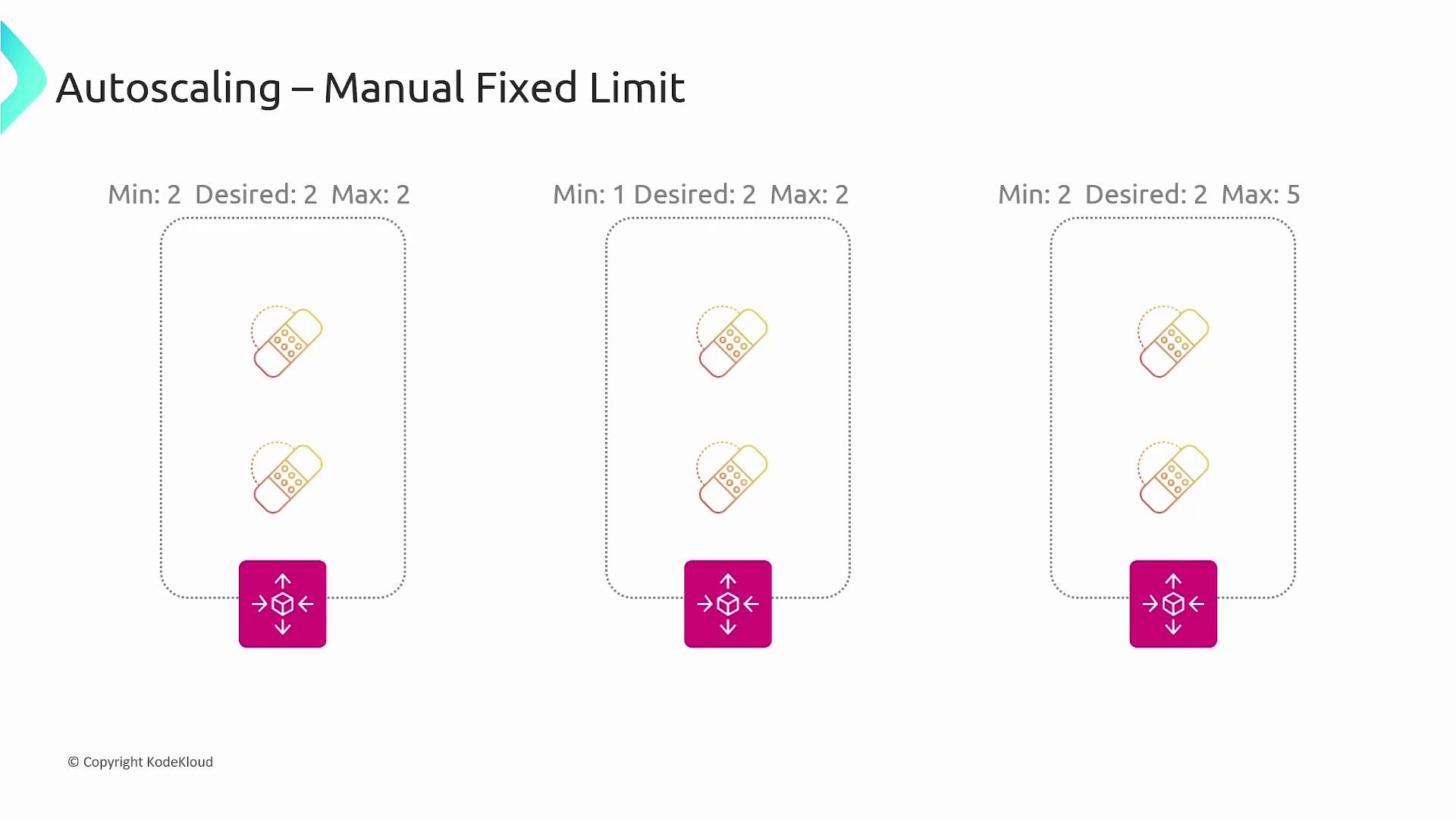
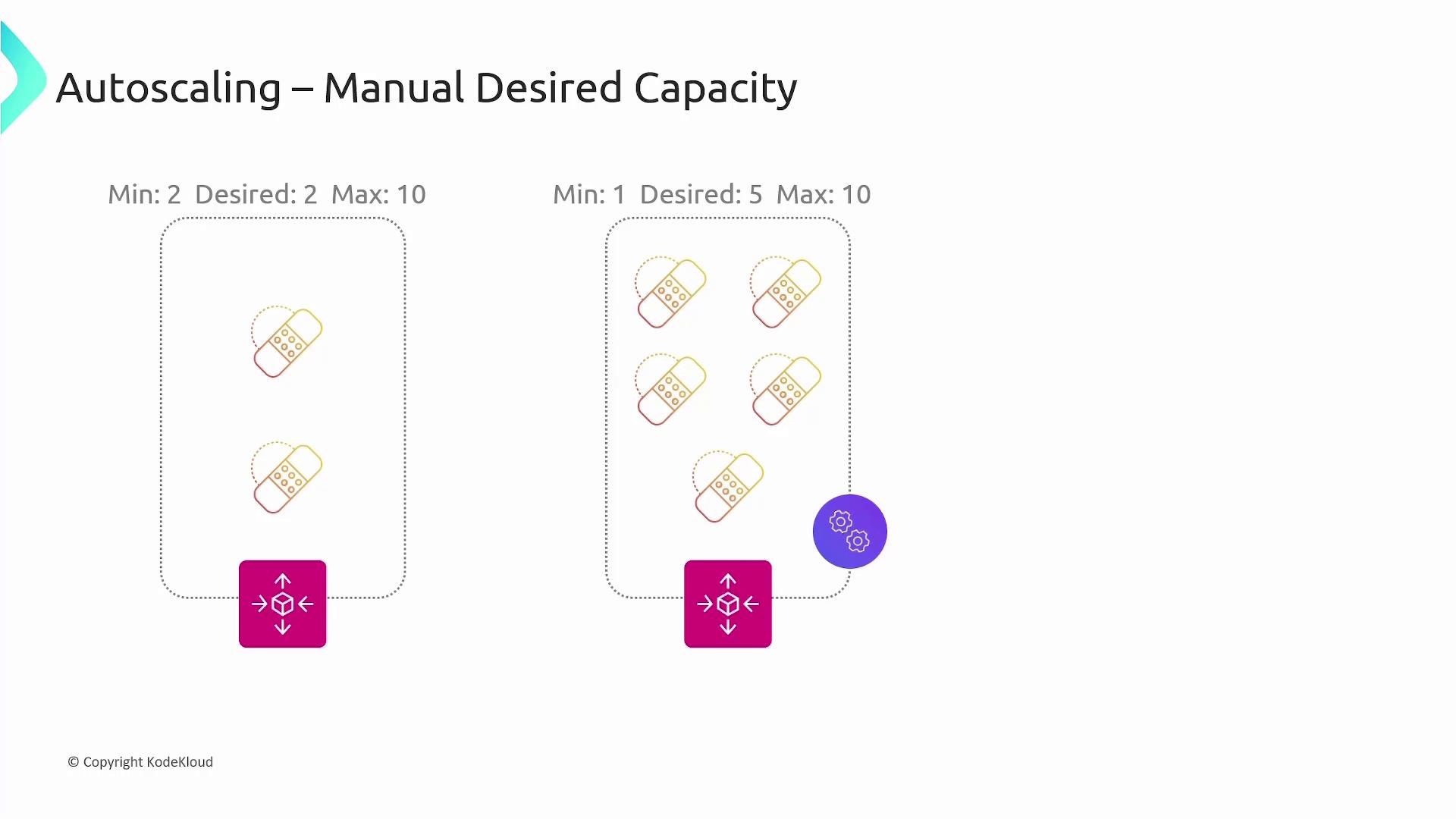
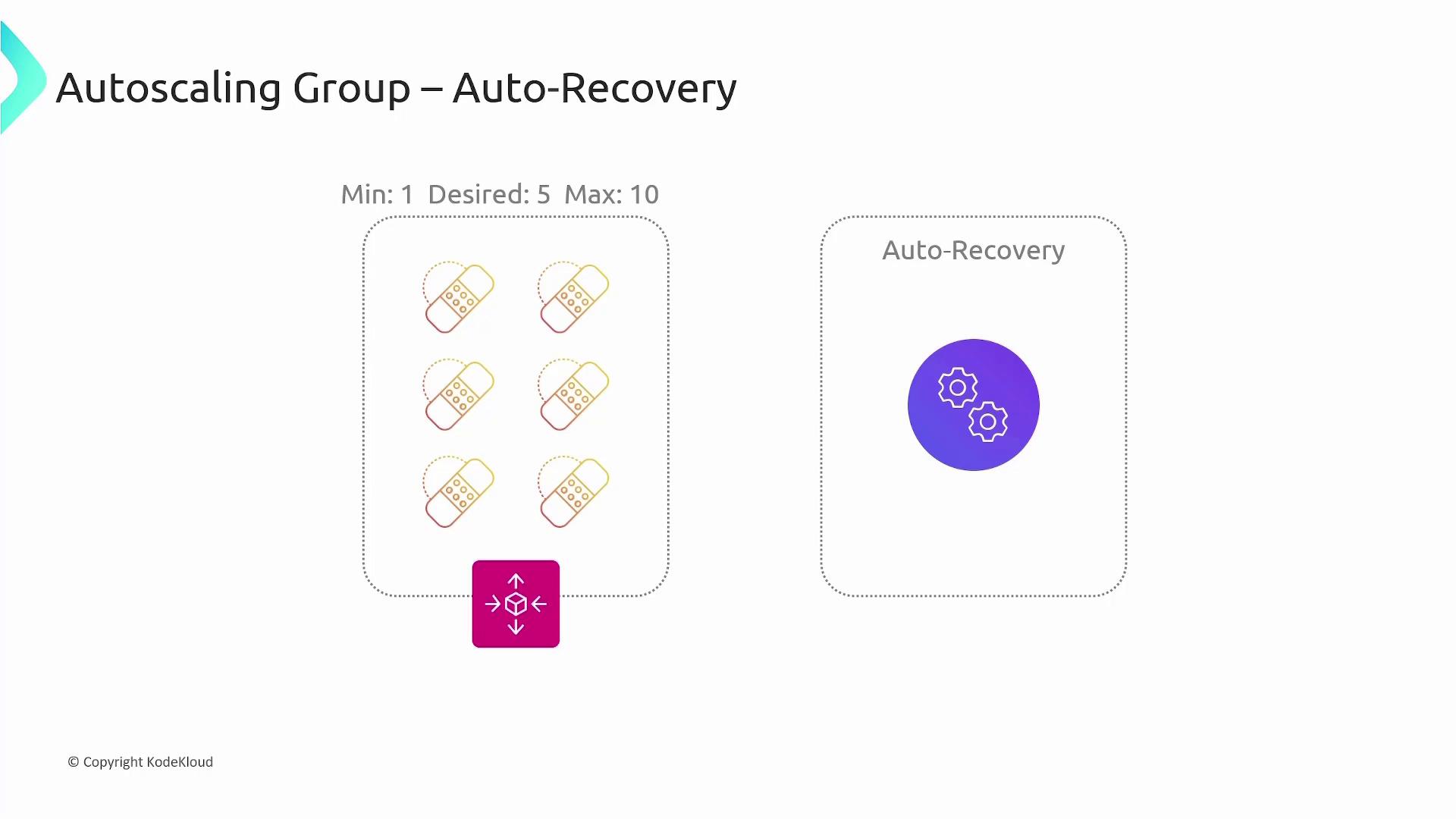
While manual adjustments to the desired capacity can handle planned scaling needs, it is best to automate scaling based on real-time metrics in production environments.
Dynamic Scaling Policies
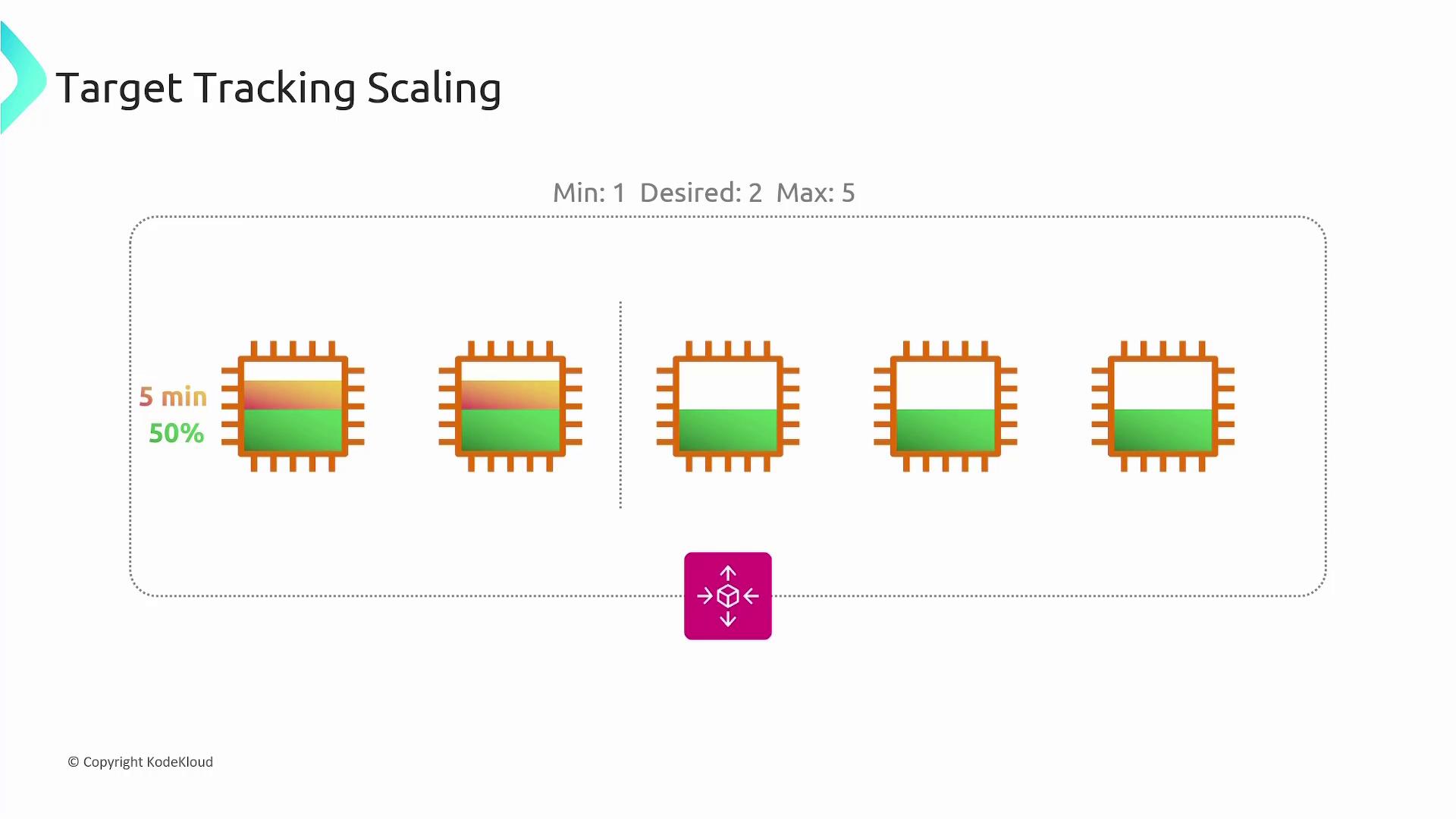
Dynamic scaling policies enable AWS to monitor various metrics and adjust the number of instances automatically. Common metrics include average CPU utilization, network I/O, and Application Load Balancer request counts. When these metrics exceed or fall below designated thresholds, AWS scales the auto-scaling group accordingly. One popular dynamic approach is target tracking scaling. For instance, you might configure a group with a minimum of 1 instance, desired capacity of 2, and a maximum of 5 instances, while targeting an average CPU utilization of 50%. If the CPU usage stays above 50% for a defined period (such as 5 minutes), a new EC2 instance is added. The group continues to add or remove instances as needed to maintain the target.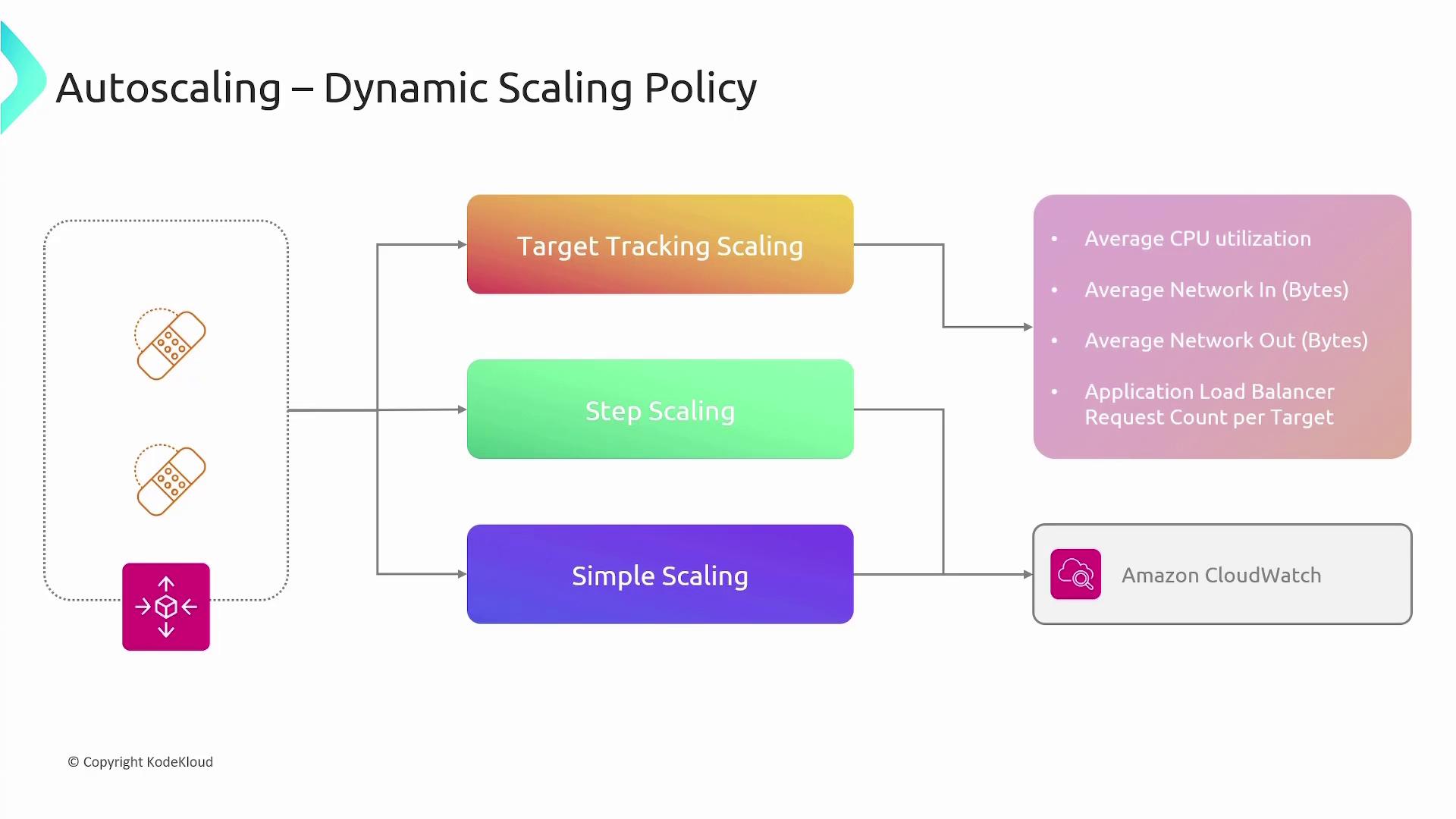
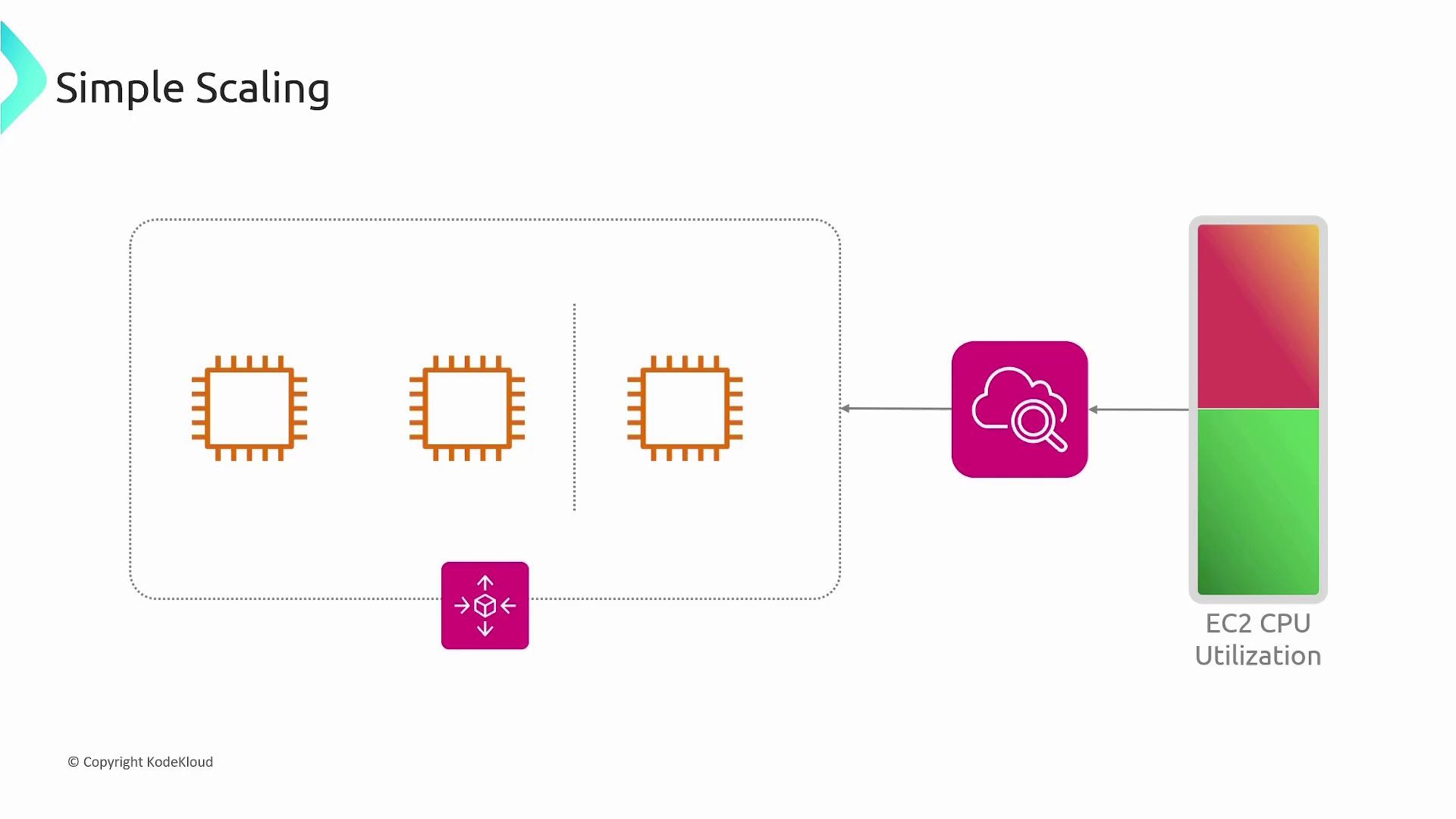
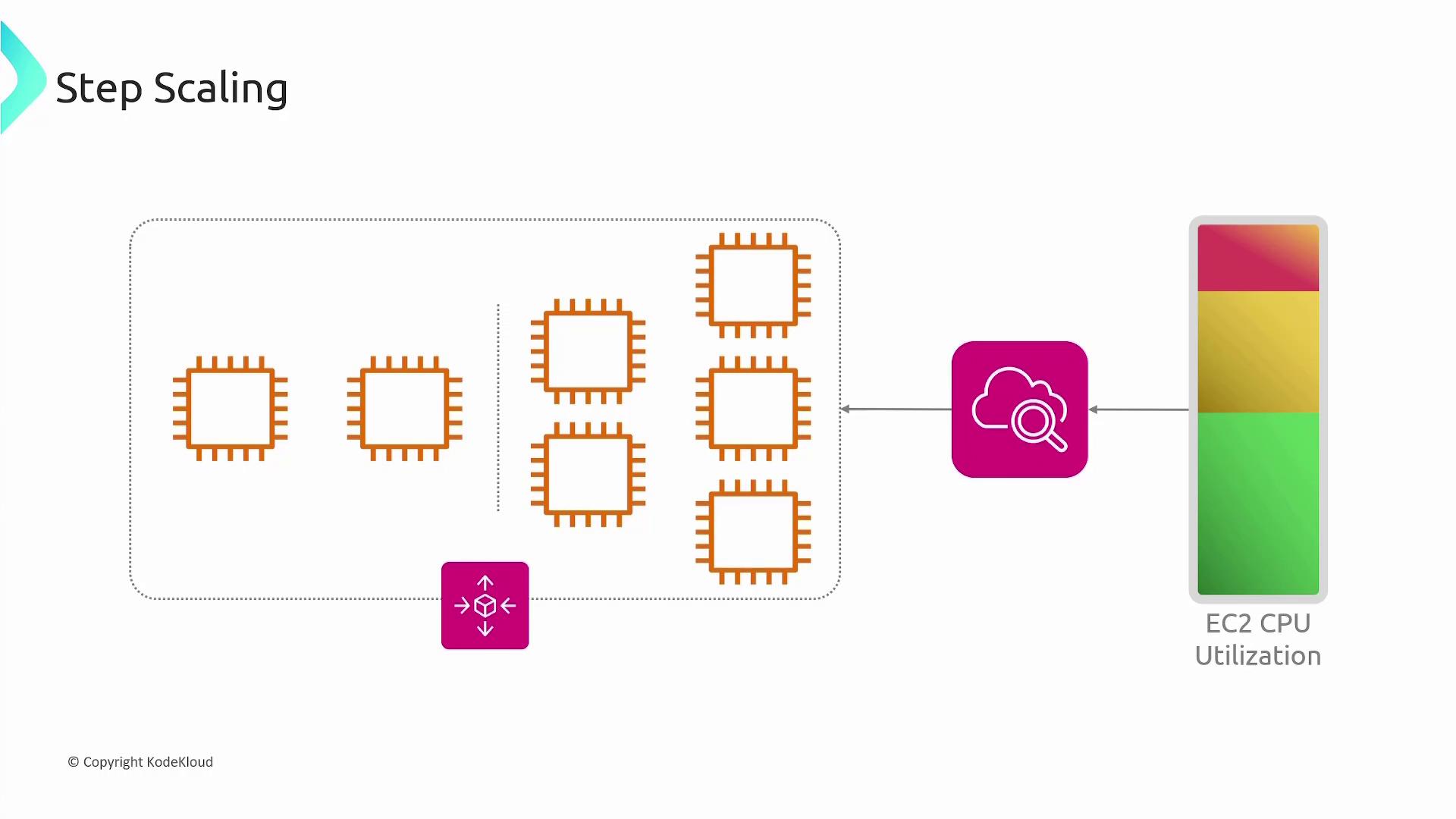
- Add 2 instances if CPU utilization is between 60% and 70%.
- Add 3 instances if utilization rises between 70% and 85%.
- Add 5 instances if it reaches between 85% and 100%.
Scheduled Scaling
Scheduled scaling is ideal for predictable workloads. For example, a website might experience peak traffic between 8 AM and 10 AM. In such cases, you can schedule the auto-scaling group to increase the desired count during those hours and lower it during off-peak times. Scheduled scaling policies can trigger actions once or on a recurring basis using cron-like schedules.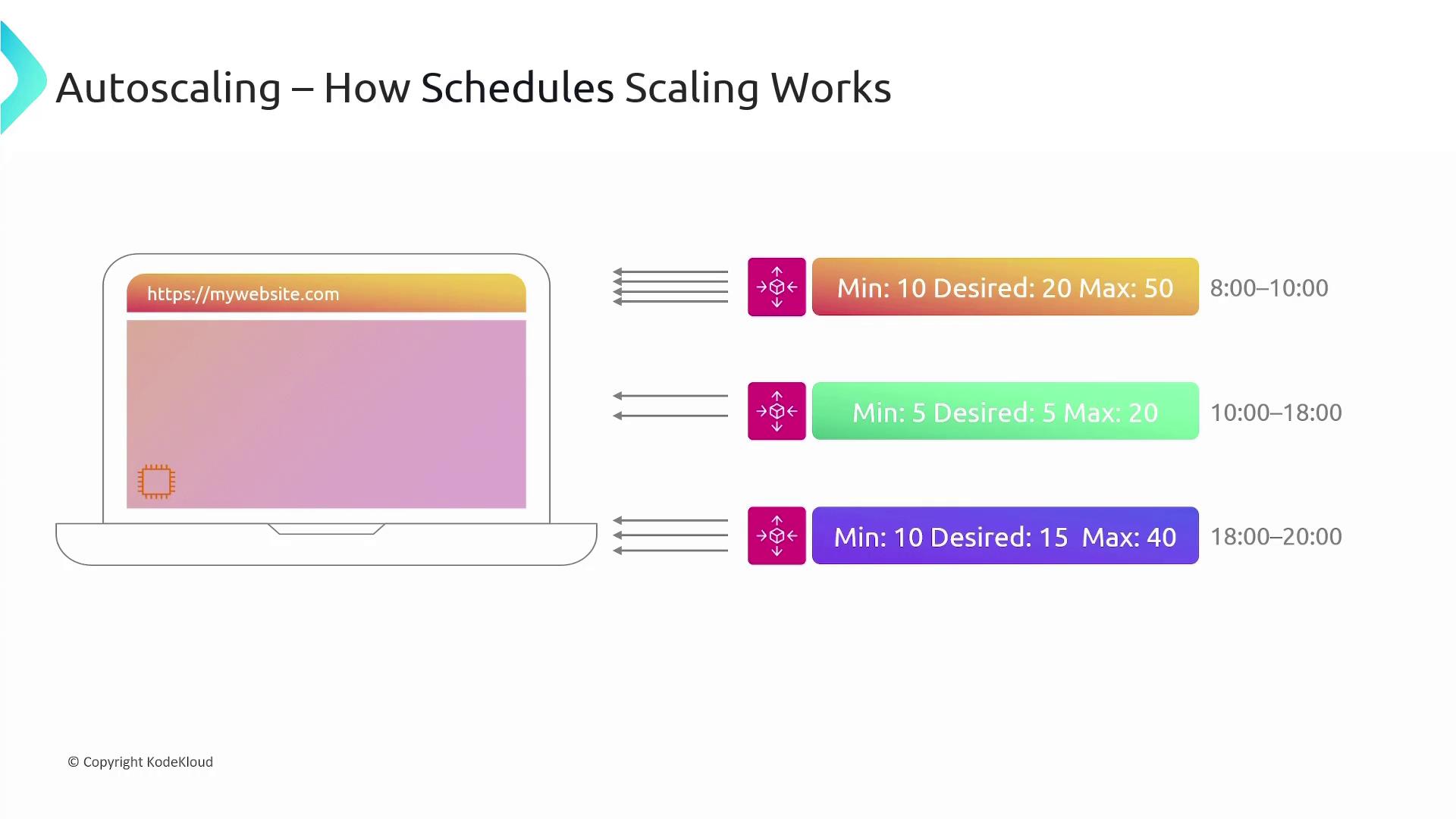
Launch Templates
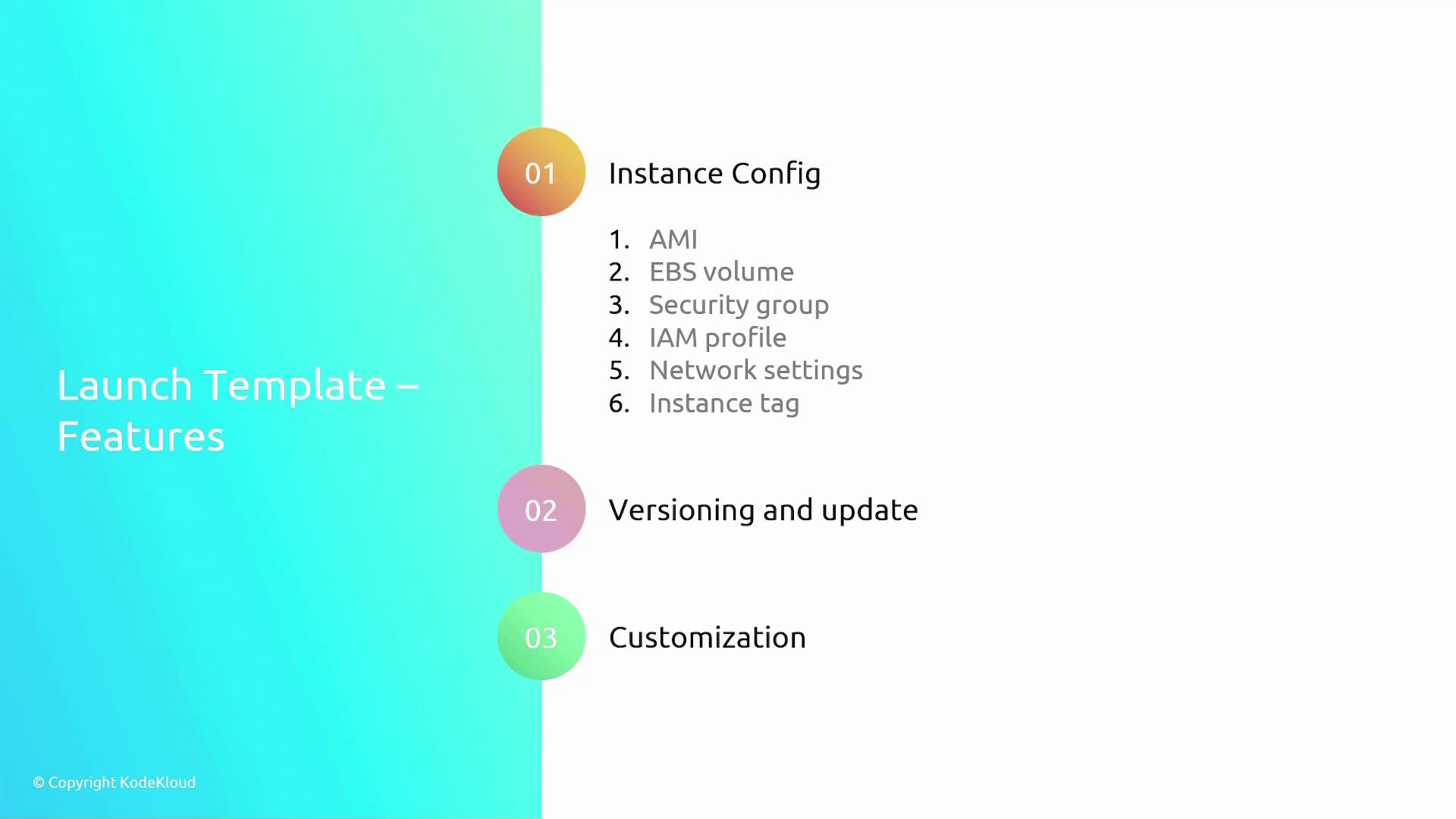
For EC2 auto-scaling groups, a launch template is required to define the specifications for deploying new instances. A launch template contains details such as:- The Amazon Machine Image (AMI)
- Instance type and size
- Networking configurations (e.g., subnets, security groups)
- IAM roles and instance access keys
A launch template ensures you deploy instances consistently without manual setup each time.
Integration with Other AWS Services
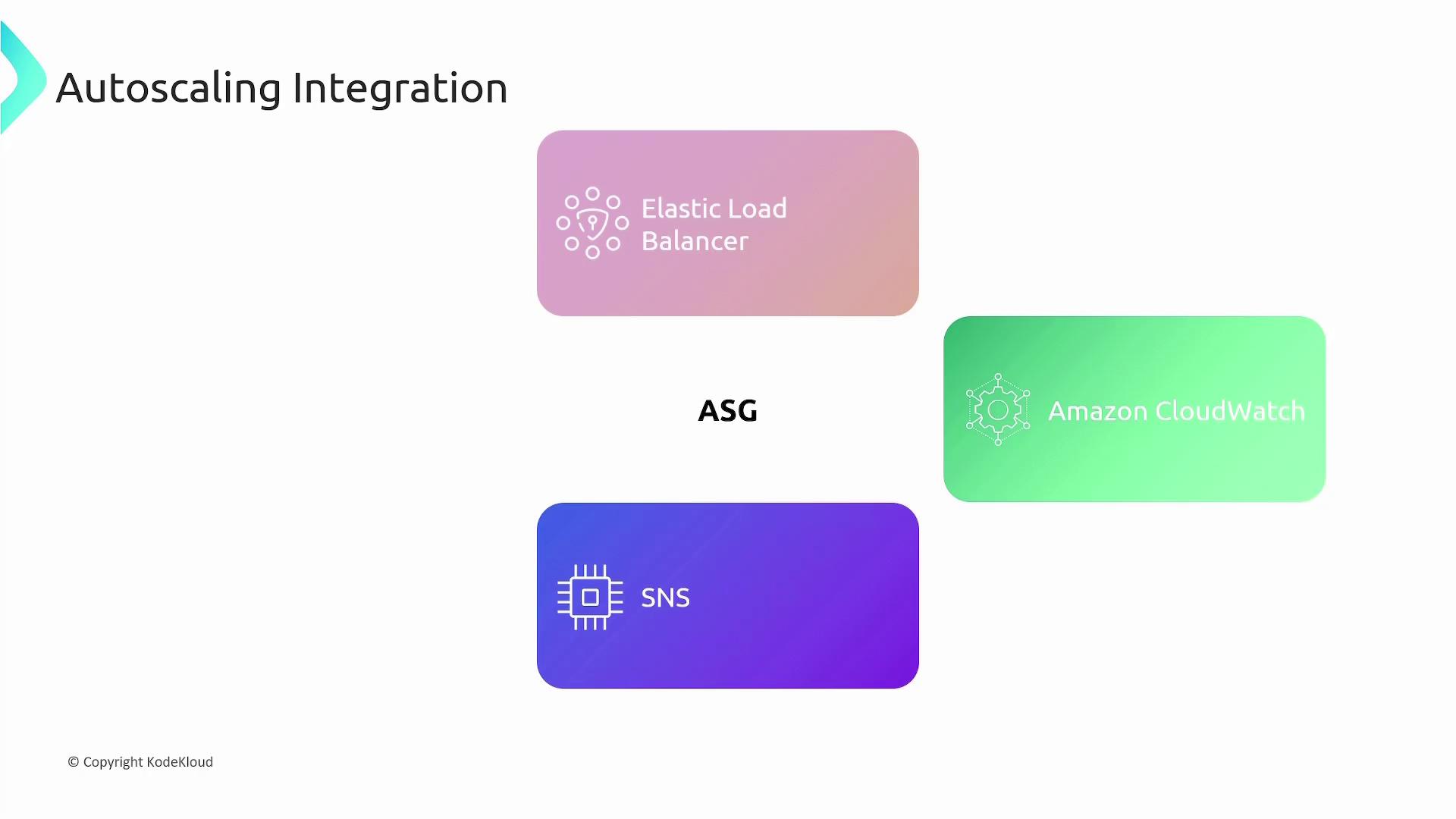
AWS auto-scaling groups integrate seamlessly with a variety of AWS services:- Elastic Load Balancer (ELB): Distributes incoming traffic across multiple EC2 instances.
- CloudWatch: Offers monitoring metrics and alarms that drive scaling decisions.
- Simple Notification Service (SNS): Sends notifications detailing auto-scaling events, such as scaling actions.
This guide has covered scaling policies, dynamic and scheduled scaling, launch templates, and AWS service integrations, empowering you to design robust auto-scaling groups that automatically adjust compute resources based on demand.