

Before you begin, be aware that Amazon Macie incurs service charges based on the data scanned and the number of findings. Ensure you have appropriate IAM permissions (for Macie and S3) and monitor costs while testing.
What you’ll learn
- How to enable Amazon Macie for an AWS account and region
- How to upload sample test files to S3 to validate detection
- How to create a one-time sensitive data discovery job
- How to select managed or custom data identifiers
- How to review findings and integrate Macie with AWS services for automation
Prerequisites
- An AWS account with permissions to enable Macie and access S3 (Macie:
macie2:*, S3:s3:*or appropriate scoped permissions). - An S3 bucket to hold test objects (example used here:
macie-kodekloud).
1. Enable Macie and prepare test data
- Open the AWS Console and search for “Macie”. Select Get started and follow the prompts to enable Amazon Macie for your account and region.
- Prepare or download test files that contain data Macie can detect. For this demo we use three files:
addresses.txt:
- Upload these three files to your S3 bucket (e.g.,
macie-kodekloud).
2. Create a sensitive data discovery job
After enabling Macie and uploading the files:- In the Macie console, go to Jobs → Create job.
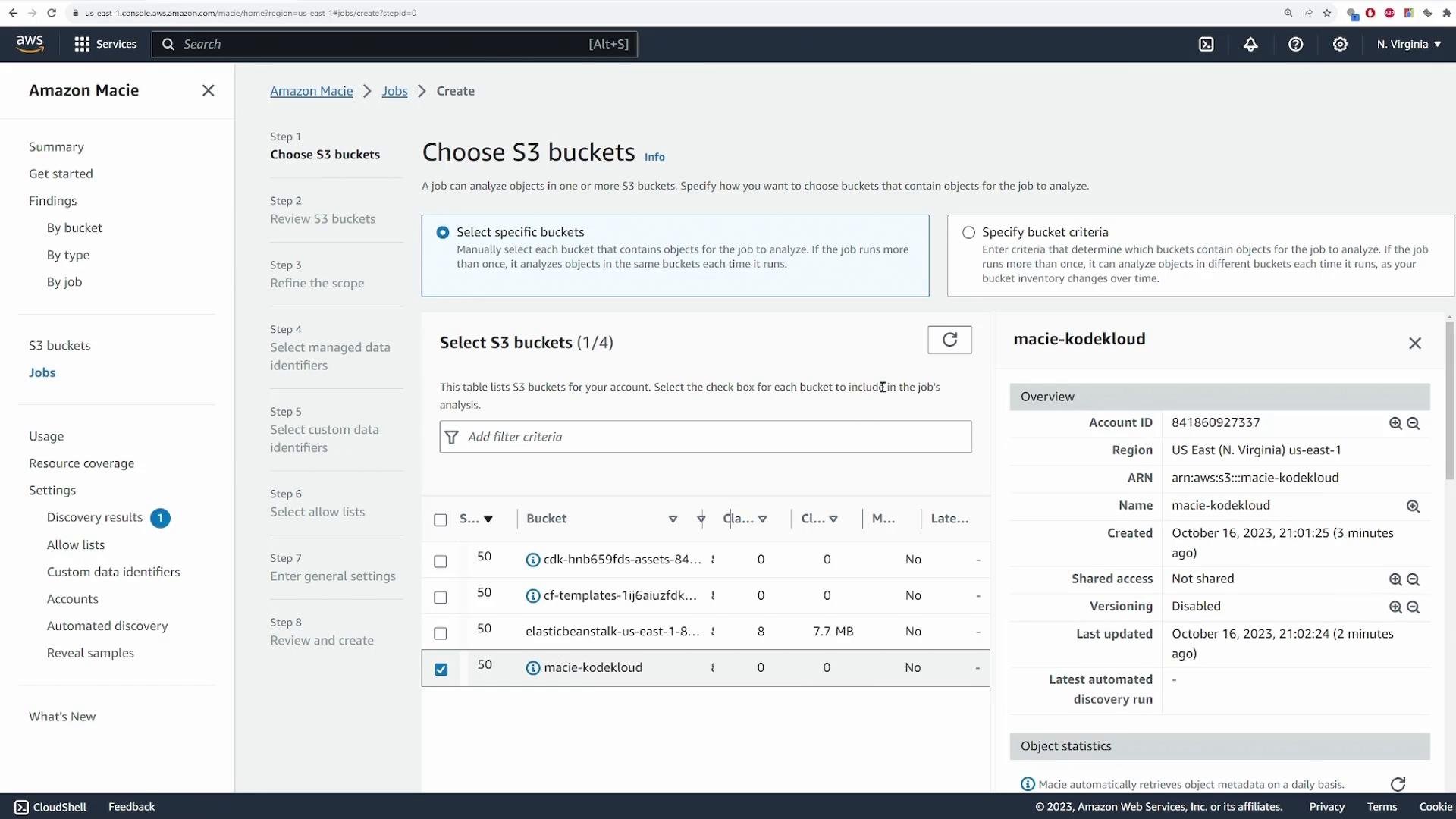
- Select the S3 bucket you uploaded to (for example,
macie-kodekloud) and proceed.
- One-time or scheduled scanning (daily/weekly/monthly)
- Whether to include existing objects
- Sampling depth (percentage of objects scanned)
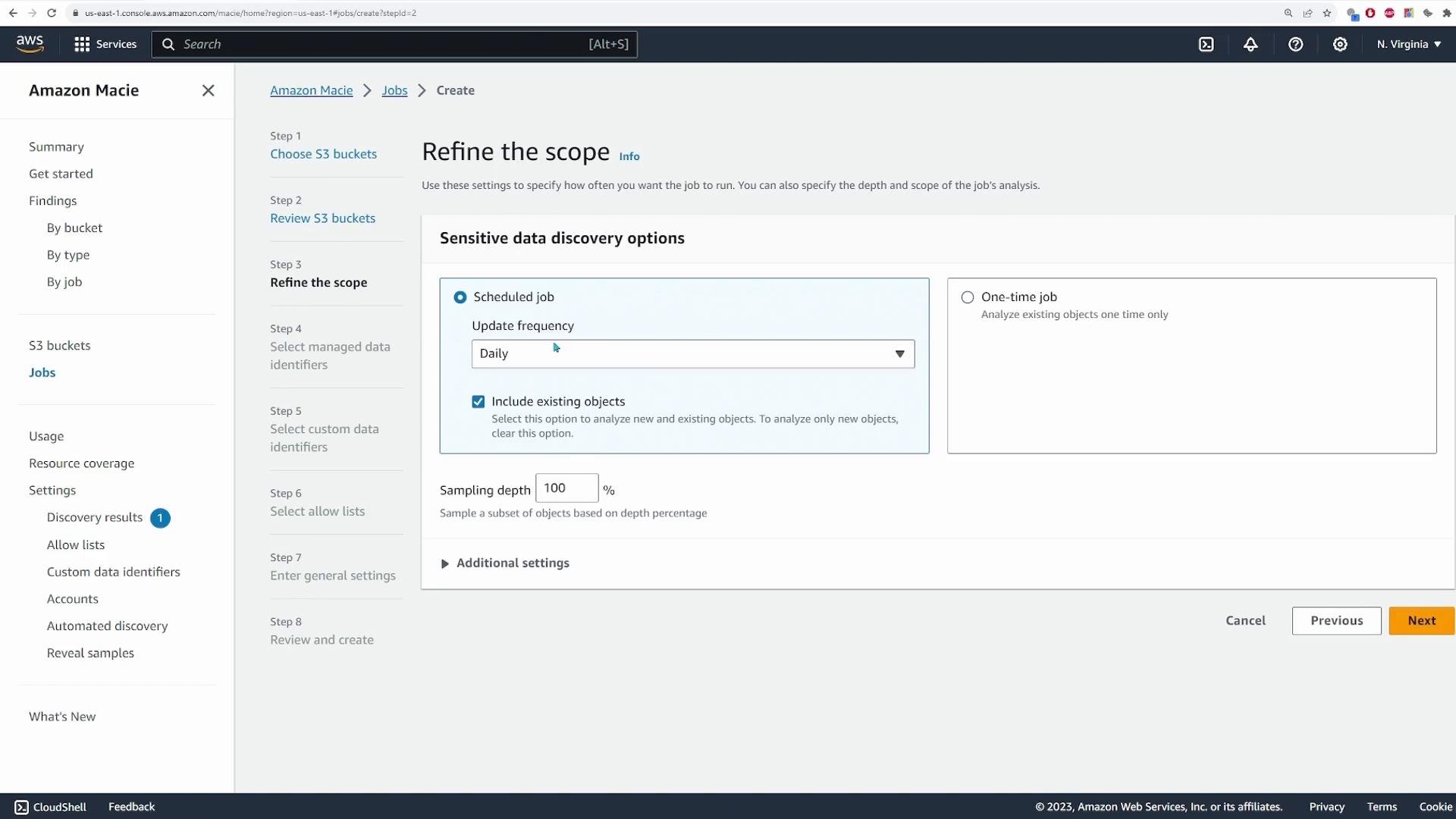
Click Next to select data identifiers.
3. Select managed and custom data identifiers
Macie includes managed data identifiers for many common patterns (credit cards, SSNs, driver’s licenses, addresses across countries). You can choose:- Managed identifiers (pre-built) — recommended for standard detections.
- Custom data identifiers — define regular expressions to detect organization-specific patterns.
- Allow lists — exclude specific strings or patterns to reduce false positives.
- We selected managed identifiers for addresses and credit card numbers only.
- We did not configure custom identifiers or allow lists.
- We provided the job name
macie-test-joband submitted the job.
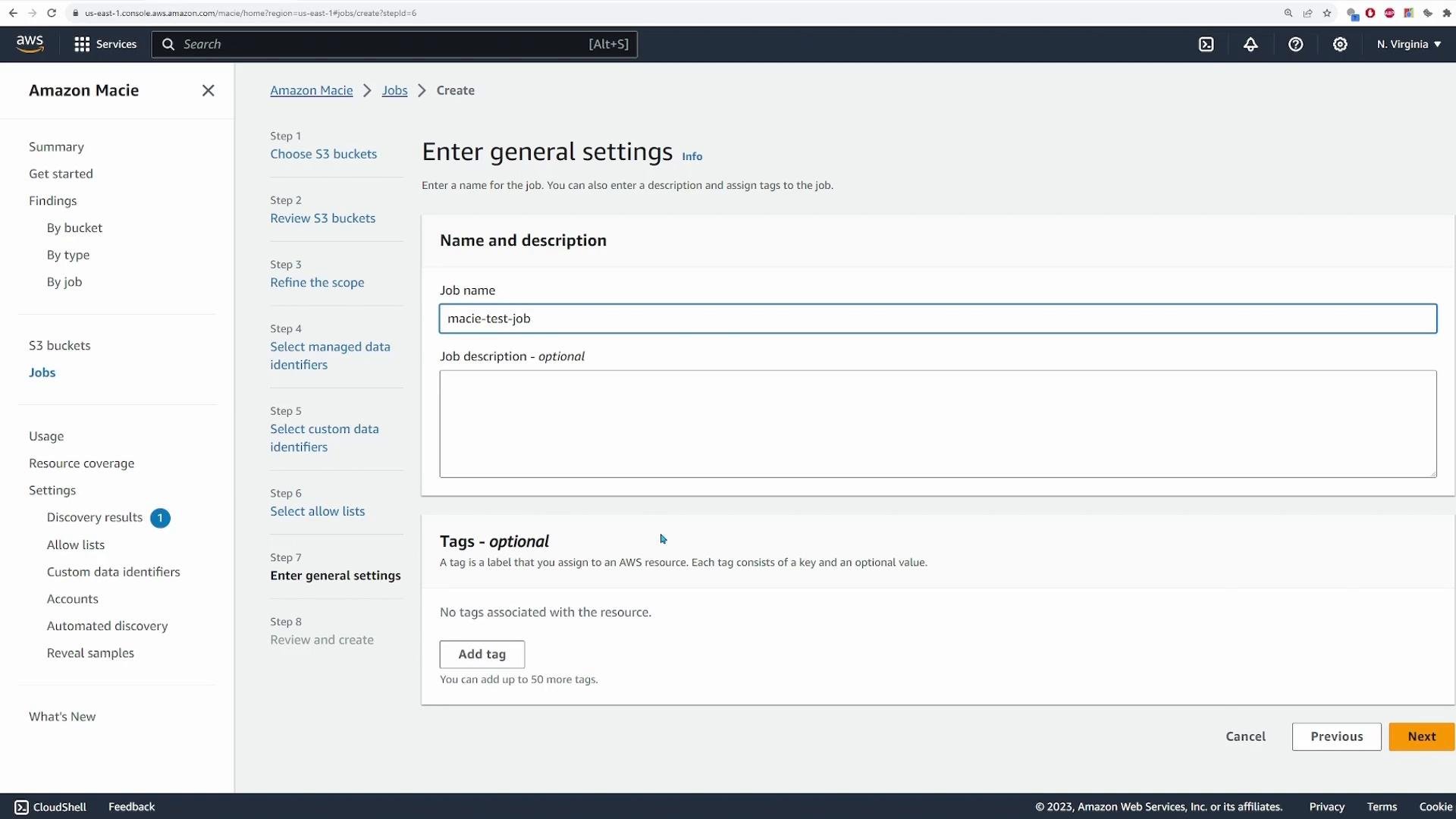
If you want to retain full discovery outputs or export results programmatically, configure a results repository (an S3 bucket) for sensitive data discovery results in Macie’s settings. Without a repository you will still see findings in the console but may receive a warning about missing a repository.
4. Review findings
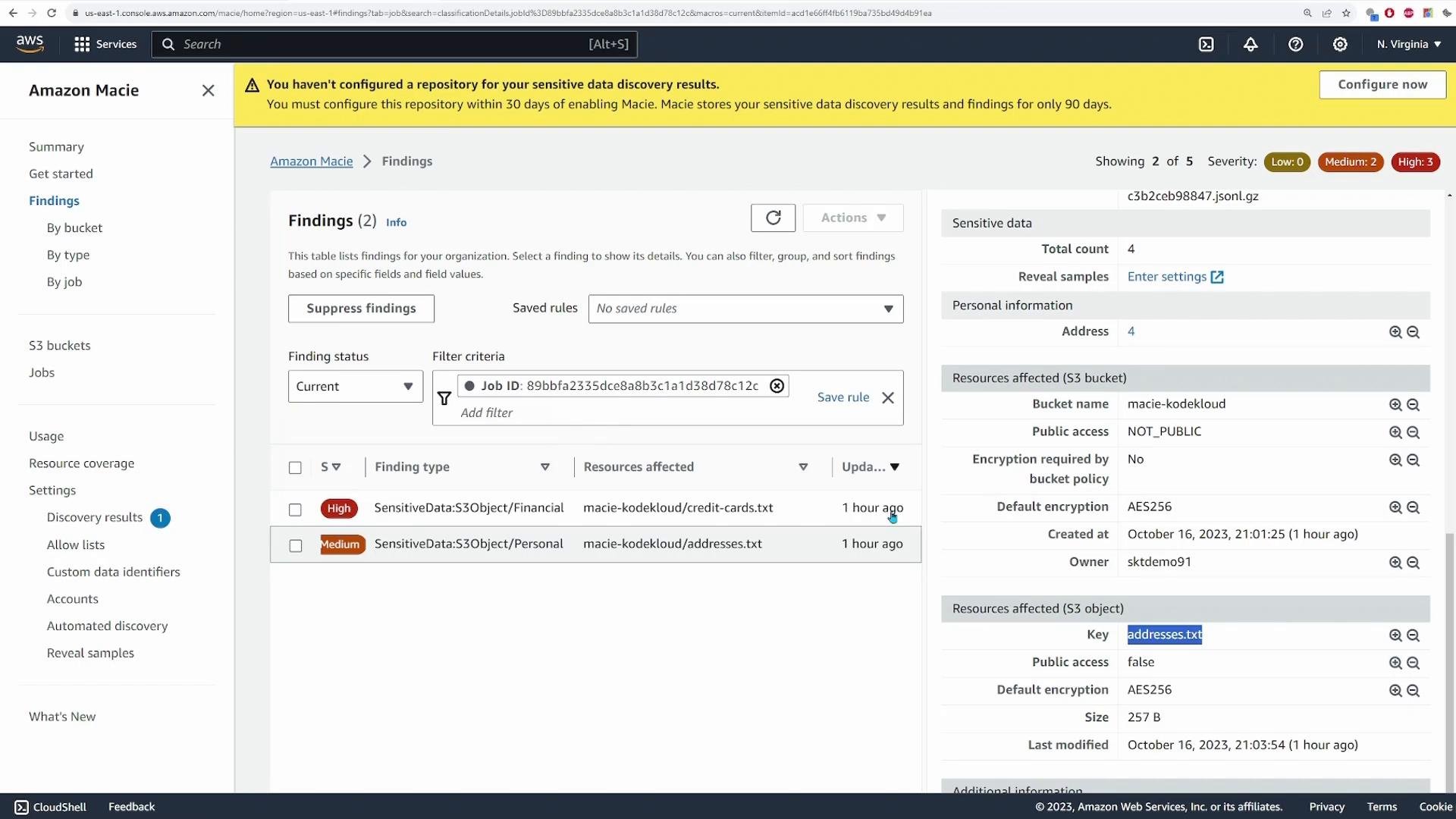
When the job completes, refresh the Jobs page and open the job to view findings. Findings include severity (High, Medium, Low), the finding type (for example, S3 object — financial), and details about the affected resource (bucket and object key).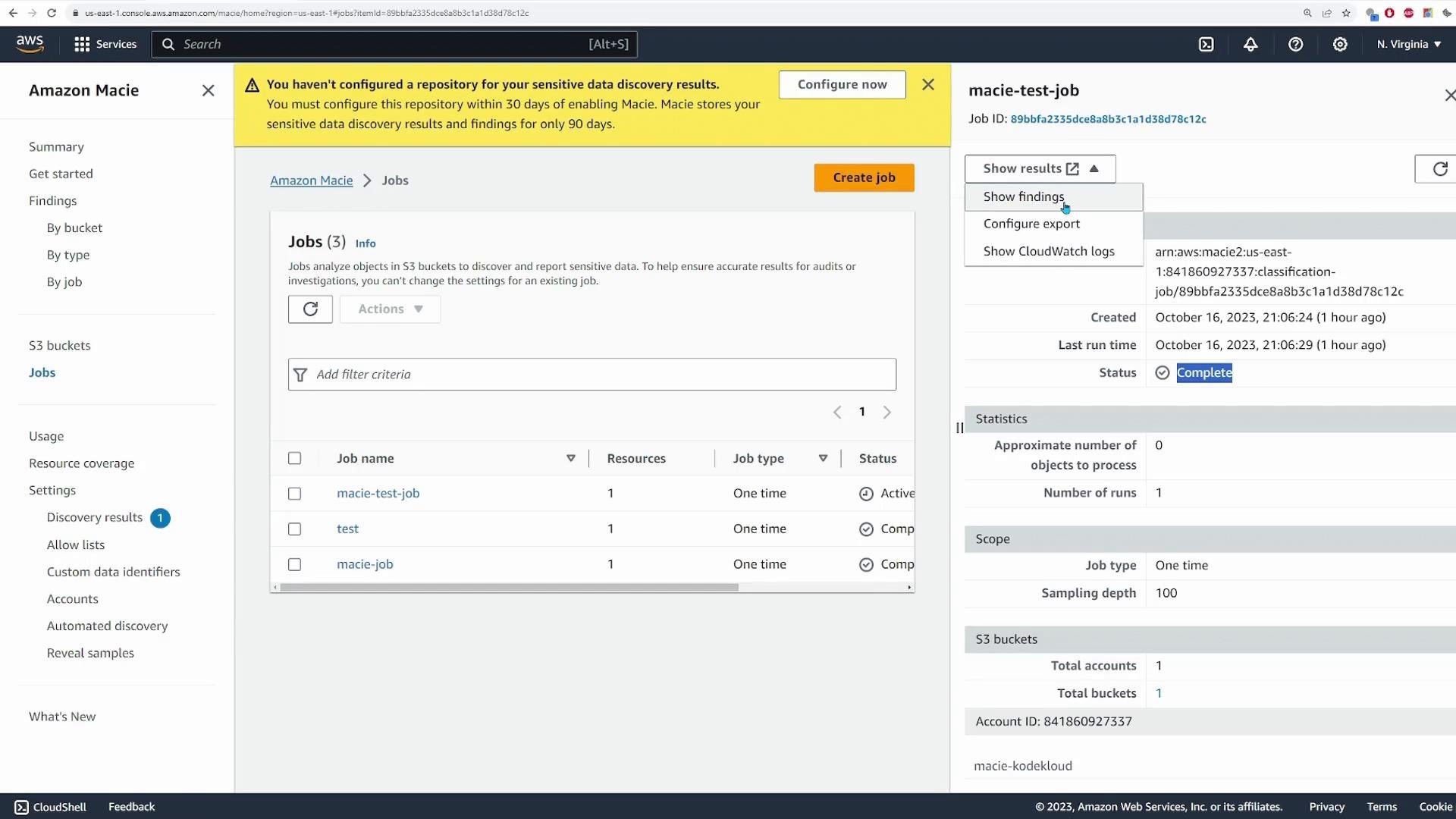
- High severity:
credit-cards.txt— Macie detected multiple credit card numbers (S3 object / financial). - Medium severity:
addresses.txt— Macie detected multiple postal addresses (personal information).
- The bucket and object key that triggered the finding
- Number of matches and types of identifiers detected
- Severity, occurrence time, and suggested remediation steps
- Remove or quarantine sensitive objects from public access.
- Apply least-privilege bucket policies and IAM roles.
- Enable server-side encryption (SSE) for sensitive S3 objects.
- Remediate or redact data when appropriate and retain audit logs.
5. Integrations and next steps
Macie findings can be integrated with AWS services to automate response and centralize security data:
Consider the following production recommendations:
- Schedule recurring jobs for continuous monitoring of critical buckets.
- Use allow lists and custom identifiers to optimize detection and reduce false positives.
- Configure a results repository to export findings and enable downstream automation.
- Monitor Macie costs and sampling rates for large buckets to control expenses.
Summary
This lesson covered:- Enabling Amazon Macie and preparing sample S3 objects for testing
- Creating a one-time sensitive data discovery job and setting scope/sampling
- Selecting managed and custom data identifiers, and naming the job (
macie-test-job) - Reviewing findings and taking remediation steps
- Integrating Macie with EventBridge, Lambda, Security Hub, SNS, and S3 for automation and retention
Links and References
- Amazon Macie: https://aws.amazon.com/macie/
- Macie managed data identifiers (user guide): https://docs.aws.amazon.com/macie/latest/userguide/managed-data-identifiers.html
- Amazon S3: https://aws.amazon.com/s3/
- Amazon EventBridge: https://aws.amazon.com/eventbridge/
- AWS Lambda: https://aws.amazon.com/lambda/
- AWS Security Hub: https://aws.amazon.com/security-hub/
- Amazon SNS: https://aws.amazon.com/sns/