

- Write a Dockerfile that defines how to build your container image.
- Build the Docker image locally or in CI.
- Push the image to a container registry such as Amazon ECR.
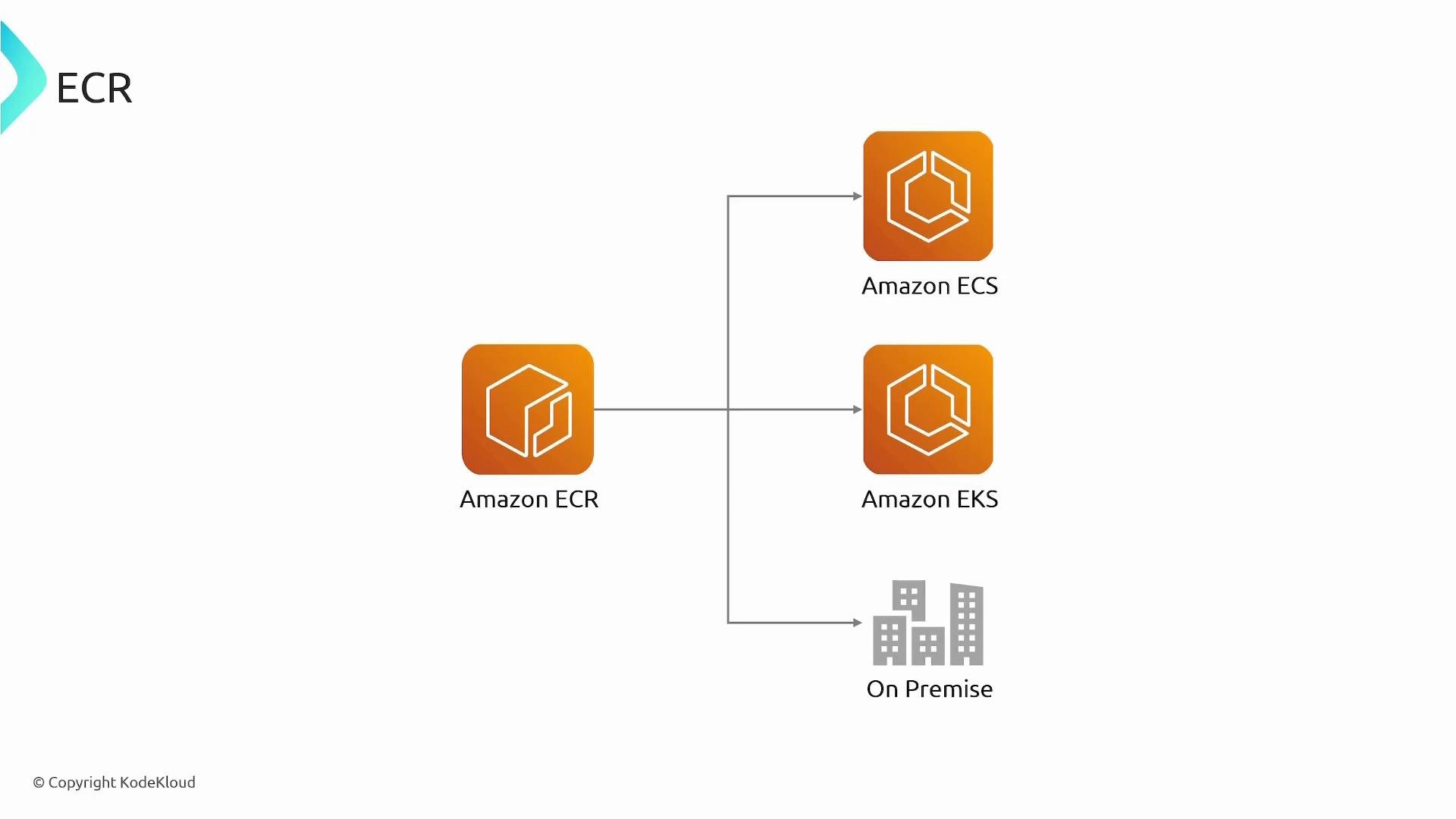
- Have your container orchestrator (ECS, EKS, Fargate, or an on-prem runtime) pull the image and run containers from it.
Repository types: Public vs Private
ECR supports two repository types: Public and Private. Choose based on distribution needs, security, and cost considerations.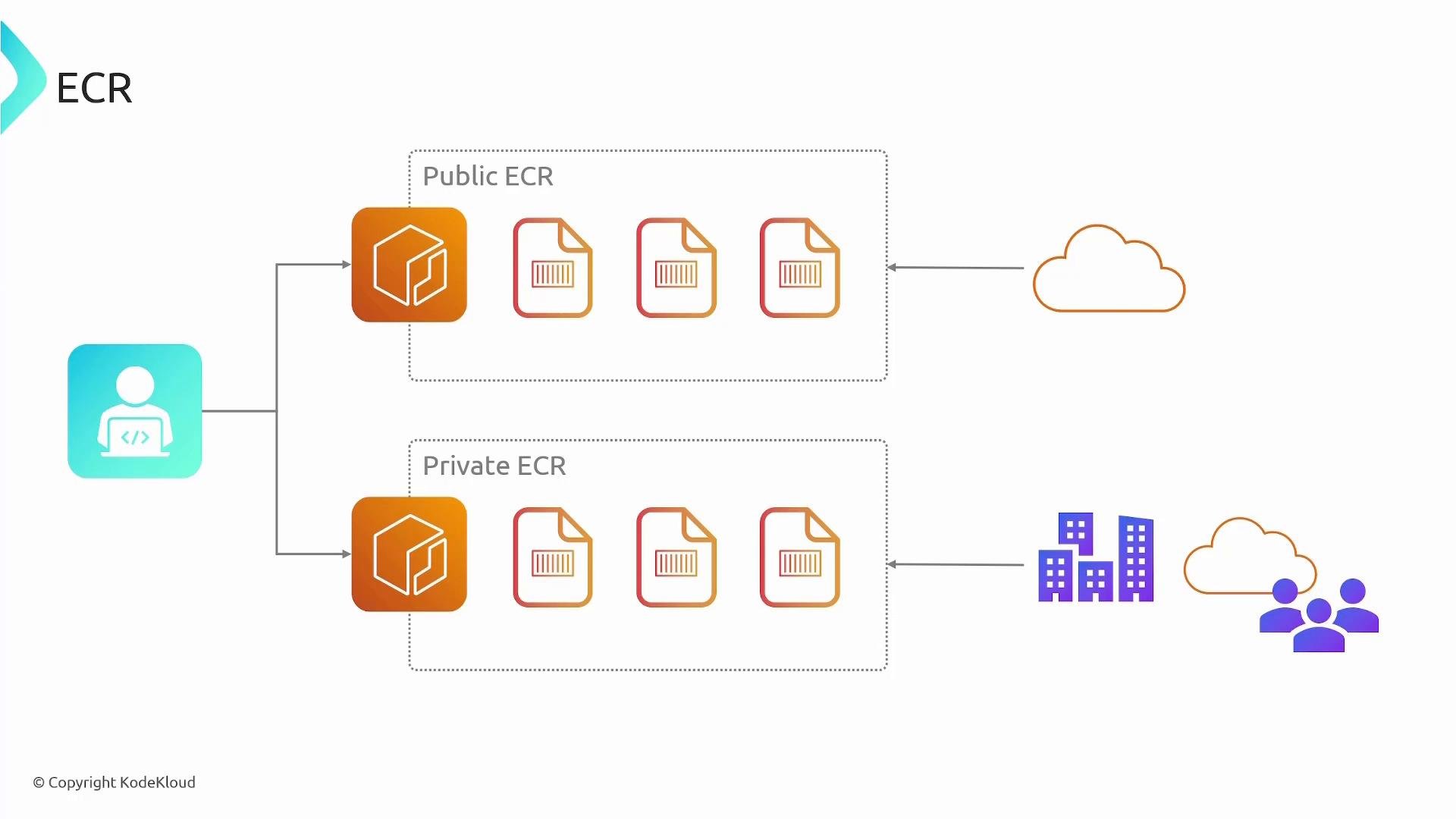
Public ECR repositories are visible to anyone on the internet for pulls. Do not store secrets or private artifacts in public repositories.
Integrating ECR with CI/CD
A common CI/CD flow for containerized applications using ECR:- Developer pushes code to a source repository (e.g., CodeCommit, GitHub).
- A pipeline (e.g., CodePipeline) triggers a build (e.g., CodeBuild).
- The build process produces a Docker image.
- The build authenticates to ECR and pushes the image to a repository.
- A deployment step pulls the image from ECR and deploys it to ECS, EKS, or Fargate.
Common ECR permissions
Ensure the IAM roles or users used by your CI/CD system and compute services have the right ECR permissions. Key permissions include:Authenticate, tag, and push — example (AWS CLI v2 + Docker)
Use AWS CLI v2’sget-login-password to authenticate Docker to ECR, then tag and push your image.
Ensure you use AWS CLI v2 (or another supported method) for
get-login-password (see https://docs.aws.amazon.com/cli/latest/reference/ecr/get-login-password.html). In CI environments (e.g., CodeBuild), attach an IAM role with the appropriate ECR permissions instead of embedding long-lived AWS credentials.Key ECR features & operational details
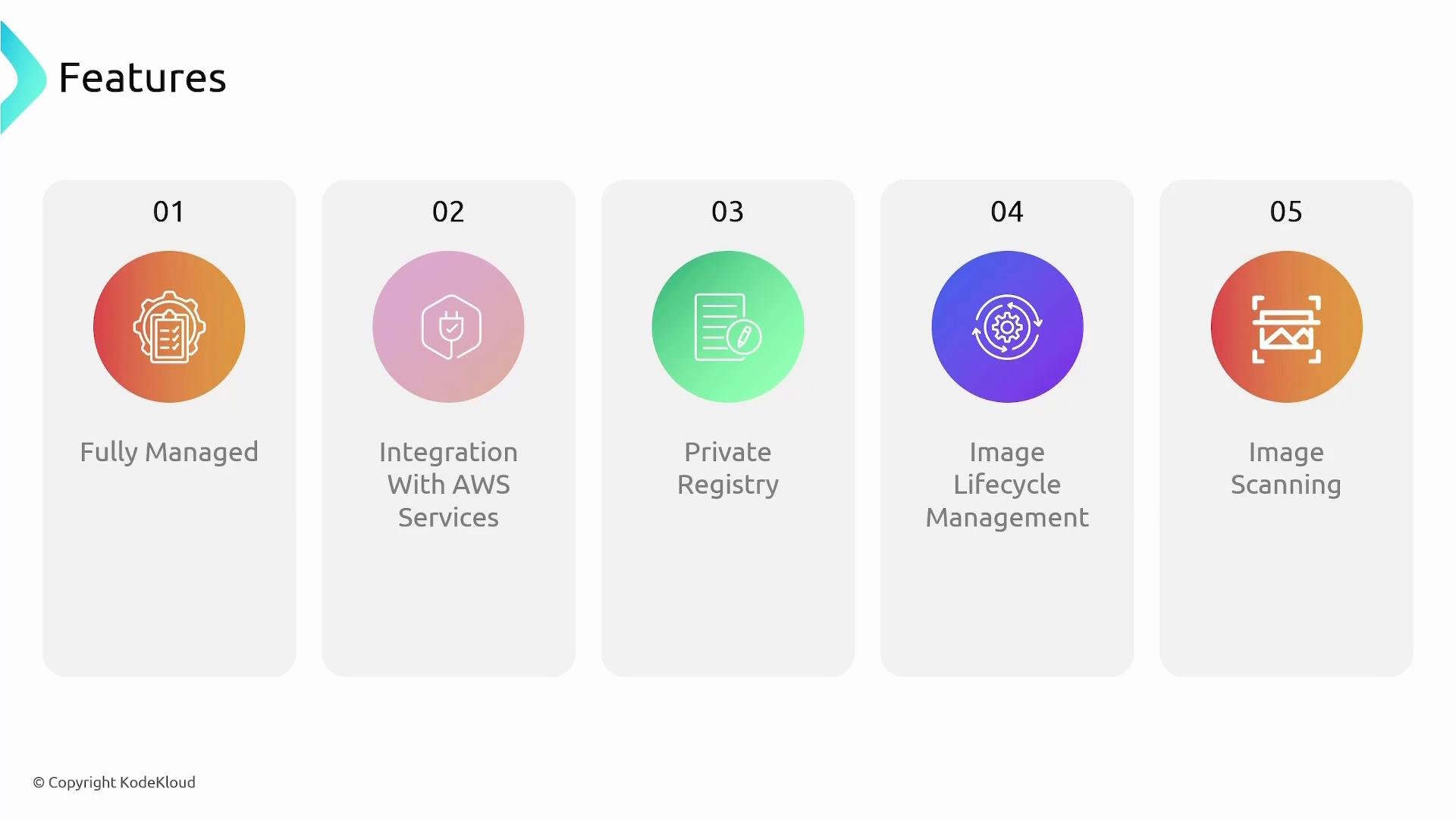
- Fully managed: AWS operates the registry service, handling storage scaling and high availability.
- Integrations: Works with ECS, EKS, Fargate, Lambda, and other AWS services for deployment workflows.
- Repository types: Public repositories for broad distribution; private repositories for restricted access.
- Lifecycle policies: Define rules to automatically expire old, untagged, or unused images to control storage costs.
- Image scanning: Built-in scanning (Amazon Inspector integration) detects known vulnerabilities (CVEs) in images.
- Image immutability and tags: Optionally enable tag immutability to prevent accidental overwrites; use image digests for immutable references.
- Layers and storage: Images are stored as layers; shared layers across images reduce storage usage.
Links and references
- Amazon ECR Pricing
- AWS CLI ECR get-login-password documentation
- Amazon ECS overview
- Amazon EKS overview
- AWS Fargate
- AWS IAM fundamentals
- Amazon Inspector — vulnerability scanning