Welcome. This lesson focuses on designing security for AWS data and machine-learning services. As cloud services become more managed and higher-level, the security emphasis shifts from OS-level patching and network hardening toward identity and access management (IAM), encryption (KMS), service-level controls (audit logs, configuration, monitoring), and endpoint protection. Some managed ML services still expose VM/container options, but most security work you’ll do will involve IAM roles/policies, KMS key management, private endpoints, and centralized logging. Below we walk through the key AWS data services and the primary security considerations and configuration patterns you should apply. Quick reference: services and top security controls Kinesis — streaming, encryption, and the agent Kinesis is Amazon’s managed streaming platform (conceptually similar to Kafka). Producers put records into a Kinesis stream; AWS manages persistence and delivery to consumers. Key security points:
  • Data in transit: enforce TLS/SSL (HTTPS) between producers and Kinesis.
  • Data at rest: enable server-side encryption using SSE-KMS.
  • Monitoring: enable CloudWatch metrics and CloudTrail for API auditing and operational visibility.
  • Differentiate services: Kinesis Data Streams hosts streaming records for consumer processing; Firehose is an ingestion/delivery pipeline to sinks (S3, Redshift, OpenSearch). Use the service that matches your use case.
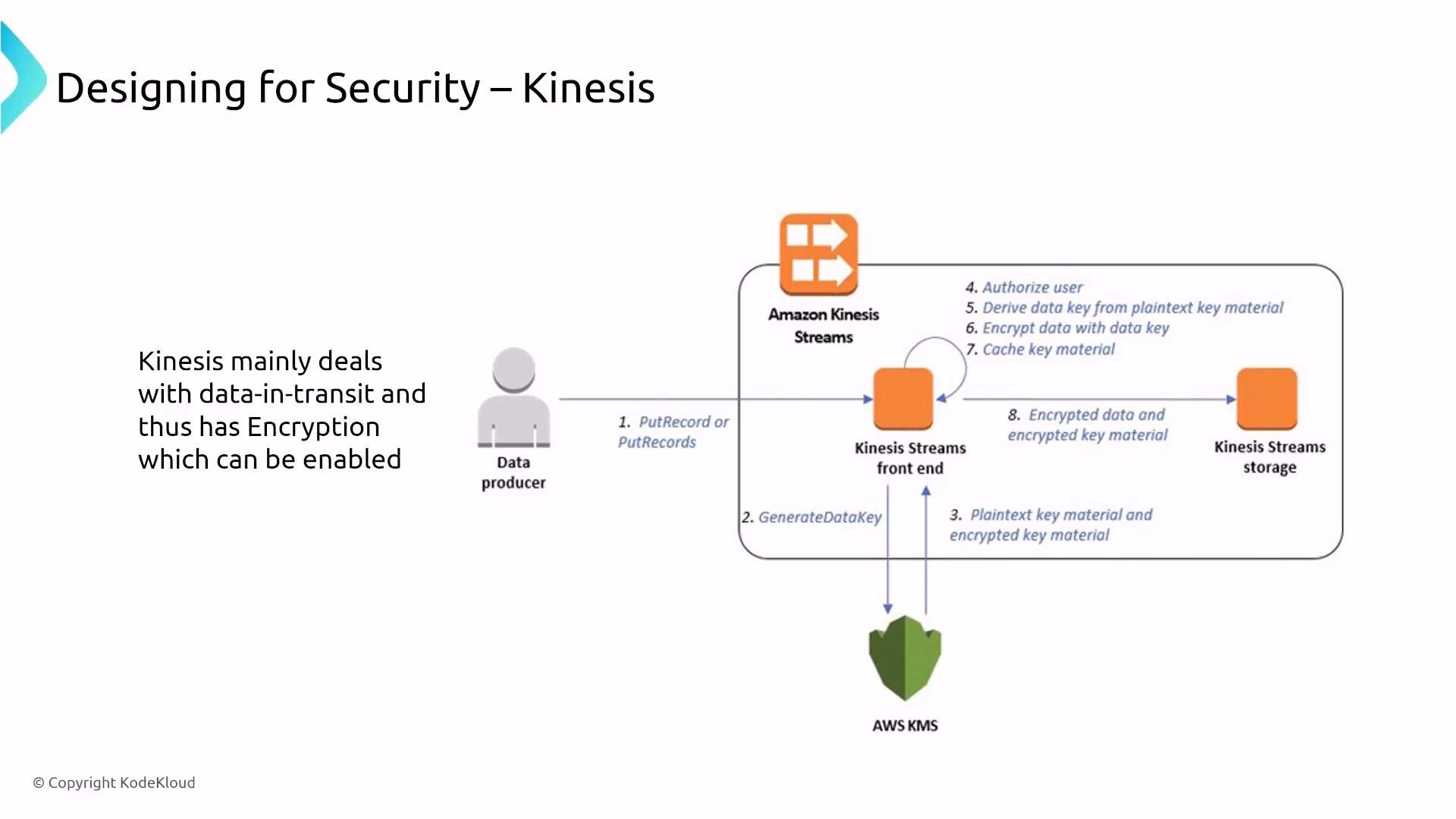
A slide titled "Designing for Security – Kinesis" describing how Kinesis handles data-in-transit with optional encryption. It shows a diagram of a data producer sending records to Kinesis front end and storage while AWS KMS generates and encrypts data keys.
Kinesis Agent The Kinesis Agent is a lightweight, on-host collector you install on servers to forward logs/events to Kinesis Data Streams or Firehose. It simplifies collection but is not a managed service — treat it like any other host-level component: secure the host, run the agent with least-privilege IAM credentials, and ensure data-in-transit is TLS-protected. Managed Service for Kafka (Amazon MSK) Amazon MSK provides a managed Apache Kafka experience. For security:
  • MSK handles cluster components (brokers and ZooKeeper for older/provisioned clusters), but you remain responsible for sizing and some configurations.
  • Turn on encryption in transit (TLS) and encryption at rest (SSE-KMS).
  • If using ZooKeeper-enabled clusters, secure ZooKeeper communications with TLS as part of the cluster configuration.
  • Route broker logs to S3 for centralized analysis; combine with Glue/Athena or other analytics tools.
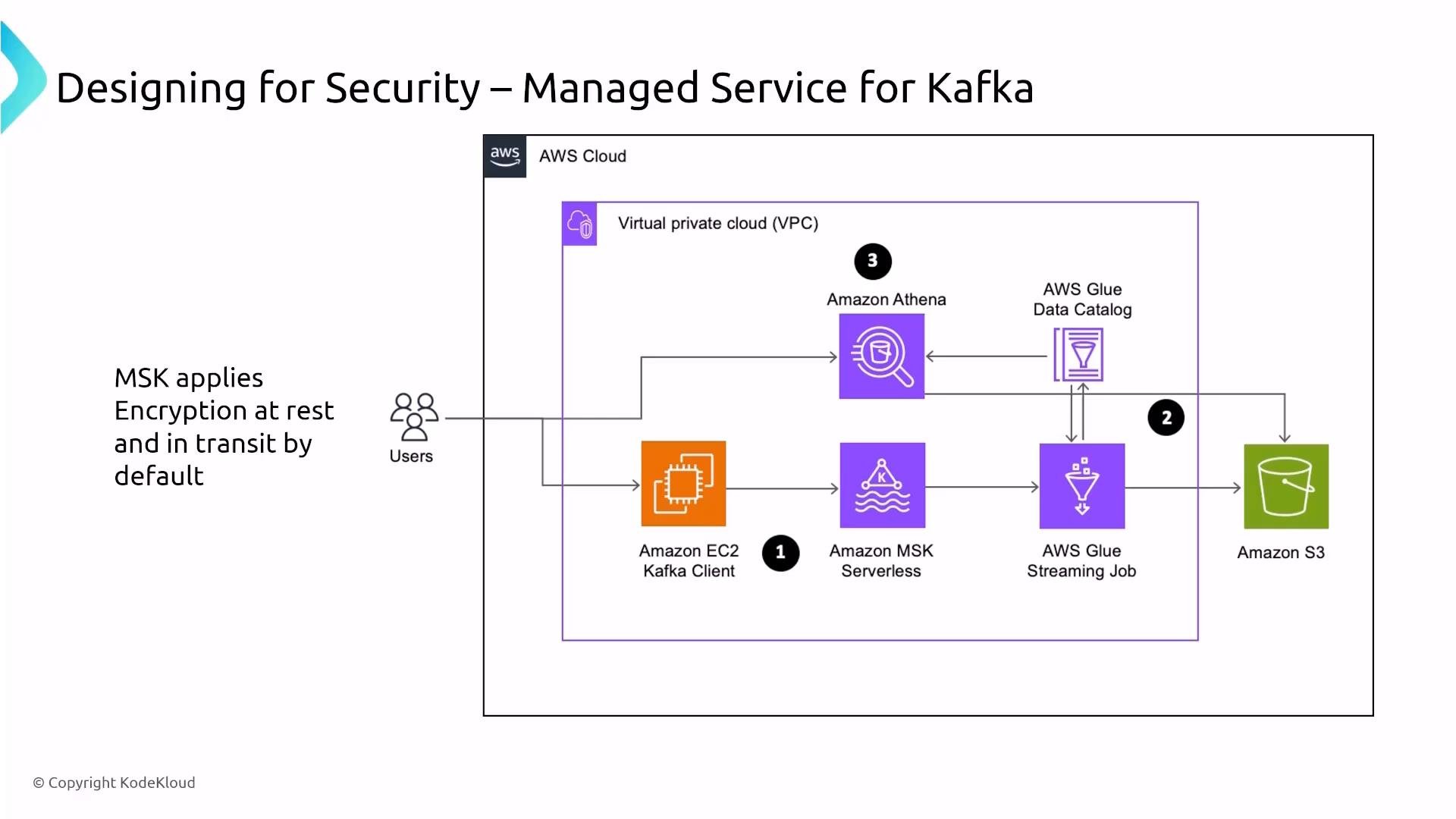
An AWS architecture diagram titled "Designing for Security – Managed Service for Kafka" showing a VPC-based data pipeline with an EC2 Kafka client, Amazon MSK Serverless, an AWS Glue streaming job and Data Catalog, Amazon Athena, and Amazon S3. A note indicates MSK applies encryption at rest and in transit by default.
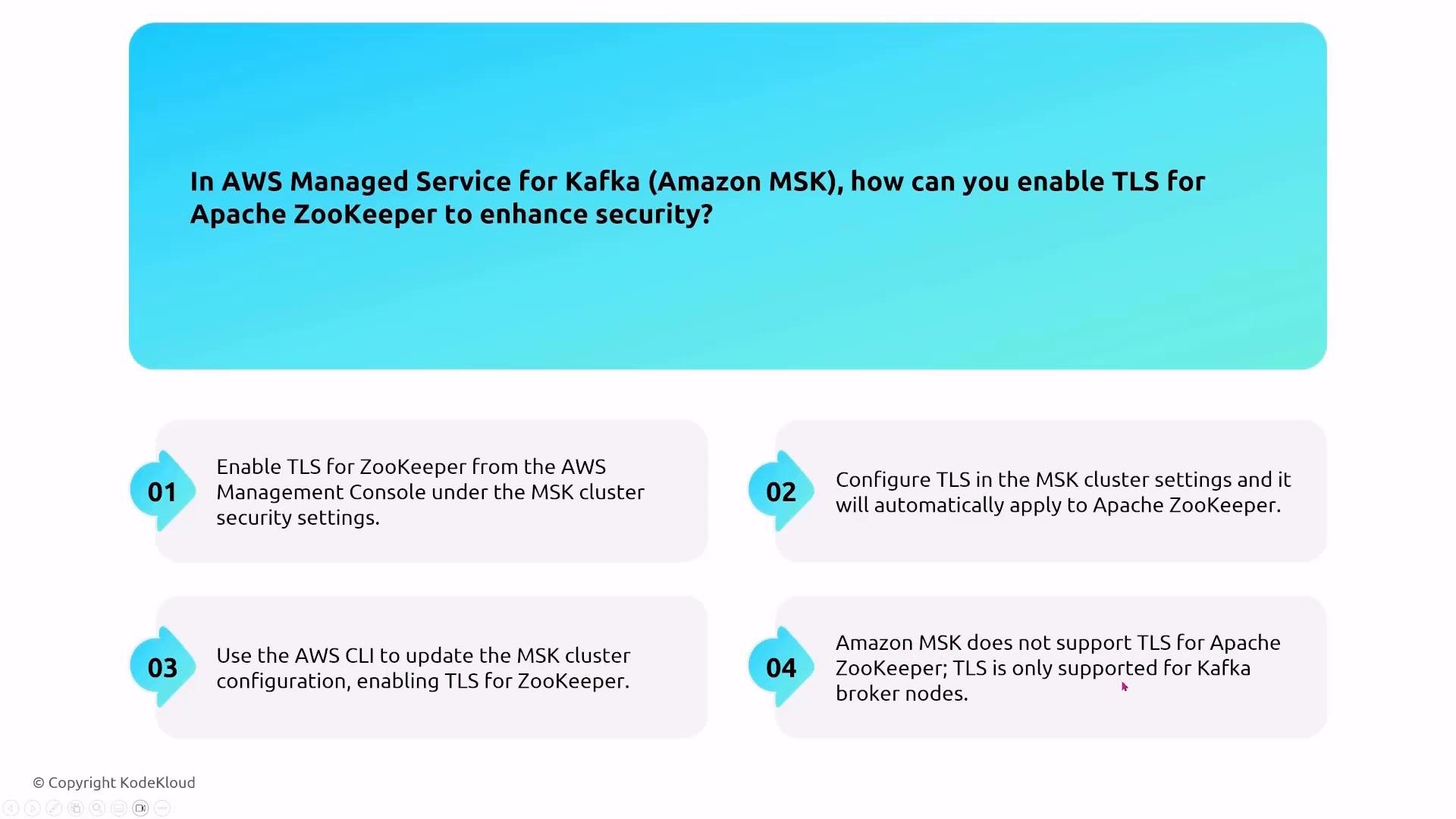
ZooKeeper TLS question (how to enable) When you enable TLS for an MSK cluster, TLS secures broker-to-broker communication and ZooKeeper traffic for clusters that include ZooKeeper. This is configured as part of the MSK cluster settings (Console, AWS CLI, or API) — it’s not a separate ZooKeeper console product. Make TLS a default for any production MSK cluster.
A slide showing the question "In AWS Managed Service for Kafka (Amazon MSK), how can you enable TLS for Apache ZooKeeper to enhance security?" with four numbered answer options describing enabling TLS via the AWS Management Console, configuring MSK cluster settings, using the AWS CLI, and a choice saying MSK doesn't support TLS for ZooKeeper.
Broker logs Collect Kafka broker logs centrally by enabling broker log export to Amazon S3. That enables long-term storage, forensic analysis, and batch analytics via Glue + Athena, Redshift, or OpenSearch. Glue — ETL, crawler, Data Catalog AWS Glue is a managed ETL service (Apache Spark/PySpark) with components such as Crawlers, Jobs, and the Data Catalog. Security guidance:
  • Use dedicated IAM roles with least privilege for Glue jobs, crawlers, and catalog access.
  • For private data sources, run Glue jobs within VPC subnets or configure VPC interface endpoints so Glue can access resources without traversing the public internet.
  • Enable KMS-backed encryption for the Data Catalog, job bookmarks, and job outputs.
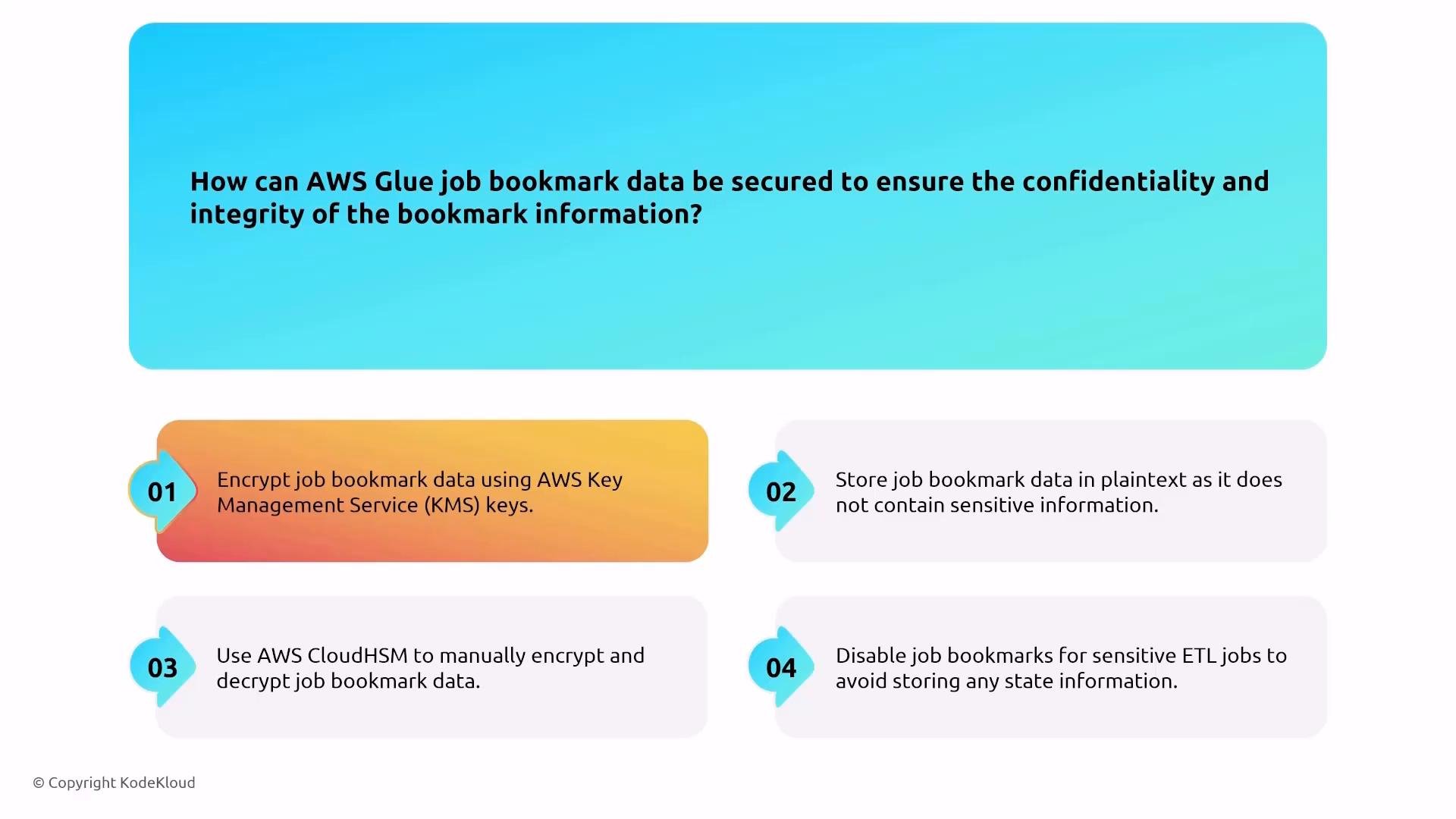
An infographic slide titled "How can AWS Glue job bookmark data be secured…" showing four numbered recommendations: encrypt bookmarks with AWS KMS, avoid plaintext storage, use AWS CloudHSM for manual encryption/decryption, and disable bookmarks for sensitive ETL jobs. The tips are displayed in colorful rounded boxes beneath a blue header (© KodeKloud).
Callout about Glue job bookmarks
Encrypt Glue job bookmark data using AWS KMS (the default KMS-backed encryption is appropriate in most cases). Avoid storing bookmark data in plaintext.
Data transformation — EMR (Elastic MapReduce) Amazon EMR is a managed Hadoop/Spark platform running on EC2. Security and architectural controls:
  • Cluster roles: master (coordination), core (persistent HDFS/storage), and task (ephemeral compute).
  • Network: run EMR in a VPC and control access with subnets, security groups, and NACLs.
  • Patching: EMR encourages immutable deployments — terminate and recreate clusters to get patched AMIs. If nodes are long-lived, use AWS Systems Manager (SSM) to automate patching.
  • Use EBS encryption and HDFS zone encryption (KMS) for at-rest protection, and enable TLS for in-transit traffic between nodes and services.
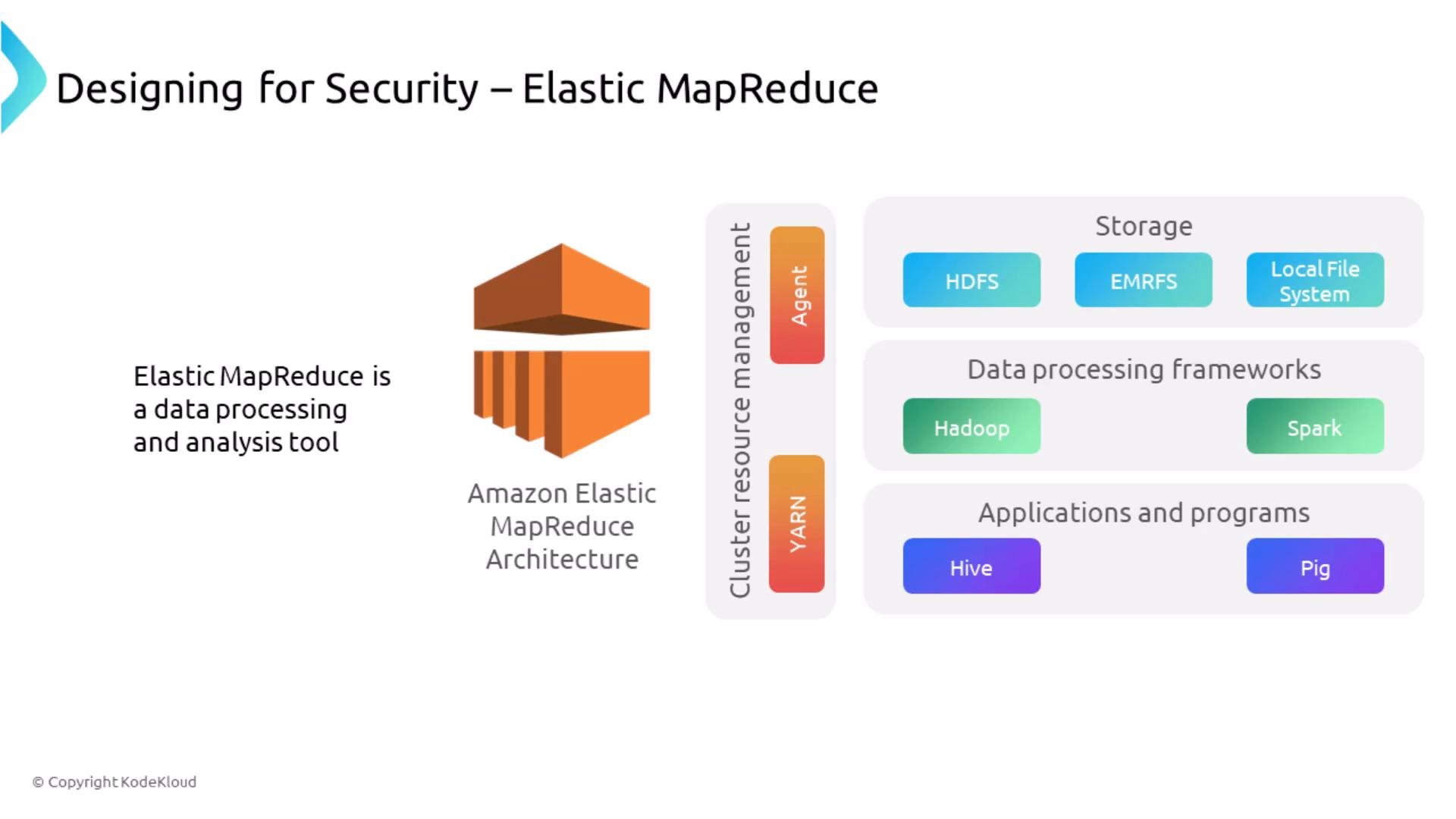
A slide titled "Designing for Security – Elastic MapReduce" showing the Amazon EMR logo and a high-level architecture. It lists storage options (HDFS, EMRFS, Local File System), data processing frameworks (Hadoop, Spark) and applications (Hive, Pig) and cluster resource management components (YARN, Agent).
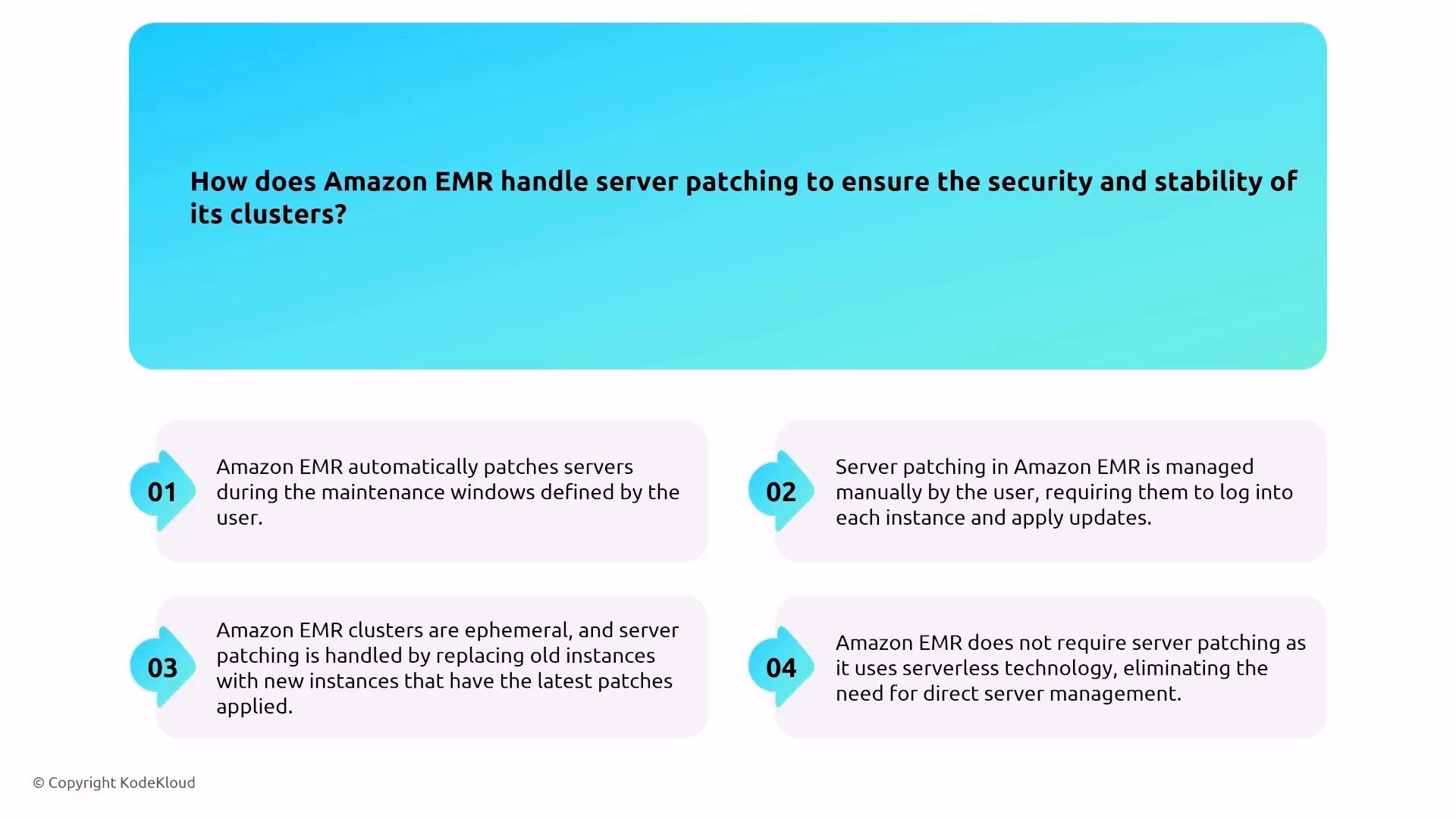
Patching behavior EMR clusters are typically ephemeral: create for a job and terminate when the job completes. New clusters are launched from updated AMIs and include the latest patches. If you keep instances long-lived, manage patching via Systems Manager or replace instances to apply updates.
A presentation slide titled "How does Amazon EMR handle server patching to ensure the security and stability of its clusters?" with four numbered answer boxes describing options: automatic patching during user-defined maintenance windows, manual patching, replacing instances with patched ones, and a serverless approach that removes direct patching.
Secure access to EMR nodes Avoid exposing SSH directly. Use Systems Manager Session Manager with properly scoped IAM roles/policies to provide audited, centralized shell or web access to EMR nodes without opening inbound SSH ports.
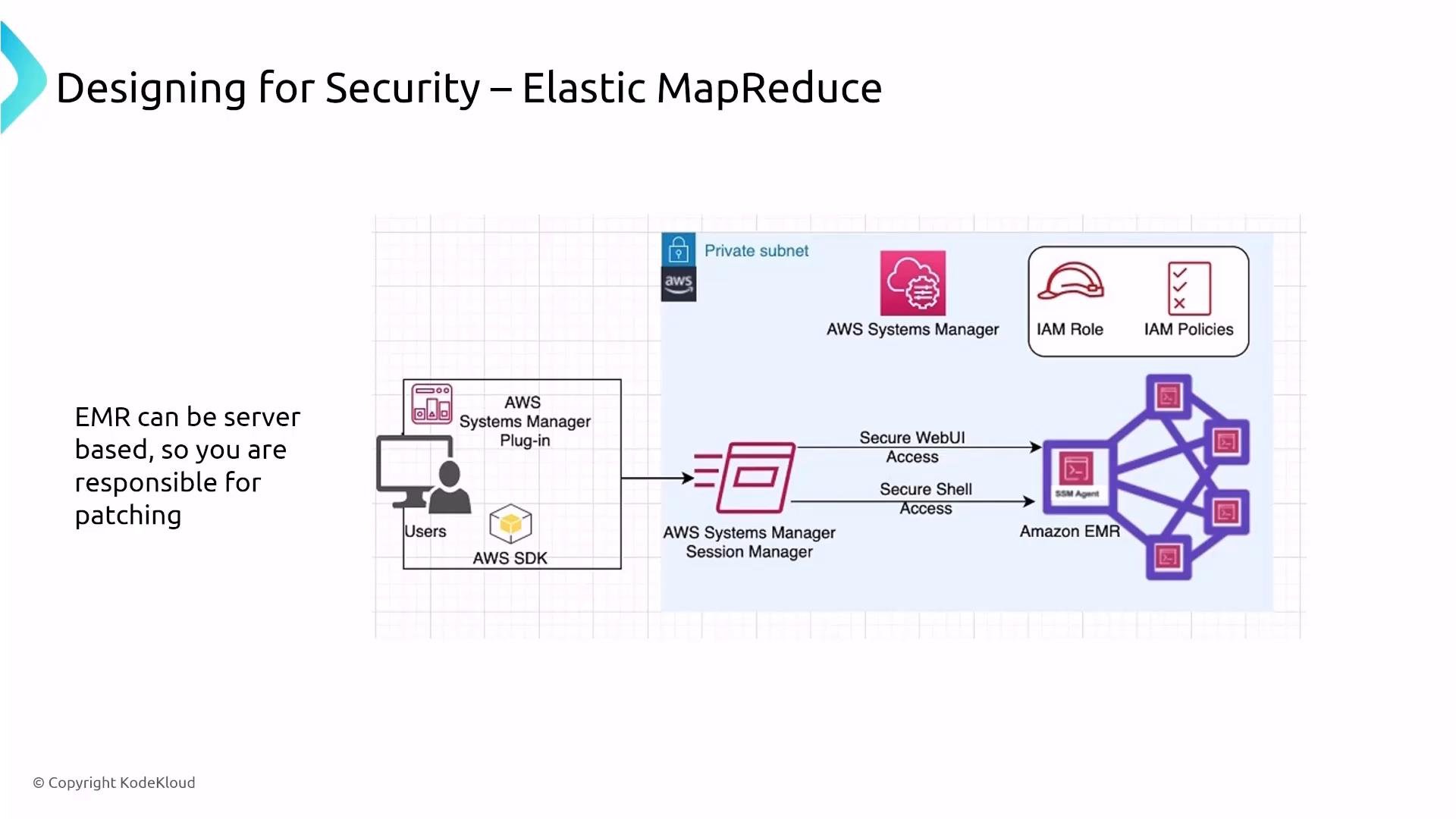
A slide diagram showing a security design for AWS Elastic MapReduce. It illustrates AWS Systems Manager and Session Manager providing secure web and shell access to EMR nodes with IAM roles/policies in a private subnet.
Restricting EMR access across accounts In multi-account environments, combine these controls to restrict who can interact with EMR clusters:
  • Network controls: VPC peering, endpoints, security groups, and NACLs.
  • IAM policies and roles: restrict which principals can call EMR APIs or create/modify clusters.
  • Resource-based policies where supported, and organization/unit-level SCPs (Service Control Policies) for centralized governance.
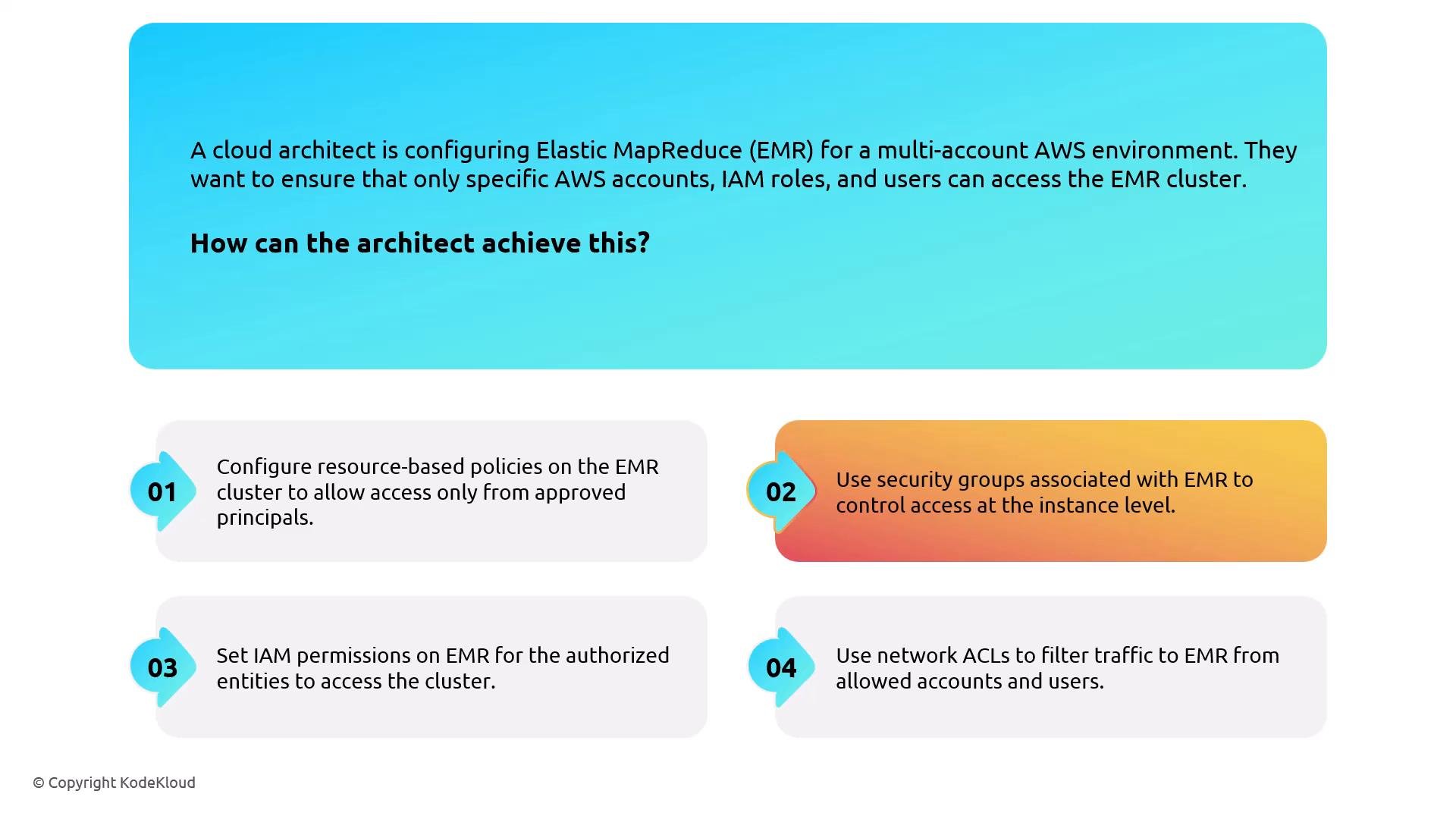
A slide describing a cloud architect configuring AWS Elastic MapReduce (EMR) to restrict access in a multi-account environment. It lists four controls: resource-based policies, security groups, IAM permissions, and network ACLs to allow only approved accounts, roles, and users.
Encryption options for HDFS and cluster data EMR supports multiple encryption modes:
  • In-transit: TLS for service-to-service and node communication.
  • At-rest: HDFS transparent encryption (zone-based) integrated with KMS; EBS volume encryption via SSE-KMS for instance storage.
  • S3-bound data: use SSE-S3 or SSE-KMS for objects written to S3, or client-side encryption when appropriate.
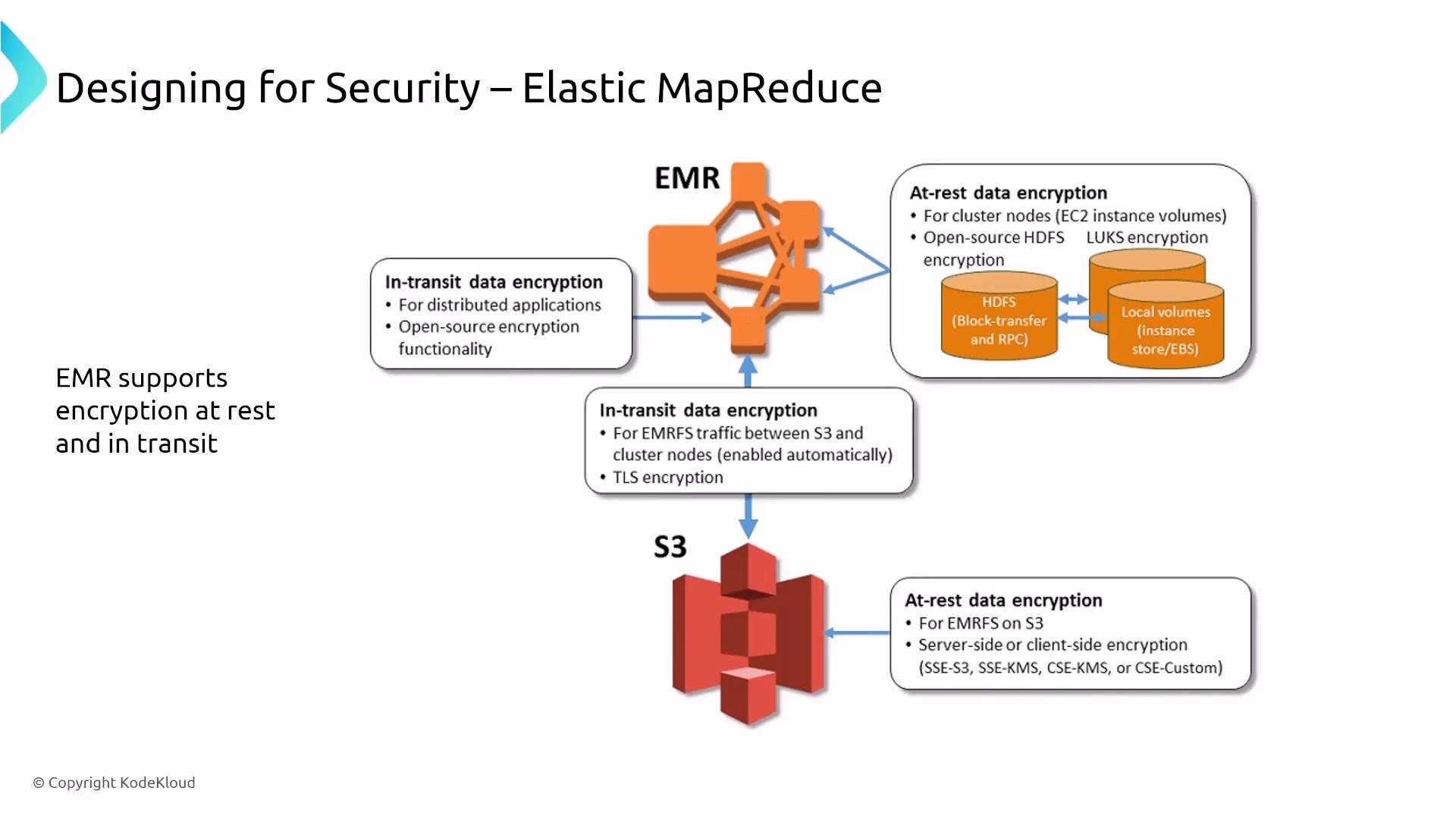
A slide titled "Designing for Security – Elastic MapReduce" showing an EMR cluster and S3 icon with connecting arrows and callouts. The callouts describe in-transit and at-rest encryption options (HDFS, LUKS, TLS, SSE/KMS) for cluster nodes and S3.
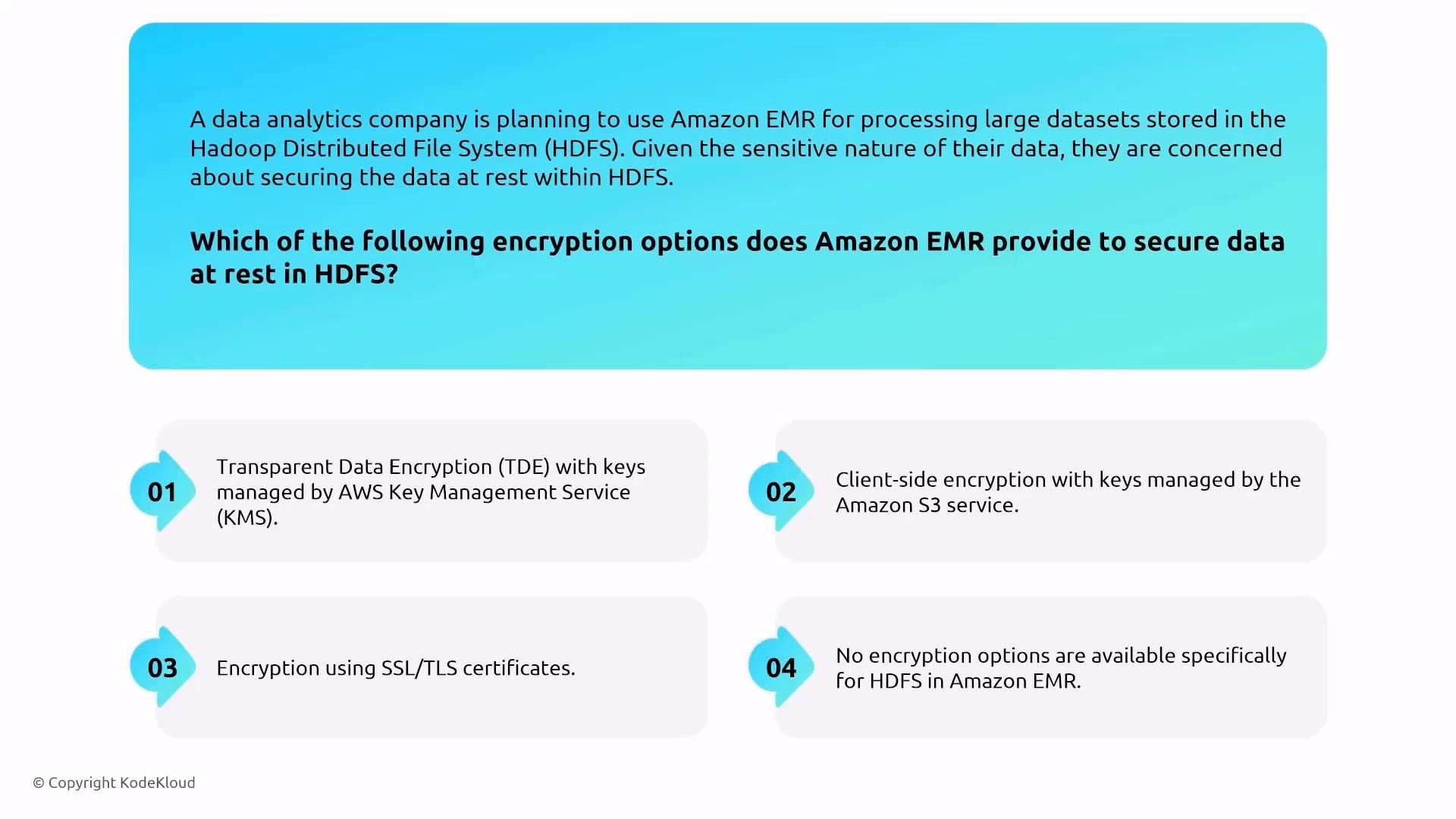
Transparent data encryption for HDFS EMR/Hadoop supports HDFS transparent encryption (zone-based) with a KMS-backed key provider. Note: HDFS transparent encryption is distinct from RDS Transparent Data Encryption — they are different implementations and apply to different storage layers.
An infographic-style multiple-choice question (KodeKloud) asking which encryption options Amazon EMR provides to secure data at rest in HDFS. It lists four options: Transparent Data Encryption with AWS KMS, client-side encryption with S3-managed keys, encryption using SSL/TLS certificates, or no specific HDFS encryption.
EMR logging and monitoring Centralize monitoring and logs:
  • CloudWatch for metrics; CloudWatch Logs (via agents) for application/system logs.
  • CloudTrail for API and control-plane auditing.
  • Export logs to S3 for long-term retention and analysis with Glue + Athena or other tools.
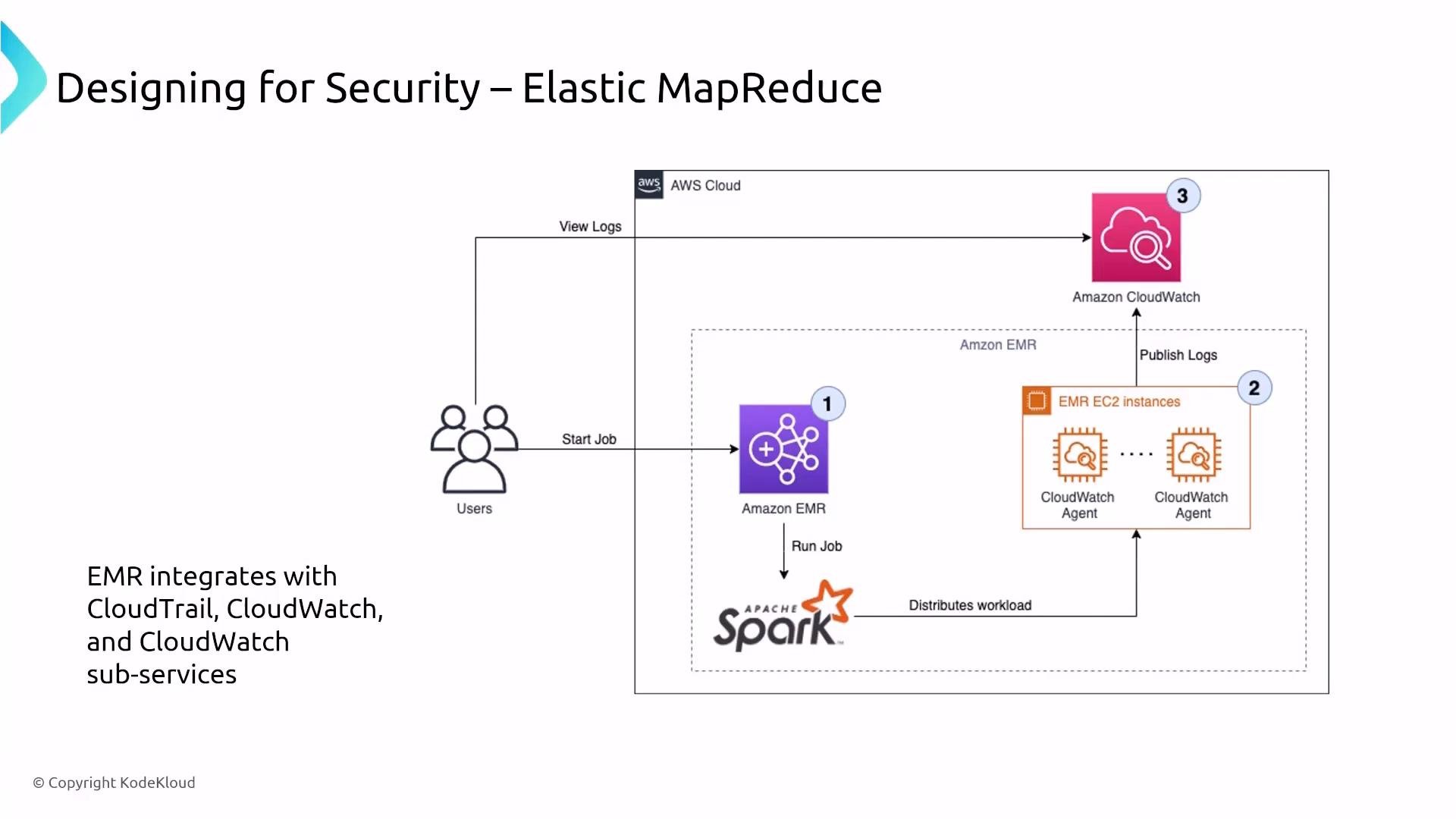
A diagram titled "Designing for Security – Elastic MapReduce" showing users starting jobs on Amazon EMR (running Apache Spark). EMR EC2 instances run CloudWatch agents that publish logs to Amazon CloudWatch for viewing.
Glue DataBrew — visual data preparation Glue DataBrew is a serverless, visual data-prep tool for cleaning and normalizing data without code. Security is primarily inherited from underlying sources and the Glue service:
  • Integrations: S3, Glue Data Catalog, Redshift, and JDBC sources.
  • Access control: IAM for service access; CloudTrail logs API actions for auditing.
  • Networking: DataBrew jobs can be run inside a VPC to reach private resources.
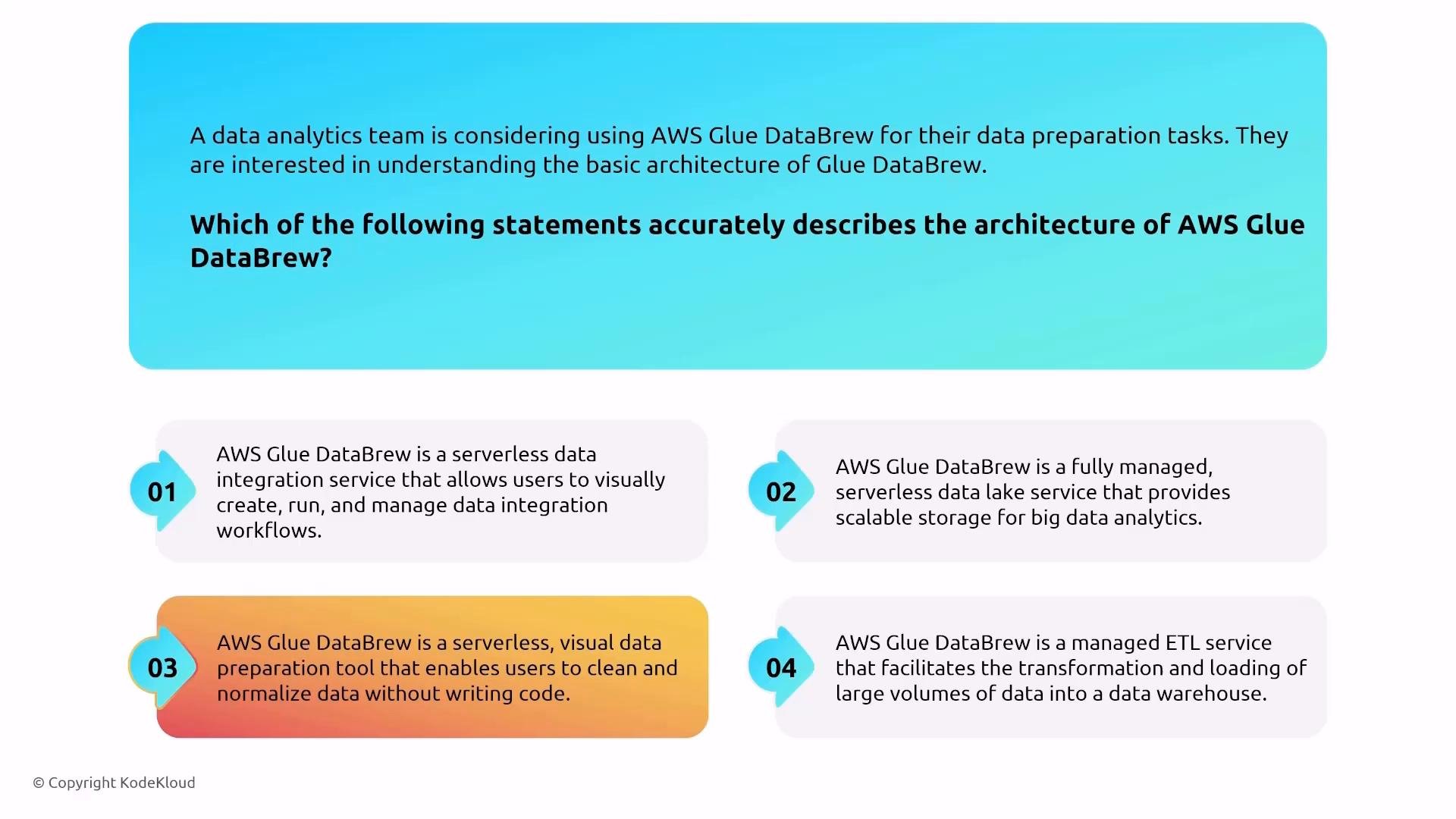
An infographic slide asking which statement correctly describes the architecture of AWS Glue DataBrew. It shows four numbered answer choices that summarize different descriptions of the service (serverless integration, data lake, visual data-prep tool, and managed ETL).
DataBrew in a VPC DataBrew jobs can run with VPC access (subnet, security groups). Use S3 gateway endpoints and Glue interface endpoints to avoid sending traffic over the public internet.
An infographic slide showing AWS Glue DataBrew configured to run inside a VPC with access to Redshift and RDS, using a gateway endpoint for S3 and a VPC interface endpoint for Glue.
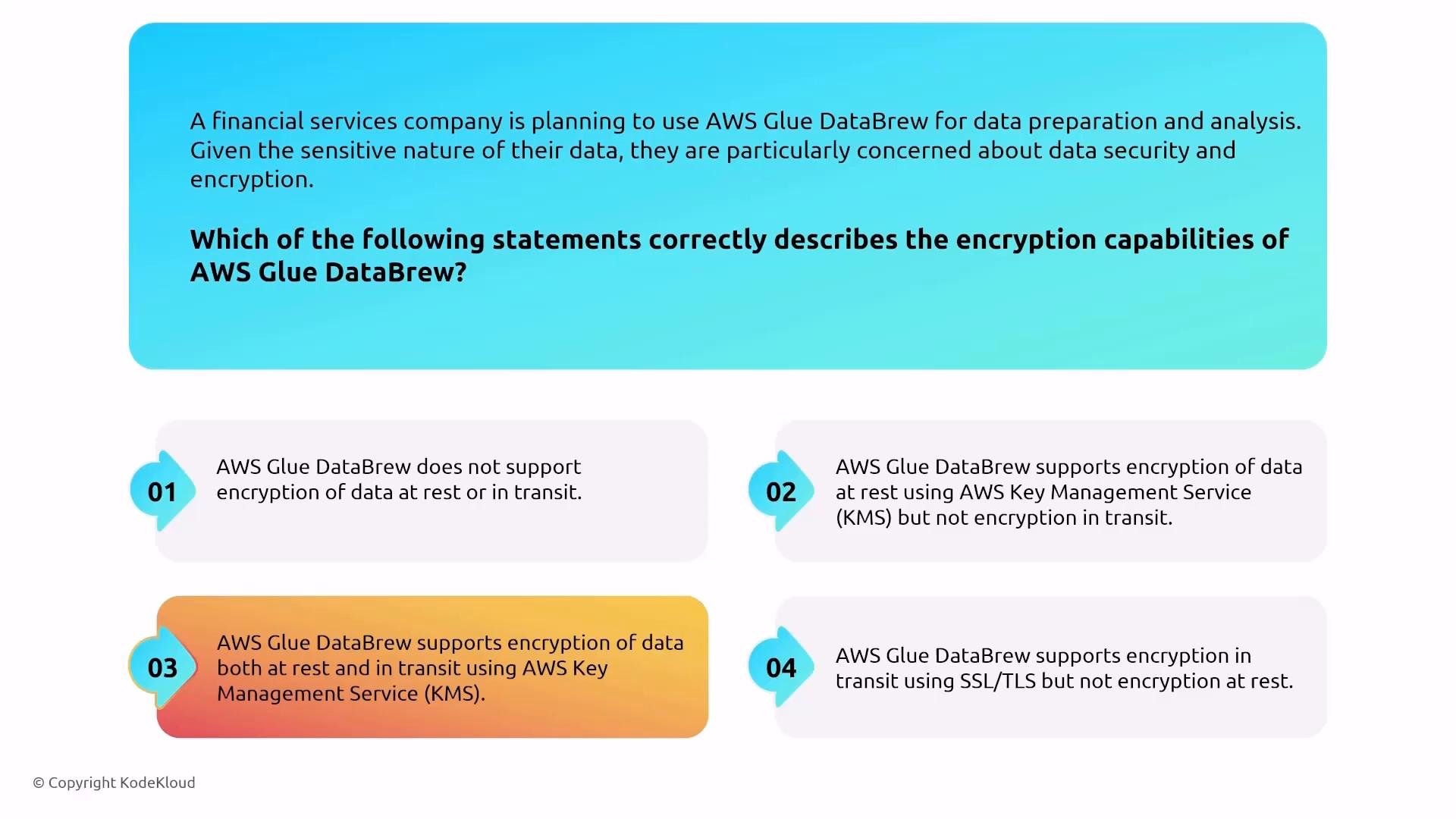
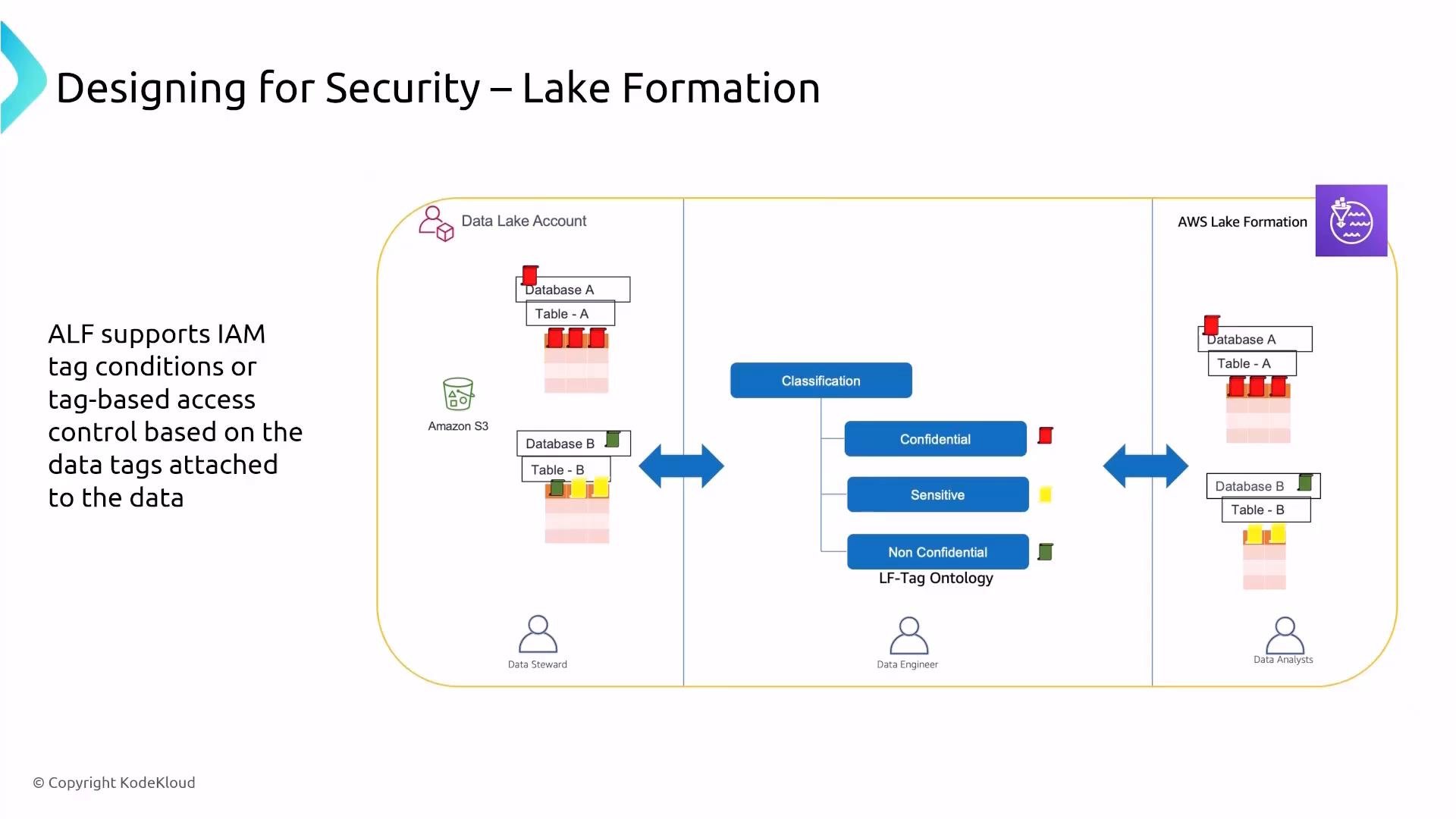
Glue DataBrew encryption DataBrew uses AWS-managed encryption for data at rest (KMS-backed) and TLS for in-transit transport. The effective encryption and access posture depend on the storage or data source you connect (S3, Redshift, RDS, etc.). Lake Formation — data lake security and fine-grained access AWS Lake Formation builds on S3 and Glue to provide centralized data-lake security:
  • Fine-grained access: row-level and column-level (cell-level) filtering and masking.
  • LF-tags: tag-based authorization you can attach to databases/tables and enforce via policies.
  • Audit logging: detailed data access and user-activity logs for compliance and forensics.
  • Integration: works with IAM, AWS Identity Center, and external identity providers for authentication and authorization.
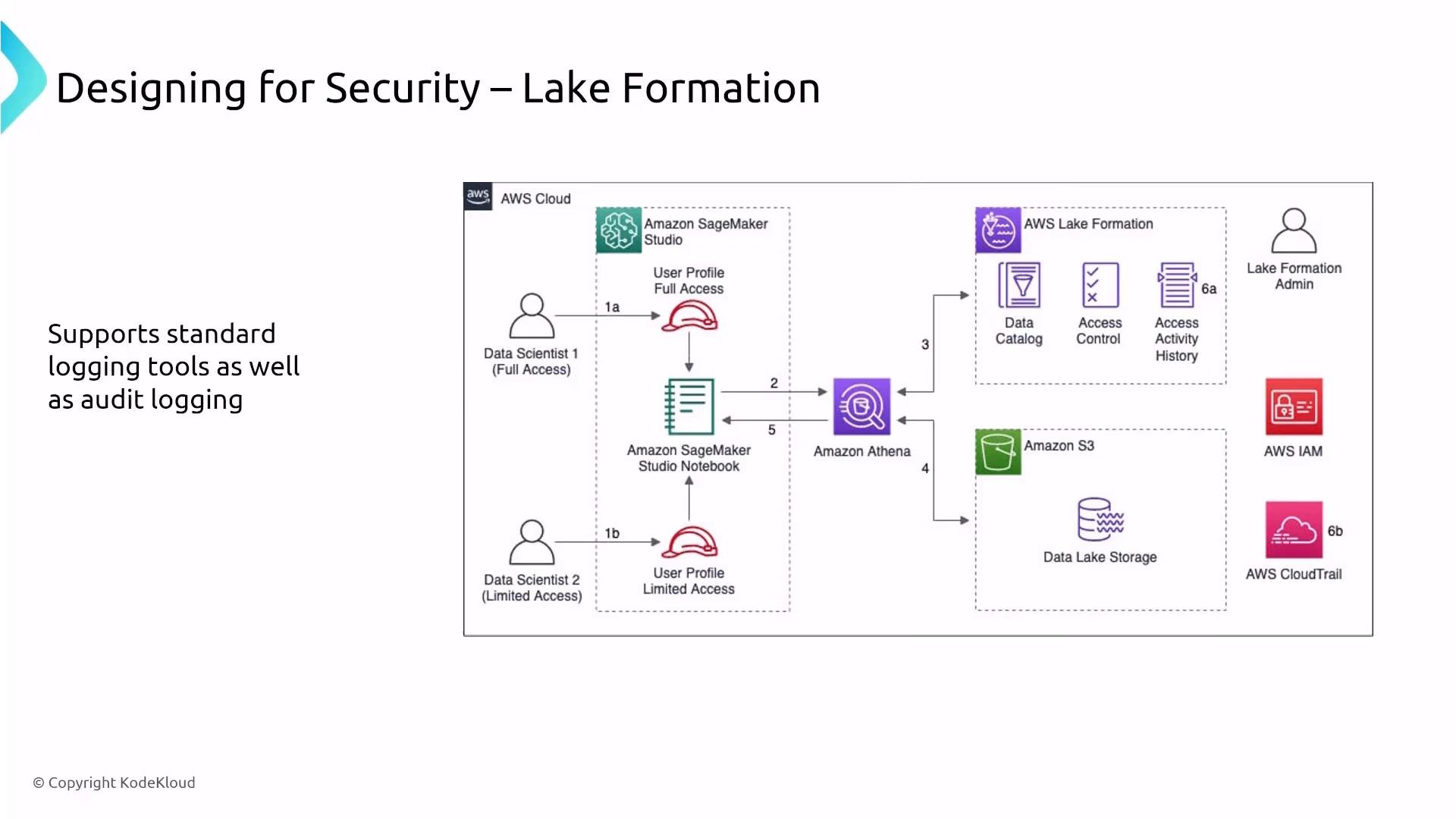
A slide diagram titled "Designing for Security – Lake Formation" showing an AWS architecture where data scientists use Amazon SageMaker Studio/notebooks that connect to Amazon Athena and an S3 data lake managed by AWS Lake Formation (data catalog and access control). The diagram also shows AWS IAM and CloudTrail for logging and audit.
LF-tags and role-based access Apply LF-tags (for example: Confidential, Sensitive, Non-Confidential) to data assets, then create mappings that grant or deny access to roles or users. This approach scales much better than per-table ACLs in large data lakes.
A slide titled "Designing for Security – Lake Formation" showing an architecture diagram of AWS Lake Formation with LF‑tag ontology (Confidential, Sensitive, Non‑Confidential) applied to databases/tables on S3. It also shows roles (Data Steward, Data Engineer, Data Analysts) and bidirectional flow for tag‑based access control.
Athena — query engine and security implications Amazon Athena is a serverless interactive query engine (Presto) for data in S3 and other supported sources. Security considerations:
  • Authorization: control who can run queries via IAM and, for fine-grained controls, Lake Formation policies.
  • Encryption: Athena supports querying SSE-S3 and SSE-KMS encrypted objects if the caller has KMS decrypt permissions.
  • Unsupported encryption: Athena cannot directly read objects encrypted with SSE-C (customer-provided keys) or client-side encryption where Athena cannot access the plaintext data or keys.
  • Logging & monitoring: use CloudTrail for query auditing and CloudWatch for metrics.
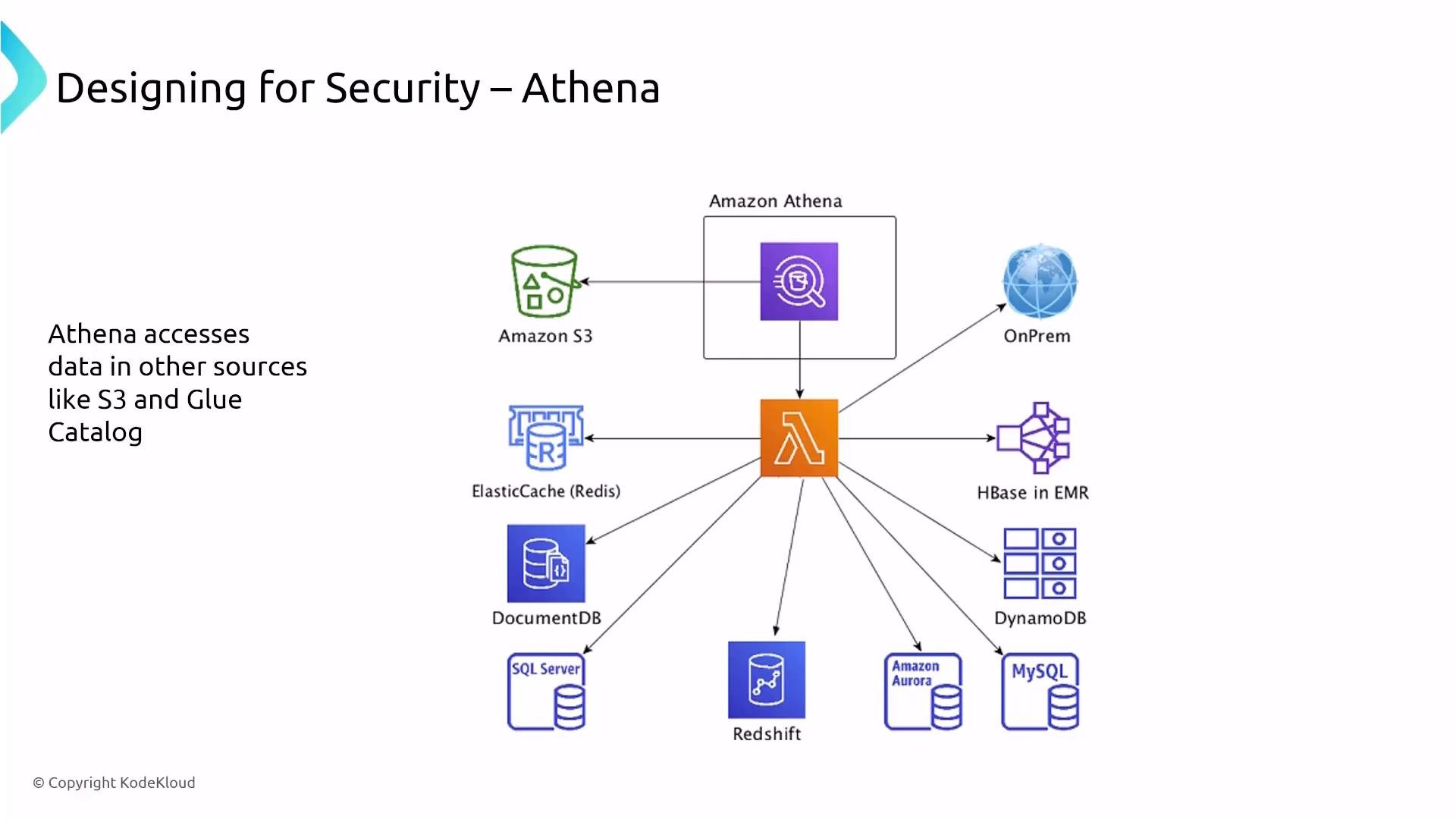
A slide showing an AWS architecture for "Designing for Security – Athena," with Amazon Athena linked (via a Lambda icon) to many data sources. It depicts connections to S3, Redshift, Aurora/MySQL/SQL Server, DynamoDB, DocumentDB, ElastiCache, HBase in EMR, and on‑prem systems.
Athena and S3 encryption options
Athena cannot query objects encrypted with SSE-C (customer-provided keys) or client-side encrypted objects unless the service can obtain the plaintext. For SSE-KMS, ensure the querying principal has kms:Decrypt permission for the key.
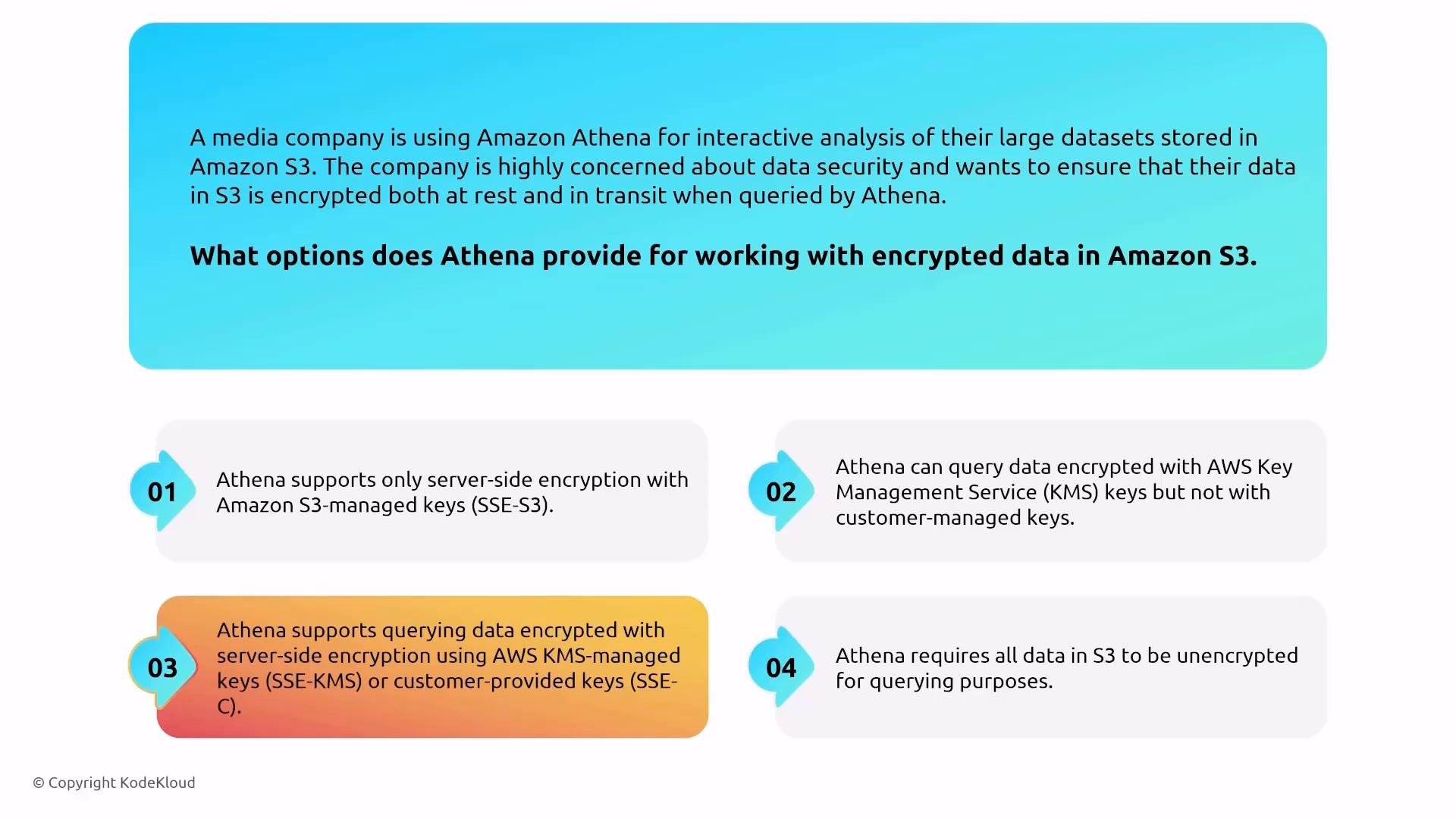
An infographic asking what options Amazon Athena provides for working with encrypted data in S3, showing four numbered answer choices about support for SSE‑S3, SSE‑KMS, customer‑provided keys (SSE‑C), and whether data must be unencrypted.
Summary — practical checklist for AWS data security
  • Prioritize identity: treat IAM as the primary control plane; use least privilege and scoped roles for services and users.
  • Make keys first-class: centralize KMS key policies, use multi-account/enforced key policies where needed.
  • Use private connectivity: VPC interface/gateway endpoints to keep traffic off the public internet.
  • Centralize logging: CloudTrail for API audit, CloudWatch for metrics, and S3 exports for long-term analysis with Glue/Athena.
  • Prefer managed encryption (e.g., SSE-KMS, EBS encryption, HDFS transparent encryption with KMS).
  • Use Lake Formation + LF-tags + Glue Data Catalog for scalable, fine-grained data access in data lakes.
  • For compute nodes, prefer ephemeral clusters to avoid in-place patching; when needed, use Systems Manager for session and patch management.
This concludes Part 1 of turning up security on AWS data services. Further reading and references

Watch Video