

Global deployment — data sovereignty and multi‑VPC design
Scenario: a global e-commerce company will deploy a new application on AWS for users in North America, Europe, and Asia. The app must provide low-latency access in all three regions and ensure customer data is stored within the region of the user (data sovereignty). The architecture should be scalable, secure, and compliant. Design recommendations:- Deploy regionally isolated stacks (one stack per AWS Region) so user data remains in the user’s region. Each regional deployment should own its data stores to avoid temporary or accidental cross-region data residency.
- Use Amazon Route 53 latency-based routing, geolocation routing, or regional endpoints to direct users to the nearest regional deployment for lowest latency.
- Where cross-region replication is permitted by policy, use secure, auditable replication mechanisms and document any temporary cross-region residency. If replication would violate data residency rules, do not replicate.
If regional data residency is required by regulation (e.g., GDPR), do not centralize user data in a single region and then replicate. Ensure data never resides outside the approved region unless explicitly allowed by policy and controls.
Multinational corporation — isolated subsidiaries with secure connectivity
Scenario: a multinational corporation must give each subsidiary an isolated environment for data sovereignty and regulatory compliance, while enabling secure communications between subsidiaries when needed. Best practices:- Use multiple VPCs — one per subsidiary or per regulatory domain — to provide strong isolation of compute and storage.
- For secure inter-VPC communications, prefer AWS private-backbone options (VPC Peering, Transit Gateway, or AWS PrivateLink). These keep traffic on AWS’s network and reduce exposure to the public internet.
- If you must cross the internet, enforce TLS and strong authentication, logging, and monitoring, but treat internet routing as a last resort for intra-company connectivity.
Default VPC behavior and recommended approaches
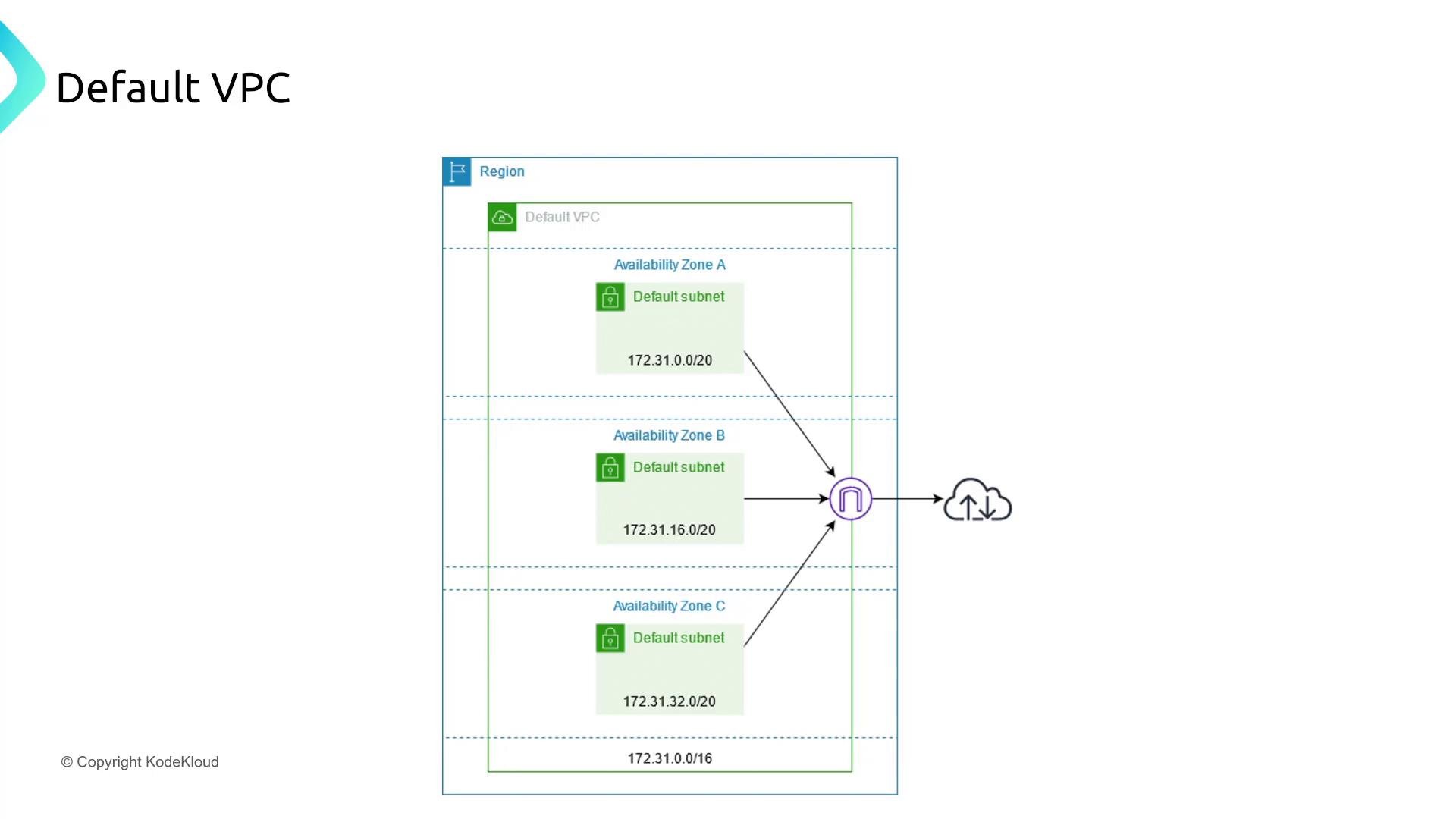
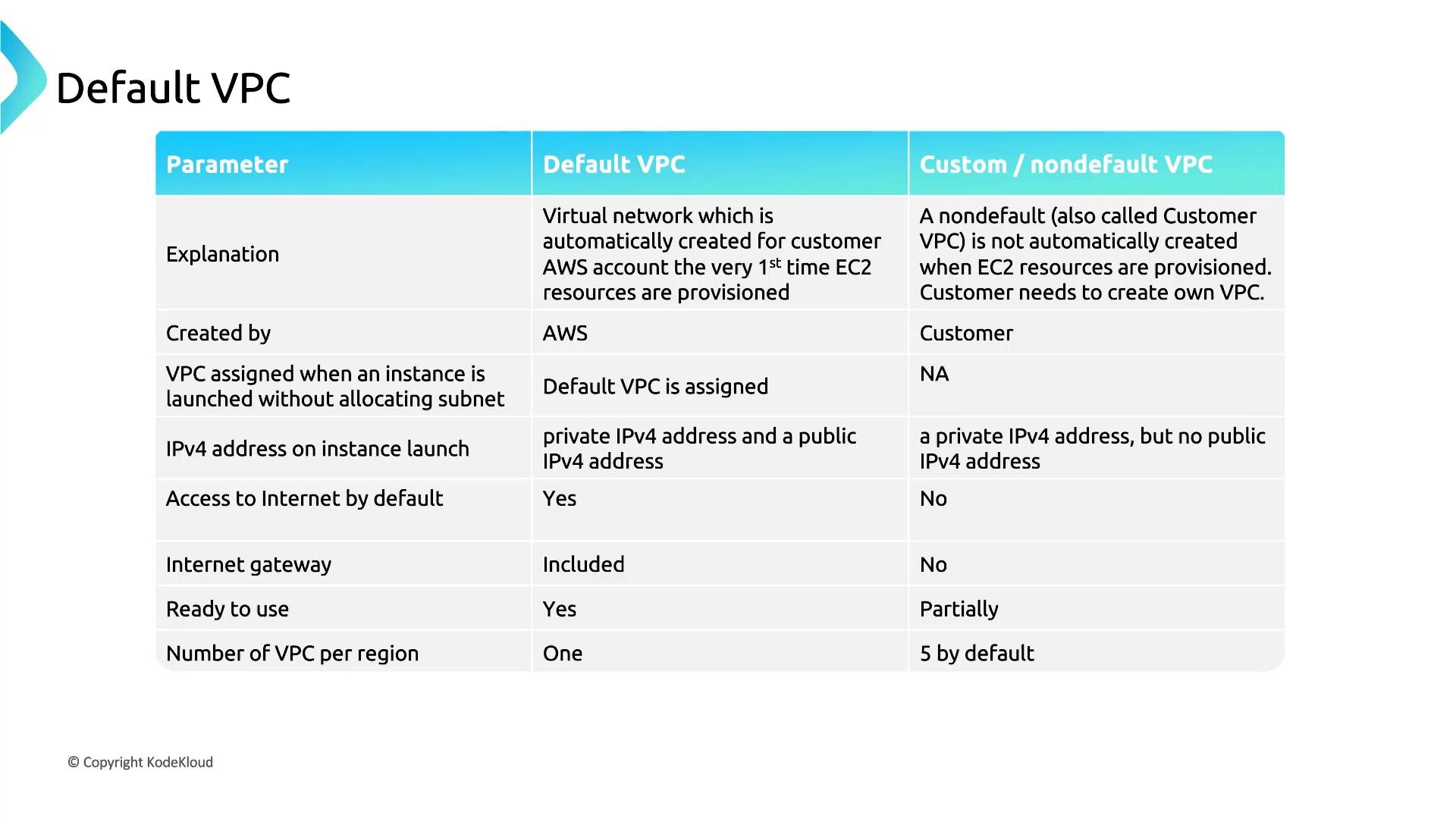
When you create a new AWS account, AWS usually provisions a default VPC in each region (common default CIDR:172.31.0.0/16) with default subnets and an attached Internet Gateway (IGW). Default VPCs are convenient because they auto-assign public IPv4 addresses to instances in default subnets.
Recommendations:
- For quick testing or learning, use the default VPC but harden it (tighter security groups, NACLs, IAM controls, and patching).
- Don’t delete the default VPC unless you have a deliberate plan to replace it with a custom design that reclaims its address space. Recreating or relying on AWS to recreate a default VPC can be unpredictable.
- For production, design a custom VPC layout: explicit CIDR allocation, separate public and private subnet groups, NAT Gateways, and stricter default security posture.
Subnet design — separating application and database tiers
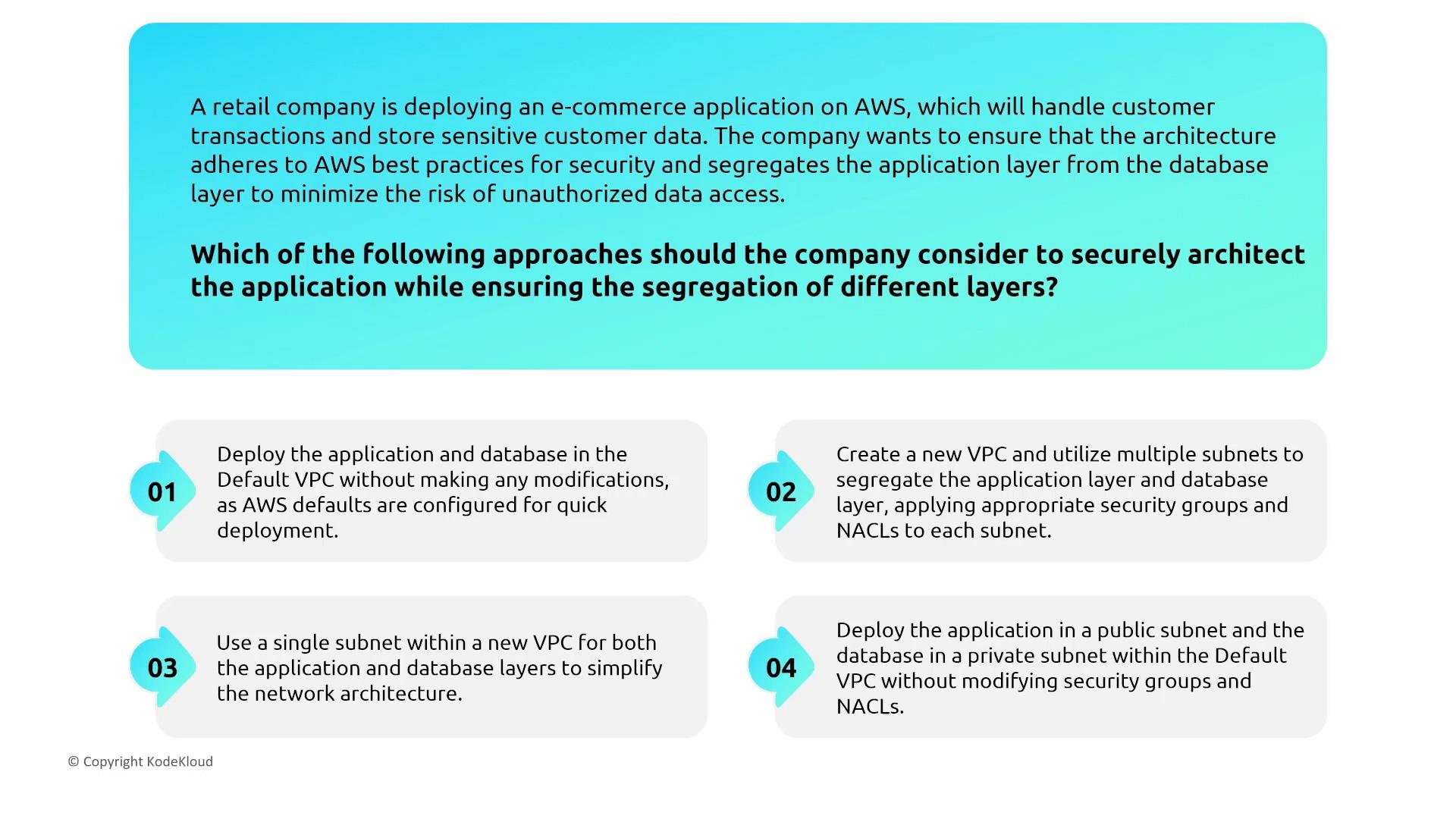
Scenario: a retail e-commerce application must segregate the application layer from the database layer to minimize unauthorized access risk. Guidance:- Use separate subnets within a single VPC to isolate tiers: place web servers in public subnets and application/database servers in private subnets.
- Associate each subnet with its own route table and NACLs (if you use NACLs). Apply least-privilege networking at both the subnet (NACLs, route tables) and instance (security groups) levels.
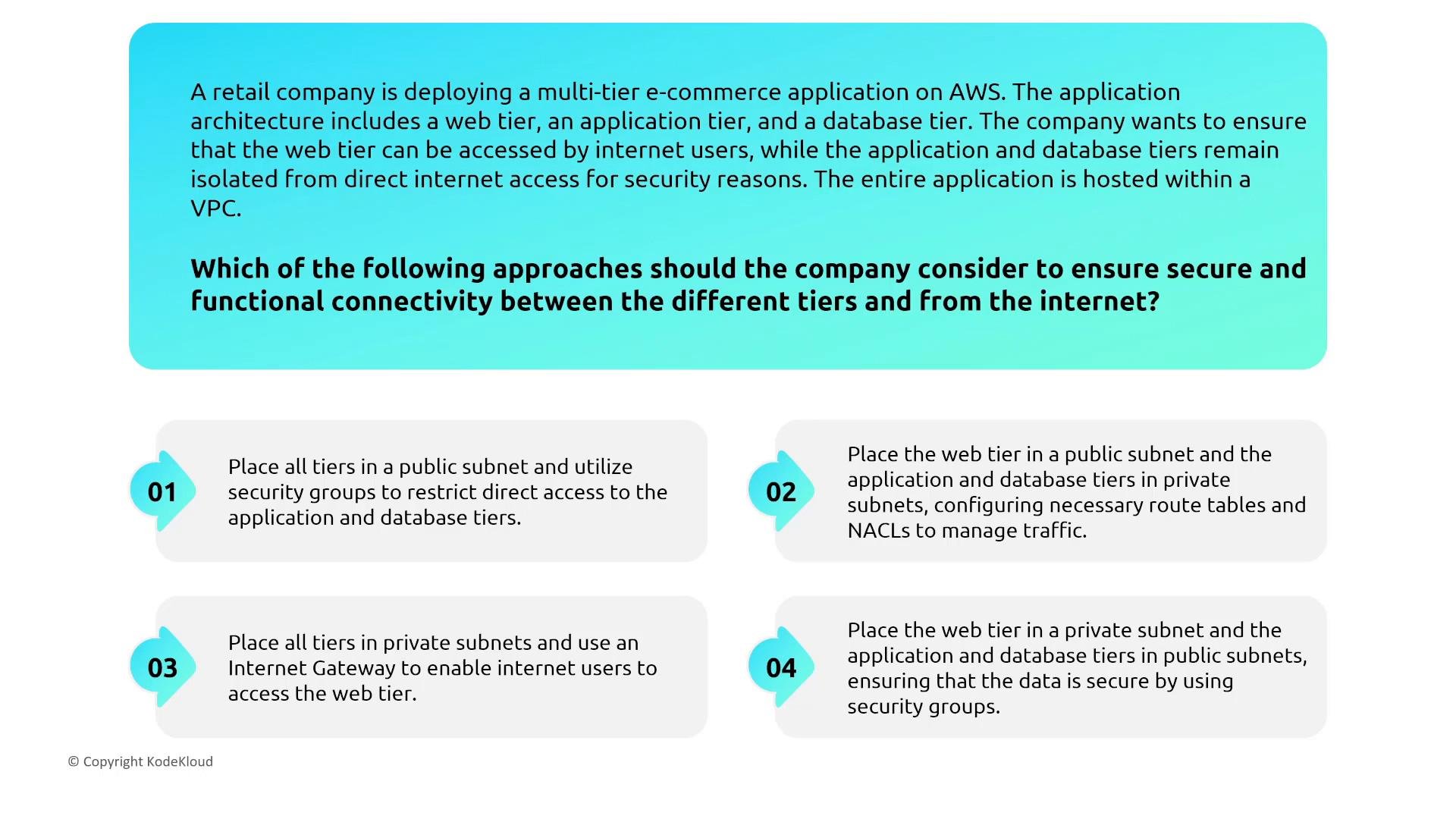
Multi-tier web application — public web tier, private app/db tiers
Scenario: web, application, and database tiers must be hosted within a VPC. Internet users can access the web tier; the application and database tiers must not be directly accessible from the internet. Solution checklist:- Put web servers in public subnets and configure the web subnet’s route table with a default route (
0.0.0.0/0) to the Internet Gateway (IGW). - Put application and database servers in private subnets that do not have direct routes to the IGW.
- Use NAT Gateway(s) in public subnets to allow private instances to make outbound calls (software updates, API calls) while preventing inbound access.
- Enforce inter-tier access with security groups and NACLs using least-privilege rules.
Routing and route tables
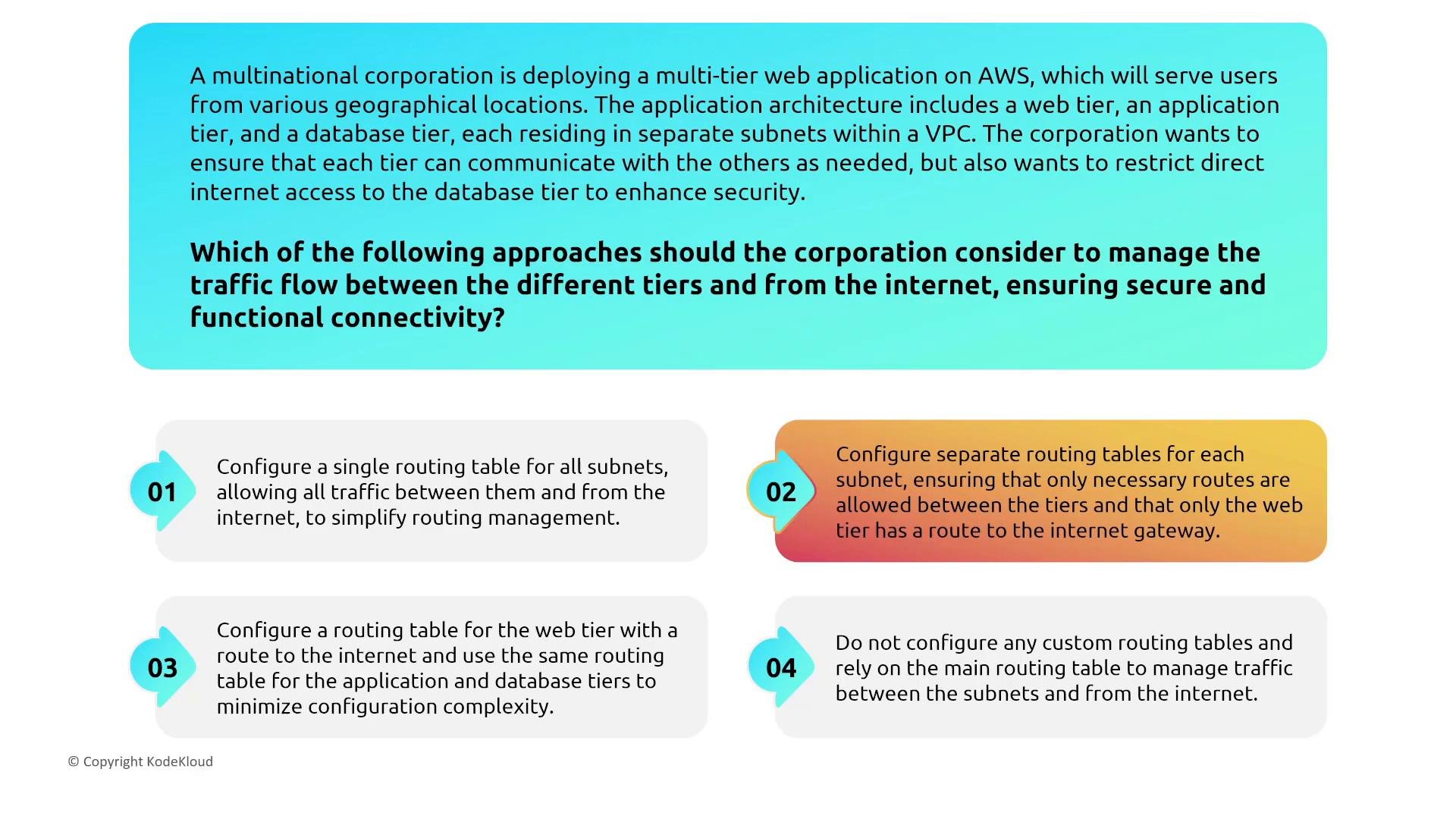
Scenario: a corporation has web, app, and database tiers in separate subnets and wants to restrict internet access to the database tier. Key routing rules:- Assign separate route tables for subnet groups that have distinct routing requirements. Only subnets requiring direct internet access should include a
0.0.0.0/0route to an IGW. - For private subnets requiring outbound internet, route traffic to a NAT Gateway in a public subnet instead of adding a route to the IGW.
- Keep application-tier internet access restricted unless required. Minimize attack surface by limiting which subnets have internet-facing routes.
Internet Gateway and controlled internet access
Scenario: a development team needs internet access to test an app, but the app must not be publicly accessible. Options and recommendations:- Attach an Internet Gateway (IGW) to the VPC for public subnets that need incoming/outgoing internet traffic.
- To avoid exposing apps to the public internet, prefer controlled access methods: VPN, AWS Client VPN, or a hardened bastion/jump host that developers use to reach resources. If direct internet access is necessary, restrict traffic with security groups, NACLs, and source IP whitelisting.
NAT Gateways and egress-only gateways
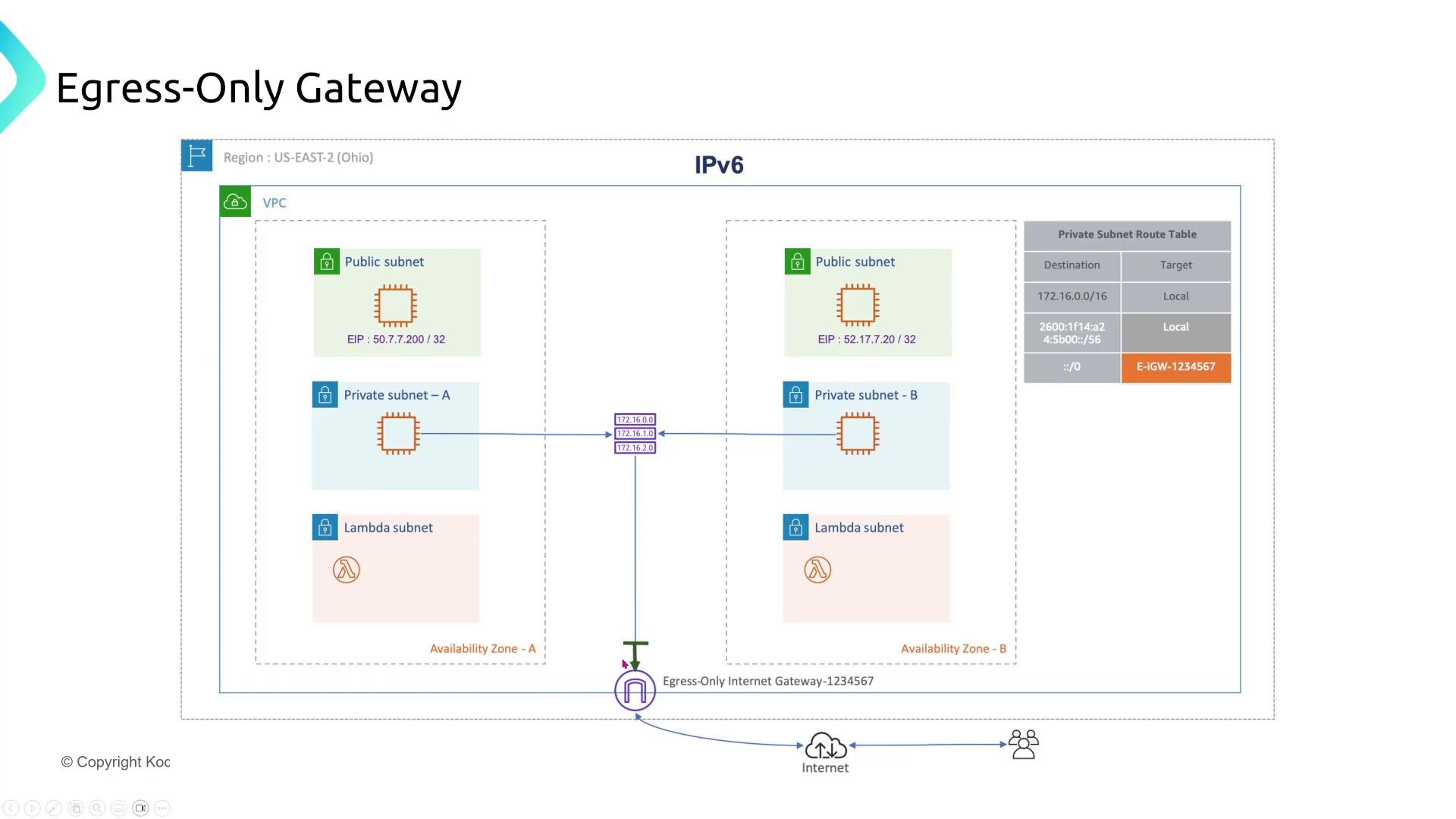
Scenario: a private subnet instance needs to fetch data from public APIs but must remain unreachable from the internet. Design patterns:- For IPv4: deploy a NAT Gateway in a public subnet; route private subnet outbound IPv4 traffic through the NAT Gateway. This allows outbound-only communication and hides private instance IPs behind the NAT.
- For IPv6: use an egress-only internet gateway to permit IPv6 outbound traffic while blocking inbound IPv6 connections.
DNS and Route 53 Resolver for private resolution
Scenario: instances in a VPC need to resolve private hostnames securely without sending DNS queries over the public internet, including hybrid on-premises to VPC DNS resolution. Recommendations:- Enable
enableDnsSupportandenableDnsHostnameson the VPC so instances can use AmazonProvidedDNS for private name resolution. - Use Route 53 Resolver inbound and outbound endpoints and Resolver rules for hybrid DNS:
- Inbound endpoints let on-premises resolvers query Route 53 private hosted zones.
- Outbound endpoints let VPC resources forward queries to on-premises DNS servers.
- Use Resolver rule priorities to control which queries are forwarded and to avoid leaking internal DNS data.
Elastic IP addresses
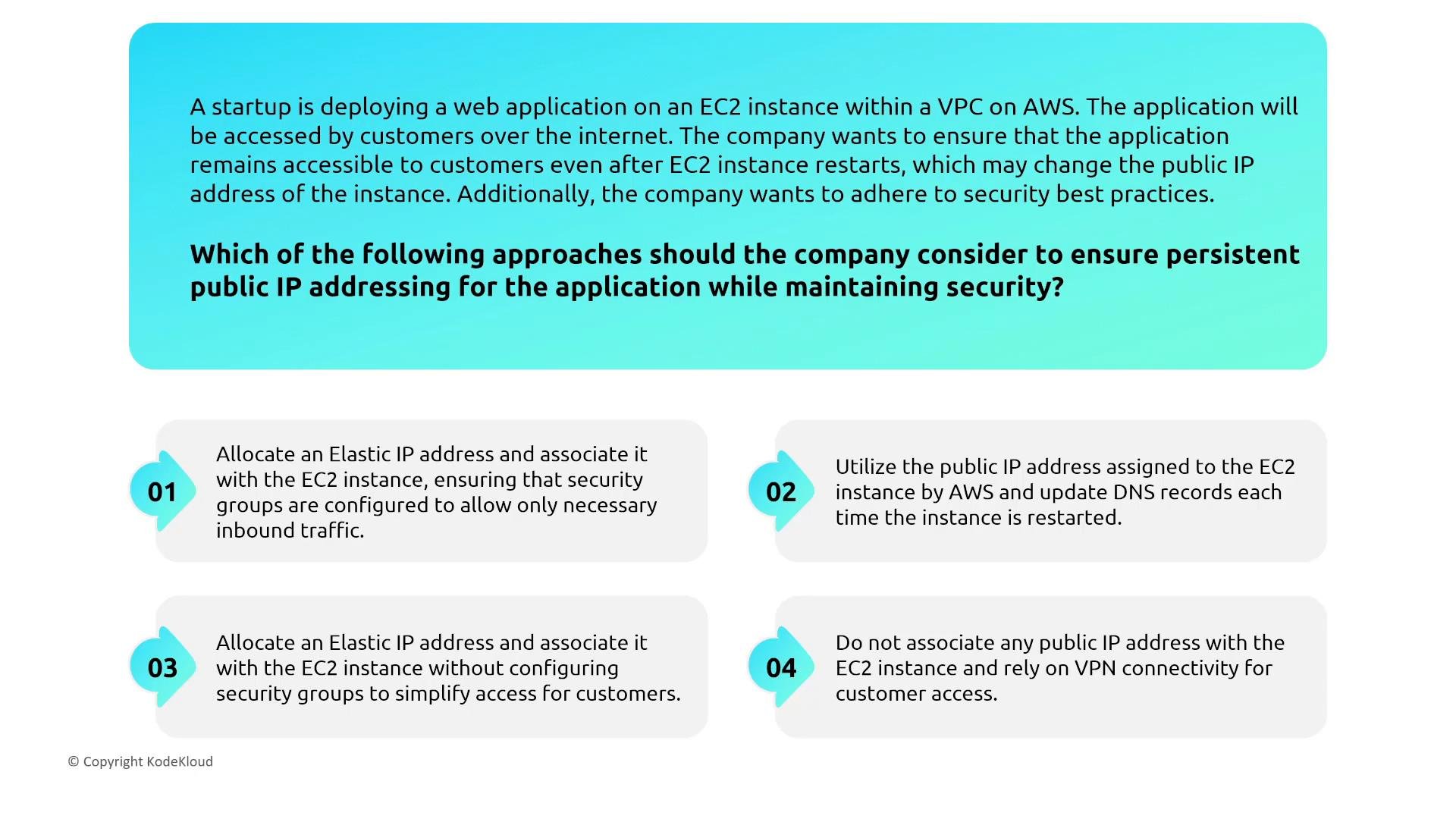
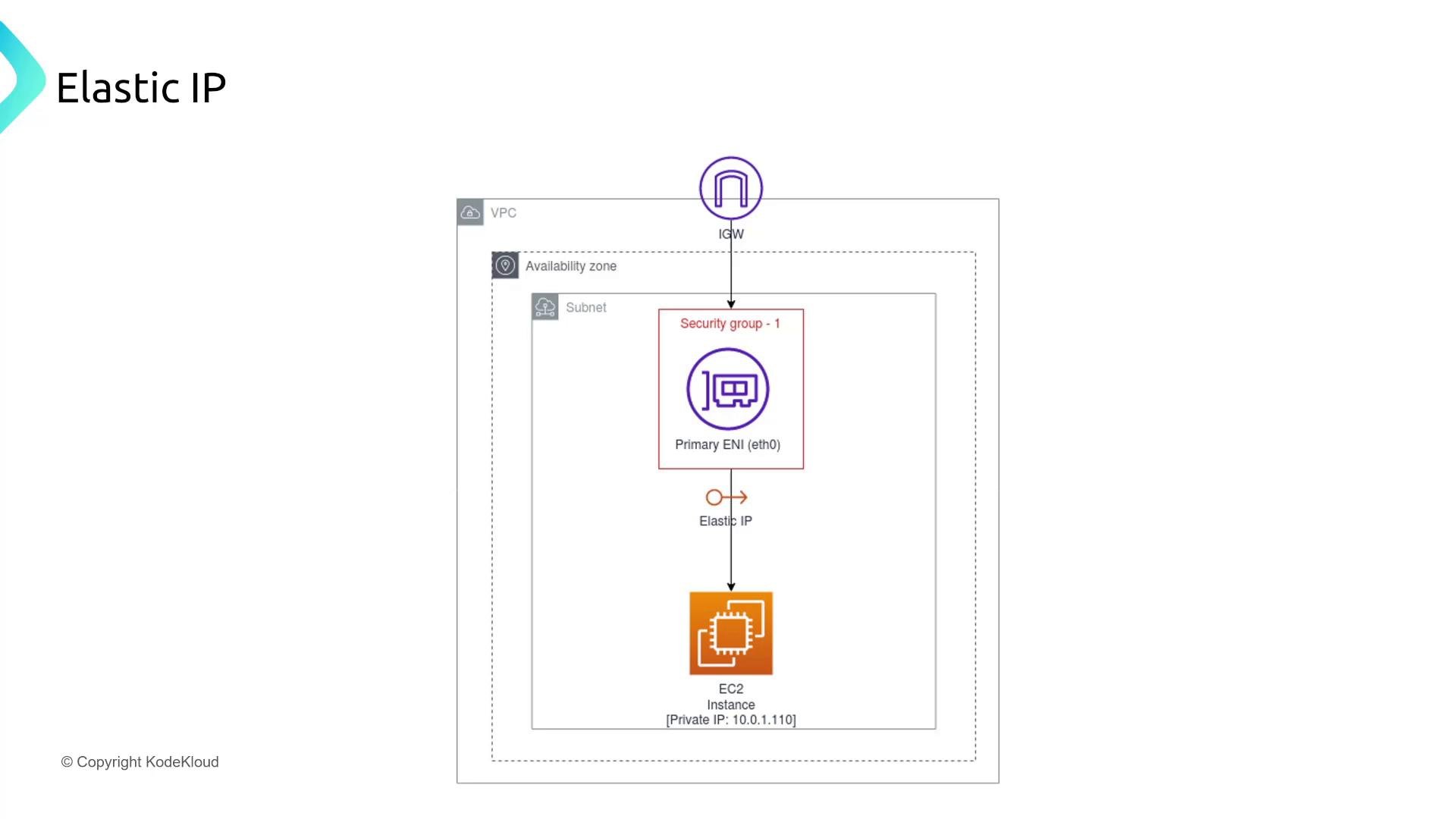
Scenario: a web app on an EC2 instance must remain reachable over the internet after instance restarts (persistent public IPv4). Key points:- An instance’s auto-assigned public IPv4 address typically changes when the instance is stopped and started.
- To maintain a persistent public IPv4 address, allocate and associate an Elastic IP to the instance’s ENI. Elastic IPs remain associated across instance stops/starts until you disassociate or release them.
High-performance networking: ENA vs EFA
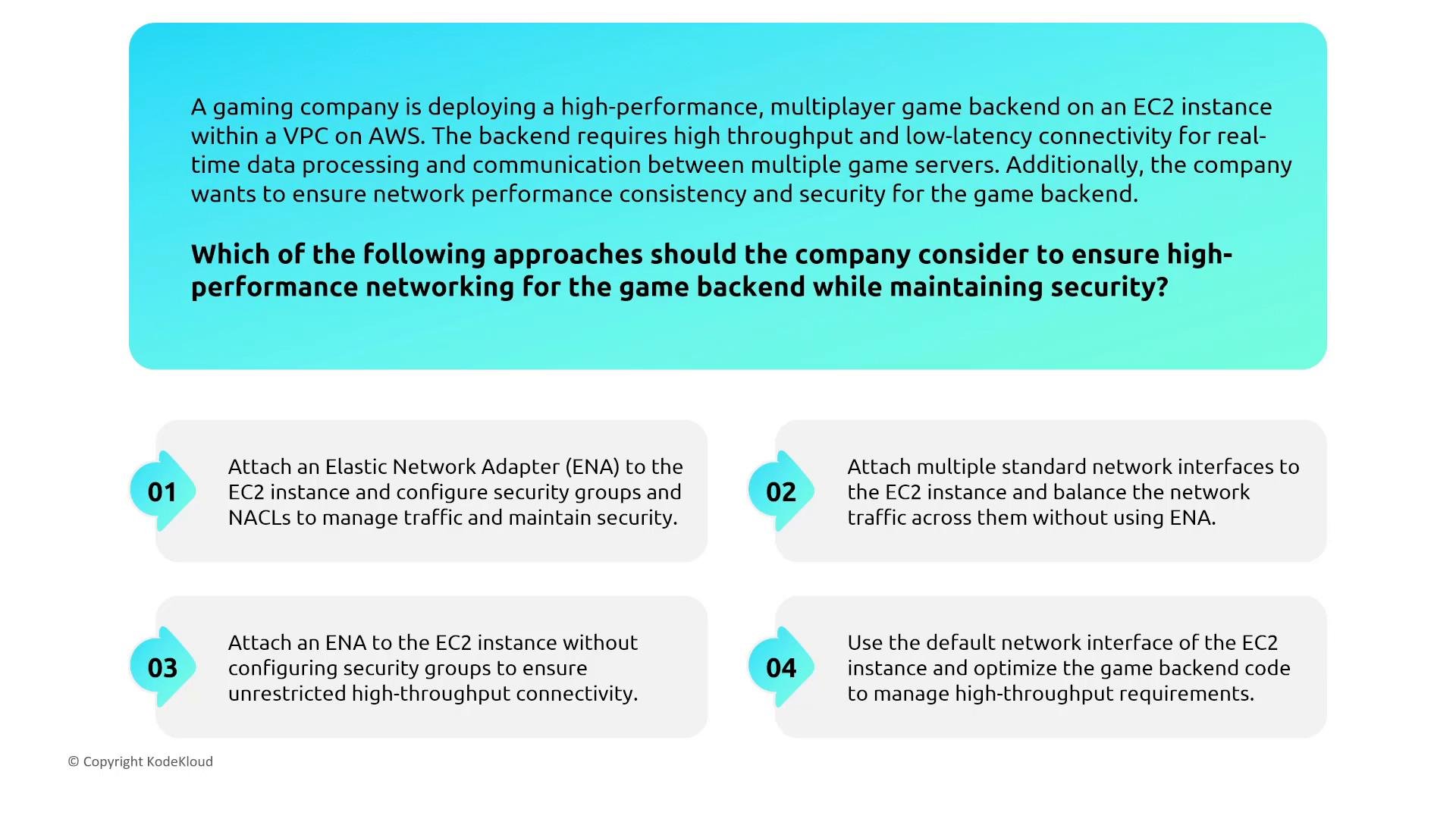
Scenario: a multiplayer game backend or an HPC workload requiring low latency and high throughput. Guidance:- Enhanced Network Adapter (ENA): choose ENA for general high throughput and consistent EC2 network performance (SR-IOV). Good for large-scale web services, high packet-per-second workloads, and network-intensive applications.
- Elastic Fabric Adapter (EFA): choose EFA for HPC and tightly coupled parallel workloads (MPI, domain decomposition) that need very low latency and OS-bypass semantics.
- Note: ENA and EFA are about performance—security still depends on security groups, NACLs, IAM, and host-level controls.
Network Access Control Lists (NACLs)
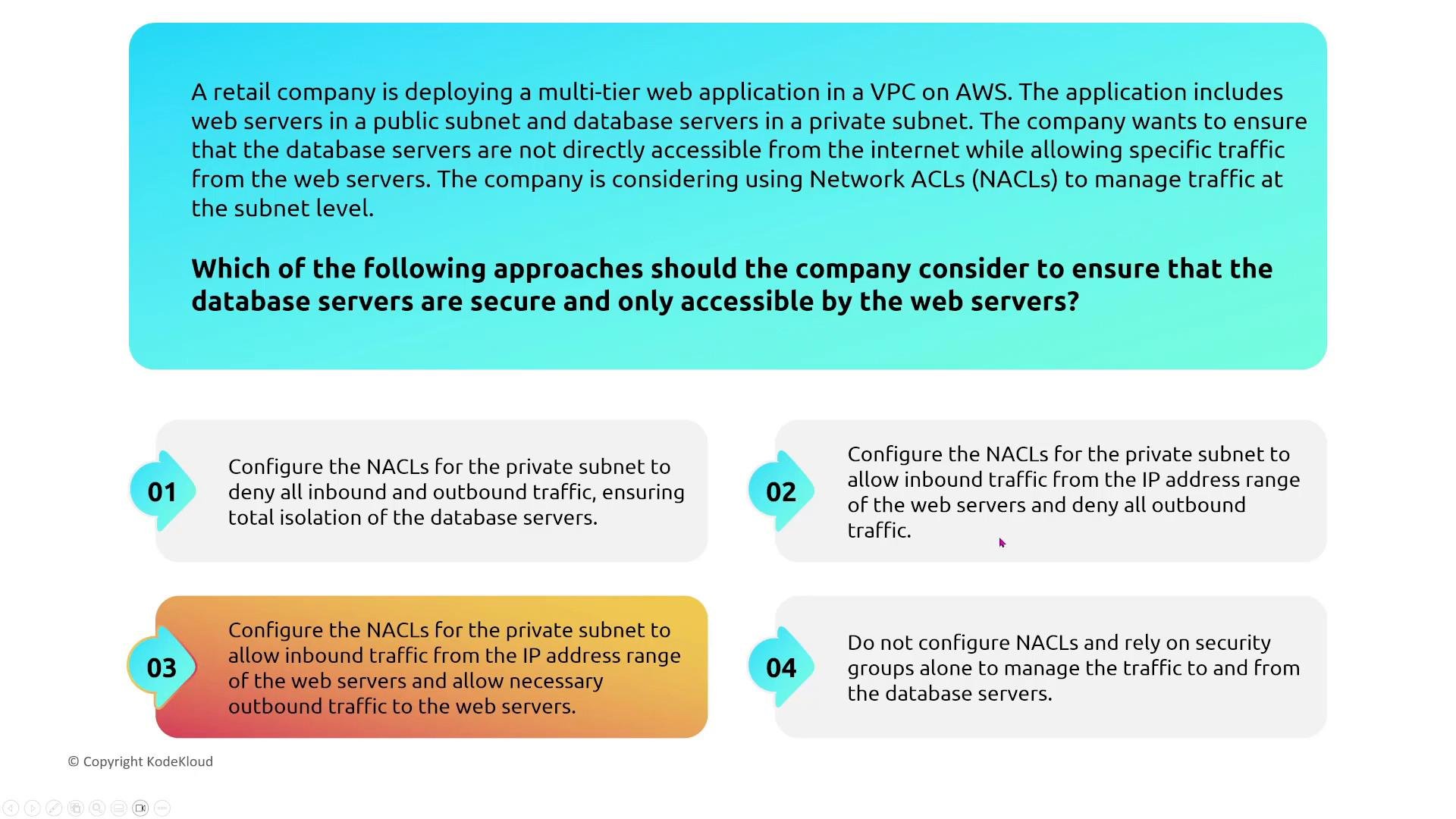
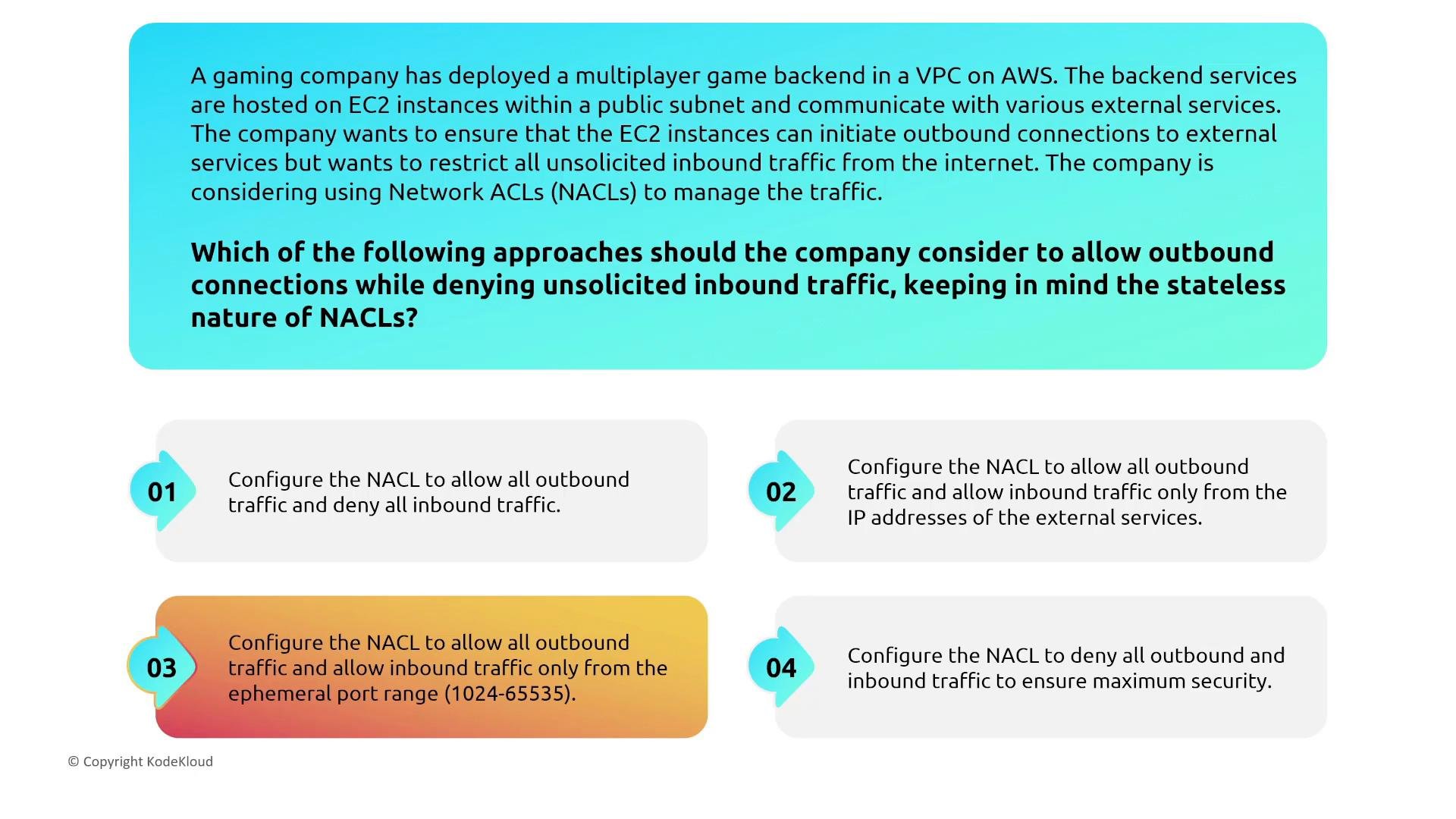
NACL basics:- NACLs are stateless, subnet-level firewalls. Because they are stateless, you must allow return traffic explicitly using corresponding rules.
- Rules are evaluated in ascending numeric order; the first matching rule applies. Put specific deny rules with lower rule numbers to ensure they are evaluated before broad allow rules.
- Use NACLs for coarse-grained subnet-level filtering (e.g., blocking known malicious IPs or creating a subnet boundary).
- Blocking malicious IP addresses: use deny rules early in the rule list.
- Allowing instances to initiate outbound connections while preventing unsolicited inbound traffic: configure ephemeral port allowances and align NACL rules with the OS ephemeral port range.
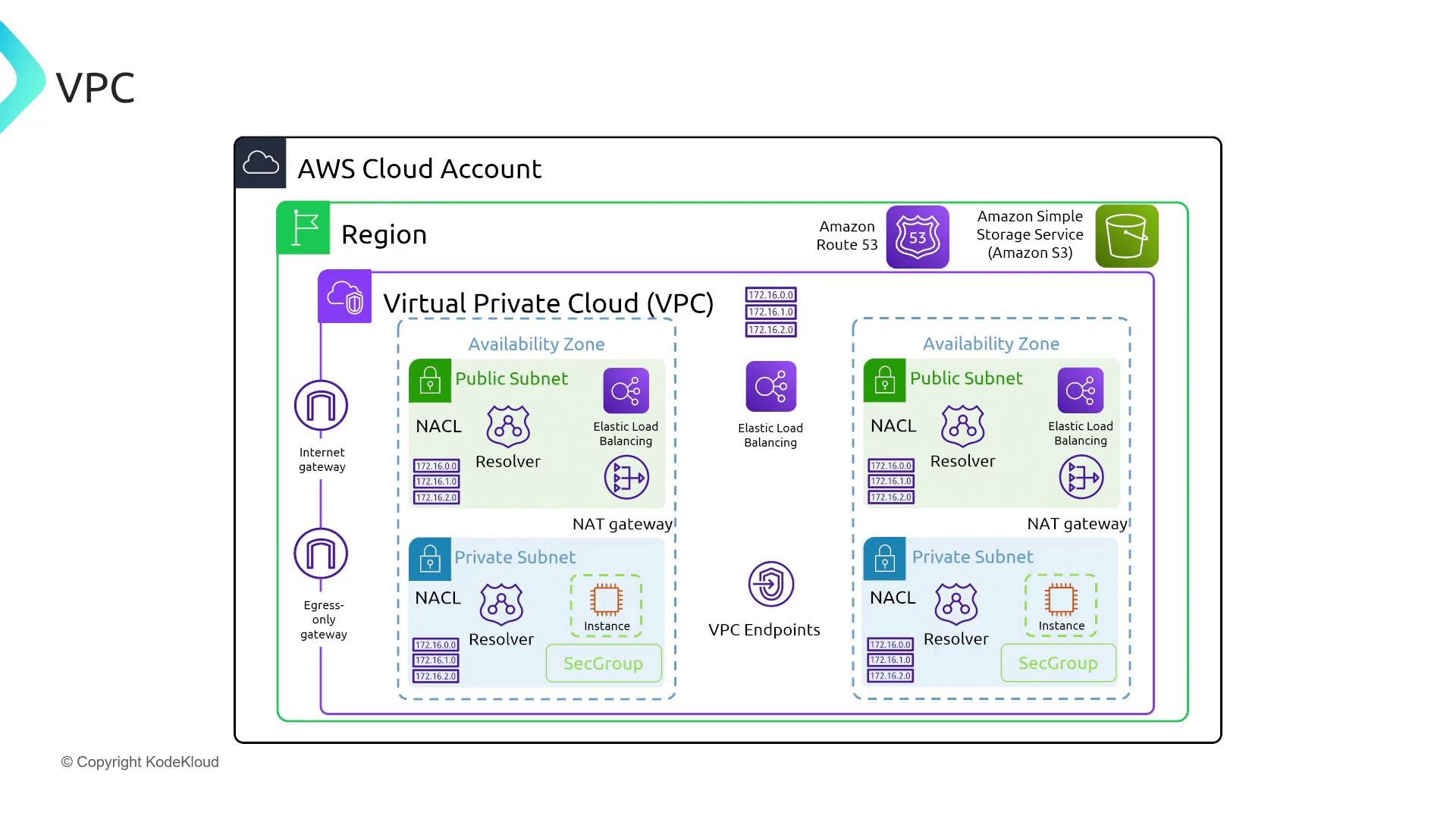
Comprehensive VPC overview (reference diagram)
Use this diagram as a consolidated mental model. It includes public and private subnets, NACLs, NAT and egress-only gateways, resolvers, VPC endpoints, IGW, and load balancers — all components you’ll consider when designing or auditing a VPC.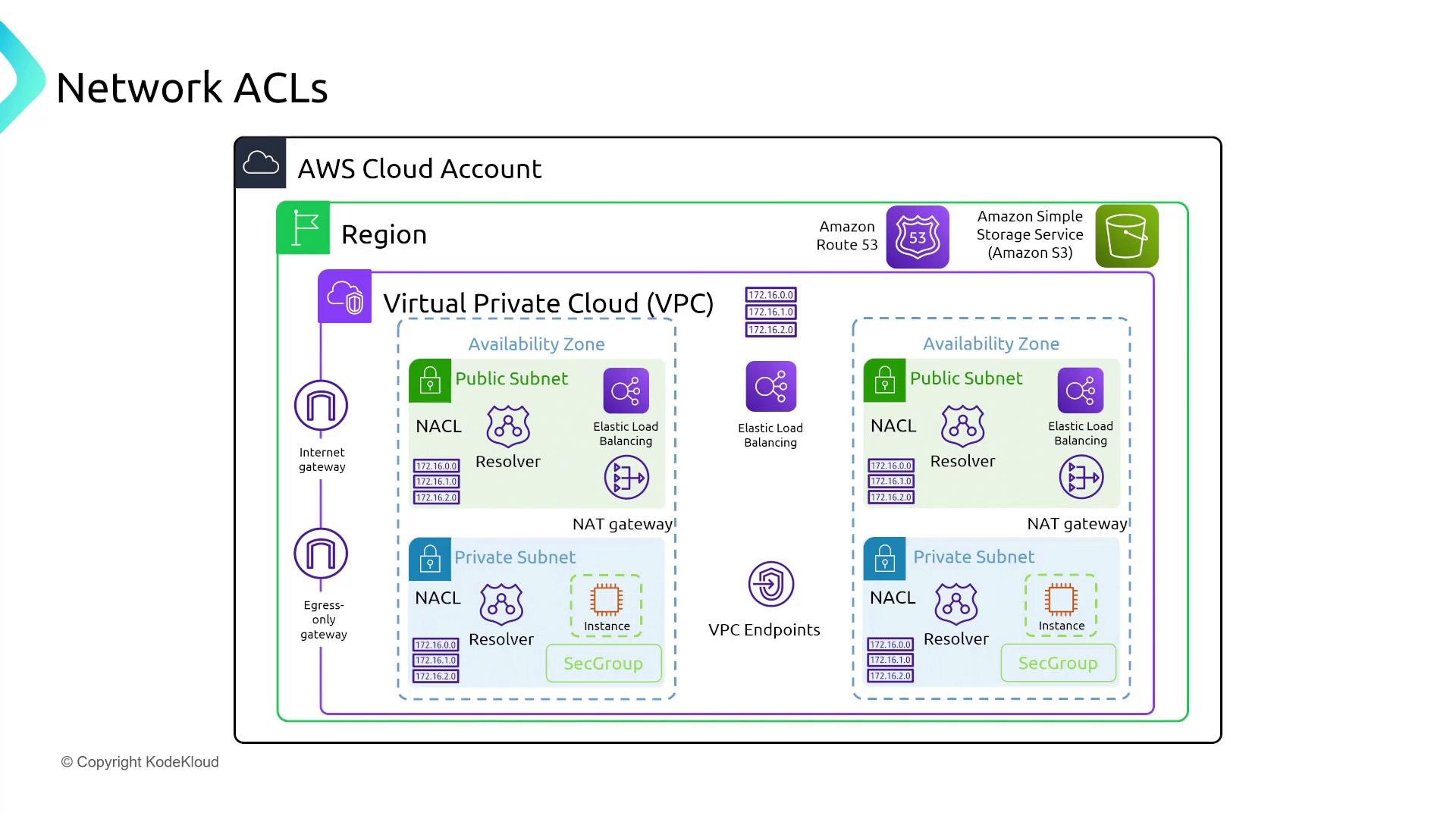
Security groups — stateful instance-level firewalls
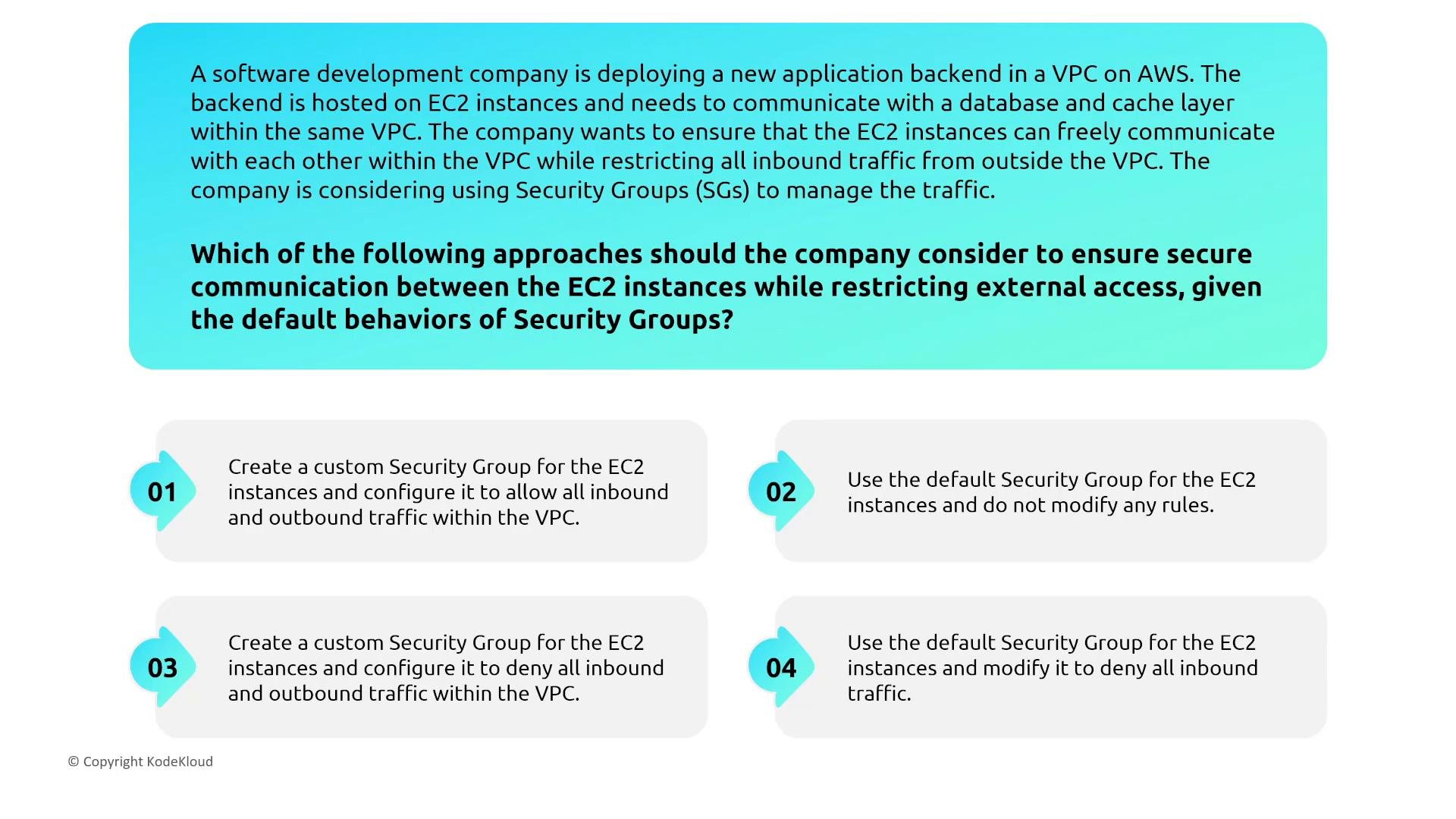
Security group fundamentals:- Security groups are stateful. If you allow inbound traffic, the response packets are automatically allowed (no explicit outbound rule required for return traffic).
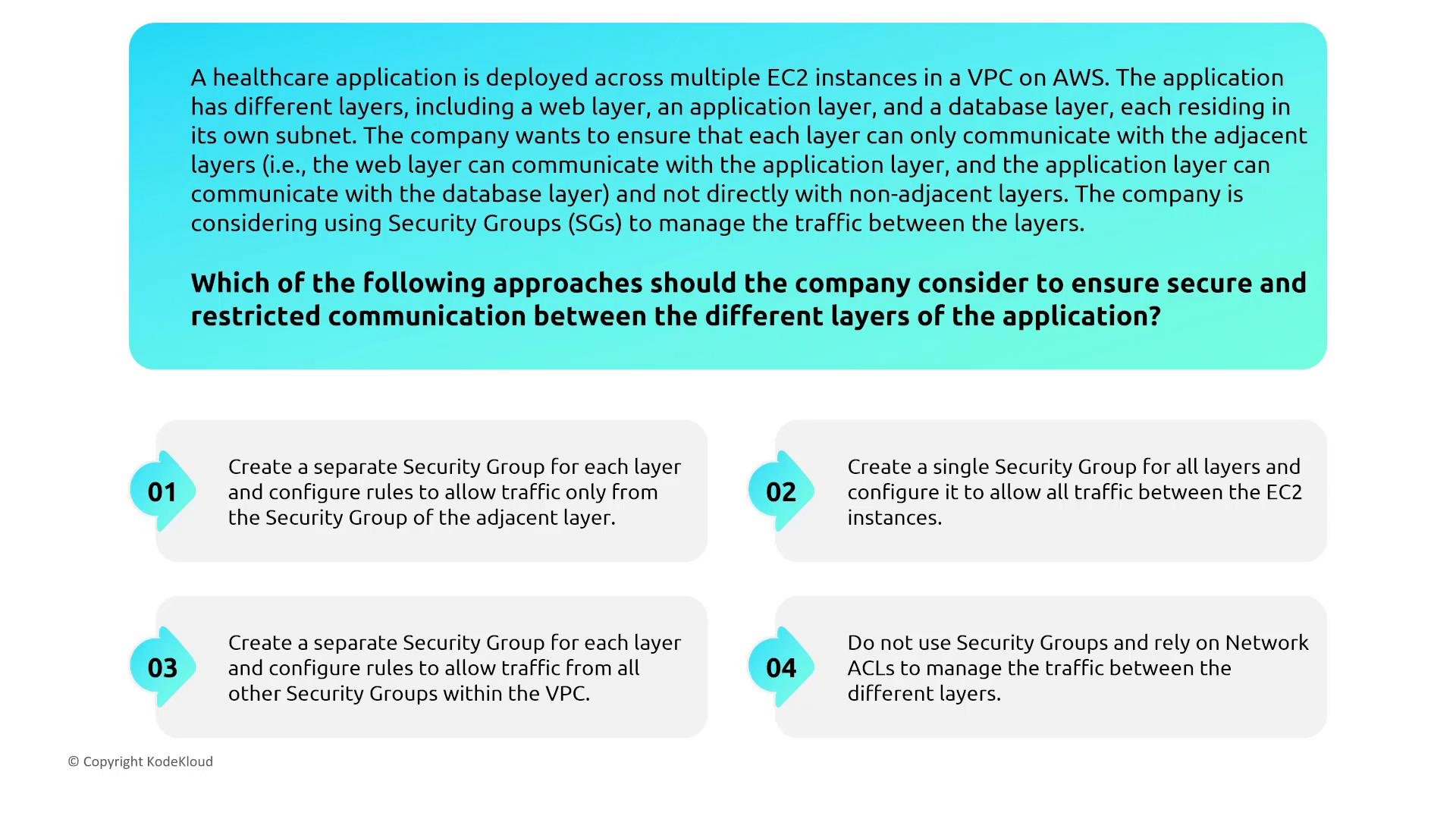
- Security groups are attached to ENIs and can reference other security groups as sources — a powerful pattern to implement tiered access (web → app → db).
- Security groups are allowlists and cannot include explicit deny rules.
- Group similar-tier instances into a single security group to simplify rules.
- Reference a higher-tier security group in the lower-tier group’s inbound rules (e.g., allow inbound DB port from the
appsecurity group). - Keep rules minimal and specific; use security groups for identity-aware network controls and NACLs for broader subnet-level constraints.
Application Load Balancers and TLS termination
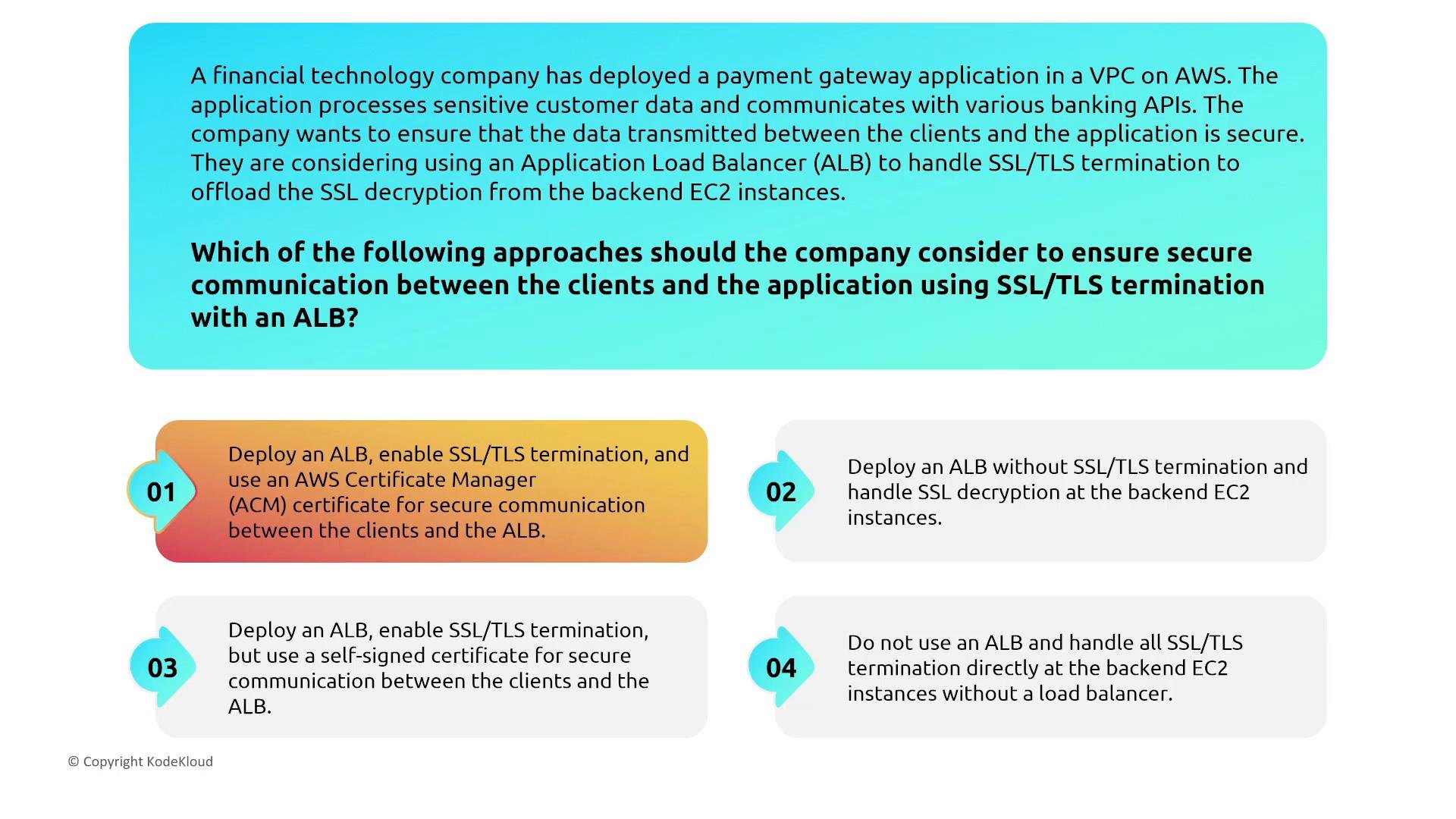
Scenario: a payment gateway application needs secure client-to-application communication and wants to offload SSL/TLS from backend EC2 instances. Recommended approach:- Use an internet-facing Application Load Balancer (ALB) and terminate TLS at the ALB. This centralizes certificate management and reduces operational burden on backend servers.
- Use AWS Certificate Manager (ACM) to provision and manage public TLS certificates for the ALB. ACM integrates with ALBs and can automate renewal of public certificates.
- For ALB-to-backend traffic, use TLS (with ACM private certs, ACM PCA, or self-managed certs) if you require end-to-end encryption.
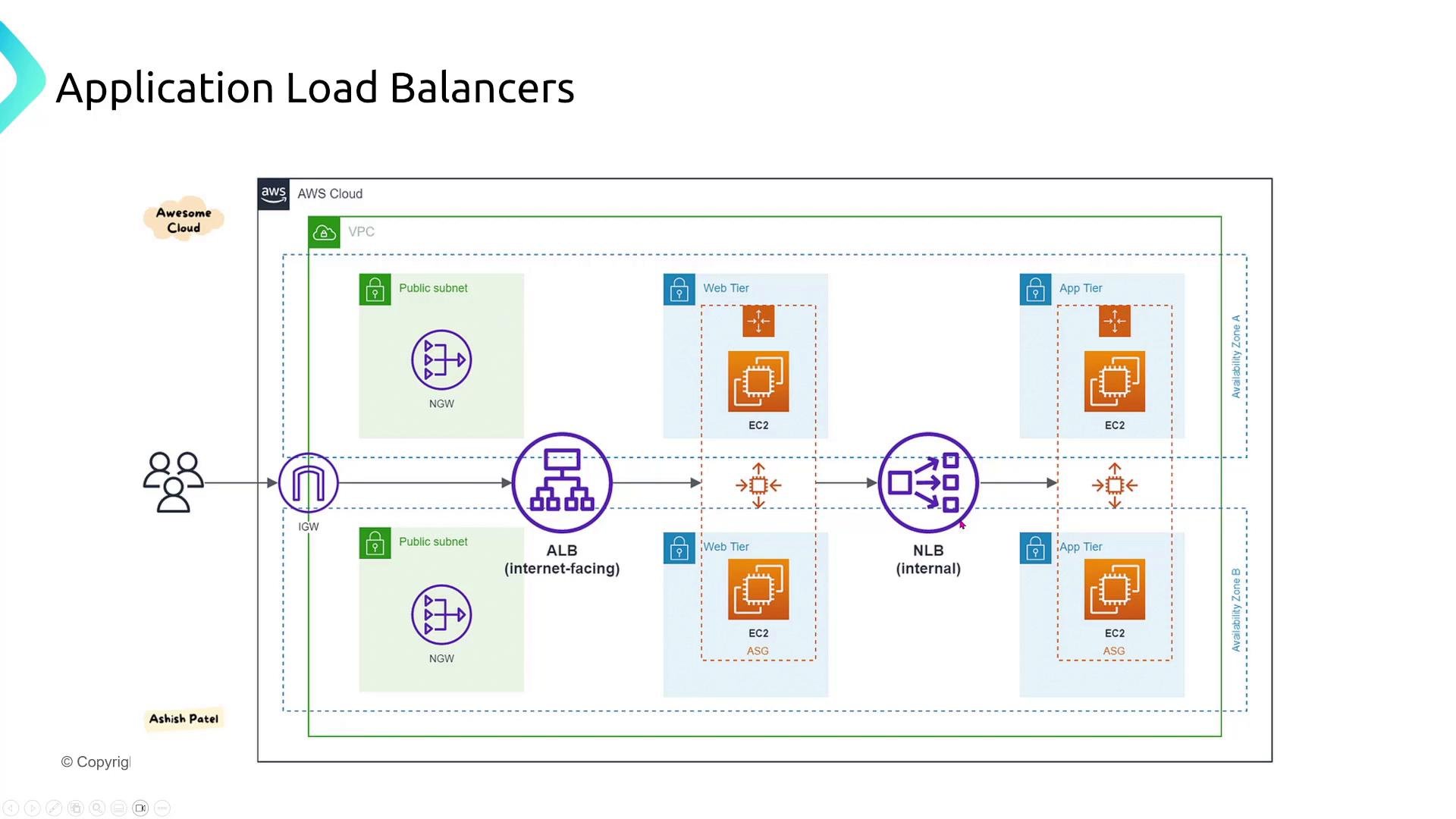
Putting it together — ALB + internal NLB and tiered routing
A common secure pattern:- An internet-facing ALB terminates client TLS and performs HTTP/S routing.
- ALB forwards traffic to internal targets such as a private NLB or private ALBs that distribute traffic to the application tier.
- This separation isolates public ingress from internal distribution and enforces clear security boundaries between public and private components.
Summary checklist
- Use regional deployments to meet data residency and low-latency requirements.
- Prefer AWS private-backbone options (VPC Peering, Transit Gateway, PrivateLink) over the public internet for cross-VPC traffic.
- Host internet-facing resources in public subnets; keep application and data tiers in private subnets.
- Use route tables, NAT Gateways, and egress-only IGW for controlled outbound-only internet access.
- Enable VPC DNS features (
enableDnsSupport,enableDnsHostnames) and use Route 53 Resolver endpoints for secure hybrid DNS. - Allocate Elastic IPs if you require stable public IPv4 addresses across instance stop/start cycles.
- Choose ENA for high throughput and EFA for latency-sensitive HPC workloads.
- Use NACLs for stateless, subnet-level controls (remember rule order) and security groups for stateful, instance-level controls (use security-group references to implement tiered access).
- Terminate TLS at ALBs when appropriate and use ACM to manage public certificates.
Links and references
- Amazon VPC — https://docs.aws.amazon.com/vpc/
- Route 53 — https://docs.aws.amazon.com/route53/
- AWS Certificate Manager (ACM) — https://docs.aws.amazon.com/acm/
- ENA — https://docs.aws.amazon.com/AWSEC2/latest/UserGuide/enhanced-networking-ena.html
- EFA — https://docs.aws.amazon.com/AWSEC2/latest/UserGuide/efa.html
- NAT Gateways — https://docs.aws.amazon.com/vpc/latest/userguide/vpc-nat-gateway.html
- Route 53 Resolver — https://docs.aws.amazon.com/Route53/latest/DeveloperGuide/resolver.html