

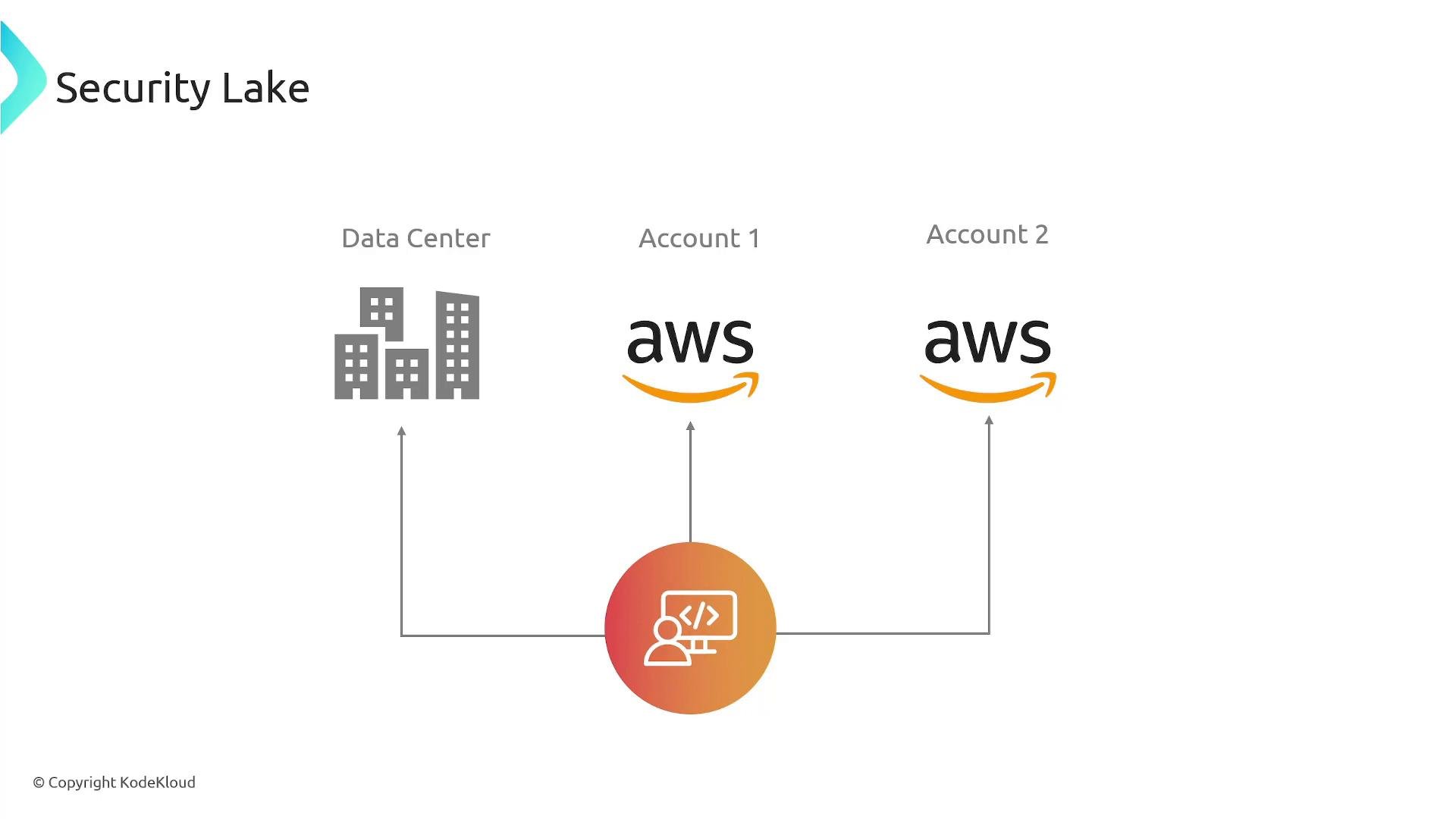
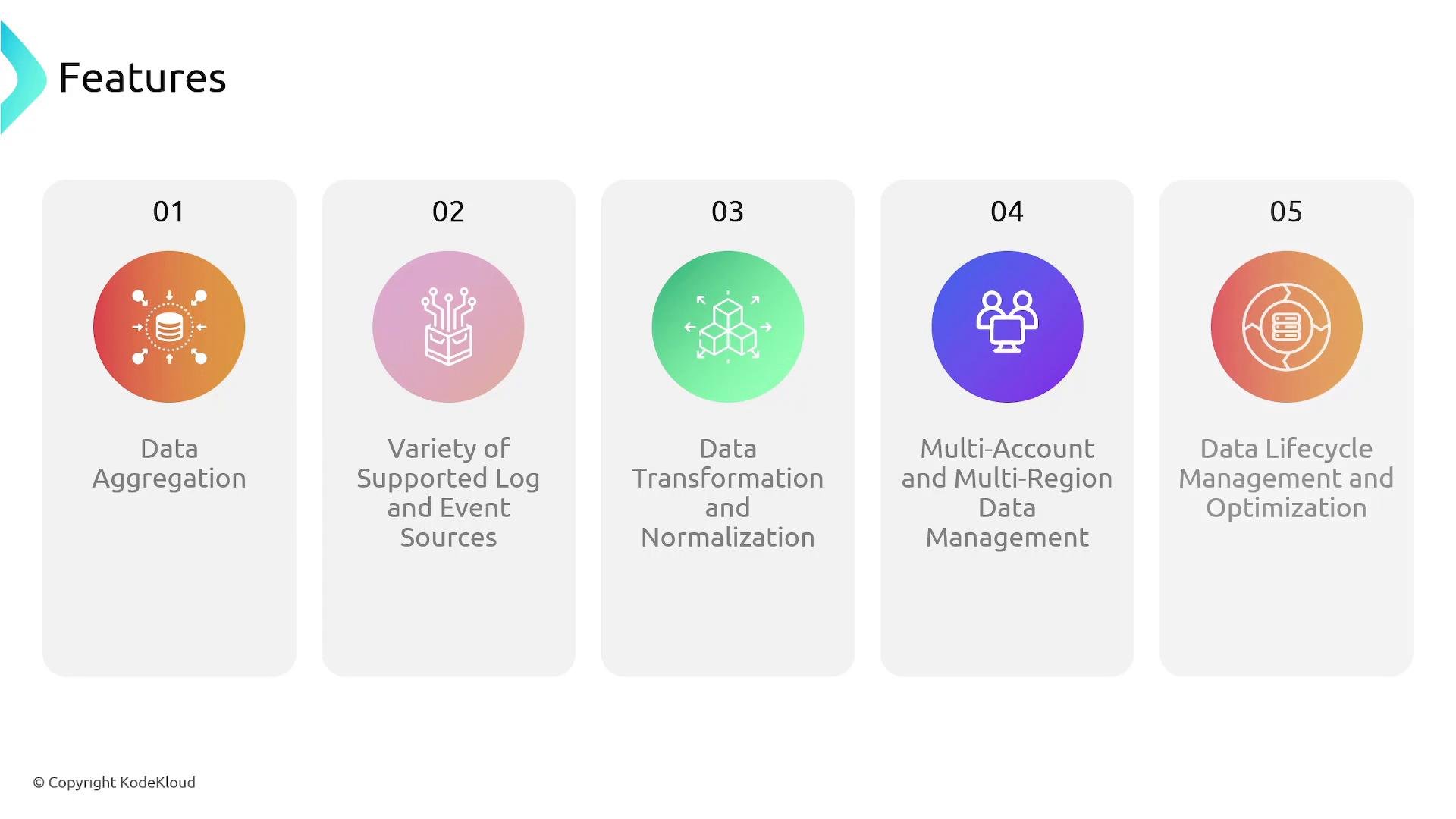
- Central ingestion: Collect telemetry from AWS services, external clouds, on-premises sources, and supported third-party integrations.
- Normalized, queryable data: Converts and catalogs logs into efficient formats for analytics.
- Managed S3 storage: Security Lake provisions and organizes Amazon S3 buckets so you can apply encryption, lifecycle policies, and IAM controls.
- Analytics-ready output: Query data using Amazon Athena (SQL) or integrate with SIEMs and analytics tools that read from S3.
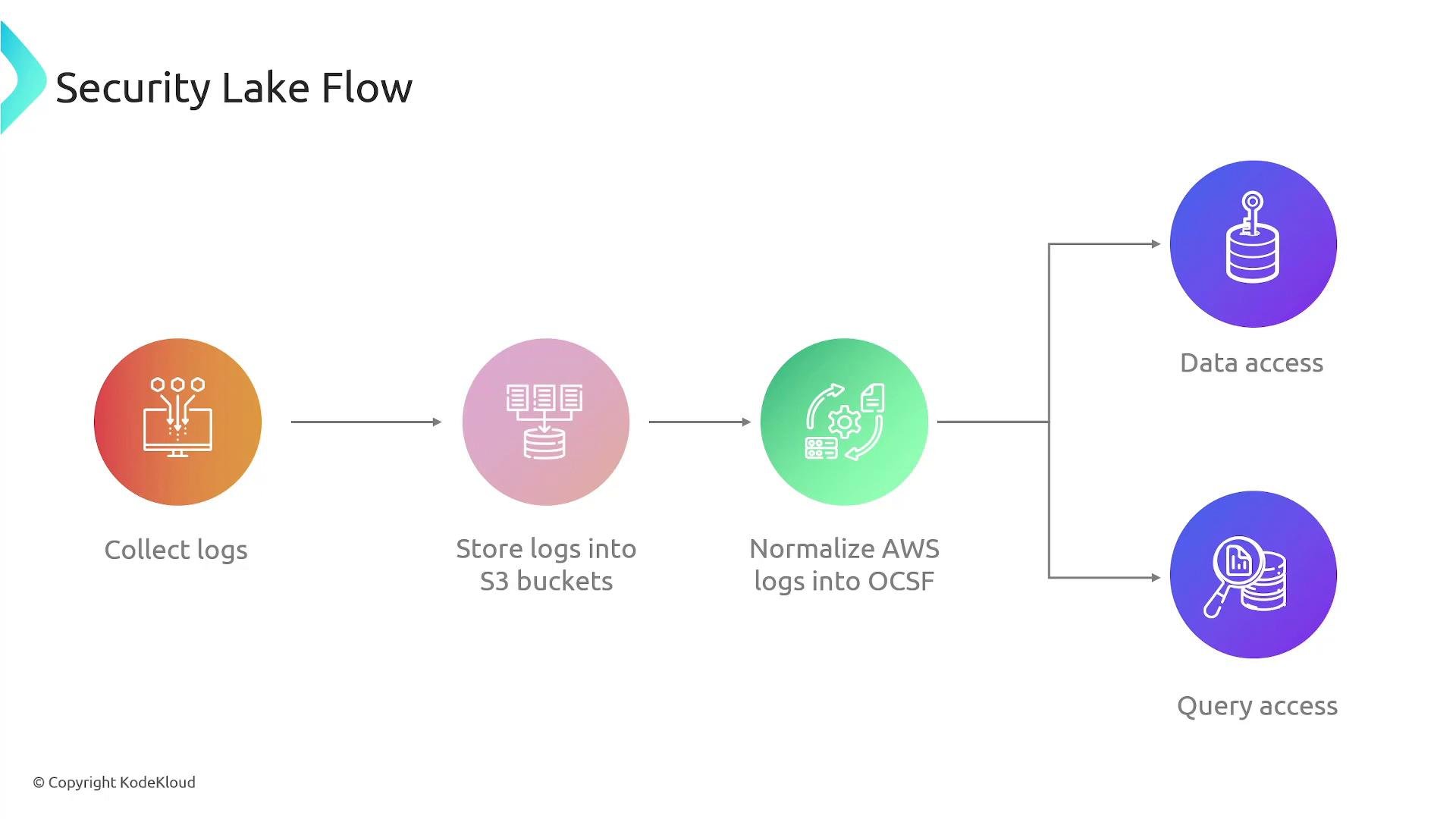
- Collect: Ingests telemetry such as AWS CloudTrail, VPC Flow Logs, DNS logs, host telemetry, and other security-relevant events from multiple accounts, Regions, and external sources.
- Store: Writes incoming data into S3 buckets that Security Lake provisions and manages so you can leverage S3 features (encryption, lifecycle rules, access control).
- Normalize: Partitions data, converts logs into Parquet for efficient storage and queries, and can map event schemas to the Open Cybersecurity Schema Framework (OCSF) for uniform fields across sources.
- Access & analyze: After normalization and cataloging, query with Amazon Athena for ad-hoc SQL analysis or integrate outputs with SIEMs and analytics pipelines.
Key Security Lake features
Security Lake provisions S3 buckets and data catalogs for you, but you retain control via IAM policies, S3 bucket policies, and encryption settings. Plan access controls and lifecycle rules before onboarding large volumes of telemetry to avoid unexpected costs.
Ensure least-privilege IAM and proper encryption when sharing Security Lake outputs with analytics tools or external teams. Sensitive telemetry can contain PII or security-critical details — treat access and retention carefully.
- You need centralized, cross-account visibility for investigations and compliance.
- You want normalized schemas (OCSF) to simplify cross-source analytics.
- You prefer managed ingestion and storage while using familiar AWS tools (S3, Athena) for querying.
- You want to integrate Security Lake outputs with SIEMs and third-party analytics.
- AWS Security Lake: https://aws.amazon.com/security-lake/
- Amazon S3 documentation: https://learn.kodekloud.com/user/courses/amazon-simple-storage-service-amazon-s3
- Amazon Athena: https://aws.amazon.com/athena/
- Open Cybersecurity Schema Framework (OCSF): https://opencybersecurity.org/
- VPC Flow Logs: https://docs.aws.amazon.com/vpc/latest/userguide/flow-logs.html
- CloudTrail: https://aws.amazon.com/cloudtrail/