

- Store an image in S3 (the origin).
- Create a CloudFront distribution that points to the S3 bucket.
- Request the image using the CloudFront domain to cache it at edge locations.
- Replace the origin object and observe how cached content persists until TTL expiry or an invalidation.
Create the S3 origin
First, create an S3 bucket to host the object(s) that will act as the CloudFront origin.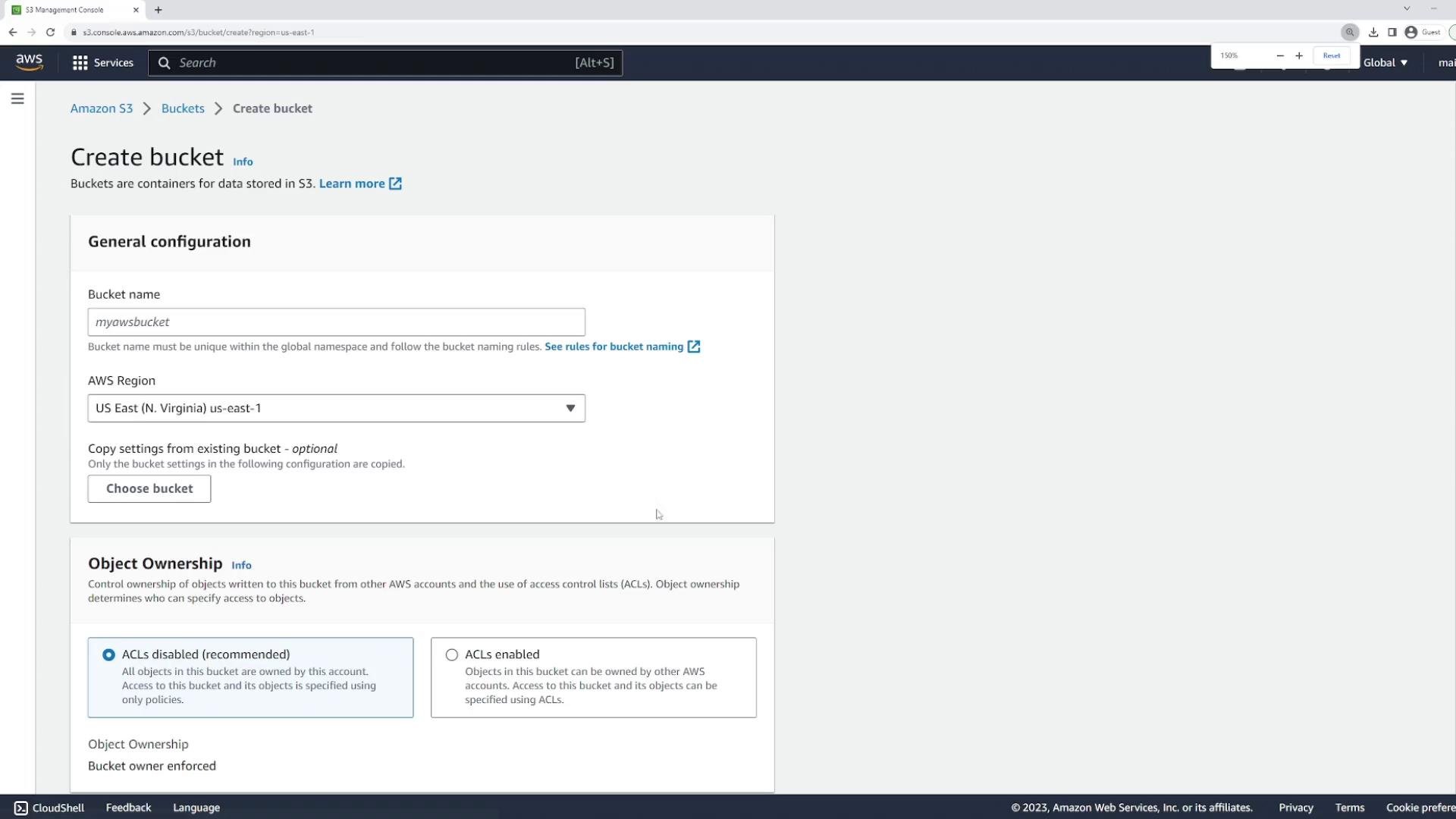
codeclouddemo123 and the default region. For this demo we will temporarily allow public access so you can verify the object via a browser. In production, prefer Origin Access Control (OAC) so only CloudFront can retrieve objects from S3.
For demos you may set objects to public, but this is not recommended for production. Use OAC (Origin Access Control) or OAI and fine-grained bucket policies to restrict direct S3 access.
Upload an image to the bucket
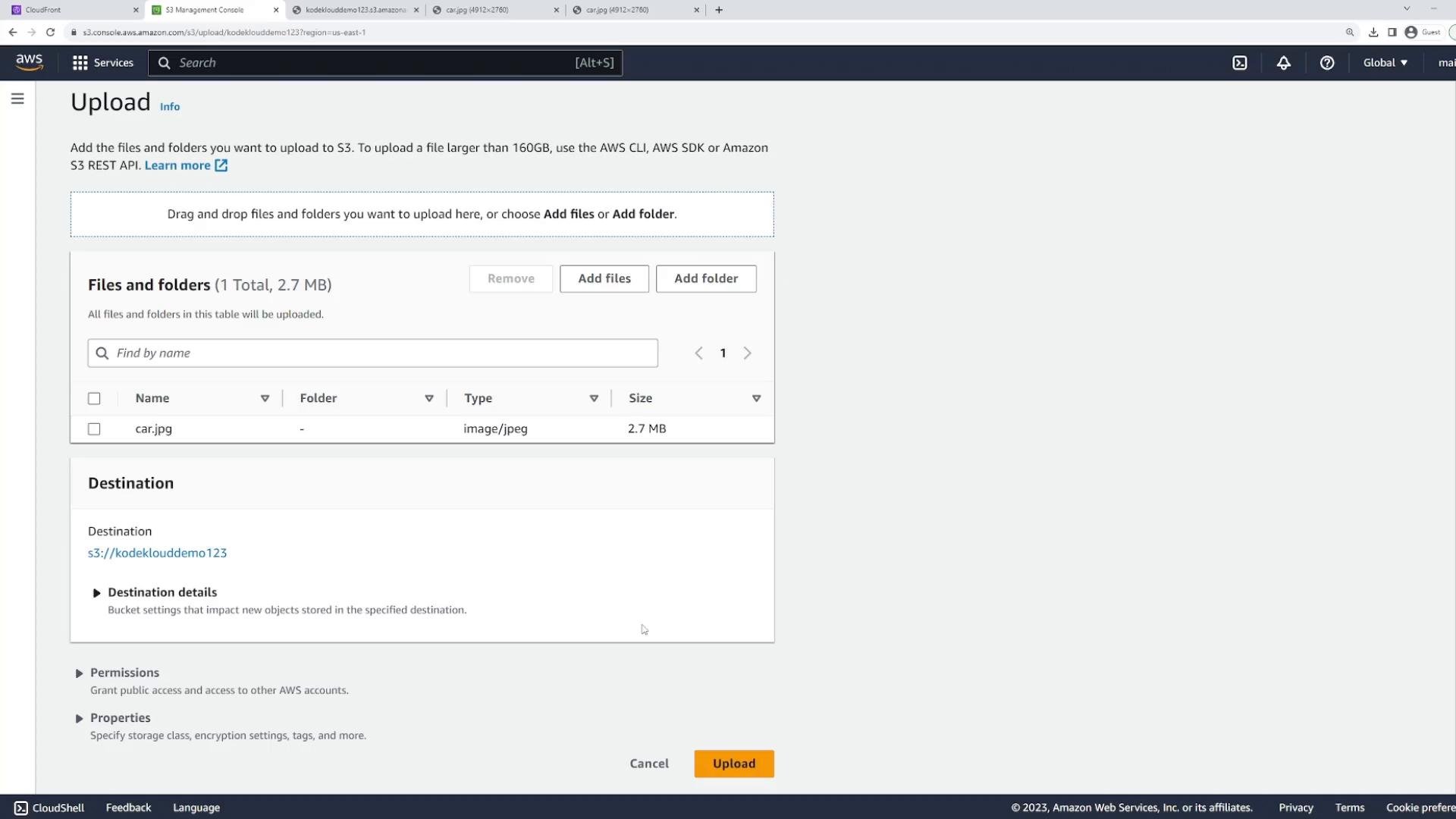
Upload an image file to the bucket (for this demo the filename iscar.jpg). After uploading, S3 will provide an object URL.
If the object is not publicly accessible, opening the object URL returns an Access Denied XML error like:
- Temporarily make the object or bucket publicly readable (not recommended long-term).
- Use CloudFront with Origin Access Control (recommended): CloudFront fetches objects from S3 using OAC and S3 blocks public access.
Create a folder (optional)
If you want CloudFront to cache a specific path within the bucket, create a folder and place objects there. You can then set an origin path when configuring CloudFront.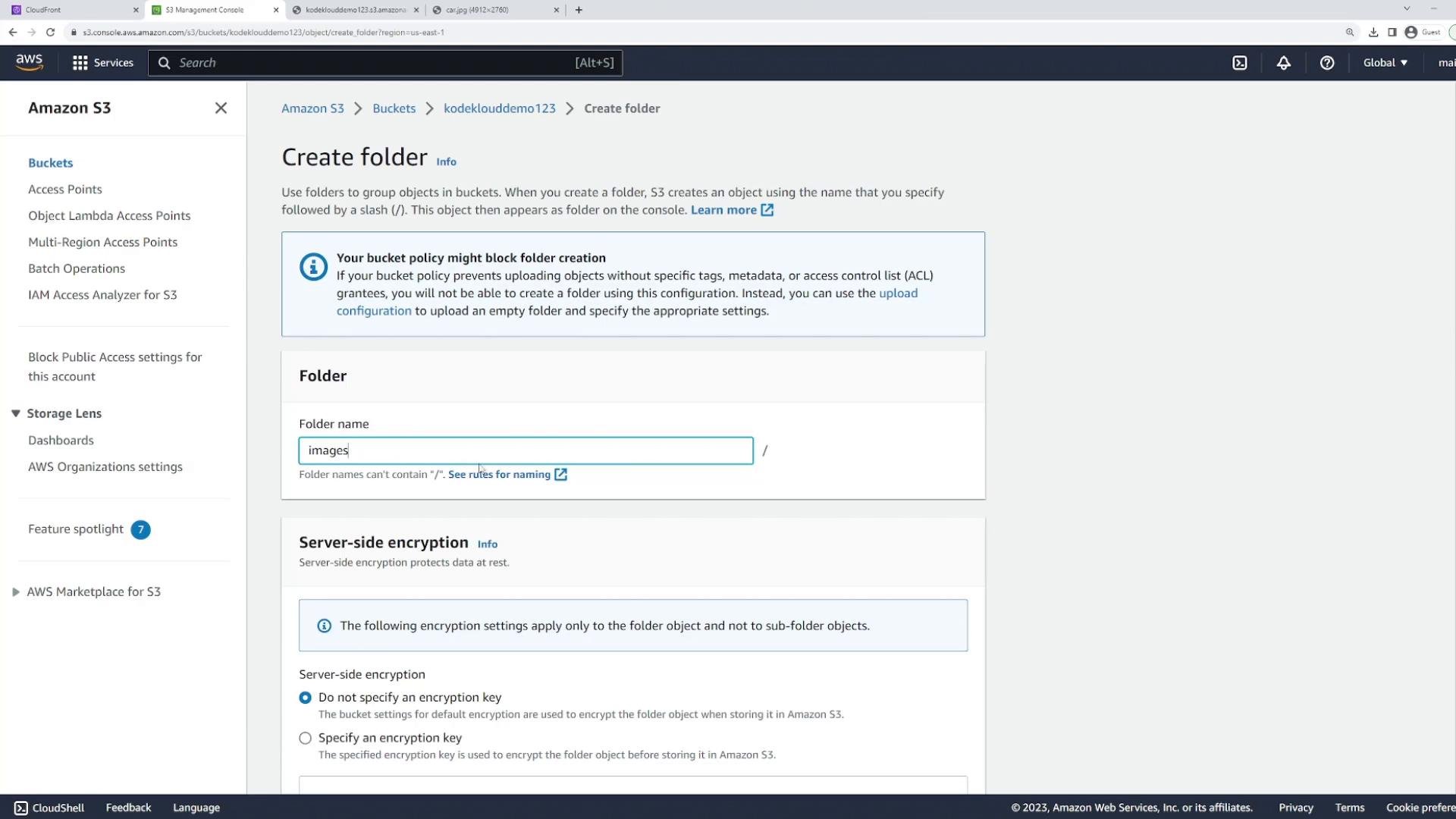
Create the CloudFront distribution
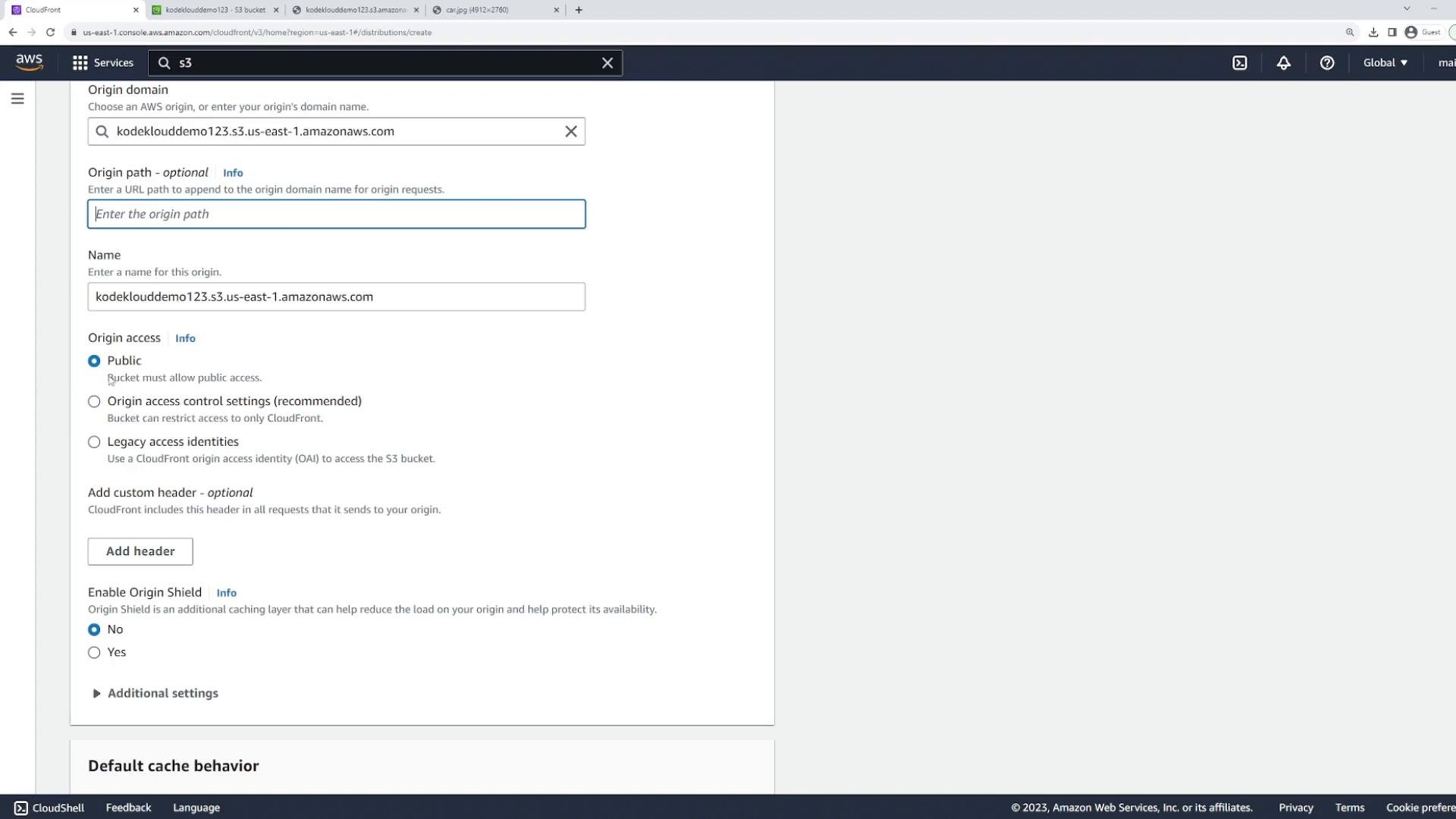
Create a CloudFront distribution and point its origin to the S3 bucket you created. When configuring the origin choose:- Origin domain: your S3 bucket endpoint (e.g.,
codeclouddemo123.s3.us-east-1.amazonaws.com) - Optional origin path: e.g.,
/imagesto limit CloudFront to a subfolder - Access type: Public or Restricted (use OAC for restricted)
- Origin Shield and custom headers as required
- Compression: enable Gzip/Brotli to reduce transfer sizes for compressible assets.
- Viewer protocol policy: redirect HTTP to HTTPS or require HTTPS (recommended).
- Allowed HTTP methods: GET/HEAD for static objects; add others only if needed.
- Price class: limit edge locations for cost management.
- TLS, HTTP protocol versions, and IPv6: enable per your needs.
- Cache behaviors: map URL patterns to specific caching policies and behaviors.
Access the object through CloudFront
Request the image using the distribution domain plus the object path:https://d3o26icowwpbm9.cloudfront.net/car.jpg
Note: Browsing to the distribution root (e.g., https://d3o26icowwpbm9.cloudfront.net/) will not show the image unless you configure an index document or set a default behavior that maps to an object. You must request the exact object path.
How it works:
- If the image is cached at the nearest edge, CloudFront serves the cached copy.
- If not cached, CloudFront fetches the object from the S3 origin, caches it, and serves it to the client.
Replace the object at the origin
To demonstrate caching, replace the original object in S3 with a new file using the same key (car.jpg). For example, upload a new car.jpg containing different content (e.g., a red car vs. a blue car). S3 now returns the new object at the same key.
Cache TTL and cache policy
CloudFront cache behavior is controlled by the cache policy attached to a behavior. The policy defines TTL values and which headers, cookies, or query strings are included in the cache key. For example, the managed “CachingOptimized” policy often uses a default TTL of 86,400 seconds (one day):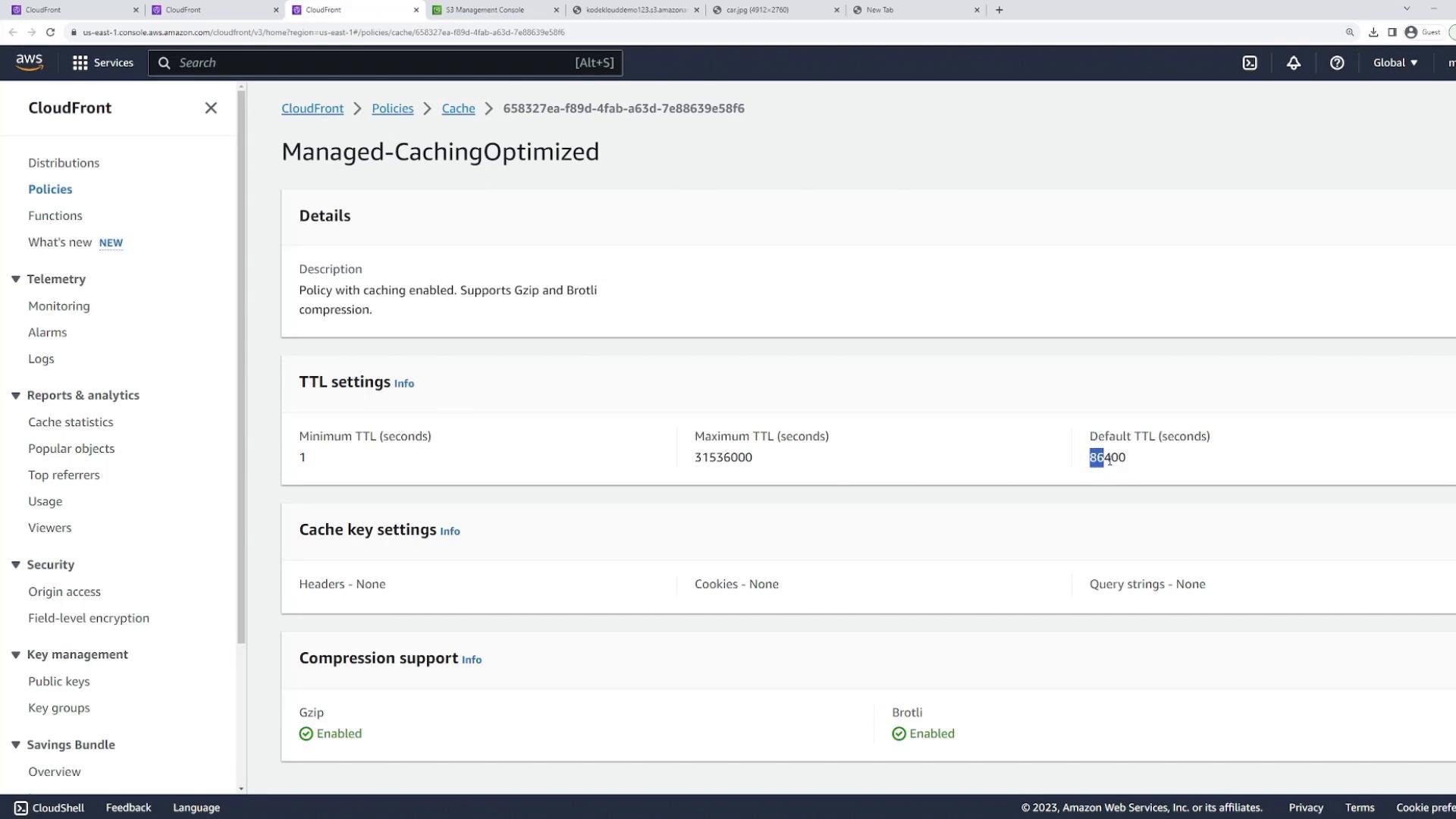
Force an update with invalidation
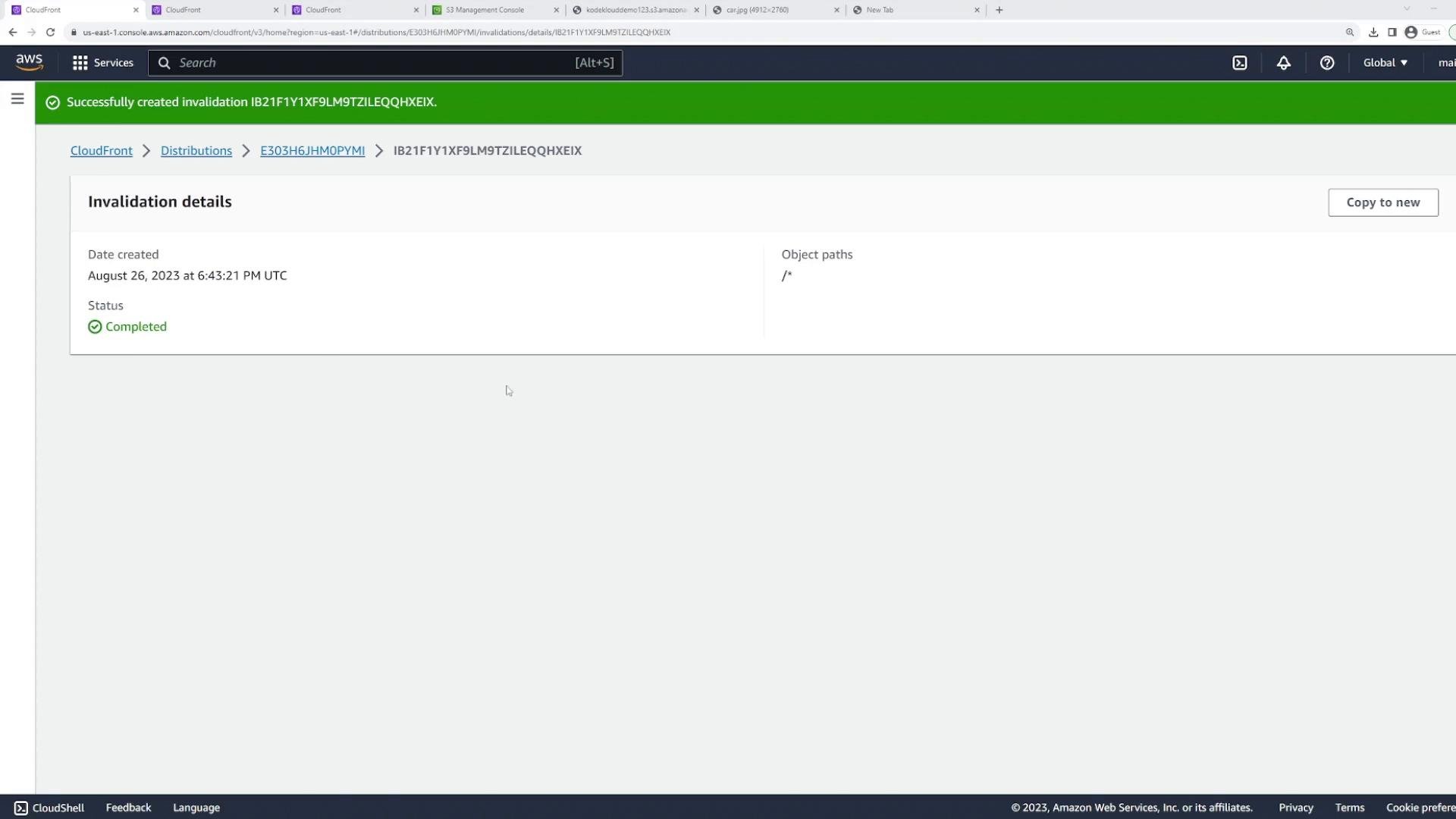
To immediately remove a cached object from CloudFront edge locations, create an invalidation. This instructs CloudFront to evict the specified object(s) from all edge caches so subsequent requests fetch the updated object from the origin. Console steps:- Open your CloudFront distribution and go to the Invalidations tab.
- Create an invalidation and specify paths to remove.
- Wildcards like
/*or/images/*are supported. - Invalidations take time to propagate to all edge locations.
- Frequent or large invalidations can increase costs; consider cache-control headers or versioned filenames instead.
https://d3o26icowwpbm9.cloudfront.net/car.jpg will return the updated image from the origin.
Notes and best practices
- For production, prefer Origin Access Control (OAC) so S3 objects are only retrievable by CloudFront.
- Use
Cache-Controlheaders and appropriate TTLs to balance freshness and performance. - Use versioned filenames (e.g.,
image-v1.jpg→image-v2.jpg) to avoid frequent invalidations and simplify cache management.
- AWS S3: https://docs.aws.amazon.com/s3/
- AWS CloudFront: https://docs.aws.amazon.com/cloudfront/
- AWS CLI CloudFront invalidation: https://docs.aws.amazon.com/cli/latest/reference/cloudfront/create-invalidation.html
Conclusion
This lesson covered:- Uploading an object to S3 and exposing it as a CloudFront origin.
- Creating a CloudFront distribution to cache the object at edge locations.
- Replacing the origin object and understanding CloudFront caching and TTL behavior.
- Creating invalidations to force CloudFront to fetch updated objects before TTL expiration.