Elastic Container Registry (ECR)
ECR is a versatile container registry that can be configured as either public or private. It easily integrates with AWS services such as IAM for permission management, CI/CD pipelines, and VPC endpoints for secure, private connectivity. Additionally, ECR supports repository replication and can serve multiple purposes including pull-through caching, development registries, and production repositories.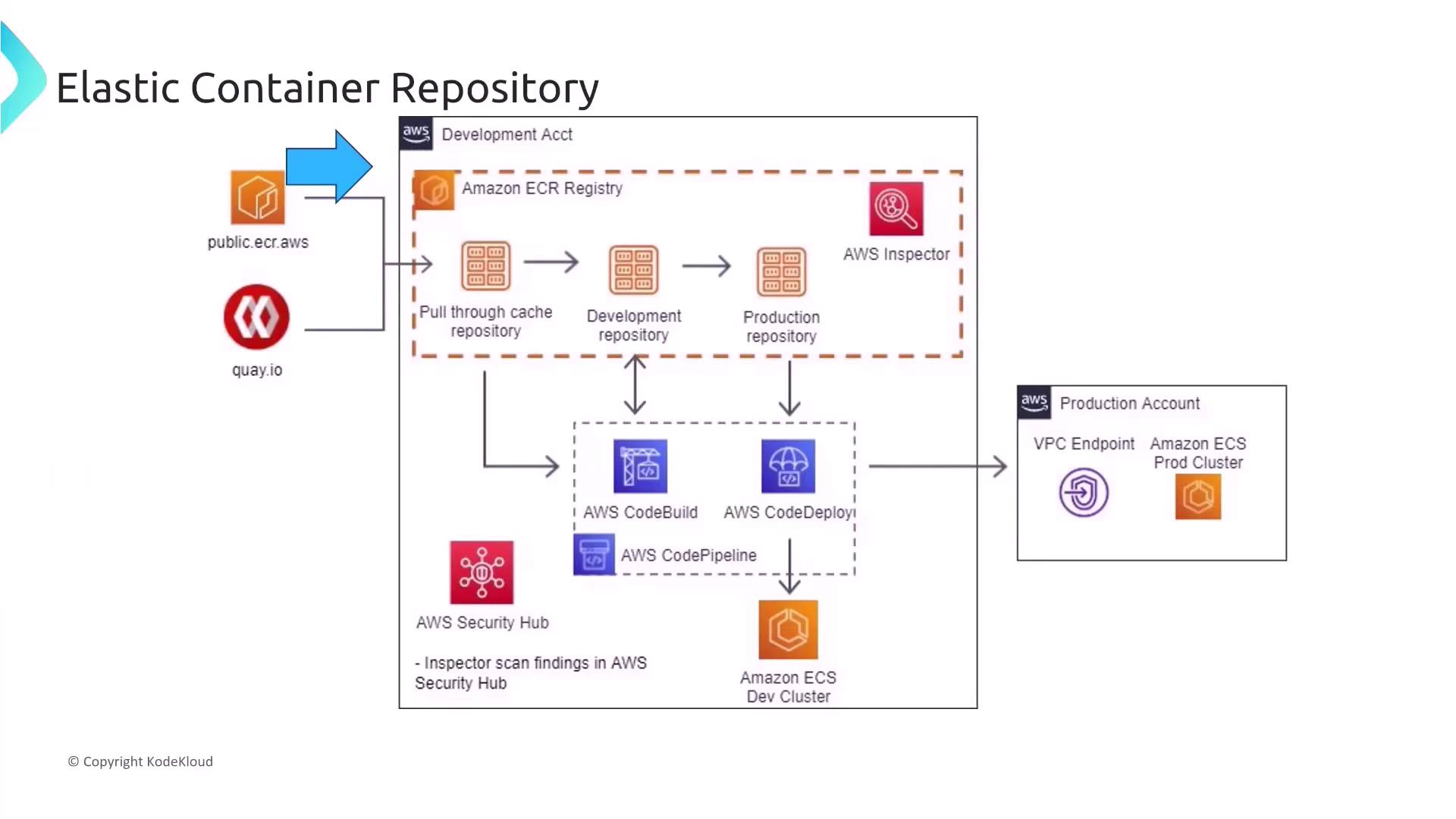
- Configure IAM policies to grant precise permissions to specific users or roles.
- Enable automatic image scanning upon push (leveraging tools like Trivy or similar).
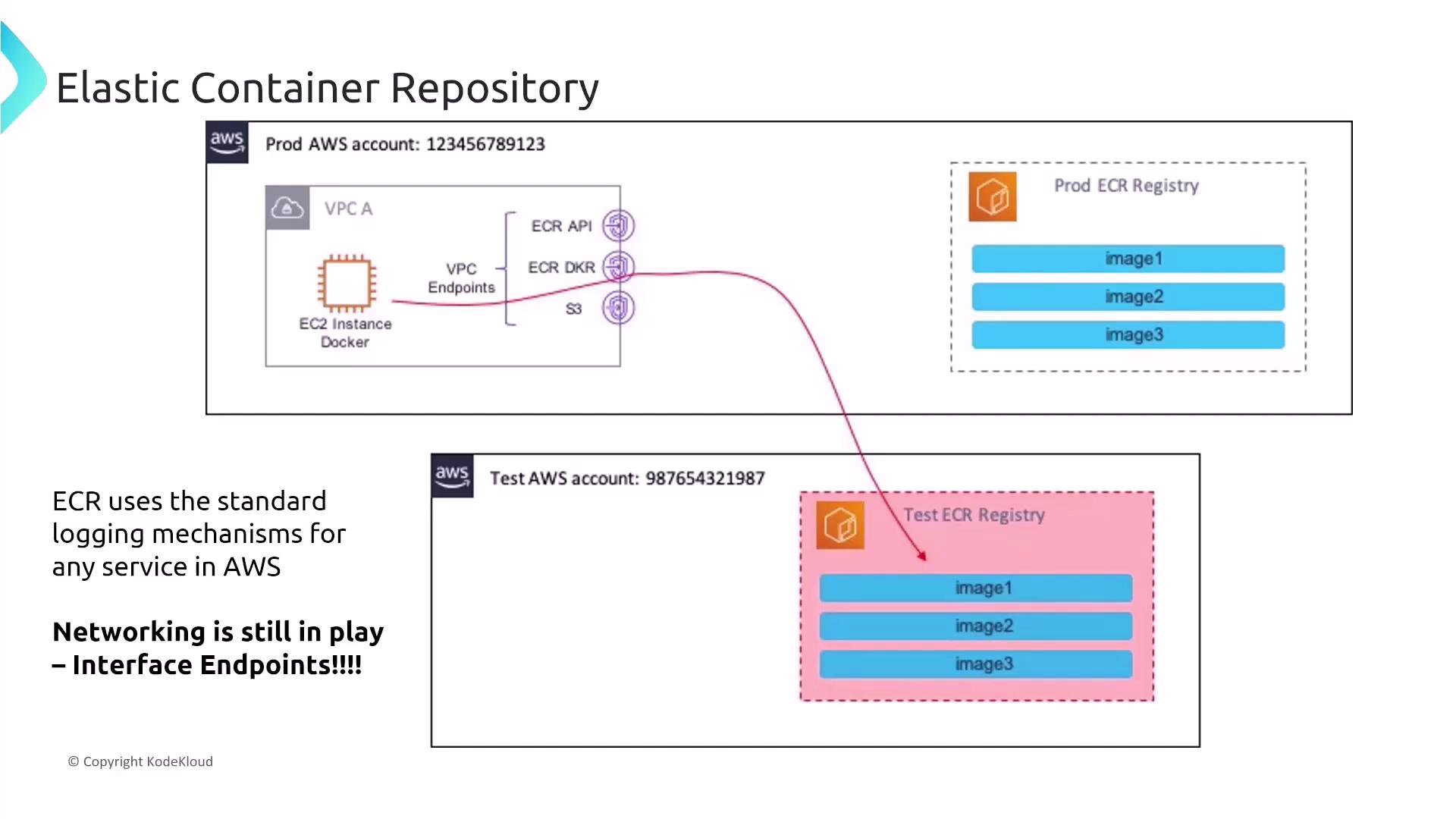
AWS Logging and VPC Connectivity in ECR
ECR leverages standard AWS logging mechanisms to help you monitor and audit activities:- CloudWatch for real-time monitoring.
- CloudTrail to capture and record API calls.
- AWS Config for tracking and recording configuration changes.
For organizations such as healthcare providers that mandate comprehensive auditing and quick troubleshooting, combining IAM resource-level controls with automatic scanning significantly enhances both security and operational efficiency.
Securing App Runner
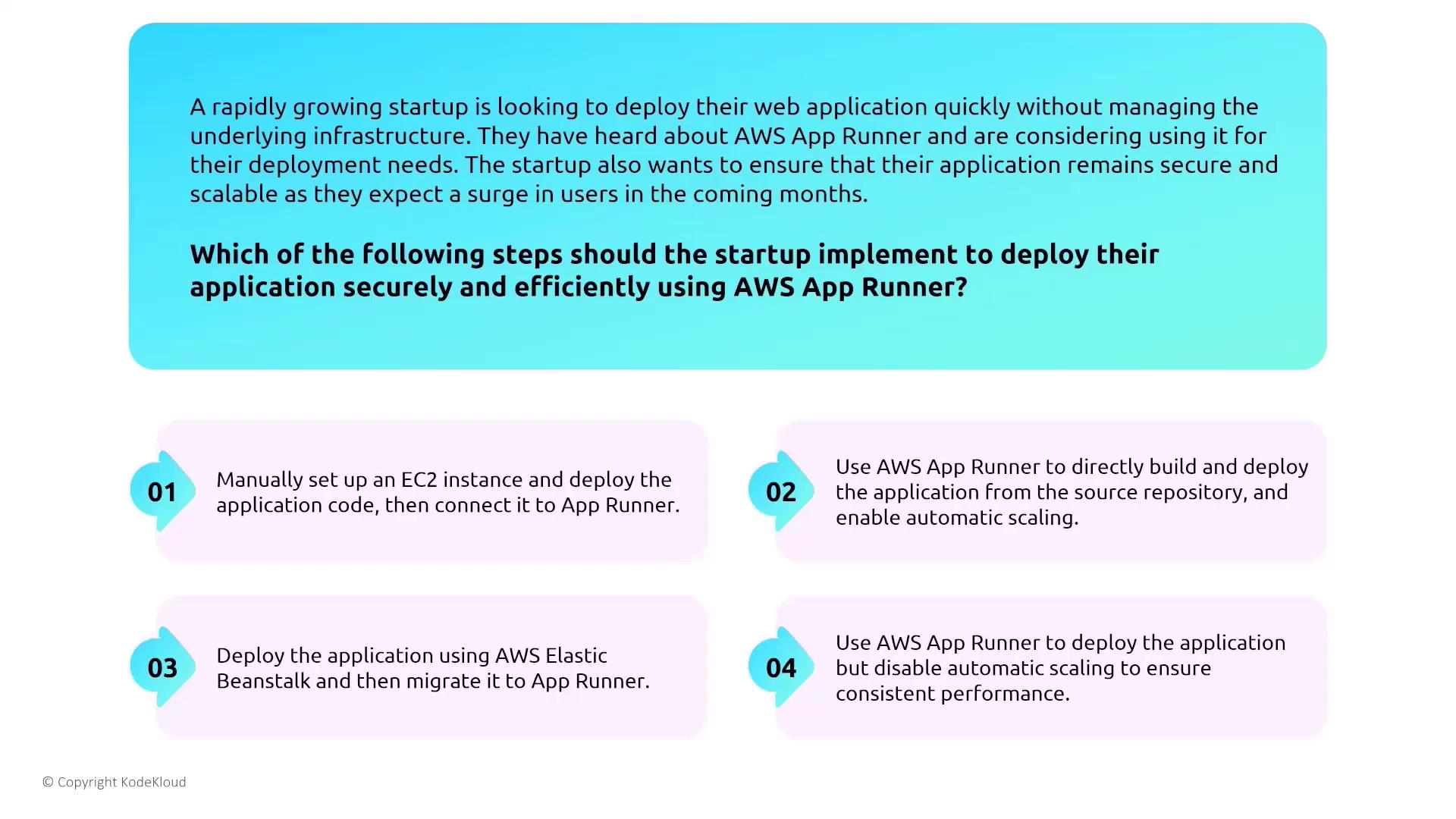
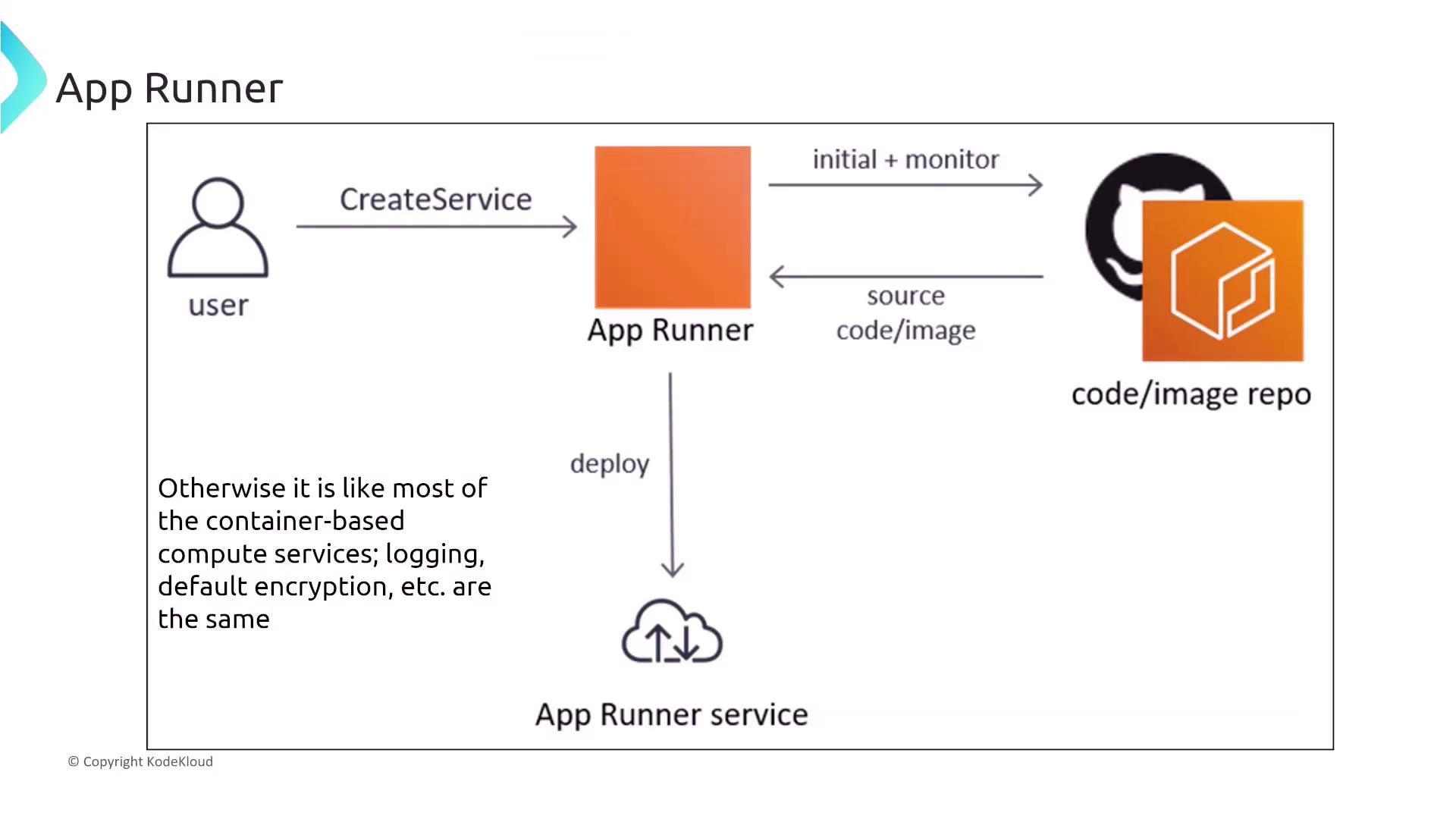
AWS App Runner is a fully managed service that simplifies running web applications by deploying code or container images directly from your source repository. It is especially beneficial for rapidly growing startups that need fast deployments without the overhead of managing infrastructure. Consider a scenario where a startup prepares to deploy a web application using App Runner with the expectation of a user surge. The recommended approach is to leverage App Runner’s built-in features, which include:- Direct code or container deployment from source repositories.
- Automatic scaling and integrated monitoring.
- Streamlined security features using CloudWatch, CloudTrail, and AWS Config.
- Creating the service.
- Integrating source repositories.
- Deploying containerized applications.
- Monitoring service performance and security.
Integrating App Runner with a VPC
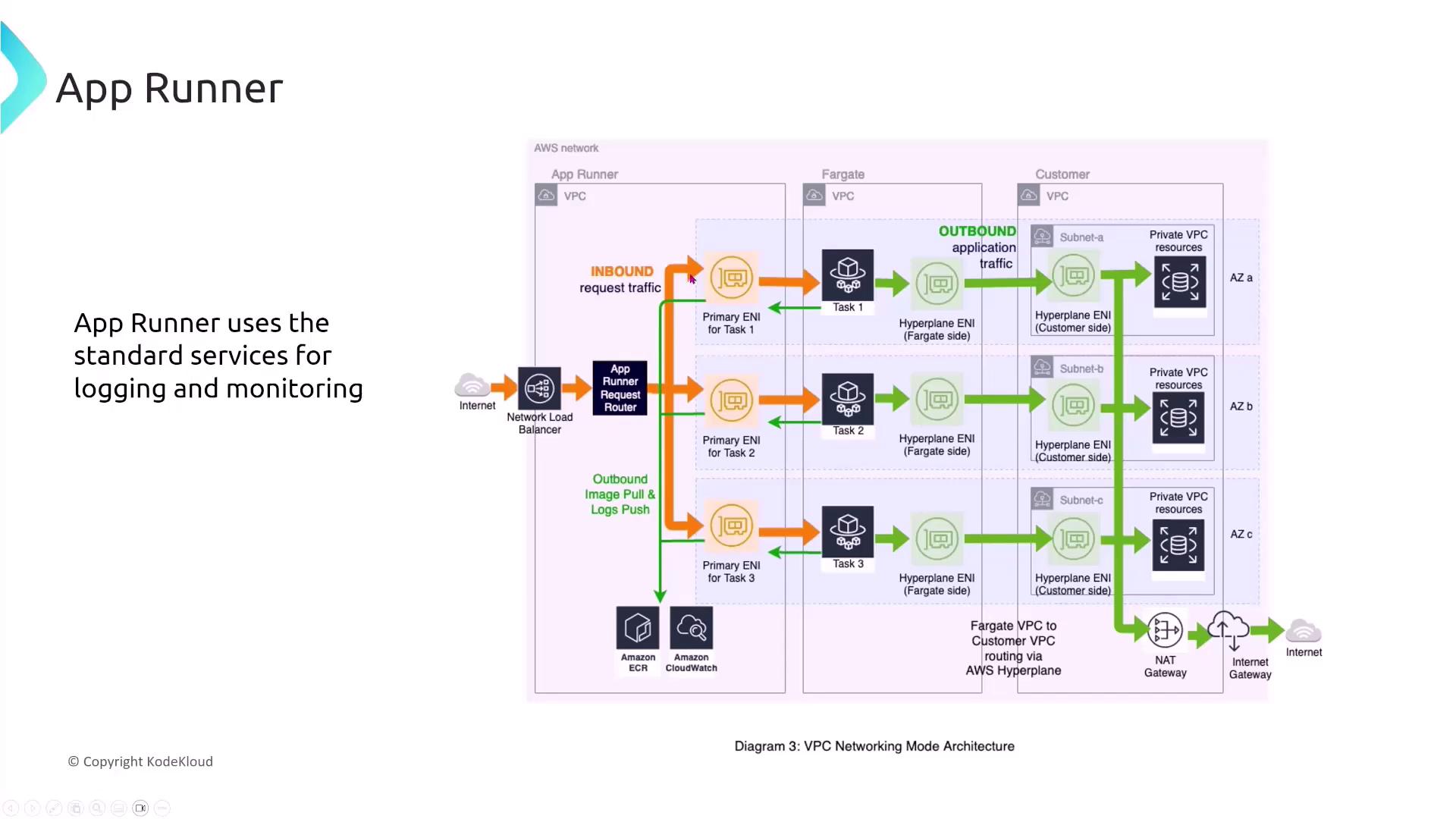
For organizations such as e-commerce companies migrating backend services to App Runner, maintaining private communication between the VPC and App Runner is essential. To avoid routing traffic over the public internet, configure VPC interface endpoints. This setup ensures that communications remain securely within the AWS network.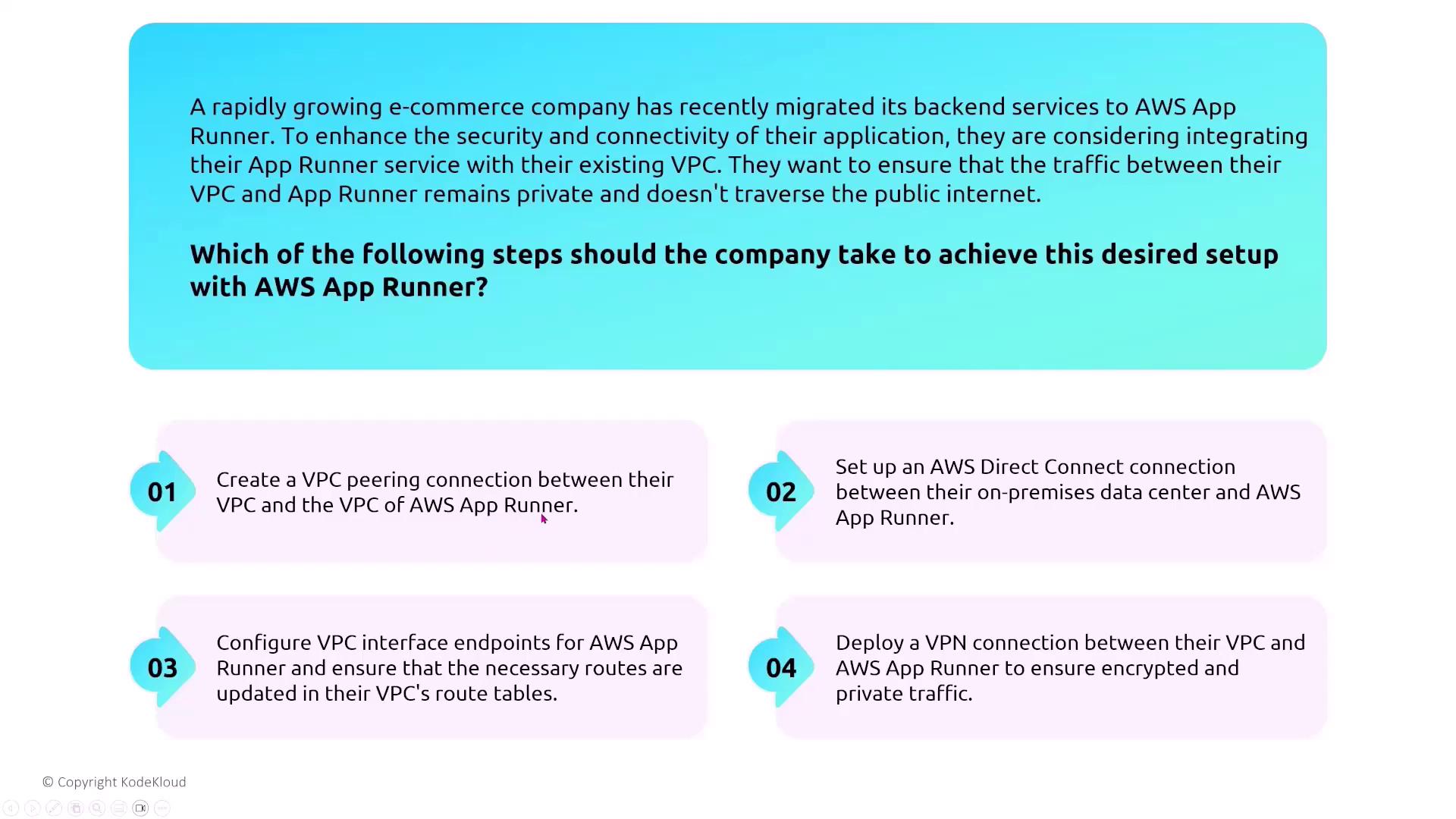
- An internet-facing load balancer.
- A request router.
- Multiple network interfaces directing traffic to tasks.
- A NAT Gateway for controlled internet access by private VPC resources.
Data Encryption in App Runner
For startups and enterprises that require encryption in transit and at rest, App Runner comes with built-in support for data encryption and HTTPS communications. To ensure robust security:- Rely on App Runner’s encryption mechanisms for data at rest.
- Enforce HTTPS to secure data in transit.
Do not disable encryption if you operate in an environment with stringent data protection and compliance standards.
AWS Batch Overview and Security Configurations
AWS Batch simplifies the processing of large-scale jobs by efficiently orchestrating compute resources such as EC2, ECS, and EKS (with Fargate and Spot instances available). It divides workloads into smaller jobs that run at scale and typically stores outputs in S3.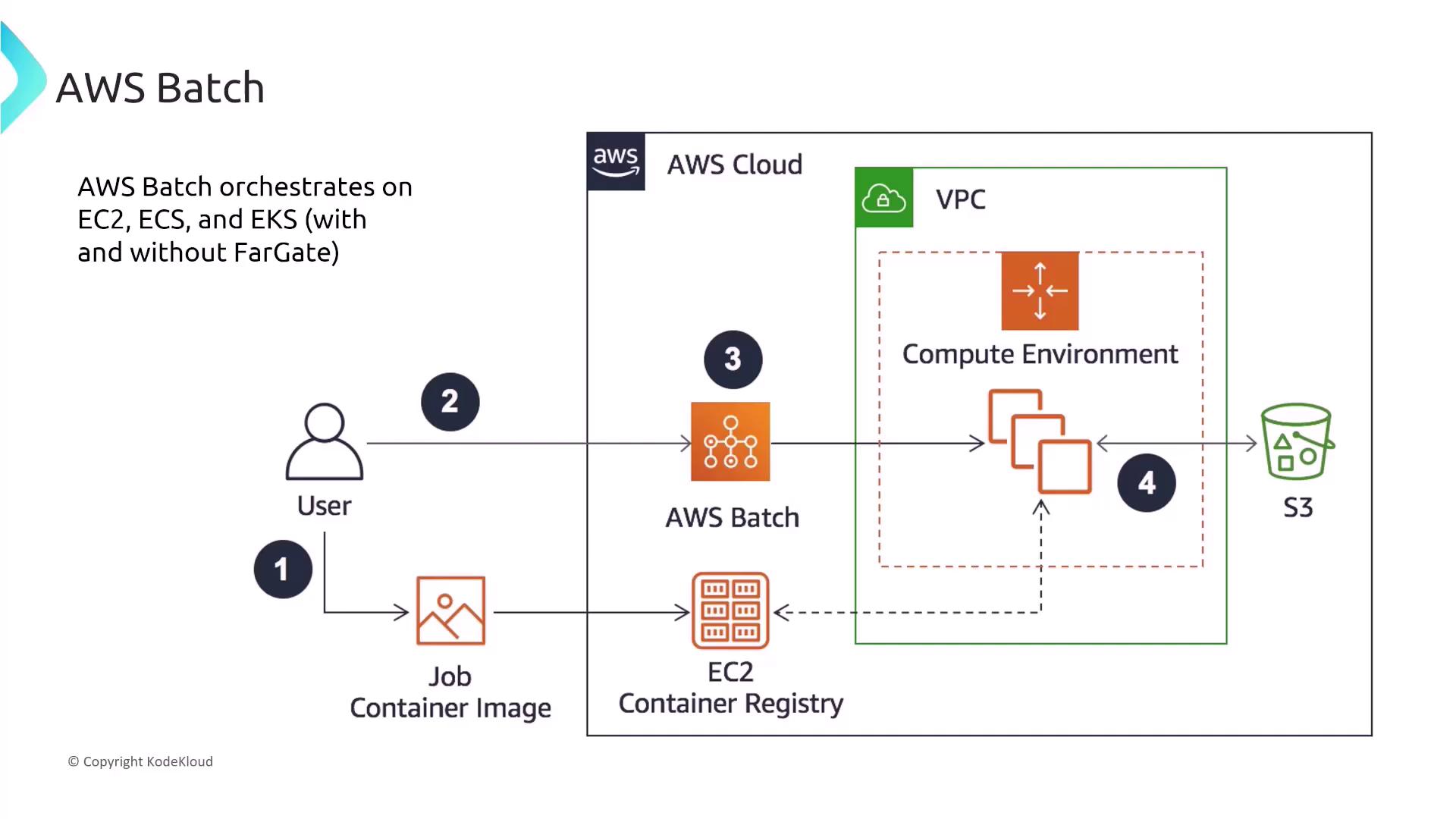
Securing AWS Batch
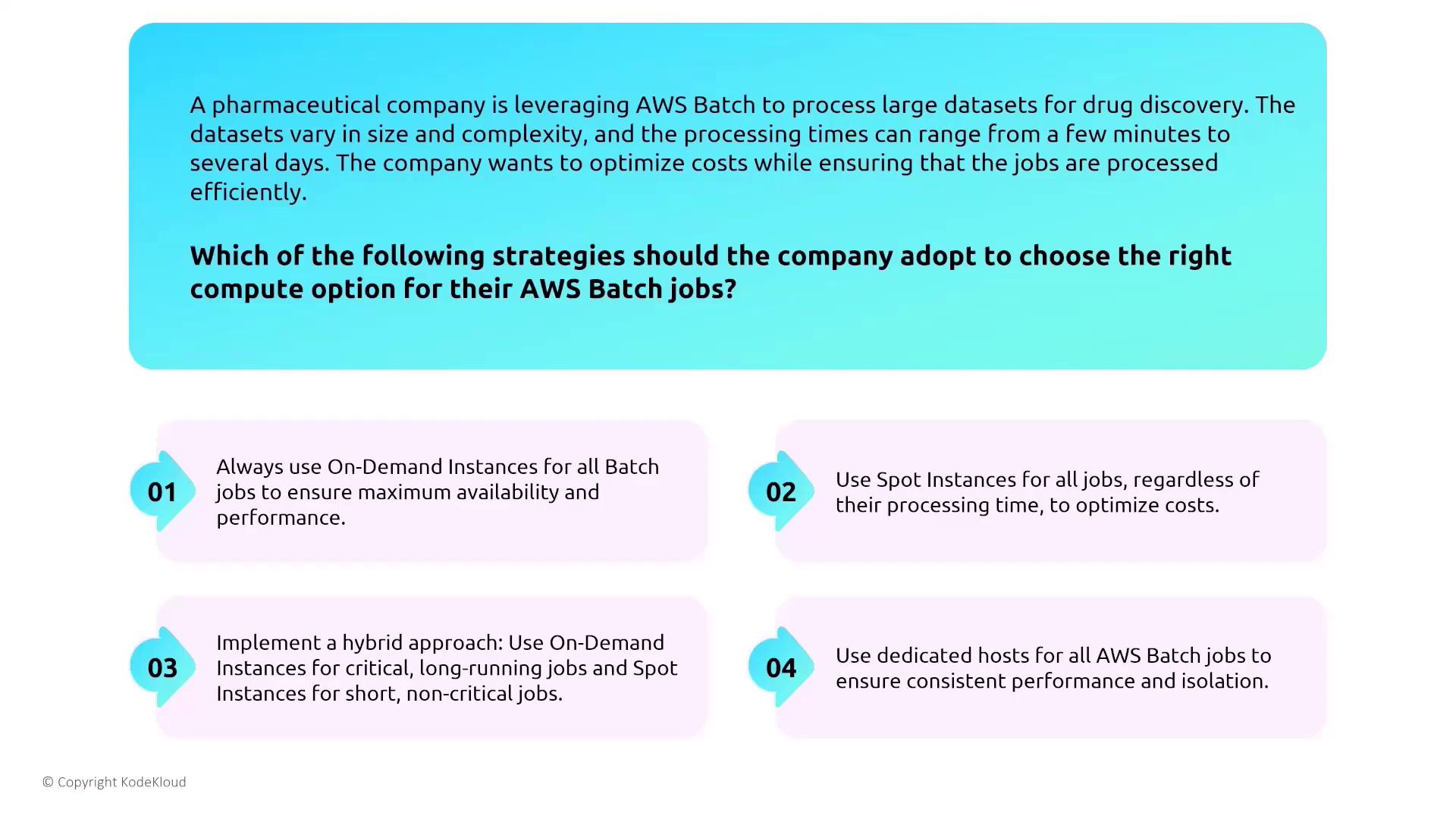
When designing a secure AWS Batch environment, consider the following best practices:- Mix on-demand instances (for critical jobs) with spot instances (for non-critical jobs) to optimize cost and performance.
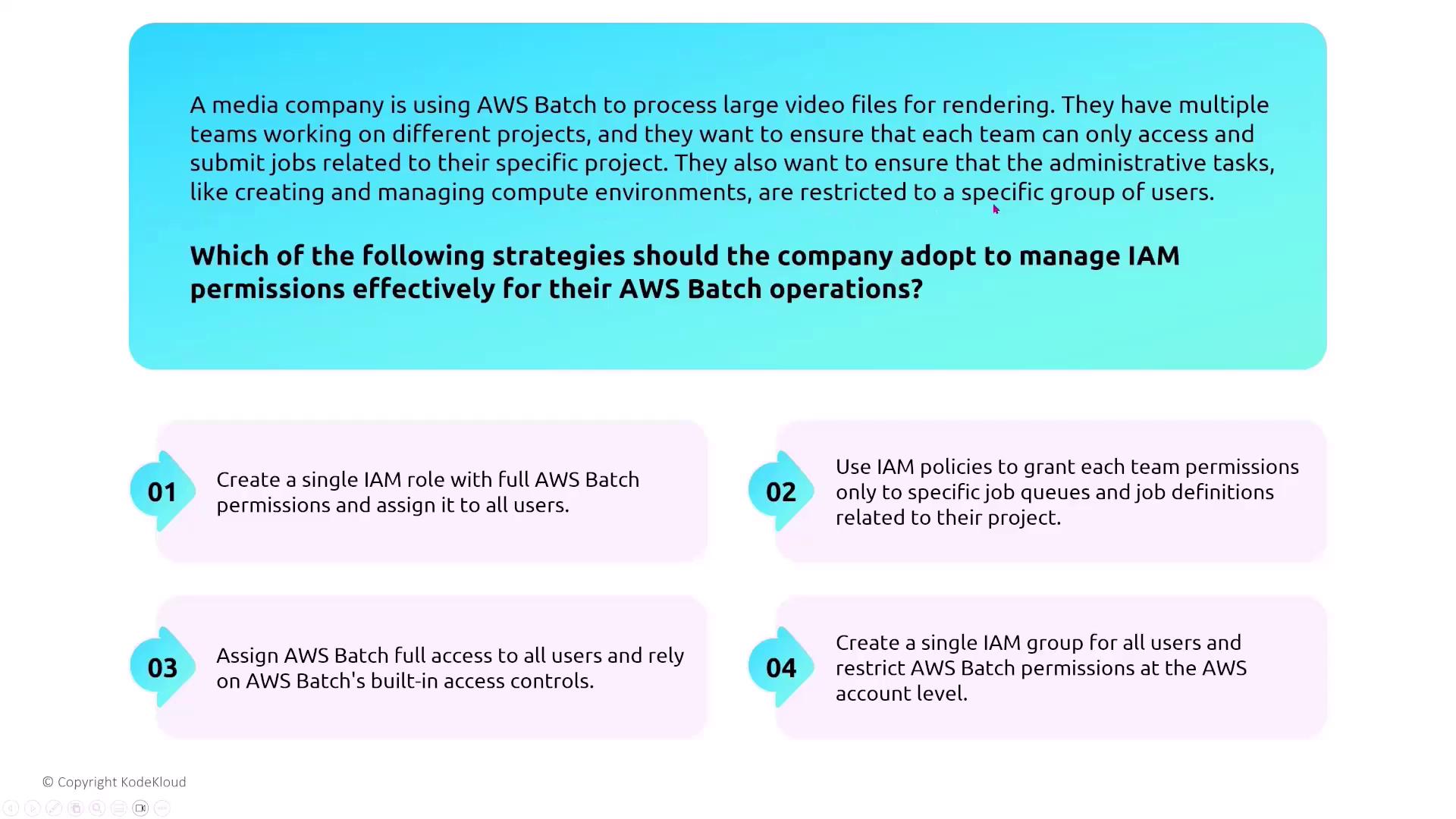
- Assign specific IAM roles to limit Batch jobs to only necessary resource actions.
- Integrate monitoring and logging with CloudWatch Logs, CloudTrail, and AWS Config.
Monitoring and Troubleshooting Batch Jobs
For companies running complex simulations, integrating CloudWatch Logs to monitor error patterns and setting up alarms is highly recommended. This approach provides granular visibility into the job lifecycle and accelerates issue resolution.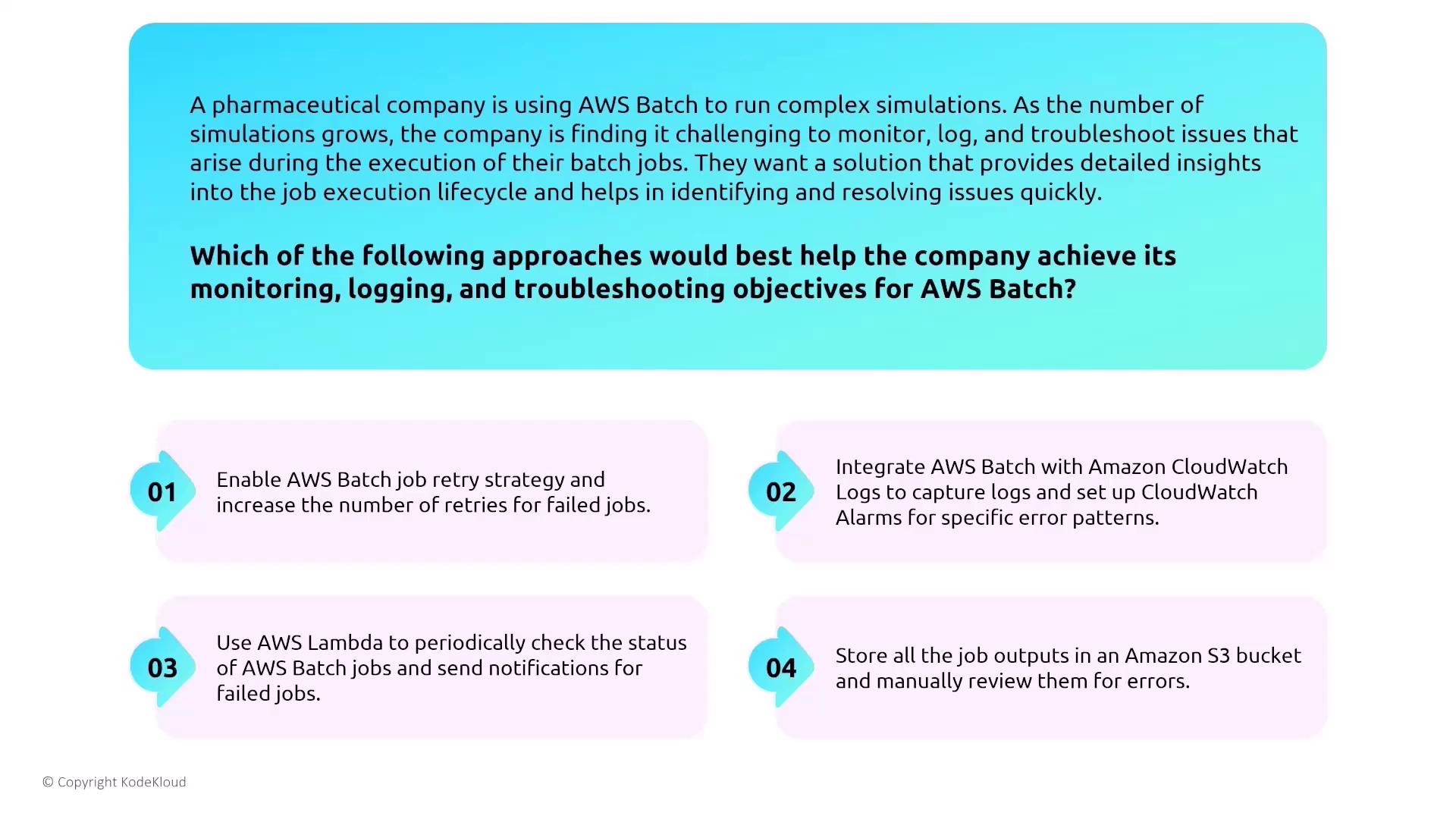
Batch and Container Services Integration
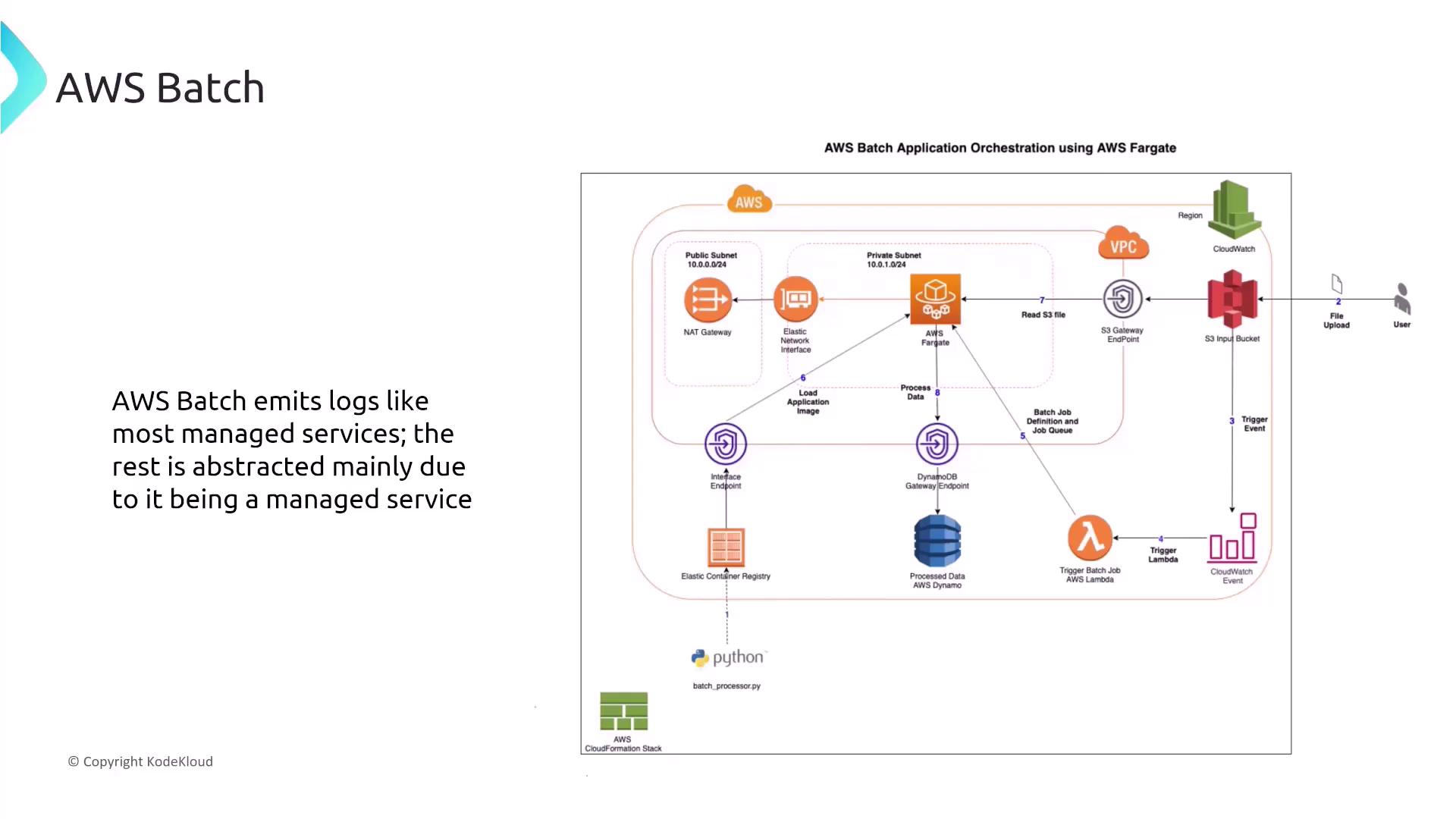
AWS Batch, while operating with containerized jobs (using ECS, EC2, EKS, and Fargate), is an essential part of the broader container services ecosystem. Batch leverages IAM roles for securing job executions and integrates with standard AWS logging and monitoring services. A typical workflow might involve:- A user uploads a file to S3, triggering an event.
- An AWS Lambda function is invoked by the event, which then initiates a Batch job.
- The Batch job runs on Fargate, accesses an application image from a registry, processes data retrieved via a gateway endpoint, and writes the results to DynamoDB.