What is AWS Elastic Block Store (EBS)?
Amazon EBS is a block-level storage service designed specifically for EC2 instances. When attached to an EC2 instance, these volumes appear as block storage devices. You can format these volumes with file systems such as XFS, ext3, or ext4.An important benefit of EBS is its independence from EC2 instances. You can detach an EBS volume from one instance and reattach it to another without data loss. Note that while most EBS volumes attach to only one EC2 instance, some volume types support multi-attach. If using multi-attach, ensure that your application effectively manages simultaneous writes to prevent data corruption.
EBS Operation Workflow
Imagine deploying EBS in multiple availability zones:- Create an EBS Volume: Provision your volume within the desired AZ.
- Attach to an EC2 Instance: The volume is then presented as a block device.
- Data Migration within the Same AZ: Detach the volume from one instance and attach it to another within the same AZ if needed.
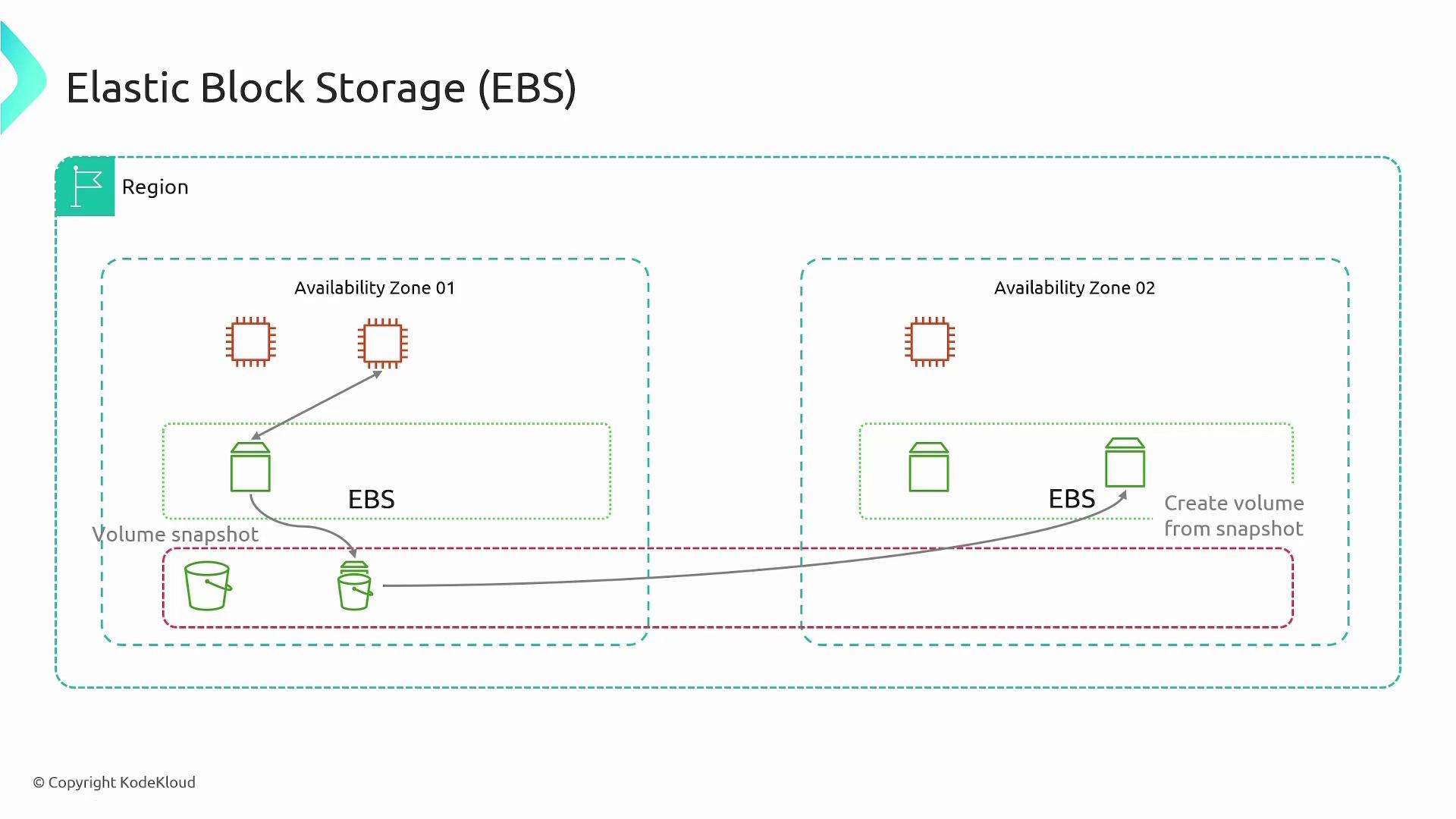
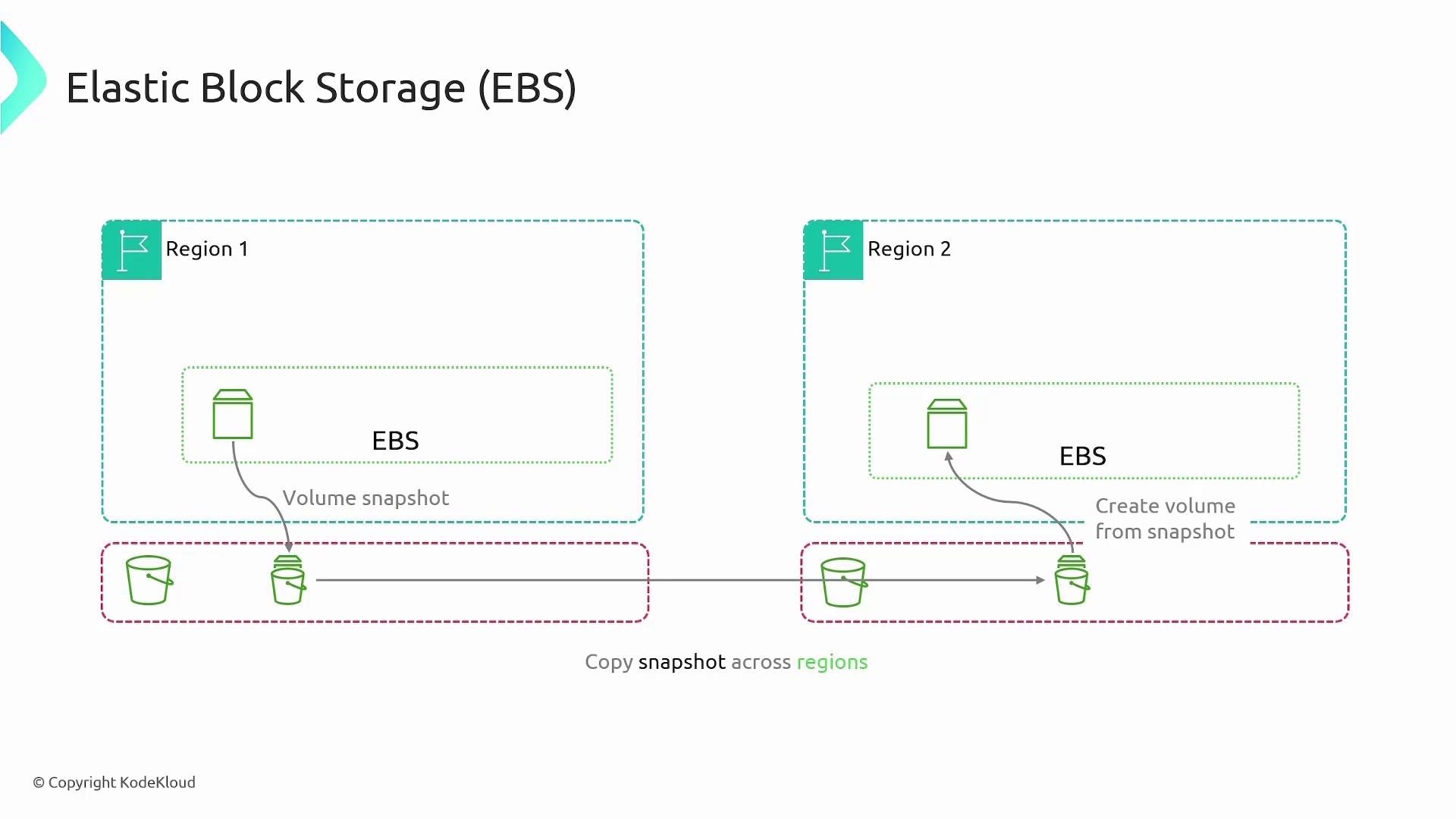
- Take a snapshot (stored in an S3 bucket in the source region).
- Copy the snapshot to an S3 bucket in the destination region.
- Create a new volume from the copied snapshot and attach it to an EC2 instance.
EBS Volume Types
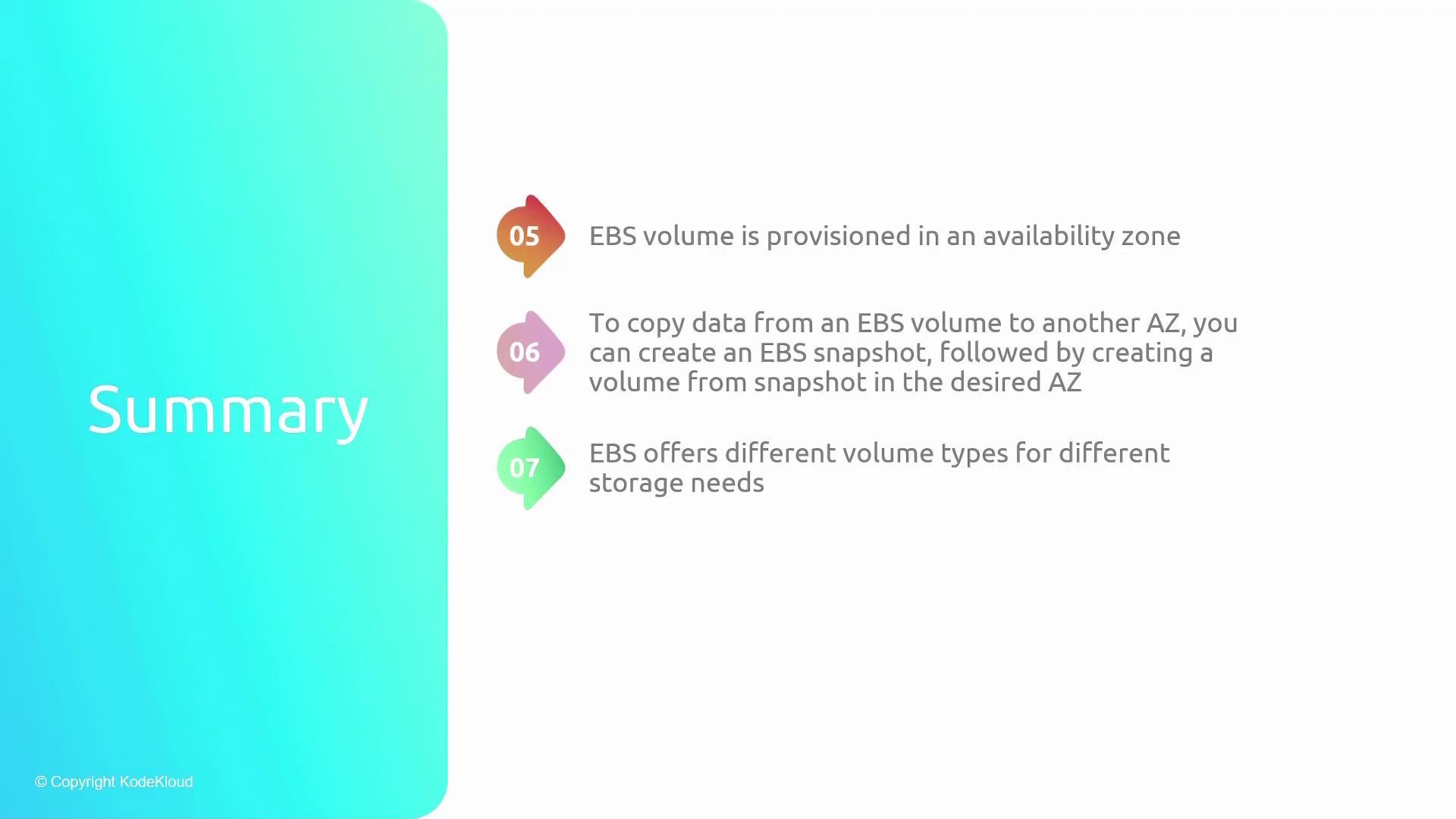
Amazon EBS offers various volume types designed to satisfy differing performance and cost requirements. Below is an overview of each:1. General Purpose SSD (gp2 and gp3)
- General Purpose SSD Volumes:
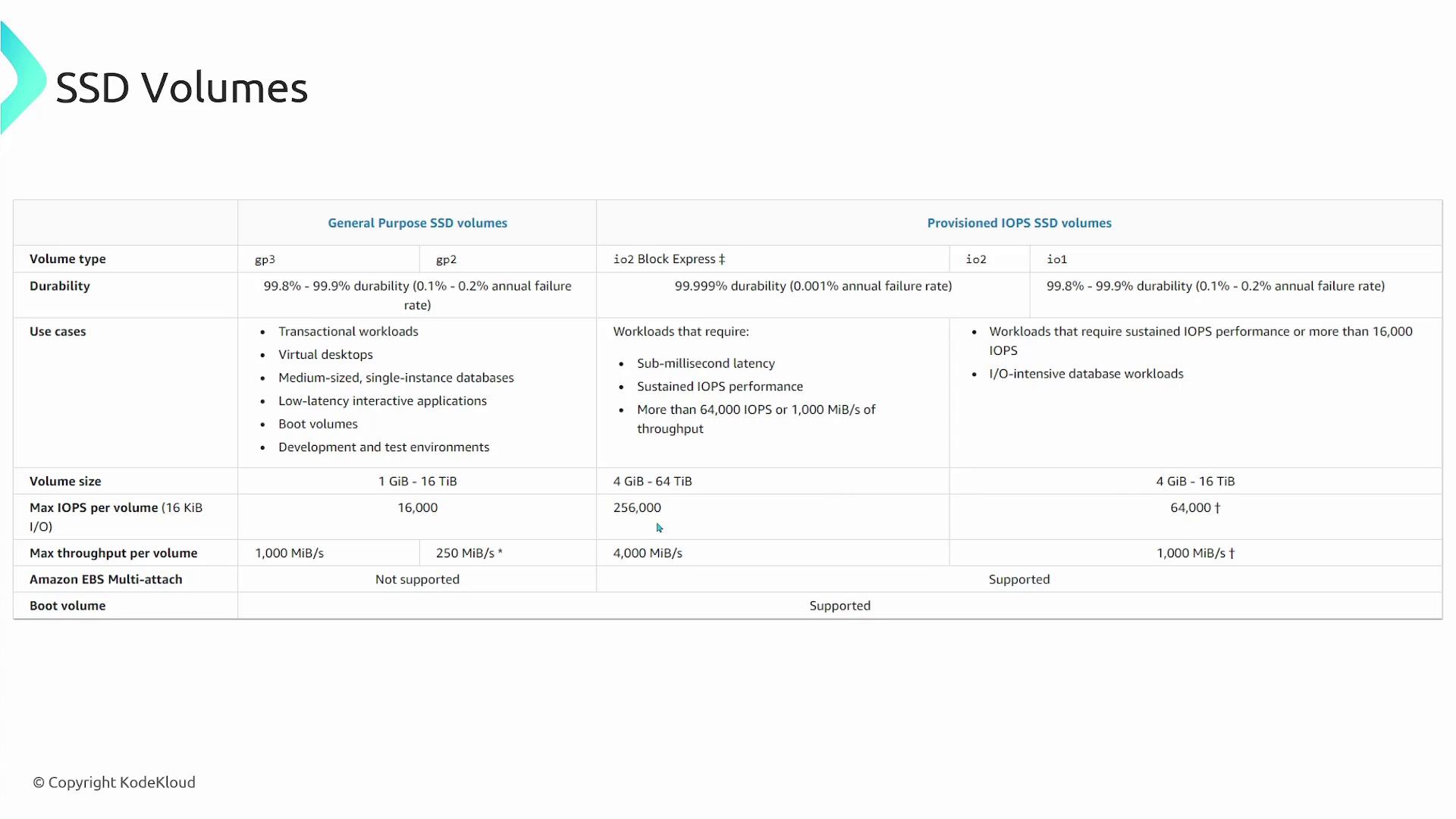
Backed by solid state drives (SSDs), these volumes deliver a balanced price/performance ratio ideal for a wide range of workloads such as virtual desktops, medium-sized databases, and interactive applications.- GP3: Offers predictable performance with independently scalable IOPS from capacity at a 20% lower price per gigabyte compared to GP2.
- GP2: The default volume type where performance scales with the volume size.
2. Provisioned IOPS SSD (io1, io2, and io2 Block Express)
- High-Performance SSD Volumes:
Designed for I/O-intensive and low-latency workloads.- IO1/IO2: Both offer high performance, with IO2 delivering higher durability (99.999% compared to approximately 99.8%–99.9% for IO1).
- IO2 Block Express: Supports extreme workloads with maximum volume sizes up to 64 TB, IOPS up to 256,000, and throughput up to 4000 MB/s.
3. Hard Disk Drive (HDD) Volumes
- HDD-Based Volumes:
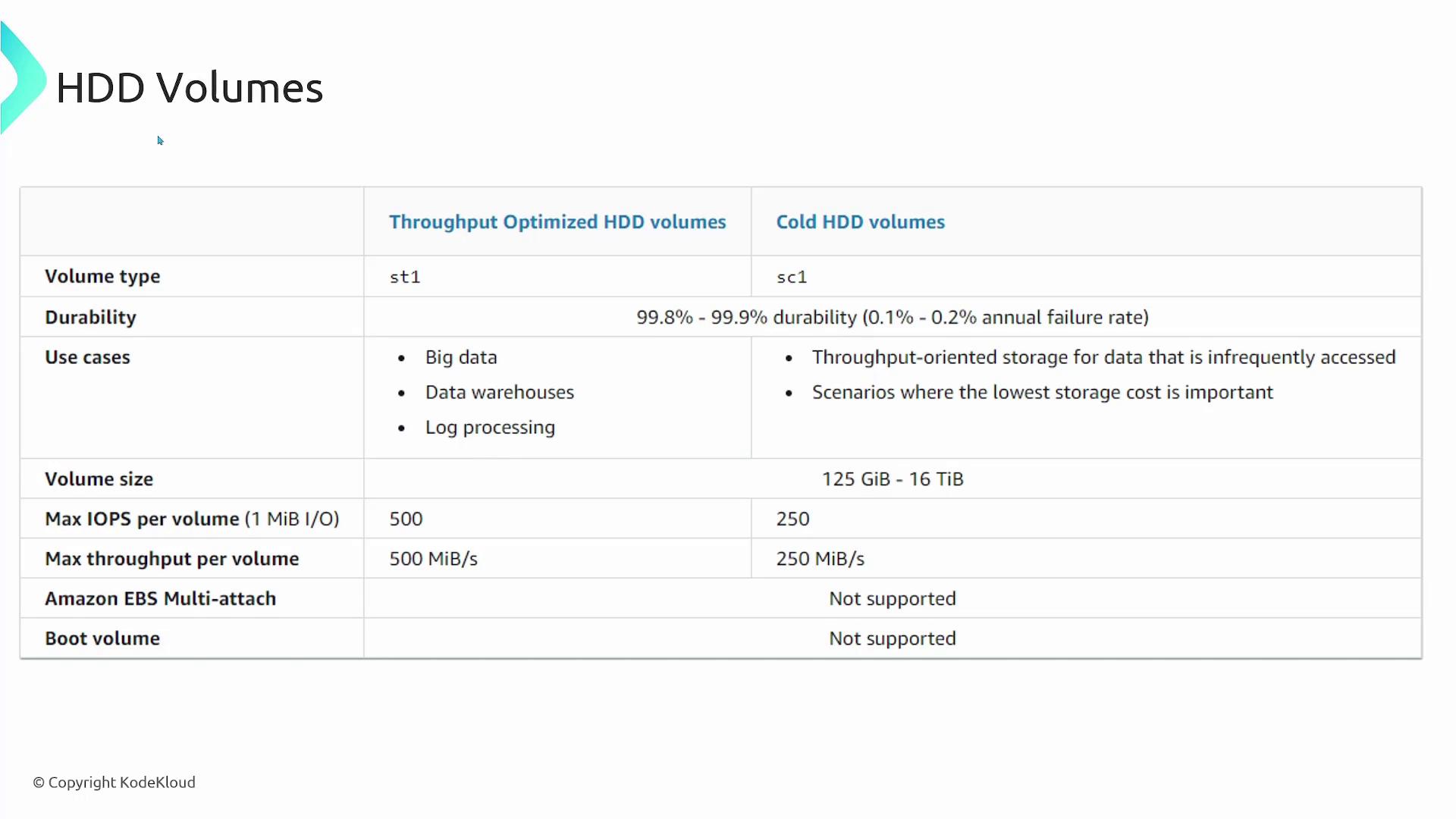
Suitable for less frequently accessed data, HDD volumes are available in two types:- Throughput Optimized HDD (st1): Tailored for throughput-intensive workloads with frequently accessed large datasets.
- Cold HDD (sc1): Designed for infrequently accessed data where lower storage cost is a priority.
4. Magnetic Volumes
- Previous Generation Magnetic Volumes:
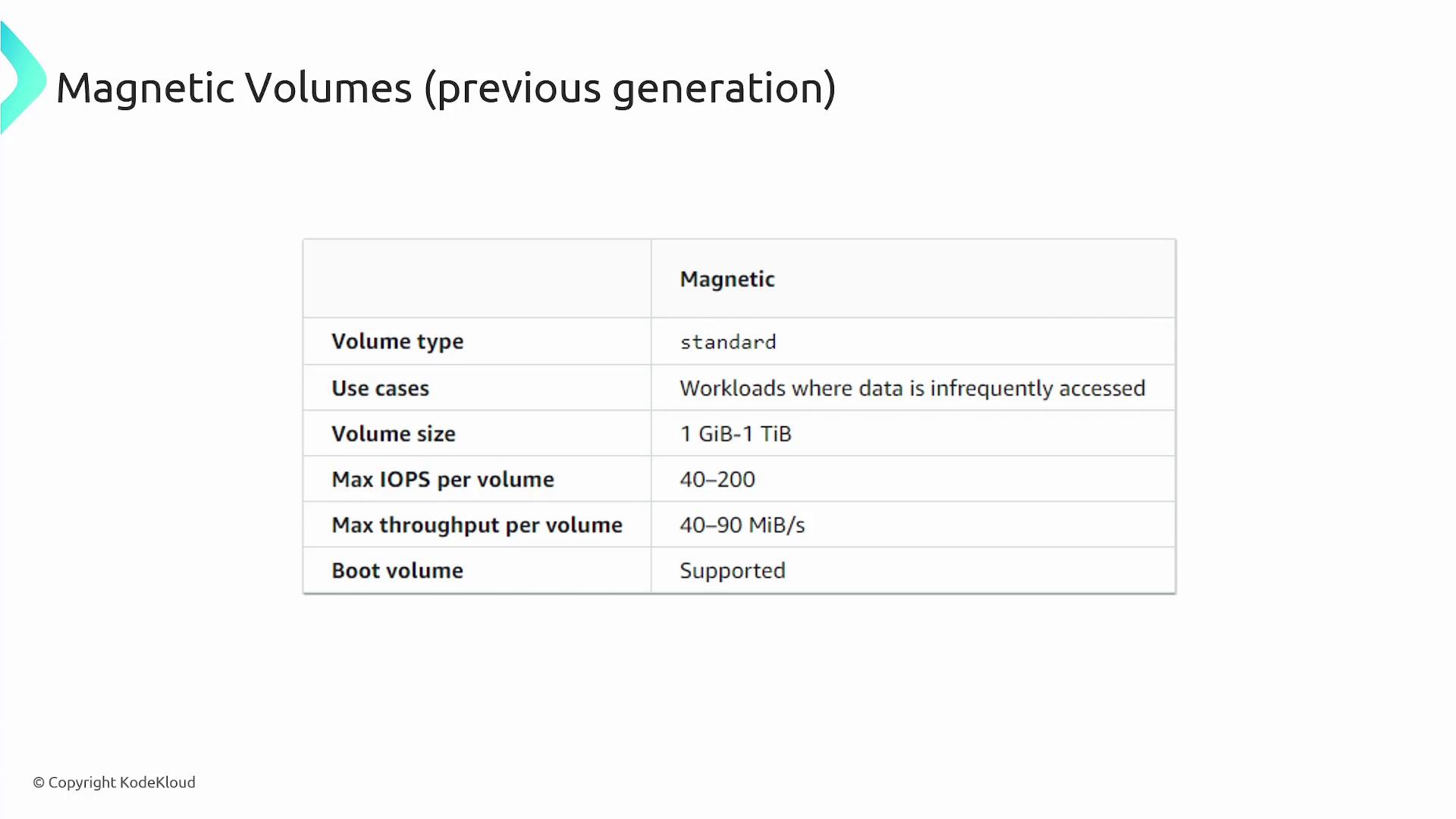
Ideal for workloads with small, infrequently accessed datasets where high performance is not essential. Typically, these volumes deliver around 100 IOPS on average, with burst capabilities to a few hundred IOPS, and range in size from 1 GB to 1 TB.
EBS Pricing
With EBS, you only pay for the storage you provision. Pricing is charged on a per-gigabyte, per-month basis, varying by the selected volume type—meaning that higher performance volumes are priced at a premium. Similarly, EBS snapshots are billed per gigabyte per month. Note that snapshots are full copies of the volumes (stored in Amazon S3), not incremental backups.Summary
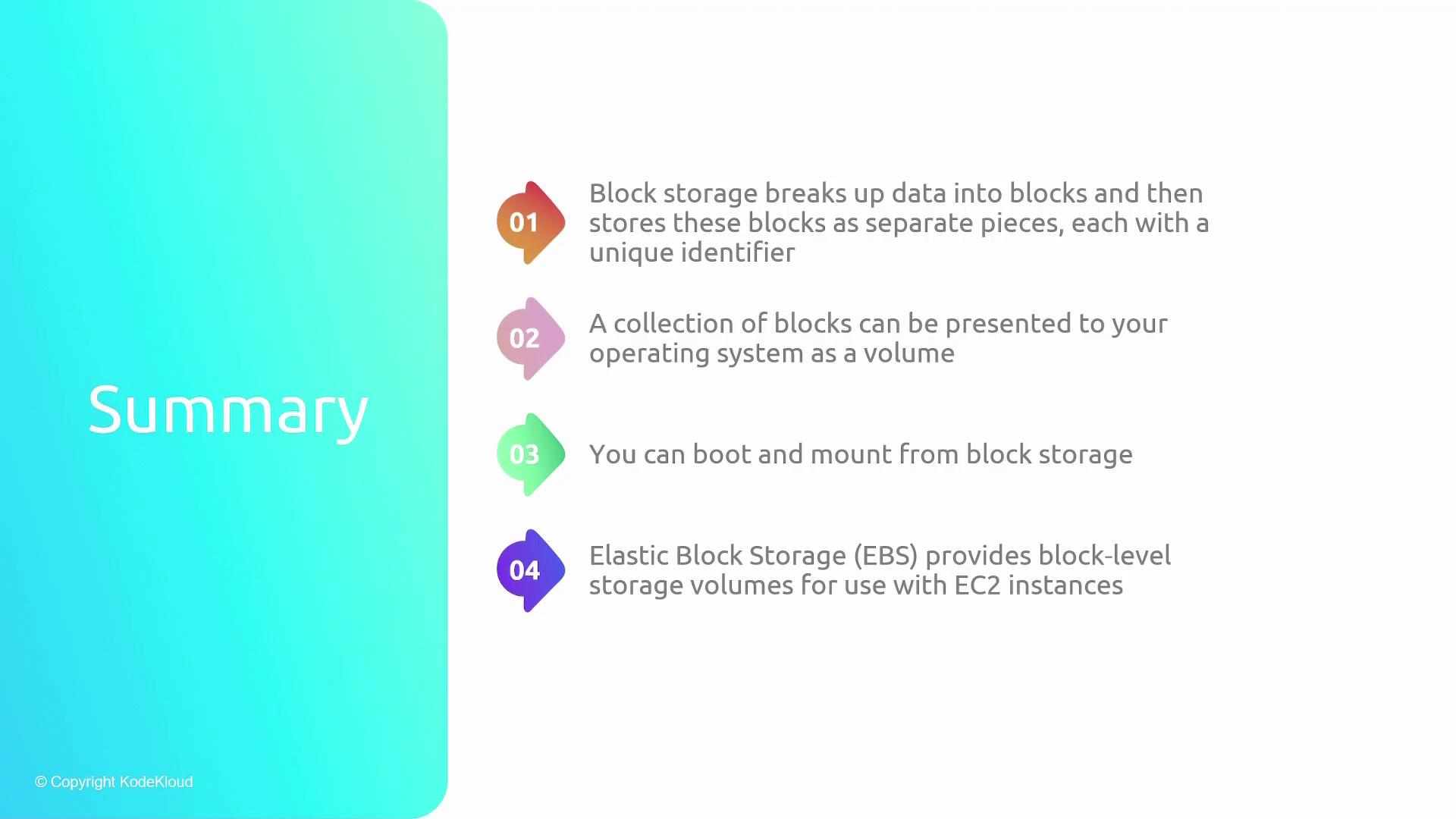
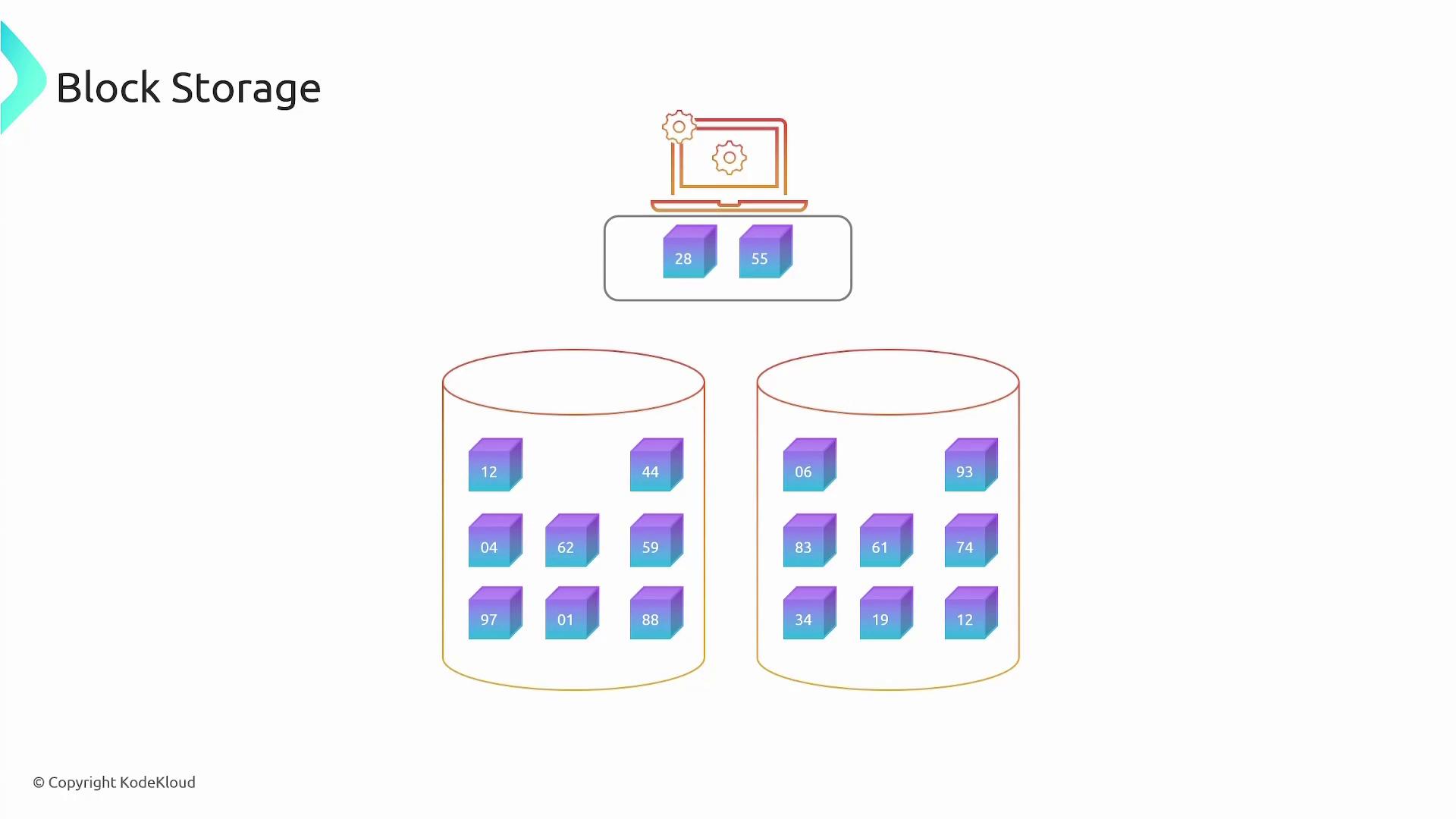
Block storage divides data into distinct blocks that are uniquely identified, enabling them to be aggregated into volumes that an operating system can use both as storage and as a boot device. AWS Elastic Block Store (EBS) provides robust block-level storage for EC2 instances, ensuring that volumes are provisioned within a specific availability zone. To migrate data between zones or regions, you can create snapshots and build new volumes from them. With a range of volume types available, EBS allows you to optimize performance and cost based on your specific needs. The summary diagram below encapsulates the key block storage concepts, including how data is divided into blocks, presented as volumes, and managed with snapshots for data migration: