

Block Storage Overview
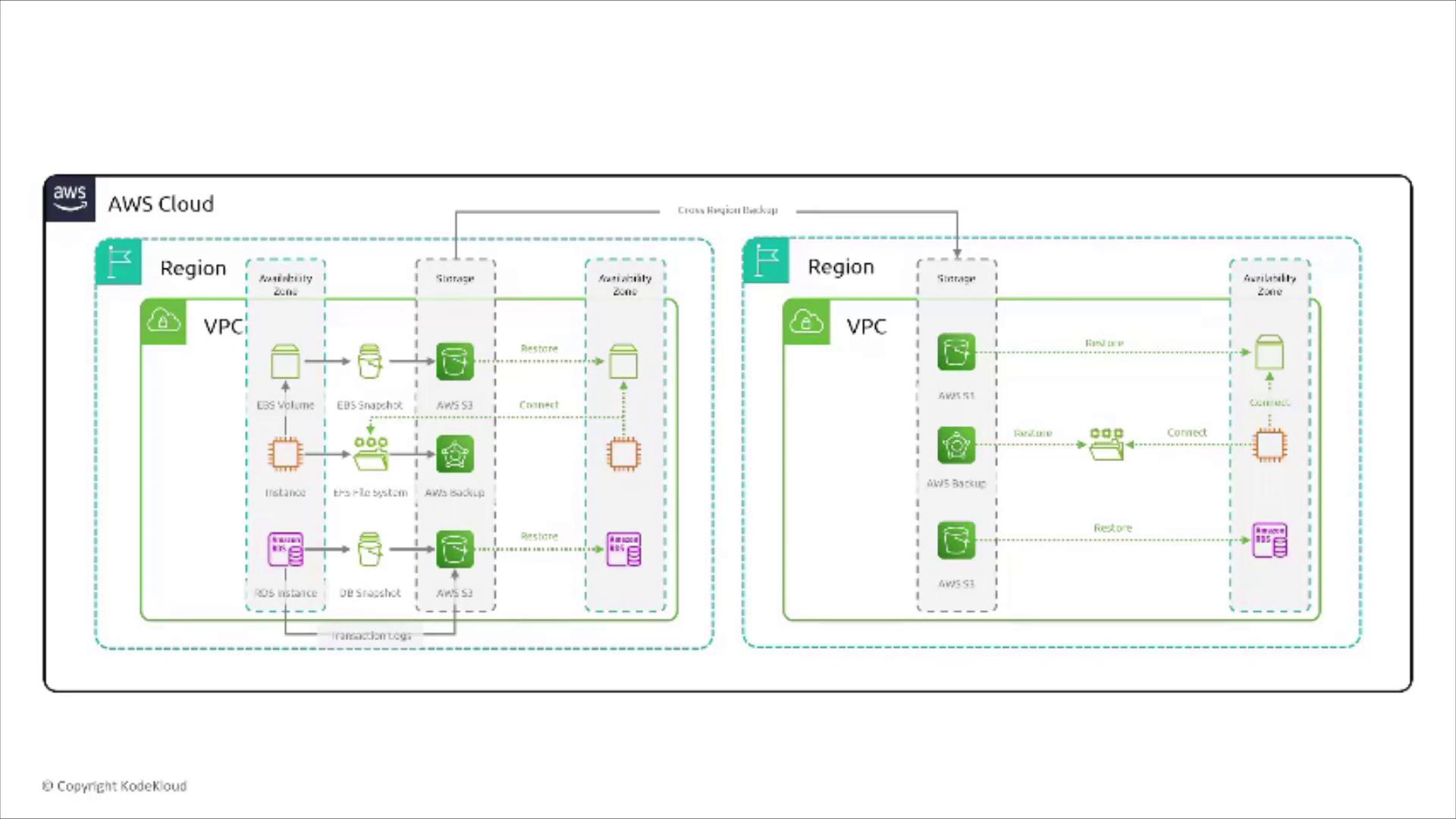
Block storage is considered the fundamental type of storage, functioning similarly to a hard drive. In this section, we begin our discussion with Amazon Elastic Block Store (EBS), which is detailed in the second section of this nine-part series. The diagram below offers a high-level visualization of block storage services operating across AWS regions. An EBS volume located within an Availability Zone (AZ) is depicted along with its snapshot stored in S3. Remember that this volume represents a virtual disk attached to an EC2 instance within the same AZ, although certain storage types can attach to two instances in the same zone. AWS provides four flavors of EBS volumes:- Two magnetic hard drive variants (commonly known as “cold” and “throughput” optimized).
- Two SSD-based options (general purpose and provisioned IOPS, available as GP2 and GP3).
EBS Volume Encryption
Consider a leading e-commerce company migrating its database to an EC2 instance. With sensitive customer information at stake, the database must remain encrypted at rest. The company evaluates four approaches for securing its data on EBS:- Create an EBS volume and manually encrypt it.
Manual encryption is not feasible because AWS does not offer a “manual encryption” feature for EBS volumes.
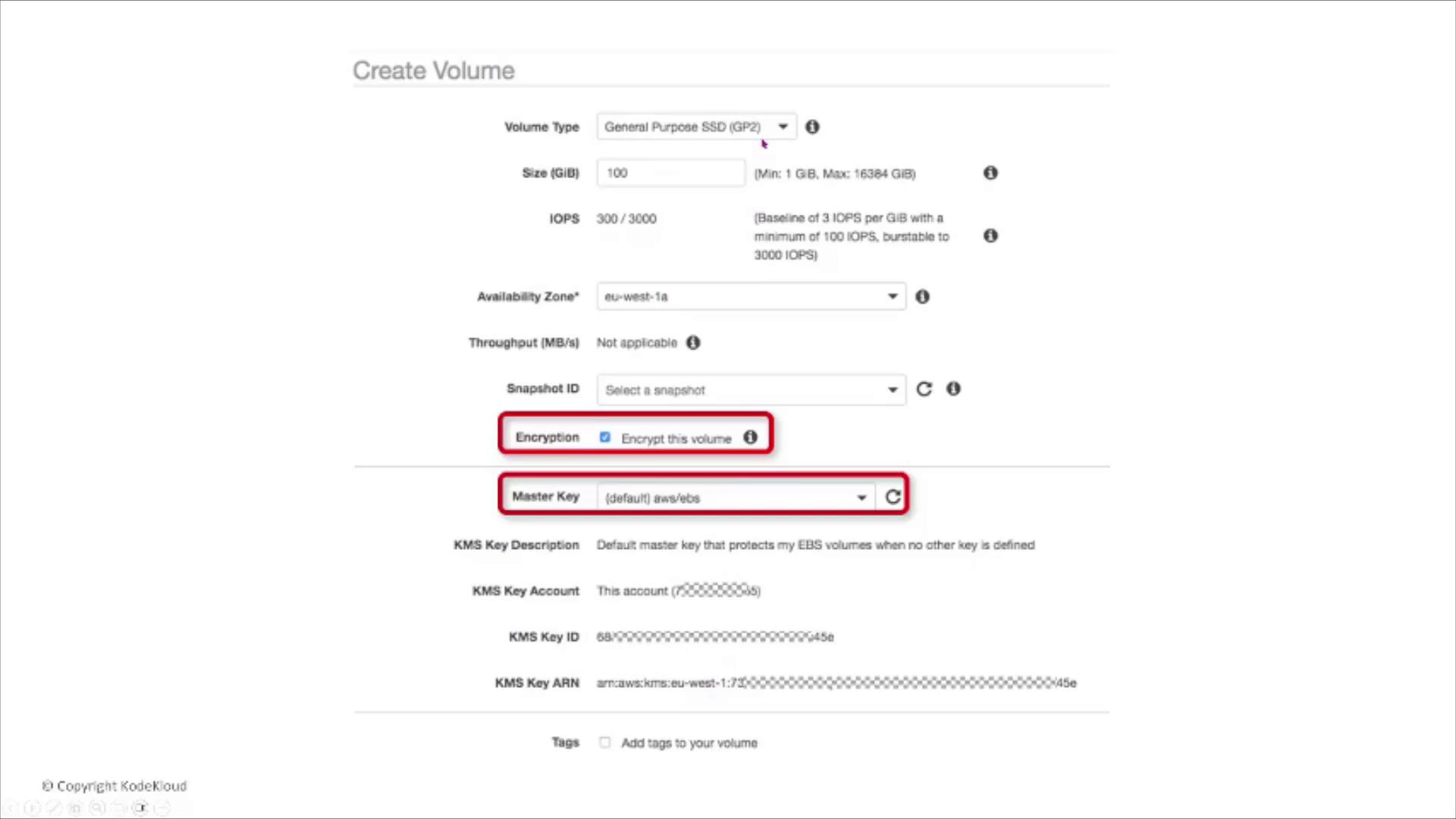
- Create an EBS volume with encryption enabled from the start.
By enabling encryption during volume creation, you ensure that both the volume and its snapshots are encrypted. AWS Key Management Service (KMS) can be used with the default key or a customer-managed key. Data transfer between the volume and the instance is also automatically encrypted.
-
Create an EBS volume and enable encryption after data has been written.
Encryption settings cannot be applied retroactively on an existing unencrypted volume. -
Store the data on an unencrypted volume and use an encrypted AMI for the EC2 instance.
This method only secures the operating system image without encrypting the data disk itself.
Examining EBS Snapshot Encryption
Imagine a global financial institution that uses EC2 instances with attached EBS volumes for transaction processing. With a strict data retention policy that includes regular snapshots, the institution must ensure that even snapshots of unencrypted EBS volumes are secure. The solution is to specify a KMS key during the snapshot creation process. This guarantees that, even if the source volume is unencrypted, the generated snapshot will be encrypted—securing data at rest. With AWS managing data in transit between the instance and its volume automatically, leveraging native encryption is the simplest and most secure option.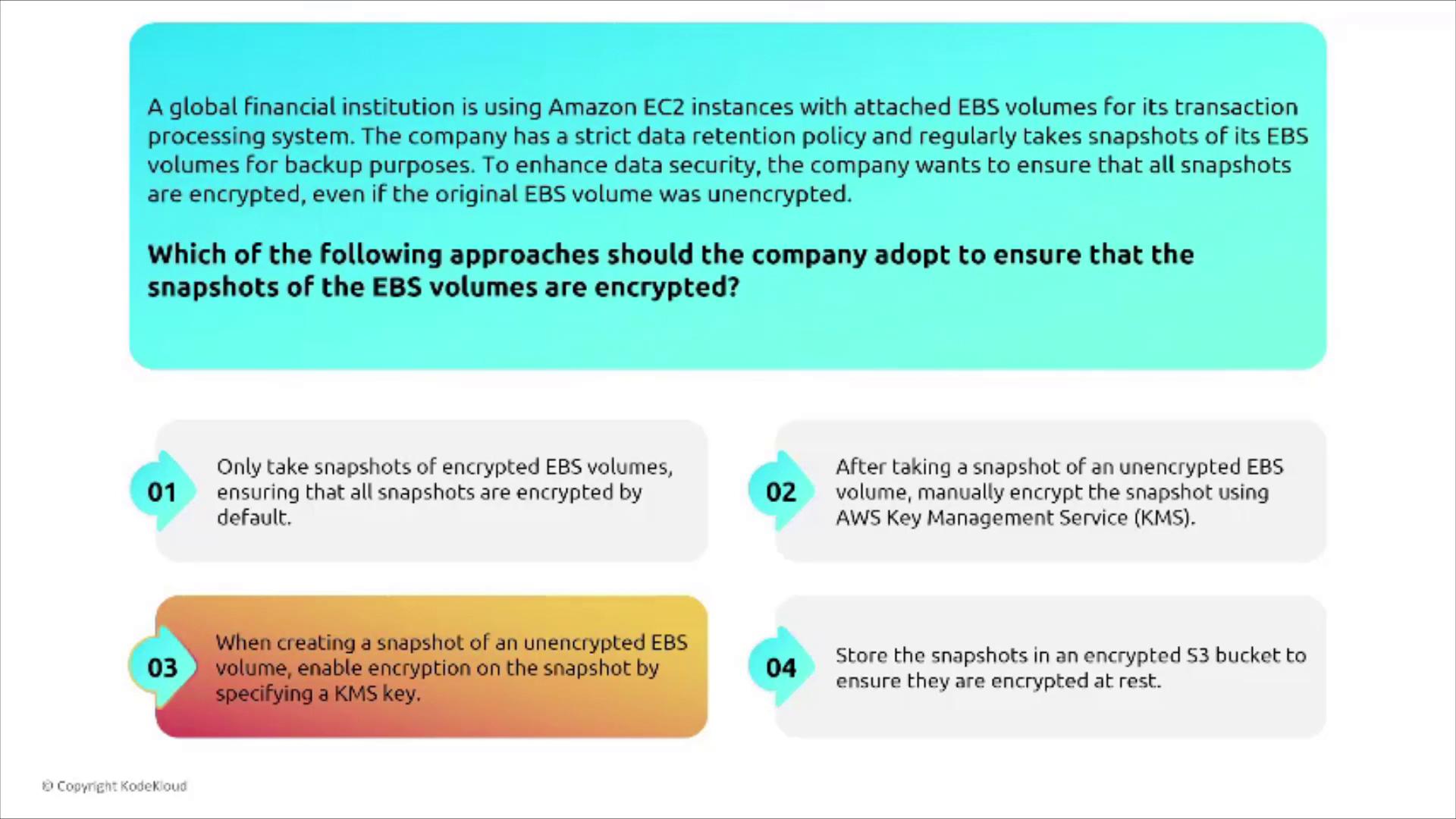
Instance Storage and Its Limitations
EC2 instance storage provides local storage that is directly attached to the physical host running your EC2 instance. However, keep in mind that if the instance is moved—say, due to a host failure—the data stored on instance storage is lost. This ephemeral nature means instance storage is best suited for scratch or temporary data. There are no AWS-managed controls for enabling encryption or long-term persistence on instance storage. If encryption is required, it must be managed at the client level. Without built-in replication across multiple instances, instance store volumes should not be used for critical data. For example, a gaming company using instance store volumes for high-speed, real-time processing must understand that data can vanish if the instance is stopped, terminated, or encounters a failure. In summary, while instance store volumes offer high IOPS and low latency, they lack persistence and AWS security controls such as built-in encryption.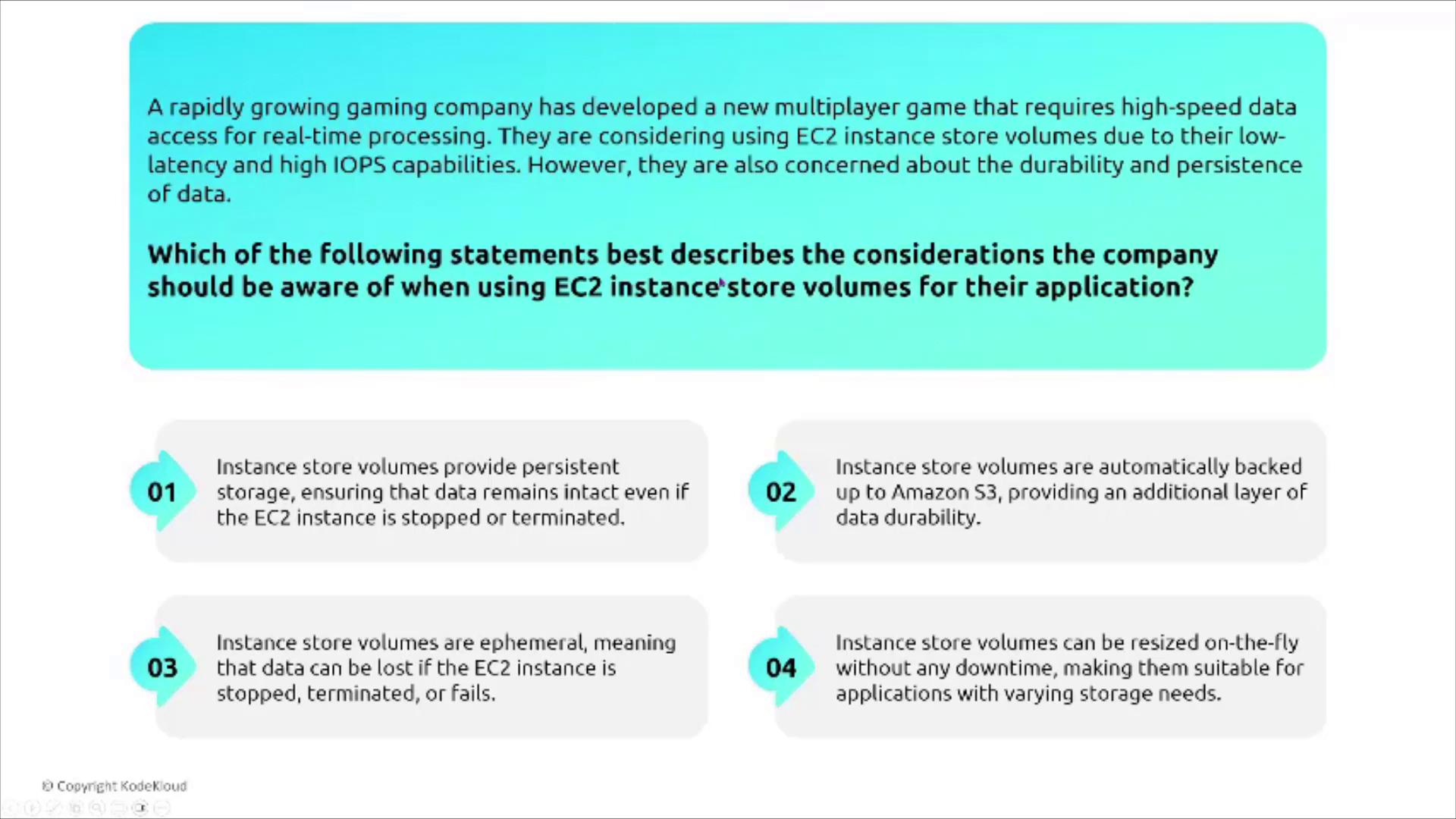
File and Network Storage
Transitioning from block storage, this section covers file and network storage. Despite operating like disks, these storage types work over a network.Amazon Elastic File System (EFS)
Amazon EFS offers a shared file system that spans an entire AWS region—unlike EBS volumes, which by default are confined to a single Availability Zone (unless additional steps are taken). EFS supports concurrent access from multiple EC2 instances, very similar to a traditional NFS setup. The diagram below shows an EFS file system mounted by multiple instances, which illustrates its capability as shared storage across several Availability Zones.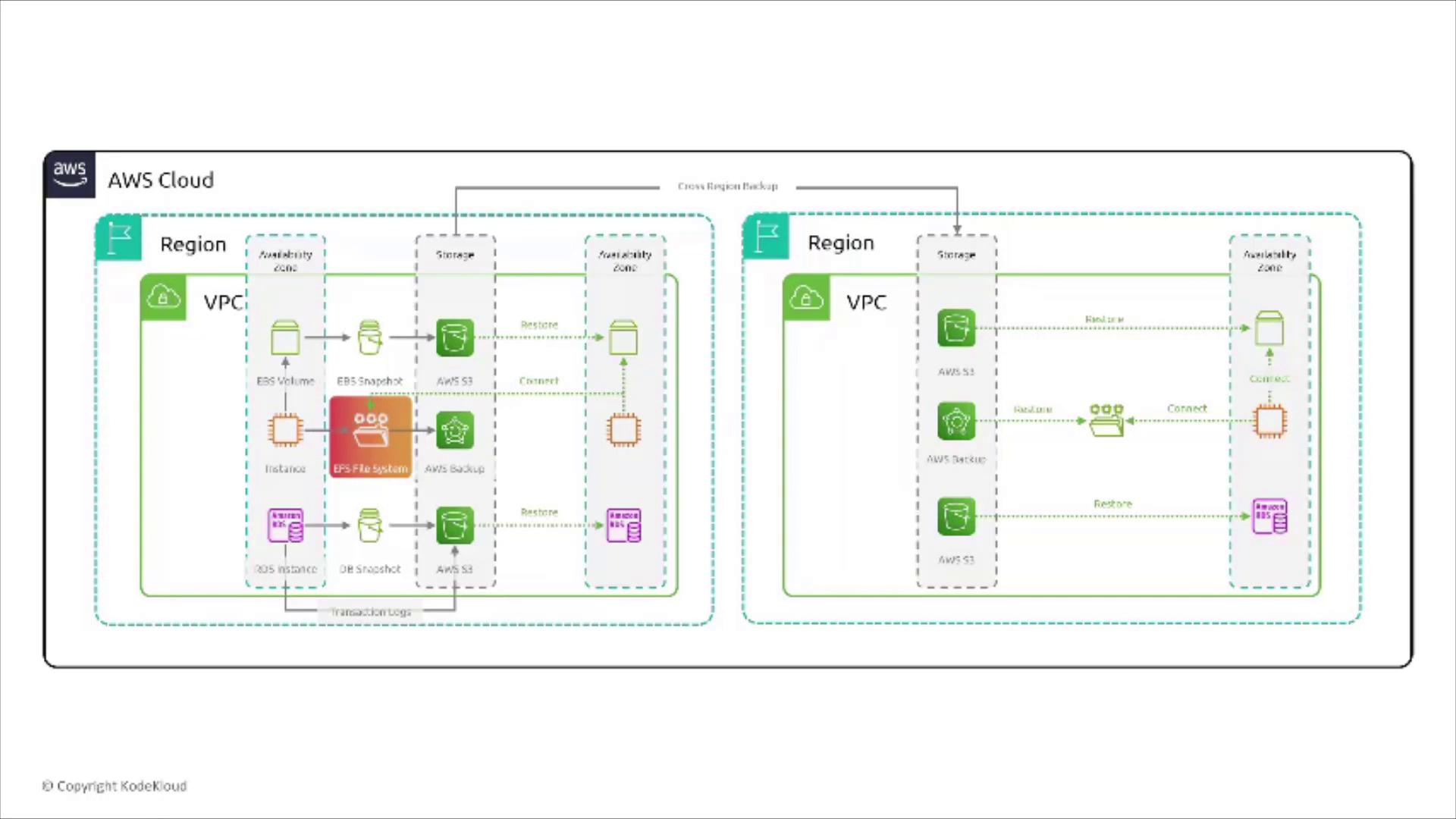
EFS and Video Editing Workloads
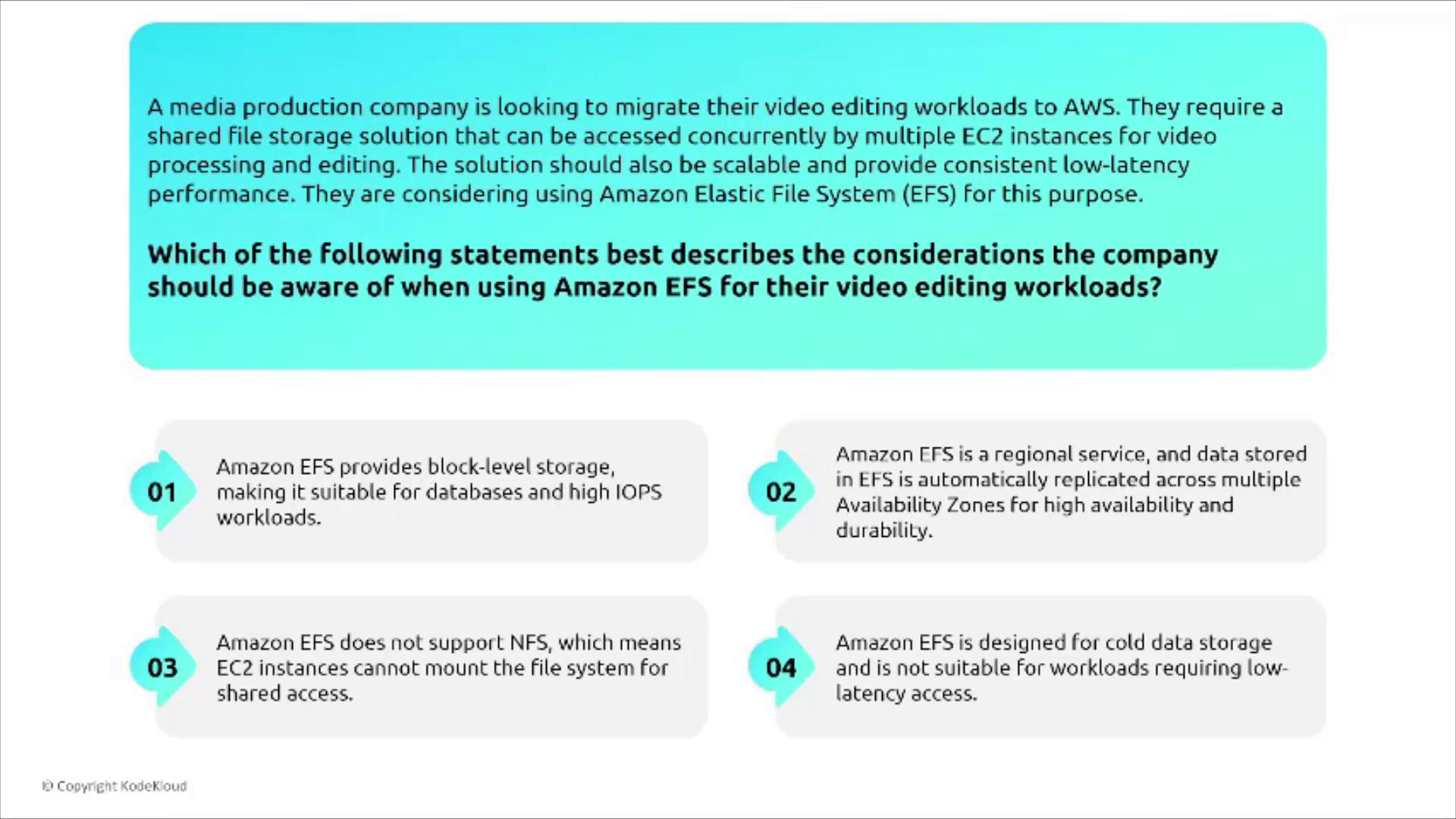
Consider a media production company evaluating EFS for video editing:- EFS does not provide block-level storage—it functions as a network file system.
- It is a regional service with automatic replication across multiple AZs for high availability.
- It supports NFS (versions 4.2/4.3) and is engineered for low-latency access, ideal for intensive operations.
- It is not intended for cold data storage by default, though multiple storage classes (including one for infrequent access) are available.
Amazon EFS Infrequent Access (EFS IA)
For organizations needing to store large datasets that are infrequently accessed yet require optimal performance, EFS IA is a cost-effective solution. It acts as a storage class within the same file system, automatically managing synchronization between standard storage and the infrequent access tier. Key benefits of EFS IA include:- No need to manually synchronize data between storage tiers.
- Cost savings on files that are accessed less frequently.
- Consistent performance compared to the standard EFS tier.
- Encryption must be enabled at creation time if required.
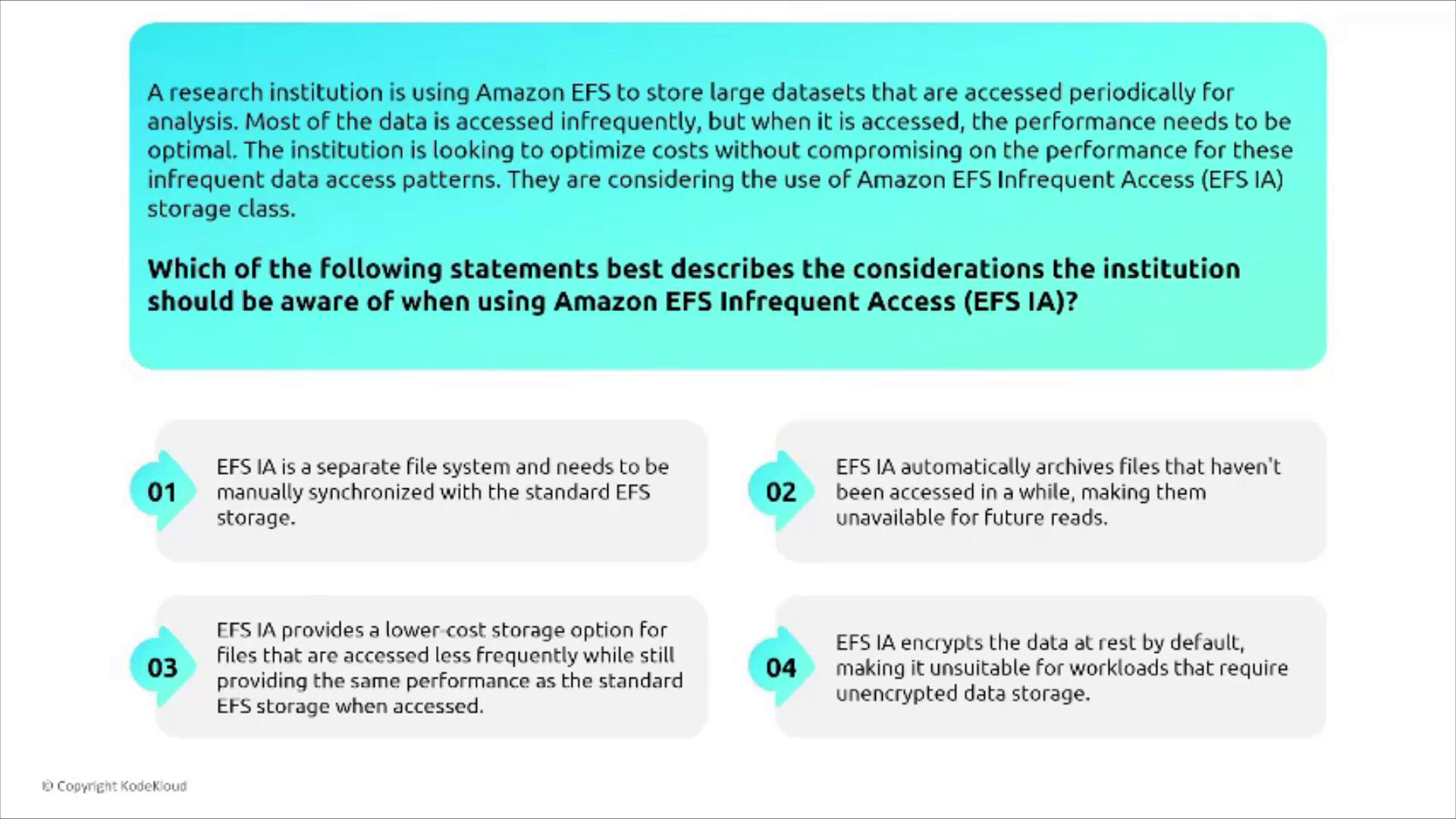
Remember, EFS does not encrypt file systems by default. If encryption is needed, it must be enabled during the setup. For existing unencrypted file systems, migrating data to a new, encrypted file system is required.
FSx for Windows
FSx for Windows File Server is tailored for Windows-based applications and supports native Microsoft Windows file systems. Key features include:- Encryption for both data at rest and in transit is enabled by default.
- Native integration with AWS Managed Microsoft AD for streamlined identity and access management.
- Secure configuration out of the box, minimizing the need for additional security controls.

FSx for Lustre
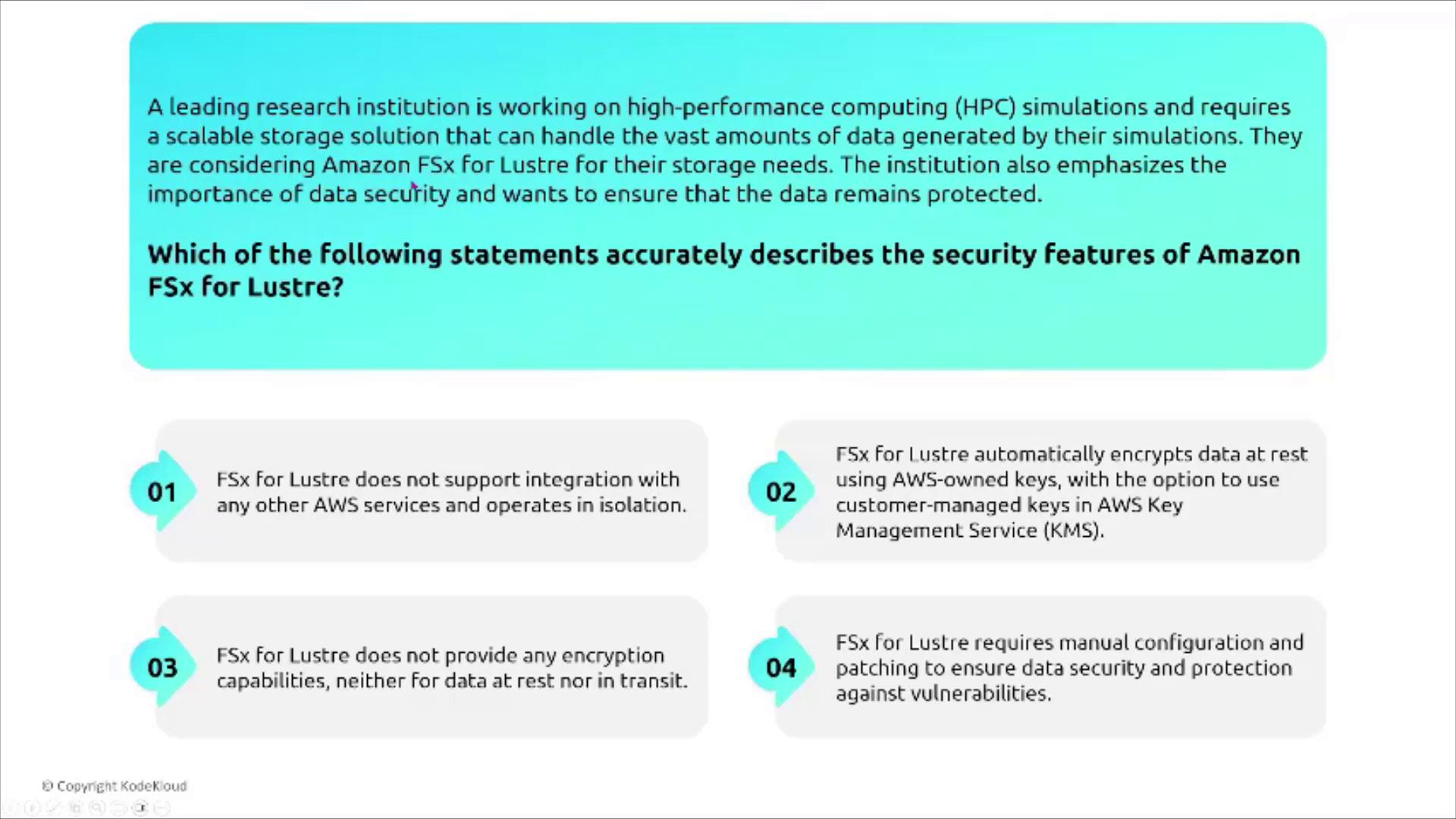
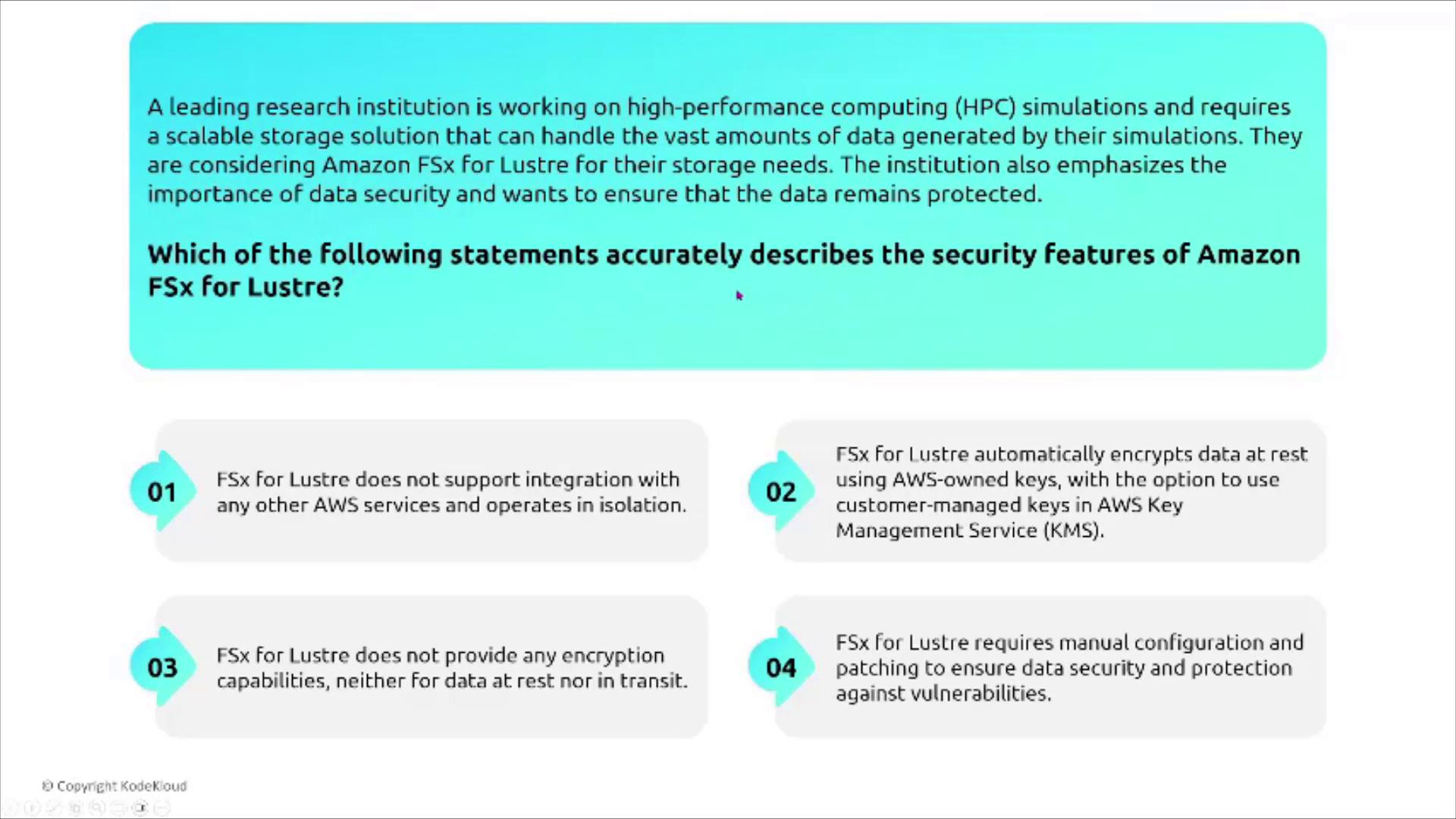
FSx for Lustre is engineered for high-performance computing and large-scale data processing—ideal for research simulations or data analytics tasks. It can seamlessly integrate with S3, enabling rapid data ingestion, a feature utilized by services like Amazon Redshift for pulling S3 objects. For research institutions needing both top-tier performance and robust security, FSx for Lustre offers:- Automatic encryption of data at rest with an option for customer-managed keys.
FSx for OpenZFS
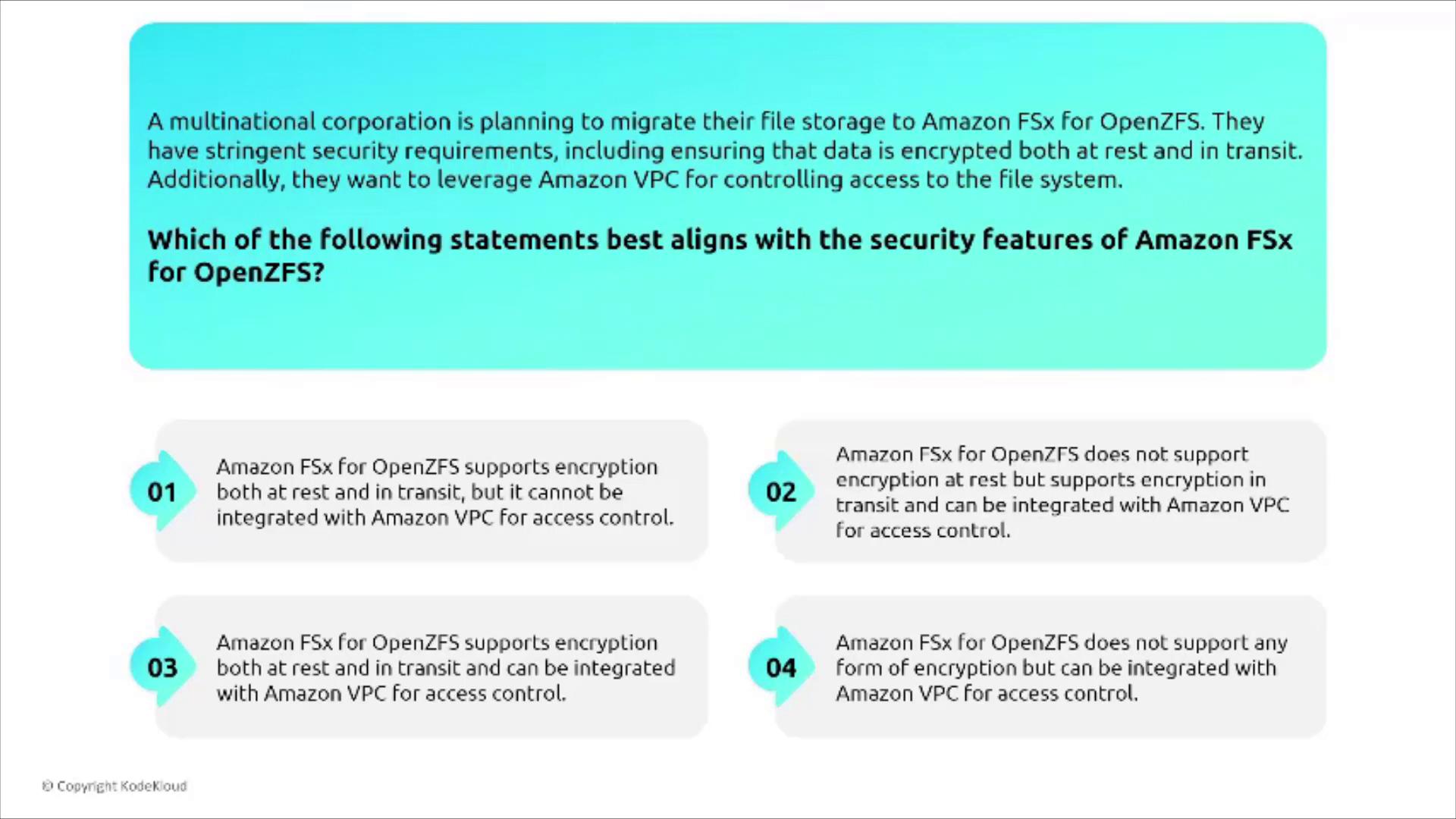
Amazon FSx for OpenZFS leverages the proven capabilities of the OpenZFS file system, originally developed for Sun Solaris. It offers advanced file system features such as:- Encryption both at rest and in transit.
- Seamless integration with Amazon VPC for robust access control.
FSx for NetApp ONTAP
FSx for NetApp ONTAP is a managed file system built for shared storage with advanced features, including:- Data deduplication and compression.
- Default encryption for data at rest and in transit.
- Support for multi-protocol access such as NFS, SMB, and iSCSI.
Conclusion
This article explored critical aspects of securing storage services in AWS, covering:- Encryption best practices for EBS volumes and snapshots.
- The ephemeral nature and limitations of instance storage.
- Shared file system capabilities and cost management with EFS.
- Specialized managed file systems including FSx for Windows, FSx for Lustre, FSx for OpenZFS, and FSx for NetApp ONTAP.