

- Single pane of glass for migration visibility and status tracking.
- Integrates discovery, assessment, and migration tracking workflows.
- Produces right‑sizing guidance and cost estimates to reduce planning guesswork.
- Supports agent-based and agentless discovery depending on environment constraints.
Discovery and assessment
Before migrating, collect an inventory and performance profile of your on‑premises environment. Migration Hub supports both agent-based collectors (detailed metrics per host) and agentless discovery methods. Typical discovery outputs include server and service inventories, CPU and memory utilization, and network usage metrics — all of which inform right‑sizing, dependency mapping (where supported), and migration plans.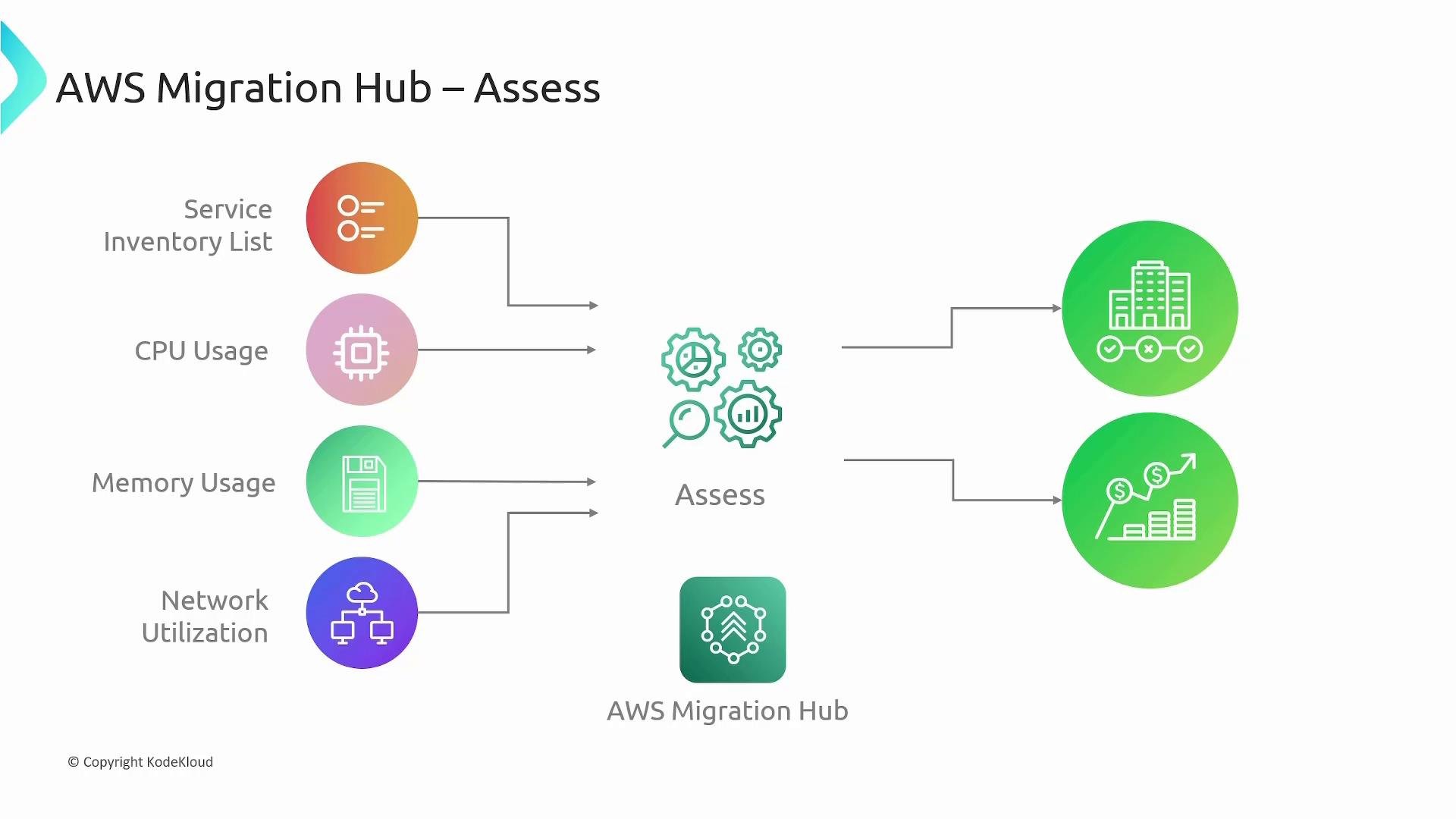
Amazon EC2 instance families and sizes and provides cost estimates for running workloads on AWS. Migration Hub aggregates assessment outputs and can integrate with dedicated assessment tools to produce more detailed sizing and financial analyses.
Migration and tracking
After assessment, the migration phase moves workloads to AWS. Migration Hub does not perform the data movement itself; instead, it integrates with AWS migration services (for example, AWS Application Migration Service and AWS Database Migration Service) and partner migration tools, consolidating status updates and progress into a unified view.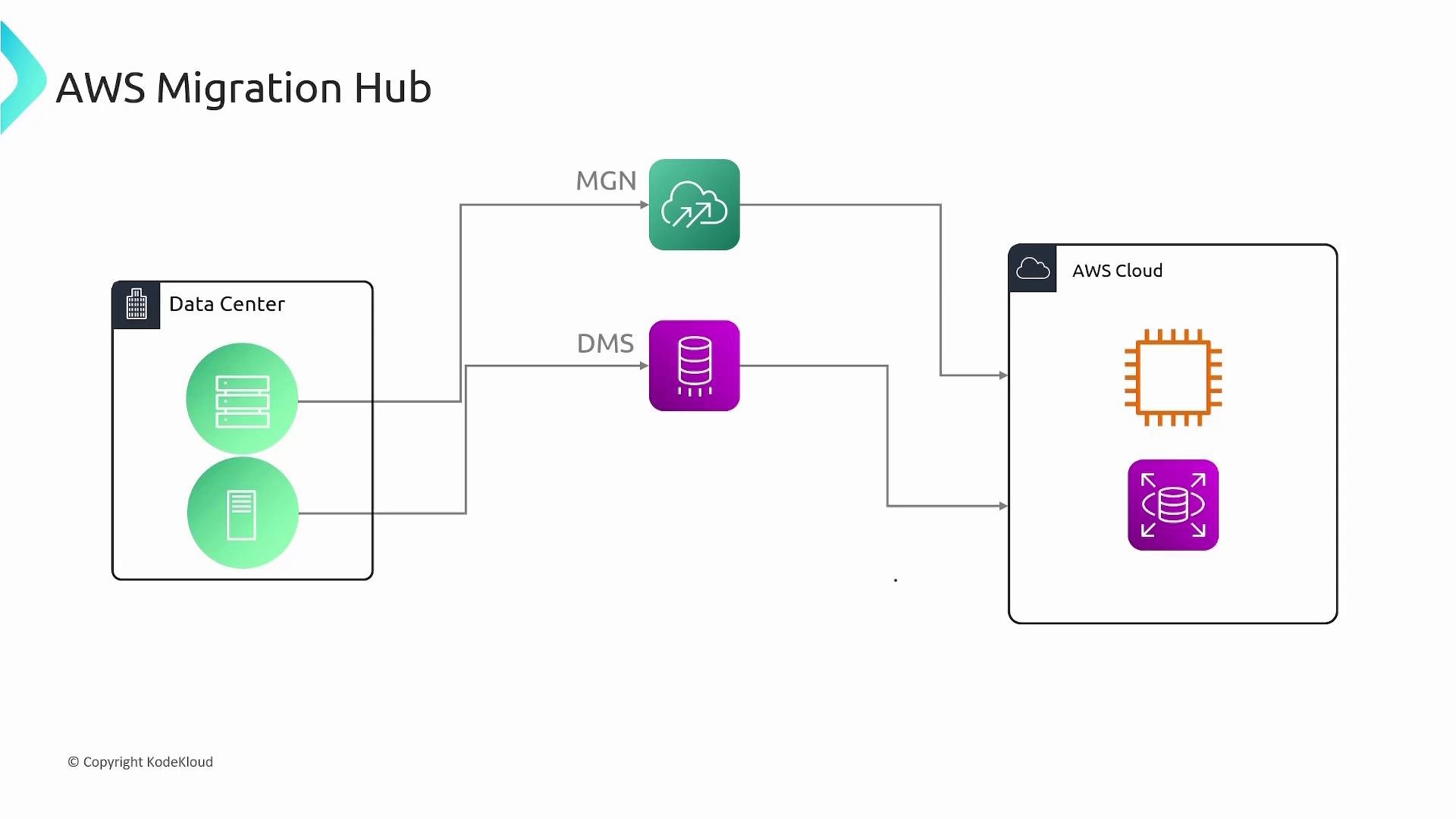
How Migration Hub works — high level steps
- Discover: Collect server, application, and performance telemetry (agent-based or agentless).
- Assess: Analyze utilization to recommend target instance sizes and estimate costs.
- Group & Plan: Organize applications into migration groups and define migration waves.
- Migrate: Use migration services (AWS MGN, DMS, or partner tools) to replicate and switch workloads.
- Track & Report: Monitor status in Migration Hub and generate progress reports and metrics.
Key capabilities (at a glance)
Best practices
- Use agent-based discovery when you need fine-grained performance and dependency data.
- Start with small migration waves to validate sizing and cutover processes.
- Integrate Migration Hub with your chosen migration tools early to centralize status reporting.
- Review cost estimates from assessments and validate against AWS pricing calculators for budgeting.
AWS Migration Hub provides centralized tracking and visibility for migrations but does not perform the data transfer itself. Integrate it with services that handle replication and cutover (for example, AWS Application Migration Service or AWS Database Migration Service) so Migration Hub can aggregate status and results.
Links and references
- AWS Migration Hub — https://aws.amazon.com/migration-hub/
- AWS Application Migration Service — https://aws.amazon.com/application-migration-service/
- AWS Database Migration Service (DMS) — https://aws.amazon.com/dms/
Amazon EC2overview — https://learn.kodekloud.com/user/courses/amazon-elastic-compute-cloud-ec2