QuickSight is a visualization and BI service that builds dashboards from many data sources (Lake Formation, Athena, the Glue Data Catalog, etc.). If your organization uses Lake Formation, for example, monitor flow execution and metrics with Amazon CloudWatch. QuickSight usage and API activity also appear in CloudTrail. QuickSight encrypts data in transit and at rest, including data stored in its SPICE engine. For details about customer-managed key support and configuration options, see the QuickSight documentation: https://docs.aws.amazon.com/quicksight/latest/user/welcome.html
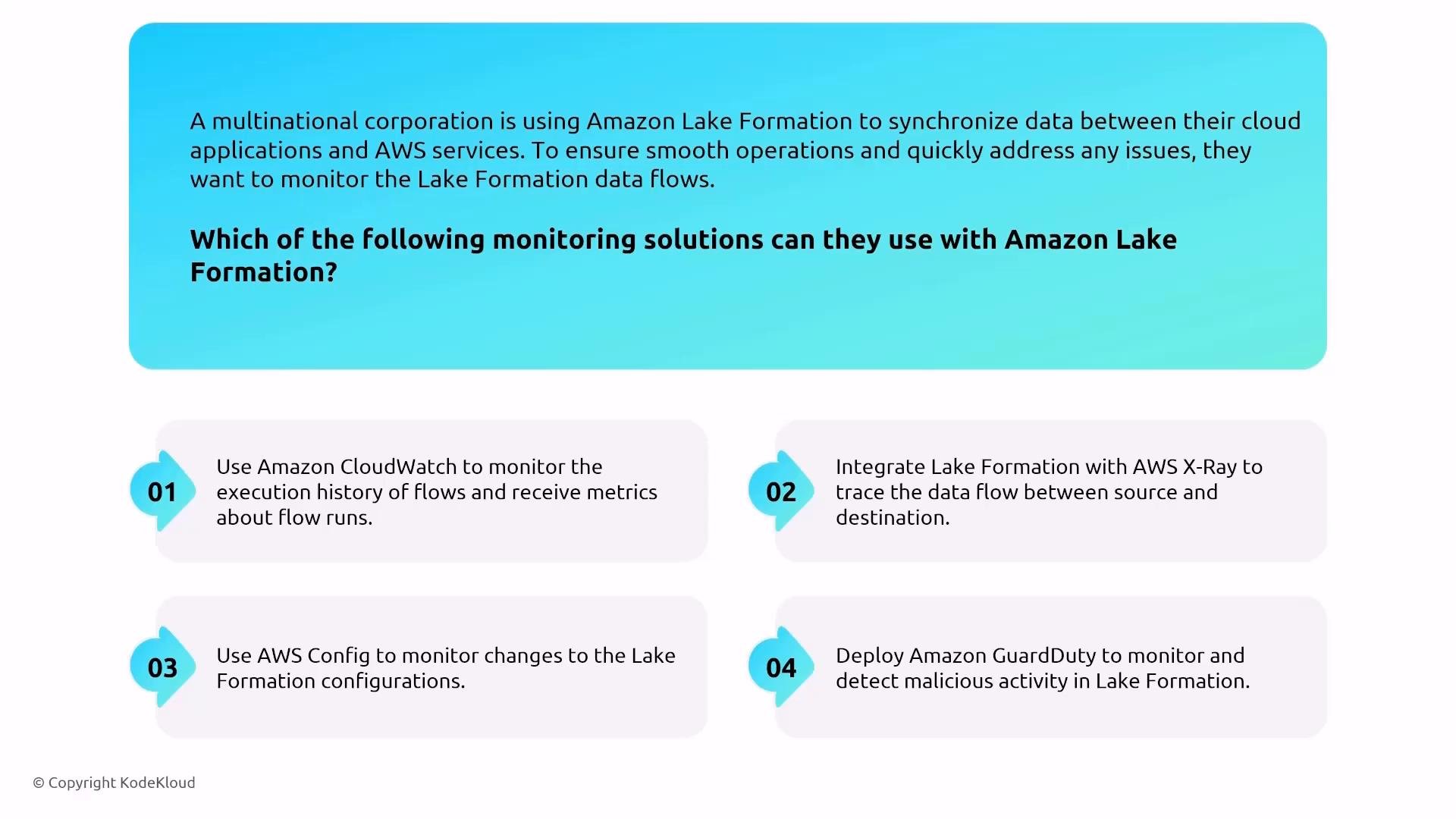
An infographic asking how to monitor Amazon Lake Formation and listing four recommended solutions: Amazon CloudWatch, AWS X-Ray, AWS Config, and Amazon GuardDuty. It outlines using CloudWatch for flow metrics, X‑Ray for tracing, Config for config changes, and GuardDuty for threat detection.
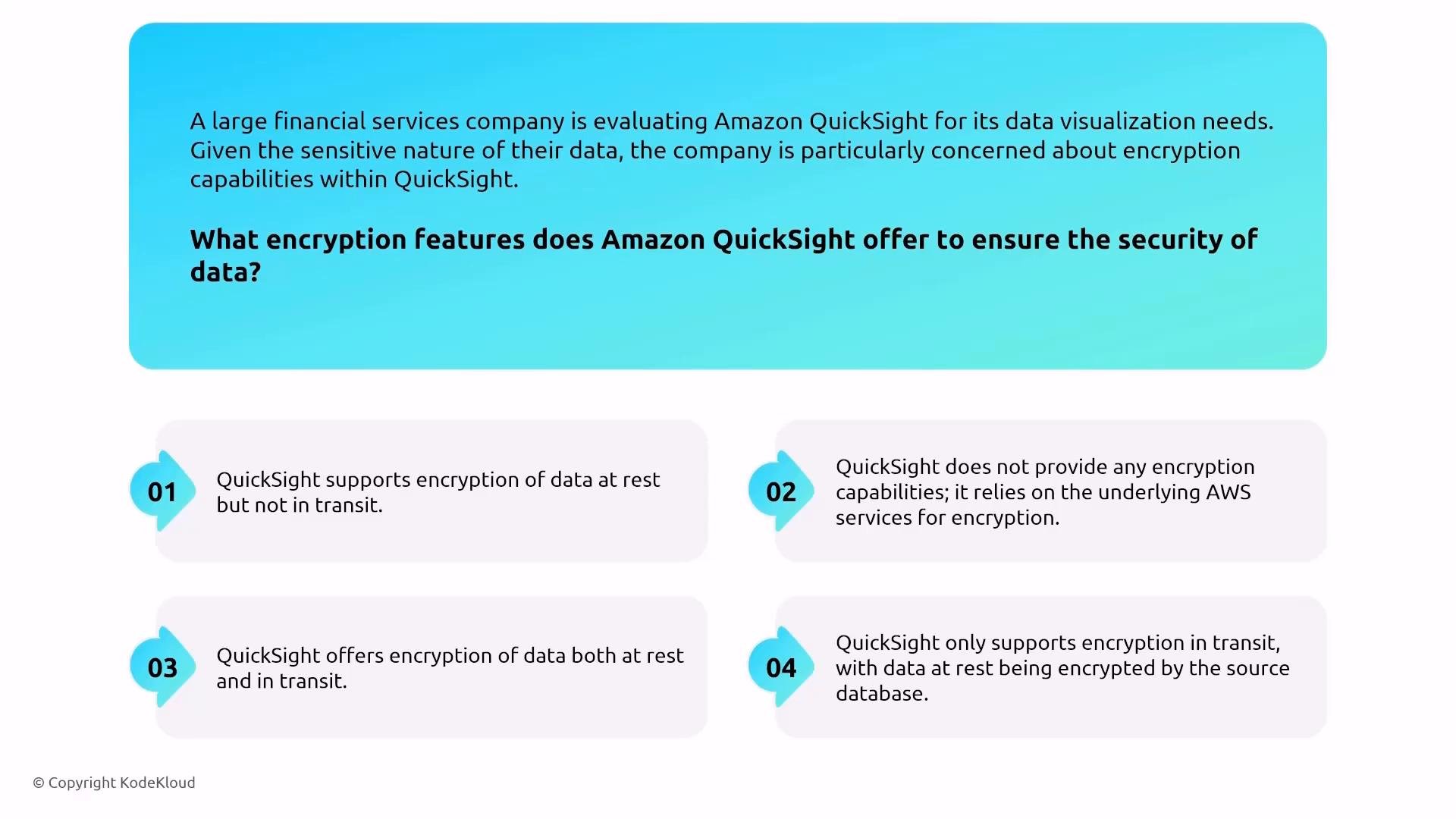
If an exam question asks what encryption features QuickSight offers, the concise answer is: QuickSight protects data at rest and in transit (this includes SPICE). In security reviews, reference how QuickSight integrates with your data sources and supports monitoring via CloudTrail and CloudWatch. Redshift is included because it’s the AWS data warehousing engine for large analytic workloads. Full details (Performance Insights, audit logging, etc.) are out of scope here; note only its relation to other data services and that Redshift supports encryption at rest (KMS) and in-transit protections.
The image is a slide asking what encryption features Amazon QuickSight offers to secure data for a large financial services company. Below the question are four numbered option boxes describing different encryption scenarios (e.g., encryption at rest only, relying on underlying AWS, both at rest and in transit, and only in transit).
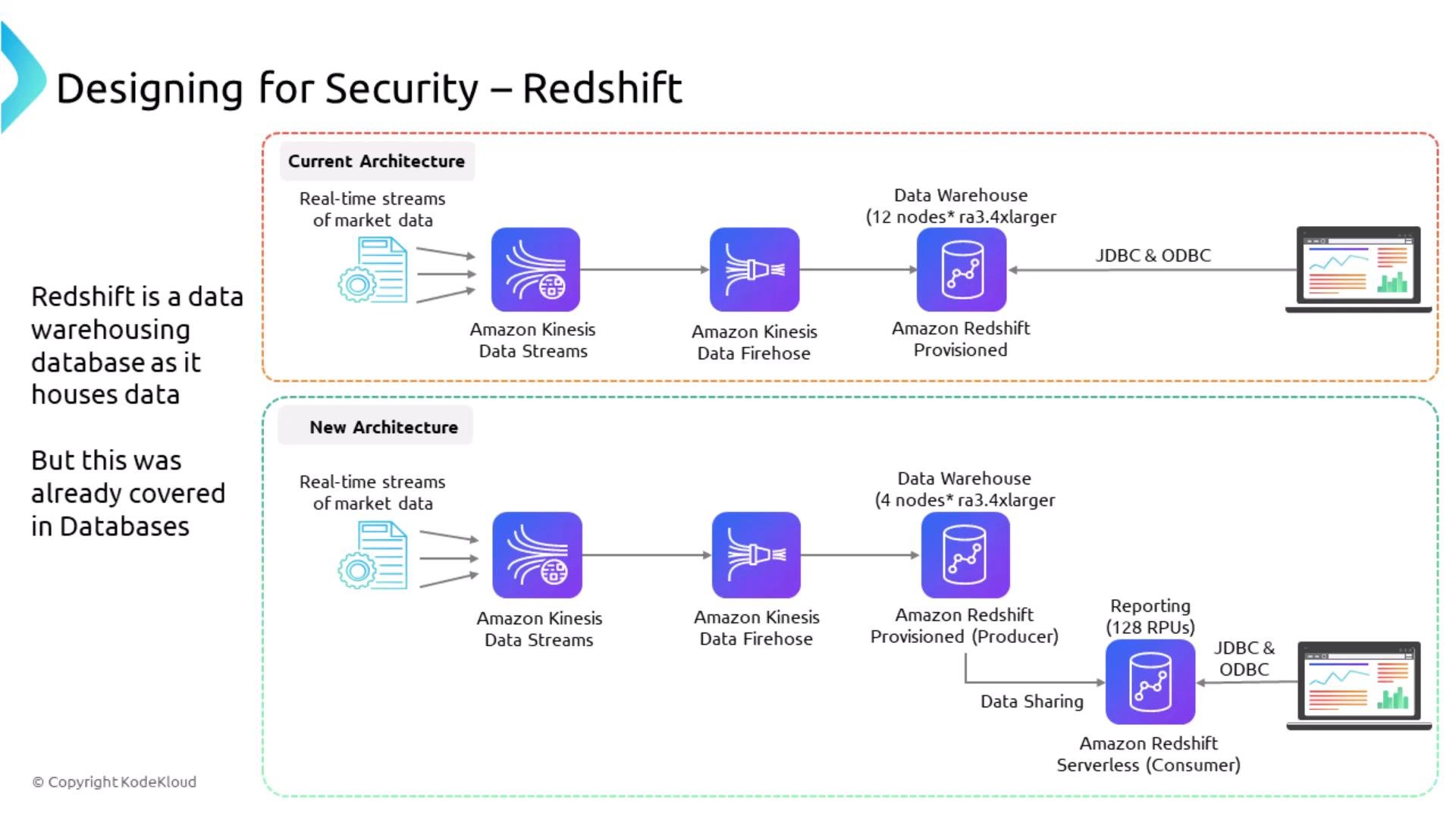
A technical diagram titled "Designing for Security – Redshift" comparing current and new architectures. It shows real-time market data flowing through Amazon Kinesis Data Streams and Firehose into Amazon Redshift (provisioned and serverless) with JDBC/ODBC reporting.

SageMaker — securing inference, training, and notebooks

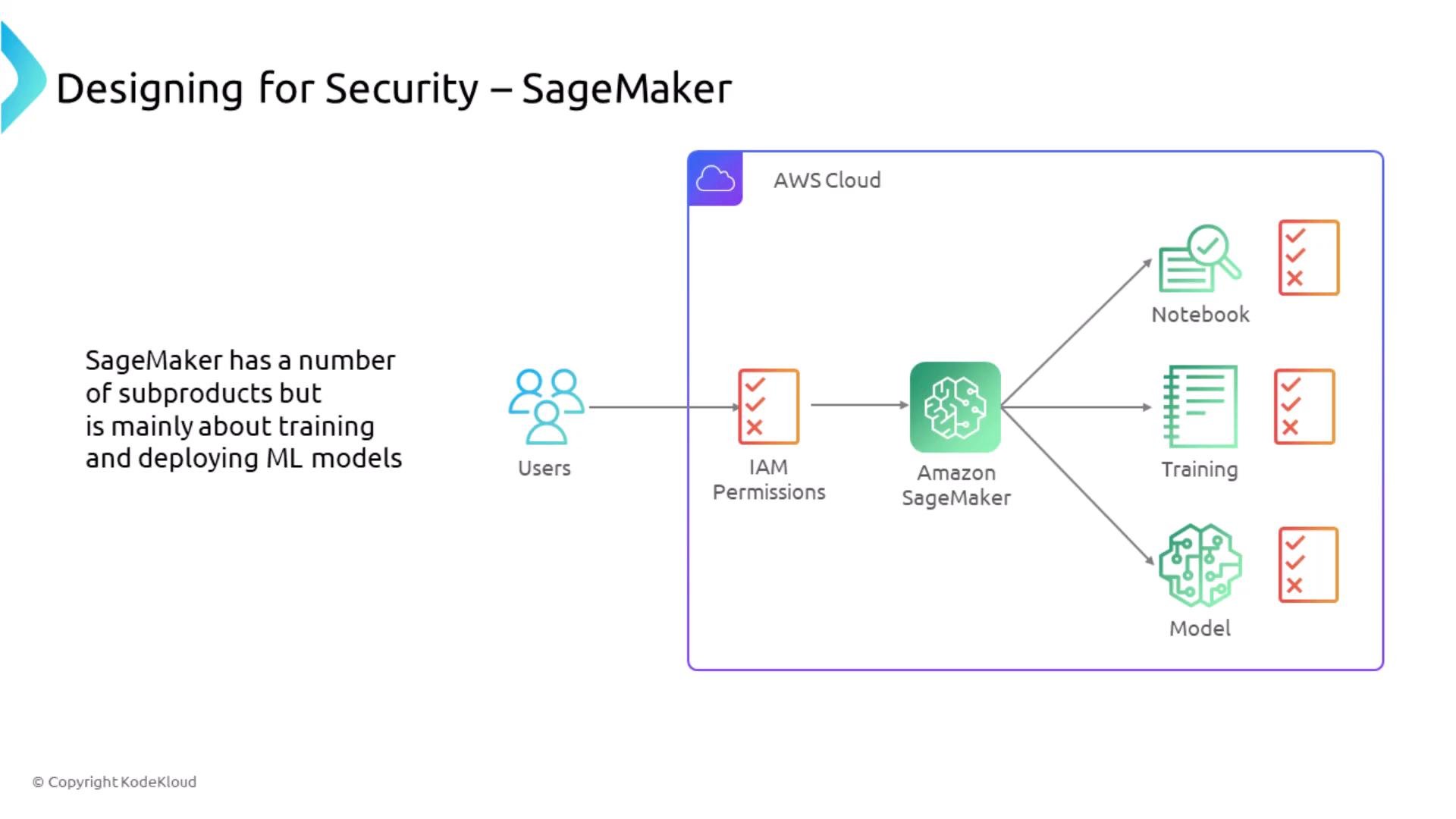
SageMaker is broad, but for the AWS Solutions Architect Associate exam you mainly need to secure ingestion, training, and deployment pipelines rather than be an ML expert. SageMaker offers managed notebooks (Jupyter), training jobs, and model hosting (Studio, training jobs, endpoints).
  • Notebook instances are managed compute for exploration and development. They typically support encryption for attached storage volumes.
  • Training jobs support inter-container traffic encryption for multi-container training; this must be enabled explicitly.
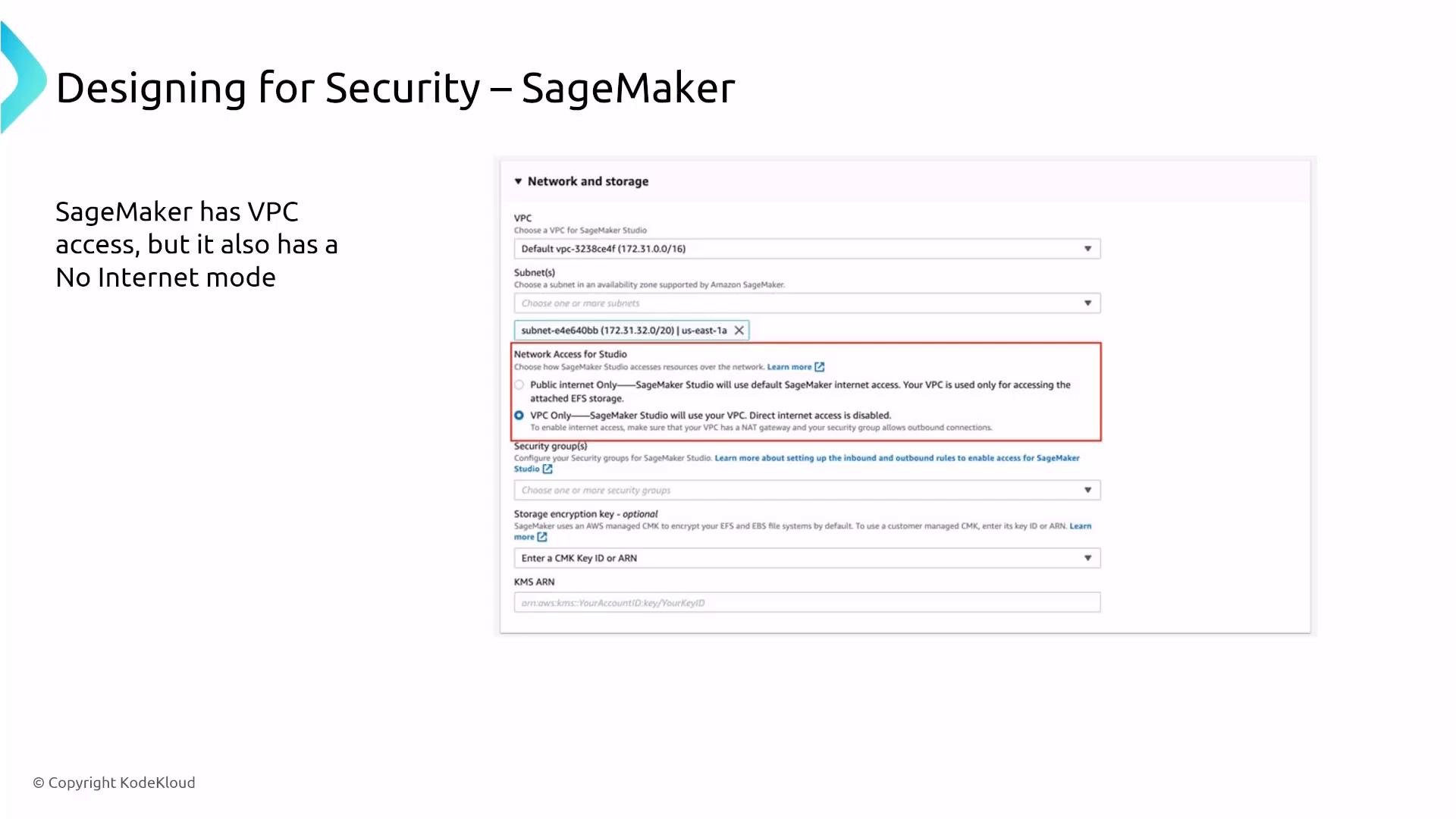
  • SageMaker can be launched inside your VPC via VpcConfig and can use network isolation options such as EnableNetworkIsolation.
A slide titled "Designing for Security – SageMaker" showing users accessing Amazon SageMaker inside the AWS Cloud through IAM permissions, with arrows branching to Notebook, Training, and Model components. A caption says SageMaker is mainly about training and deploying ML models.
Important configuration examples:
  • Enable inter-container encryption when creating a training job (not enabled by default):
  • Use EnableNetworkIsolation to prevent outbound internet access from training containers:
SageMaker Studio can be configured for VPC-only access so Studio and its managed compute run inside your VPC with security groups applied. For monitoring and auditing, use CloudWatch for metrics/logs and CloudTrail for API events.
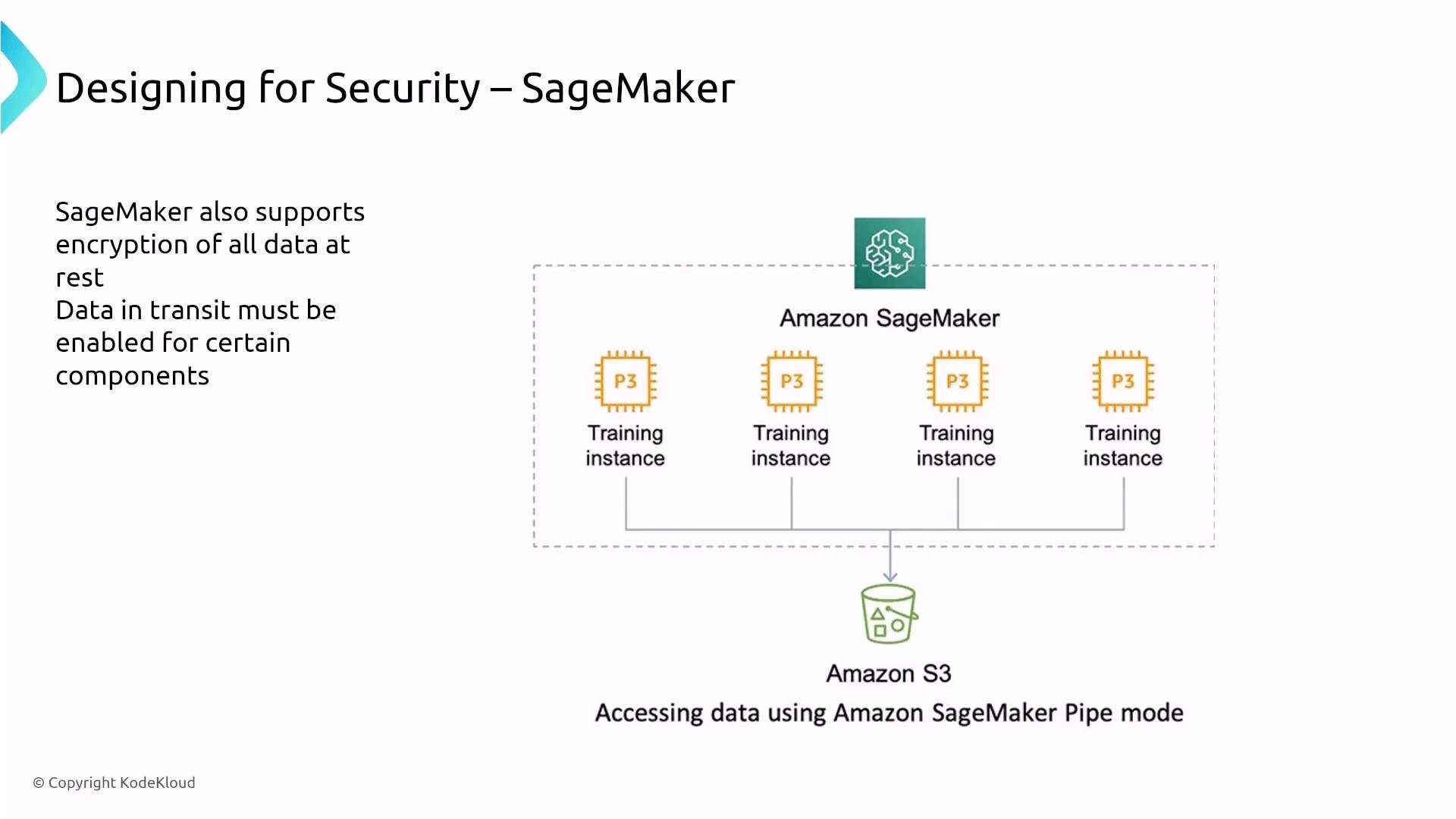
A slide titled "Designing for Security – SageMaker" showing multiple P3 training instances inside Amazon SageMaker connected to an Amazon S3 bucket (accessing data using SageMaker Pipe mode). A side note states SageMaker supports encryption of data at rest and that data-in-transit must be enabled for certain components.
A presentation slide titled "Designing for Security – SageMaker" showing an AWS SageMaker network and storage settings screenshot. The slide notes that SageMaker can use VPC access and be set to VPC-only (no direct Internet) mode.
Exam tip: For associate-level questions, focus on the configuration knobs — EnableInterContainerTrafficEncryption, VpcConfig, EnableNetworkIsolation, and KMS-based encryption for model artifacts and output.

Rekognition — managed vision service

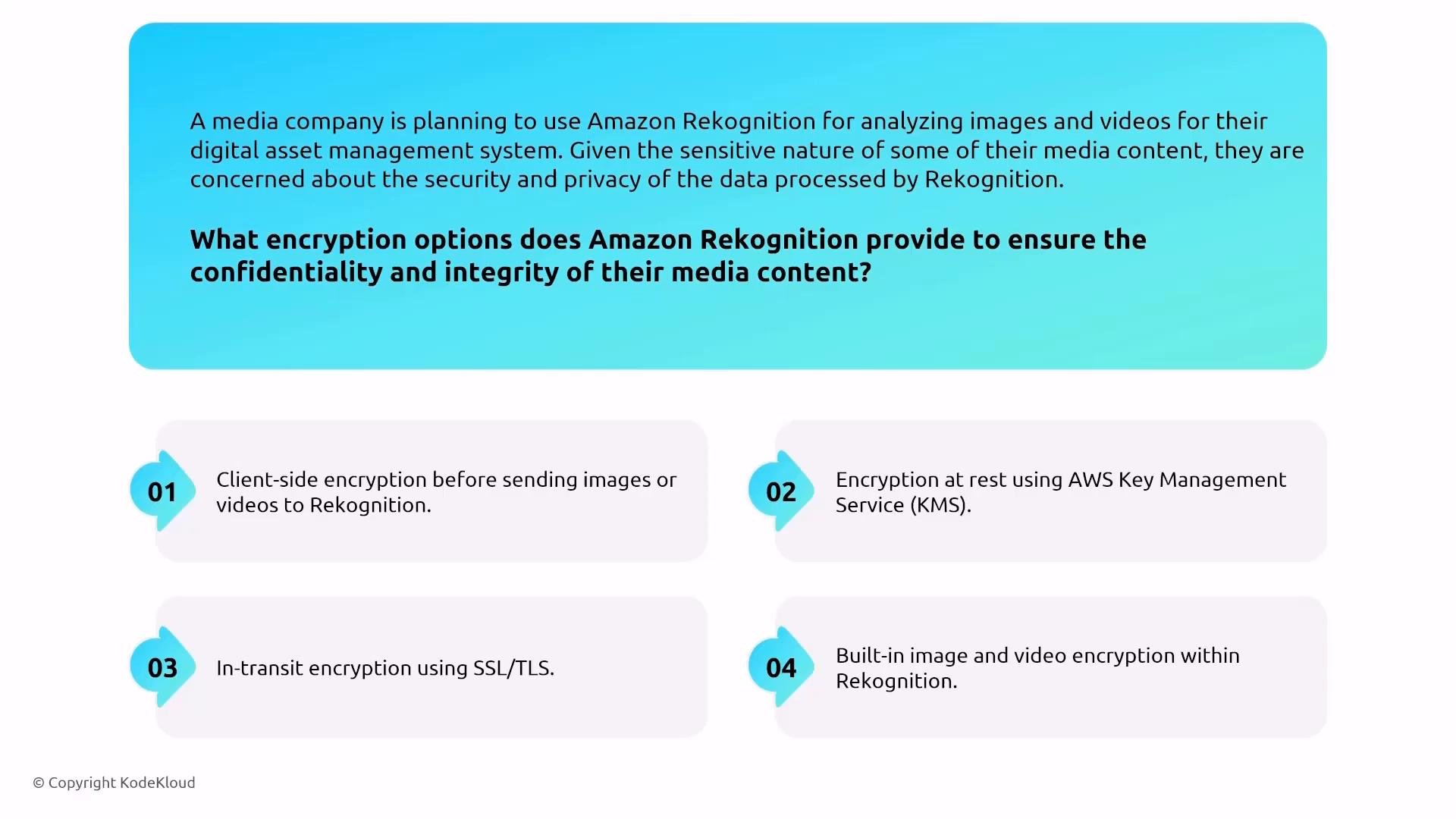
Rekognition is a managed image and video analysis service. AWS handles most platform security; by default Rekognition encrypts data in transit and at rest. To avoid sending traffic over the public Internet, use VPC interface endpoints (AWS PrivateLink) for private connectivity to Rekognition. If compliance requires, consider organizational opt-out policies to prevent AWS from retaining submitted data.
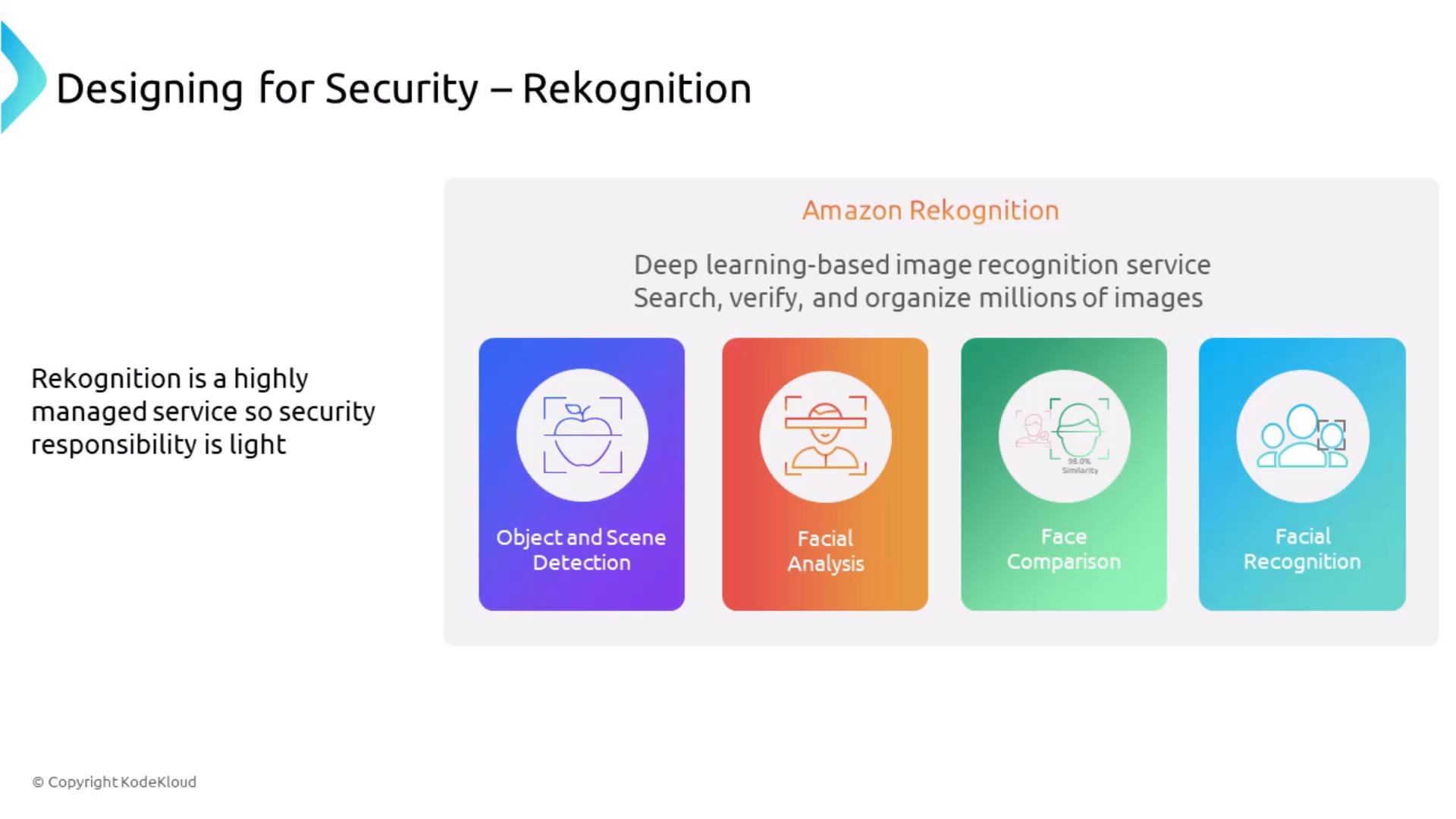
A presentation slide about Amazon Rekognition showing it as a deep learning image-recognition service with features like Object and Scene Detection, Facial Analysis, Face Comparison, and Facial Recognition. A sidebar note says Rekognition is a highly managed service so security responsibility is light.
A slide describing a media company's concern about using Amazon Rekognition and asking what encryption options ensure confidentiality and integrity. It lists four options: client-side encryption, encryption at rest with AWS KMS, in-transit encryption using SSL/TLS, and built-in image/video encryption within Rekognition.

Polly, Lex — voice and conversational interfaces

  • Polly (text-to-speech) is a managed endpoint. AWS provides in-transit and at-rest encryption for the service. If Polly stores audio in S3, secure the bucket (IAM, bucket policies, server-side encryption).
  • Lex (conversational AI) supports PrivateLink (VPC interface endpoints) to keep traffic private. Standard logging and encryption protections apply (CloudWatch, CloudTrail, IAM).
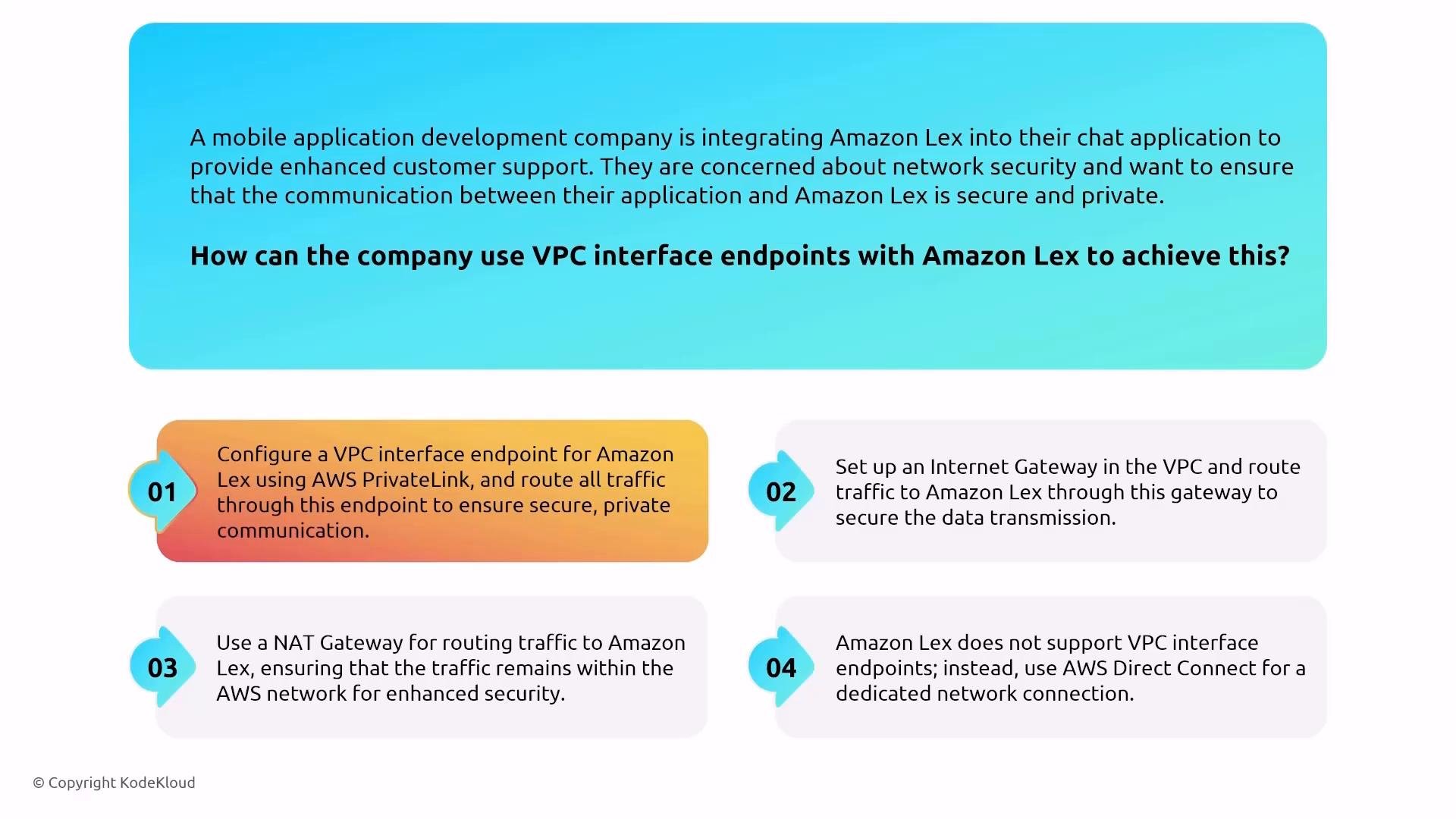
An infographic slide describing a scenario where a mobile app company wants secure, private communication with Amazon Lex using VPC interface endpoints. It lists four numbered options and highlights configuring a VPC interface endpoint for Amazon Lex via AWS PrivateLink as the recommended solution.
Example: create an interface VPC endpoint for Rekognition (or Lex) using the AWS CLI — run in a fenced command block and replace placeholders:

Comprehend, Forecast, A2I, Fraud Detector

  • Comprehend: managed NLP. Supports encryption for asynchronous jobs and S3 outputs via KMS. Use IAM for access control and CloudTrail/CloudWatch for monitoring.
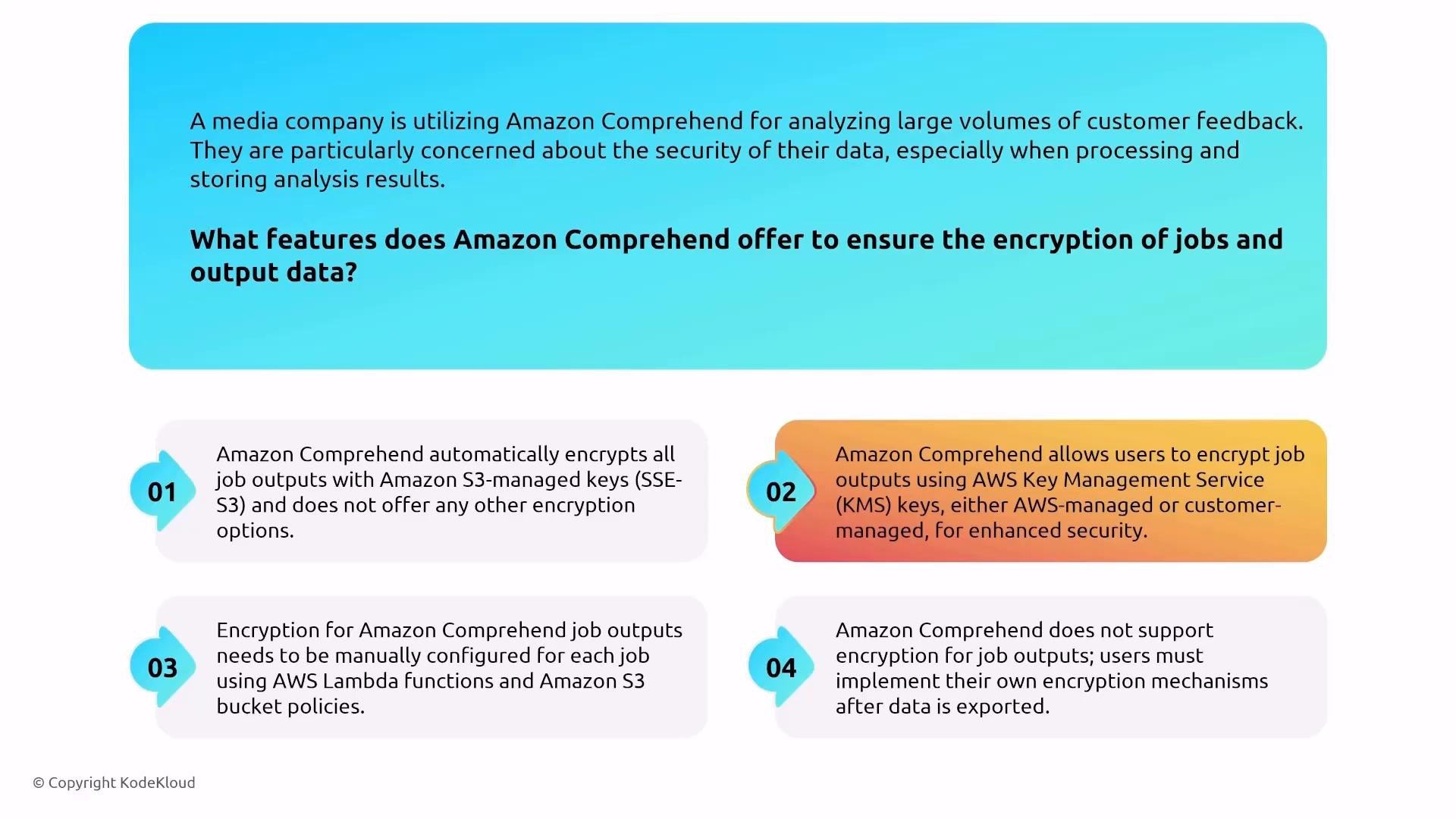
An infographic asking what features Amazon Comprehend offers to ensure encryption of jobs and output data. It lists four numbered options describing encryption with S3-managed keys (SSE‑S3), using AWS KMS keys (AWS- or customer-managed), manual setup via Lambda and S3 policies, and a claim that Comprehend doesn’t support encryption.
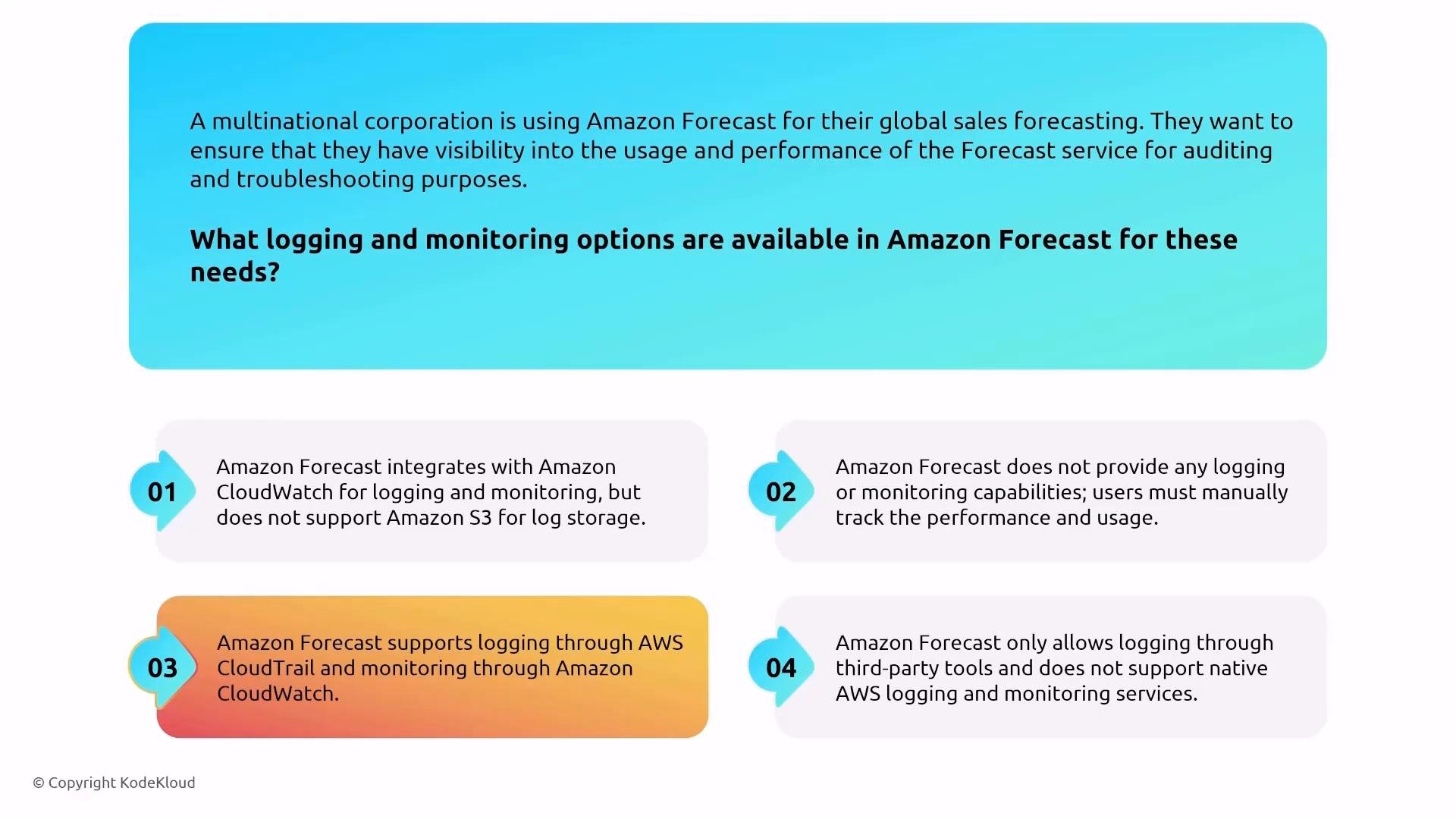
  • Forecast: time-series forecasting. Supports encryption at rest (choose KMS keys), IAM for access, CloudTrail for logs, CloudWatch for metrics.
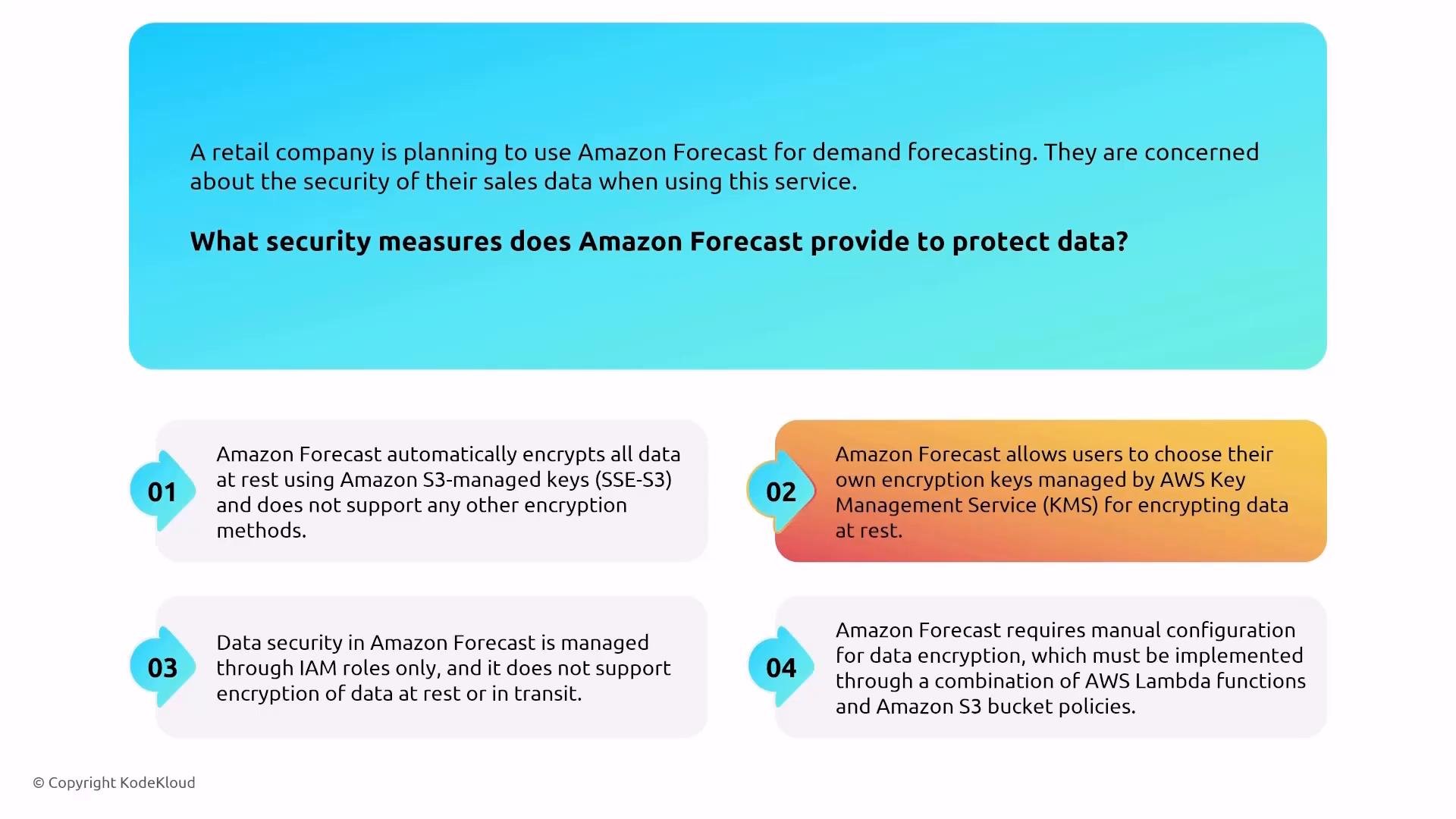
An infographic slide asking what security measures Amazon Forecast provides, showing a retail company’s concern about sales-data security. It lists four numbered answer options describing different encryption and access-control scenarios (SSE‑S3, KMS keys, IAM-only, and manual Lambda/S3 policy configuration).
A colorful KodeKloud infographic posing a scenario question about logging and monitoring options for Amazon Forecast. It shows four numbered answer choices describing integrations with Amazon CloudWatch, CloudTrail, S3 log storage, and third‑party tools.
  • Augmented AI (A2I): human-in-the-loop review workflows. Uses IAM and KMS for encryption. Note that human reviewers create an additional data surface — secure application access, role-based controls, and auditing.
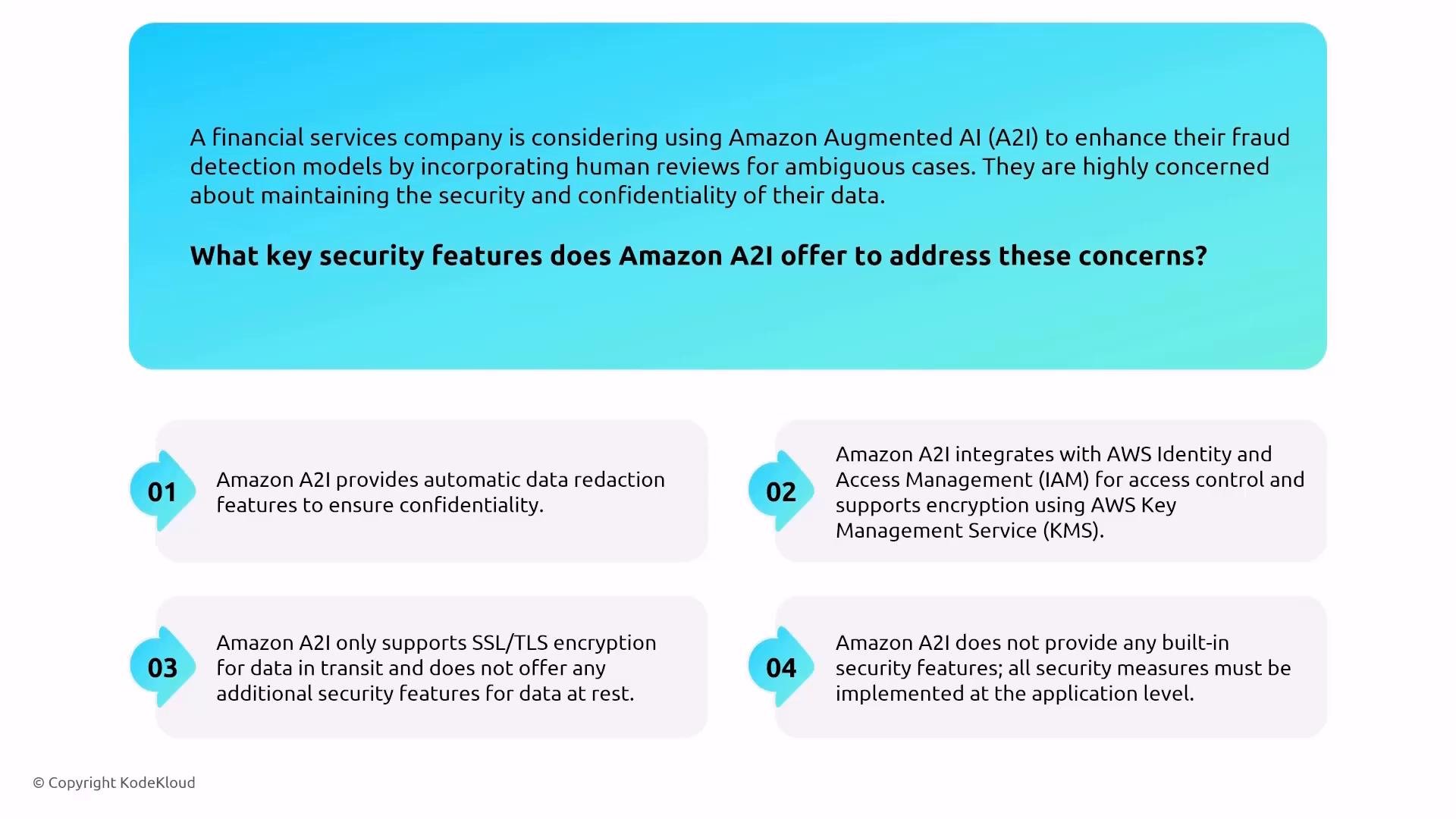
An infographic describing a financial services firm considering Amazon Augmented AI (A2I) for fraud detection and asking what key security features it offers. It lists four points: automatic data redaction, integration with AWS IAM and KMS for encryption, SSL/TLS for data in transit, and a note that additional security controls must be implemented at the application level.
  • Fraud Detector: managed fraud detection; integrates with IAM and KMS for access control and encryption.

Transcribe, Translate, Textract — speech and document services

  • Transcribe: converts audio/video to text. Encrypts media and transcription results in transit and at rest; supports customer-managed keys for outputs.
  • Translate: language translation using TLS for in-transit protection and encryption at rest; review service docs for current compliance eligibility (HIPAA, PCI, ISO, etc.).
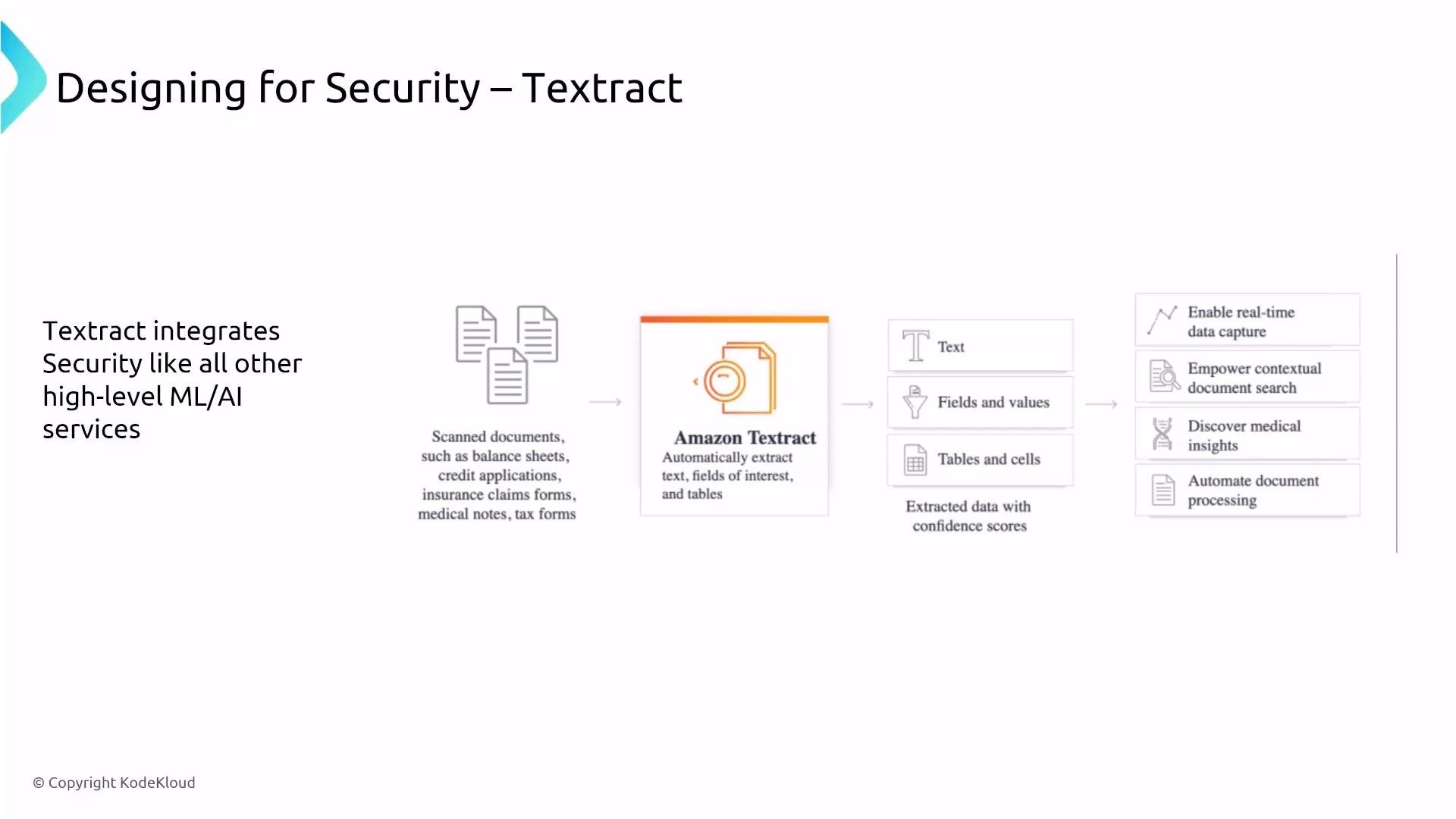
  • Textract: extracts text and structured data from scanned documents. Integrates with S3 for input/output — secure those buckets (IAM policies, bucket policies, server-side encryption). Textract outputs can be encrypted using S3/KMS options.
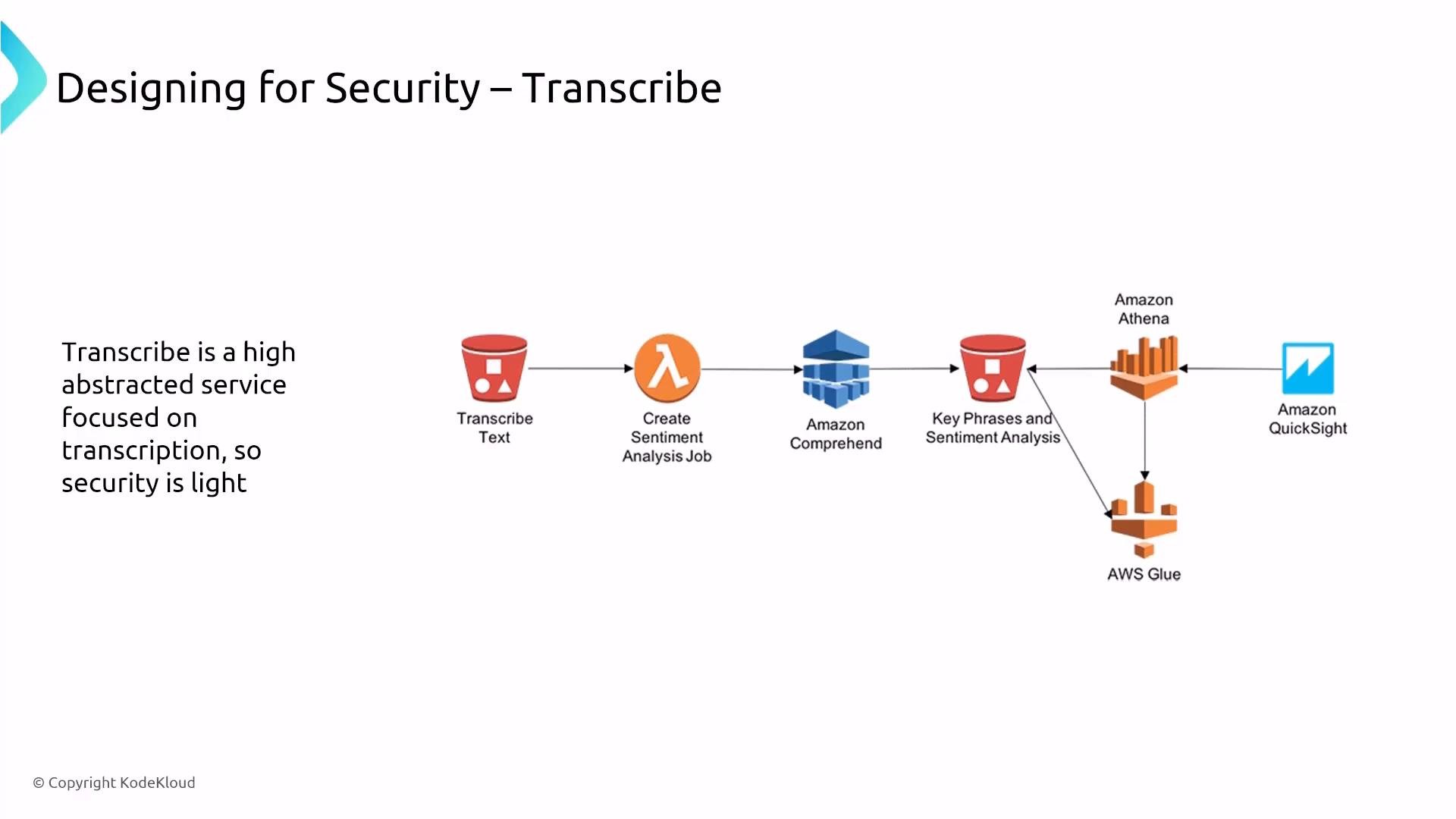
A slide titled "Designing for Security – Transcribe" showing an AWS architecture diagram for transcribing text and performing sentiment/key-phrase analysis. It depicts a data flow through S3 and Lambda to Amazon Comprehend, then into Athena and AWS Glue, ending in Amazon QuickSight.
A slide titled "Designing for Security – Textract" showing that Textract integrates security like other ML/AI services. It diagrams scanned documents fed into Amazon Textract, which extracts text, fields and tables with confidence scores to enable real-time data capture, contextual search, medical insights and automated document processing.
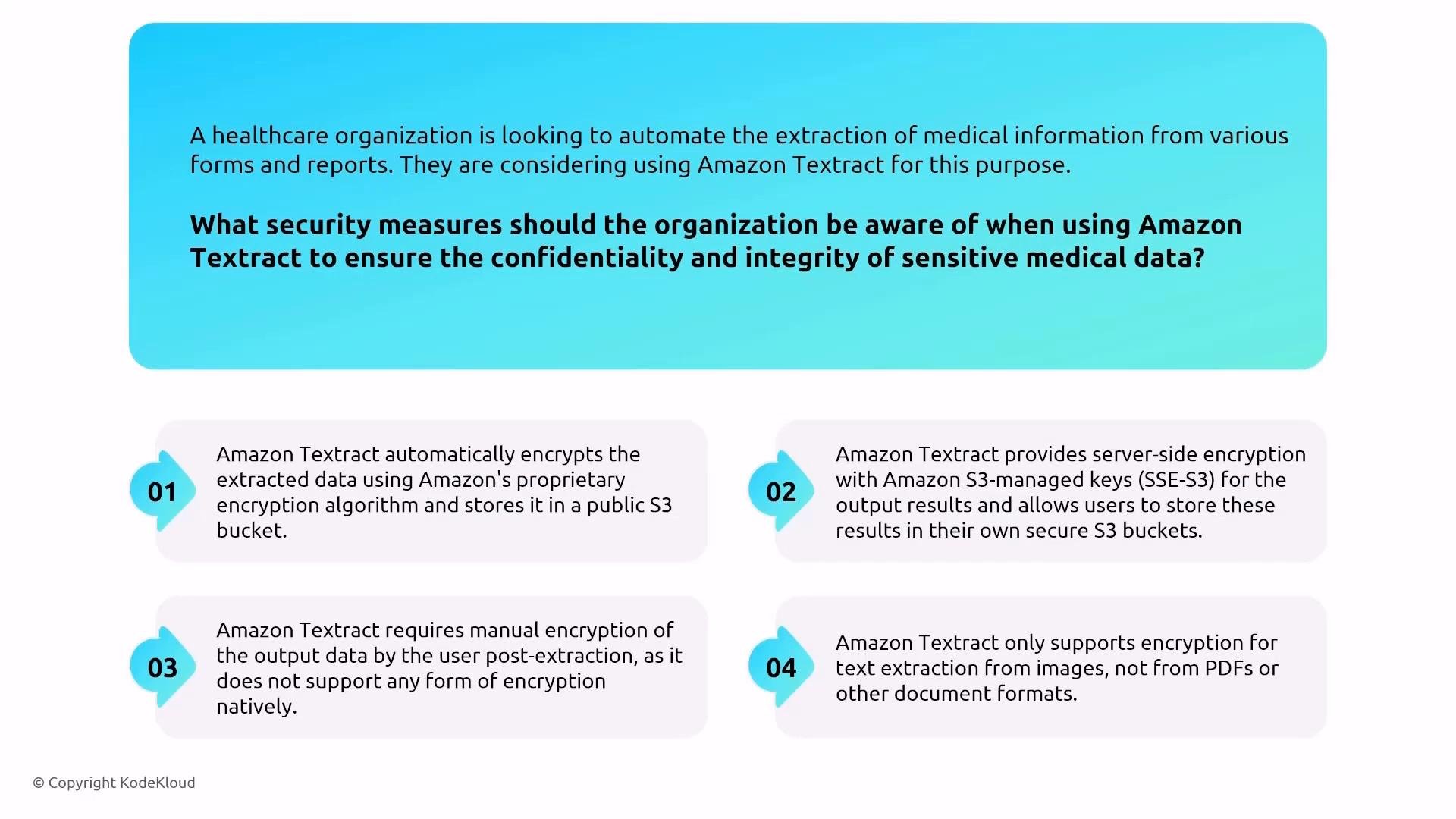
An infographic slide asking what security measures to consider when using Amazon Textract to extract sensitive medical data. It lists four numbered points about encryption and storage details — automatic/server-side encryption with S3, user-managed encryption requirements, and format/support limitations.

Authentication, authorization, and monitoring (common responsibilities)

Authentication and access control across these services rely on IAM. For monitoring and detection, enable CloudTrail for API logging, CloudWatch for metrics and logs, and consider AWS Config and GuardDuty for configuration drift and threat detection when appropriate.
Be careful with human-review workflows (A2I) and any service that surfaces sensitive data to people — enforce least privilege, session logging, and consider additional DLP or redaction controls before sending data to reviewers.

Quick reference table

Summary

  • These AI/ML and data services are highly managed — AWS handles much of the platform security. Your primary responsibilities are data encryption choices (KMS), IAM access control, VPC/network configuration (interface endpoints/PrivateLink), and securing downstream storage (S3).
  • Enable CloudTrail for API logging and CloudWatch for metrics and logs to get visibility.
  • SageMaker and EMR require more operational attention because they expose compute nodes and storage you manage directly. For the AWS Solutions Architect Associate exam, focus on securing data at rest & in transit, IAM access, KMS usage, and monitoring with CloudTrail/CloudWatch.
Links and references

Watch Video