

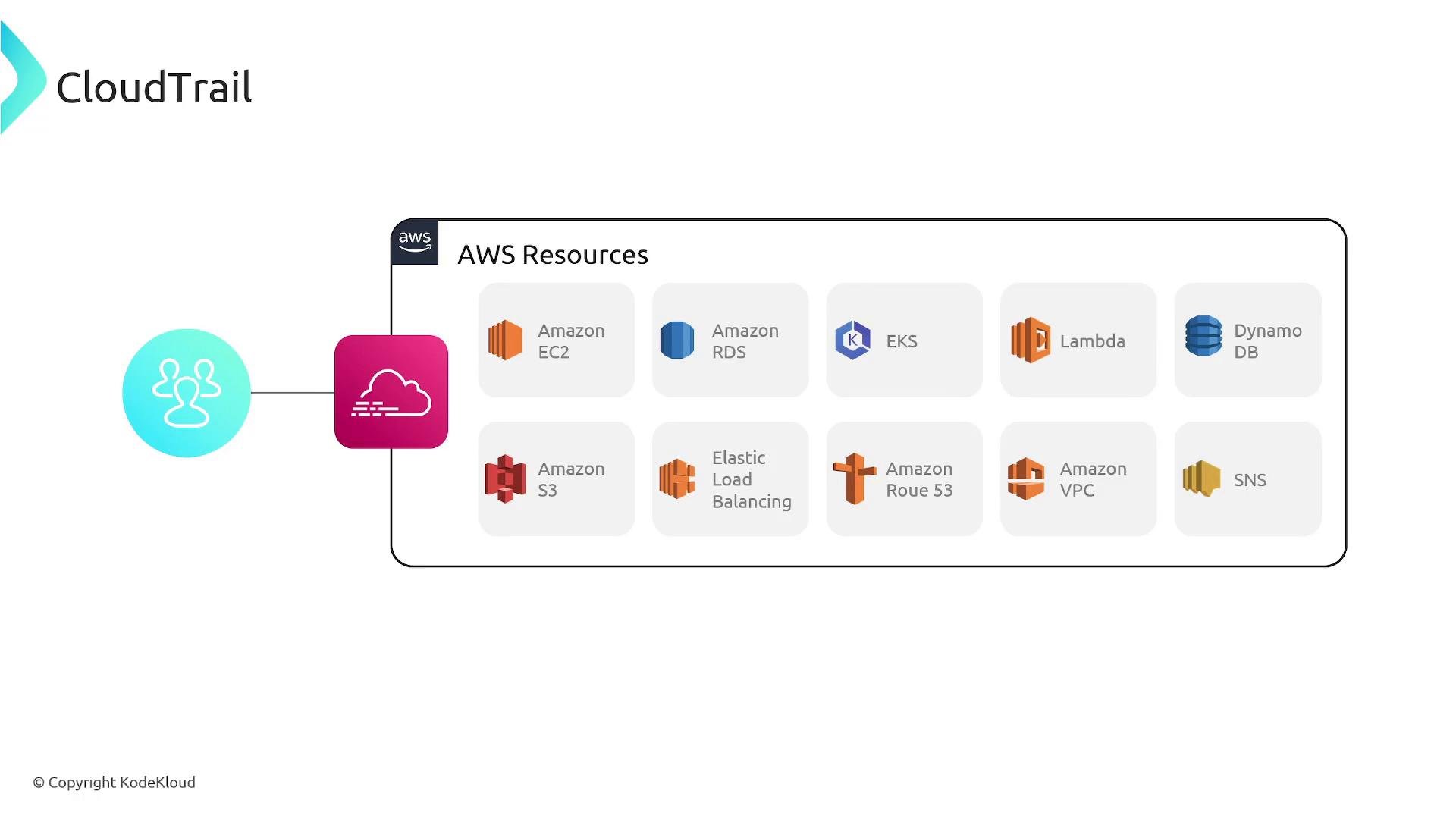
- Origin of the request: IAM user, role, or AWS service
- Source IP address and request parameters
- Target service and action (for example,
ec2:TerminateInstances) - Timestamp of the call
- Response and status details
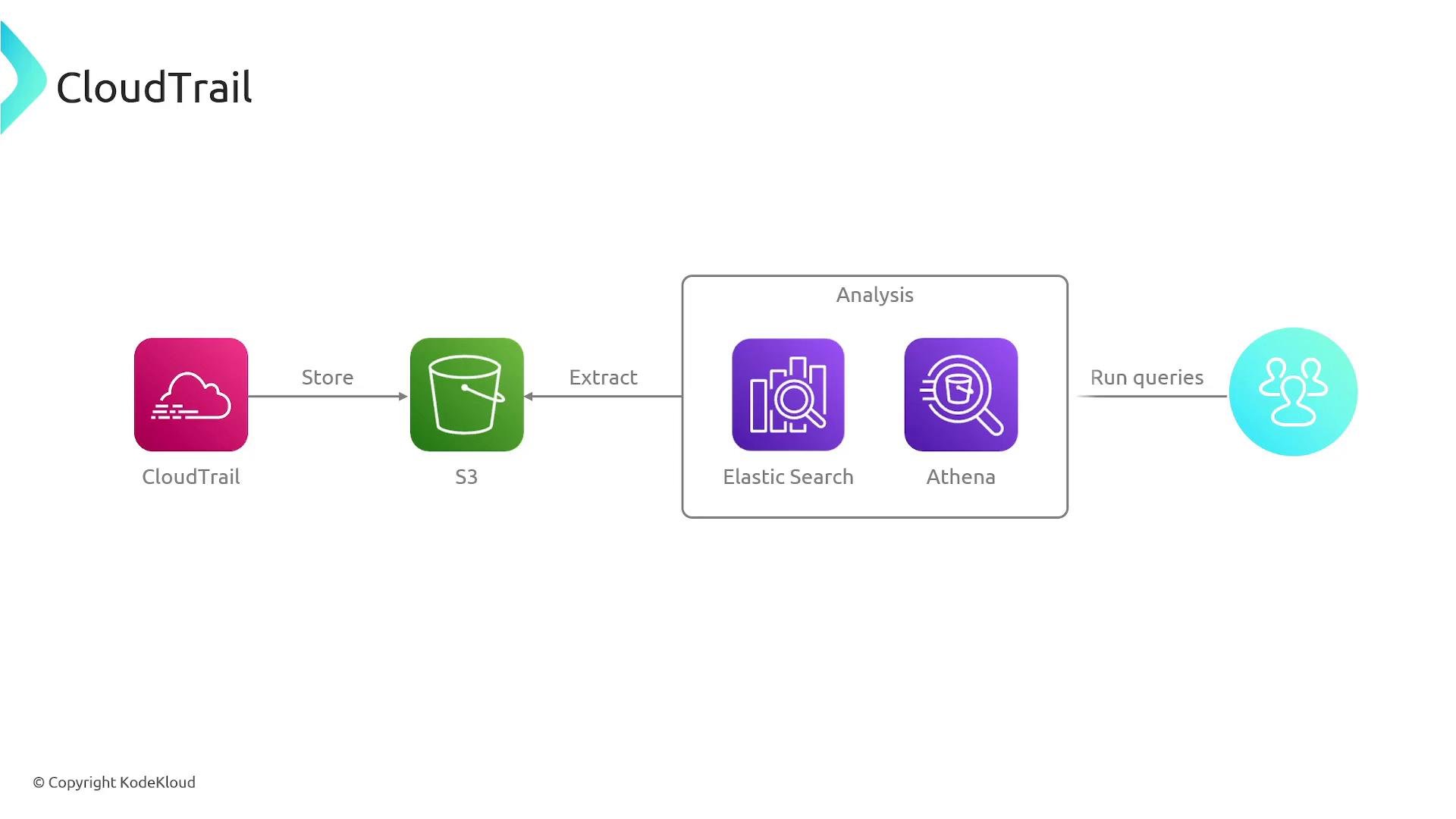
By default, the CloudTrail Event History in the console retains the most recent 90 days of management events. To keep a longer history, centralize logs across accounts, or enable analytics, create a Trail and deliver events to
Amazon S3. You can additionally stream events to CloudWatch Logs or EventBridge for monitoring and automation.Amazon S3— long-term storage and archival for audit and compliance.Amazon CloudWatch Logs— create metric filters, dashboards, and alarms from log data.Amazon EventBridge— near-real-time routing of events to targets like Lambda, SNS, and SQS.
Amazon Athena— run SQL queries directly against CloudTrail logs on S3.OpenSearch(formerly Elasticsearch) — index logs for interactive search and visualization.
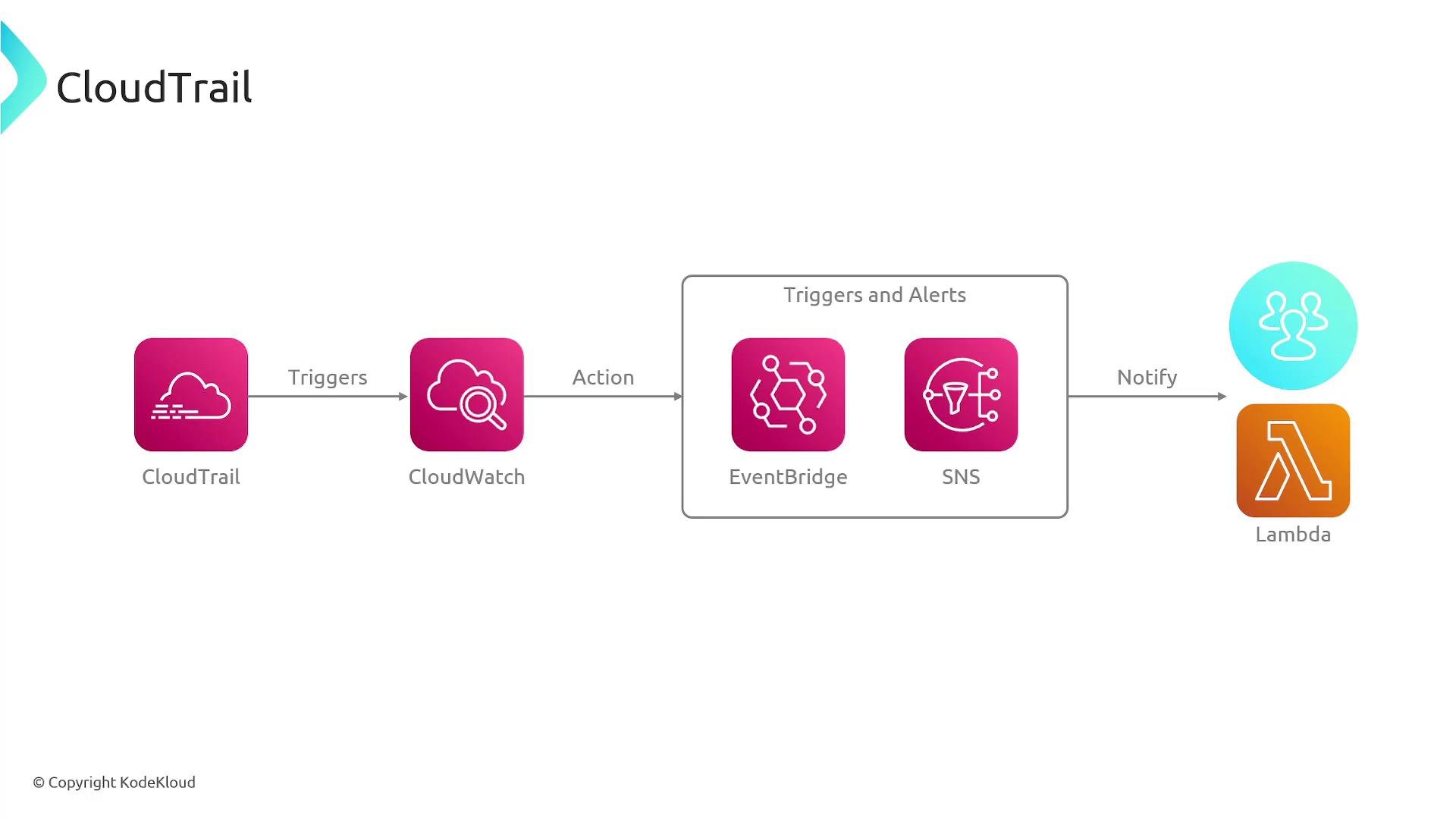
- Detect console sign-ins from an unusual IP range with an EventBridge rule.
- Rule triggers a Lambda function that disables compromised credentials, rotates keys, or isolates affected resources.
- Simultaneously publish an alert to an
SNStopic for human investigation.
S3 and integrating with analytics and monitoring services, you can maintain historical records, run complex queries, visualize activity, and automate incident response.
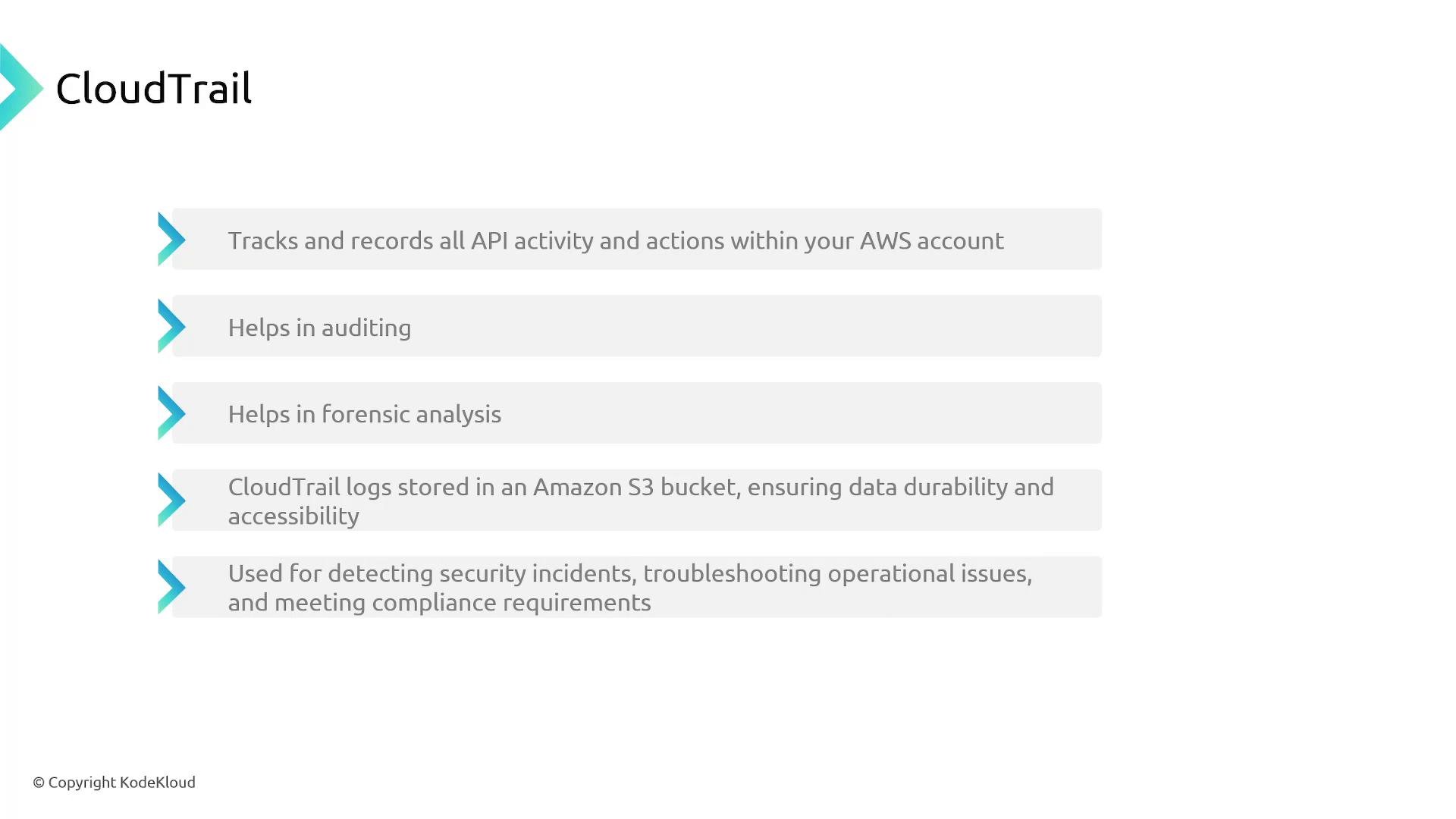
- Enable a multi-region Trail and apply it across all accounts (or use
AWS OrganizationsTrails) to ensure comprehensive, centralized logging. - Deliver logs to an
S3bucket with encryption enabled, restricted write permissions, and lifecycle policies for retention/archival. - Integrate with
CloudWatch LogsorEventBridgeto enable near-real-time monitoring, alerting, and automated remediation. - Use
Amazon AthenaorOpenSearchfor querying and visualizing historical CloudTrail data. - Protect your CloudTrail configuration and S3 bucket from deletion or tampering using IAM policies, bucket policies, and organizational safeguards.
- Amazon S3
- Amazon CloudWatch
- Amazon EventBridge
- Amazon Athena
- OpenSearch Service
- AWS Lambda
- AWS Organizations
- AWS IAM