

How design conversations start
Security design requests usually arrive as specific asks. Examples:- “Can we secure the data we’re storing on AWS?” (S3, RDS)
- “Please ensure all systems are patched to a specific Java version.”
- “Can we increase logging for access to this resource?”
- Request: “Encrypt the bucket contents.”
Domain: Data protection. Feature: S3 default encryption or SSE‑KMS. - Request: “Increase logging on S3.”
Domain: Detection. Feature: S3 Server Access Logging, CloudTrail Data Events, or sending logs to CloudWatch.
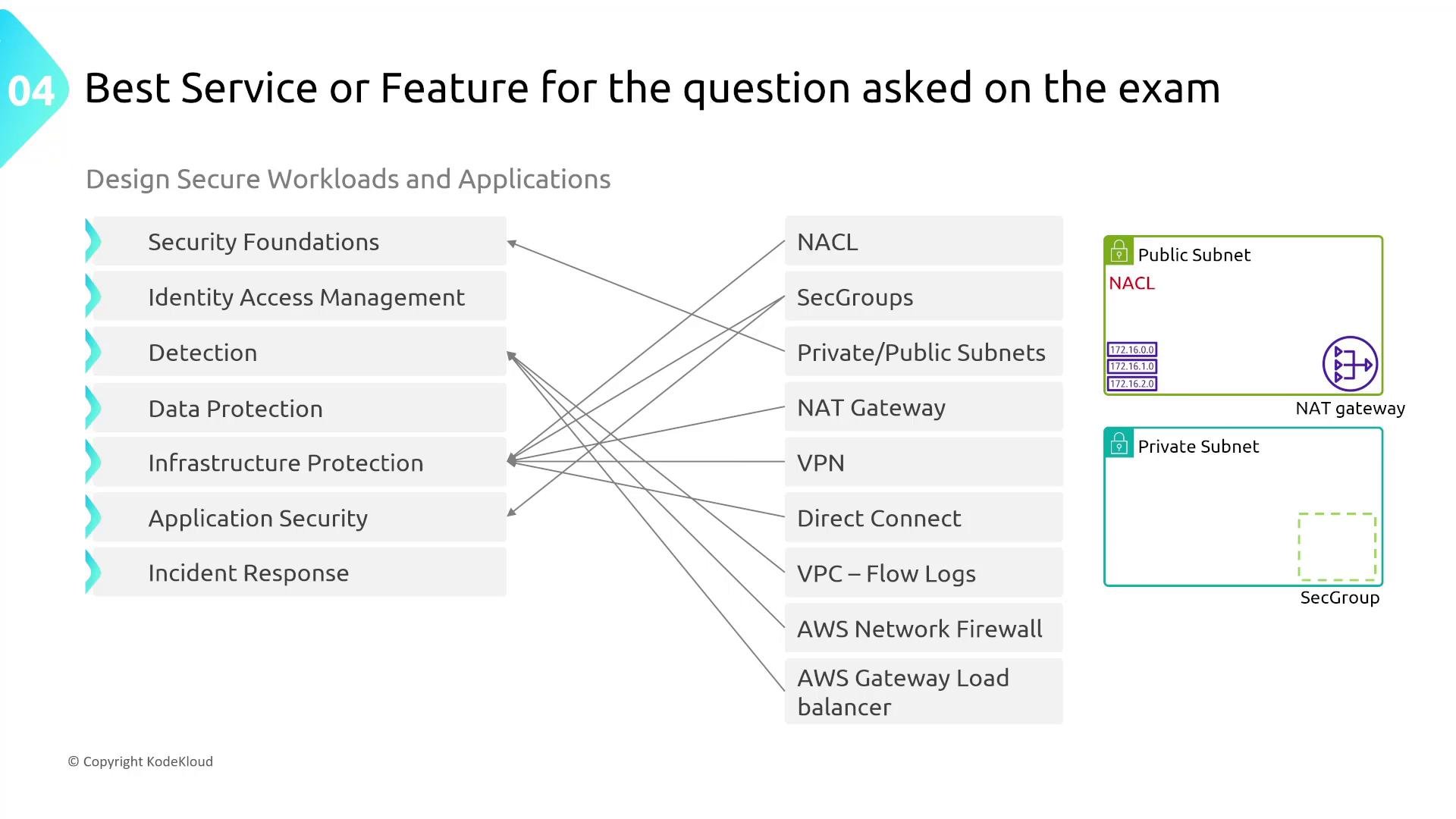
When you hear a requirement, first classify it into a security domain (e.g., data protection, detection, IAM). Then list the AWS features that best address that domain and present trade-offs (cost, complexity, and time to operate).
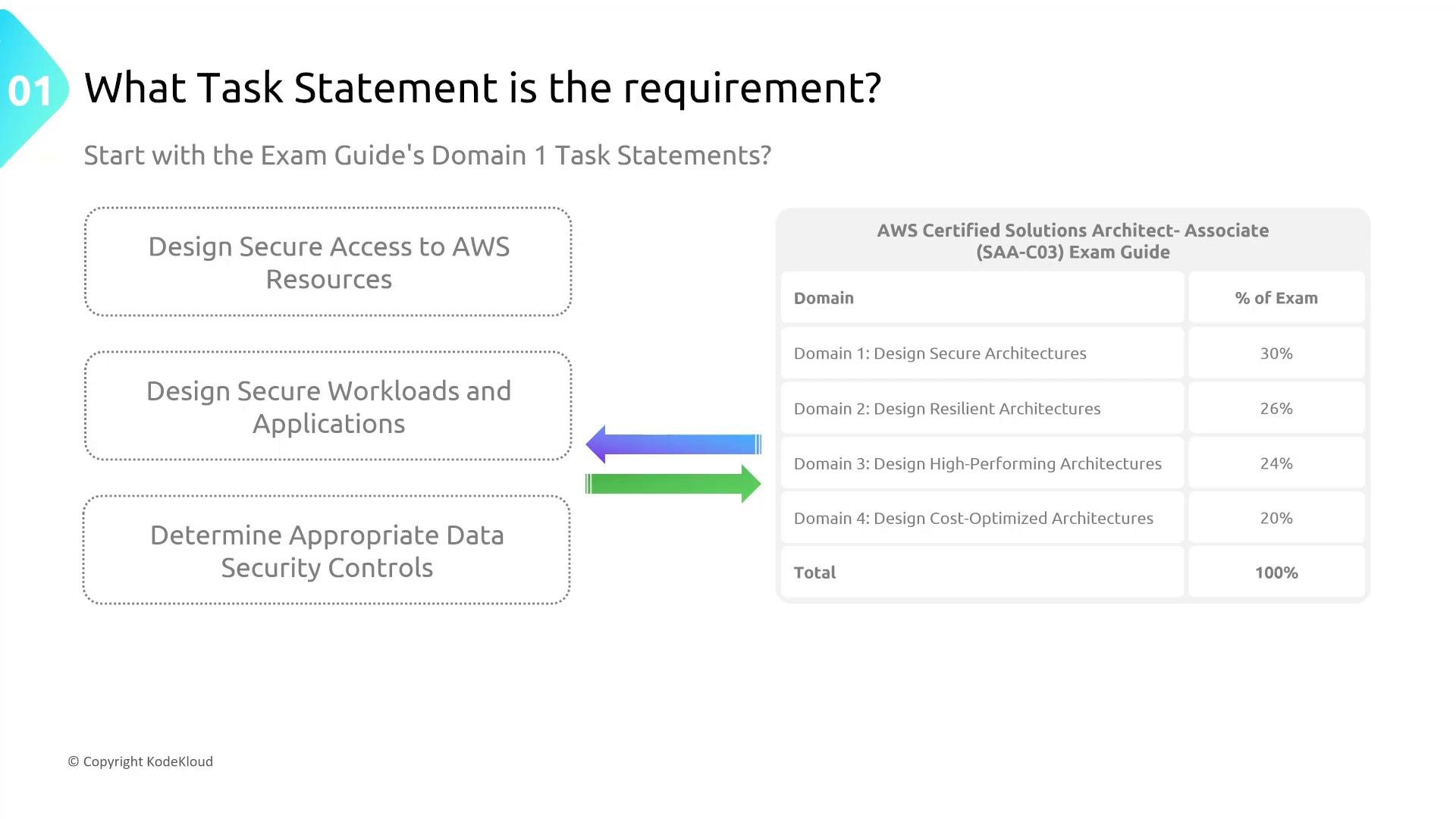
Exam context: Domain one task statements
For the AWS Solutions Architect — Associate exam, Domain 1 covers “Designing secure architectures.” You should be able to:- Design secure access to AWS resources
- Design secure workload and application environments
- Determine appropriate data security controls
Practical example: “No unneeded ports”
Fictional case: Chubby Unicorn Company runs an application called Glitterbomb and wants to ensure no unneeded ports are accessible. Possible controls to meet this request:- Security Groups — instance-level, stateful filtering
- Network ACLs (NACLs) — subnet-level, stateless filtering
- AWS Network Firewall or inline appliances for advanced filtering
- Architectural changes (private subnets, load balancers, VPC endpoints)
High-level guidance when choosing solutions
When evaluating controls, consider:- Security effectiveness: Does the control meet the requirement?
- Operational overhead: How much work to deploy and maintain?
- Cost: Is it cost-effective for the required posture?
- Performance: Will it introduce latency or capacity constraints?
Deconstruct complexity with a campus analogy
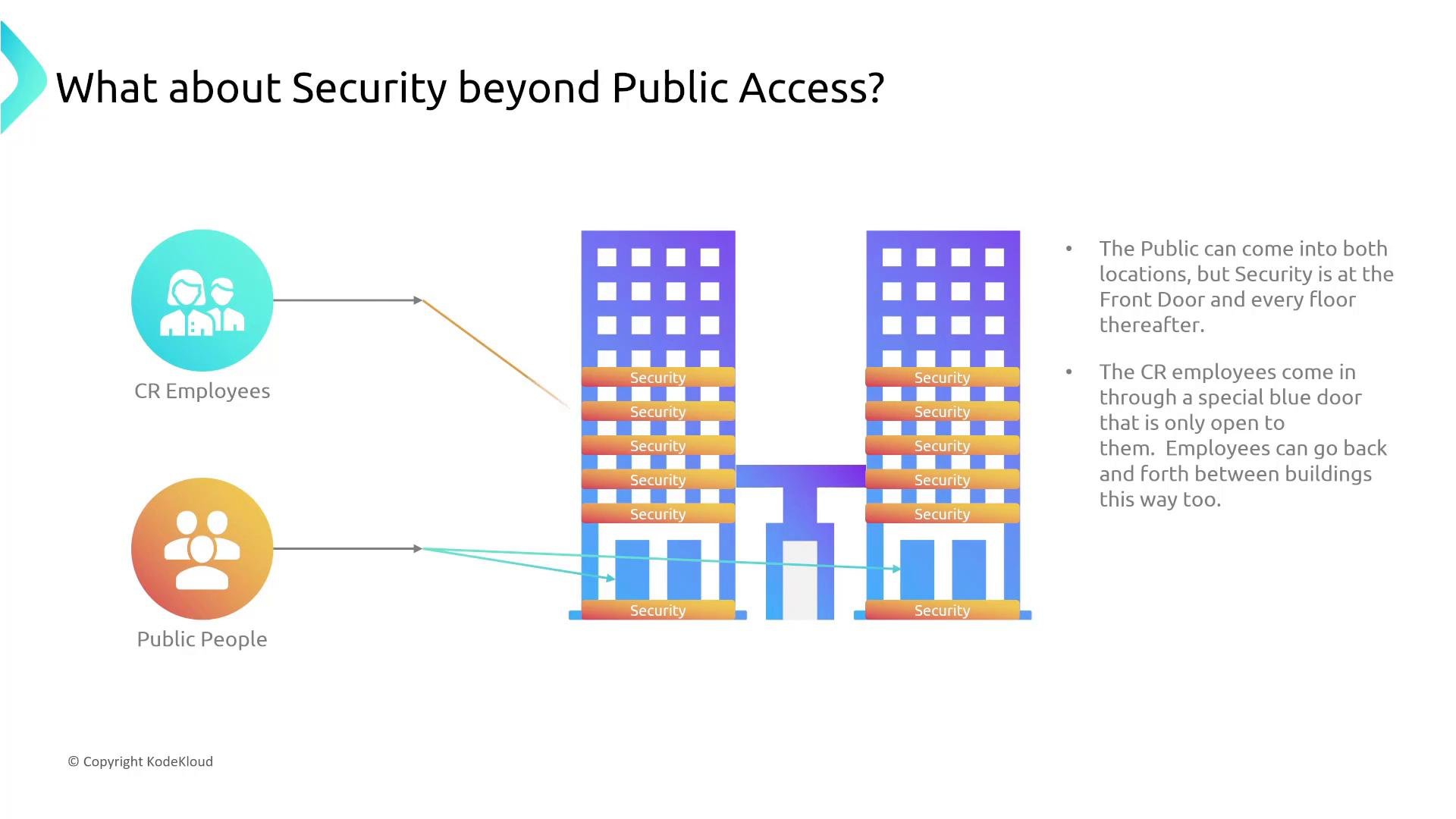
Think of an AWS account/region as a corporate campus with buildings, floors, public lobbies, and secure office areas. This maps to VPCs, subnets, gateways, and security controls and makes reasoning about segmentation and access simpler.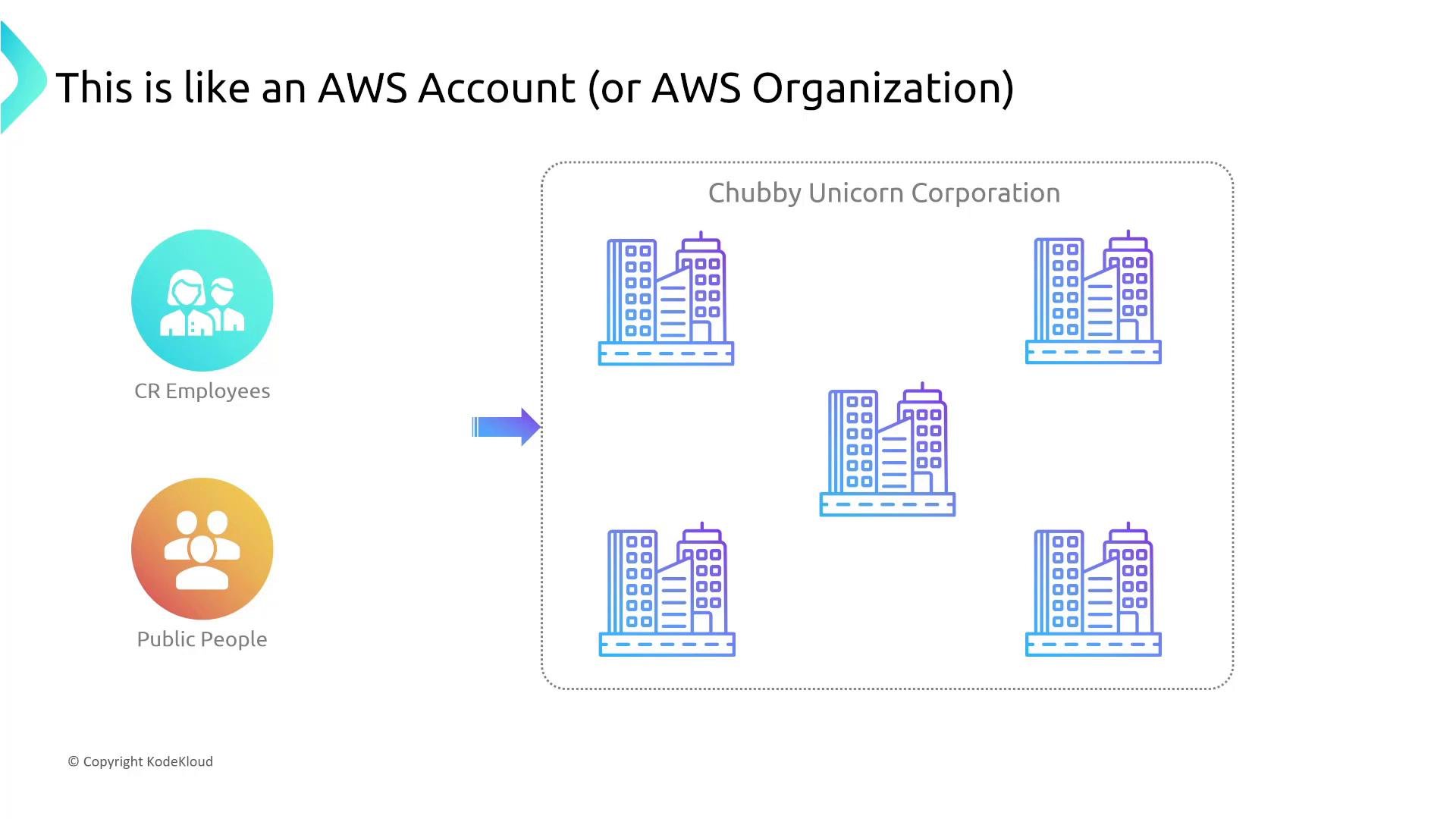
Questions to ask when designing network segmentation
- How many regions or Availability Zones are required?
- How many AWS accounts are needed for separation of duties or billing isolation?
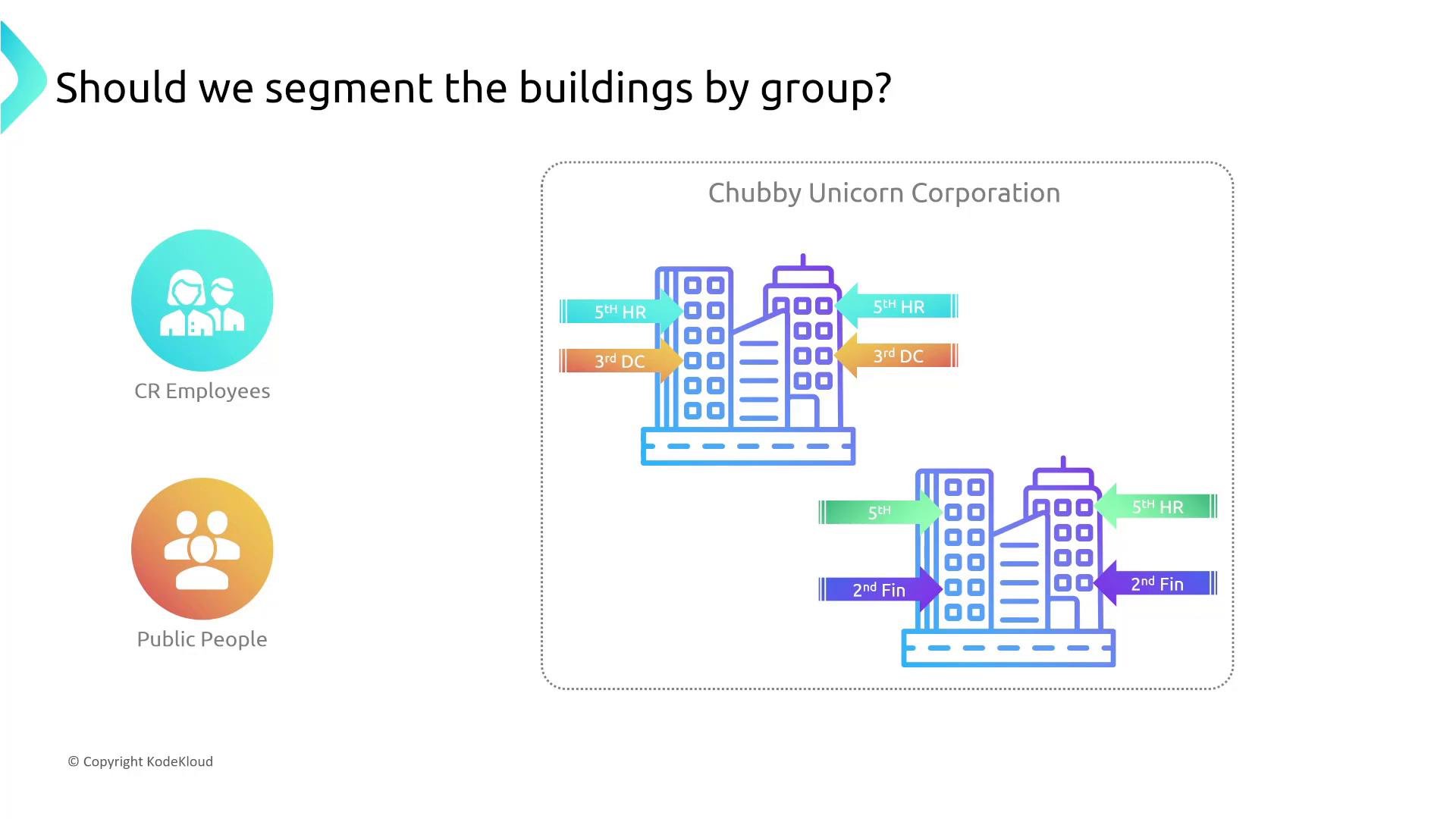
- Should we segment by group (HR, Finance, Production)?
- Which parts should be publicly accessible (lobbies, cafés) vs. private (server floors, sensitive systems)?
- How will employees authenticate and reach private areas (VPN, Direct Connect, PrivateLink)?
Controlling access beyond public areas
In the campus:- Ground-floor areas ≈ public subnets (Internet Gateway attached).
- Upper floors ≈ private subnets (no direct route to the Internet Gateway).
- Security Groups ≈ instance-level door locks (stateful).
- NACLs ≈ subnet-level gates (stateless).
- NAT Gateways ≈ proxies for private IPv4 instances to reach the Internet.
- Egress-only IGW ≈ outbound-only for IPv6.
- VPN / Direct Connect ≈ private employee links into the network.
- VPC Endpoints ≈ private backdoors directly to AWS services without traversing the public Internet.
Logging and detection
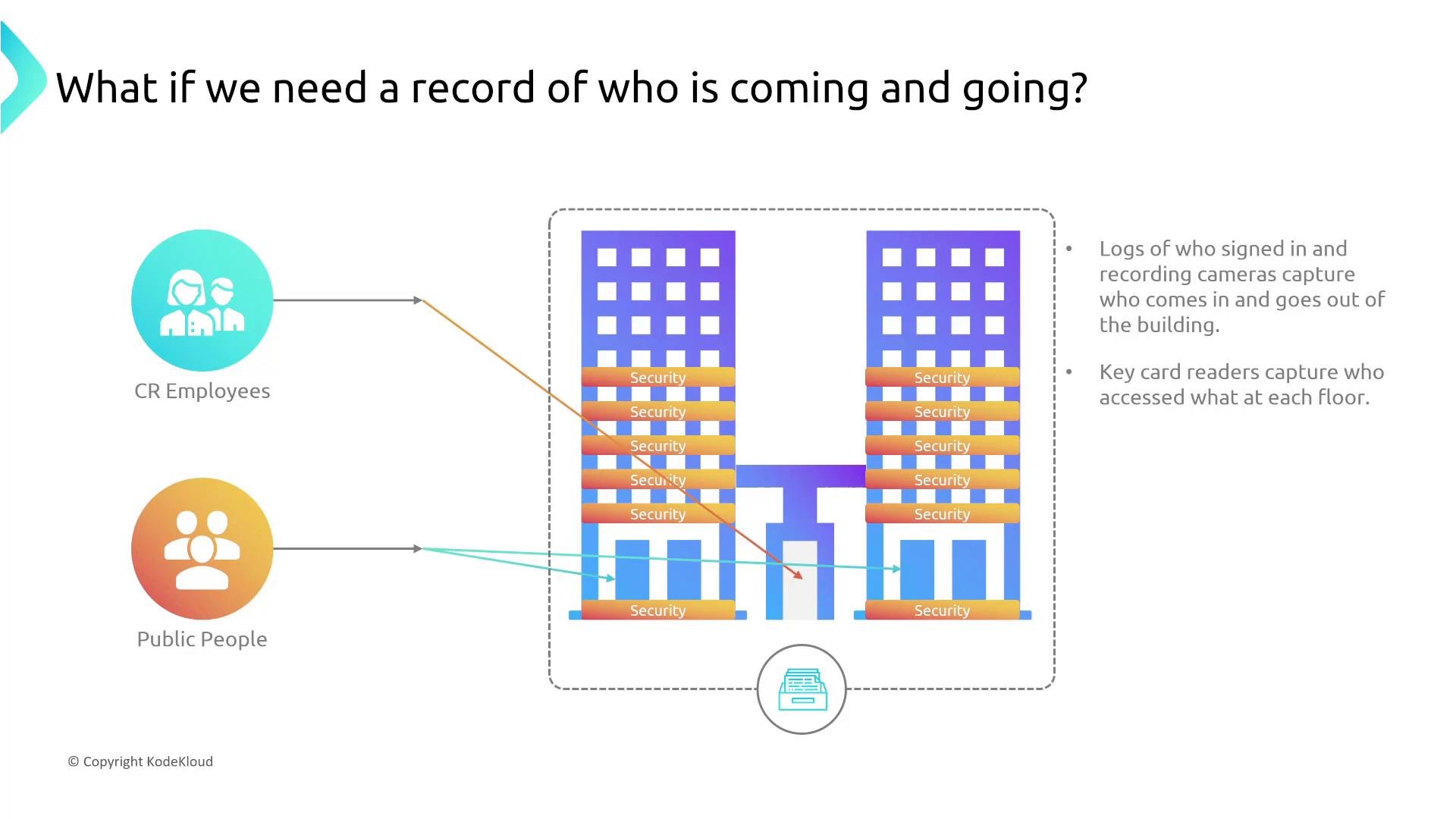
You need to know who signed in and which doors were used. In AWS:- VPC Flow Logs capture network traffic metadata (flow records) — think of them as key‑card logs and cameras for network traffic.
- Use CloudTrail for API activity, AWS Config for configuration history, GuardDuty for threat detection, and Network Firewall logs for inline filtering insights.
Internet access patterns and gateway types
If a private subnet occupant needs outbound Internet access, evaluate the appropriate gateway/proxy:
Important distinctions:
- Security Groups are stateful: return traffic for allowed inbound is automatically permitted outbound, and vice versa.
- NACLs are stateless: you must configure both inbound and outbound rules explicitly.
- Each subnet is associated with one route table; multiple subnets can share the same route table.
- VPC endpoints (gateway and interface) let you reach AWS services without going over the public Internet.
Putting it all together: how to deconstruct diagrams
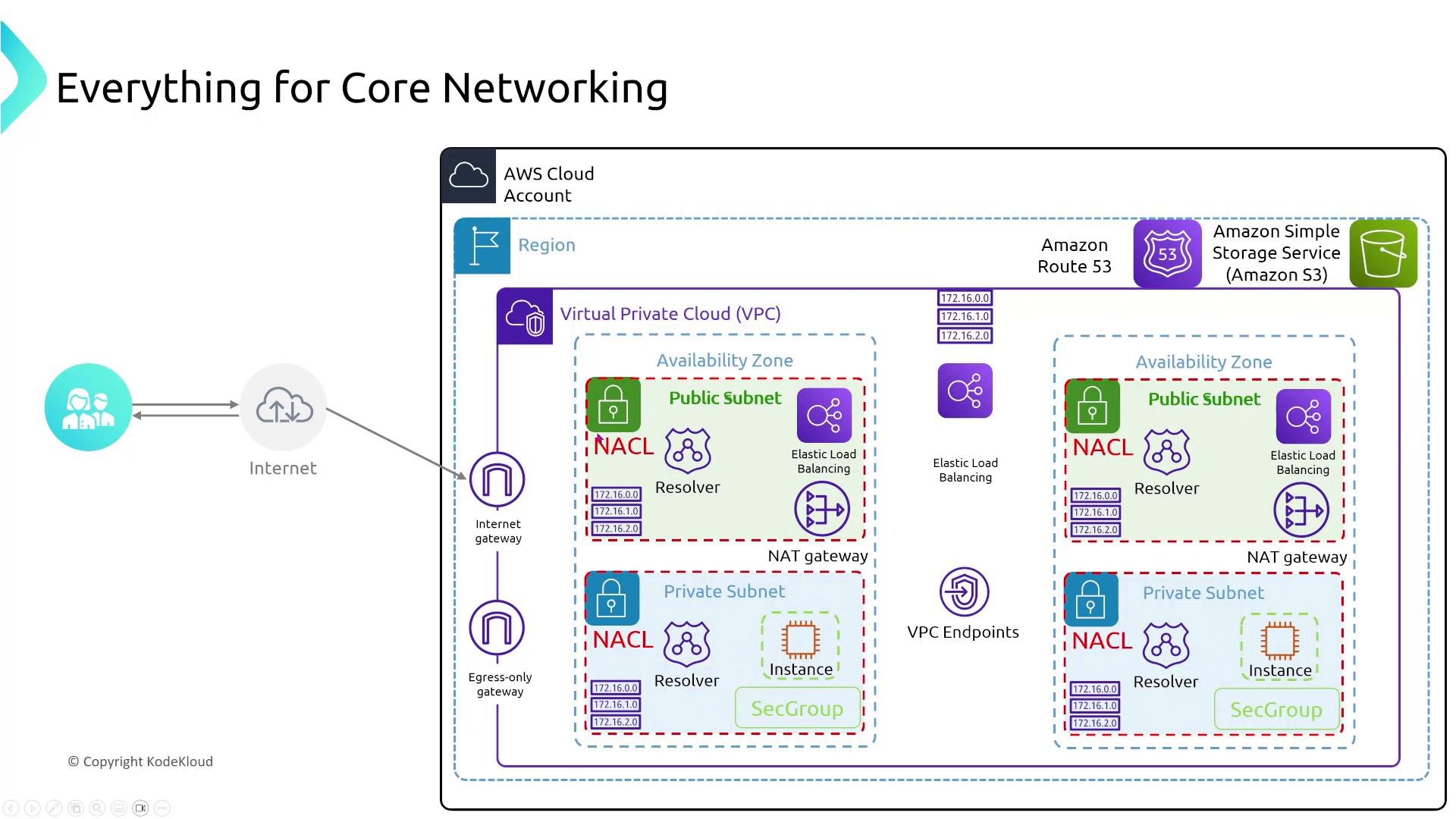
When you see a complex architecture diagram, build it up and reason from the outside in:- Identify the Internet boundary and Internet Gateway.
- Locate the VPC(s) and route table associations.
- Determine subnets (public vs. private) and any NACLs applied.
- Find instances and the Security Groups protecting them.
- Spot NAT Gateways, Egress‑only IGWs, and Internet Gateways — understand directionality (NAT ≈ outbound IPv4).
- Identify VPC endpoints that bypass the public Internet for AWS service access.
- Note load balancers (internal vs internet-facing), VPNs, and Direct Connect links.
- Locate logging and detection mechanisms (VPC Flow Logs, CloudTrail, GuardDuty).
Example security hardening strategies
- Place application servers in private subnets behind internal or internet-facing load balancers.
- Restrict management access: prefer Systems Manager Session Manager or bastion hosts with strict access controls rather than direct SSH from the Internet.
- Minimize exposed ports: default-deny and allow only required ports with Security Groups and NACLs.
- Use VPC Endpoints to access S3/DynamoDB privately.
- Enable VPC Flow Logs and correlate with CloudTrail and GuardDuty for better detection.
- Apply encryption: TLS for data in transit and AWS KMS for data at rest.
Avoid relying on a single control (for example, only Security Groups). Use layered controls (subnet segmentation, NACLs, endpoints, logging) and enforce least privilege across networking and IAM.
Final note
When a stakeholder makes a request:- Classify the request into a security domain.
- Identify the AWS feature(s) that match that domain.
- Propose the most secure, practical solution considering cost and operational overhead.
- If diagrams look complex, decompose them layer-by-layer and reason about each control.