

Important: Input text should be UTF-8 encoded. This is the standard expected by Amazon Translate and most AWS text-processing workflows (for example, when uploading files to object storage). Add a custom terminology/dictionary when you need consistent handling of domain-specific terms or trademarks.
Key benefits and typical use cases
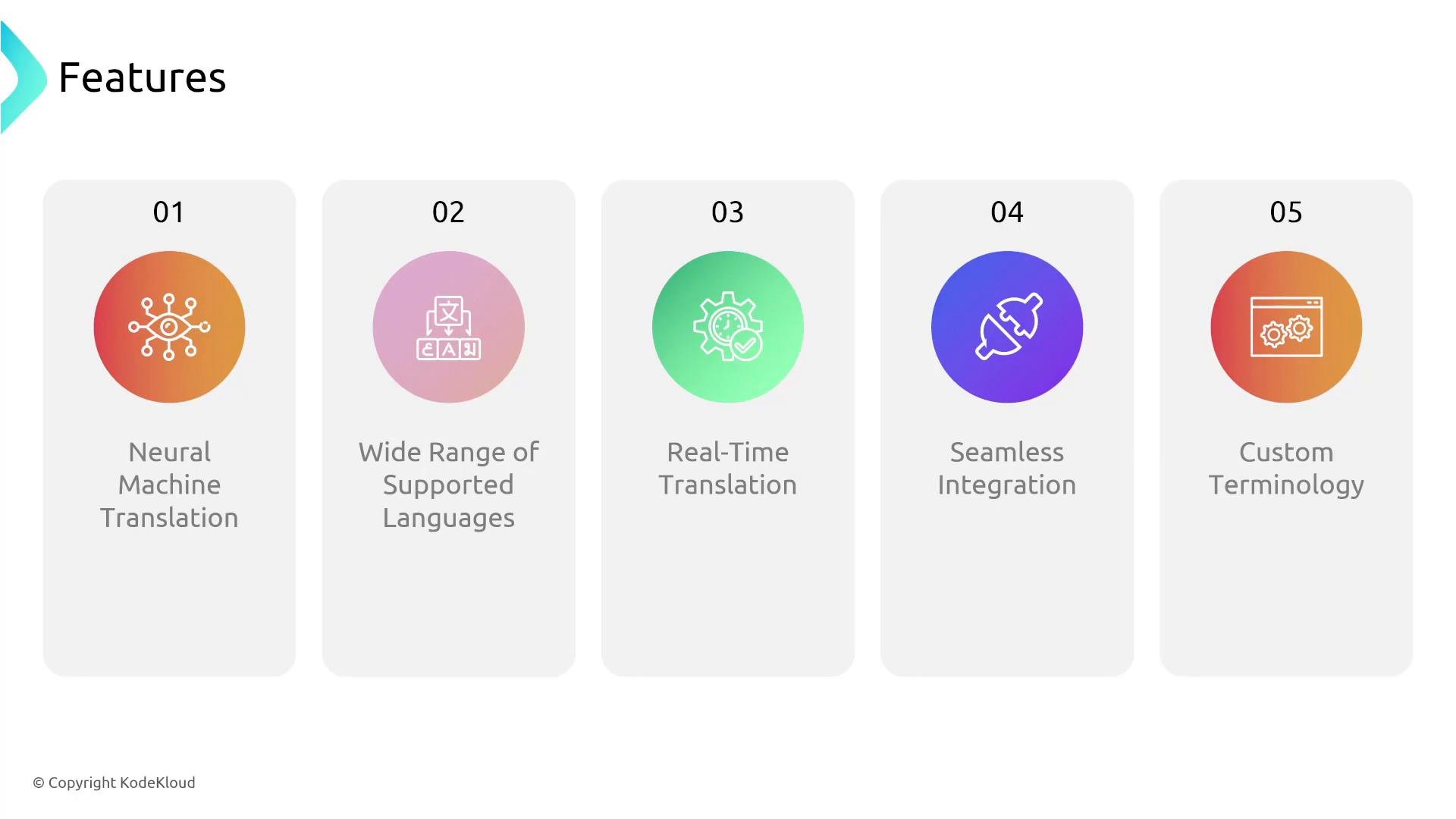
- Real-time translation for chat and voice interactions (low-latency, suitable for conversational flows).
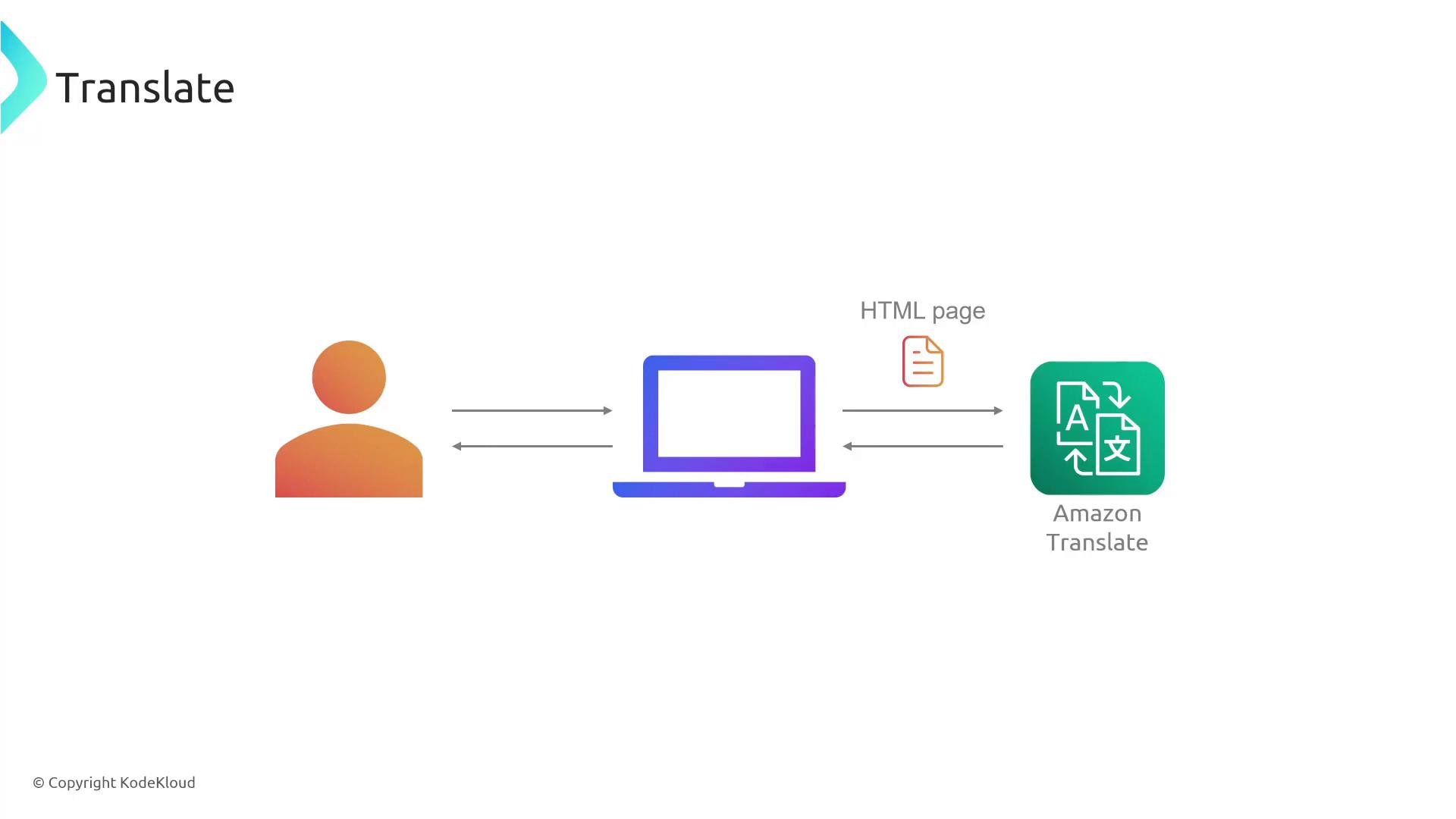
- Document and website localization while preserving markup (HTML-aware translation).
- Consistent translation of industry-specific terminology via custom terminology.
- Easy integration with other AWS services (for example, Amazon S3, AWS Lambda, Amazon Transcribe, Amazon Polly, and Amazon Comprehend).
Architecture and typical workflows
A common serverless pattern for Translate is: object storage (Amazon S3) → serverless function (AWS Lambda) → Amazon Translate → object storage (Amazon S3) In this pattern, a file or transcript lands in S3 and triggers a Lambda function. The function calls Amazon Translate to perform the translation and writes the resulting output back to S3. Downstream consumers—such as a text-to-speech service, analytics pipeline, or a chatbot—can then pick up the translated text. This approach is flexible: once the serverless function runs, it can call any AWS service required to complete the workflow (for example, store results in a database, push notifications, or invoke an NLP service for insight extraction). How the Translate service is commonly used within voice stacks: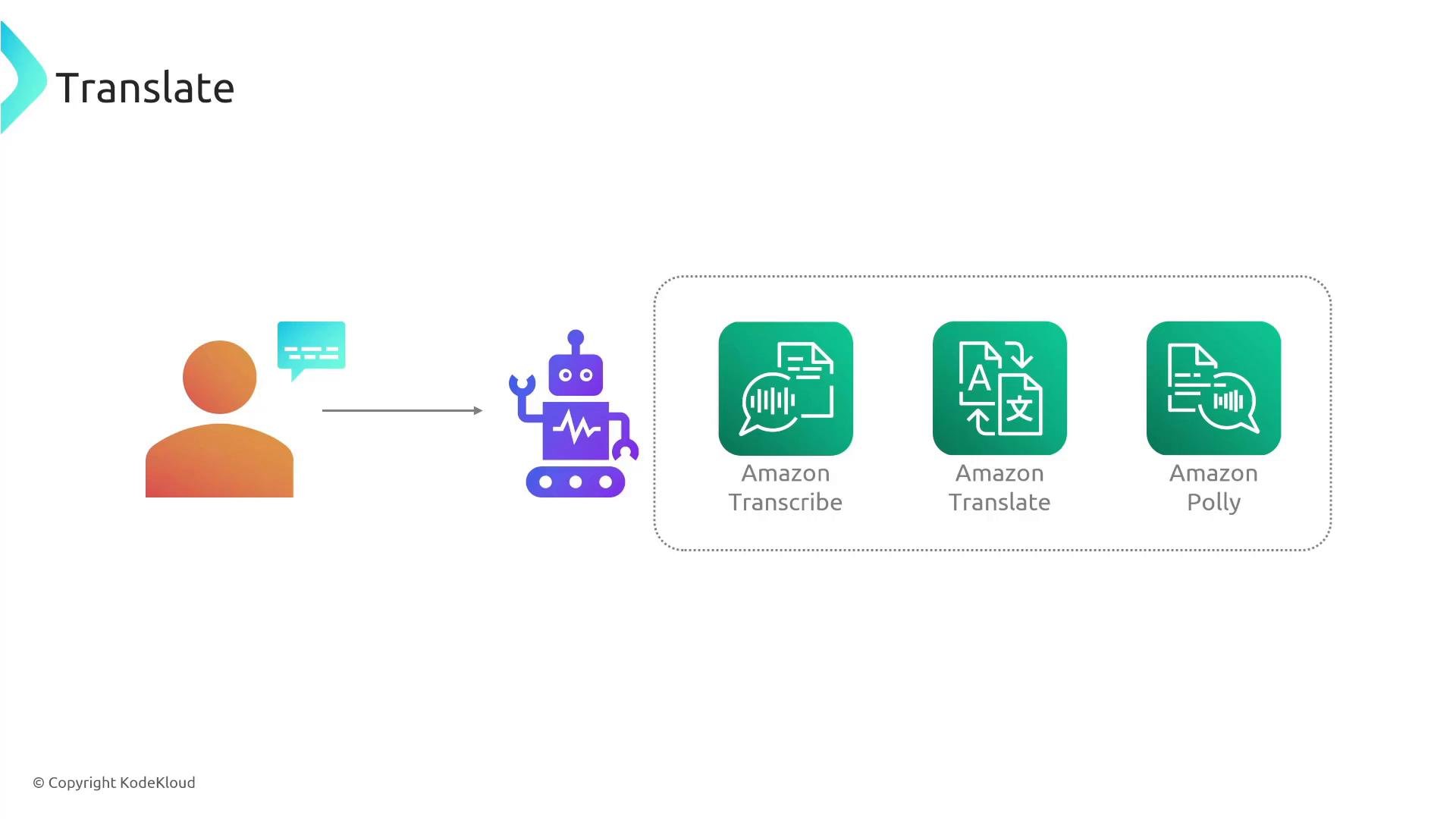
How neural machine translation (NMT) works — simplified
NMT uses deep learning models to produce fluent and context-aware translations:- Encoder: processes the source text and builds an internal representation of meaning.
- Decoder: generates translated text in the target language, typically one token at a time.
Integrations for voice and text
- Voice conversations: convert speech to text (Amazon Transcribe), translate the transcript (Amazon Translate), then synthesize the translated text back to speech (Amazon Polly). This speech-to-text → translate → text-to-speech chain enables near real-time multilingual voice interactions.
- Text-only scenarios: translate plain text, documents, or HTML pages. Translate can preserve markup when requested, enabling web page localization workflows similar to browser-based translation.
Privacy and compliance: translation requests may include sensitive or personally identifiable information (PII). Evaluate data retention, encryption (in transit and at rest), and regional data handling requirements before sending production data to a cloud translation service. Consider using private VPC endpoints and encryption for sensitive workloads.
Combining Translate with other AI services
Translate pairs well with other AWS AI/ML services to add understanding and orchestration capabilities. Example pipeline: ingest audio → speech-to-text (Amazon Transcribe) → translate (Amazon Translate) → NLP analysis (Amazon Comprehend for sentiment, entities, key phrases) → downstream actions (routing, analytics, responses) This lets you both translate and extract insights (for example, detect sentiment in a customer support call after translating the transcript). Intermediate artifacts can be stored in S3 and orchestrated with Lambda, Step Functions, or other event-driven services.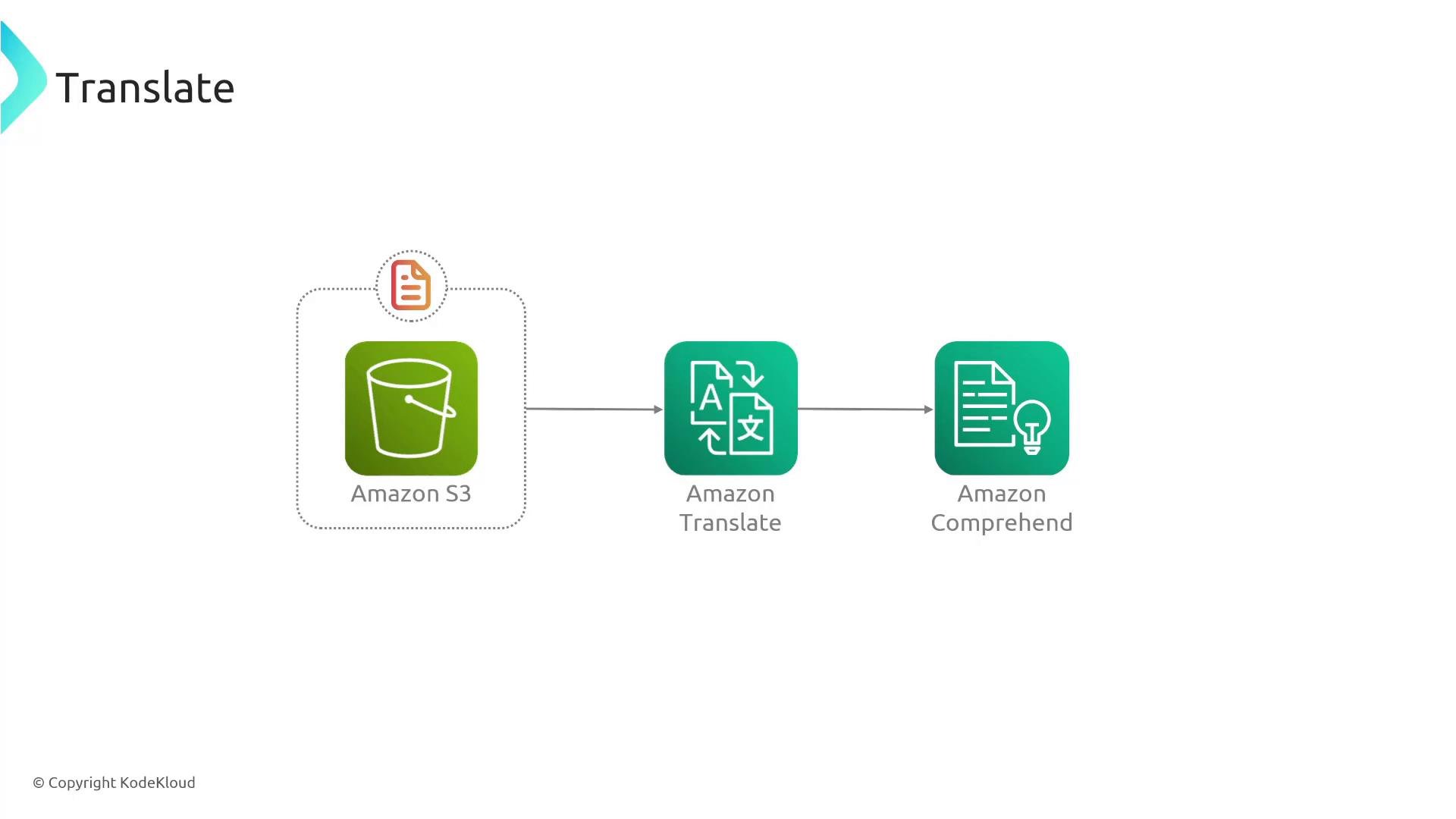
Design considerations and best practices
- Use custom terminology to ensure consistent translation of product names, acronyms, or domain-specific jargon.
- Preserve markup for HTML documents to avoid breaking web pages during localization.
- For streaming or low-latency use cases, design the pipeline with attention to network latency and payload size.
- Monitor and log translation requests for quality checks and to iteratively improve custom terminology and tuning.
- Consider costs and throughput limits for large-volume translation jobs; batch processing may be more cost-effective for very large documents.
Summary
Amazon Translate is a managed, scalable neural machine translation service that:- Supports thousands of language combinations (over five thousand language pairs).
- Offers low-latency translations suitable for chat, voice, and document localization.
- Integrates with AWS services (Amazon S3, AWS Lambda, Amazon Transcribe, Amazon Polly, Amazon Comprehend).
- Supports custom terminology to preserve domain-specific language and improve consistency.