

Firewall endpoints and dedicated subnets
To protect a VPC and the subnets inside it, you create firewall endpoints. A firewall endpoint is the inspection point for traffic entering or leaving a VPC. AWS requires firewall endpoints to be deployed into dedicated firewall subnets — one per Availability Zone (AZ) used. These firewall subnets must be reserved exclusively for firewall endpoints; do not place application resources in the same subnet because the firewall cannot inspect traffic from resources co-located with its endpoint.Firewall endpoints must be deployed in their own dedicated subnet(s). Do not deploy application resources in the same subnet as a firewall endpoint; otherwise those resources cannot be inspected by the firewall.
Key features
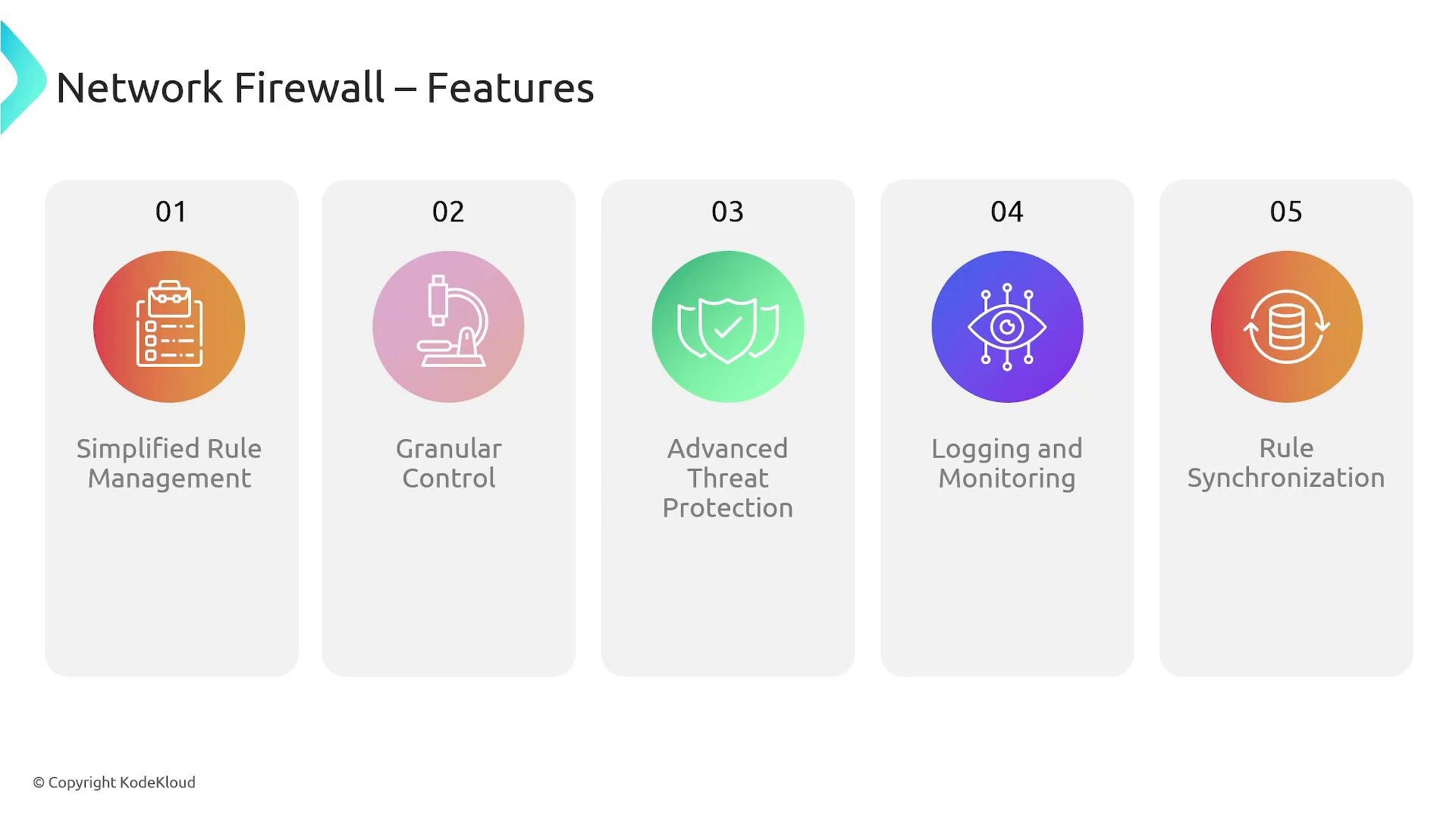
Network Firewall gives you centralized, VPC-level control over network traffic by using reusable rule groups and firewall policies. Core capabilities include:- Centralized rule management with reusable rule groups and firewall policies to enforce consistent controls across multiple VPCs.
- Fine-grained traffic control by IP, port, protocol, and packet attributes.
- Deep packet inspection (DPI) and intrusion detection/prevention (IDS/IPS) for application-layer threats.
- Detailed logging for security analysis, compliance, and troubleshooting.
- Rule synchronization across firewall instances for multi-VPC or distributed architectures.
Traffic flow and routing
Network Firewall only inspects traffic that is routed through its firewall endpoints. You must design your VPC route tables so that traffic traverses the firewall for inspection. Common traffic-flow patterns:-
Ingress (internet → resources)
- Traffic arrives via the Internet Gateway or upstream router.
- Route table directs the traffic to the firewall endpoint in the firewall subnet for inspection.
- If allowed, the firewall forwards traffic back into the target private subnet that hosts the application.
-
Egress (resources → internet)
- Instances send traffic to their subnet route table.
- Route table forwards outbound traffic to the firewall endpoint for inspection.
- The firewall forwards allowed traffic toward the Internet Gateway or next hop.
If route tables do not send traffic to the firewall endpoint, the traffic is not inspected. Verify route table entries and Transit Gateway routes to ensure all intended traffic flows through the firewall.
- Private subnet route: Destination
0.0.0.0/0→ Target:fw-0123456789abcdef(firewall endpoint) - Firewall subnet routes allow egress back to the Internet Gateway or Transit Gateway as appropriate.
Deployment models
Choose a deployment model based on scale, manageability, and networking requirements: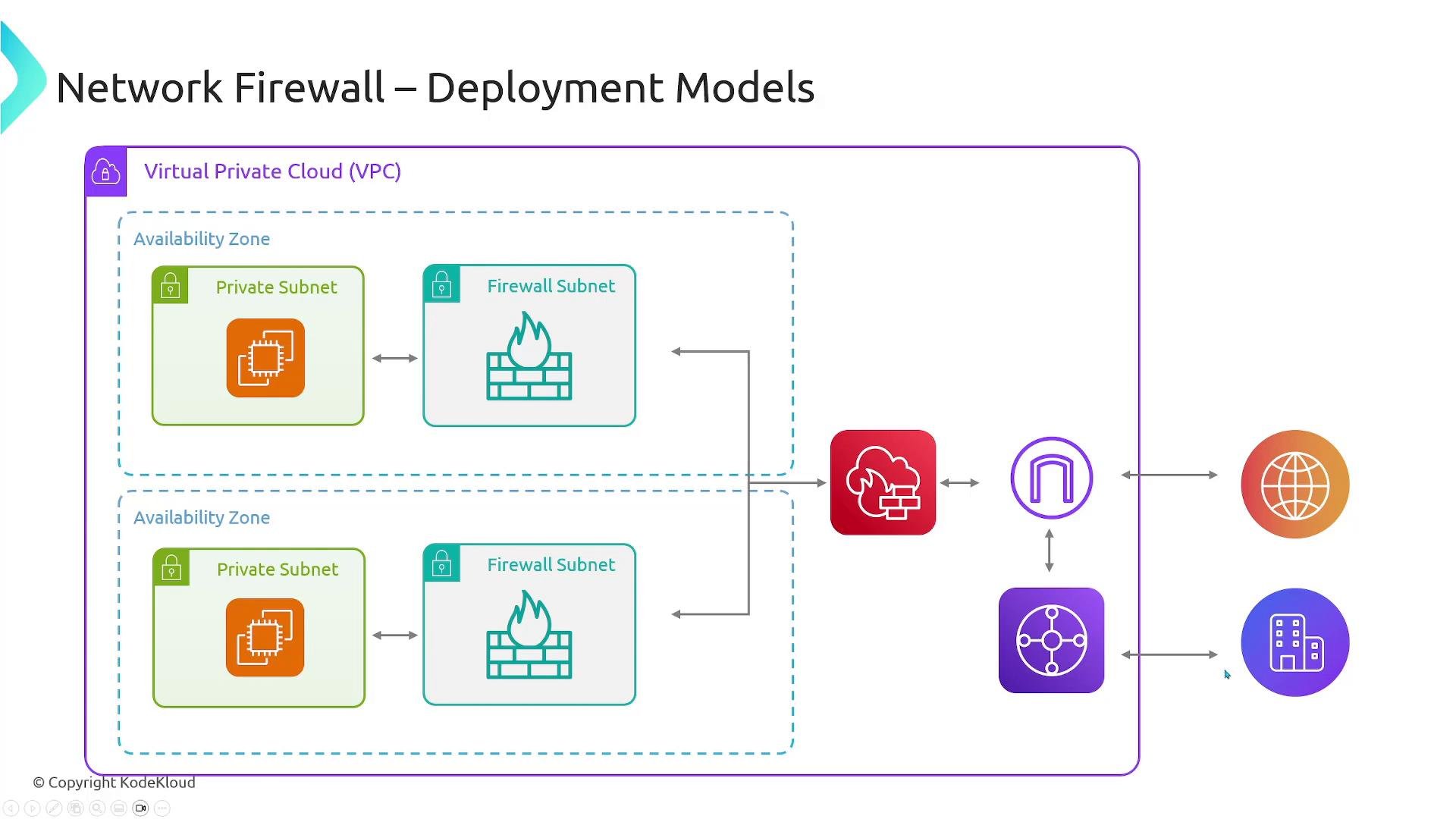
Rules engines: stateless and stateful
Network Firewall combines two complementary engines. Use them independently or together to balance performance and inspection depth.
Stateless rules are processed quickly and are well suited for high-volume, simple rules such as blocking known malicious IPs or disallowing specific ports. Stateful rules provide connection-aware inspection, advanced logging, and support for Suricata signatures to detect complex threats.
You can chain both: let the stateless engine perform fast rejects and forward ambiguous traffic to the stateful engine for deeper analysis.
Summary
AWS Network Firewall gives you a flexible, centrally managed way to inspect and control traffic at the VPC boundary. Key design points:- Deploy firewall endpoints in dedicated firewall subnets (one per AZ).
- Ensure route tables and, if used, Transit Gateway routes, direct traffic through the firewall endpoints.
- Choose between VPC-level or centralized (Transit Gateway) deployment based on scale and management needs.
- Combine stateless and stateful rules to optimize both performance and inspection depth.
Links and references
- AWS Network Firewall — Overview
- VPC Internet Gateway
- Transit Gateway
- Suricata IDS/IPS
- VPC Network ACLs
- Security Groups