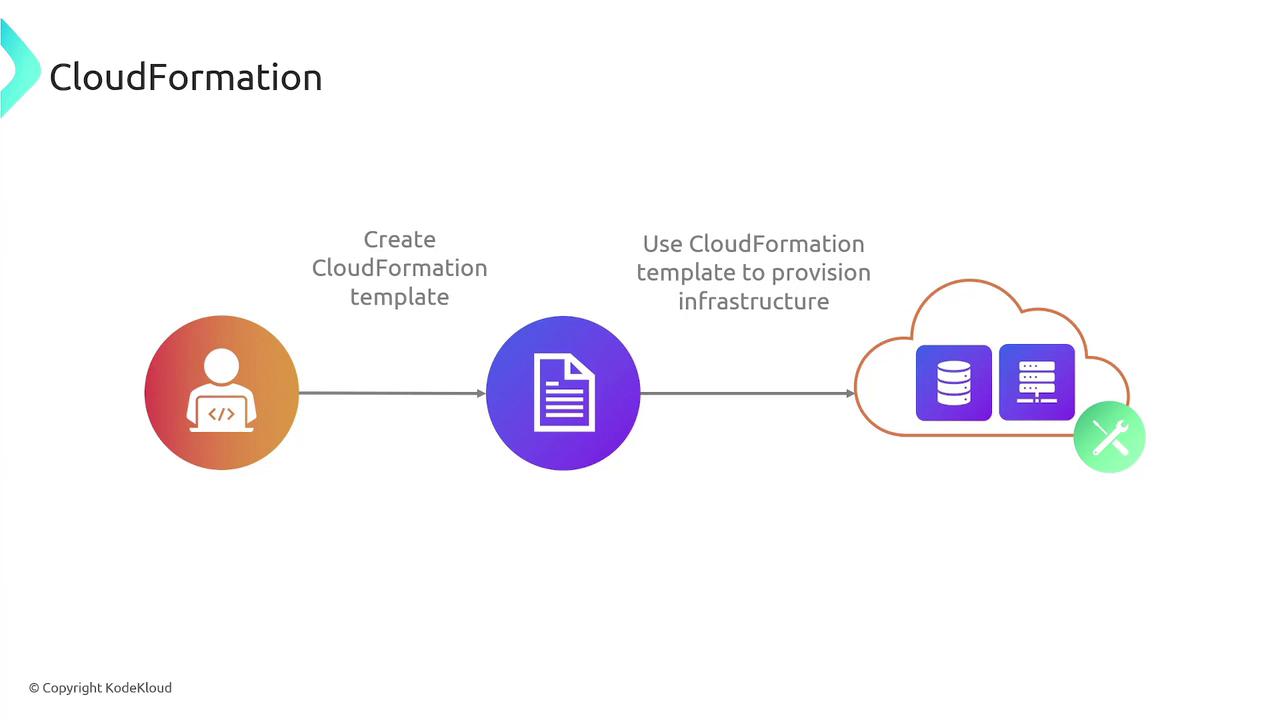
In this article, we explore AWS CloudFormation and how it simplifies provisioning and managing AWS infrastructure as code. CloudFormation enables you to define your entire infrastructure in a template (in JSON or YAML), streamlining resource deployment, management, and updates. Traditionally, infrastructure was provisioned through a mix of scripts and manual processes—often documented in runbooks or stored in version control systems. This approach was prone to inconsistencies, unreliability, and a lack of repeatability when documentation or scripts were out of date.Documentation Index
Fetch the complete documentation index at: https://notes.kodekloud.com/llms.txt
Use this file to discover all available pages before exploring further.
Infrastructure as code (IaC) is a key DevOps practice that involves managing and provisioning infrastructure through code rather than manual processes. Think of it as the digital equivalent of constructing a building with detailed blueprints. Just like an architect uses standardized blueprints and toolkits to build consistent structures, a DevOps engineer uses code-based blueprints to deploy servers, databases, networks, and more.
How CloudFormation Works
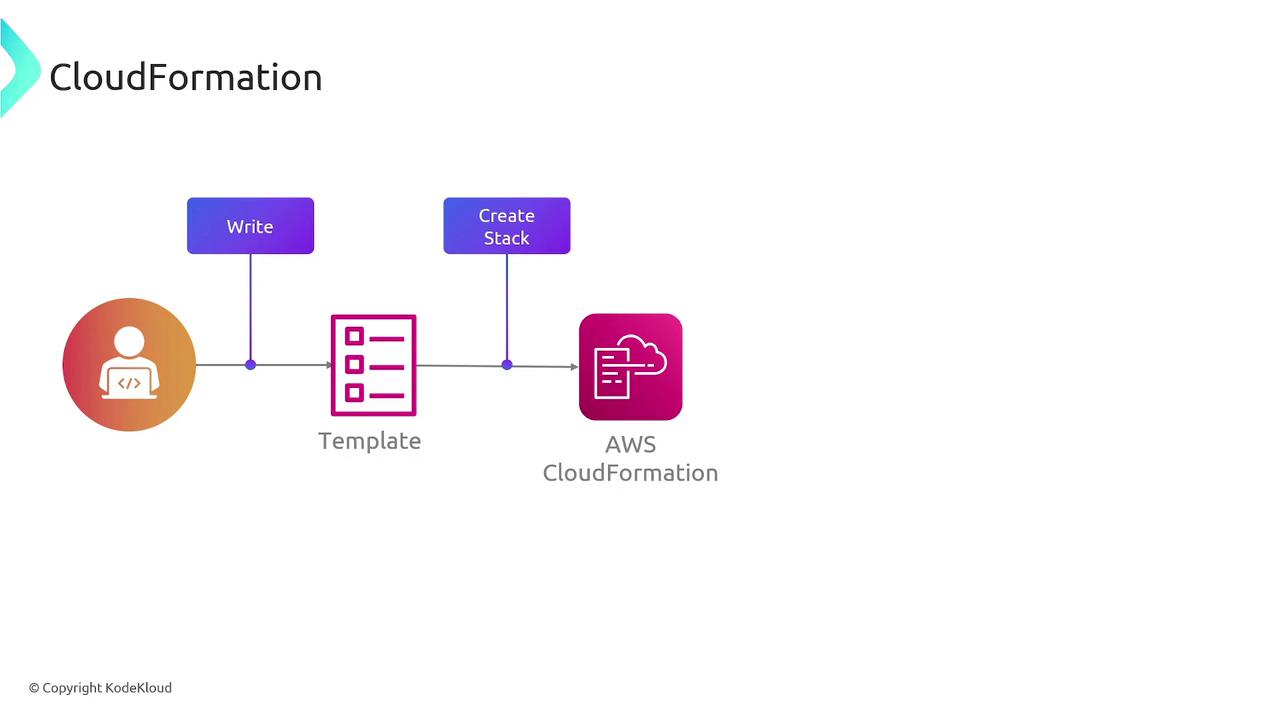
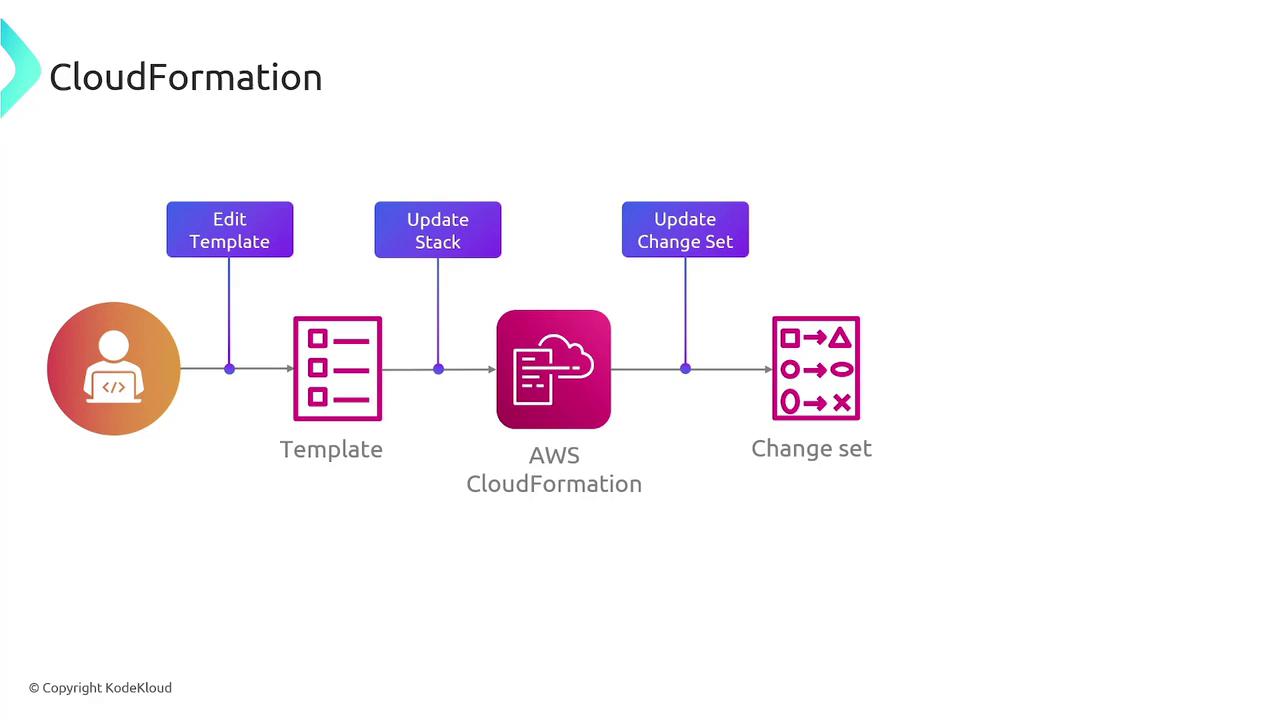
AWS CloudFormation automates resource provisioning by reading your defined templates to create and manage stacks. Here’s a simplified workflow:- Write the infrastructure code in a template.
- Submit the template to CloudFormation.
- CloudFormation reads the template and automatically provisions the defined AWS resources.
Key Features and Benefits
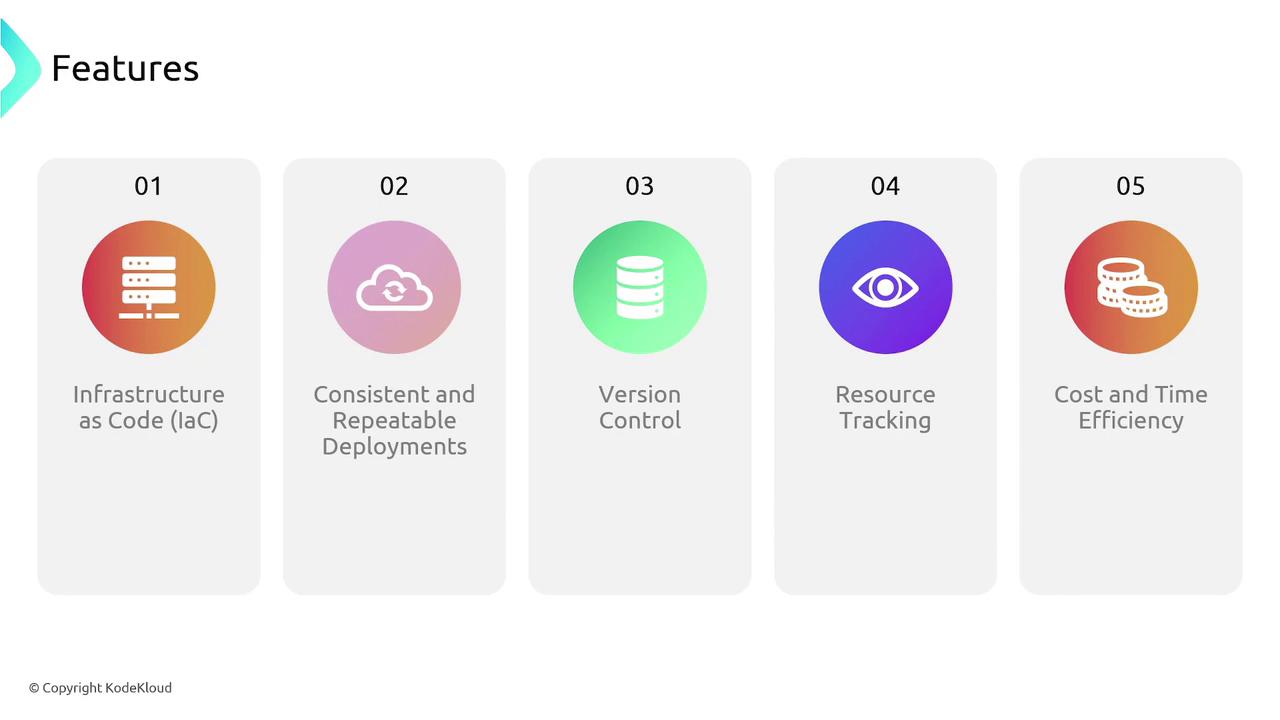
AWS CloudFormation offers a range of benefits that streamline infrastructure management:| Feature | Benefit | Example Usage |
|---|---|---|
| Infrastructure as Code (IaC) | Manage AWS resources with code-based templates that are easy to version and collaborate on. | Storing templates in Git for version tracking and collaboration. |
| Consistent and Repeatable Deployments | Duplicate environments like development, staging, and production by reusing the same configuration. | Creating a staging environment identical to production. |
| Version Control Integration | Maintain a clear history of configuration changes by storing templates in version control systems. | Using Git to track and revert changes as needed. |
| Resource Tracking | Easily track, update, and manage groups of resources as a single unit. | Managing a collection of resources as a CloudFormation stack. |
| Efficiency and Cost Savings | Reduce manual errors and save time by automating infrastructure deployment. | Eliminating manual AWS console configurations for faster deployments and reduced operational costs. |
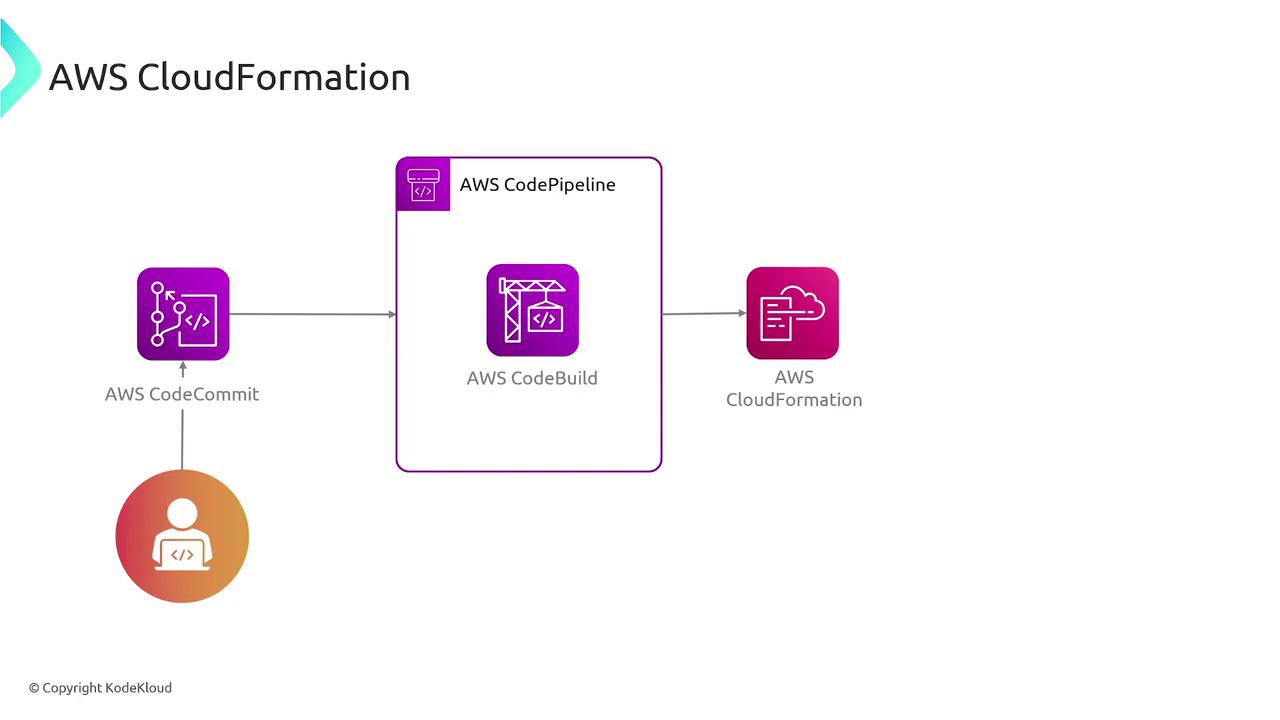
CloudFormation integrates seamlessly with other AWS services and developer tools. For instance, you can store your templates in AWS CodeCommit and build CI/CD pipelines using AWS CodePipeline and AWS CodeBuild, enabling you to manage infrastructure changes just like application code.