

- container-to-container communication inside a single ECS task,
- persistent storage using Amazon EFS,
- exposing the API through an Application Load Balancer (ALB) with health checks.
Architecture summary
Local example: Docker Compose
Use Docker Compose to prototype the multi-container setup locally. The same concepts (env variables, ports, volumes) are applied later in the ECS task definition.mongo). In ECS Fargate (awsvpc networking), containers in the same task share the network namespace and communicate via localhost:<port>.
Application overview (Express + Mongoose)
This minimal Express API uses Mongoose and exposes CRUD endpoints for notes. The important part is how the MongoDB connection string is built from environment variables provided to the task.Containers in the same ECS task (Fargate uses
awsvpc network mode) share the task network namespace. That means your API container can reach MongoDB at localhost:<container-port>. This differs from Docker Compose where services can use each other’s service names as DNS.ECS setup walkthrough
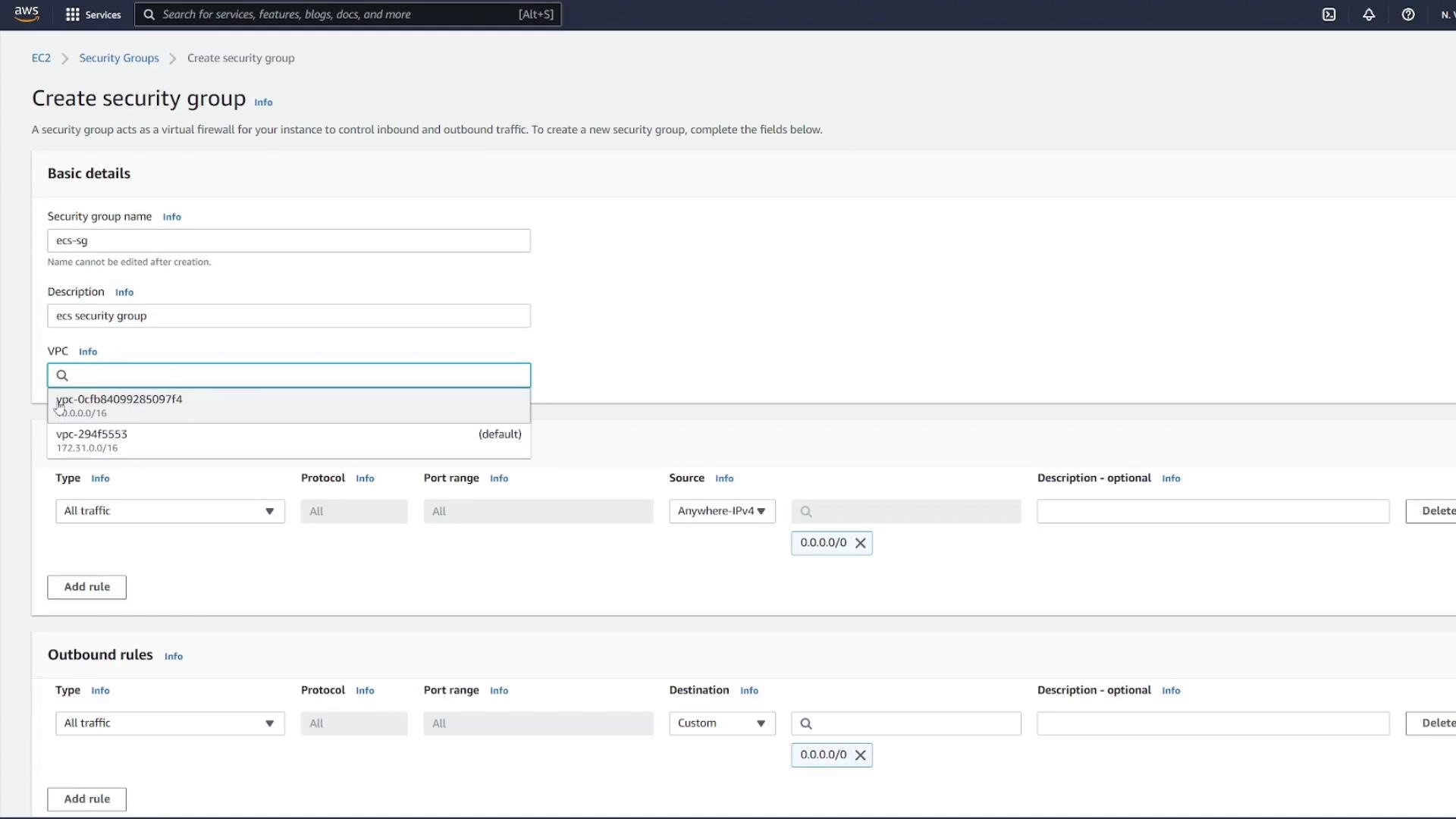
1) Create a security group for ECS tasks
Create a security group that will be applied to ECS tasks. During setup you may temporarily allow wide access; later you will tighten it to accept traffic only from the ALB security group.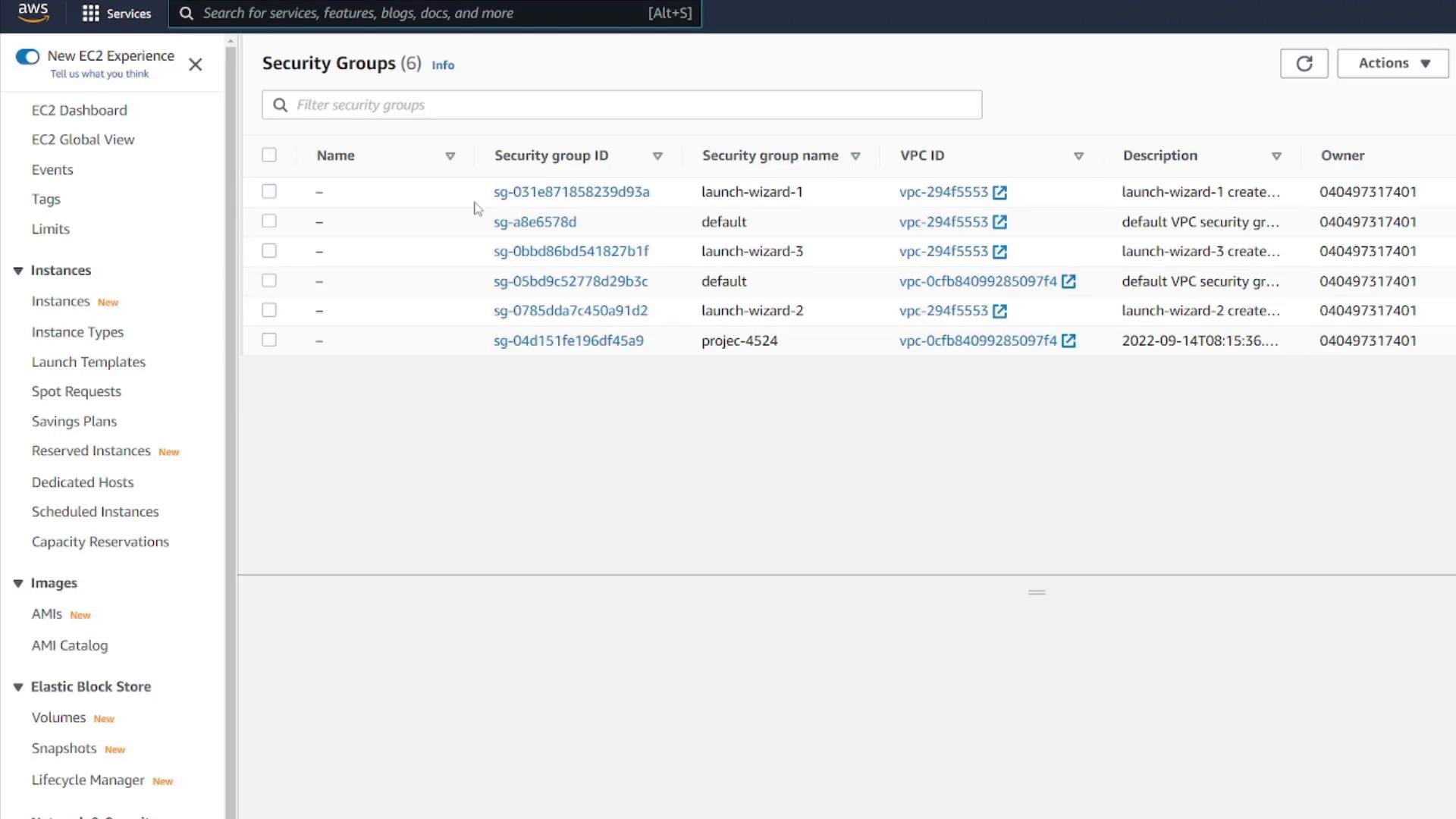
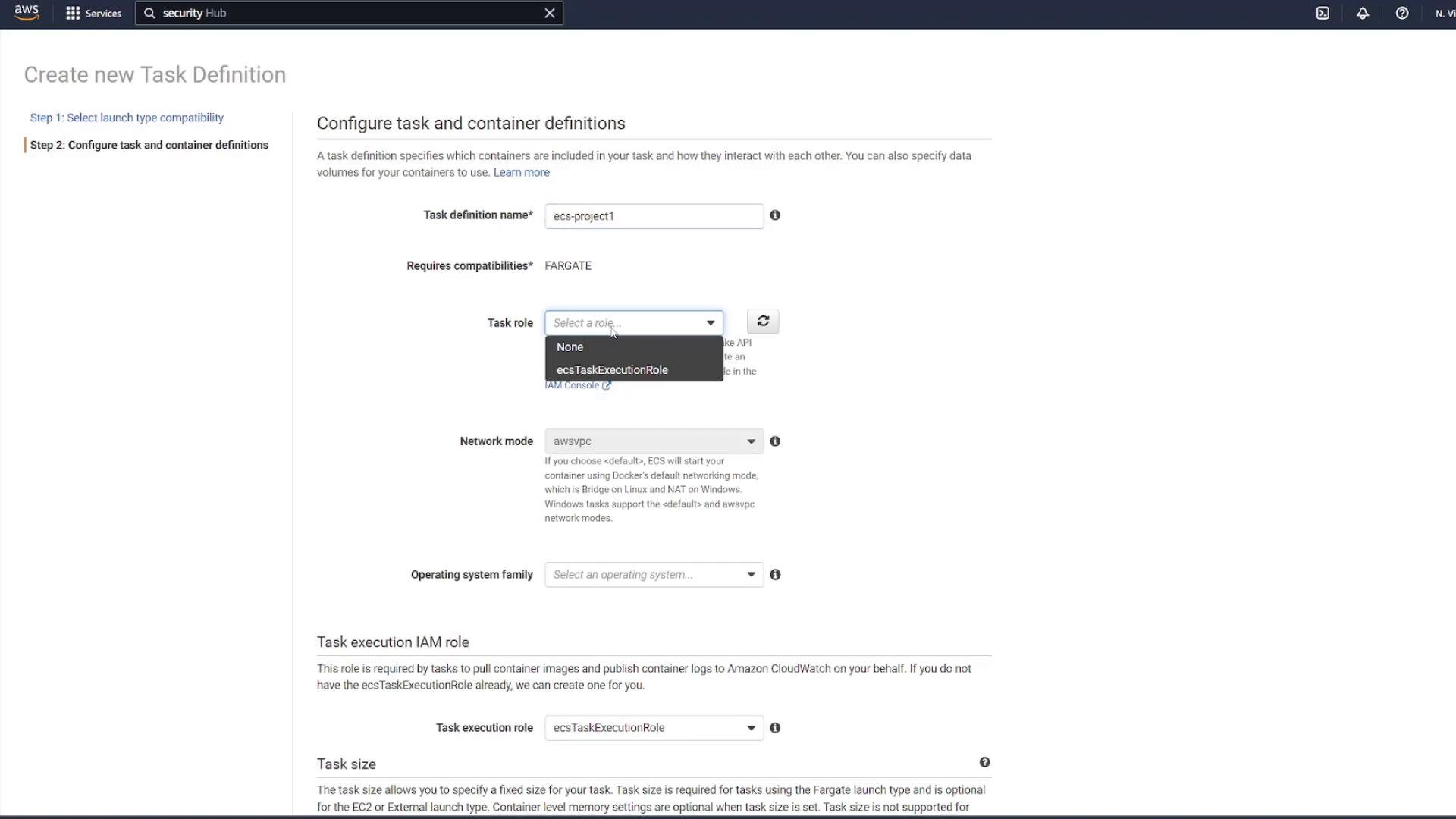
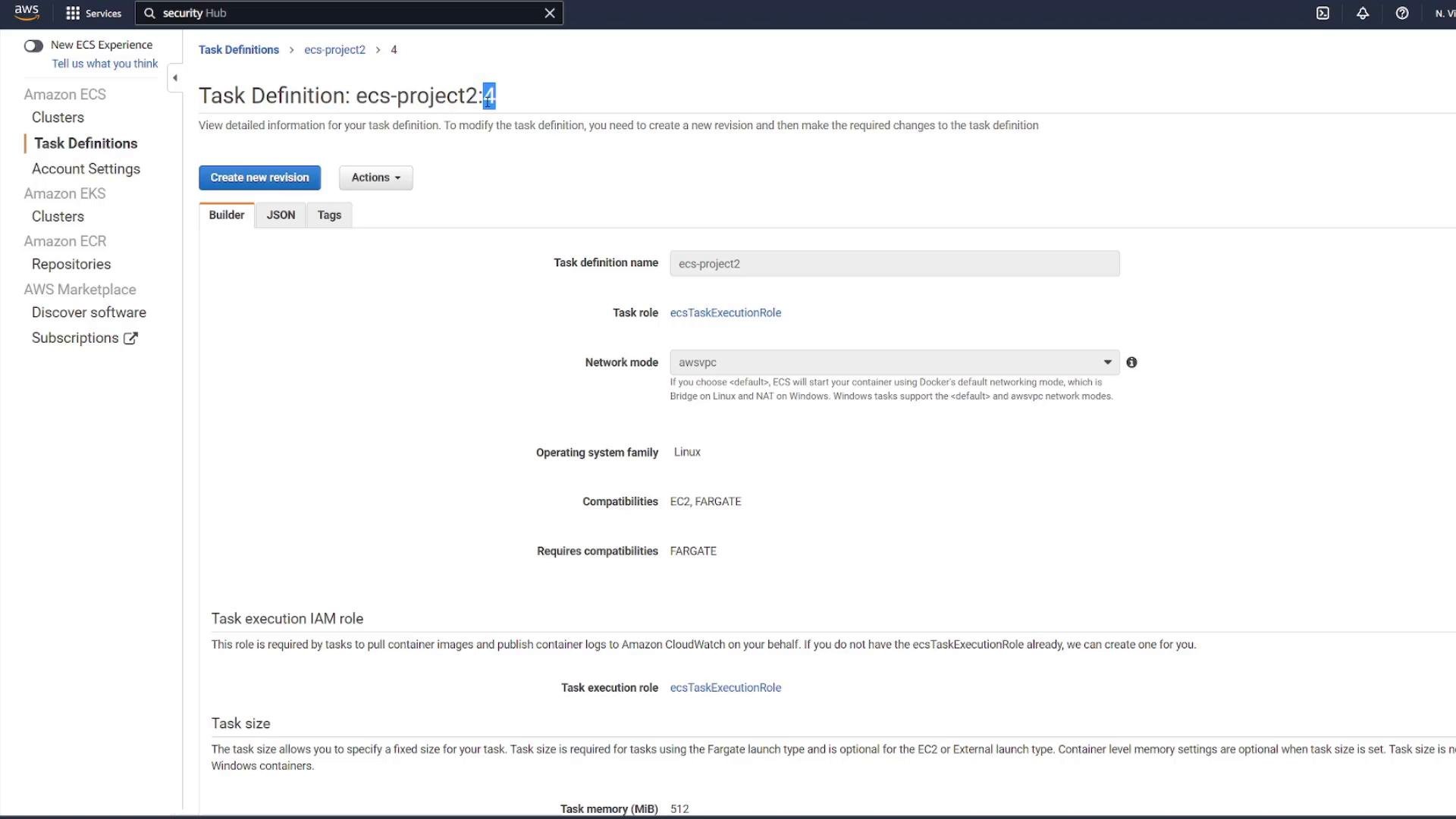
2) Create the ECS task definition (FARGATE)
- Create a FARGATE task definition and attach an execution role (e.g.,
ecsTaskExecutionRole). - Choose CPU / memory appropriate for the demo.
- Add two containers in the same task: MongoDB and the Express API.
When you add environment variables and health checks in the task definition, you can configure an HTTP health check for the API (e.g.,
/notes) or a simple command to ensure each container is healthy.
3) Add EFS for MongoDB persistence
Add a task volume backed by Amazon EFS and mount it into the MongoDB container at/data/db. Create the EFS file system in the same VPC and configure mount targets for the subnets you will use.
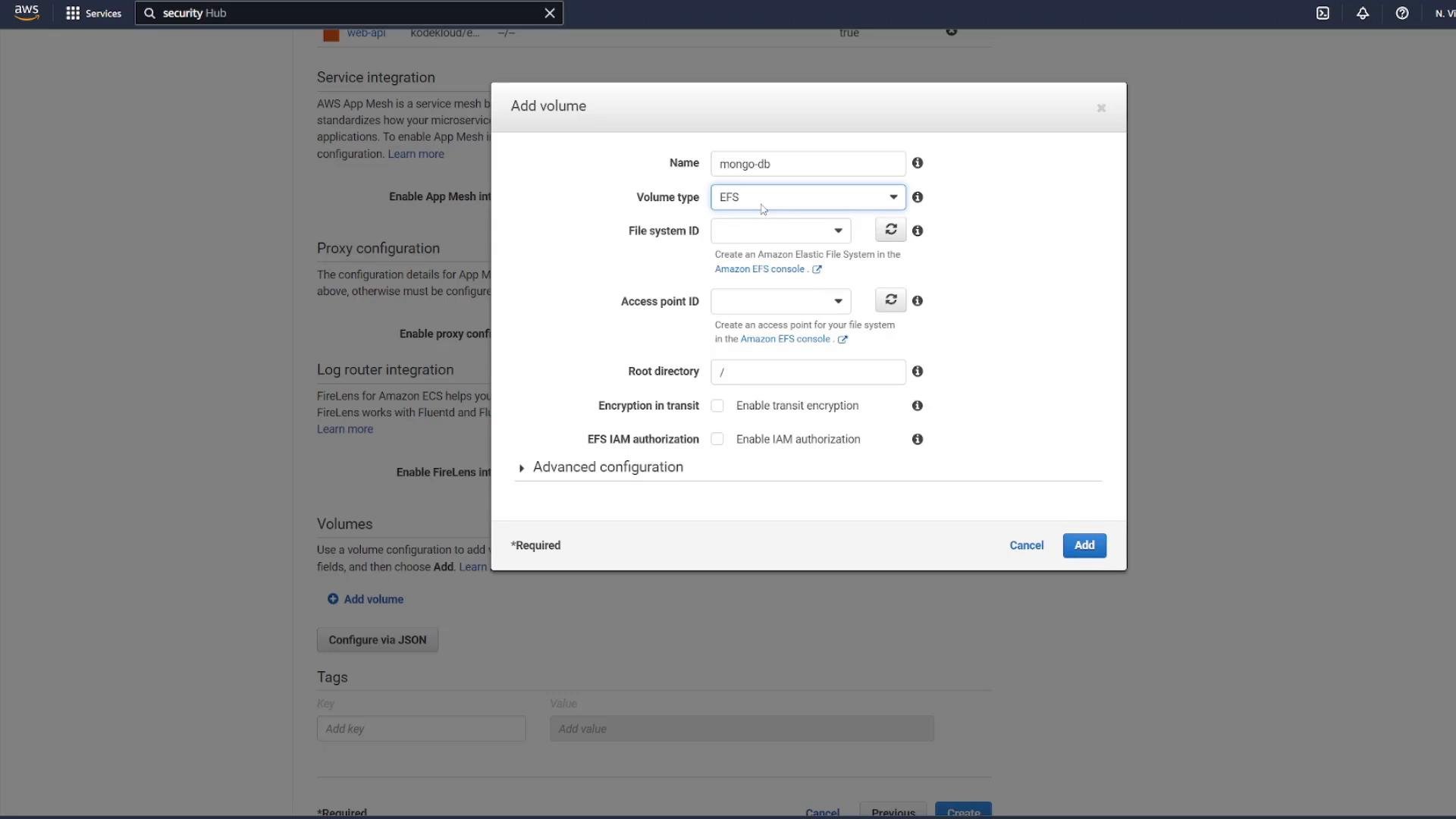
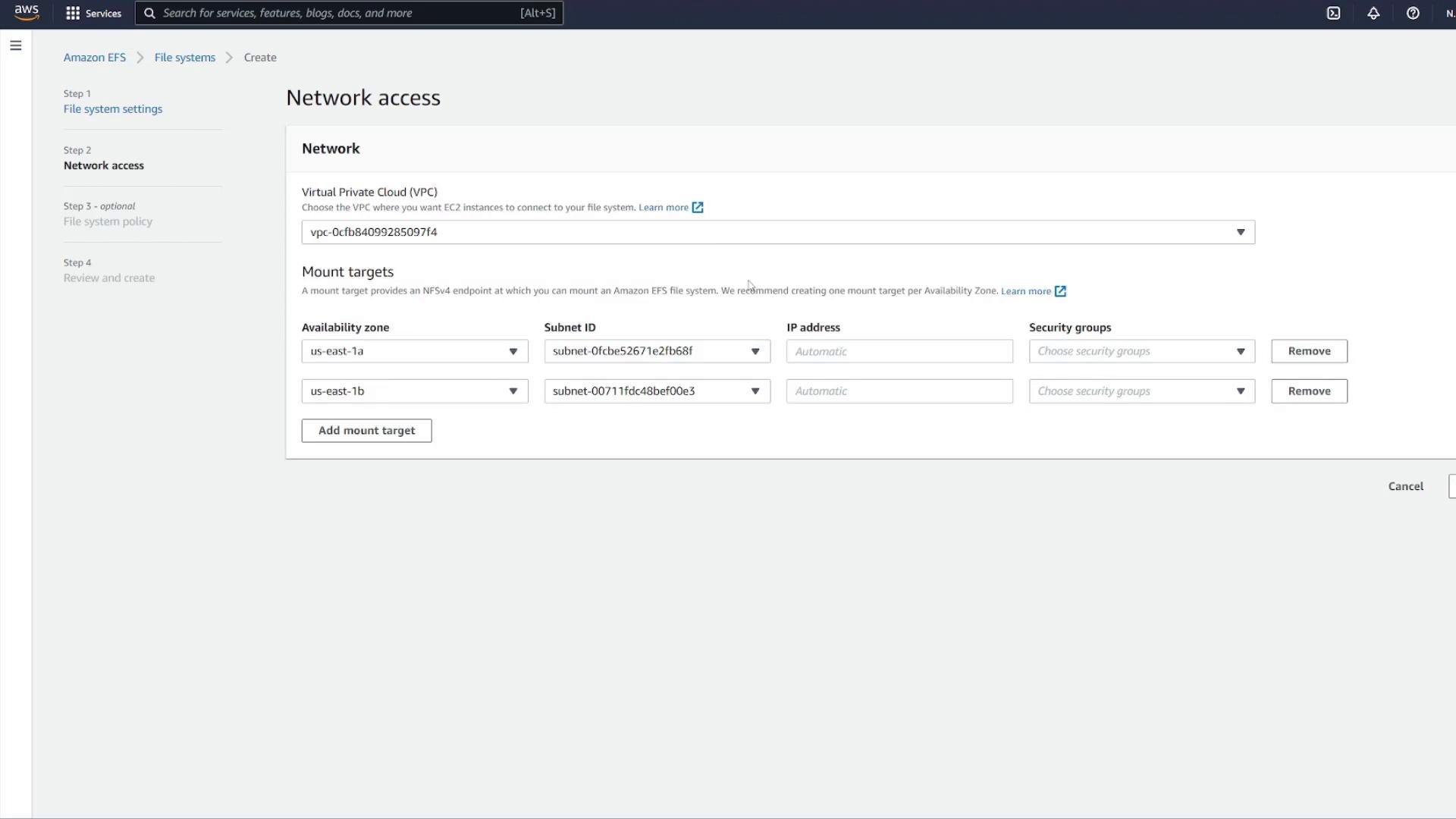
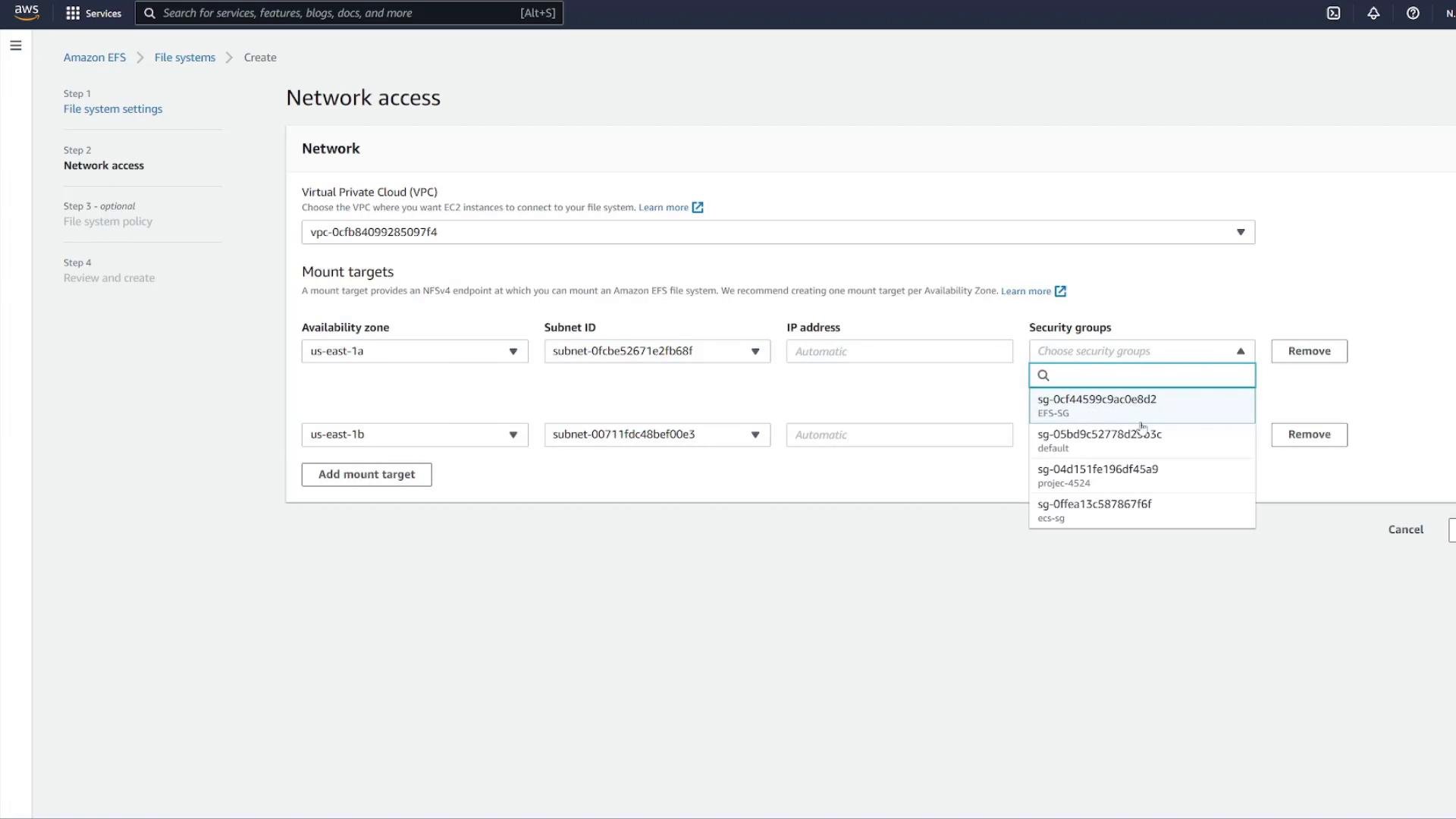
/data/db.
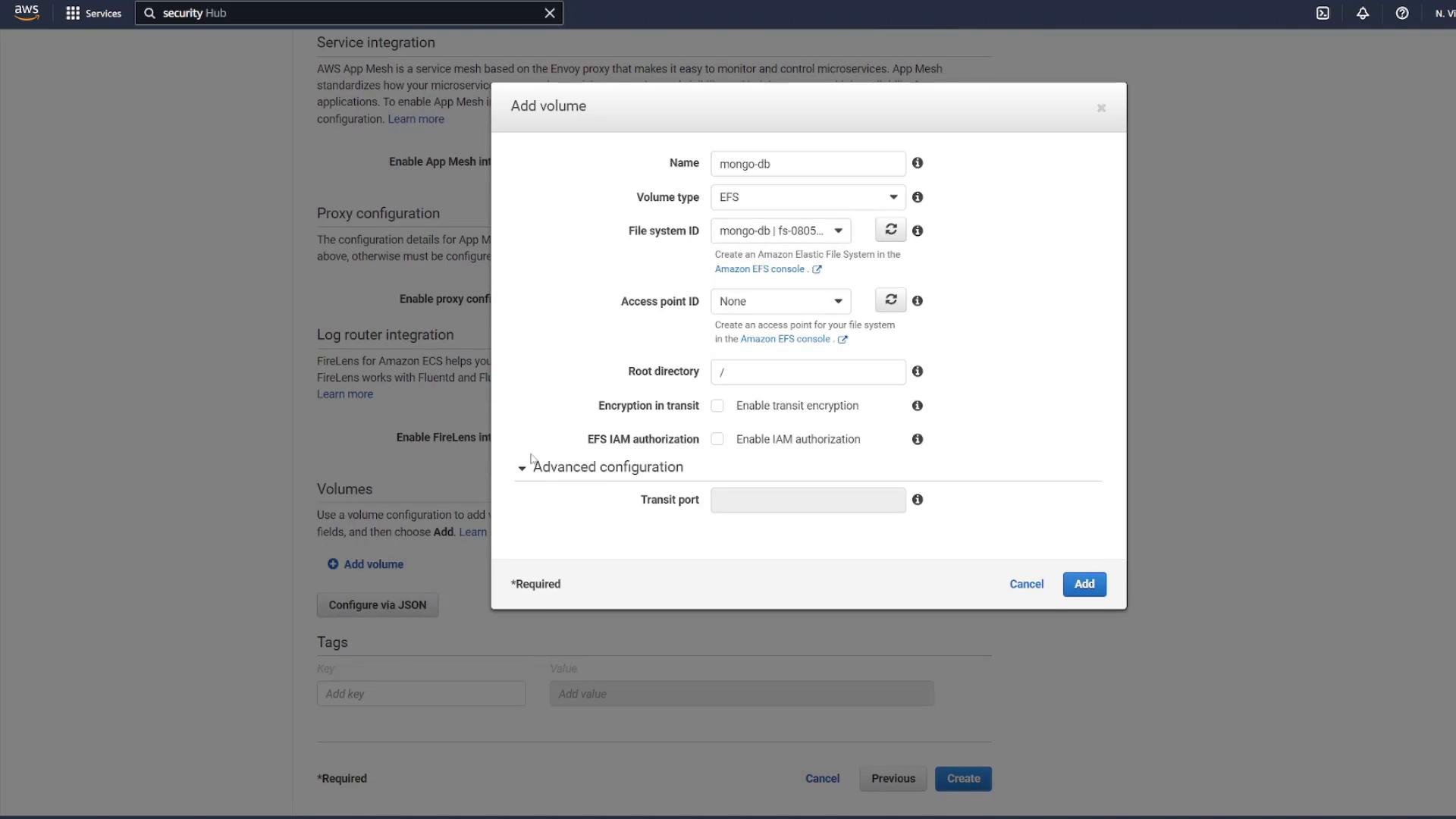
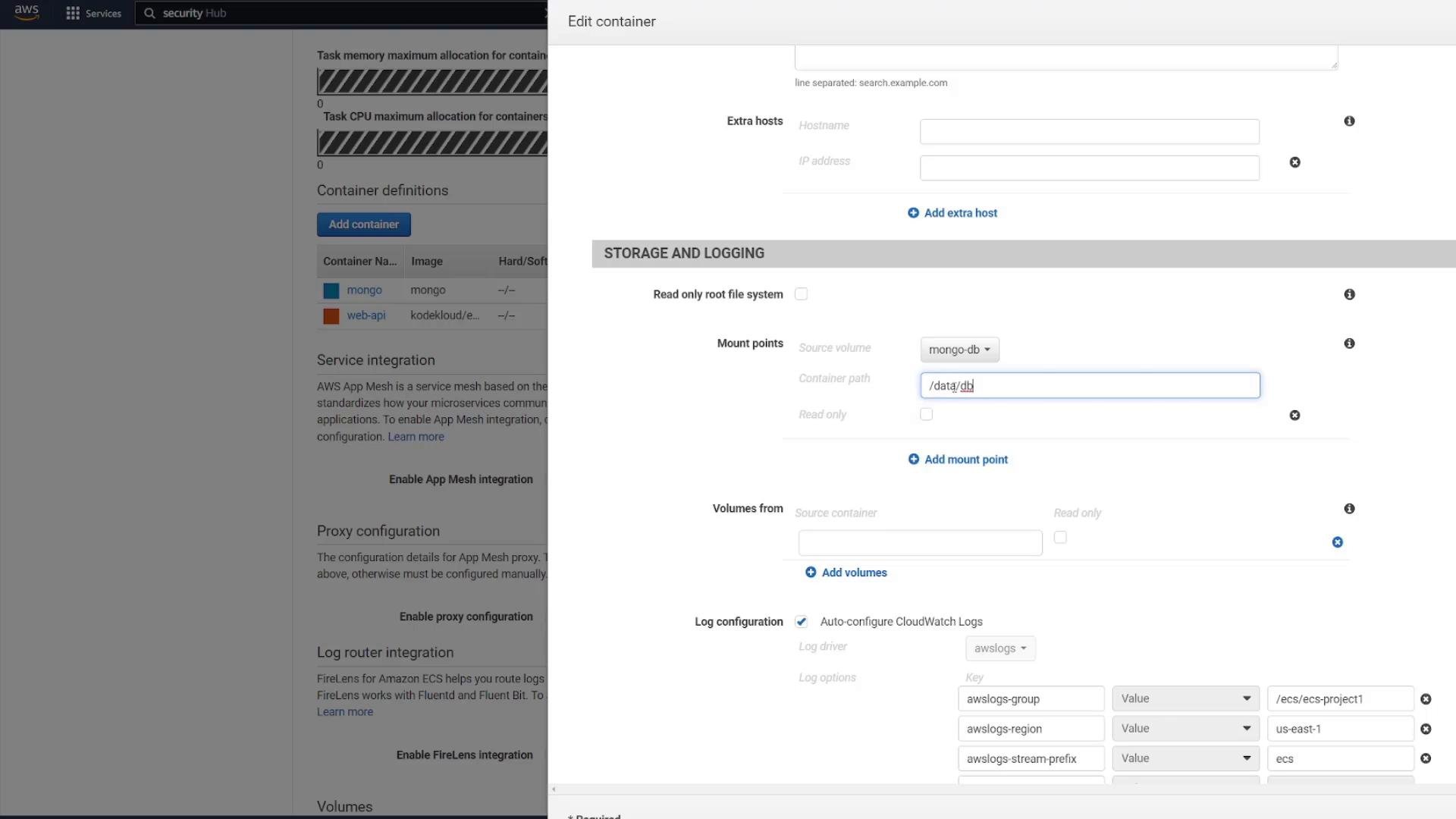
ecs-project2).
4) Create an ECS service and an Application Load Balancer (ALB)
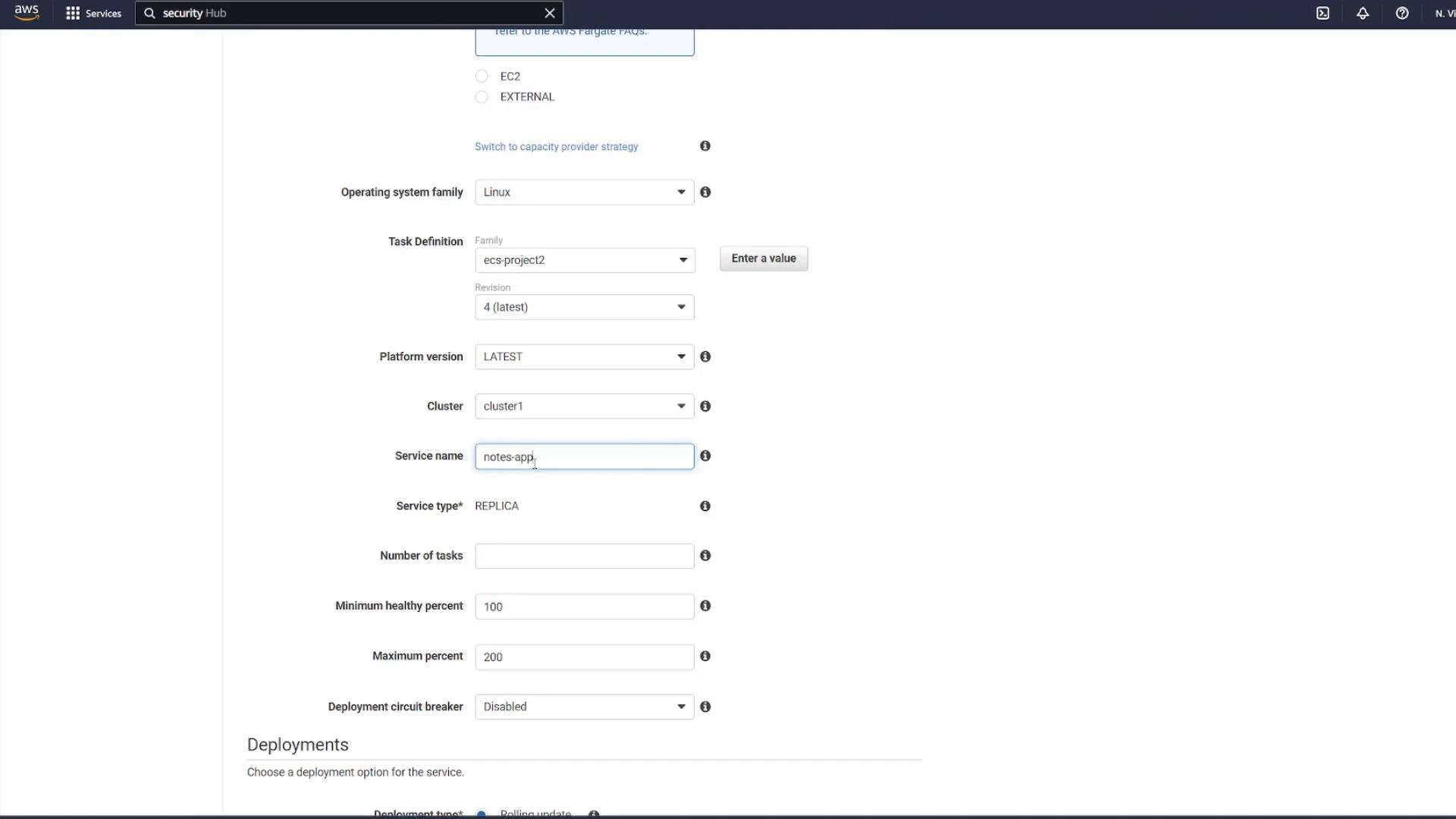
- Create a Fargate service from the task definition with the desired number of tasks (1 for demo).
- Choose the ECS security group and appropriate VPC/subnets.
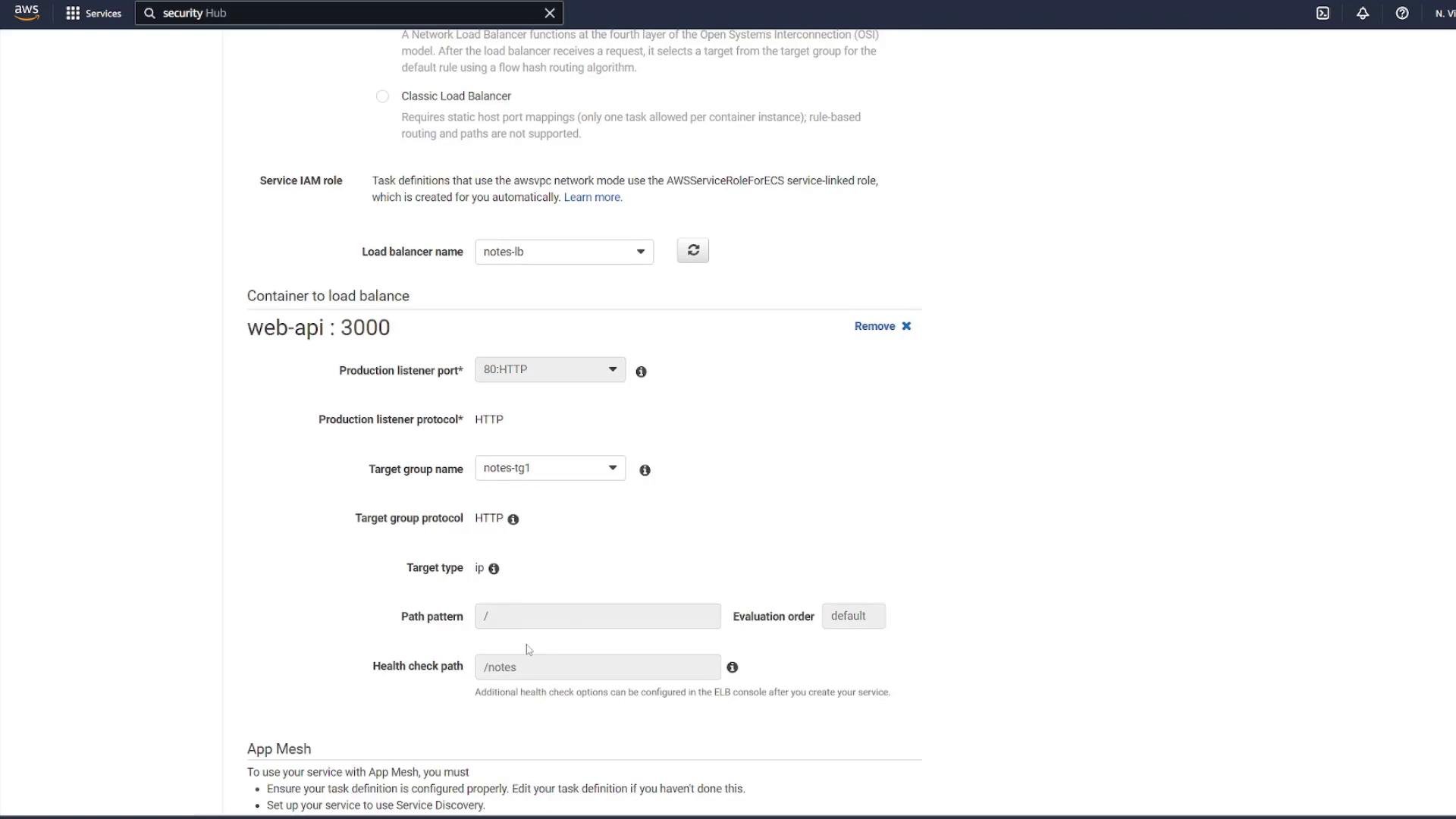
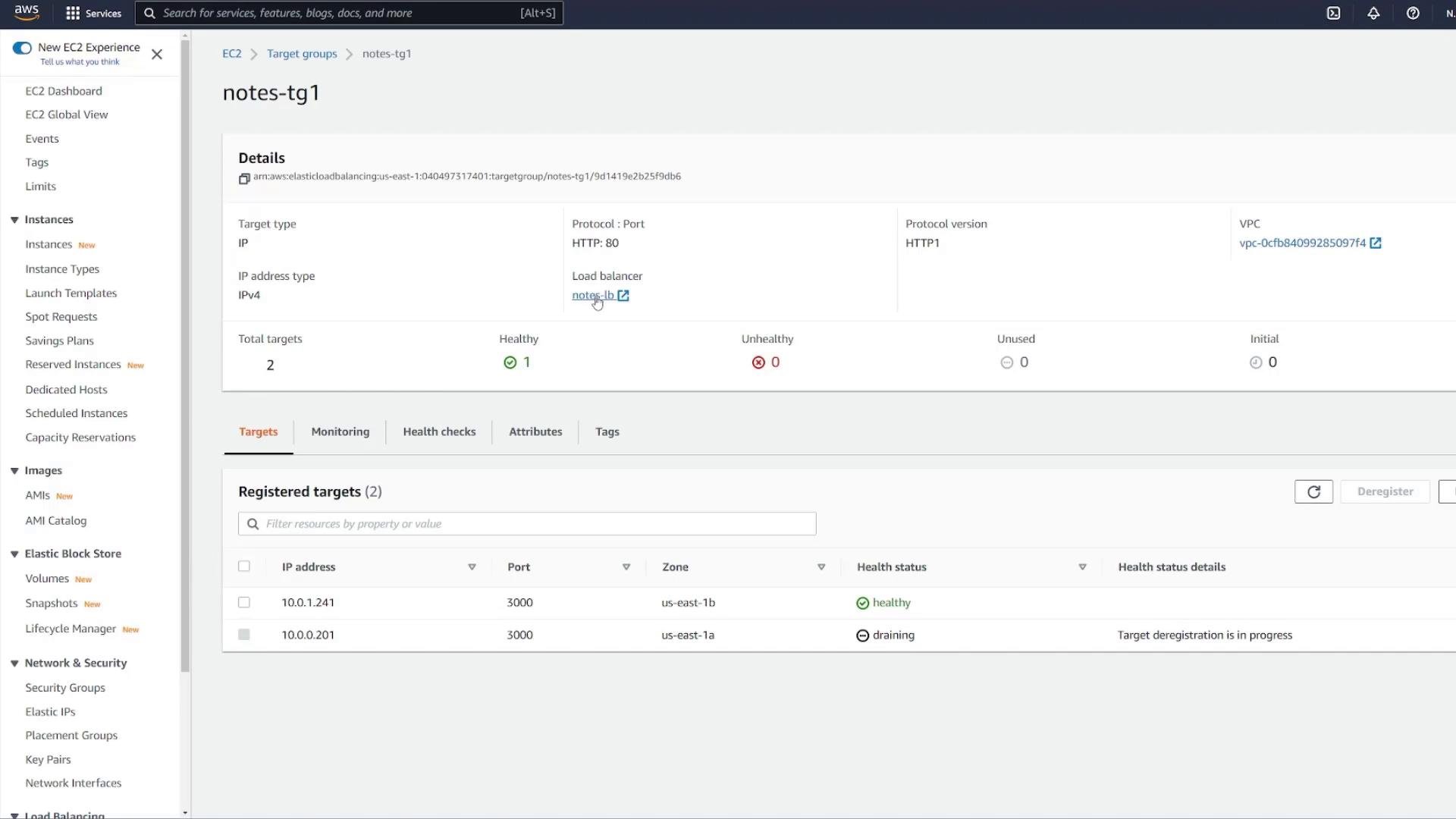
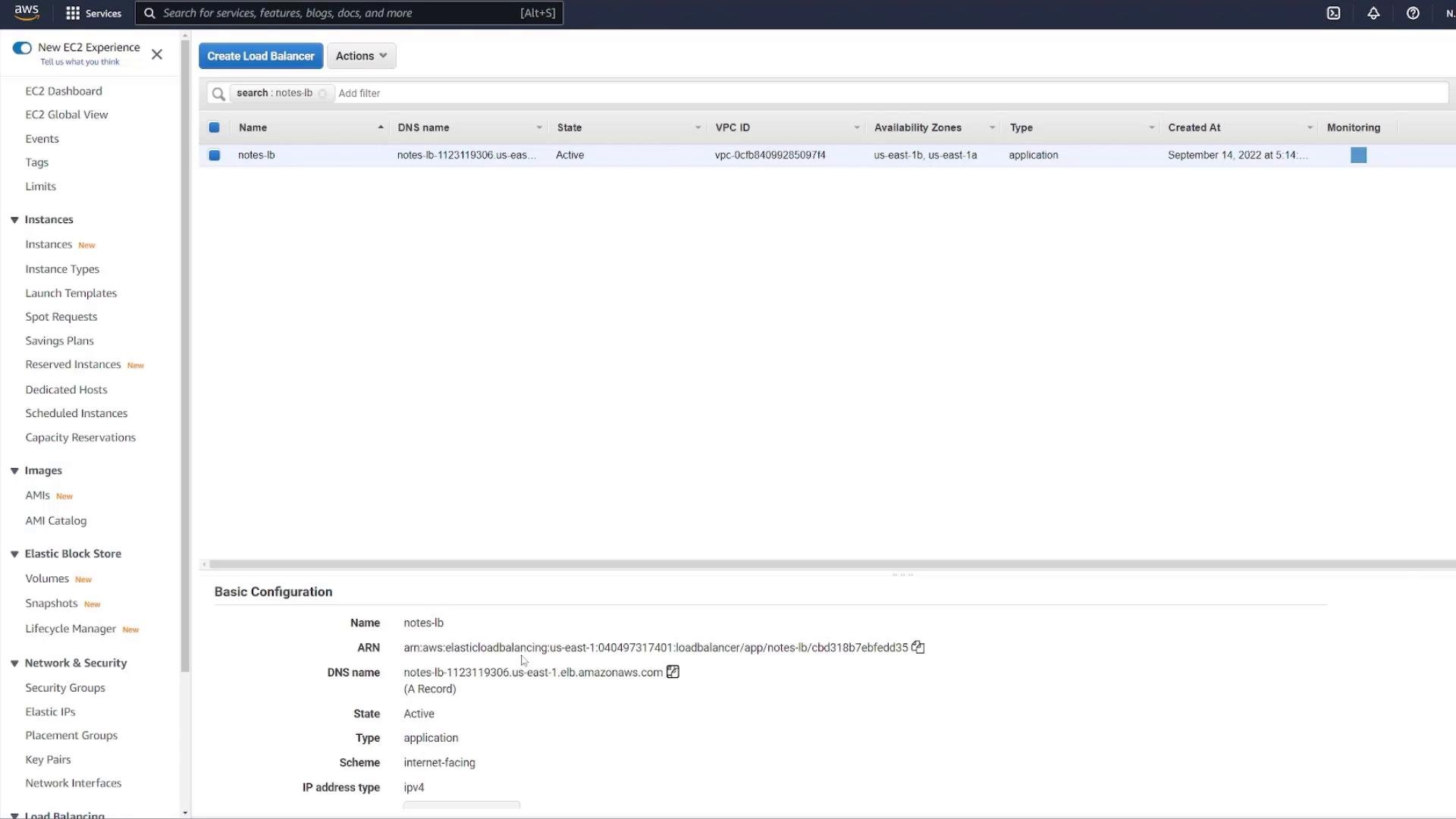
- Create an internet-facing ALB that listens on port 80 and forwards to a target group configured for the API container.
Create the target group for the ALB (example name
notes-tg1), protocol HTTP, target type = IP, and set the health check path to /notes.
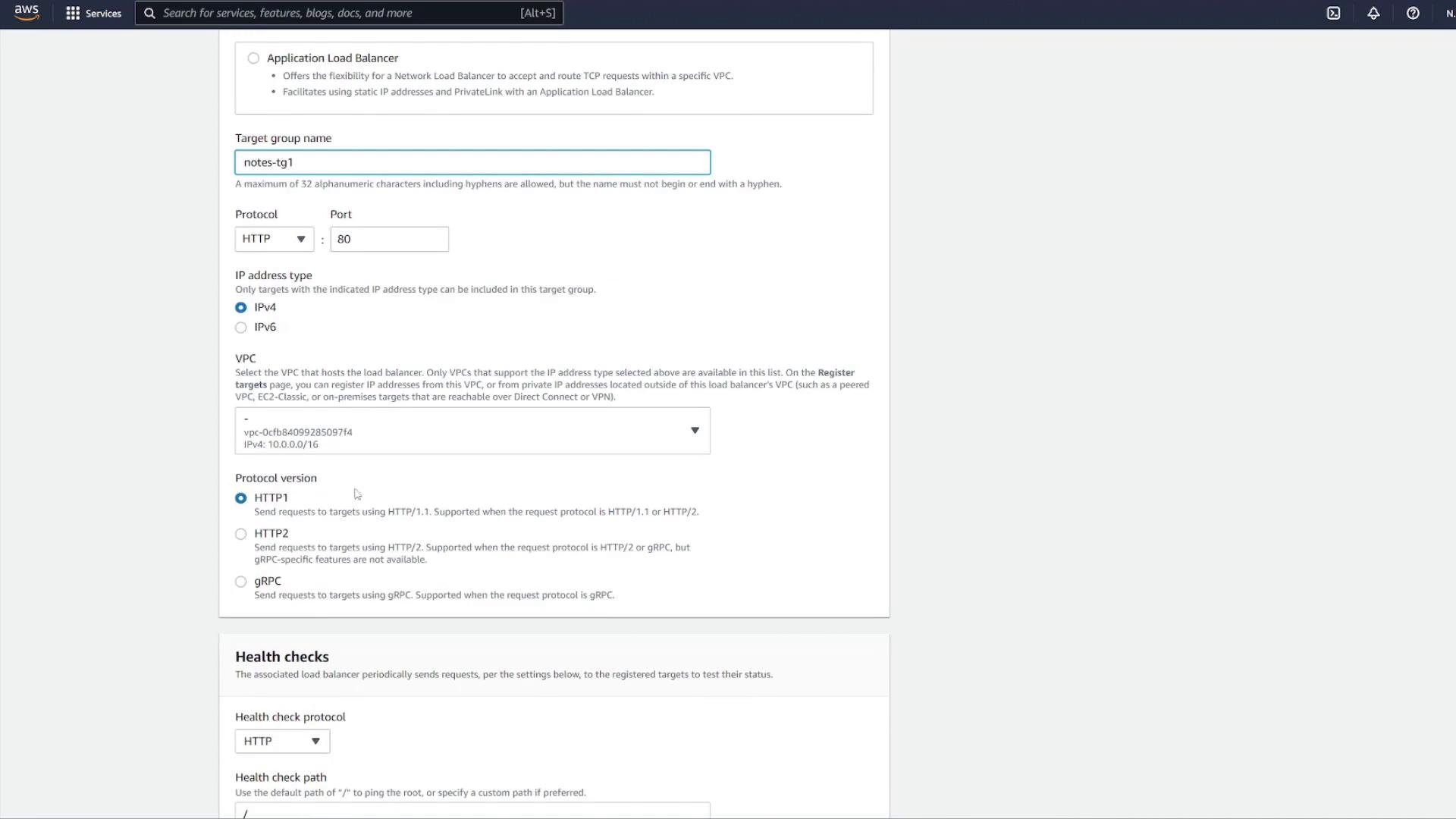
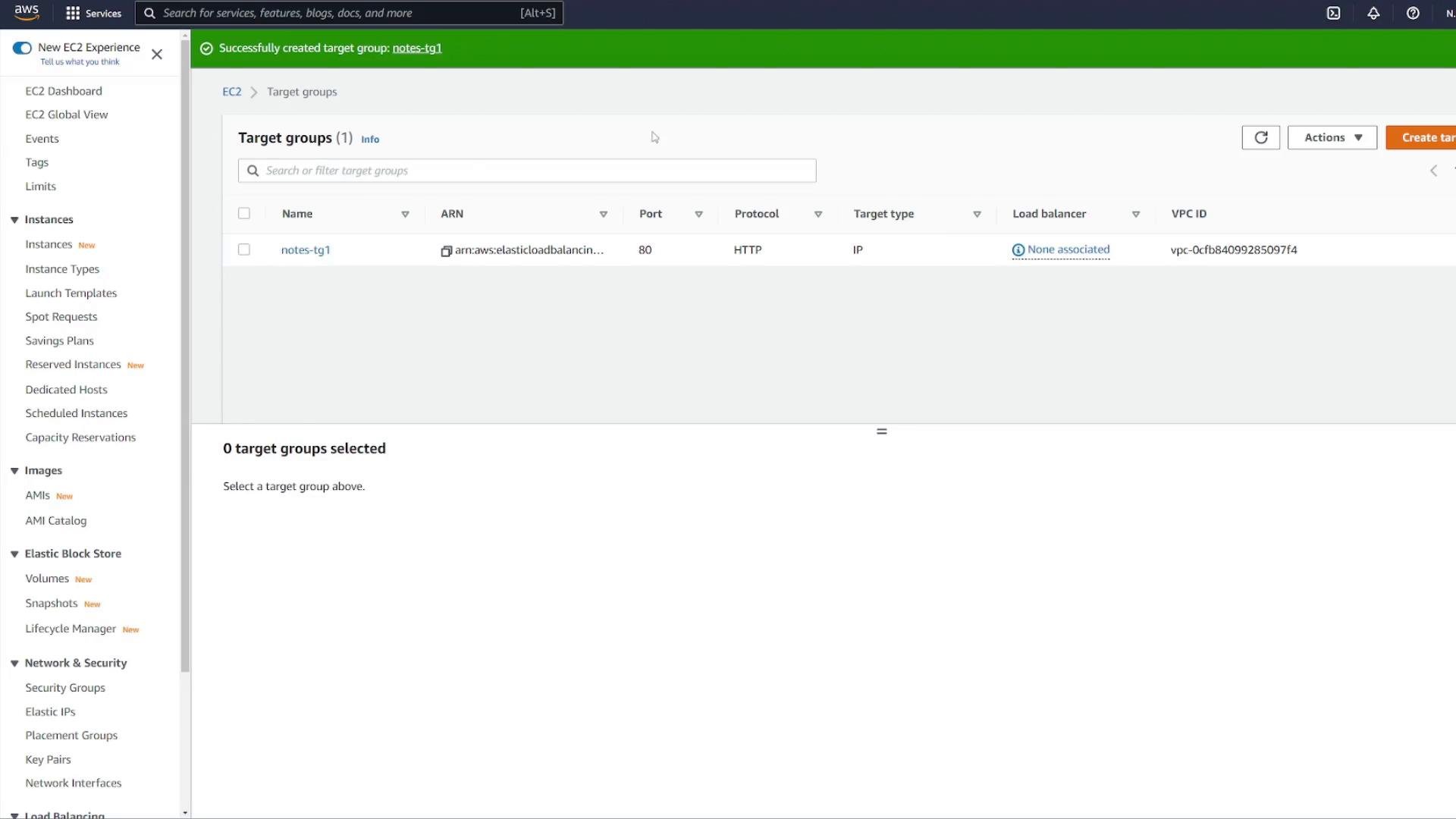
notes-tg1 target group.
Load balancer configuration for the API container:
Verify tasks and containers are running
When the Fargate task is running you can inspect it to confirm both containers are running (mongo and notes-api).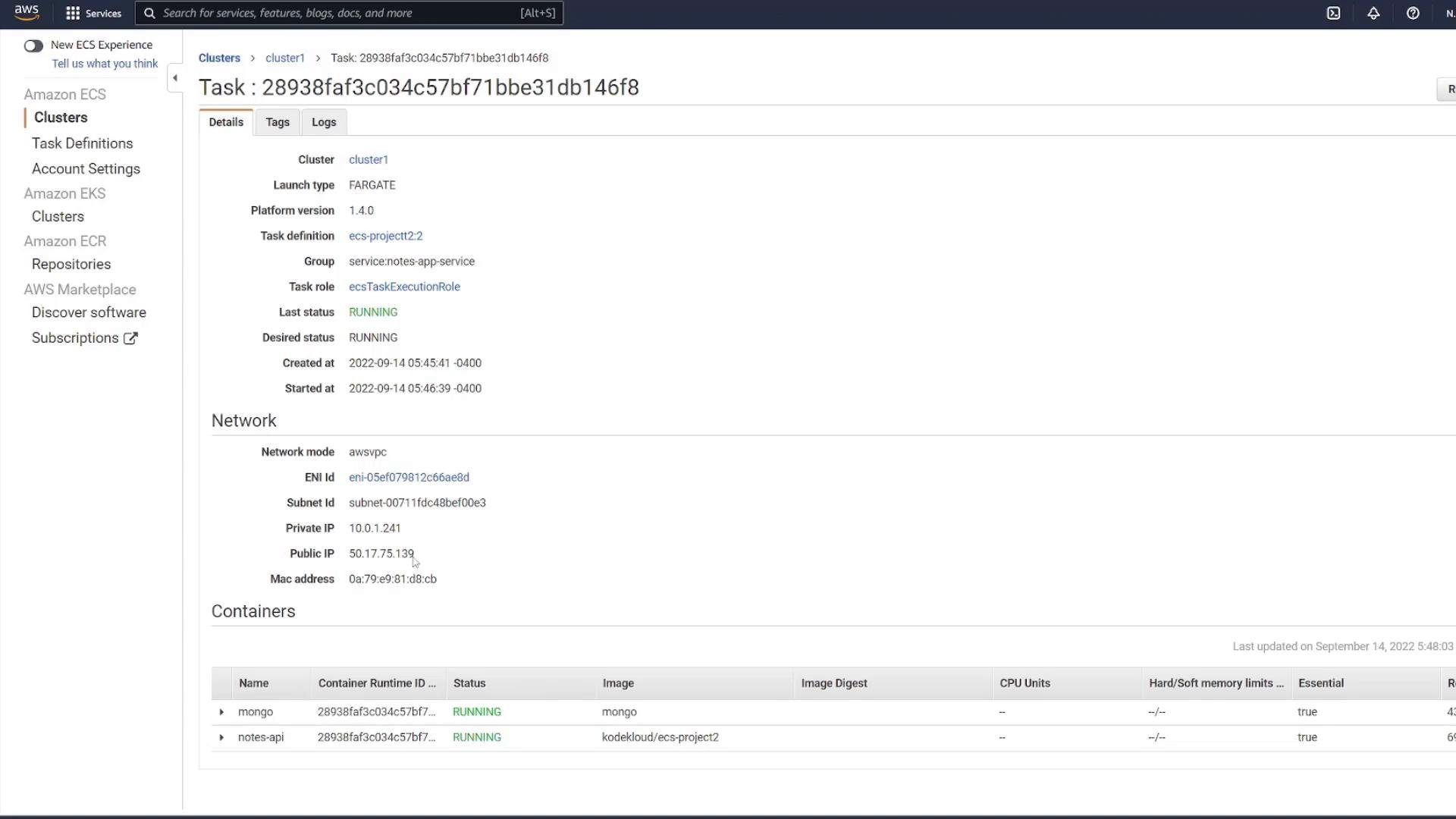
Test the API
- Directly (diagnostics): use the task ENI IP and container port:
- GET http://
<task-ip>:3000/notes - Response:
- GET http://
- Through the ALB (recommended):
- POST http://
<alb-dns>/notes with JSON: - Then GET http://
<alb-dns>/notes returns:
- POST http://
Tighten security: restrict ECS task SG to only accept traffic from the ALB
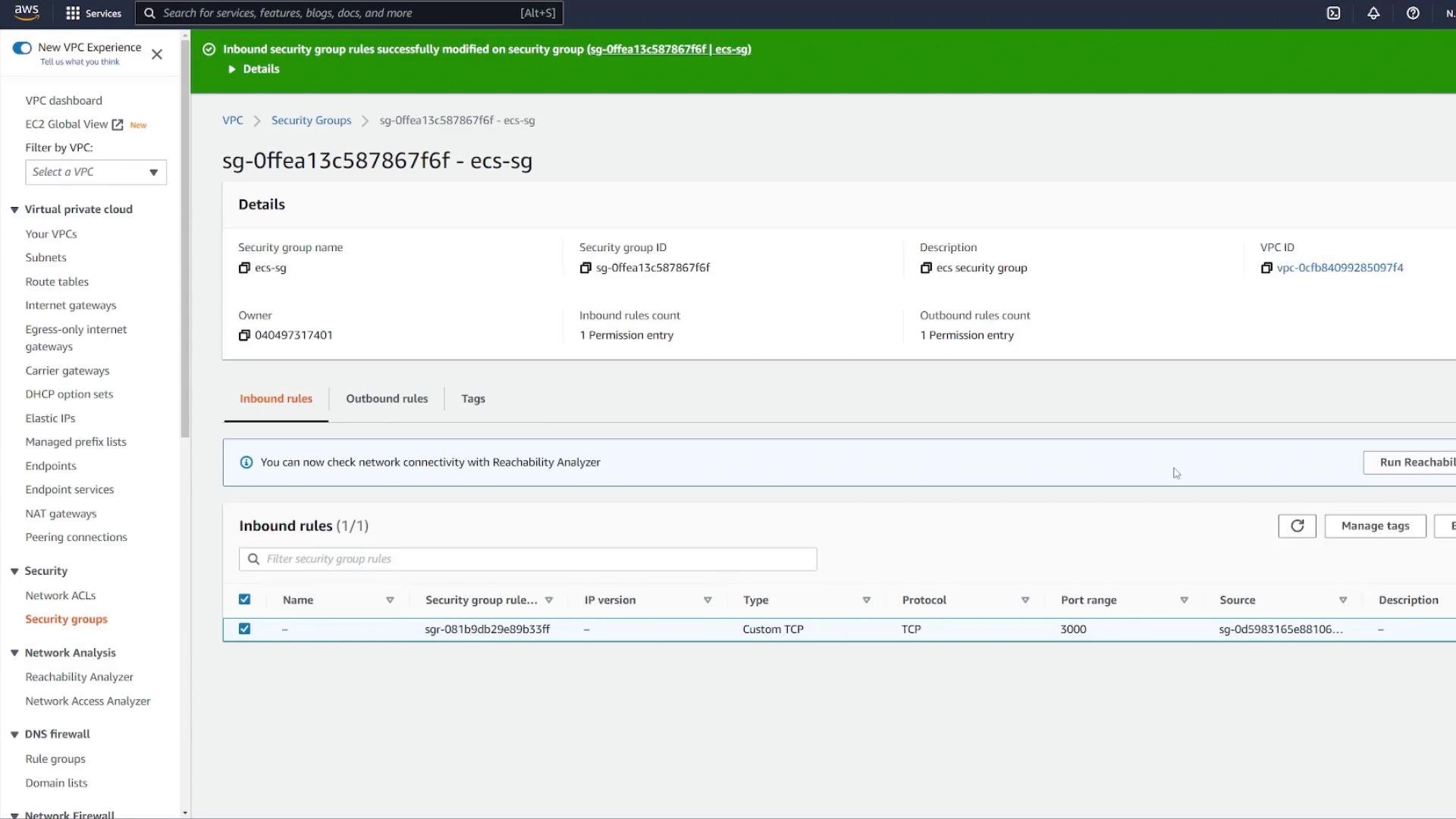
Once the ALB is functioning, update the ECS tasks security group to only allow inbound traffic on port 3000 from the ALB security group:- Remove the broad inbound rule (e.g., 0.0.0.0/0).
- Add a Custom TCP rule for port 3000 with the ALB security group as the source.
Do not use weak static credentials (for example
mongo / password) in production. Use secrets management like AWS Secrets Manager or SSM Parameter Store. Always restrict security group rules to the minimal required sources and ports.Wrap-up & key takeaways
- Deploying an Express + MongoDB stack to ECS Fargate:
- Place both containers in the same Fargate task so they can communicate over
localhost:<port>. - Persist MongoDB data using Amazon EFS mounted as a task volume.
- Use an internet-facing ALB (listener on port 80) and a target group (target type
IP) to route requests to container port 3000. - Configure ALB health checks (e.g.,
/notes) and restrict the ECS task security group to accept traffic only from the ALB.
- Place both containers in the same Fargate task so they can communicate over
- For production:
- Use secure credentials via Secrets Manager or SSM.
- Harden security groups and monitoring (CloudWatch logs, alarms).
References
- Amazon ECS Fargate documentation
- Amazon EFS documentation
- Application Load Balancer overview
- Docker Compose