

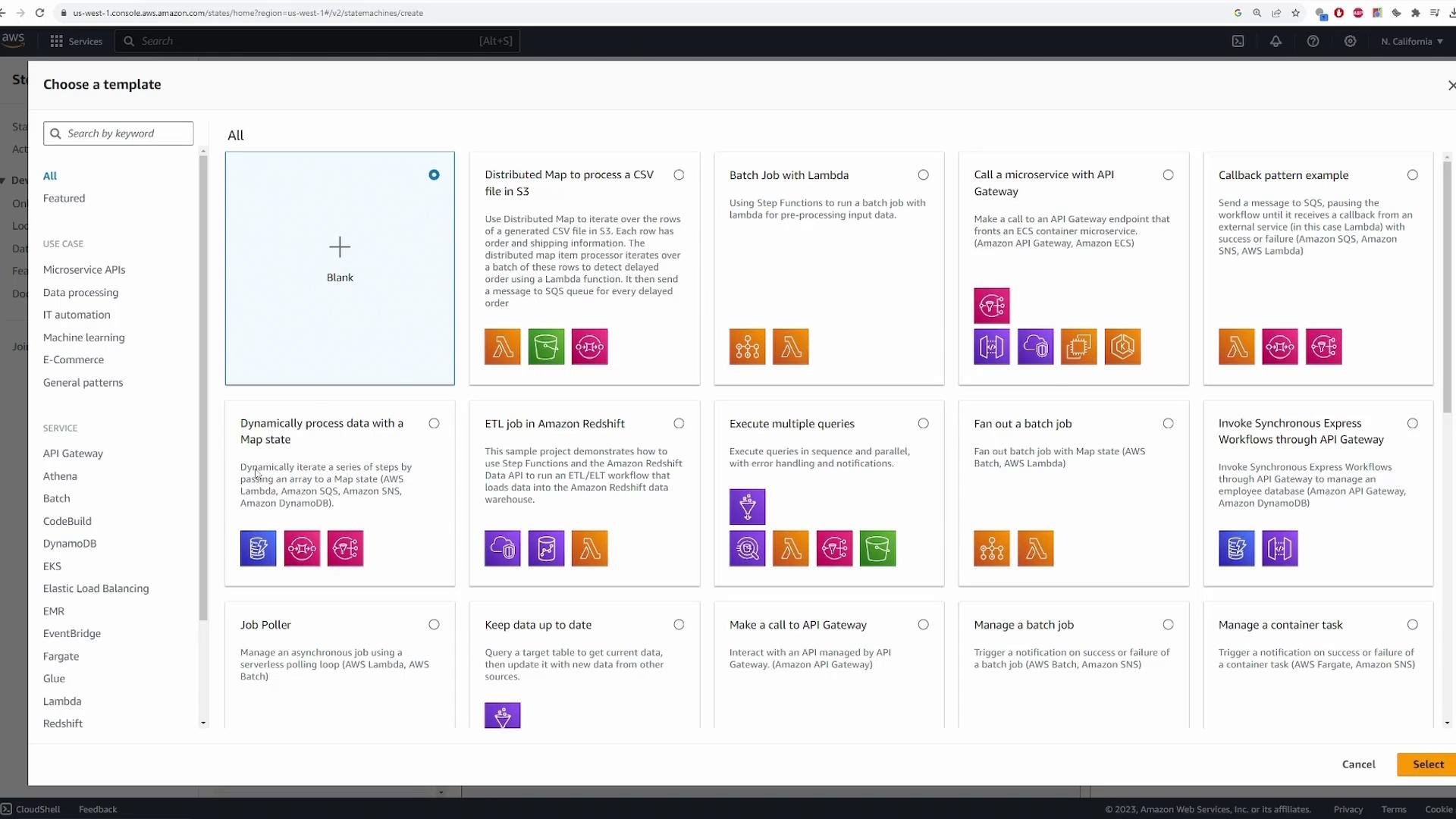
Authoring canvas overview
- Center: the visual workflow (Start → states → End). Execution flows top-to-bottom.
- Left pane: pre-built states and integrations you can drag into the canvas (Task for Lambda/SNS/ECS, Flow types for Choice/Parallel/Map, plus Wait, Pass, etc.).
- Right pane: configuration for the selected state (state name, integration type, payload mapping, retry/catch settings, etc.).
- When a camera detects motion, the state machine invokes a detector Lambda.
- The detector returns
THREATorNO_THREAT. - A Choice state routes the execution to either a Threat handling Lambda or a False-Positive handler.
- Start → receive event (camera metadata, S3 object key, etc.)
- Invoke DetectThreat Lambda (returns
result = "THREAT"|"NO_THREAT") - Choice state: if
result == "THREAT"→ invoke ThreatFound Lambda; ifresult == "NO_THREAT"→ invoke FalsePositive Lambda - End
Lambda functions used in the demo
Below are minimal example Lambdas used in the tutorial. Keep these simple for demonstration — you can replace them with real implementations.Use the minimal payload in the Lambda functions while prototyping. You can later expand payload mapping via
Parameters, InputPath, ResultPath, and OutputPath to pass only the fields you need between states.Add the Detect Threat Task (Lambda invoke)
- Drag a Lambda Invoke Task onto the canvas and name it “Detect Threat”.
- For Integration type choose Optimized (simplified invocation for common Lambda workflows).
- Select your DetectThreat function from the FunctionName dropdown.
- Use
Use the state input as payloadso the initial event that triggered the state machine is passed into DetectThreat. - Optionally narrow fields using JSON Path filters — for this tutorial we’ll pass the full input.
- Leave “Wait for callback” disabled for this demo.
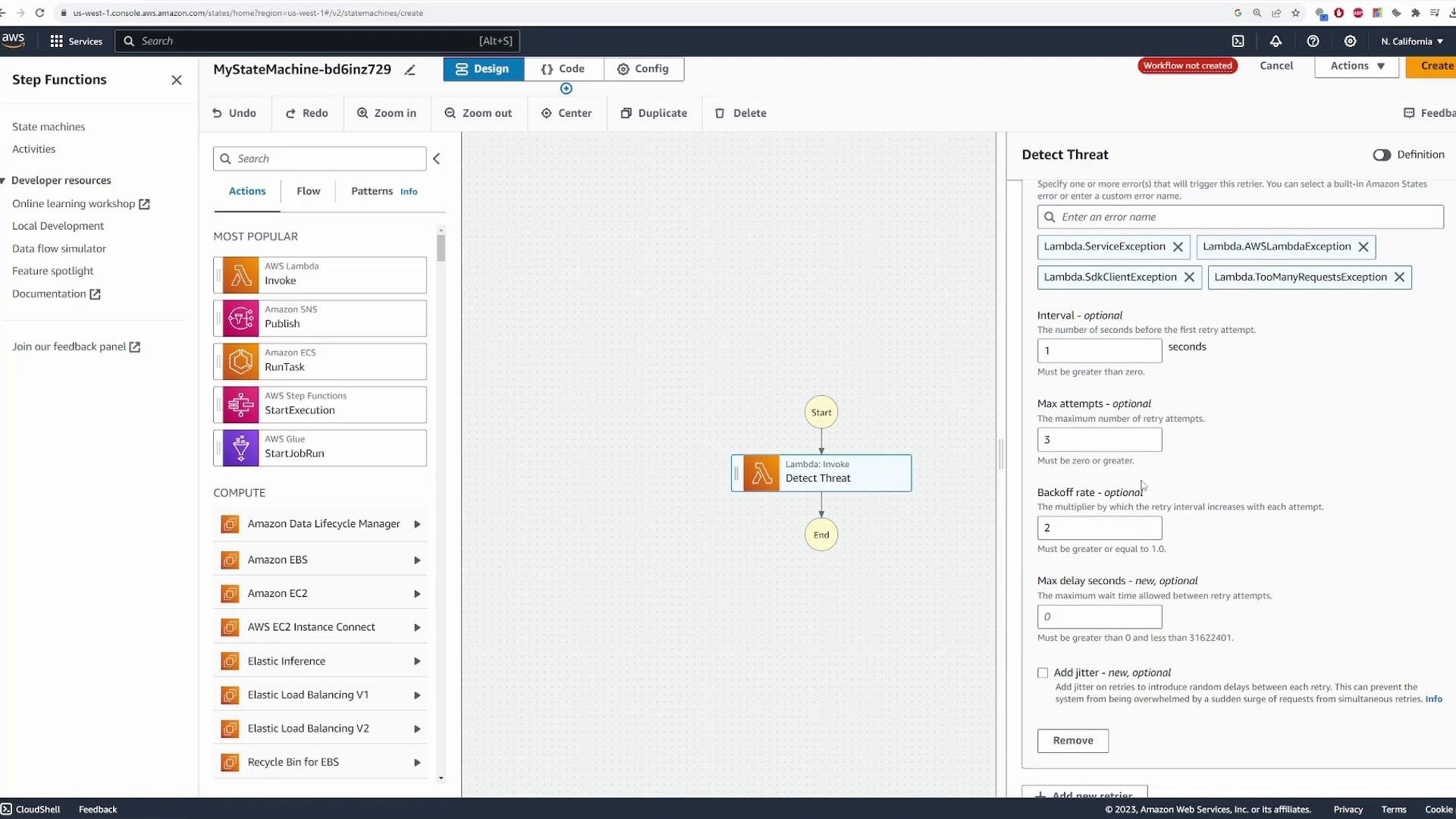
- Configure
Retry(IntervalSeconds, MaxAttempts, BackoffRate) for transient failures. - Add
Catchhandlers to redirect failed executions to error-handling states if needed.
- After the Detect Threat task completes it will transition to the Choice node you will add next.
Add a Choice state for branching logic
Drag a Choice state (Flow → Choice) after the Detect Threat Task. Choice states express if/then/else logic using JSON Path values from the state input or the previous state’s output. The detector returns{"result":"THREAT"} or {"result":"NO_THREAT"}. Create two rules:
- Rule 1:
Variable = $.result, operator =is equal to, string constant =THREAT - Rule 2:
Variable = $.result, operator =is equal to, string constant =NO_THREAT
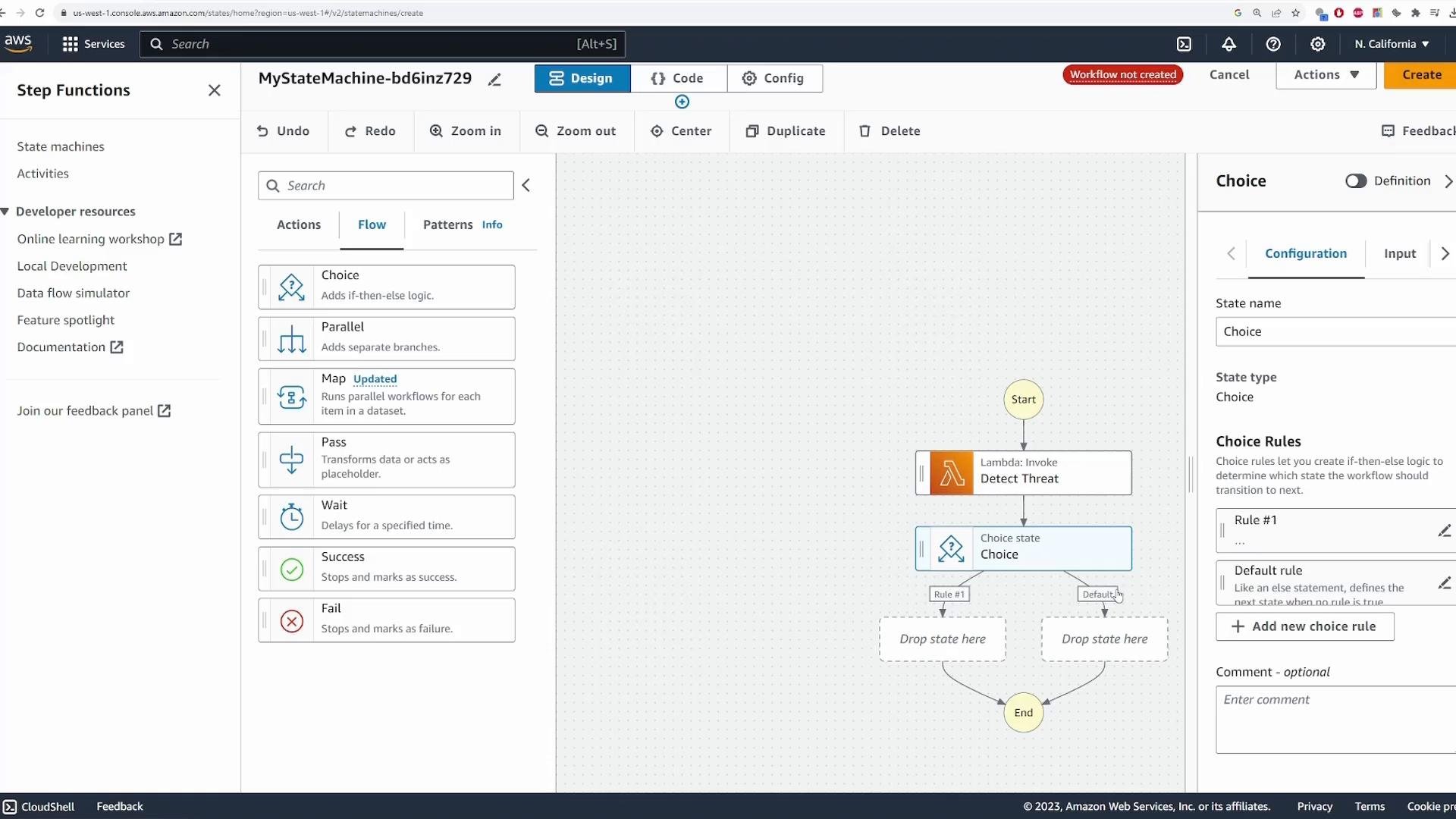
$.result, the operator to is equal to, and the string constant as appropriate (THREAT or NO_THREAT).
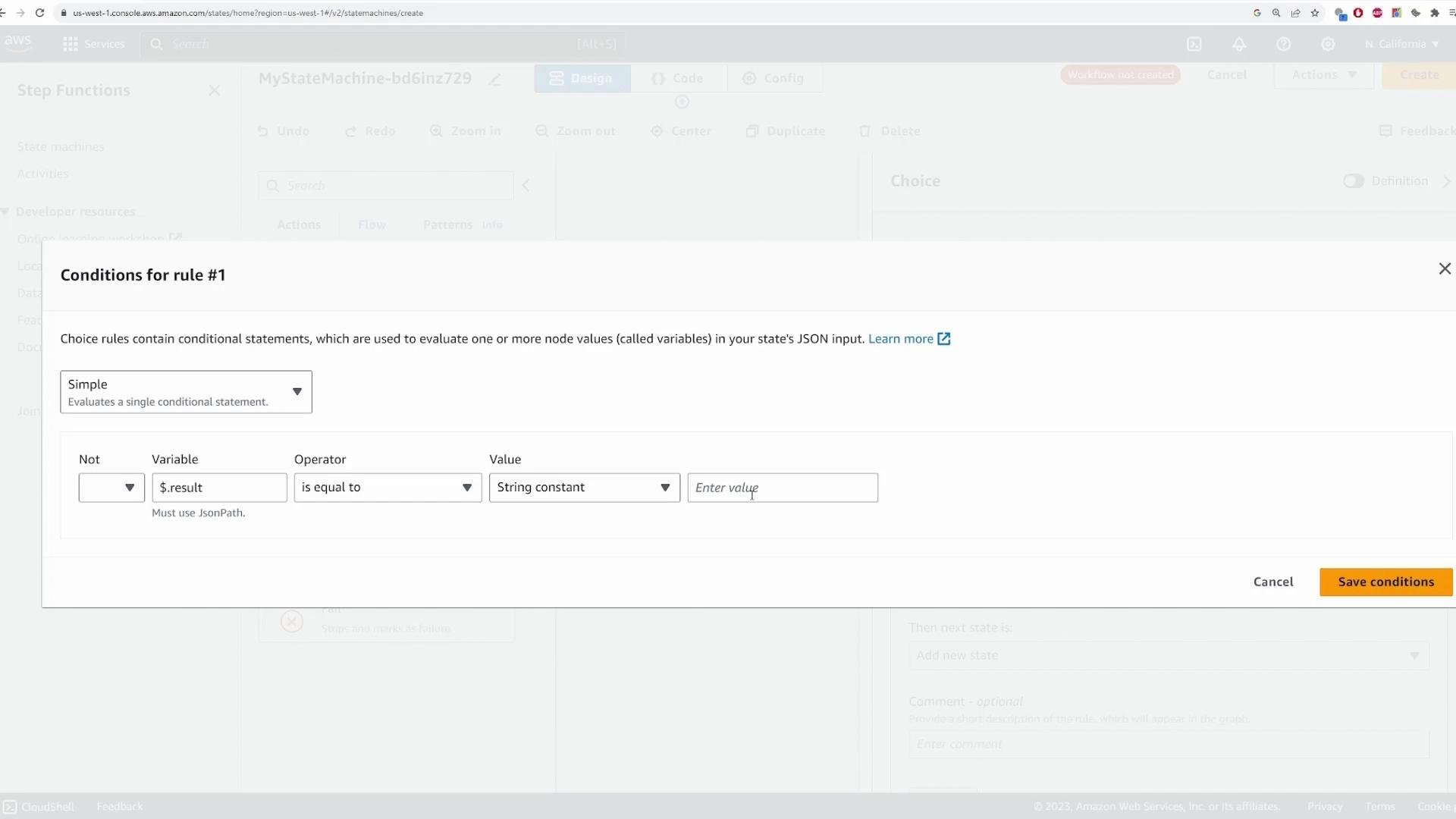
Attach Lambda tasks to each branch
- For the
THREATbranch, add a Lambda Invoke Task named Threat Found and select the ThreatFound Lambda. - For the
NO_THREATbranch, add a Lambda Invoke Task named No Threat and select the FalsePositive Lambda.
Passing data between states
Step Functions provides several JSON Path–based knobs for data flow:InputPath— filters the incoming state input to the stateParameters— builds the payload passed to the resource (Lambda, SDK, etc.)ResultPath— controls how the state’s result is merged with the inputOutputPath— filters the final output emitted by the state
Testing the state machine
When you click Create, the builder will prompt to confirm or create an execution role that grants Step Functions permission to invoke Lambda (and optionally X-Ray for tracing). The console can create this role automatically — review the permissions before confirming.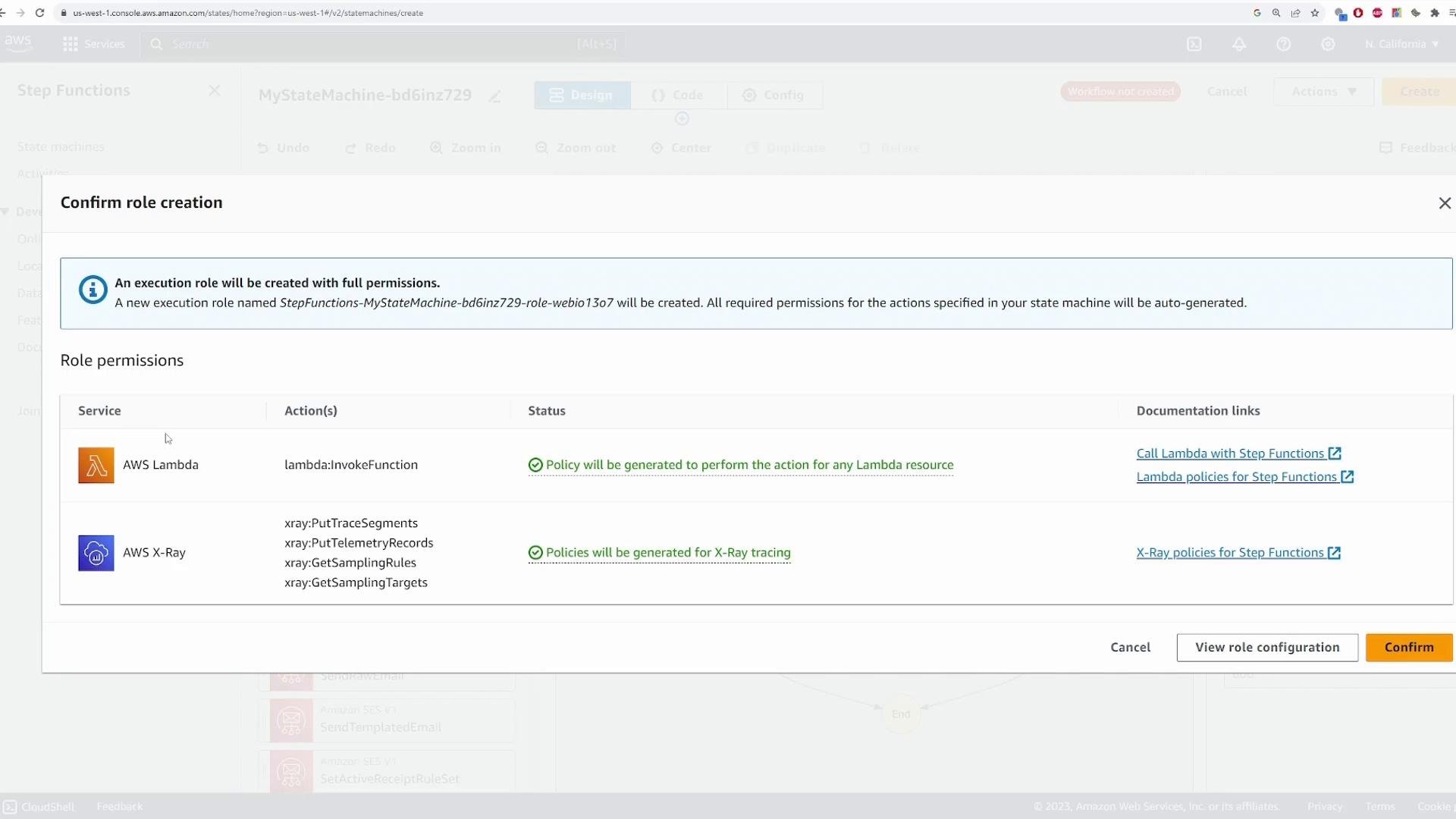
Ensure the execution role grants least privilege. Allow only the Lambda functions and resources your state machine needs to invoke. Overly broad roles increase security risk.
Start an execution
An execution is a single run of your state machine. Click Start execution and provide the initial input — this simulates the event the camera or upstream system sends. Example input:Example Task state (ASL) produced by the visual editor
Below is the Task state JSON the visual editor generates for invoking Detect Threat (shows common retry settings and how payload mapping works):Inspecting events and logs
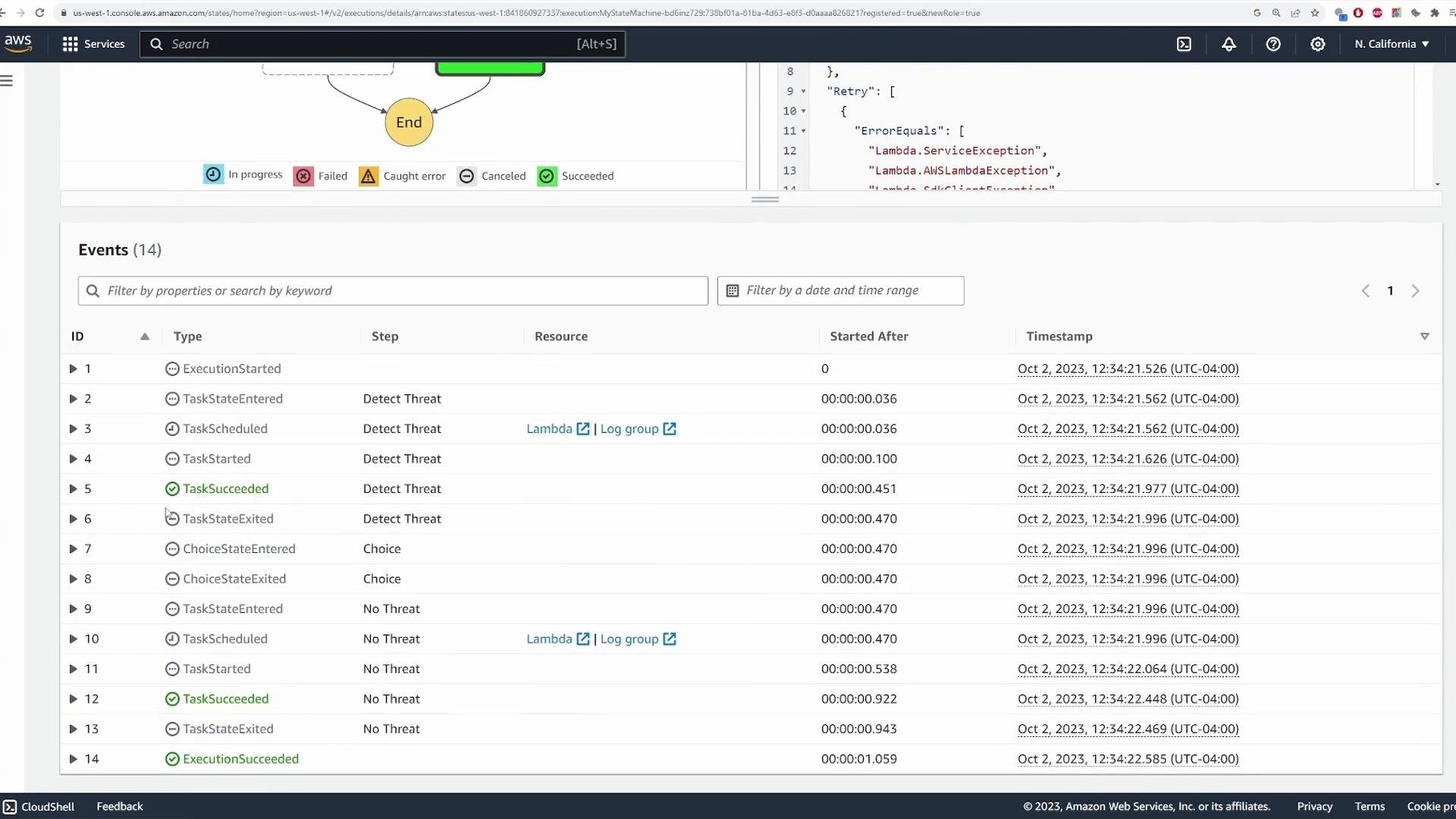
The Events pane lists state transitions and timestamps (TaskStarted, TaskSucceeded, ChoiceEvaluated, ExecutionSucceeded, etc.). Selecting any state displays:- Input passed into the state (for example, the camera metadata)
- Output produced by the state (for example,
{ "result": "NO_THREAT" }from DetectThreat) - Duration and timestamp metadata
- Any Lambda response metadata or error details
Re-run executions
Because the DetectThreat Lambda is randomized, repeated executions will sometimes go to ThreatFound and other times to No Threat. Run multiple executions to validate both branches and inspect inputs, outputs, and events for each.State machine dashboard and history
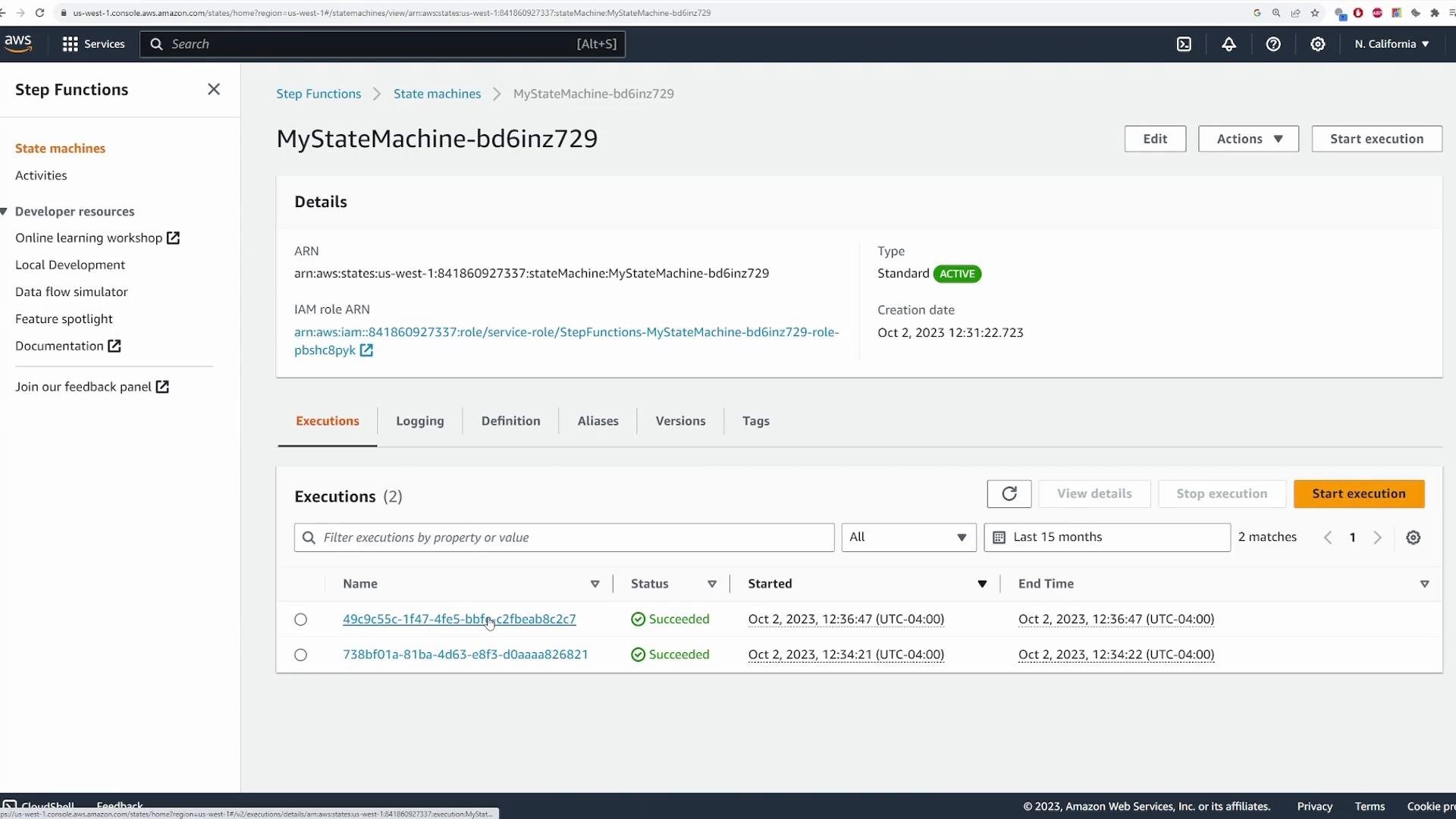
From the State Machines page you can see a summary for each state machine including execution counts and status (Succeeded, Failed, Timed out). Click a state machine to view all executions and drill into historical runs for analysis or troubleshooting.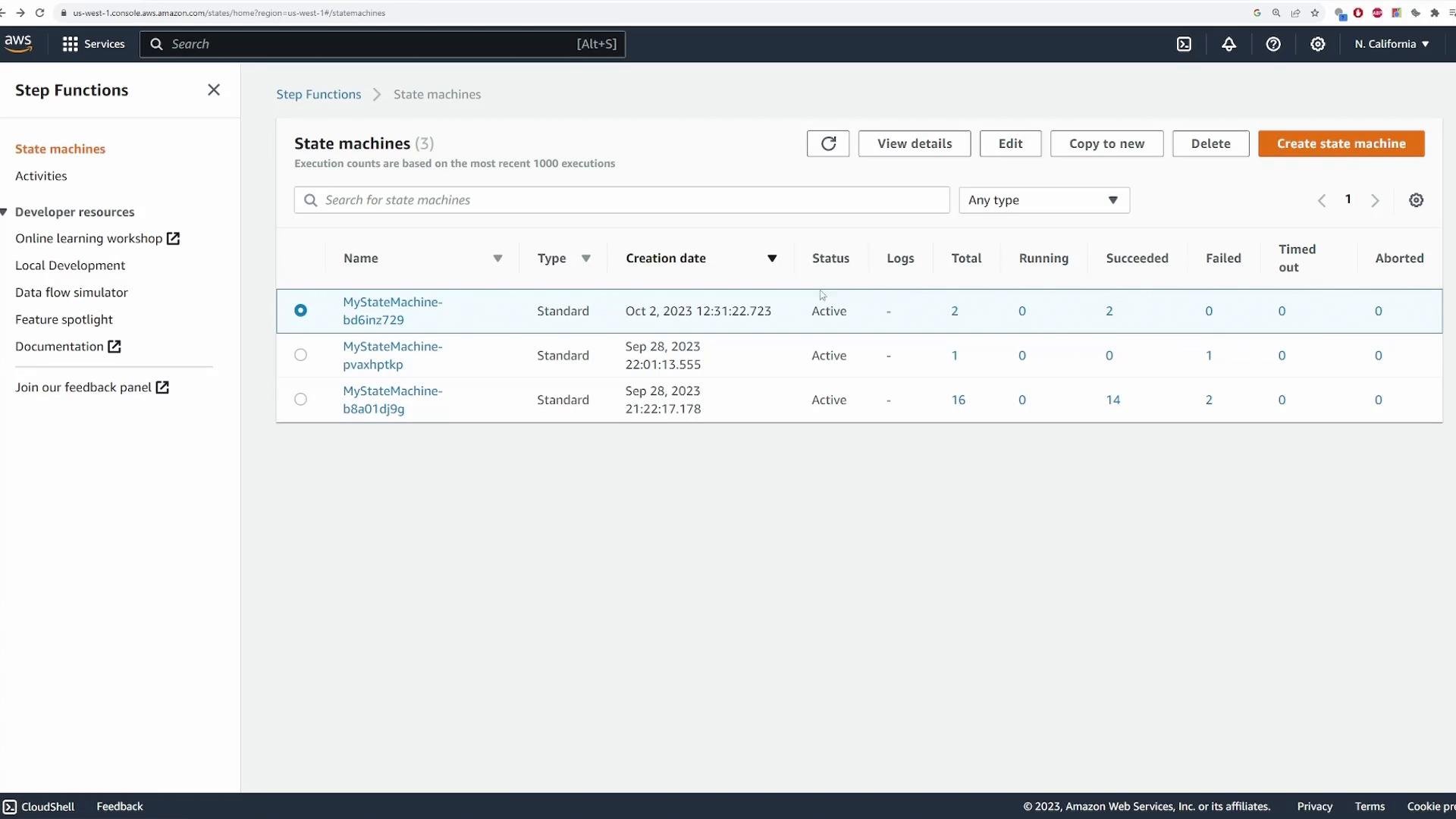
Summary and best practices
- AWS Step Functions provides a visual and stateful orchestration layer to coordinate AWS services (Lambda, SNS, ECS, SDK integrations) and model complex workflows.
- Use Choice states to branch logic; Retry and Catch to make workflows resilient; InputPath/Parameters/ResultPath/OutputPath to control data flow and keep payloads small.
- Test often: run multiple executions, inspect Events and state inputs/outputs, and adjust retry/catch policies as needed.
- Use least-privilege IAM roles for the state machine execution role.